How to Convert HTML Tables to JSON, CSV, or XLSX in Java
Parse HTML tables once with jsoup, normalize spans and headers, then export reliable JSON, CSV, or XLSX files in Java.
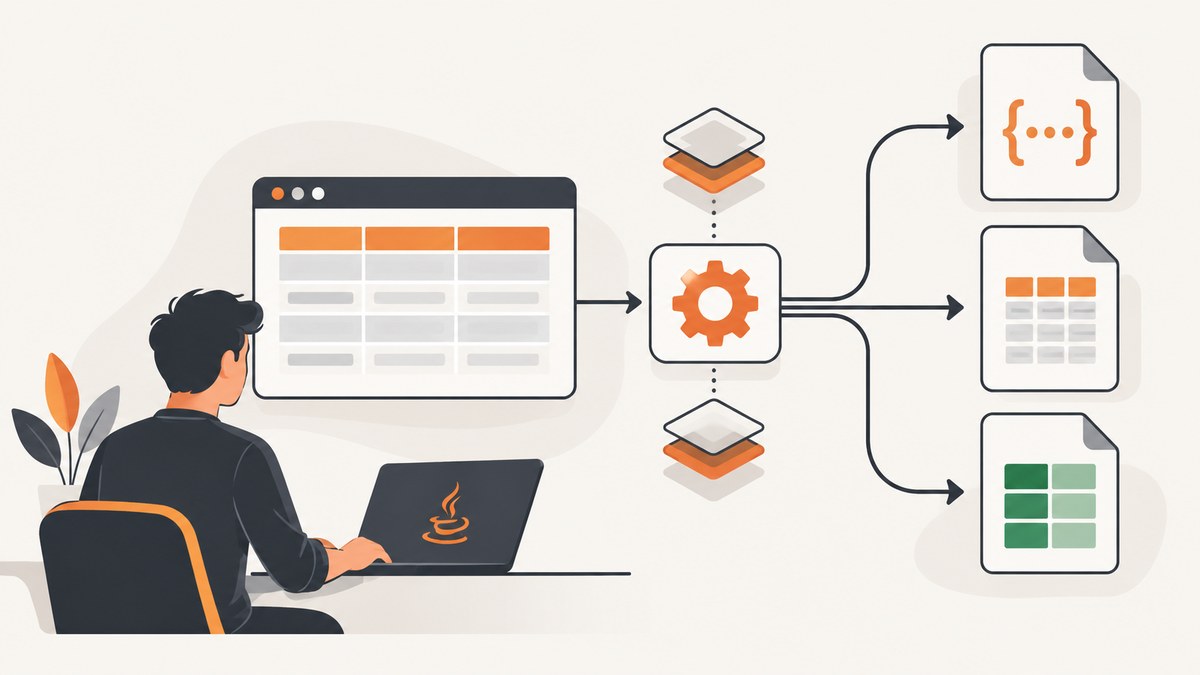
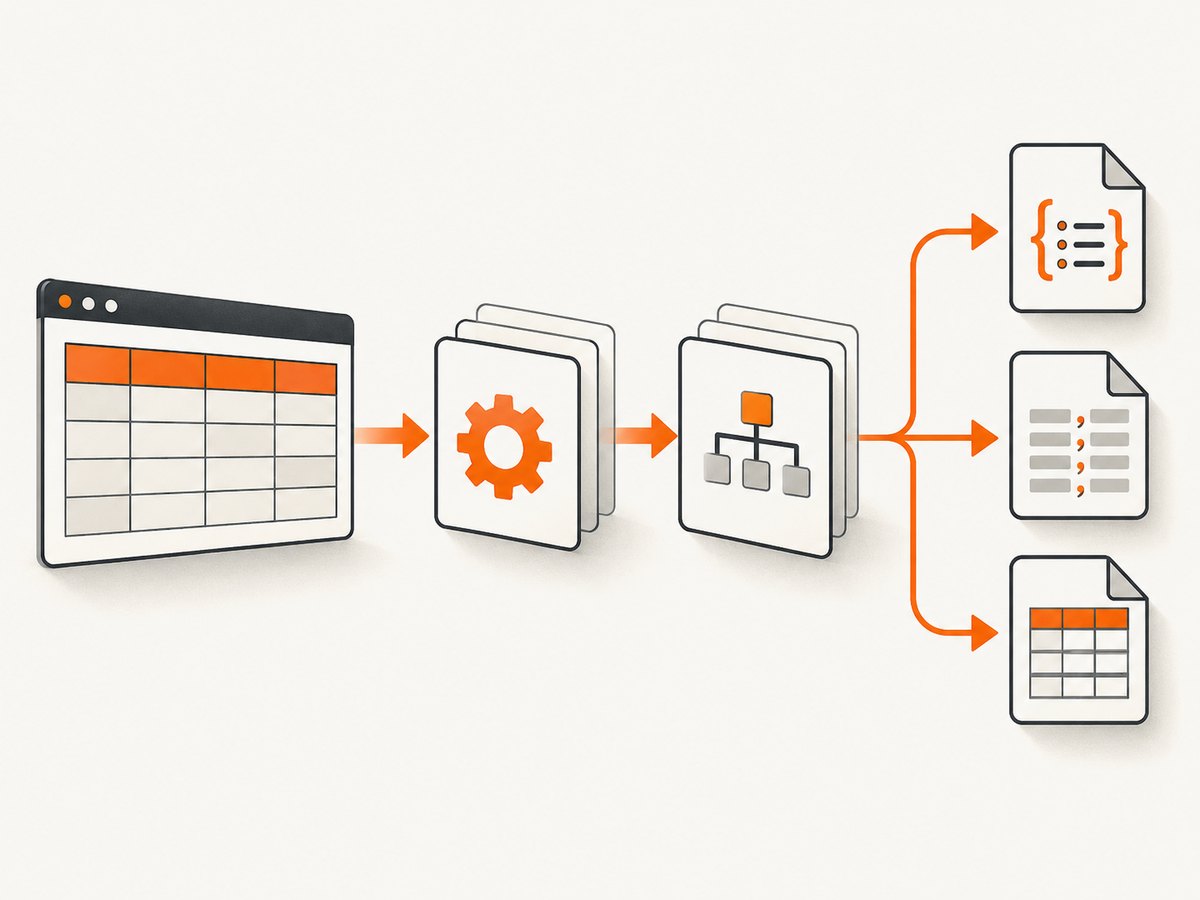
Convert an HTML table in three stages: parse it with jsoup, normalize every table into an ordered rectangular model, then serialize that model as JSON, CSV, or XLSX. Normalizing once keeps the output formats consistent and gives you one place to handle rowspan, colspan, missing cells, duplicate headers, whitespace, and character encoding.
1. Choose the input and output contract
Your input can be an HTML string, a local file, or a URL. Decide these policies before writing code:
- Table selection: select one table with a CSS selector, or export all tables separately.
- Cell value: this guide uses visible text, collapses internal whitespace, and keeps links and nested markup as text. Use an attribute explicitly when you need
hrefordata-*. - Spans: expand
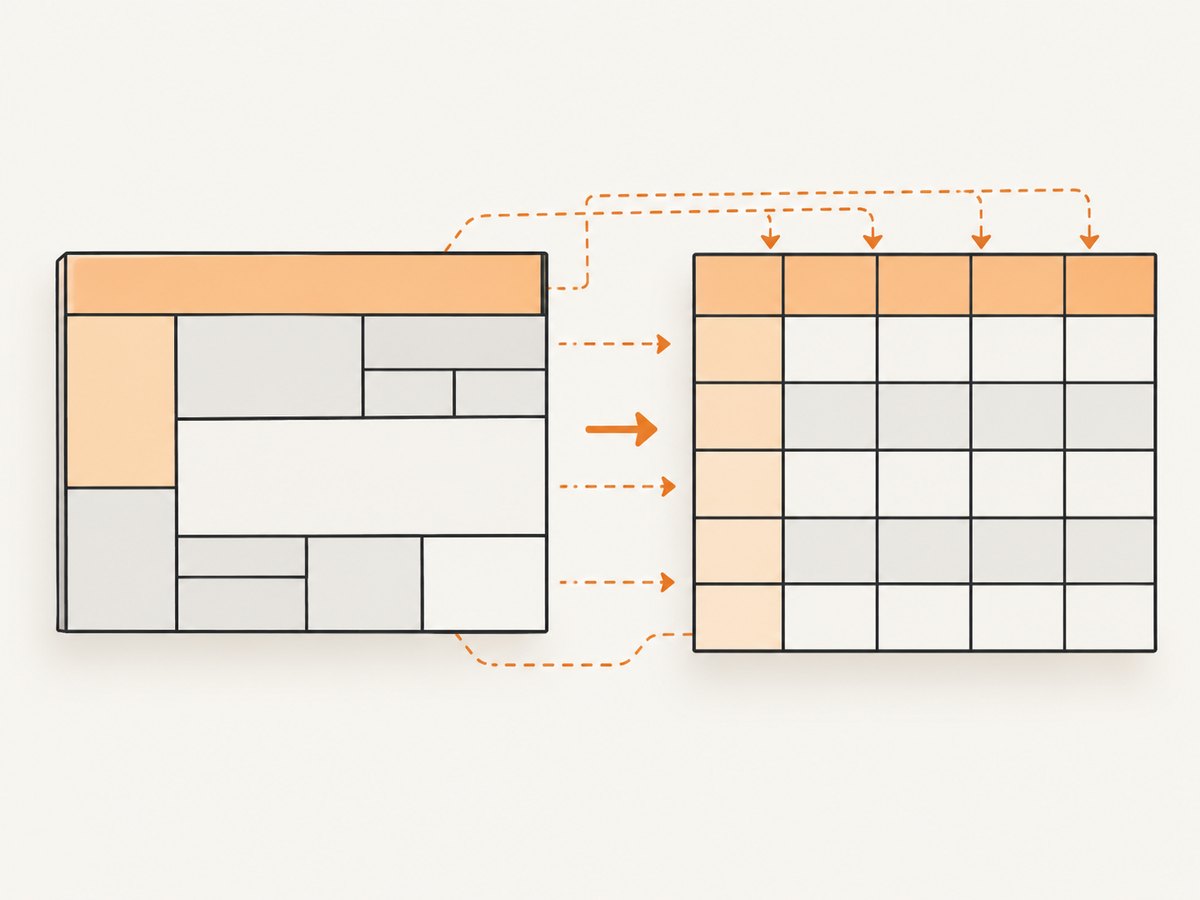
rowspanandcolspaninto a rectangular matrix. A spanned value is repeated in each covered position. - Headers: use the first meaningful header row only when names are unique. Otherwise emit array-of-arrays JSON and generic CSV/XLSX columns.
- Types: keep values as strings by default. This preserves IDs, leading zeros, and long numbers.
- Empty or malformed tables: return an empty dataset or a clear application error according to your API contract.
2. Add dependencies
jsoup parses real-world HTML and supports DOM traversal and CSS selectors. Apache POI’s poi-ooxml artifact writes XLSX files; use XSSFWorkbook for ordinary sizes and SXSSFWorkbook for streaming large workbooks. Keep your JSON library behind the writer boundary; the example uses Jackson.
<dependencies>
  <dependency>
    <groupId>org.jsoup</groupId>
    <artifactId>jsoup</artifactId>
    <version>1.23.2</version>
  </dependency>
  <dependency>
    <groupId>com.fasterxml.jackson.core</groupId>
    <artifactId>jackson-databind</artifactId>
    <version>YOUR_JACKSON_VERSION</version>
  </dependency>
  <dependency>
    <groupId>org.apache.poi</groupId>
    <artifactId>poi-ooxml</artifactId>
    <version>YOUR_POI_VERSION</version>
  </dependency>
</dependencies>
Dependency releases change. Check the current jsoup, Jackson, and Apache POI release pages before pinning versions in production.
3. Complete Java implementation
The following single class reads HTML from a string, file, or URL, expands row and column spans, writes JSON, RFC-style CSV, and XLSX, and exports multiple tables to separate sheets.
import com.fasterxml.jackson.databind.ObjectMapper;
import org.apache.poi.ss.usermodel.*;
import org.apache.poi.xssf.usermodel.XSSFWorkbook;
import org.jsoup.Jsoup;
import org.jsoup.nodes.Document;
import org.jsoup.nodes.Element;
import org.jsoup.select.Elements;

import java.io.*;
import java.nio.charset.StandardCharsets;
import java.nio.file.*;
import java.util.*;

public class HtmlTableExport {
  record TableData(List<String> headers, List<List<String>> rows) {}

  public static void main(String[] args) throws Exception {
    String html = "<table><thead><tr><th>Name</th><th>Score</th></tr></thead>"
        + "<tbody><tr><td>Ada</td><td>10</td></tr></tbody></table>";
    Document doc = Jsoup.parse(html);
    Elements tables = doc.select("table");
    if (tables.isEmpty()) throw new IllegalArgumentException("No table matched the selector");

    TableData data = normalize(tables.first());
    writeJson(data, Path.of("table.json"));
    writeCsv(data, Path.of("table.csv"));
    writeXlsx(List.of(data), Path.of("table.xlsx"));
  }

  static TableData normalize(Element table) {
    List<Element> rowElements = table.select("tr");
    List<List<String>> grid = new ArrayList<>();
    int width = 0;
    for (int r = 0; r < rowElements.size(); r++) {
      while (grid.size() <= r) grid.add(new ArrayList<>());
      List<String> row = grid.get(r);
      int col = 0;
      for (Element cell : rowElements.get(r).select(":scope > th, :scope > td")) {
        while (col < row.size() && row.get(col) != null) col++;
        int rowspan = positiveInt(cell.attr("rowspan"), 1);
        int colspan = positiveInt(cell.attr("colspan"), 1);
        String value = normalizeText(cell.text());
        for (int dr = 0; dr < rowspan; dr++) {
          while (grid.size() <= r + dr) grid.add(new ArrayList<>());
          List<String> target = grid.get(r + dr);
          while (target.size() < col + colspan) target.add(null);
          for (int dc = 0; dc < colspan; dc++) {
            if (target.get(col + dc) == null) target.set(col + dc, value);
          }
        }
        col += colspan;
        width = Math.max(width, col);
      }
    }
    for (List<String> row : grid) {
      while (row.size() < width) row.add("");
      for (int i = 0; i < row.size(); i++) if (row.get(i) == null) row.set(i, "");
    }
    if (grid.isEmpty()) return new TableData(List.of(), List.of());

    List<String> candidate = grid.get(0);
    boolean header = !candidate.isEmpty() && uniqueNonBlank(candidate);
    List<String> headers;
    List<List<String>> rows;
    if (header) {
      headers = makeUniqueHeaders(candidate);
      rows = new ArrayList<>(grid.subList(1, grid.size()));
    } else {
      headers = new ArrayList<>();
      for (int i = 0; i < width; i++) headers.add("column_" + (i + 1));
      rows = grid;
    }
    return new TableData(headers, rows);
  }

  static int positiveInt(String s, int fallback) {
    try { int n = Integer.parseInt(s); return n > 0 ? n : fallback; }
    catch (NumberFormatException e) { return fallback; }
  }
  static String normalizeText(String s) { return s.replaceAll("\\s+", " ").trim(); }
  static boolean uniqueNonBlank(List<String> xs) {
    Set<String> seen = new HashSet<>();
    for (String x : xs) if (x.isBlank() || !seen.add(x)) return false;
    return true;
  }
  static List<String> makeUniqueHeaders(List<String> input) {
    Map<String,Integer> counts = new HashMap<>(); List<String> out = new ArrayList<>();
    for (int i = 0; i < input.size(); i++) {
      String base = input.get(i).isBlank() ? "column_" + (i + 1) : input.get(i);
      int n = counts.merge(base, 1, Integer::sum);
      out.add(n == 1 ? base : base + "_" + n);
    }
    return out;
  }

  static void writeJson(TableData d, Path file) throws IOException {
    List<Map<String,String>> objects = new ArrayList<>();
    for (List<String> row : d.rows()) {
      Map<String,String> obj = new LinkedHashMap<>();
      for (int i = 0; i < d.headers().size(); i++) obj.put(d.headers().get(i), i < row.size() ? row.get(i) : "");
      objects.add(obj);
    }
    new ObjectMapper().writerWithDefaultPrettyPrinter().writeValue(file.toFile(), objects);
  }

  static void writeCsv(TableData d, Path file) throws IOException {
    try (BufferedWriter w = Files.newBufferedWriter(file, StandardCharsets.UTF_8)) {
      writeCsvRow(w, d.headers());
      for (List<String> row : d.rows()) writeCsvRow(w, row);
    }
  }
  static void writeCsvRow(Writer w, List<String> row) throws IOException {
    for (int i = 0; i < row.size(); i++) {
      if (i > 0) w.write(',');
      String s = row.get(i) == null ? "" : row.get(i);
      boolean quote = s.indexOf(',') >= 0 || s.indexOf('"') >= 0 || s.indexOf('\n') >= 0 || s.indexOf('\r') >= 0;
      if (quote) w.write('"');
      w.write(quote ? s.replace("\"", "\"\"") : s);
      if (quote) w.write('"');
    }
    w.write("\r\n");
  }

  static void writeXlsx(List<TableData> tables, Path file) throws IOException {
    try (Workbook wb = new XSSFWorkbook(); OutputStream out = Files.newOutputStream(file)) {
      for (int t = 0; t < tables.size(); t++) {
        TableData d = tables.get(t); Sheet sh = wb.createSheet("Table_" + (t + 1));
        int r = 0; Row header = sh.createRow(r++);
        for (int c = 0; c < d.headers().size(); c++) header.createCell(c, CellType.STRING).setCellValue(d.headers().get(c));
        for (List<String> values : d.rows()) {
          Row row = sh.createRow(r++);
          for (int c = 0; c < values.size(); c++) row.createCell(c, CellType.STRING).setCellValue(values.get(c));
        }
      }
      wb.write(out);
    }
  }

  static Document fromUrl(String url) throws IOException {
    return Jsoup.connect(url).userAgent("table-export/1.0").timeout(30_000).get();
  }
  static Document fromFile(Path path) throws IOException { return Jsoup.parse(path.toFile(), "UTF-8"); }
  static Document fromString(String html) { return Jsoup.parse(html); }
}
For a URL, replace Jsoup.parse(html) with fromUrl("https://example.com/page"); for a file use fromFile(Path.of("page.html")). The URL request is subject to the site’s robots policy, authentication, JavaScript rendering, and network behavior.
4. JSON output choices
Array of objects
Use objects when the first meaningful row contains unique headers. The output is easy to consume:
[
  {"Name":"Ada","Score":"10"}
]
The example keeps every value a string. Add numeric or date coercion only with explicit rules, because values such as 00123, account IDs, and localized dates can be corrupted by guessing.
Array of arrays
If headers are missing, duplicated, or visually grouped, preserve column order instead:
[
  ["Name", "Score"],
  ["Ada", "10"]
]
Adapt writeJson to serialize d.rows() directly when your consumer needs this shape.
5. CSV details that prevent corrupt exports
CSV has no single universal dialect. The writer above emits UTF-8, commas, CRLF line endings, a final line ending, and quotes fields containing commas, quotes, or line breaks. Embedded quotes become two quotes. If your consumer expects semicolons, a BOM, or LF endings, make that a named option and test it.
If spreadsheet software will open untrusted data, decide how to handle formula-like values beginning with =, +, -, or @. Escaping them (for example by prefixing a single quote) reduces CSV formula injection risk but changes the displayed value; document the policy.
6. XLSX details and large tables
Cells are written as text by default so leading zeros and long identifiers survive. Convert to numeric or date cells only after validating the complete column. For multiple HTML tables, call writeXlsx with one TableData per sheet and sanitize sheet names if you derive them from page content.
For large output, replace XSSFWorkbook with SXSSFWorkbook, periodically flush rows, call dispose() in a finally block, and write to a stream rather than building the entire workbook in memory. Measure heap, temporary-disk use, and output size with representative tables; no universal throughput number applies.
7. Selecting tables and handling real HTML
- One table:
doc.select("table.data").first(); fail clearly when it is absent. - Several tables: iterate
doc.select("table"), normalize each, and write separate files or sheets. - Headers in tbody: inspect the first row’s
thcells; do not assumetheadexists. - tfoot totals: preserve DOM row order, or explicitly separate totals if your downstream schema needs it.
- Nested links/lists:
Element.text()returns visible text. Useselect("a").attr("href")or custom extraction when URLs matter. - Entities and Unicode: jsoup decodes HTML entities. Always write CSV as UTF-8 and test accented characters, emoji, and right-to-left text.
- Lazy or JavaScript-rendered tables: a plain HTTP fetch may not contain rows. Render the page in a browser first, or obtain the site’s data endpoint.
8. Troubleshooting checklist
| Symptom | Likely cause | Fix |
|---|---|---|
| No tables found | Wrong selector, iframe, or client-rendered DOM | Inspect the fetched HTML; select the correct table; fetch the iframe source or render JavaScript. |
| Columns shift | Ignored rowspan/colspan or missing cells |
Use the span-expanding normalizer and fill uncovered positions explicitly. |
| JSON keys overwrite each other | Duplicate headers | Emit arrays, or suffix duplicate names with stable numbers. |
| CSV opens in one column | Delimiter or locale mismatch | Configure the consumer’s delimiter and encoding; verify the first line in a text editor. |
| Excel changes IDs | Implicit numeric conversion | Write text cells and keep coercion opt-in. |
| OutOfMemoryError | Very large DOM or workbook held in memory | Process tables incrementally, limit input size, and use SXSSFWorkbook. |
| Malformed HTML produces odd rows | Implicit browser-like repair | Log the normalized matrix, validate required columns, and reject data that violates your contract. |
| 403 or timeout from a URL | Server policy, authentication, rate limit, or slow origin | Use an authorized client with bounded retries and backoff; cache inputs and respect robots and terms. |
9. Performance, reliability, and cost
- Parse once and reuse the normalized model for all three writers.
- Bound URL timeouts, maximum response bytes, row count, and cell text length to protect a service.
- Use streaming XLSX for large exports and atomic temporary-file replacement for downloads.
- Record source URL, retrieval time, parser version, selected table selector, and row/column counts for reproducibility.
- Retry only transient network failures; do not blindly retry deterministic 4xx responses.
- Cache immutable source HTML when permitted. Reuse a normalized model when generating several formats.
Conversion cost depends on HTML size, table count, span complexity, and output format. Benchmark your own representative pages instead of relying on a generic throughput claim.
10. Or skip the browser setup
If the table is on a public page and you first need a dependable rendered capture for review or archiving, ScreenshotNeo returns a screenshot or PDF from one GET request. Its capture can accept cookie/consent banners and remove more than 60 known consent platforms, newsletter popups, and chat widgets before the shot; each step can be disabled. Bot checks, blank pages, timeouts, failed loads, and cache hits cost nothing, and the response identifies the result with X-Page-Verdict and X-Billed headers. It also offers an MCP server for AI agents.
See the ScreenshotNeo API docs for all options. A Java service can call the same endpoint with HttpClient:
import java.net.URI;
import java.net.http.*;
import java.nio.file.*;

var request = HttpRequest.newBuilder()
    .uri(URI.create("https://api.screenshotneo.com/v1/shot?access_key=YOUR_API_KEY&url=https%3A%2F%2Fstripe.com"))
    .timeout(java.time.Duration.ofSeconds(90))
    .GET().build();
var response = HttpClient.newHttpClient().send(request, HttpResponse.BodyHandlers.ofByteArray());
if (response.statusCode() / 100 != 2) throw new RuntimeException("HTTP " + response.statusCode());
Files.write(Path.of("shot.webp"), response.body());
Equivalent requests:
curl -G "https://api.screenshotneo.com/v1/shot" -d access_key=YOUR_API_KEY --data-urlencode url=https://stripe.com -o shot.webpimport requests
r = requests.get("https://api.screenshotneo.com/v1/shot", params={"access_key": "YOUR_API_KEY", "url": "https://stripe.com"}, timeout=90)
open("shot.webp", "wb").write(r.content)const q = new URLSearchParams({ access_key: 'YOUR_API_KEY', url: 'https://stripe.com' });
const res = await fetch(`https://api.screenshotneo.com/v1/shot?${q}`);ScreenshotNeo includes full-page and element capture, custom CSS/JavaScript, waits, blocking controls, headers/cookies, device and viewport settings, PDF output, caching, signed links, async jobs, bulk capture, and usage reporting. Plans include 1,000 free shots each month with no card; paid plans start at $5 for 3,000. Create a free ScreenshotNeo account.
11. Short FAQ
Can jsoup execute JavaScript?
No. It parses the HTML it receives. Use a browser renderer or an underlying data API when rows are created after page load.
Should I use JSON objects or arrays?
Use objects for trustworthy unique headers. Use arrays when headers are absent, duplicated, or structurally ambiguous.
How do I preserve leading zeros?
Keep normalized values as strings and write XLSX cells as text. Add typed conversion only for columns with a documented rule.
Can one HTML page produce one XLSX file?
Yes. Normalize each table and create one worksheet per table, or select one table and write a single sheet.
How should I test a converter?
Use fixtures covering spans, empty cells, duplicate headers, nested markup, Unicode, entities, malformed tags, and formula-like CSV values. Assert both the normalized matrix and each serialized format.


