How to Convert HTML to JPEG in Angular 11
Convert an Angular 11 component or div to a downloadable JPEG with html2canvas, including CORS, quality, timing, cropping, troubleshooting, and an API option.

Direct answer: In Angular 11, install html2canvas, mark the element with a template reference, wait until Angular and its assets have rendered, then pass the element to html2canvas. Convert the returned canvas with canvas.toDataURL('image/jpeg', quality) and download the result.
This method runs entirely in the visitor’s browser. It is useful for exporting invoices, certificates, dashboards, cards, and other components that are already visible in your Angular application. The important limitation is that html2canvas reconstructs the DOM in a canvas; it does not take a native browser screenshot, so unsupported CSS and inaccessible cross-origin resources can change the result. The html2canvas documentation describes this rendering model and its fidelity limits.
1. Install html2canvas
From your Angular 11 project, install the package:
npm install html2canvasAngular 11 uses TypeScript, and the package can be imported directly in a component. Keep the package in your regular dependencies because the conversion happens in the browser at runtime.
2. Convert an Angular element to JPEG
The following component is a complete working example. It captures one section, uses the device pixel ratio for sharper output, allows cross-origin images when their servers send compatible CORS headers, converts the canvas to JPEG, and starts a browser download.
import { Component, ElementRef, ViewChild } from '@angular/core';
import html2canvas from 'html2canvas';

@Component({
  selector: 'app-export',
  template: `
    <section #capture class="capture">
      <h1>Angular 11 report</h1>
      <p>This component will be exported as a JPEG.</p>
      <img src="assets/chart.png" alt="Monthly chart">
    </section>

    <button type="button" (click)="downloadJpeg()" [disabled]="busy">
      {{ busy ? 'Preparing image…' : 'Download JPEG' }}
    </button>
  `,
  styles: [`
    .capture { width: 720px; padding: 32px; background: white; color: #172033; }
  `]
})
export class ExportComponent {
  @ViewChild('capture', { static: false })
  capture!: ElementRef<HTMLElement>;

  busy = false;

  async downloadJpeg(): Promise<void> {
    if (!this.capture) {
      return;
    }

    this.busy = true;
    try {
      const canvas = await html2canvas(this.capture.nativeElement, {
        scale: window.devicePixelRatio,
        useCORS: true,
        backgroundColor: '#ffffff'
      });

      const jpegUrl = canvas.toDataURL('image/jpeg', 0.9);
      const link = document.createElement('a');
      link.download = 'angular-capture.jpg';
      link.href = jpegUrl;
      link.click();
    } finally {
      this.busy = false;
    }
  }
}
The ViewChild reference is available after the view has been created. The click handler therefore runs after Angular has rendered the section. If you capture automatically, use ngAfterViewInit and wait for images and fonts as described below.
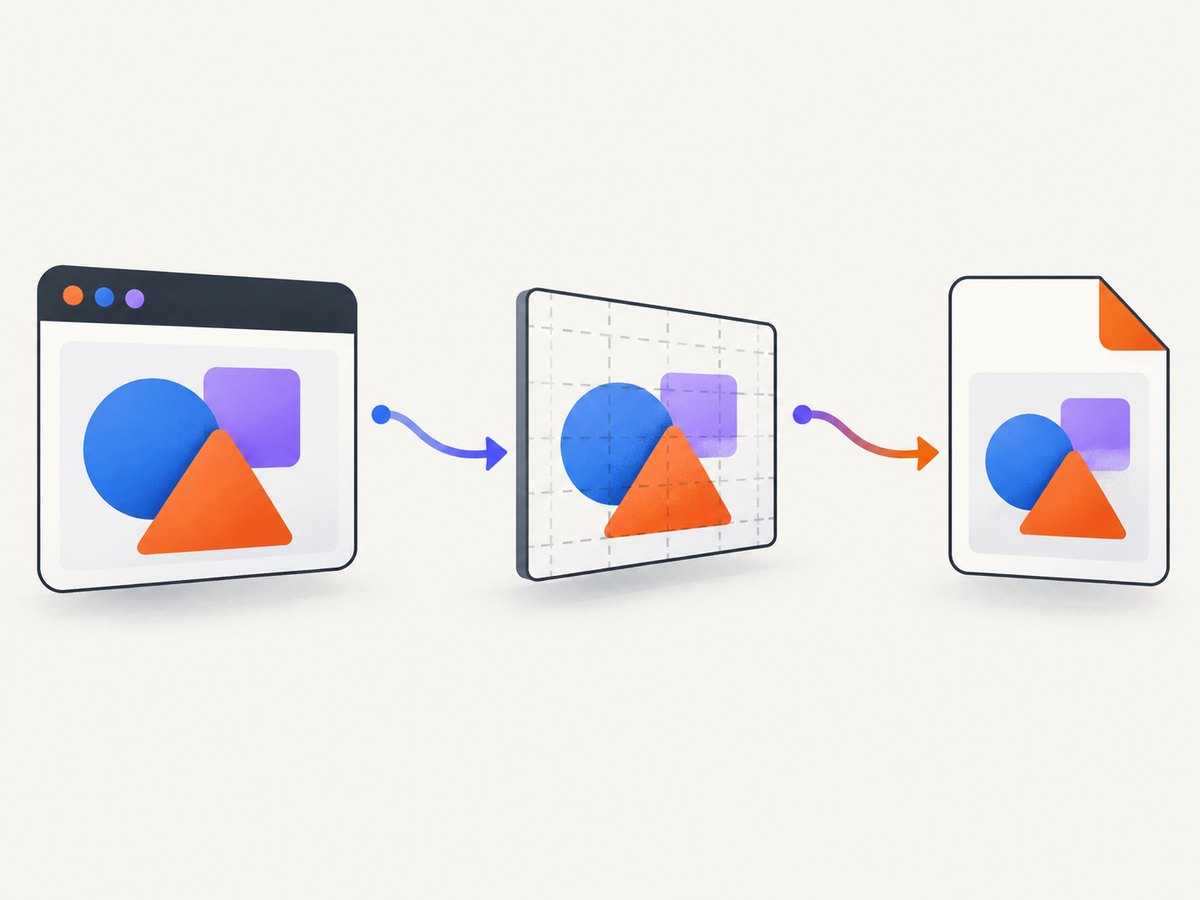
3. Understand the conversion pipeline
- Angular renders the template and styles into the DOM.
- html2canvas walks the selected DOM subtree and paints a canvas approximation.
toDataURL('image/jpeg', quality)encodes that canvas as a JPEG data URL.- An anchor element downloads the data URL as a file.
The quality argument is a number from 0 to 1. A value around 0.85 to 0.95 is a practical starting range. Lower values reduce file size but introduce more compression artifacts, especially around small text. The browser API is documented on MDN’s toDataURL reference.
4. Options that control output
| Option | Use | Example |
|---|---|---|
scale |
Controls output pixel density. Higher values are sharper but use more memory. | scale: window.devicePixelRatio |
useCORS |
Requests images with CORS enabled. The image host must send an allowing header. | useCORS: true |
backgroundColor |
Sets a solid background. Use null when transparency is required. |
backgroundColor: '#fff' |
x, y |
Starts capture at a coordinate in the rendered document. | x: 20, y: 10 |
width, height |
Crops the capture region. | width: 600, height: 400 |
windowWidth, windowHeight |
Sets the virtual viewport used while rendering. | windowWidth: 1280 |
ignoreElements |
Skips elements programmatically. | ignoreElements: el => el.classList.contains('no-export') |
You can also put data-html2canvas-ignore on a button, toolbar, or overlay that should never appear in exports:
<button data-html2canvas-ignore>Edit</button>For a fixed crop, combine the coordinates and dimensions:
const canvas = await html2canvas(this.capture.nativeElement, {
  scale: 2,
  x: 0,
  y: 0,
  width: 600,
  height: 400,
  backgroundColor: '#ffffff'
});
The available configuration and examples are listed in the html2canvas configuration guide.
5. Capture after Angular, images, and fonts are ready
A DOM node can exist before its visual content is complete. Capturing too early commonly produces missing images, fallback fonts, or skeleton loaders. For an automatic export, wait for the view and its assets:
import { AfterViewInit, Component, ElementRef, ViewChild } from '@angular/core';
import html2canvas from 'html2canvas';

export class AutoExportComponent implements AfterViewInit {
  @ViewChild('capture', { static: false })
  capture!: ElementRef<HTMLElement>;

  async ngAfterViewInit(): Promise<void> {
    await this.waitForImages(this.capture.nativeElement);
    if (document.fonts) {
      await document.fonts.ready;
    }
    await new Promise(resolve => requestAnimationFrame(() => resolve()));
    const canvas = await html2canvas(this.capture.nativeElement, { useCORS: true });
    // Use canvas.toDataURL('image/jpeg', 0.9) here.
  }

  private async waitForImages(root: HTMLElement): Promise<void> {
    const images = Array.from(root.querySelectorAll('img'));
    await Promise.all(images.map(image => {
      if (image.complete) {
        return Promise.resolve();
      }
      return new Promise<void>(resolve => {
        image.addEventListener('load', () => resolve(), { once: true });
        image.addEventListener('error', () => resolve(), { once: true });
      });
    }));
  }
}
If the component changes after a click, wait for the state update and one or two animation frames before calling html2canvas. For data loaded over HTTP, wait for the observable or promise that supplies the data rather than using an arbitrary long delay.
6. Cross-origin images, SVG, and iframes
Canvas security is the most frequent source of export failures. An image from another origin must be served with a compatible Access-Control-Allow-Origin header and loaded with CORS enabled. Otherwise the canvas becomes tainted and reading it with toDataURL can throw a security error. Setting useCORS: true does not bypass server policy; it only asks the browser to make a CORS request.
- Prefer same-origin assets under Angular’s
assets/directory. - Configure the image host to allow your application origin.
- Use a server-side proxy that fetches the image and serves it from your own origin when you control the architecture.
- Do not expect a cross-origin iframe’s internal DOM to be captured. Browser same-origin rules prevent reading it. A same-origin iframe can be traversed, but it still needs its own assets to be accessible.
- Inline SVG usually works, while external SVG images still follow the same CORS rules.
Never solve a CORS problem by disabling browser security for users. Fix the response headers or move the asset through a controlled backend.
7. JPEG size, quality, and upload handling
toDataURL keeps the entire encoded image in memory as a string. For large reports, use canvas.toBlob instead and upload the resulting Blob with FormData:
canvas.toBlob(blob => {
  if (!blob) {
    return;
  }
  const form = new FormData();
  form.append('file', blob, 'angular-capture.jpg');
  fetch('/api/uploads', { method: 'POST', body: form });
}, 'image/jpeg', 0.9);
JPEG has no alpha channel. Transparent areas are filled with the configured background, normally white. Use PNG when transparency or pixel-perfect UI text is more important than file size. Keep scale moderate for mobile devices; a very large element multiplied by a high device-pixel ratio can exceed the browser’s canvas limits or trigger memory pressure.
8. Common errors and fixes
| Symptom | Likely cause | Fix |
|---|---|---|
SecurityError from toDataURL |
A cross-origin image tainted the canvas. | Serve it with CORS headers, proxy it, or remove it from the export. |
| Images are blank | Capture ran before images loaded, or the host rejected CORS. | Wait for image load events and verify the response headers. |
| Fonts look different | Web fonts were still loading or are unavailable to the browser. | Await document.fonts.ready and confirm the font request succeeds. |
| Fixed elements appear in the wrong place | The virtual viewport differs from the visible viewport. | Set windowWidth/windowHeight and test the target viewport. |
| Buttons or popups appear | Interactive controls are part of the selected subtree. | Add data-html2canvas-ignore or use ignoreElements. |
| Text is blurry | Output scale is too low or JPEG compression is too strong. | Increase scale and quality, then check file size. |
| Very tall capture crashes | Canvas dimensions exceed browser or device memory limits. | Capture sections, lower scale, or render on a server. |
| Server-side rendering error | html2canvas requires browser globals such as window and document. |
Import and call it only in browser code, behind a platform-browser check. |
9. Performance and reliability checklist
- Capture only the needed element, not the entire application shell.
- Remove animations and blinking cursors before capture so repeated exports are stable.
- Use a dedicated export style class to control width, colors, and print-like spacing.
- Wait for network data, images, and fonts explicitly.
- Use
scale: 1for large exports and increase it only when text needs more detail. - Prefer
toBlobfor uploads to avoid a second large base64 copy. - Test Chrome, Firefox, and Safari if users can choose their browser; CSS support and canvas limits vary.
- Log capture failures and the target component name, but do not put private page data in client logs.
For a repeatable export, freeze the component state, set a known width, hide transient controls, and use the same font files and asset origins in every environment.
10. Or skip the browser setup
If the screenshot should be generated outside the user’s browser, ScreenshotNeo accepts one GET request and returns a JPEG, PNG, WebP, or PDF. Its capture options include CSS element selection, custom JavaScript and CSS, waiting for selectors or network idle, device presets, retina scale, hidden selectors, and resource blocking. See the ScreenshotNeo API documentation for the complete parameter list.

curl -G "https://api.screenshotneo.com/v1/shot" \
  -d access_key=YOUR_API_KEY \
  --data-urlencode url=https://stripe.com \
  -d format=jpeg \
  -o shot.jpg
import requests
r = requests.get(
"https://api.screenshotneo.com/v1/shot",
params={"access_key": "YOUR_API_KEY", "url": "https://stripe.com", "format": "jpeg"},
timeout=90,
)
r.raise_for_status()
open("shot.jpg", "wb").write(r.content)const q = new URLSearchParams({
access_key: 'YOUR_API_KEY',
url: 'https://stripe.com',
format: 'jpeg'
});
const res = await fetch(`https://api.screenshotneo.com/v1/shot?${q}`);
if (!res.ok) throw new Error(`Screenshot failed: ${res.status}`);
const fs = await import('node:fs/promises');
await fs.writeFile('shot.jpg', Buffer.from(await res.arrayBuffer()));ScreenshotNeo removes cookie banners, newsletter popups, and chat widgets before the shot. Bot checks, blank pages, timeouts, failed loads, and cache hits are not billed, and response headers identify the page verdict and billing status. An MCP server lets Claude, Cursor, and other MCP clients call take_screenshot, get_page_info, and capture_pdf. The Free plan includes 1,000 screenshots each month with no card; paid plans start at $5 for 3,000 shots. Create a free ScreenshotNeo account.
11. Frequently asked questions
Can I export a component that is outside the current viewport?
Yes. html2canvas renders the selected subtree, but set a suitable width and height and ensure lazy content has been loaded. Very large canvases may exceed device limits.
Why is my JPEG background black?
JPEG cannot store transparency. Set backgroundColor: '#ffffff' or another explicit color before encoding.
Can I capture a PDF viewer or third-party widget?
Only content accessible under browser same-origin rules can be traversed. A cross-origin iframe must provide its own export mechanism or be captured by a service that loads the page independently.
Should I use a higher JPEG quality for text?
Try 0.9 or 0.95, then inspect the result. Increasing scale often improves small text more than pushing quality to 1.
Does html2canvas reproduce every CSS property?
No. It approximates browser rendering, and its documentation notes that output may not be identical to the real representation. Test the exact Angular component, browser, fonts, and external assets you ship.


