Convert HTML to JPEG in PHP: Complete Guide
Learn how to render HTML in PHP and encode it as a JPEG with GD, Dompdf and Imagick, plus a browser-based ScreenshotNeo option.
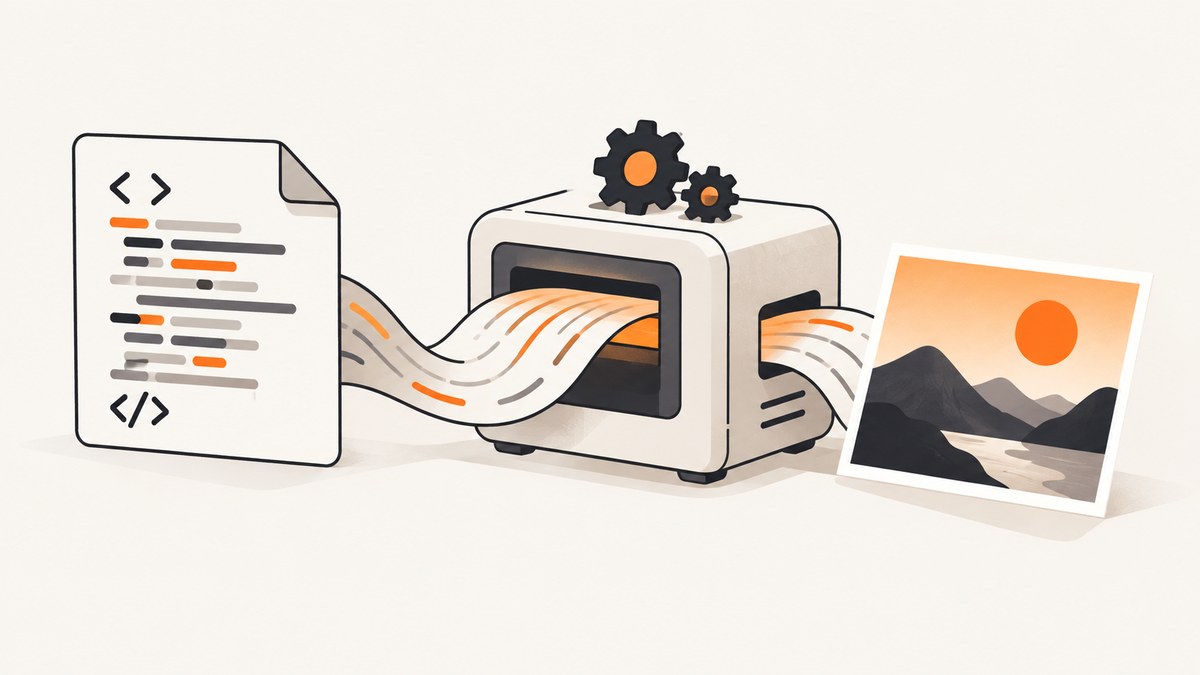
Direct answer: PHP cannot convert raw HTML to JPEG with imagejpeg() alone. JPEG encoders accept pixels, while HTML must first be laid out by a renderer. Use one of these two-stage pipelines:
- Render HTML/CSS to a bitmap, then call GD’s
imagejpeg(). - Render HTML/CSS to PDF with Dompdf, rasterize the PDF with Imagick/ImageMagick, then write JPEG.
If you need browser-level JavaScript, modern CSS, web fonts or exact Chrome output, use a real browser or a hosted rendering API instead of a PHP-only layout engine.
Choose the right rendering path
| Requirement | Recommended path | Trade-offs |
|---|---|---|
| You already have pixels in a GD image | imagejpeg() |
Fast and simple; it does not understand HTML. |
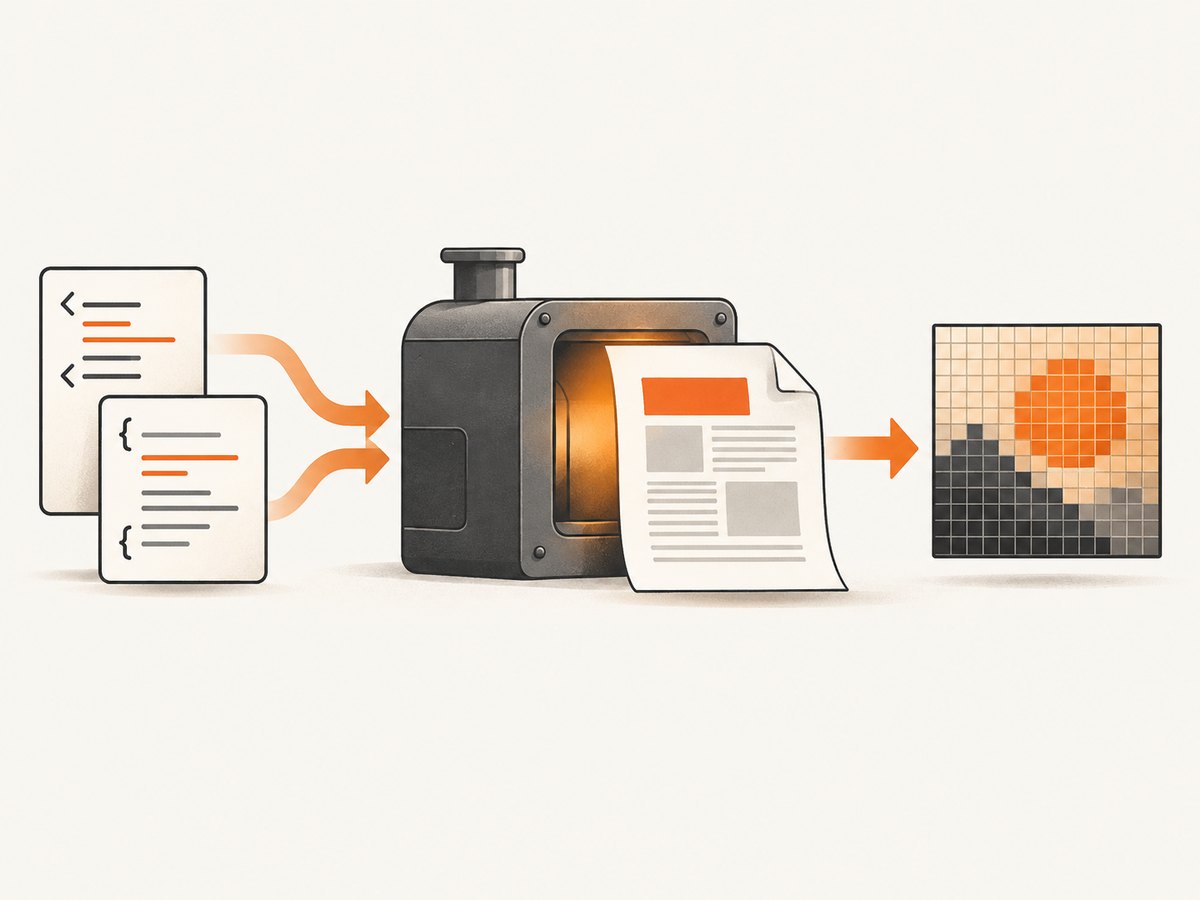
| Server-side HTML/CSS with a PHP dependency | Dompdf, then Imagick | Mostly CSS 2.1; output is PDF first and requires rasterization. |
| JavaScript, animations, modern CSS or browser parity | Headless browser or ScreenshotNeo | More infrastructure or an API request, but browser rendering is more faithful. |
Dompdf describes itself as a mostly CSS 2.1-compliant HTML layout and rendering engine written in PHP. Its documented delivery format is PDF, so a PDF-to-image step is part of the normal architecture. See the Dompdf documentation and supported features.
1. Prepare PHP and your input
Install the extensions and libraries required by your selected pipeline. Dompdf commonly needs the DOM and MBString extensions. Imagick requires the PHP extension plus an ImageMagick installation with a PDF delegate enabled. Confirm this in the same container or host that will run the conversion:
php -m | grep -E 'dom|mbstring|imagick'
php -r 'echo extension_loaded("imagick") ? "Imagick OK\n" : "Imagick missing\n";'
convert -version
Keep HTML valid. Dompdf is not tolerant of poorly formed markup; use its HTML5 parser where appropriate, validate templates, and make all important dimensions explicit. If the HTML is supplied by users, sanitize it and define a policy for remote images, stylesheets and fonts before rendering.
2. Convert an existing GD image to JPEG
When another part of your application has already produced a GD image, conversion is direct:
<?php
$im = imagecreatetruecolor(1200, 630);
$background = imagecolorallocate($im, 248, 249, 251);
imagefill($im, 0, 0, $background);

$text = imagecolorallocate($im, 30, 35, 45);
imagestring($im, 5, 40, 40, 'Rendered pixels', $text);

$output = __DIR__ . '/output.jpg';
$quality = 85; // 0 (smallest) through 100 (highest quality)
if (!imagejpeg($im, $output, $quality)) {
    throw new RuntimeException('Could not write JPEG');
}
imagedestroy($im);

echo $output . PHP_EOL;
The PHP manual documents imagejpeg() as writing an image to a browser or file. The quality argument is 0–100; omitting it uses the GD/IJG default (documented as about 75). To stream the result instead of saving it, send a content type and omit the filename:
<?php
header('Content-Type: image/jpeg');
imagejpeg($im, null, 82);
imagedestroy($im);
This solves image encoding only. Passing an HTML string to imagejpeg() will not render the markup.
3. Render HTML with Dompdf, then rasterize with Imagick
This is a practical PHP-only pipeline for invoices, reports and other mostly static documents. Install Dompdf with Composer:
composer require dompdf/dompdfThe following script accepts a self-contained HTML document, creates a PDF in memory, reads its first page with Imagick, and writes a JPEG. It is runnable after installing the required extensions and confirming that your ImageMagick policy permits PDF input.
<?php
declare(strict_types=1);

require __DIR__ . '/vendor/autoload.php';

use Dompdf\Dompdf;
use Dompdf\Options;

$html = <<<'HTML'
<!doctype html>
<html lang="en">
<head>
  <meta charset="utf-8">
  <style>
    @page { size: A4; margin: 24mm 18mm; }
    body { font-family: DejaVu Sans, sans-serif; color: #20242c; }
    h1 { color: #174a7e; margin-bottom: 8px; }
    .meta { color: #667085; font-size: 12px; }
    .panel { background: #f2f5f8; padding: 16px; border-radius: 6px; }
  </style>
</head>
<body>
  <h1>HTML rendered by Dompdf</h1>
  <p class="meta">Generated by a PHP conversion job</p>
  <div class="panel">This page is laid out as PDF before it becomes JPEG pixels.</div>
</body>
</html>
HTML;

$options = new Options();
$options->set('isRemoteEnabled', false); // enable only with a deliberate asset policy
$options->setDefaultFont('DejaVu Sans');
$dompdf = new Dompdf($options);
$dompdf->loadHtml($html, 'UTF-8');
$dompdf->setPaper('A4', 'portrait');
$dompdf->render();

$pdfPath = tempnam(sys_get_temp_dir(), 'html-') . '.pdf';
$jpegPath = __DIR__ . '/output.jpg';
file_put_contents($pdfPath, $dompdf->output());

try {
    $imagick = new Imagick();
    $imagick->setResolution(150, 150); // set before reading PDF
    $imagick->readImage($pdfPath . '[0]'); // first page
    $imagick->setImageBackgroundColor('white');
    $imagick->setImageAlphaChannel(Imagick::ALPHACHANNEL_REMOVE);
    $imagick->setImageFormat('jpeg');
    $imagick->setImageCompression(Imagick::COMPRESSION_JPEG);
    $imagick->setImageCompressionQuality(82);
    $imagick->stripImage();
    if (!$imagick->writeImage($jpegPath)) {
        throw new RuntimeException('Imagick could not write JPEG');
    }
    $imagick->clear();
    $imagick->destroy();
} finally {
    @unlink($pdfPath);
}

echo "Wrote {$jpegPath}\n";
The exact PDF-reading behavior depends on the ImageMagick build and delegate policy. If readImage() reports that PDF is disabled, install/configure the delegate or choose a browser renderer. Never enable broad delegate access for untrusted files without reviewing your ImageMagick policy.
4. Control dimensions, pages and JPEG quality
Page size and resolution
Dompdf’s paper size controls the document geometry. Imagick’s resolution controls how many pixels are produced when a PDF page is rasterized. Set the resolution before readImage(); changing it afterward cannot recover detail. For a web thumbnail, 96–120 DPI is often enough. For readable document text, try 150–200 DPI and measure memory in your deployment.
One JPEG per PDF page
A JPEG contains one raster frame. The example reads page zero. To export every page, read the PDF without the [0] suffix, iterate over getImageIterator(), set a filename for each frame and write them separately:
$pages = new Imagick();
$pages->setResolution(150, 150);
$pages->readImage($pdfPath);
foreach ($pages as $index => $page) {
    $page->setImageFormat('jpeg');
    $page->setImageCompressionQuality(82);
    $page->writeImage(__DIR__ . "/page-{$index}.jpg");
}
$pages->clear();
$pages->destroy();
Quality, transparency and color
JPEG has no alpha channel. Flatten transparent content onto a deliberate background before encoding. Quality around 80–90 is a starting point, not a guarantee; inspect small text, gradients and photographic areas and choose the lowest quality that meets your visual requirement. stripImage() removes metadata and can reduce size, but preserve profiles when color management matters.
5. When Dompdf is not enough
Dompdf supports external stylesheets, UTF-8 and common image formats, but it has CSS and HTML compatibility limits. It does not provide a general browser JavaScript runtime. A page that depends on client-side rendering, flexbox/grid edge cases, web components, authentication flows or post-load API calls may differ substantially.
A headless Chromium service can execute JavaScript and capture the final DOM. If you operate one yourself, isolate browser processes, set navigation and memory limits, restrict outbound requests, and wait for a deterministic selector or network-idle condition. Capture only trusted or policy-approved URLs: remote assets can expose internal services, consume bandwidth, or make output nondeterministic.
6. Or skip the browser setup
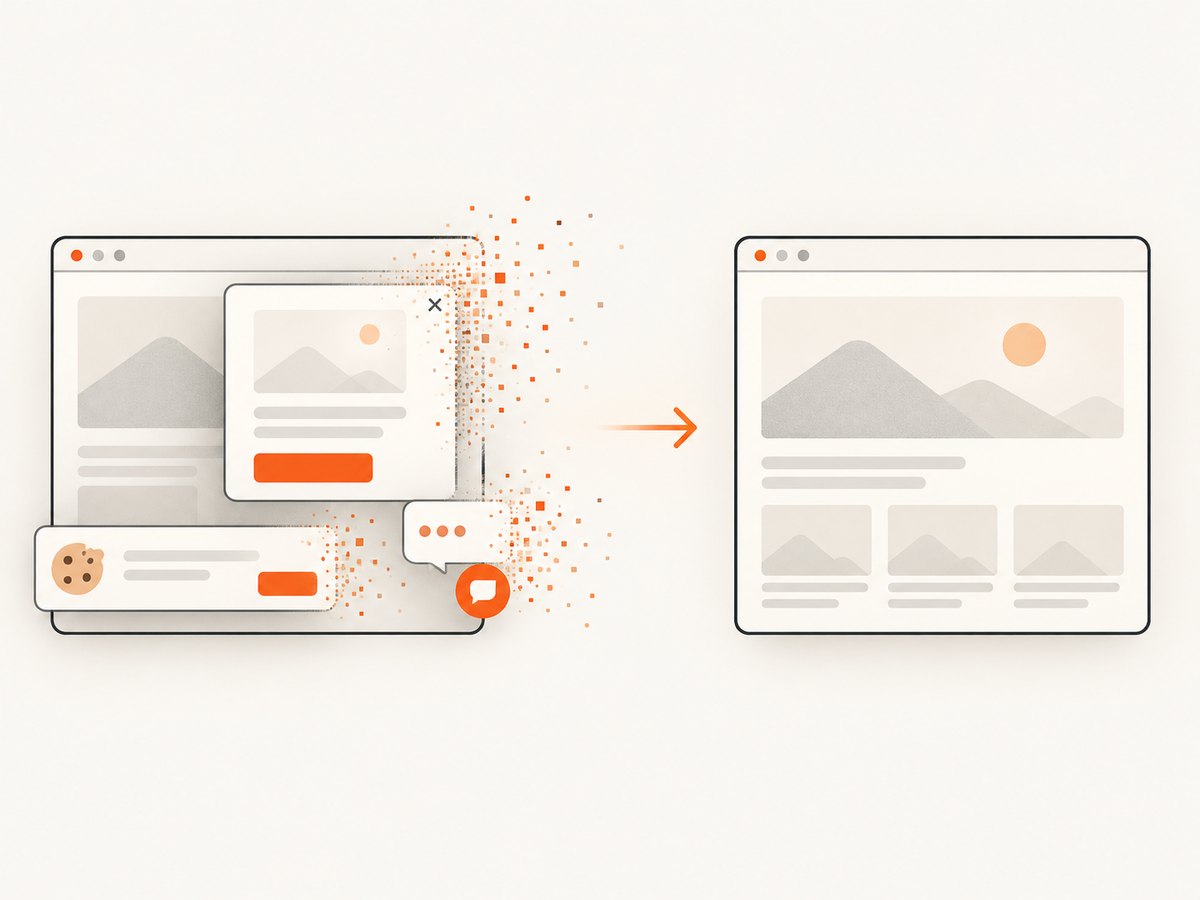
ScreenshotNeo is a website screenshot API and MCP server. It accepts one GET request and returns PNG, JPEG, WebP or PDF. Cookie and consent banners are accepted and 60+ known consent platforms, newsletter popups and chat widgets are removed before capture; each step can be disabled. Bot checks/CAPTCHAs, blank pages, timeouts, failed loads and cache hits are not billed, and the response reports the result in X-Page-Verdict and X-Billed headers.
Here is the smallest JPEG request. See the ScreenshotNeo API documentation for all options.
curl -G "https://api.screenshotneo.com/v1/shot" \
  -d access_key=YOUR_API_KEY \
  --data-urlencode url=https://stripe.com \
  -d format=jpeg \
  -o shot.jpg
import requests
r = requests.get(
"https://api.screenshotneo.com/v1/shot",
params={
"access_key": "YOUR_API_KEY",
"url": "https://stripe.com",
"format": "jpeg",
},
timeout=90,
)
r.raise_for_status()
open("shot.jpg", "wb").write(r.content)const q = new URLSearchParams({
access_key: 'YOUR_API_KEY',
url: 'https://stripe.com',
format: 'jpeg'
});
const res = await fetch(`https://api.screenshotneo.com/v1/shot?${q}`);
if (!res.ok) throw new Error(`HTTP ${res.status}`);
const data = Buffer.from(await res.arrayBuffer());
await import('node:fs/promises').then(fs => fs.writeFile('shot.jpg', data));Relevant capture controls include full-page screenshots with lazy images loaded, a CSS selector for one element, dark mode, 12 device presets or a custom viewport, retina scale, custom CSS and JavaScript, clicks, selector/delay/network-idle waits, hidden selectors, blocked ads/trackers/requests/resource types, headers, cookies, user agent, Authorization, timezone, geolocation, transparent backgrounds, resizing, a chosen cache TTL, signed links, asynchronous jobs with signed webhooks, bulk capture of up to 100 URLs per call, usage reporting and an OpenAPI specification. Common parameter names used by other screenshot APIs also work, which simplifies migration.
An MCP server provides take_screenshot, get_page_info and capture_pdf tools for Claude, Cursor and other MCP clients. Plans include 1,000 screenshots per month free with no card; paid plans start at $5 for 3,000, and every feature is available on every plan. Create a free ScreenshotNeo account.
7. Troubleshooting checklist
| Symptom | Likely cause | Fix |
|---|---|---|
| JPEG is blank or all white | HTML was never rendered, or transparent pixels were flattened unexpectedly. | Confirm the renderer stage produced a valid PDF/bitmap; set a background color before JPEG encoding. |
| “Class Imagick not found” | PHP Imagick extension is missing or loaded by a different PHP binary. | Install/enable the extension and verify with php -m in the worker environment. |
| PDF delegate security error | ImageMagick policy disables PDF input. | Use an approved delegate configuration or a different renderer; do not weaken policy blindly. |
| Images or CSS disappear | Remote assets are disabled, blocked, relative paths are wrong, or TLS/authentication fails. | Use absolute URLs or local files, define a controlled asset policy, and inspect network/access logs. |
| Text looks jagged | Low rasterization DPI or missing fonts. | Increase Imagick resolution before reading and install/embed the required font. |
| Modern page differs from Chrome | Dompdf lacks the CSS feature or JavaScript runtime. | Move that page to a real browser renderer or ScreenshotNeo. |
| Output is huge | High DPI, quality 100, embedded metadata or oversized dimensions. | Reduce DPI/quality, call stripImage(), resize deliberately and compare legibility. |
8. Performance, reliability and cost
Measure three separate stages: HTML layout, PDF generation, and PDF rasterization. Large images and high DPI increase memory sharply because rasterization creates an uncompressed pixel buffer. Reuse templates, cap input size, set process timeouts, and remove temporary files in a finally block. For queues, make jobs idempotent and include the source URL/template version in the output key.
Cache deterministic renders by a hash of HTML, CSS, assets, viewport, paper size, DPI and JPEG quality. Avoid caching pages whose content changes without a versioned URL. For remote pages, retries should use exponential backoff and a limit; repeated retries cannot fix a blocked bot check or invalid HTML.
Local rendering costs server CPU, memory, storage and operations time. Dompdf plus Imagick is economical for controlled documents, while browser infrastructure costs more to maintain but handles interactive pages. A hosted API changes that to per-capture usage and removes browser deployment work; compare measured latency, output fidelity and monthly volume in your environment.
FAQ
Can I convert HTML to JPEG with only core PHP?
No. Core PHP has no HTML layout engine. You need a renderer such as Dompdf, a browser, or a hosted service, followed by JPEG encoding.
Why not save Dompdf output directly as JPG?
Dompdf’s documented output is PDF. Rasterize that PDF with Imagick/ImageMagick or use a renderer that emits an image directly.
Does JPEG preserve transparent backgrounds?
No. Flatten transparency onto white or another chosen color before encoding, or use PNG/WebP when alpha is required.
How do I capture a long webpage?
Use a full-page browser capture that loads lazy images, or split a PDF/document into pages. A fixed-height screenshot will omit content below the viewport.
Should I use Dompdf for JavaScript-heavy pages?
No. Use a browser-based renderer when the final pixels depend on JavaScript execution or browser-only CSS behavior.


