How to Convert HTML Code Directly to PDF in C# with Wkhtmltopdf
Convert an HTML string to PDF bytes in C# with wkhtmltopdf and DinkToPdf, configure rendering and deployment, and troubleshoot common failures.
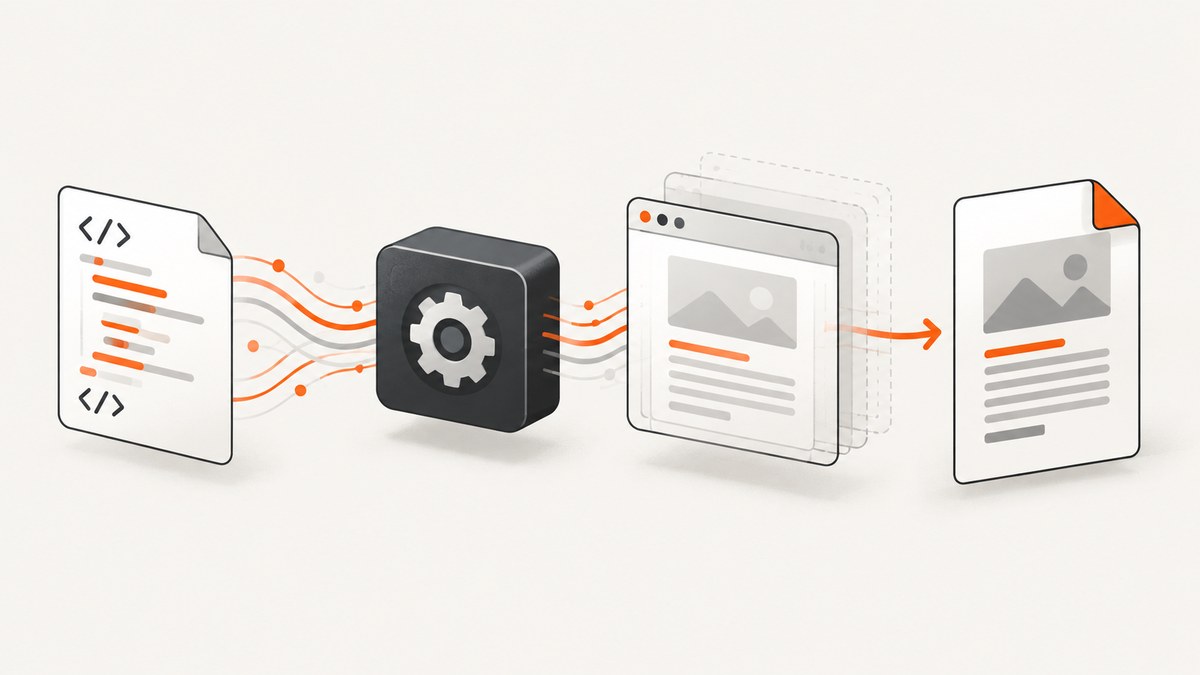
To convert an HTML string directly to PDF in C# with wkhtmltopdf, use a .NET wrapper such as DinkToPdf: place the string in ObjectSettings.HtmlContent, configure page settings, and call converter.Convert(doc). With no output path configured, the result is a byte[] that you can return from an API or save yourself. You must also deploy a native wkhtmltopdf library compatible with your operating system and process architecture when using DinkToPdf. See the DinkToPdf README and wkhtmltopdf usage manual.
This guide covers a runnable console example, web-service registration, page and rendering settings, assets, deployment, common errors, and when a hosted screenshot service is a better fit. DinkToPdf’s documented example is illustrative; check the namespace and API against the package version you actually install.
1. Install the wrapper and prepare the native library
Add the DinkToPdf package to your project, then obtain the matching native wkhtmltopdf library for the target operating system and 32-bit or 64-bit process. DinkToPdf’s README says to copy that library into the project root. A package reference alone does not guarantee that the native dependency will be present in your published application.
dotnet add package DinkToPdfConfirm your deployment target before choosing binaries. A library for the wrong operating system or architecture can compile successfully and fail only when conversion starts. If considering another wrapper, Haukcode.WkHtmlToPdfDotNet says its NuGet package includes native binaries; validate its version and deployment instructions against your runtime and operating system.
2. Convert an HTML string to PDF bytes
The following is the core DinkToPdf pattern shown in its README. Add the package namespace used by your installed version. Supply the HTML as a string, choose document settings, and convert to bytes:

using DinkToPdf;
using DinkToPdf.Contracts;

string html = """
<!doctype html>
<html>
<head>
  <meta charset=\"utf-8\">
  <title>Invoice</title>
  <style>
    body { font-family: sans-serif; margin: 2rem; }
    h1 { color: #222; }
  </style>
</head>
<body>
  <h1>Invoice 1042</h1>
  <p>Amount due: $125.00</p>
</body>
</html>
""";

var converter = new SynchronizedConverter(new PdfTools());
var document = new HtmlToPdfDocument
{
    GlobalSettings =
    {
        ColorMode = ColorMode.Color,
        Orientation = Orientation.Portrait,
        PaperSize = PaperKind.A4
    },
    Objects =
    {
        new ObjectSettings
        {
            HtmlContent = html,
            WebSettings =
            {
                DefaultEncoding = "utf-8"
            }
        }
    }
};

byte[] pdfBytes = converter.Convert(document);
File.WriteAllBytes("invoice.pdf", pdfBytes);
The call returns the PDF as a byte array when no output file is set. Keeping it in memory is useful for an HTTP response, object storage upload, or later processing. For a console application, File.WriteAllBytes writes it to disk. Check that the process has write permission and that the destination directory exists.
3. Return the PDF from an ASP.NET Core endpoint
For a service, register the synchronized converter as a singleton, following DinkToPdf’s recommendation. Its README describes conversion work being queued and executed on one thread. That means concurrent requests may wait behind one another; plan capacity and request timeouts around the conversion workload rather than assuming each conversion runs in parallel.
using DinkToPdf;
using DinkToPdf.Contracts;

var builder = WebApplication.CreateBuilder(args);
builder.Services.AddSingleton<IConverter>(
    new SynchronizedConverter(new PdfTools()));

var app = builder.Build();

app.MapPost("/pdf", (IConverter converter, HtmlRequest request) =>
{
    if (string.IsNullOrWhiteSpace(request.Html))
        return Results.BadRequest("html is required");

    var document = new HtmlToPdfDocument
    {
        GlobalSettings =
        {
            ColorMode = ColorMode.Color,
            Orientation = Orientation.Portrait,
            PaperSize = PaperKind.A4
        },
        Objects =
        {
            new ObjectSettings
            {
                HtmlContent = request.Html,
                WebSettings = { DefaultEncoding = "utf-8" }
            }
        }
    };

    byte[] bytes = converter.Convert(document);
    return Results.File(bytes, "application/pdf", "document.pdf");
});

app.Run();

public sealed record HtmlRequest(string Html);
This example accepts HTML from a request, so treat it as untrusted input. The Haukcode.WkHtmlToPdfDotNet repository warns against using wkhtmltopdf with untrusted HTML and recommends sanitizing user-supplied HTML and JavaScript. Review sanitization and process isolation carefully for your threat model. Avoid exposing an endpoint that turns arbitrary caller input into unrestricted file or network access.
DinkToPdf reports testing with console applications and Kestrel-hosted web applications and APIs, and explicitly says it was not tested with IIS. If IIS is your hosting model, do not assume compatibility from that README; verify in the intended environment.
4. Configure page layout, encoding, and rendering
Use GlobalSettings for the PDF document and ObjectSettings for the HTML content being rendered. The wrapper exposes wkhtmltopdf settings through its object model; exact property names can differ by wrapper version.
| Need | Configuration to check | Practical note |
|---|---|---|
| Paper and orientation | GlobalSettings.PaperSize, Orientation |
The wkhtmltopdf manual lists A4 as its default paper size. Set both explicitly when output dimensions matter. |
| Margins | Global margin settings | Choose units and values deliberately; the HTML body margin and PDF page margin both affect whitespace. |
| Color | ColorMode |
Use color when styles rely on colored backgrounds or text. |
| Text encoding | WebSettings.DefaultEncoding |
Set UTF-8 and include a matching HTML charset declaration for non-ASCII characters. |
| JavaScript | JavaScript enable/disable and delay options | The command-line manual documents JavaScript controls and a delay. A delay can help scripts finish, but increases latency and does not guarantee every page is ready. |
| Print styling | Print media type option | Use print media when the page has dedicated print CSS; inspect the resulting page breaks. |
| Links | External link handling | Decide whether links should remain clickable in the generated PDF. |
| Load failures | Load-error handling | Choose whether missing resources should fail conversion or produce a partial document, according to the wrapper’s supported settings. |
| Local resources | Local-file access option | Local-file access is disabled by default for reading other local files from a local input. Do not enable broader access casually. |
These are wkhtmltopdf capabilities documented in its usage manual. Map them to the actual wrapper API version rather than assuming a property name from a different fork.
HTML assets and relative URLs
An HTML string has no natural base directory for relative paths such as ./logo.png. Prefer absolute asset URLs where appropriate, embed small assets as data URLs, or configure a supported base URL or resource-loading approach. For local assets, ensure the process can access the files and understand the local-file restrictions before enabling access. External fonts, stylesheets, and images also depend on network availability and can make conversion slower or less predictable.
5. Save directly to a configured output file
If you want the wrapper to write the output instead of returning bytes, configure the document’s output path using the property supported by your DinkToPdf version. Its README demonstrates both byte-array output when no path is set and writing to a file when an output setting is supplied. Ensure the service identity can write there, avoid user-controlled paths, and create the directory before conversion.
For APIs, returning bytes is often simpler because the application controls the response headers and destination. For large workloads, consider bounded queues or background jobs so a slow or resource-heavy conversion does not tie up request handling indefinitely.
6. Troubleshoot common failures
| Symptom | Likely cause | What to check |
|---|---|---|
| Native library or DLL load error | The library is absent, in the wrong location, or mismatched to OS/process architecture. | Check the published output, target OS, 32/64-bit architecture, and native library file name and location. |
| Conversion throws immediately | Native initialization failed or the wrapper/native versions do not match. | Inspect the inner exception and verify the package’s setup instructions for the exact target runtime. |
| PDF is blank or content is missing | Malformed HTML, delayed JavaScript content, inaccessible assets, or an early load failure. | Try a minimal static HTML string, then add assets and scripts incrementally. Check load-error and JavaScript settings. |
| Accented or non-Latin characters are wrong | Encoding is unspecified or inconsistent. | Set default encoding to UTF-8 and include <meta charset="utf-8">. |
| Images or CSS do not appear | Relative paths have no usable base, a resource is inaccessible, or network/file access is restricted. | Use resolvable URLs, verify permissions/connectivity, and review local-file access rules. |
| Conversion hangs or takes too long | A page waits on JavaScript, network resources, or a slow response; synchronized work may queue. | Bound input and request time, inspect resource dependencies, avoid excessive delays, and monitor queue depth. |
| Works locally but not under IIS | The hosting environment is not established by the DinkToPdf README; permissions or native loading may differ. | Reproduce in the actual host, verify native library deployment and identity permissions, and validate that environment before release. |
| PDF file cannot be written | Output directory does not exist or process identity lacks write permission. | Create a controlled destination directory and grant only the required write access. |
7. Performance, reliability, and maintenance
Conversion cost depends on the HTML, assets, scripts, and page count; the cited sources provide no current benchmark, so measure with representative documents on the target host. Keep HTML and resource sizes bounded, reuse the registered converter where recommended, and account for the synchronized converter’s single-threaded queue when setting service capacity. A remote page can make output depend on network access and the content available at capture time; for repeatable PDFs, control the markup and asset versions.
wkhtmltopdf is described by its project site as an LGPLv3 command-line tool that renders using Qt WebKit and can run headlessly without a display service. Its usage manual identifies version 0.12.6 with patched Qt. DinkToPdf’s NuGet listing shows version 1.0.8, last updated April 18, 2017. That age is a reason to validate wrapper, native library, .NET runtime, operating system, and hosting compatibility for a new deployment; it does not prove that a particular setup will fail. Review the project overview, NuGet listing, and wrapper documentation before standardizing on it.
For reliability, test representative documents that cover long pages, page breaks, missing resources, non-ASCII text, and expected JavaScript behavior. Record conversion failures and duration in your application, and return a controlled error rather than an empty or misleading PDF. These are operational recommendations, not performance claims about a specific deployment.
8. Or skip the browser setup
If the goal is a visual capture of a rendered website rather than a paginated document from your own HTML string, ScreenshotNeo is a website screenshot API and MCP server. It returns PNG, JPEG, WebP, or PDF from one GET request. Its API and options are documented at ScreenshotNeo docs.

curl -G "https://api.screenshotneo.com/v1/shot" -d access_key=YOUR_API_KEY --data-urlencode url=https://stripe.com -o shot.webpimport requests
r = requests.get("https://api.screenshotneo.com/v1/shot", params={"access_key": "YOUR_API_KEY", "url": "https://stripe.com"}, timeout=90)
open("shot.webp", "wb").write(r.content)const q = new URLSearchParams({ access_key: 'YOUR_API_KEY', url: 'https://stripe.com' });
const res = await fetch(`https://api.screenshotneo.com/v1/shot?${q}`);Cookie banners, newsletter popups, and chat widgets are removed before the shot. Bot checks, blank pages, failed loads, timeouts, and cache hits are never billed, and response headers report the page verdict and billing status. Its MCP server gives AI agents tools to take screenshots, inspect page information, and capture PDFs. The free plan includes 1,000 screenshots a month with no card; paid plans start at $5 for 3,000 shots. Create a free account at ScreenshotNeo sign-up.
9. FAQ
Can I return the PDF without writing a temporary file?
Yes. With DinkToPdf’s documented pattern, Convert returns a byte array when no output path is configured. Return those bytes with the application/pdf content type or pass them to another storage layer.
Does this render an arbitrary modern website exactly like a current browser?
The cited project describes Qt WebKit rendering, but the dossier does not establish current browser compatibility or a modern CSS support matrix. Validate the specific HTML and styling you need against the output.
Is DinkToPdf verified for IIS?
No. Its README says it was not tested with IIS. Verify the deployment in your own IIS environment before relying on it.
Can I safely convert HTML submitted by users?
Do not assume user-supplied HTML is safe. The Haukcode.WkHtmlToPdfDotNet repository advises sanitizing untrusted HTML and JavaScript. Review isolation and permitted resource access for your application.
When is a screenshot API a better fit than this approach?
Use the C# wrapper when you need a PDF generated from HTML your application controls. Use a website capture API when you need a hosted page rendered and captured without maintaining the native browser library yourself.


