How to Convert HTML to PDF in Go with Net/HTTP
Build a Go HTTP endpoint that renders trusted HTML with Chromium and returns a reliable PDF, with production settings, errors, and alternatives.
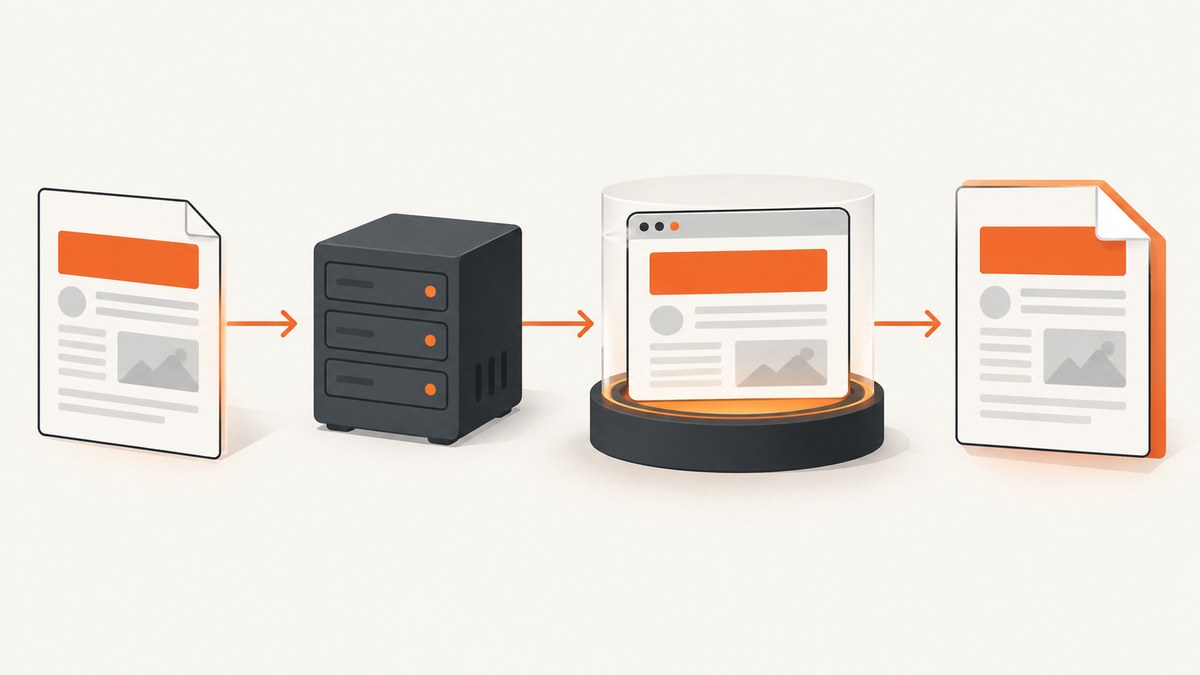
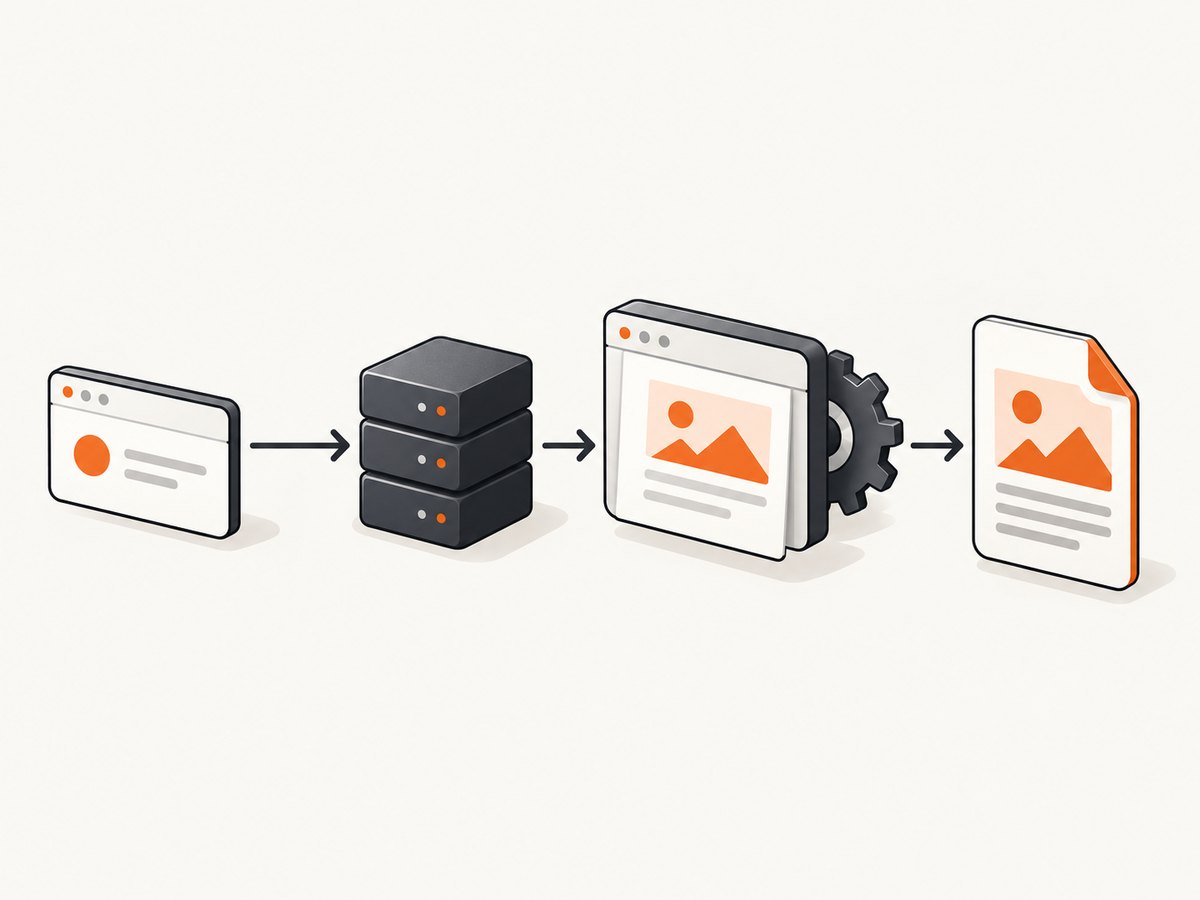
Direct answer: Go’s net/http package receives the request and sends the response; it does not render HTML or CSS into PDF. Pair it with a rendering engine. The most complete Go path is headless Chromium driven by chromedp, which calls Chrome DevTools Protocol’s Page.printToPDF method. Render the document inside a request-scoped context, check every error before writing response bytes, then return the PDF with normal HTTP headers.
How the conversion pipeline works
- Validate the request and build a typed data model.
- Execute an escaped
html/template. - Load that HTML in Chromium.
- Wait for required assets and fonts.
- Call
Page.printToPDFwith your paper, margin, orientation and background settings. - Write the resulting bytes to
http.ResponseWriter.
The separation matters: templates produce markup, Chromium performs layout, and net/http handles transport. The Go documentation describes the HTTP layer, while the chromedp PDF example demonstrates obtaining PDF bytes.
Complete runnable example with chromedp
Create a module and add the browser driver:
go mod init example.com/htmlpdf
go get github.com/chromedp/chromedp github.com/chromedp/cdproto/page
Install a Chromium or Chrome binary in the runtime image. This server accepts an invoice number, creates escaped HTML, renders it, and returns a download.
package main

import (
    "bytes"
    "context"
    "html/template"
    "net/http"
    "net/url"
    "strconv"
    "time"

    "github.com/chromedp/cdproto/page"
    "github.com/chromedp/chromedp"
)

type Line struct { Description string; Amount float64 }
type Invoice struct { Number, Customer string; Lines []Line; Total float64 }

var invoiceTemplate = template.Must(template.New("invoice").Parse(`<!doctype html>
<html><head><meta charset="utf-8">
<style>
@page { size: A4; margin: 18mm }
body { font: 14px Arial, sans-serif; color: #222 }
table { width: 100%; border-collapse: collapse }
th, td { border-bottom: 1px solid #ddd; padding: 8px; text-align: left }
@media print { .avoid-break { break-inside: avoid } }
</style></head><body>
<h1>Invoice {{.Number}}</h1>
<p>Customer: {{.Customer}}</p>
<table><tr><th>Item</th><th>Amount</th></tr>
{{range .Lines}}<tr><td>{{.Description}}</td><td>{{printf "%.2f" .Amount}}</td></tr>{{end}}
</table><p>Total: {{printf "%.2f" .Total}}</p>
</body></html>`))

func invoice(w http.ResponseWriter, r *http.Request) {
    ctx, cancel := context.WithTimeout(r.Context(), 30*time.Second)
    defer cancel()

    data := Invoice{Number: "INV-42", Customer: "Example Ltd",
        Lines: []Line{{"Consulting", 125}}, Total: 125}
    var html bytes.Buffer
    if err := invoiceTemplate.Execute(&html, data); err != nil {
        http.Error(w, "template error", http.StatusInternalServerError)
        return
    }

    browserCtx, cancelBrowser := chromedp.NewContext(ctx)
    defer cancelBrowser()
    var pdf []byte
    actions := chromedp.Tasks{
        chromedp.Navigate("data:text/html," + url.PathEscape(html.String())),
        chromedp.ActionFunc(func(ctx context.Context) error {
            var err error
            pdf, _, err = page.PrintToPDF().
                WithPrintBackground(true).
                WithPreferCSSPageSize(true).
                Do(ctx)
            return err
        }),
    }
    if err := chromedp.Run(browserCtx, actions); err != nil {
        http.Error(w, "render error", http.StatusInternalServerError)
        return
    }

    w.Header().Set("Content-Type", "application/pdf")
    w.Header().Set("Content-Disposition", `attachment; filename="invoice.pdf"`)
    w.Header().Set("Content-Length", strconv.Itoa(len(pdf)))
    w.WriteHeader(http.StatusOK)
    _, _ = w.Write(pdf)
}

func main() {
    mux := http.NewServeMux()
    mux.HandleFunc("/invoices/42.pdf", invoice)
    http.ListenAndServe(":8080", mux)
}
Request it with:
curl -o invoice.pdf http://localhost:8080/invoices/42.pdfurl.PathEscape is adequate for a small data URL. For larger documents or documents with external assets, use a controlled internal URL or CDP’s document-content operation and provide a valid <base href>. Absolute HTTPS asset URLs are usually easier to diagnose than relative paths.
Print configuration you should choose deliberately
The CDP bindings expose controls for paper dimensions, margins, orientation, background graphics and tagged PDFs. The exact methods are documented in the Page.printToPDF bindings.
| Requirement | Setting or technique |
|---|---|
| Letter or A4 output | Set paper size or use CSS @page { size: A4 } with PreferCSSPageSize. |
| Landscape reports | Set the landscape option or a landscape page rule. |
| Colored headers | Enable print backgrounds and use -webkit-print-color-adjust: exact. |
| Stable page breaks | Use break-before, break-after and break-inside: avoid in print CSS. |
| Accessible output | Enable tagged-PDF support when your Chromium version and accessibility requirements call for it. |
| Preview instead of download | Use Content-Disposition: inline; use attachment to force download. |
Wait for dynamic content before printing. A CDP action can evaluate document.fonts.ready, wait for a known selector, or pause for an application-defined delay. “Network idle” is useful for single-page applications but can hang on pages with long-lived analytics connections.
Reuse Chromium safely in a server
The example creates a context per request for clarity. In production, start one browser allocator at process startup and create isolated tab contexts for requests. Starting a complete browser for every PDF adds process overhead and increases memory pressure. Add a semaphore to cap concurrent renders, for example:
var renderSlots = make(chan struct{}, 4)

func withRenderSlot(ctx context.Context, fn func() error) error {
    select {
    case renderSlots <- struct{}{}:
        defer func() { <-renderSlots }()
        return fn()
    case <-ctx.Done():
        return ctx.Err()
    }
}
Choose the capacity from measurements in the same container and with representative documents. Browser processes consume memory outside ordinary handler allocations. Set a maximum HTML size, a maximum output size and a deadline. Recycle a browser after repeated crashes or failed health checks. Never expose Chrome’s debugging port publicly.
Templates, assets and untrusted input
Use html/template, not string concatenation, so user data is escaped for HTML contexts. Validate IDs and authorization before loading records. If users can submit arbitrary HTML, define a sanitizer and a resource policy first; rendered markup can execute scripts or request network resources depending on browser flags.
A URL-rendering endpoint is also a server-side fetch capability. Allowlist destination hosts, block loopback and cloud metadata addresses, restrict redirects, and limit DNS, navigation time and response sizes. Prefer a sandboxed container. Do not disable Chromium’s sandbox unless your isolation model requires it and has been reviewed.
Fonts and images must be reachable from the renderer. Embed small assets as data URLs, or serve them from an internal endpoint with short-lived authorization. Test the exact Linux image used in deployment because installed fonts and Chromium versions affect line wrapping and pagination.
Renderer alternatives
| Approach | When it fits | Tradeoffs |
|---|---|---|
| Chromium with chromedp | Modern CSS, JavaScript, web fonts and browser fidelity | Requires Chromium, memory limits and lifecycle management |
| wkhtmltopdf | Existing systems built around its command-line workflow | Legacy Qt WebKit behavior; Go bindings require wkhtmltox and document a main-thread constraint |
| Pure-Go renderer | Restricted deployments where basic CSS is sufficient | Validate supported CSS, fonts and page breaks against real templates |
| Hosted rendering API | You do not want to package or operate a browser | Review data handling, latency, limits, pricing and terms before adoption |
The wkhtmltopdf project and its Go binding README describe its runtime and main-thread requirements. These engines are not drop-in equivalents; compare representative invoices, fonts, tables and page breaks.
HTTP and reliability details
- Render completely before sending a success status. Once PDF bytes are written, you cannot cleanly replace them with a JSON error.
- Return
400for invalid parameters,413for oversized input and500or503for renderer failures, according to your API contract. - Use a sanitized filename and quote it in
Content-Disposition. - For private documents, set
Cache-Control: private, no-store. Add ETags only when the document is safe to cache. - Log a request ID, render duration, output size and renderer error, but never log secrets or full document contents.
Troubleshooting checklist
| Symptom | Likely cause | Fix |
|---|---|---|
| Blank PDF | Navigation failed or HTML was malformed | Use a full doctype, inspect the navigation error, and try CDP document content instead of a long data URL. |
| CSS or images missing | Relative paths, blocked network or CORS | Use absolute URLs or a base URL, allow the asset origin and check renderer logs. |
| Fonts differ | Font absent in the container or print occurred too early | Install or embed the font and await document.fonts.ready. |
| Wrong page breaks | Screen styles used during print | Add @media print, @page and explicit break rules. |
| Intermittent timeouts | Too much concurrency or pages waiting forever | Use a semaphore, request deadline and bounded asset waits; avoid waiting for perpetual connections. |
| High memory use | Too many browser tabs or oversized documents | Cap concurrency and input/output sizes, reuse the browser, and recycle unhealthy instances. |
| Download header ignored | Header written after body bytes | Set headers and status before the first write; verify the filename syntax. |
Testing strategy
Keep template execution and rendering behind an interface such as Render(context.Context, string) ([]byte, error). Handler unit tests can inject a fake renderer and assert status, headers and body. Run a separate integration test with real Chromium for page size, fonts, images and page breaks. Store representative PDFs or extracted text as fixtures so browser upgrades are reviewable.
Or skip the browser setup
If you need a rendered capture without packaging Chromium in your Go service, ScreenshotNeo provides one HTTP endpoint for a URL and returns a clean screenshot or PDF. See the ScreenshotNeo API docs for PDF output and all options.
curl -G "https://api.screenshotneo.com/v1/shot" -d access_key=YOUR_API_KEY --data-urlencode url=https://stripe.com -o shot.webpimport requests
r = requests.get("https://api.screenshotneo.com/v1/shot", params={"access_key": "YOUR_API_KEY", "url": "https://stripe.com"}, timeout=90)
open("shot.webp", "wb").write(r.content)const q = new URLSearchParams({ access_key: 'YOUR_API_KEY', url: 'https://stripe.com' });
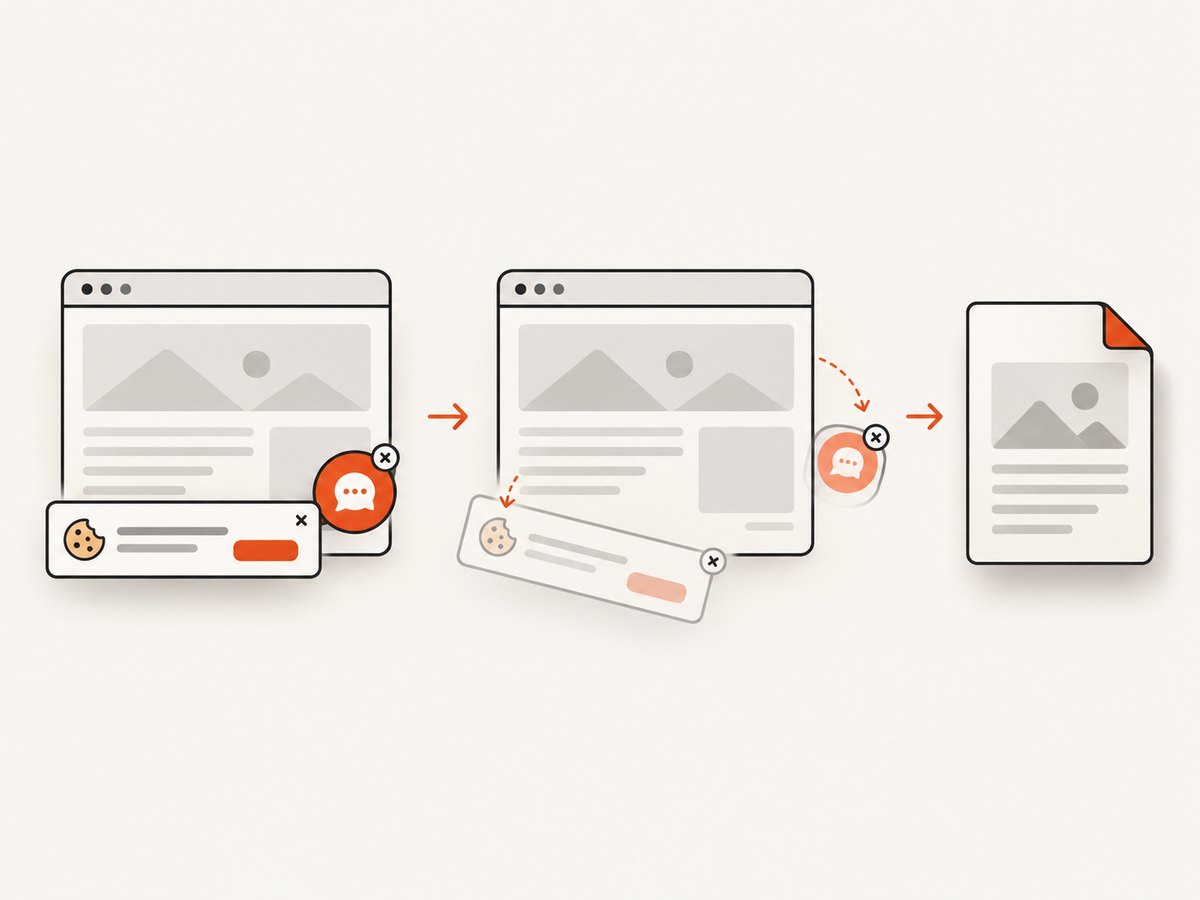
const res = await fetch(`https://api.screenshotneo.com/v1/shot?${q}`);Before capture, ScreenshotNeo accepts cookie and consent banners and removes more than 60 known consent platforms, newsletter popups and chat widgets; each step can be turned off. Bot checks, blank pages, timeouts, failed loads and cache hits cost nothing, and response headers identify the page verdict and whether it was billed. Its MCP server lets Claude, Cursor and other MCP clients call take_screenshot, get_page_info and capture_pdf. The Free plan includes 1,000 screenshots a month with no card; paid plans start at $5 for 3,000. Create a free ScreenshotNeo account.
FAQ
Can net/http convert HTML by itself?
No. It transports requests and responses. A browser, WebKit tool, pure-Go renderer or hosted service must perform layout and PDF generation.
Should I render user-provided HTML?
Only with a defined security model. Sanitize markup, restrict destinations and resources, enforce deadlines and isolate the renderer.
Why does the same HTML produce different PDFs after deployment?
Chromium versions, installed fonts, locale, timezone and available assets change layout. Pin the runtime image and test in it.
When should I choose wkhtmltopdf?
Choose it when its older WebKit output matches your existing templates and you can satisfy its native installation and main-thread constraints.


