Convert HTML Documents to PDF Using PHP
Create reliable PDFs from HTML in PHP with Dompdf, browser renderers, pagination, fonts, security checks, troubleshooting, and a managed API option.
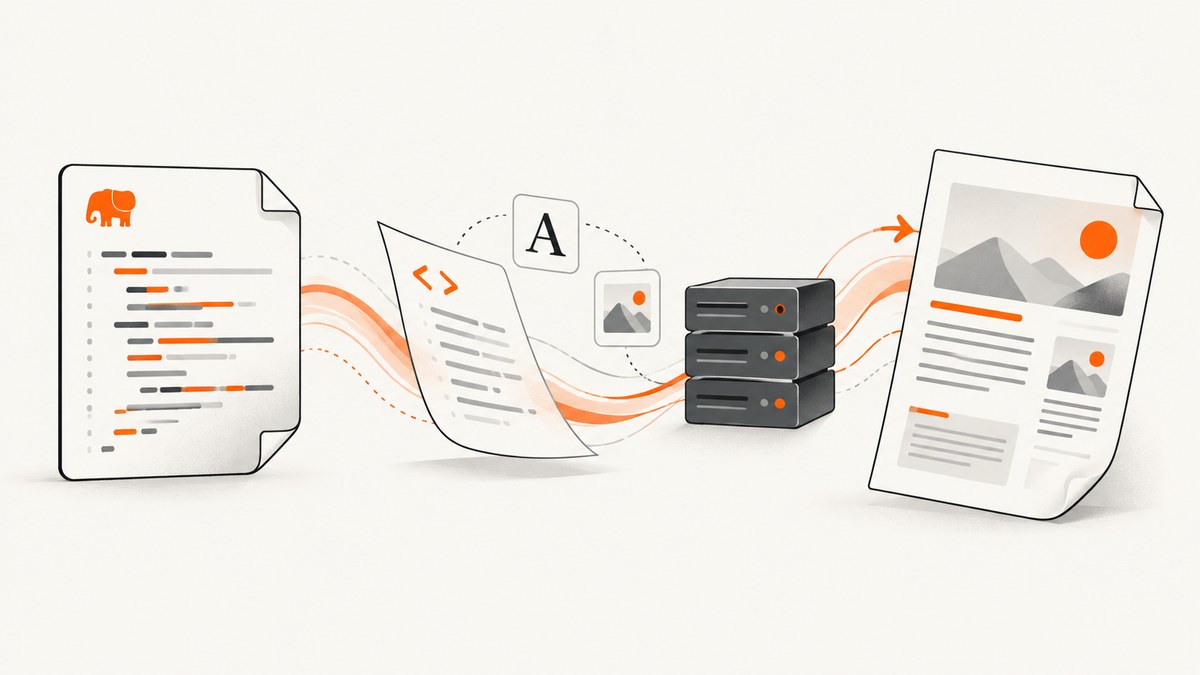
Short answer: For clean, modest HTML, use Dompdf from PHP. It is a PHP renderer with mostly CSS 2.1 support and a bundled CPDF backend. If your document depends on modern browser CSS, JavaScript, complex flex or grid layouts, or browser-level font and image behavior, use a Chromium-based renderer or a PDF service instead. Render representative documents before choosing.
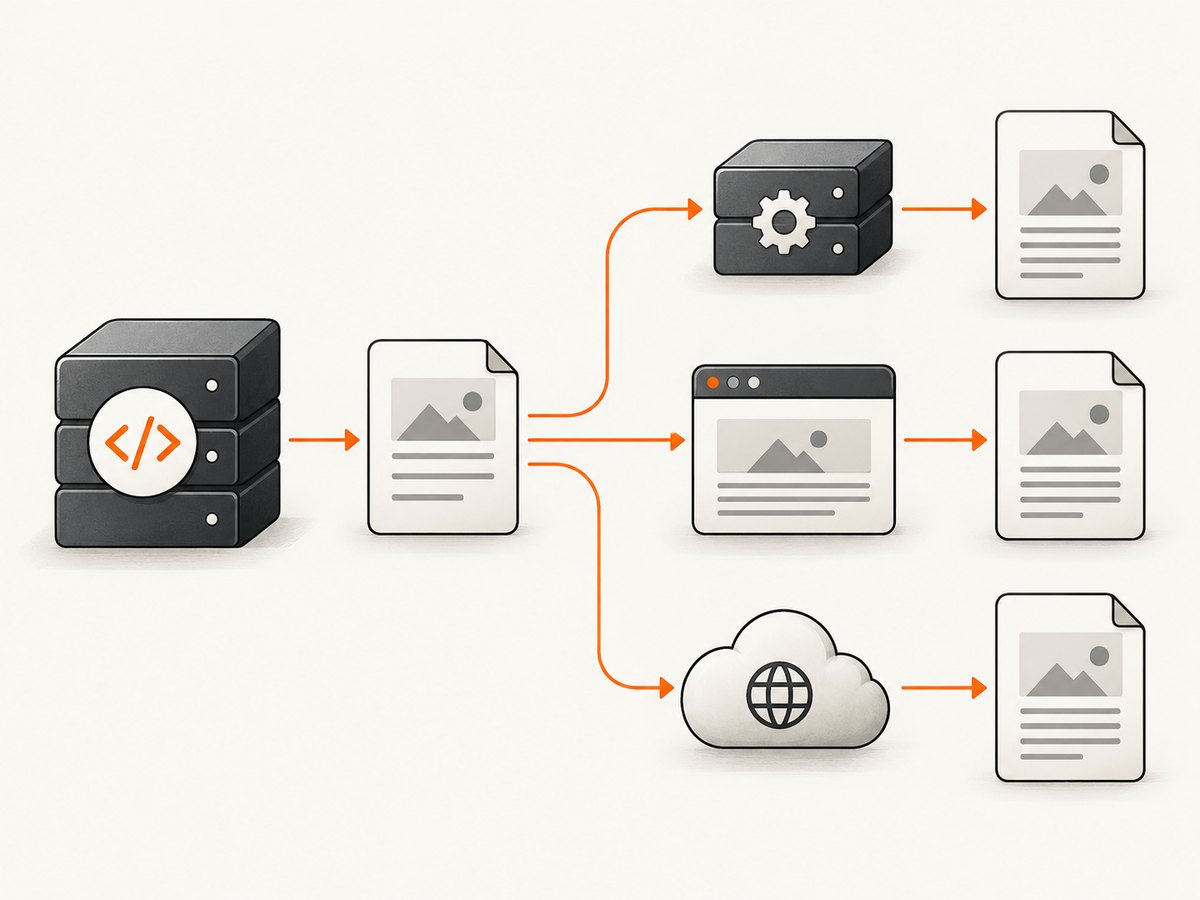
“HTML to PDF in PHP” describes several architectures. A PHP library parses and lays out HTML itself; a PHP wrapper starts an external browser or binary; or PHP sends HTML to a remote rendering service. Those choices affect CSS fidelity, deployment dependencies, pagination, security boundaries and operating cost.
Choose the rendering approach
| Approach | Use it when | Trade-offs |
|---|---|---|
| Dompdf | Your markup is reasonably simple and can use its supported CSS and page-flow behavior. | Mostly CSS 2.1, with selected CSS3 features. Table cells are not pageable, so a row must fit on one page. Requires PHP 7.1+, DOM, MBString and Composer dependencies. Project documentation |
| tc-lib-pdf HTML rendering | You want a direct PHP PDF library and your HTML fits its documented subset. | It renders a subset of HTML and CSS directly, with no browser engine. Confirm supported tags, CSS, fonts and page behavior in the HTML/CSS documentation. |
| Browser renderer through PHP | You need browser-like CSS, JavaScript execution or close visual parity with a web page. | Requires an external Chromium runtime or a separately operated service. Browsershot uses Chromium through Node/Puppeteer; Snappy invokes wkhtmltopdf. These wrappers do not contain a browser engine themselves. TCPDF comparison |
| wkhtmltopdf wrapper | An existing deployment already uses it and its output matches your pages. | The project lists 0.12.6, released 2020-06-11, as its stable series. Review current maintenance and security needs before selecting it for a new system, and sanitize untrusted input. Downloads |
Compare candidates with the actual document: CSS fidelity, long-table pagination, page breaks, Unicode and fonts, local and remote images, PHP and operating-system support, external runtime requirements, input trust, package maintenance and licensing. No source here establishes a universal winner.
Generate a PDF with Dompdf
1. Install the package
composer require dompdf/dompdfDompdf documents PHP 7.1 or newer, the DOM extension and MBString, along with Composer packages such as php-font-lib and php-svg-lib. Check the current release documentation and your production PHP version before deployment.
2. Create a complete PHP script
<?php
require __DIR__ . '/vendor/autoload.php';

use Dompdf\Dompdf;
use Dompdf\Options;

$options = new Options();
$options->set('isRemoteEnabled', true); // Enable only if you need remote images or stylesheets.
$options->set('defaultFont', 'DejaVu Sans');

$dompdf = new Dompdf($options);

$html = '<!doctype html>
<html>
<head>
  <meta charset="utf-8">
  <style>
    @page { size: A4; margin: 18mm 15mm 20mm; }
    body { font-family: "DejaVu Sans", sans-serif; color: #222; font-size: 11pt; }
    h1 { font-size: 22pt; margin: 0 0 8mm; }
    h2 { font-size: 14pt; margin: 8mm 0 3mm; }
    .meta { color: #666; margin-bottom: 8mm; }
    table { width: 100%; border-collapse: collapse; }
    th, td { border: 0.2mm solid #bbb; padding: 2mm; vertical-align: top; }
    th { background: #f2f2f2; }
    .avoid-break { page-break-inside: avoid; }
  </style>
</head>
<body>
  <h1>Quarterly report</h1>
  <p class="meta">Prepared 30 September 2026</p>
  <h2>Summary</h2>
  <p>Replace this text with escaped, application-generated content.</p>
  <h2>Line items</h2>
  <table>
    <thead><tr><th>Description</th><th>Amount</th></tr></thead>
    <tbody>
      <tr><td>Implementation</td><td>$1,200.00</td></tr>
      <tr><td>Support</td><td>$300.00</td></tr>
    </tbody>
  </table>
</body>
</html>';

$dompdf->loadHtml($html);
$dompdf->setPaper('A4', 'portrait');
$dompdf->render();
$dompdf->stream('report.pdf', ['Attachment' => true]);
For a stored file instead of a browser download, write the rendered bytes:
$pdfBytes = $dompdf->output();
file_put_contents(__DIR__ . '/storage/report.pdf', $pdfBytes);
3. Escape dynamic values
$customerName = htmlspecialchars($customerName, ENT_QUOTES | ENT_SUBSTITUTE, 'UTF-8');
$html = '<h1>Invoice for ' . $customerName . '</h1>';
Do not concatenate untrusted HTML into a template and assume PDF output makes it safe. Define which tags, attributes, URLs and CSS are allowed, sanitize user-authored markup, and restrict resource access. Validate the resulting document before rendering.
Layout, pagination and asset details
Page size and margins
Set paper and orientation explicitly with setPaper(). Use CSS @page for margins. Keep printable content inside the margin box; a wide table can be clipped even when the HTML looks fine in a browser.
Page breaks
.new-page { page-break-before: always; }
.keep-together { page-break-inside: avoid; }
.last-page { page-break-after: always; }
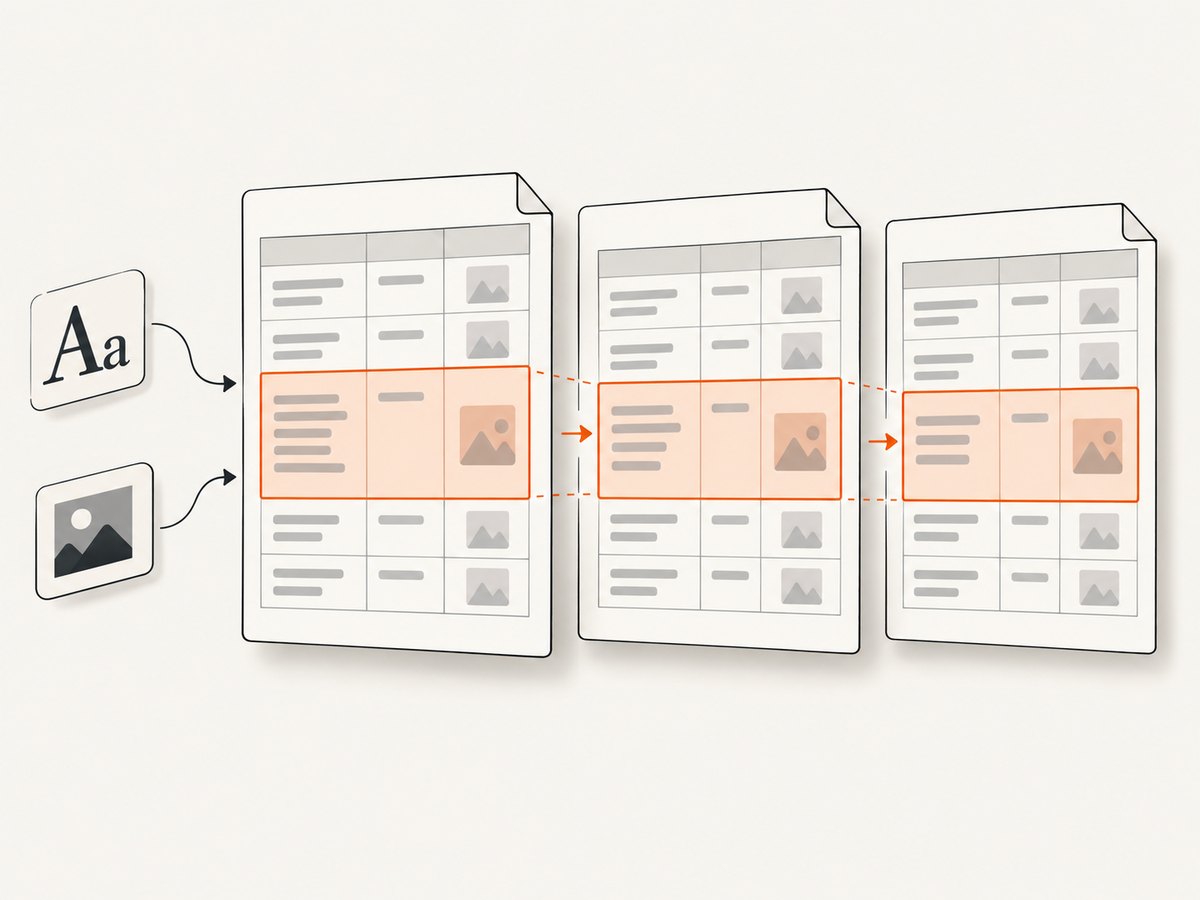
Dompdf documents that table cells are not pageable. A row with more content than the remaining page can overflow or produce surprising layout. Split very large rows into smaller rows, insert deliberate section breaks, or move to a browser renderer that handles the required table behavior.
Fonts and Unicode
Use a font that contains every character you need, especially for Arabic, CJK, Cyrillic, emoji and mathematical symbols. Bundle and register production fonts where the selected renderer supports it. A PDF that works on your laptop can lose glyphs on a minimal server if the font is absent. Confirm embedding and licensing requirements for commercial fonts.
Images, CSS and URLs
Prefer stable local paths or controlled, authenticated asset URLs. If remote assets are required, enable remote loading only after reviewing the renderer’s security settings. Give images explicit dimensions when possible. Relative URLs need a meaningful base path; a file loaded from a queue worker may resolve paths differently from a web request.
JavaScript and modern CSS
Dompdf is not a browser and does not execute a normal web page like Chromium. JavaScript-driven charts, web fonts that load after page execution, CSS grid, advanced flex layouts, sticky positioning and client-side data fetching may not render as expected. Generate those assets server-side or choose a browser-based renderer.
Browser-based rendering from PHP
When pixel-level browser fidelity matters, PHP can call a Chromium wrapper or an HTTP rendering service. Browsershot is documented as using Chromium through Node/Puppeteer; Snappy invokes the wkhtmltopdf binary. Your deployment then needs the runtime, executable permissions, sandbox configuration, process limits and an upgrade plan.
A browser renderer is often the right fit for an existing page, but isolate it from untrusted input. The wkhtmltopdf project explicitly warns against using it with unsanitized untrusted HTML and JavaScript because the server could be taken over. Treat that warning as a specific constraint of that tool and threat model, while applying equivalent review to any renderer that fetches URLs or executes scripts.
Or skip the browser setup
ScreenshotNeo provides a website screenshot and PDF API. One GET request can return a PDF from a URL, so your PHP application can keep PDF rendering outside the web worker. It accepts options for paper size, margins, landscape mode and page ranges, plus custom headers, cookies, user agents, authorization, timezone, geolocation, custom CSS and JavaScript.
Use the API documentation at screenshotneo.com/docs/ for the complete parameter list. This PHP example saves the response as a PDF:
<?php
$url = 'https://example.com/invoice/123';
$query = http_build_query([
    'access_key' => 'YOUR_API_KEY',
    'url' => $url,
    'format' => 'pdf',
    'paper' => 'A4',
    'landscape' => 'false',
]);

$context = stream_context_create([
    'http' => [
        'timeout' => 90,
        'ignore_errors' => true,
    ],
]);
$pdf = file_get_contents('https://api.screenshotneo.com/v1/shot?' . $query, false, $context);
if ($pdf === false) {
    throw new RuntimeException('ScreenshotNeo request failed');
}
file_put_contents(__DIR__ . '/invoice.pdf', $pdf);
Equivalent requests:
curl -G "https://api.screenshotneo.com/v1/shot" -d access_key=YOUR_API_KEY --data-urlencode url=https://stripe.com -o shot.webpimport requests
r = requests.get("https://api.screenshotneo.com/v1/shot", params={"access_key": "YOUR_API_KEY", "url": "https://stripe.com"}, timeout=90)
open("shot.webp", "wb").write(r.content)const q = new URLSearchParams({ access_key: 'YOUR_API_KEY', url: 'https://stripe.com' });
const res = await fetch(`https://api.screenshotneo.com/v1/shot?${q}`);ScreenshotNeo accepts cookie and consent banners as a visitor and removes more than 60 known consent platforms, newsletter popups and chat widgets before capture; each step can be disabled. Bot checks and CAPTCHAs, blank pages, timeouts, failed loads and cache hits are not billed, and response headers identify the page verdict and billing result. It also provides an MCP server with take_screenshot, get_page_info and capture_pdf tools for Claude, Cursor and other MCP clients. The free plan includes 1,000 screenshots per month with no card; paid plans start at $5 for 3,000. Create a free ScreenshotNeo account.
Configuration checklist
- Choose a renderer after testing real invoices, reports and forms.
- Set paper size, orientation, margins and page-break rules explicitly.
- Bundle fonts and verify every required Unicode range.
- Give images stable paths and explicit dimensions.
- Set timeouts and memory limits for large documents.
- Sanitize untrusted HTML, CSS, URLs and JavaScript.
- Restrict local-file and remote-network access to required resources.
- Store generated files outside executable directories and use unpredictable names.
- Log renderer version, input identifier, duration, output bytes and failure reason.
- Keep a representative fixture set for upgrades and deployment changes.
Troubleshooting common failures
| Symptom | Likely cause | Fix |
|---|---|---|
| Blank PDF | Malformed HTML, an exception before output, or a page that depends on JavaScript. | Validate the HTML, log exceptions, render a static fixture, and use a browser renderer for client-side pages. |
| Missing images or CSS | Remote loading is disabled, URLs are relative, or the worker cannot reach the host. | Use absolute controlled URLs, configure a correct base path, enable remote access narrowly, and inspect network and certificate errors. |
| Broken characters | Missing font or incorrect encoding. | Declare UTF-8, bundle a font with the needed glyphs, register it according to the renderer documentation, and verify embedding. |
| Table overlaps or is clipped | Rows are too tall or the table exceeds the printable width. | Reduce cell content, split rows, set widths, repeat headings, or switch renderers when row splitting is required. |
| CSS looks different from the browser | The PHP library supports a narrower CSS subset than a browser. | Simplify styles for that renderer or move to Chromium. |
| Slow or memory-heavy jobs | Large images, long tables, many pages or concurrent renderer processes. | Resize assets, stream or batch work through a queue, cap concurrency, set job timeouts, and clean temporary files. |
| wkhtmltopdf cannot start on Windows | The DLL is not discoverable. | The PHP manual says wkhtmltox.dll must be added to PATH; confirm the binary architecture and service account environment. |
| Remote renderer returns an error | Authentication, URL encoding, blocked resources or a page verdict such as a bot check. | Check status and response headers, URL-encode query values, provide required headers or cookies, and handle non-clean results explicitly. |
Performance, reliability and cost
Measure with your own documents. Useful measurements are render duration, peak memory, output size, page count, failure rate and queue wait time. Do not infer browser-equivalent performance from a library benchmark that uses different HTML.
For self-hosted PHP rendering, isolate conversion in a queue worker, enforce CPU, memory and wall-clock limits, and retry only transient failures. Make jobs idempotent by deriving an output key from the document version and inputs. Keep the original HTML and renderer version so a disputed PDF can be reproduced.
For browser processes, limit concurrency because each process consumes substantially more resources than a simple PHP request. Reuse a controlled browser where the wrapper supports it, but recycle unhealthy processes and monitor file descriptors, temporary storage and orphaned children.
For a managed API, include network timeout, status-code and content-type checks, and retain the response headers needed to explain a failed or unbilled capture. ScreenshotNeo’s billing model charges only clean shots; bot checks, blank pages, timeouts, failed loads and cache hits are free. Plans are Free (1,000 shots/month), Starter ($5/3,000), Growth ($15/15,000), Pro ($39/60,000), Scale ($99/250,000) and Business ($249/1,000,000); yearly billing gives two months free.
Security and operations
- Classify input as trusted templates, controlled user fields or arbitrary user HTML.
- For arbitrary HTML, sanitize tags, CSS, URL schemes and scripts before rendering.
- Block access to metadata endpoints, private network ranges and local files unless explicitly required.
- Run external binaries with a dedicated low-privilege account and a restricted filesystem.
- Set outbound network policy, process limits and timeouts.
- Protect API keys in environment variables or a secret manager; never place them in browser code.
- Redact sensitive HTML and URLs from logs.
FAQ
Can Dompdf convert any web page?
No. It parses and lays out HTML with mostly CSS 2.1 support; it is not a full browser and will not reproduce every JavaScript-driven or modern CSS page.
Should I use HTML templates or generate PDF drawing commands?
HTML templates are usually easier for invoices and reports. Drawing APIs can provide precise control but require more layout code. Choose based on the team’s existing templates and pagination needs.
Can I split a large invoice across pages?
Yes, but design the table for the renderer. Dompdf table cells are not pageable, so split very tall rows or use a renderer whose pagination behavior matches the invoice.
Does a PDF renderer make untrusted HTML safe?
No. Sanitize input and restrict file and network access before rendering, especially when using a tool that executes JavaScript or loads URLs.
When is a managed service useful?
It is useful when you need browser-like rendering without installing and maintaining Chromium, queue workers and renderer binaries. Confirm the service’s controls for authentication, cookies, page ranges, failures and billing.
Final decision
Start with Dompdf when conservative HTML/CSS, predictable pagination and a PHP-only dependency are acceptable. Choose tc-lib-pdf for its documented direct-rendering subset. Use Chromium when the source is a modern web page. If operating browser infrastructure is not part of your application, send the URL to ScreenshotNeo and keep the conversion outside your PHP process.


