Convert HTML Documents to PDF Using Python
Learn when to use WeasyPrint, Playwright, or xhtml2pdf to convert HTML to PDF in Python, with runnable code, deployment guidance, and security fixes.

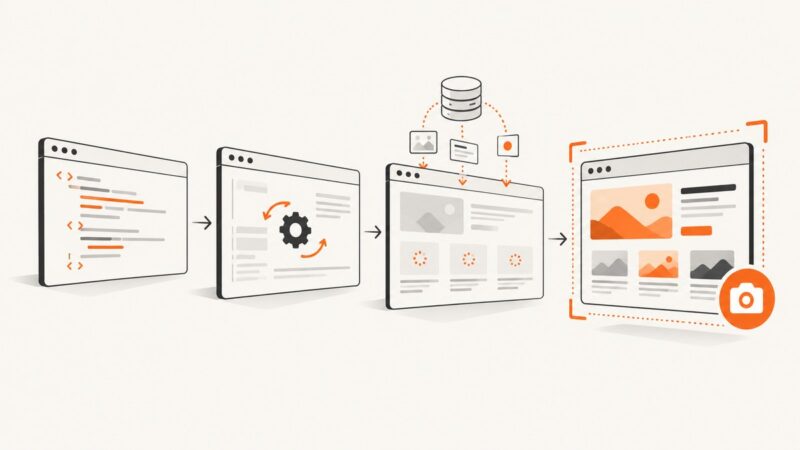
Python can convert HTML to PDF in several ways. For a document made from ordinary HTML and CSS, start with WeasyPrint: create an HTML object and call write_pdf(). If the page depends on browser JavaScript, dynamic layout, or browser-specific behavior, use Playwright with a managed browser runtime. xhtml2pdf is another Python library option, while wkhtmltopdf is mainly a legacy choice that needs careful security review.
This guide shows complete examples, installation requirements, input methods, CSS and font handling, browser rendering, deployment, security controls, troubleshooting, and cost considerations. If your source is already a public web page and you do not want to operate a renderer, the ScreenshotNeo option near the end returns a PDF with one API request.
Choose the rendering model first
| Route | Use it when | Operational considerations |
|---|---|---|
| WeasyPrint | You control HTML/CSS and need a direct Python API. | Install native libraries and validate fonts, images, and URL fetching on the target OS. |
| Playwright with Chromium | The document needs browser automation, JavaScript, or browser layout behavior. | Install the Python package and browser binaries; manage browser processes and their resource usage. |
| xhtml2pdf | You want a Python library built around ReportLab. | Check the current backend requirements; the project recommends its Cairo extra and documents Python 3.10+ support. |
| wkhtmltopdf | An existing integration already depends on it. | The downloads page lists 0.12.6 from June 11, 2020. Treat it as a legacy dependency and sanitize all untrusted input. |
There is no renderer that is best for every template. Compare your real CSS, JavaScript, fonts, images, page breaks, deployment image, and input trust model. The documentation for these projects describes their APIs and requirements; it does not establish a universal fidelity ranking or a controlled benchmark.

Convert a string with WeasyPrint
Install WeasyPrint according to the current platform instructions. Its documentation describes Python, Pango, and other native requirements, so a successful pip install alone may not be sufficient on every operating system.
python -m pip install weasyprintThe minimal conversion is:
from weasyprint import HTML
HTML(string="""
Report
Report
Generated from Python.
""").write_pdf("report.pdf")That follows the documented API shape: once you have an HTML object, call HTML.write_pdf() to create the file.
Render a template and keep relative assets working
When the HTML references relative images, stylesheets, or fonts, provide a base_url that points to the template directory. Without it, a relative URL such as images/logo.png may not resolve.
from pathlib import Path
from weasyprint import HTML

source = Path("templates/invoice.html")
output = Path("out/invoice.pdf")
output.parent.mkdir(exist_ok=True)

HTML(filename=str(source), base_url=str(source.parent)).write_pdf(str(output))
You can also use a URL or a file-like input. For production, explicitly decide which remote resources are allowed instead of allowing arbitrary network access.
Use CSS and custom fonts
WeasyPrint documents sharing one FontConfiguration between the HTML and CSS objects when using @font-face.
from weasyprint import HTML, CSS
from weasyprint.text.fonts import FontConfiguration

font_config = FontConfiguration()
html = HTML(string="""
Quarterly report
""")
css = CSS(string="""
@font-face {
  font-family: ReportFont;
  src: url('fonts/report-font.woff2');
}
.title { font-family: ReportFont; }
""", font_config=font_config)

html.write_pdf("report.pdf", stylesheets=[css], font_config=font_config)
Pin the renderer and native packages in the OS image you deploy. Verify that every font is present in that image; a missing font can change line wrapping and page breaks.
Convert a web page with Playwright
Playwright is browser automation. Use it when your HTML is assembled by JavaScript, relies on browser APIs, or needs the layout produced by a real browser. The documented setup installs both the Python package and browser binaries.
python -m pip install playwright
python -m playwright install chromium
A synchronous conversion looks like this:
from playwright.sync_api import sync_playwright
html = """
Browser-rendered report
JavaScript can run before capture.
"""
with sync_playwright() as p:
browser = p.chromium.launch()
page = browser.new_page()
page.set_content(html, wait_until="networkidle")
page.pdf(path="report.pdf")
browser.close()For a deployed page, use page.goto() and check the response. Wait for the application’s real readiness signal, such as a selector, instead of assuming that a fixed sleep covers every request.
from playwright.sync_api import sync_playwright

with sync_playwright() as p:
    browser = p.chromium.launch()
    page = browser.new_page()
    response = page.goto("https://example.com/report", wait_until="networkidle")
    if response is None or not response.ok:
        raise RuntimeError(f"Navigation failed: {response.status if response else 'no response'}")
    page.locator("#report-ready").wait_for()
    page.pdf(path="report.pdf")
    browser.close()
The asynchronous API is useful in an async service, but do not share one Playwright object across threads. Manage browser lifetime deliberately and close pages and browsers on success and failure.
Use xhtml2pdf when its model fits
xhtml2pdf is a Python library based on ReportLab. Its project documentation says Python 3.10+ is tested and guaranteed to work and recommends the Cairo backend through the pycairo extra. Follow the current project installation instructions for your environment.
python -m pip install "xhtml2pdf[pycairo]"from xhtml2pdf import pisa
html = """
Report
Created with xhtml2pdf.
"""
with open("report.pdf", "wb") as output:
result = pisa.CreatePDF(html, dest=output)
if result.err:
raise RuntimeError("PDF generation failed")Validate your actual CSS and pagination. A library route can be operationally smaller than a browser, but the supported HTML and CSS behavior differs from browser rendering.
Input, CSS, and pagination details
HTML strings versus files
Use a string for generated reports and a file or URL for maintained templates. For files, set a base URL so relative resources resolve. For user data, escape values before inserting them into HTML and keep templates separate from data.
Page size, margins, and breaks
For WeasyPrint, CSS @page controls paper size and margins. Use break-before, break-after, and break-inside where supported by your chosen renderer. Test long tables, images near page boundaries, and headings separated from their following paragraph.
@page { size: Letter; margin: 0.65in; }
.keep-together { break-inside: avoid; }
.chapter { break-before: page; }
table { width: 100%; border-collapse: collapse; }
Images and external resources
Use absolute, reachable URLs or data URIs where appropriate. Confirm that the deployment can resolve DNS and access the required host. A renderer that cannot fetch a remote stylesheet may still produce a PDF, but with missing styles, fonts, or images.
Security for untrusted HTML
Treat HTML and CSS supplied by users as code that needs isolation. WeasyPrint documents that URL fetching can access local files through file://; untrusted markup can probe local files or embed attachments. Use a custom URL fetcher that allows only approved schemes and hosts, run rendering in a sandboxed process, set CPU and memory limits, and enforce a wall-clock timeout.
Do not assume that removing <script> makes arbitrary HTML safe. CSS, external resources, huge dimensions, deeply nested markup, and very large images can still cause data exposure or resource exhaustion. The wkhtmltopdf downloads page gives an explicit warning against using it with untrusted HTML unless user-supplied HTML and JavaScript are sanitized. Keep renderer processes away from credentials and internal network services.
Production reliability and performance
- Warm processes: Browser startup is expensive. A controlled pool of Playwright browser workers can reduce startup overhead, while each job still needs strict page and context cleanup.
- Bound work: Set navigation, selector, and total render timeouts. Limit input size, image dimensions, page count, and concurrent jobs.
- Make jobs repeatable: Pin Python, renderer, browser, native library, and font versions. Record the template version and input identifiers with the output.
- Handle failures explicitly: Capture navigation errors, missing resources, renderer exceptions, and process crashes. Retry only transient failures and use an idempotency key so a retry does not duplicate downstream work.
- Validate output: Check that the file exists, has a nonzero size, begins with the expected PDF signature, and contains required sections when the document is business-critical.
- Cache deliberately: Cache only when the HTML, assets, and data version are part of the cache key. Do not serve a cached document after permissions or source data change.
Measure your own templates. Rendering time depends on page count, fonts, images, JavaScript, network latency, and the machine or container. The reviewed documentation does not provide a universal speed or fidelity benchmark.
Troubleshooting common failures
| Symptom | Likely cause | Fix |
|---|---|---|
ImportError or missing Pango/Cairo library |
Native dependency is absent. | Follow the current renderer installation page for the target OS and rebuild the deployment image. |
| PDF has no images or styles | Relative URLs have no base, or the process cannot reach the asset host. | Pass base_url, use reachable URLs, and inspect resource access logs. |
| Fonts are substituted | The font file is not installed, cannot be fetched, or lacks the required glyphs. | Bundle licensed fonts, configure @font-face, and use one shared FontConfiguration. |
| JavaScript content is missing | A non-browser renderer was used, or capture happened before the app was ready. | Use Playwright, wait for a readiness selector, and verify network failures. |
| Playwright says executable is missing | The package is installed but browser binaries are not. | Run python -m playwright install chromium in the same image used at runtime. |
| Pages hang or consume excessive memory | Unbounded external requests, large images, infinite application work, or too much concurrency. | Allow-list resources, set timeouts and size limits, close contexts, and cap workers. |
| Local files are exposed | User-controlled markup can fetch file:// resources. |
Use a restrictive URL fetcher and process sandbox; never render beside secrets. |
| Layout changes after deployment | Different fonts, browser builds, native libraries, or locale settings. | Pin the complete runtime image and compare generated PDFs in CI. |
Or skip the browser setup
If the source is a public web page and you need a screenshot or PDF without packaging WeasyPrint, Chromium, native libraries, and browser workers, ScreenshotNeo provides a website capture API. Its PDF endpoint is the same capture API with PDF options; the request below is the smallest starting point.

See the ScreenshotNeo API documentation for all options, including paper size, margins, landscape mode, page ranges, waits, custom CSS and JavaScript, headers, cookies, user agents, blocking rules, caching, asynchronous jobs, bulk capture, and usage reporting.
cURL
curl -G "https://api.screenshotneo.com/v1/shot" \
  -d access_key=YOUR_API_KEY \
  --data-urlencode url=https://stripe.com \
  -d format=pdf \
  -o page.pdf
Python
import requests

r = requests.get(
    "https://api.screenshotneo.com/v1/shot",
    params={
        "access_key": "YOUR_API_KEY",
        "url": "https://stripe.com",
        "format": "pdf",
    },
    timeout=90,
)
r.raise_for_status()
open("page.pdf", "wb").write(r.content)
Node.js
const q = new URLSearchParams({
  access_key: 'YOUR_API_KEY',
  url: 'https://stripe.com',
  format: 'pdf'
});
const res = await fetch(`https://api.screenshotneo.com/v1/shot?${q}`);
if (!res.ok) throw new Error(`HTTP ${res.status}`);
const fs = await import('node:fs/promises');
await fs.writeFile('page.pdf', Buffer.from(await res.arrayBuffer()));
ScreenshotNeo accepts consent banners like a visitor and removes more than 60 known consent platforms, newsletter popups, and chat widgets before capture; each cleanup step can be disabled. Bot checks and CAPTCHAs, blank pages, timeouts, failed loads, and cache hits are not billed, and response headers identify the page verdict and whether the request was billed. Its MCP server exposes take_screenshot, get_page_info, and capture_pdf for Claude, Cursor, and other MCP clients. The Free plan includes 1,000 shots per month with no card; paid plans start at $5 for 3,000 shots, and every feature is available on every plan.
Create a free ScreenshotNeo account to get 1,000 screenshots each month without a card.
Cost and operational trade-offs
Self-hosted rendering costs the compute, storage, native dependencies, browser maintenance, and engineering time needed to operate it. WeasyPrint can avoid a browser runtime but still needs platform libraries and careful input controls. Playwright adds browser binaries and process management. xhtml2pdf may fit a smaller supported feature set. A hosted API changes the cost model to usage and removes renderer maintenance; compare it with your volume, latency, compliance, and data-handling requirements.
FAQ
Can Python convert HTML to PDF without a browser?
Yes. WeasyPrint and xhtml2pdf are Python library routes. Choose one after checking the CSS and layout behavior your template requires.
Does WeasyPrint execute JavaScript?
Use a browser automation tool such as Playwright when the document depends on JavaScript or browser APIs.
Why does a PDF differ between my laptop and CI?
Fonts, native libraries, browser builds, locale, and asset access can differ. Pin the full runtime image and include representative PDF checks.
Is rendering user HTML safe by default?
No. Restrict URL fetching, sandbox the renderer, enforce resource limits, and keep secrets and internal services unreachable.
What should I do for a public URL instead of generated HTML?
Use browser automation when you need local control, or use ScreenshotNeo to request a PDF capture without deploying your own browser stack.