How to Convert HTML to PNG in Java
Render HTML with Playwright Java, save a reliable PNG, troubleshoot timing and fonts, and compare a browser API with ScreenshotNeo.
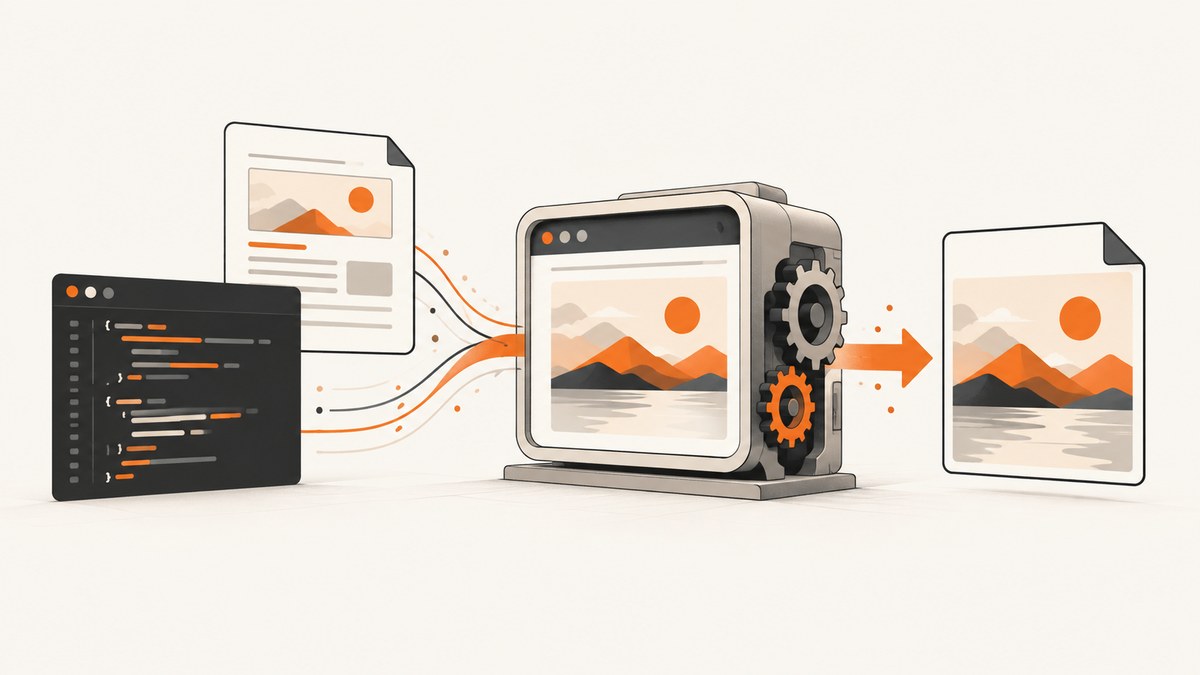
Direct answer: use Playwright for Java to render the HTML in a real browser engine, then call Page.screenshot(). Use page.setContent(html) for HTML you already have, or page.navigate(url) for an existing website. Save to a path with setPath(Paths.get("output.png")), or keep the returned byte[] in memory. Add setFullPage(true) when the PNG must include the entire scrollable document.
Playwright Java is distributed through Maven and supports Chromium, Firefox, and WebKit. Browsers run headless by default. The current installation guide lists Java 8 or newer and version-specific operating-system requirements, so check the official installation page when you choose a deployment image.
1. Set up Playwright Java
Add the Playwright Maven module. Keep the version aligned with the current Playwright release documented by the project.
<dependency>
  <groupId>com.microsoft.playwright</groupId>
  <artifactId>playwright</artifactId>
  <version>YOUR_PLAYWRIGHT_VERSION</version>
</dependency>
Install the browser binaries using the command shown in the current Playwright Java documentation. Installing the Maven dependency alone does not guarantee that the Chromium, Firefox, or WebKit executable is present on the machine.
2. Convert an HTML string to a PNG file
This complete example creates a browser, supplies a document with setContent, and writes a full-page PNG. It follows the API pattern in the Playwright Java screenshot guide.

import com.microsoft.playwright.*;
import java.nio.file.Paths;

public class HtmlToPng {
  public static void main(String[] args) {
    String html = """
        <!doctype html>
        <html>
          <head>
            <meta charset='utf-8'>
            <style>
              body { font-family: Arial, sans-serif; margin: 40px; }
              .card { padding: 24px; border: 1px solid #ddd; border-radius: 12px; }
            </style>
          </head>
          <body>
            <div class='card'><h1>Hello from Java</h1><p>Rendered as PNG.</p></div>
          </body>
        </html>
        """;

    try (Playwright playwright = Playwright.create()) {
      Browser browser = playwright.chromium().launch();
      Page page = browser.newPage();
      page.setContent(html);
      page.screenshot(new Page.ScreenshotOptions()
          .setPath(Paths.get("output.png"))
          .setFullPage(true));
      browser.close();
    }
  }
}
The output format is inferred from the filename extension. PNG is also the documented default. If you need an HTTP response, object-storage upload, or image-processing pipeline, omit setPath and retain the returned bytes:
byte[] png = page.screenshot(new Page.ScreenshotOptions().setFullPage(true));The Page API reference documents the screenshot and page-content methods.
3. Convert a website URL to PNG
For a live page, navigate before taking the screenshot. Choose a readiness condition that matches the site rather than assuming that the first response means the page is visually complete.
import com.microsoft.playwright.*;
import java.nio.file.Paths;

public class UrlToPng {
  public static void main(String[] args) {
    try (Playwright playwright = Playwright.create()) {
      Browser browser = playwright.chromium().launch();
      Page page = browser.newPage();
      page.navigate("https://example.com");
      page.screenshot(new Page.ScreenshotOptions()
          .setPath(Paths.get("example.png")));
      browser.close();
    }
  }
}
For a page that renders content after navigation, wait for a selector your application owns:
page.navigate("https://example.com/dashboard");
page.waitForSelector("main[data-rendered='true']");
page.screenshot(new Page.ScreenshotOptions()
    .setPath(Paths.get("dashboard.png"))
    .setFullPage(true));
You can also wait for a known delay when no stable selector exists, but a selector is usually less wasteful. Network-idle style waits can still be unsuitable for pages with analytics, polling, or open connections; define and document the condition used by your application.
4. Screenshot options that affect the PNG
| Need | Playwright Java option | Notes |
|---|---|---|
| Whole document | setFullPage(true) |
Captures the full scrollable page instead of only the viewport. |
| Specific rectangle | setClip(new Clip(x, y, width, height)) |
Use document coordinates for a precise region. |
| Transparent background | setOmitBackground(true) |
Useful when the page background is not wanted. |
| Retina-like output | setScale("css" or "device") |
Choose whether dimensions follow CSS pixels or device pixels. |
| Animation stability | setAnimations("disabled") |
Disable transitions before capture when supported by your Playwright version. |
| Cursor visibility | setCaret("hide") |
Prevents a text caret from appearing in the image. |
| Format | setType(ScreenshotType.PNG) |
PNG is lossless. JPEG options such as quality apply to JPEG, not PNG. |
Set the viewport when output dimensions matter:
BrowserContext context = browser.newContext(
    new Browser.NewContextOptions().setViewportSize(1440, 900));
Page page = context.newPage();
For an element-only image, locate the element and use its screenshot method:
Locator chart = page.locator(".chart");
chart.screenshot(new Locator.ScreenshotOptions()
    .setPath(Paths.get("chart.png")));
5. Fonts, images, CSS, and JavaScript
A browser screenshot reflects what the target runtime can actually load. A missing font changes line wrapping; a blocked image leaves an empty region; unfinished JavaScript produces an early or incomplete capture. Package required fonts in the deployment image or make them reachable from the browser. Avoid relying on local developer paths.
- Use an explicit viewport and device scale for repeatable dimensions.
- Wait for a page-owned selector after client rendering.
- For images, wait for the relevant image or verify its natural dimensions in page code.
- Keep CSS deterministic and avoid time-based animations.
- Use the same browser engine and OS family in development and production when pixel consistency matters.
For supplied markup, remember that relative URLs resolve against the document URL. If your HTML references relative stylesheets or images, provide an appropriate base URL or use absolute URLs.
6. A production-friendly capture pattern
import com.microsoft.playwright.*;
import java.nio.file.Path;
import java.nio.file.Paths;

public final class Renderer {
  public static byte[] render(String html, int width, int height) {
    try (Playwright playwright = Playwright.create()) {
      Browser browser = playwright.chromium().launch();
      BrowserContext context = browser.newContext(
          new Browser.NewContextOptions().setViewportSize(width, height));
      Page page = context.newPage();
      page.setContent(html);
      page.screenshot(new Page.ScreenshotOptions()
          .setFullPage(true)
          .setAnimations("disabled")
          .setCaret("hide"));
      byte[] png = page.screenshot(new Page.ScreenshotOptions().setFullPage(true));
      context.close();
      browser.close();
      return png;
    }
  }
}
In real services, reuse a browser process and create isolated contexts or pages per job, while closing contexts after each capture. This avoids paying browser startup cost for every request while keeping cookies and storage separate. Bound concurrency to the CPU and memory available to the host; too many simultaneous full-page renders can increase latency or exhaust memory.
7. Troubleshooting
| Symptom | Likely cause | Fix |
|---|---|---|
| Browser executable not found | Playwright dependency is installed but browser binaries are missing. | Run the current official browser-install command and include those binaries in the deployment image. |
| PNG is blank | Capture occurred before client rendering, or the page returned an access challenge. | Wait for a stable application selector; inspect the loaded page and response status before capture. |
| Fonts differ from local output | The production image lacks the same font files or font loading completed later. | Install/package the fonts and wait for the page’s font-dependent content before capture. |
| Images are missing | External requests failed, were blocked, or were still loading. | Check network access, use absolute URLs, and wait for the image elements you require. |
| Only the top portion appears | The screenshot used the viewport default. | Set setFullPage(true), or capture a deliberate clip. |
| Output dimensions are unexpected | Viewport size and device scale were implicit. | Set viewport dimensions and choose a screenshot scale explicitly. |
| Navigation hangs | Long-running requests, polling, or a page that never reaches your assumed readiness state. | Use a bounded timeout and a page-owned selector instead of waiting indefinitely for network quiescence. |
| Out-of-memory errors | Many large full-page screenshots or browser instances run concurrently. | Reuse one browser, cap concurrency, limit page dimensions, and process large images promptly. |
8. Reliability, performance, and cost
Rendering is workload-dependent. Full-page images, large viewport sizes, heavy JavaScript, remote fonts, and third-party resources all increase work. Measure your own pages rather than assuming a universal rendering time. Cache stable inputs at your application layer when the source HTML and options are unchanged.
For reliable jobs, record the URL or HTML hash, viewport, browser version, readiness rule, and error details. Retry transient navigation or resource failures with a limit and backoff; do not blindly retry deterministic invalid markup. Store the PNG bytes directly when possible to avoid an unnecessary temporary-file step.
Playwright itself has no per-screenshot service charge, but you operate the Java runtime, browser binaries, compute, storage, and bandwidth. HtmlUnit is another Java-oriented option with a browser-like API and JavaScript support, and its image guidance describes ImageIO handling for common raster formats. The supplied research does not establish equivalent modern screenshot fidelity or a benchmark, so choose based on the HTML, CSS, and JavaScript your pages actually use.
9. Or skip the browser setup
ScreenshotNeo provides a website screenshot API and MCP server. One GET request returns PNG, JPEG, WebP, or PDF. It accepts cookie and consent banners like a visitor, then removes more than 60 known consent platforms, newsletter popups, and chat widgets; each cleanup step can be disabled. Bot checks and CAPTCHAs, blank pages, timeouts, failed loads, and cache hits are not billed, and the response identifies the result with X-Page-Verdict and X-Billed headers.

For Java, call the HTTP endpoint with the same URL you would render in Playwright:
import java.net.URI;
import java.net.http.HttpClient;
import java.net.http.HttpRequest;
import java.net.http.HttpResponse;
import java.nio.file.Files;
import java.nio.file.Path;

public class ScreenshotNeoJava {
  public static void main(String[] args) throws Exception {
    String url = "https://stripe.com";
    String endpoint = "https://api.screenshotneo.com/v1/shot"
        + "?access_key=YOUR_API_KEY&url="
        + java.net.URLEncoder.encode(url, java.nio.charset.StandardCharsets.UTF_8);
    HttpRequest request = HttpRequest.newBuilder(URI.create(endpoint)).GET().build();
    HttpResponse<byte[]> response = HttpClient.newHttpClient()
        .send(request, HttpResponse.BodyHandlers.ofByteArray());
    if (response.statusCode() / 100 != 2) {
      throw new IllegalStateException("Screenshot request failed: " + response.statusCode());
    }
    Files.write(Path.of("shot.webp"), response.body());
  }
}
See the ScreenshotNeo API documentation for all parameters and response details. The equivalent requests are:
curl -G "https://api.screenshotneo.com/v1/shot" -d access_key=YOUR_API_KEY --data-urlencode url=https://stripe.com -o shot.webpimport requests
r = requests.get("https://api.screenshotneo.com/v1/shot", params={"access_key": "YOUR_API_KEY", "url": "https://stripe.com"}, timeout=90)
open("shot.webp", "wb").write(r.content)const q = new URLSearchParams({ access_key: 'YOUR_API_KEY', url: 'https://stripe.com' });
const res = await fetch(`https://api.screenshotneo.com/v1/shot?${q}`);Relevant options include full-page capture with lazy images loaded, CSS-element capture, dark mode, 12 device presets or any viewport, retina scale, PDF paper and margin controls, custom CSS and JavaScript, clicks, selector waits, delays, network-idle waits, request and resource blocking, headers, cookies, user agents, Authorization, timezone, geolocation, transparent backgrounds, resizing, configurable caching TTL, signed image links, asynchronous jobs with signed webhooks, bulk capture for 100 URLs per call, a usage API, and an OpenAPI specification. An MCP server exposes take_screenshot, get_page_info, and capture_pdf to Claude, Cursor, and other MCP clients.
There are 1,000 free shots each month with no card. Paid plans start at $5 for 3,000 shots; yearly billing gives two months free, and every feature is available on every plan. Start with the free ScreenshotNeo account.
10. FAQ
Can Java convert HTML to PNG without a browser?
Yes, Java libraries can parse or lay out parts of HTML, but the research supports Playwright as the practical route when you need modern browser rendering, CSS, JavaScript, and screenshot controls.
Should I use PNG or JPEG?
Use PNG for lossless UI, text, and diagrams. Choose JPEG only when smaller photographic output matters and a little compression is acceptable.
How do I return the image from a web endpoint?
Use byte[] image = page.screenshot(...), set your HTTP response content type to image/png, and write the bytes to the response body.
Why is my full-page image extremely tall?
That is expected when the document contains long feeds, repeated content, or an unbounded layout. Capture a specific element or clip, or constrain the page before rendering.


