Convert HTML to WebP in PHP: A Complete Guide
Learn why PHP needs a rendering step before WebP encoding, then build reliable HTML-to-WebP workflows with GD, browser automation, and ScreenshotNeo.
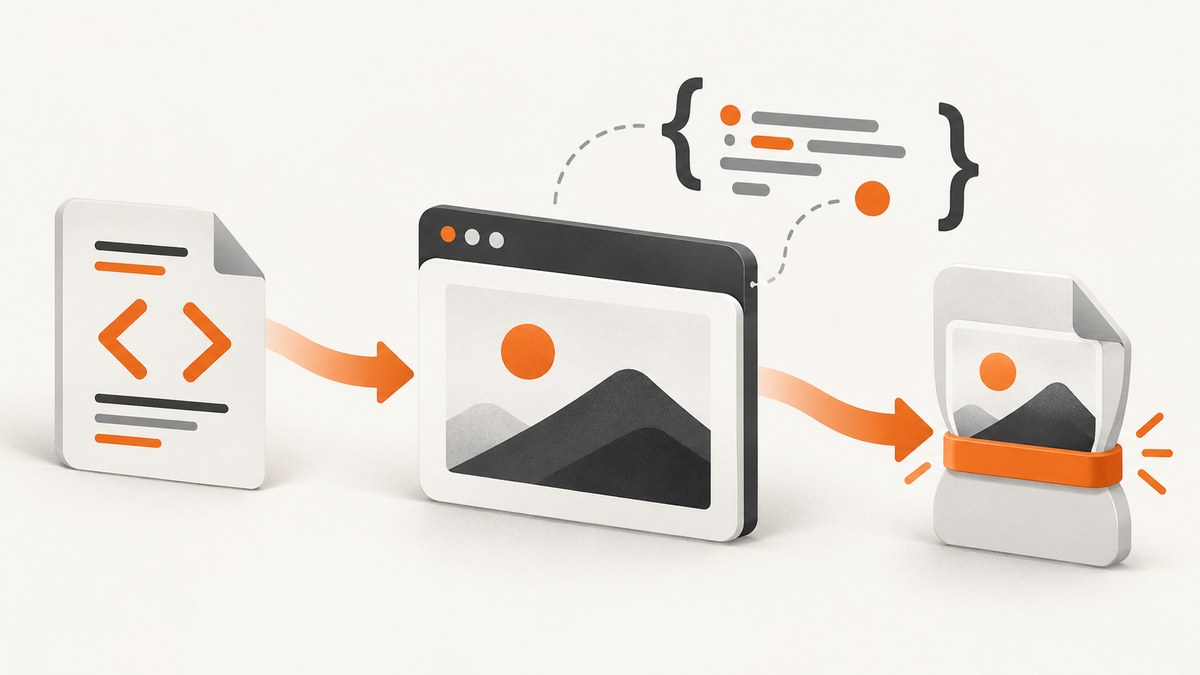
Short answer: PHP’s imagewebp() function converts an existing GD image into WebP. It does not render HTML or CSS. To convert an HTML page, first render that page with a browser-capable renderer, obtain pixels as a bitmap, load those pixels into GD, and then call imagewebp(). A DOM parser such as DOMDocument only creates a document tree; it does not calculate browser layout or paint pixels.
This distinction determines your architecture. If the input is already a PNG or JPEG, GD can encode it directly. If the input is HTML with CSS, fonts, images, or JavaScript, you need a rendering layer that can execute the page. The PHP manual documents imagewebp(), GD installation, and DOM parsing separately: imagewebp(), GD installation, and DOMDocument::loadHTML().
1. Understand the HTML-to-WebP pipeline
A dependable conversion has four stages:
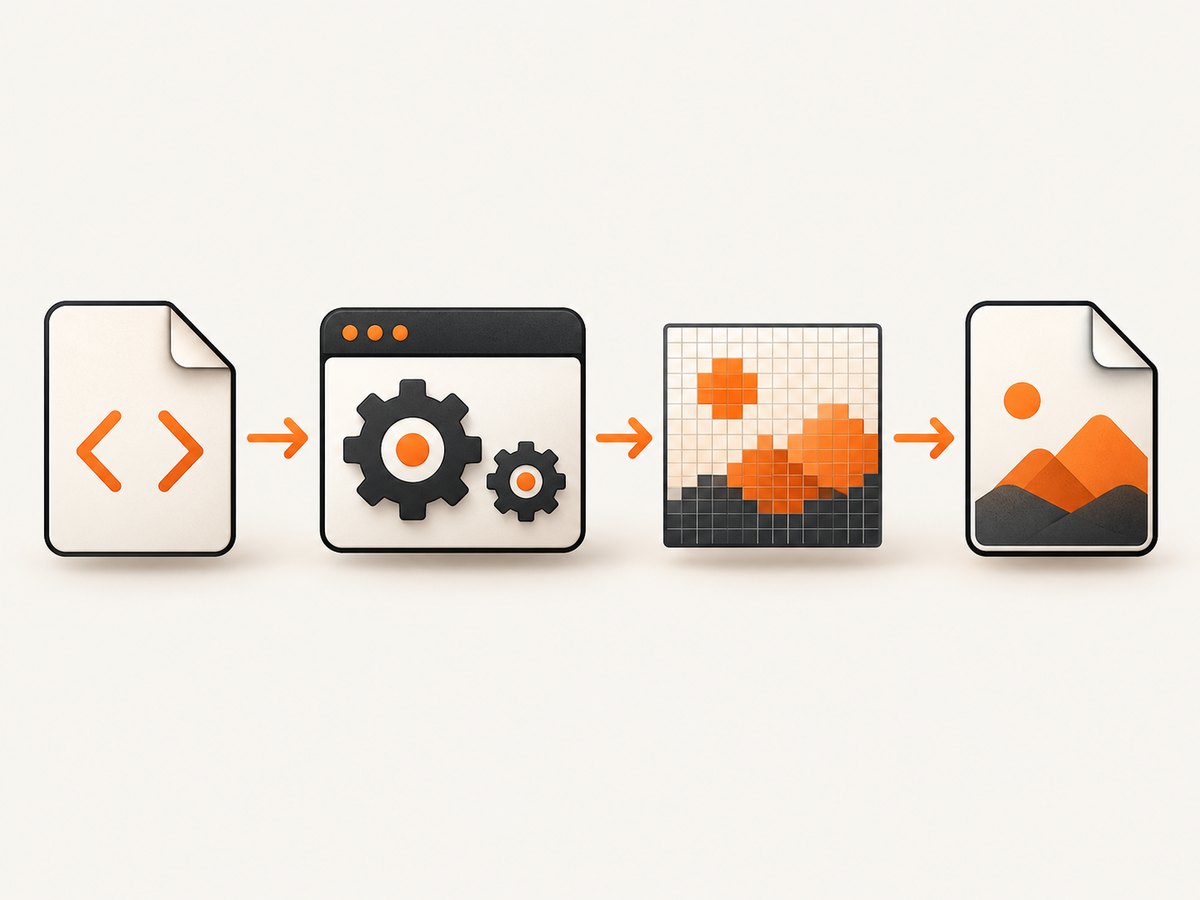
- Prepare the source: provide a URL or HTML document, including any required CSS, fonts, images, cookies, and authentication.
- Render: use a browser engine or another renderer that supports the CSS and JavaScript your page needs. The result is a screenshot or bitmap.
- Decode: load the rendered PNG (or another bitmap format) into a
GdImage. - Encode: call
imagewebp()with a quality value and destination path or stream.
Parsing is not rendering. PHP 8.4 adds Dom\\HTMLDocument::createFromString(), which follows the HTML living standard, while the older DOMDocument::loadHTML() follows HTML 4 parsing rules. Neither API paints a browser viewport. Use the DOM APIs for inspection or transformation, then pass the resulting HTML to a renderer.
2. Check that GD can write WebP
WebP support depends on how PHP and GD were built. The PHP documentation identifies --with-webp as the relevant configure option and exposes the capability through gd_info(). Check the deployed runtime rather than assuming your local machine matches production.
<?php
$gd = gd_info();

if (empty($gd['WebP Support'])) {
    throw new RuntimeException('This PHP GD build does not include WebP support.');
}

echo "WebP support is enabled\\n";
Run this check in the same container, virtual host, queue worker, or serverless runtime that will perform conversions. Installing a PHP extension on a development laptop does not enable it in a production image.
3. Convert an existing image with imagewebp()
When a renderer gives you a PNG, GD can decode it and encode WebP. The function signature is imagewebp(GdImage $image, resource|string|null $file = null, int $quality = -1): bool. Quality values range from 0 (smaller, lower quality) to 100 (larger, higher quality). Passing -1 selects the documented default of 80.
<?php
declare(strict_types=1);

$input = __DIR__ . '/rendered.png';
$output = __DIR__ . '/rendered.webp';

if (!function_exists('imagewebp')) {
    throw new RuntimeException('The GD WebP encoder is unavailable.');
}

$image = imagecreatefrompng($input);
if ($image === false) {
    throw new RuntimeException('Could not decode the rendered PNG.');
}

try {
    // -1 uses PHP's documented default quality (80).
    imagealphablending($image, false);
    imagesavealpha($image, true);

    $ok = imagewebp($image, $output, 80);
    if (!$ok || !is_file($output) || filesize($output) === 0) {
        throw new RuntimeException('WebP output was not created.');
    }
} finally {
    imagedestroy($image);
}

echo "Wrote {$output} (" . filesize($output) . " bytes)\\n";
The manual cautions that imagewebp() can return true even when libgd fails to output the image. Always verify that the destination exists and has a non-zero size. For stronger validation, inspect the file with getimagesize() or attempt to decode it with imagecreatefromwebp().
4. Render HTML before encoding it
GD is an image library, not a browser. It does not implement the layout engine required for modern CSS, web fonts, responsive media queries, or JavaScript. Your rendering choices should be evaluated against these questions:
- Does JavaScript execute, and can you wait for asynchronous content?
- How closely does the engine reproduce browser CSS, fonts, SVG, and canvas output?
- Can it load remote assets, authenticated pages, and custom headers?
- How will you isolate untrusted HTML and restrict network access?
- What operating-system packages, memory, startup time, and concurrency does deployment require?
A typical self-managed workflow uses a browser automation process to navigate to a URL, wait for the page to settle, and save a PNG. The PHP process then performs the deterministic GD conversion shown above. Keep the renderer and encoder as separate stages so you can diagnose whether a failure occurred during page loading or image encoding.
Rendering a local HTML file
For a static document, write the HTML to a controlled temporary directory and ask your renderer to capture it. Use a file URL only when the renderer is configured to allow local files. Otherwise serve the document from a short-lived local HTTP endpoint. Resolve CSS, fonts, and images explicitly; relative paths are a common source of blank captures.
Rendering a URL
For a remote page, set a fixed viewport, wait for a meaningful selector or network idle, and apply a timeout. Pages that depend on consent banners, login state, geolocation, or delayed API calls need those conditions configured before the screenshot is taken. Save the intermediate PNG when debugging; it tells you whether the renderer or GD is responsible for the problem.
5. A complete PHP conversion function
The following function assumes that a separate renderer has already produced a PNG. It validates GD support, preserves alpha transparency, lets callers choose quality, and verifies the resulting file.
<?php
declare(strict_types=1);

function pngToWebp(string $pngPath, string $webpPath, int $quality = 80): void
{
    if ($quality < 0 || $quality > 100) {
        throw new InvalidArgumentException('Quality must be between 0 and 100.');
    }

    $gd = gd_info();
    if (empty($gd['WebP Support'])) {
        throw new RuntimeException('GD WebP support is not enabled.');
    }

    $image = imagecreatefrompng($pngPath);
    if ($image === false) {
        throw new RuntimeException("Unable to decode {$pngPath}");
    }

    try {
        imagealphablending($image, false);
        imagesavealpha($image, true);

        if (!imagewebp($image, $webpPath, $quality)) {
            throw new RuntimeException('imagewebp() reported a failure.');
        }
    } finally {
        imagedestroy($image);
    }

    if (!is_file($webpPath) || filesize($webpPath) === 0) {
        throw new RuntimeException('The WebP file is missing or empty.');
    }

    $metadata = getimagesize($webpPath);
    if ($metadata === false || ($metadata['mime'] ?? '') !== 'image/webp') {
        throw new RuntimeException('The output is not a valid WebP image.');
    }
}
For user-supplied HTML, isolate the renderer in a container or separate worker, disable dangerous protocols, constrain outbound requests, and enforce limits on document size, navigation time, and output dimensions. Do not pass arbitrary shell fragments from request parameters to a command-line renderer.
6. Quality, transparency, dimensions, and file size
Quality is a storage and visual-fidelity trade-off. Start with 80, then choose a value that matches your use case. Lower values can be appropriate for thumbnails; higher values preserve detail in screenshots containing small type. Measure representative pages because gradients, photographs, text, and flat UI shapes compress differently.
PNG inputs may contain an alpha channel. The imagealphablending(false) and imagesavealpha(true) calls preserve transparent pixels when GD writes WebP. If the page should have a solid background, paint that color before encoding instead of relying on viewer defaults.
Resize only after rendering if you need a fixed output width. Rendering at the target viewport and then downscaling often reduces memory use, while rendering at a larger scale and reducing later can improve small text at the cost of CPU and bytes. Keep width and height limits in your job contract to prevent accidental multi-megapixel allocations.
7. Or skip the browser setup
If your goal is a reliable screenshot-to-WebP endpoint rather than operating a browser fleet, ScreenshotNeo accepts one GET request and returns PNG, JPEG, WebP, or PDF. It handles the rendering stage and exposes options for full-page captures, lazy-loaded images, CSS selectors, dark mode, device presets, custom viewports, retina scale, custom CSS and JavaScript, waits, blocked resources, headers, cookies, user agents, authorization, timezone, geolocation, transparent backgrounds, resizing, caching, signed links, asynchronous jobs, bulk capture, and usage reporting.
Here is the direct WebP request:
curl -G "https://api.screenshotneo.com/v1/shot" \
  -d access_key=YOUR_API_KEY \
  --data-urlencode url=https://stripe.com \
  -o shot.webp
See the ScreenshotNeo API documentation for the complete parameter list and response headers.
import requests

r = requests.get(
    "https://api.screenshotneo.com/v1/shot",
    params={"access_key": "YOUR_API_KEY", "url": "https://stripe.com"},
    timeout=90,
)
r.raise_for_status()
open("shot.webp", "wb").write(r.content)
const q = new URLSearchParams({ access_key: 'YOUR_API_KEY', url: 'https://stripe.com' });
const res = await fetch(`https://api.screenshotneo.com/v1/shot?${q}`);
if (!res.ok) throw new Error(`Screenshot failed: ${res.status}`);
const fs = await import('node:fs/promises');
await fs.writeFile('shot.webp', Buffer.from(await res.arrayBuffer()));
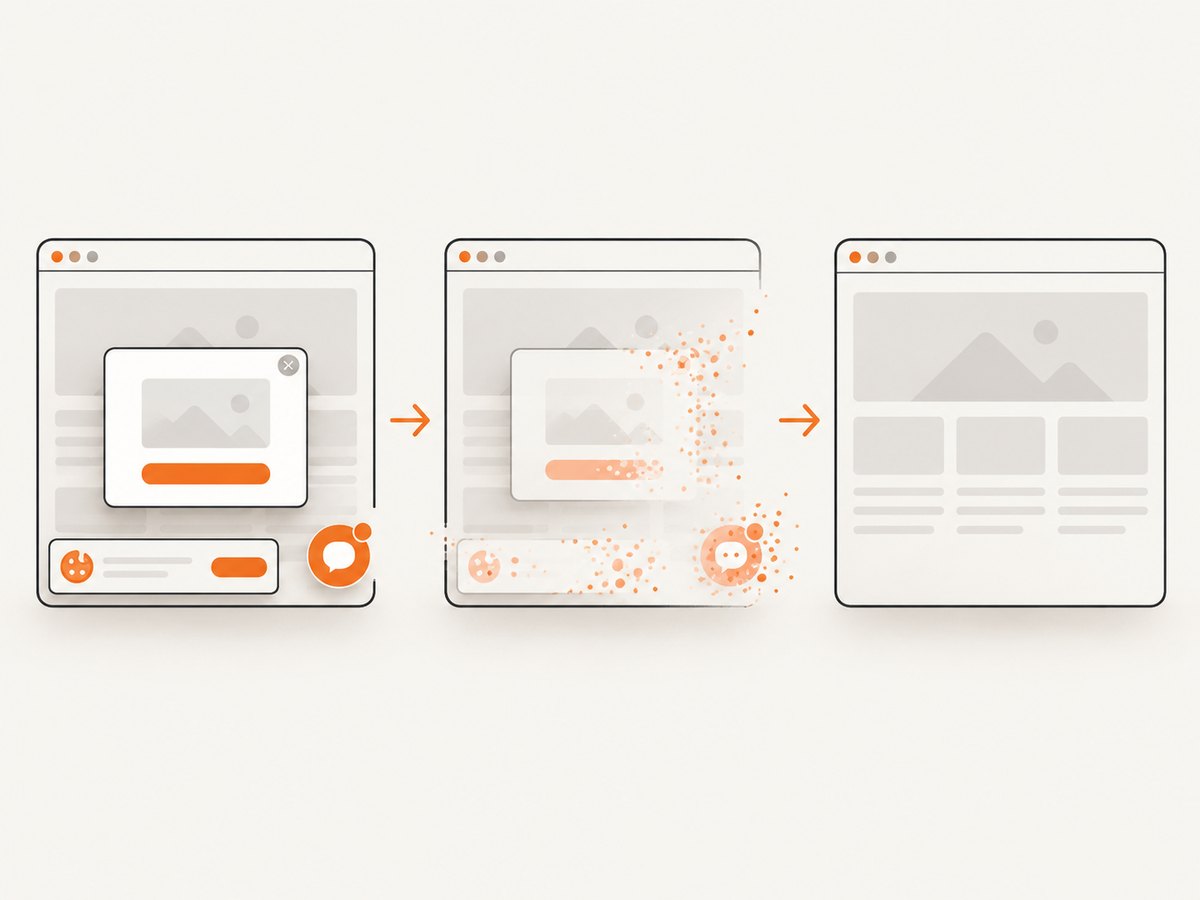
Consent banners, newsletter popups, and chat widgets are removed before the shot. Bot checks, blank pages, timeouts, failed loads, and cache hits are not billed, and the response identifies the result with X-Page-Verdict and X-Billed headers. An MCP server provides take_screenshot, get_page_info, and capture_pdf tools for Claude, Cursor, and other MCP clients. The Free plan includes 1,000 screenshots per month with no card; paid plans start at $5 for 3,000 shots. Create a free ScreenshotNeo account.
8. Troubleshooting common failures
| Symptom | Likely cause | Fix |
|---|---|---|
Call to undefined function imagewebp() |
GD is missing or WebP support was not compiled. | Install/enable GD with WebP support and verify with gd_info(). |
| Blank or mostly white image | The renderer captured before JavaScript or fonts finished, or assets failed to load. | Wait for a selector/network idle, inspect the intermediate PNG, and verify asset URLs. |
| HTML tags appear as text | The HTML was treated as an image source without a browser renderer. | Render HTML to pixels first; DOM parsing and GD encoding are separate operations. |
imagewebp() returns true but no file exists |
libgd failed after the boolean result was produced. | Check file existence and size, then validate with getimagesize() or decode the WebP. |
| Missing images or fonts | Relative URLs, blocked requests, CORS, authentication, or network policy. | Use absolute URLs, provide headers/cookies, allow required resource types, and log failed requests. |
| Transparent areas become black | Alpha settings were not preserved. | Disable alpha blending and call imagesavealpha($image, true) before encoding. |
| Memory exhaustion | Very large viewport, full-page height, or multiple concurrent GD images. | Limit dimensions, process jobs in workers, destroy images promptly, and cap concurrency. |
9. Performance, reliability, and cost
Browser startup and page loading usually dominate latency; WebP encoding is a later CPU and memory step. Reuse renderer processes where safe, avoid capturing unnecessary full-page heights, and cache identical inputs with a clear key containing URL, viewport, relevant headers, and rendering options. For GD, release each image with imagedestroy() and stream or move completed files instead of retaining them in memory.
Reliability improves when each stage has its own timeout and observable result: navigation timeout, render readiness condition, PNG creation, WebP encoding, and output validation. Retry transient network failures with a bounded policy, but do not blindly retry deterministic HTML or authentication errors. Store the intermediate PNG only when needed for diagnosis because it consumes more space than the final WebP.
Self-hosting shifts cost into browser workers, operating-system dependencies, memory, and maintenance. A hosted API shifts that operational work into per-shot usage. ScreenshotNeo bills only clean shots; bot checks, blank pages, timeouts, failed loads, and cache hits cost nothing. Compare your expected capture volume, concurrency, retention, and required options before choosing an architecture.
10. FAQ
Can GD convert an HTML string directly?
No. GD encodes raster images. Render the HTML into pixels first, then provide the resulting image to GD.
Is DOMDocument a screenshot engine?
No. It parses markup into a tree. It does not perform CSS layout, execute JavaScript, or paint a viewport.
What quality should I use?
Start at 80, the documented default when -1 is passed, and adjust after checking visual quality and file size on representative pages.
How do I preserve a transparent background?
Keep the renderer’s alpha channel and call imagealphablending($image, false) plus imagesavealpha($image, true) before encoding.
When should I use a hosted screenshot API?
Use one when maintaining browser binaries, fonts, isolation, retries, and concurrency would distract from your application. A self-managed renderer remains useful when you need complete control over execution and network policy.
11. Practical checklist
- Confirm WebP support with
gd_info()in production. - Render HTML with a browser-capable engine before invoking GD.
- Set viewport, readiness, timeout, cookies, headers, and authentication deliberately.
- Preserve or intentionally replace transparency.
- Use a quality value from 0 to 100 and measure output on real pages.
- Validate the output file instead of trusting the
imagewebp()boolean alone. - Limit page dimensions and isolate untrusted HTML.
- Instrument renderer verdicts, encoding failures, output size, and elapsed time.