How to Convert Video Embedded in HTML to JPG Frames
Learn how to capture exact frames from an HTML video as JPG files, handle seeking and CORS, and automate reliable frame extraction.
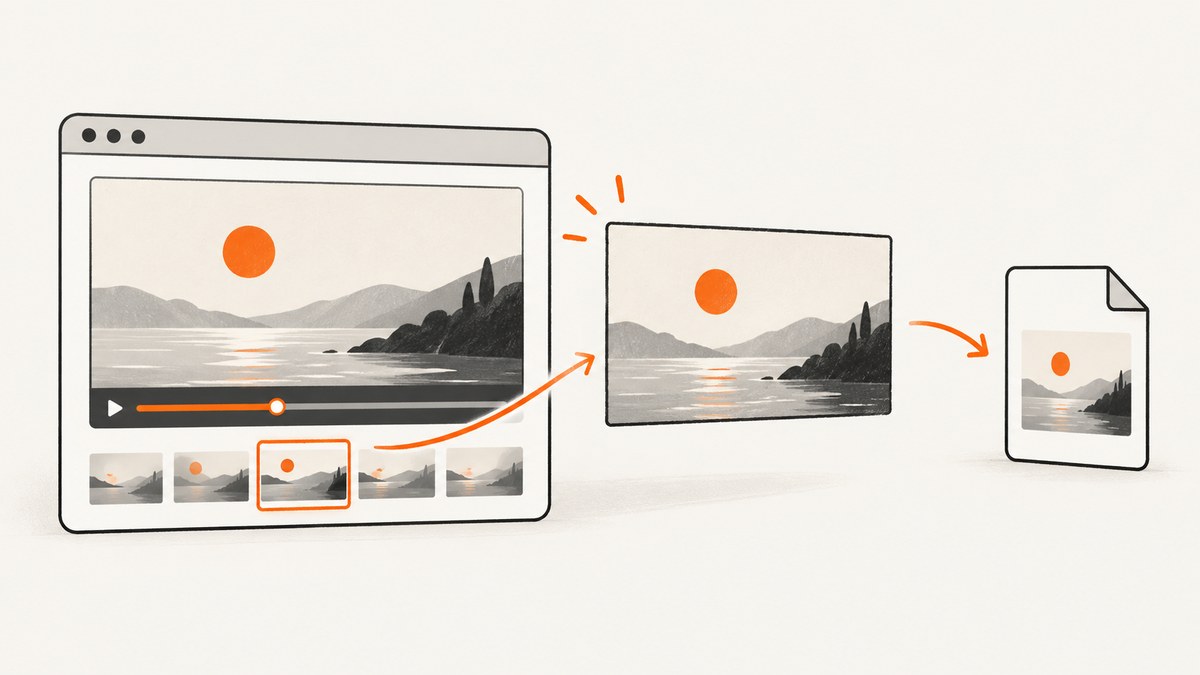
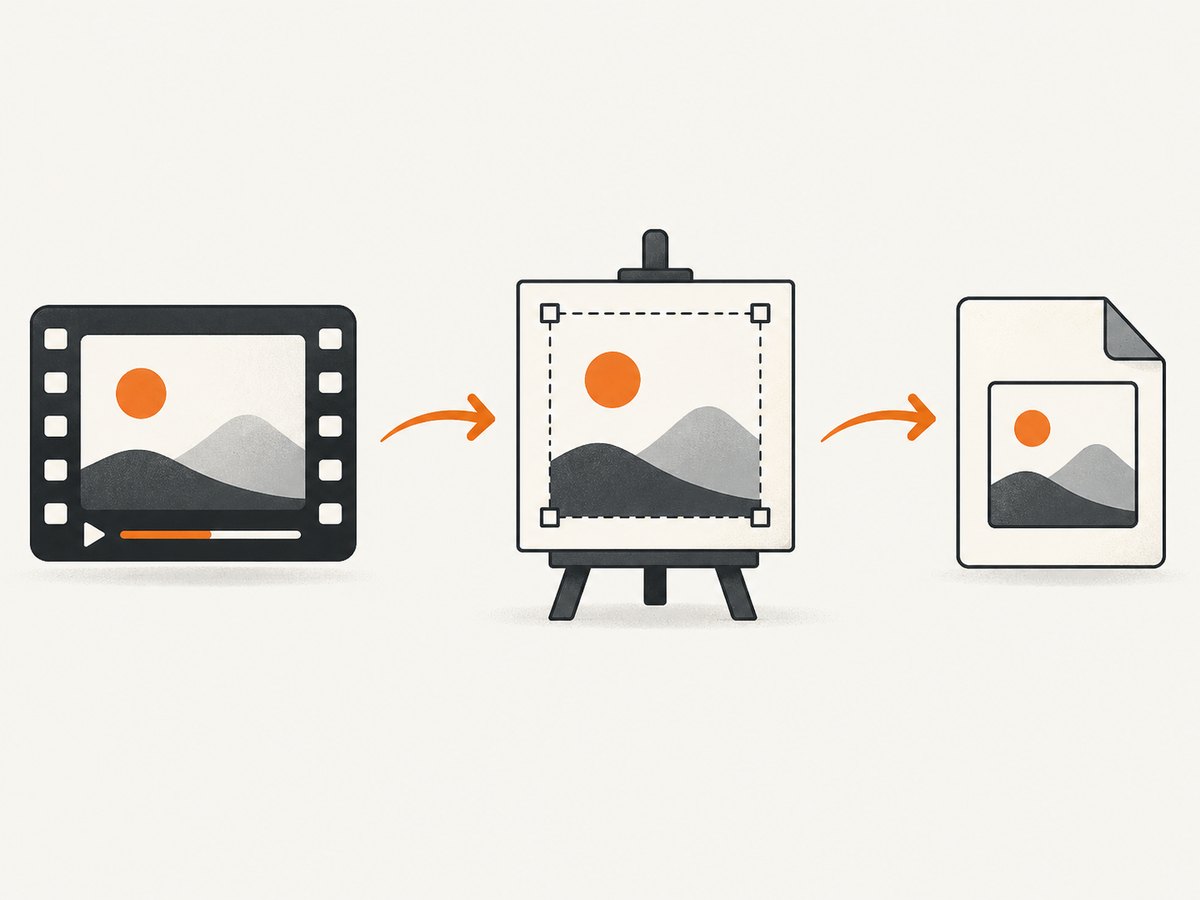
To convert an HTML video frame to a JPG, wait until the video has metadata, optionally seek to the required timestamp, draw the current frame onto a canvas, and export the canvas with toBlob('image/jpeg'). The video must be same-origin or explicitly authorized with CORS, otherwise the canvas becomes tainted and JPG export raises a SecurityError.
This guide covers one-off screenshots, exact timestamps, repeated capture, live streams, browser downloads, CORS failures, quality and memory choices, and an API option when you do not want to maintain browser automation.
1. The browser pipeline
An HTML <video> element exposes the frame at its current playback position. Its intrinsic dimensions are available through videoWidth and videoHeight. Use those values for the canvas so the output contains the source pixels rather than the CSS display size. The HTML Standard describes the video element and its media states in the media element section.
- Load the video and wait for
loadedmetadata. - Set
currentTimewhen a particular timestamp is required. - Wait for
seeked. - Set the canvas dimensions to the video’s intrinsic dimensions.
- Call
drawImage(video, 0, 0, canvas.width, canvas.height). - Export a JPEG with
toBlob()or, when necessary,toDataURL().
A paused video represents the frame at its current playback position. Drawing immediately after changing currentTime is unreliable because decoding and seeking may still be in progress.
2. Complete runnable example: save one frame as JPG
Save this as an HTML file next to video.mp4, or change the src to your media URL. The example captures 12.5 seconds into the video at JPEG quality 0.92.
<!doctype html>
<html lang="en">
<head>
  <meta charset="utf-8">
  <title>Video frame to JPG</title>
</head>
<body>
  <video
    id="source"
    src="video.mp4"
    crossorigin="anonymous"
    preload="metadata"
    controls
  ></video>
  <button id="save" type="button">Save JPG</button>

  <script>
    const video = document.querySelector('#source');
    const canvas = document.createElement('canvas');
    const ctx = canvas.getContext('2d');

    function waitForMetadata() {
      return new Promise((resolve, reject) => {
        if (video.readyState >= 1) {
          resolve();
          return;
        }
        video.addEventListener('loadedmetadata', resolve, { once: true });
        video.addEventListener('error', () => reject(video.error), { once: true });
      });
    }

    function waitForSeek() {
      return new Promise((resolve, reject) => {
        video.addEventListener('seeked', resolve, { once: true });
        video.addEventListener('error', () => reject(video.error), { once: true });
      });
    }

    async function frameAsJpeg(time, quality = 0.92) {
      await waitForMetadata();

      if (Number.isFinite(time)) {
        const maxTime = Number.isFinite(video.duration) ? video.duration : time;
        video.currentTime = Math.max(0, Math.min(time, maxTime));
        await waitForSeek();
      }

      if (!video.videoWidth || !video.videoHeight) {
        throw new Error('Video dimensions unavailable');
      }

      canvas.width = video.videoWidth;
      canvas.height = video.videoHeight;
      ctx.drawImage(video, 0, 0, canvas.width, canvas.height);

      return new Promise((resolve, reject) => {
        canvas.toBlob(
          blob => blob
            ? resolve(blob)
            : reject(new Error('JPEG encoding failed')),
          'image/jpeg',
          quality
        );
      });
    }

    document.querySelector('#save').addEventListener('click', async () => {
      try {
        const blob = await frameAsJpeg(12.5, 0.92);
        const url = URL.createObjectURL(blob);
        const link = document.createElement('a');
        link.href = url;
        link.download = 'frame-12.5s.jpg';
        link.click();
        URL.revokeObjectURL(url);
      } catch (error) {
        console.error(error);
        alert(error.message || 'Could not capture the frame');
      }
    });
  </script>
</body>
</html>
The crossorigin attribute must be present before the src request is made. It only works when the media server returns an appropriate Access-Control-Allow-Origin response. If you control the server, configure CORS there; browser JavaScript cannot grant itself permission.
3. Capture a frame at an exact timestamp
Use seconds, including fractional seconds, in currentTime. For example, video.currentTime = 83.25 requests the frame around 1 minute 23.25 seconds. The actual decoded frame depends on the video’s keyframes, codec, and browser decoder, so treat a timestamp as a requested playback position rather than a promise of a particular encoded frame.
async function captureAt(video, seconds, quality = 0.9) {
  if (video.readyState < 1) {
    await new Promise((resolve, reject) => {
      video.addEventListener('loadedmetadata', resolve, { once: true });
      video.addEventListener('error', () => reject(video.error), { once: true });
    });
  }

  const end = Number.isFinite(video.duration) ? video.duration : seconds;
  video.currentTime = Math.max(0, Math.min(seconds, end));
  await new Promise((resolve, reject) => {
    video.addEventListener('seeked', resolve, { once: true });
    video.addEventListener('error', () => reject(video.error), { once: true });
  });

  const canvas = document.createElement('canvas');
  canvas.width = video.videoWidth;
  canvas.height = video.videoHeight;
  canvas.getContext('2d').drawImage(video, 0, 0);

  return new Promise((resolve, reject) => {
    canvas.toBlob(blob => blob ? resolve(blob) : reject(new Error('No blob')),
      'image/jpeg', quality);
  });
}
For a file with a known duration, reject timestamps outside 0 through duration or clamp them as the example does. For live media, duration can be Infinity or unavailable and random access may not work at all. In that case, capture the currently rendered frame and label it as a live snapshot.
4. JPEG output choices
toBlob(): preferred for files and uploads
toBlob() creates a binary Blob asynchronously. It avoids the large temporary base64 string produced by toDataURL() and is the better choice for downloads, uploads, queues, and repeated extraction.
canvas.toBlob(blob => {
  const form = new FormData();
  form.append('frame', blob, 'frame.jpg');
  fetch('/upload', { method: 'POST', body: form });
}, 'image/jpeg', 0.85);toDataURL(): useful when an inline data URL is required
const dataUrl = canvas.toDataURL('image/jpeg', 0.85);
document.querySelector('#preview').src = dataUrl;
Quality is normally between 0 and 1. Higher quality increases file size. Start around 0.85 to 0.92 and adjust based on text, motion, and storage requirements. PNG is lossless but is not a JPG; use image/png only when JPEG artifacts or transparency matter.
5. CORS and the tainted-canvas error
The most common failure is:
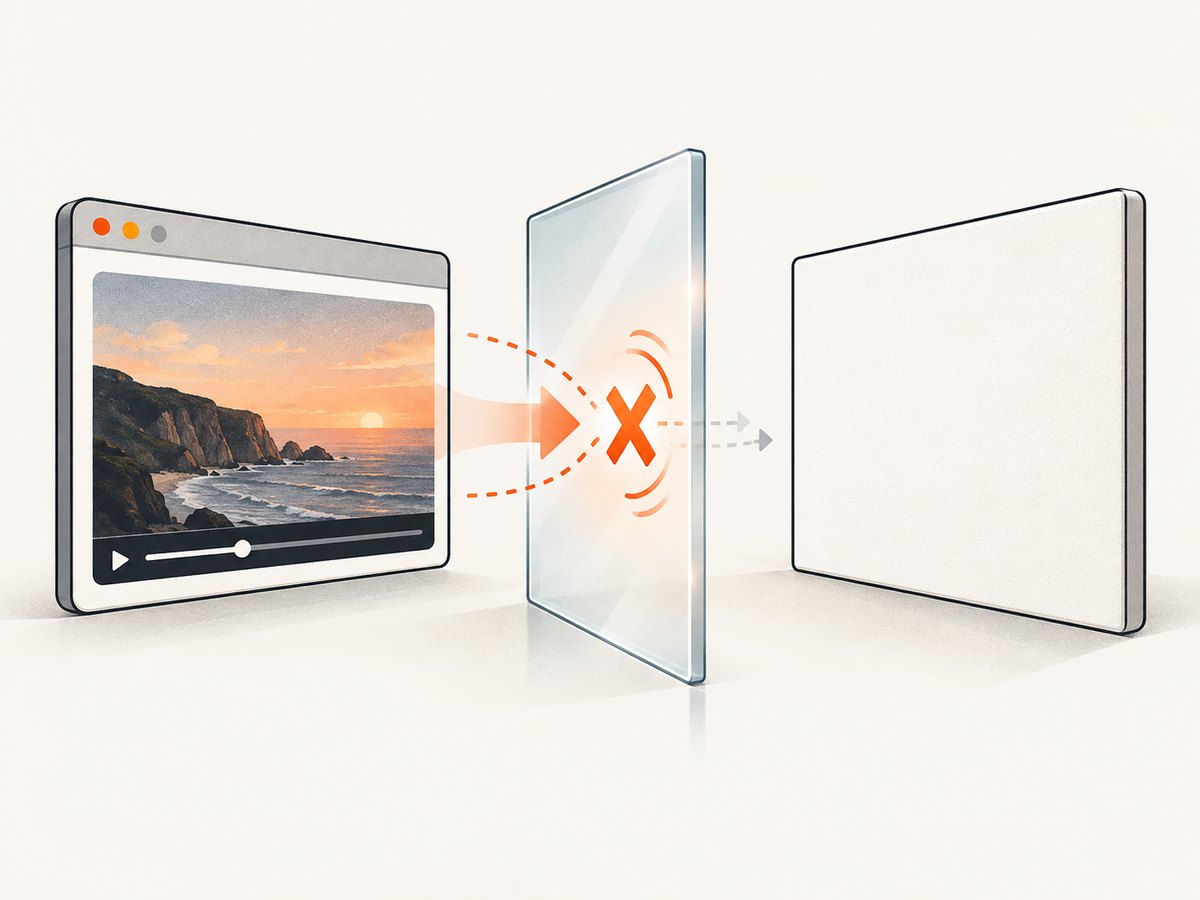
SecurityError: The operation is insecure.
// or
The canvas has been tainted by cross-origin data.
A canvas becomes tainted when it contains pixels from another origin that did not authorize readback. Export and inspection methods including toBlob(), toDataURL(), getImageData(), and captureStream() then throw or fail. MDN explains this security model in its guide to CORS-enabled images and tainted canvases.
Fix it on the media host:
Access-Control-Allow-Origin: https://your-site.exampleFor a public video you can use * where your security policy permits it. Keep crossorigin="anonymous" on the video and set it before assigning src. A proxy under your own origin can work when you are authorized to redistribute the media, but it must return the correct content type, range support, and caching headers.
6. Extract many JPG frames
For a small set of timestamps, call the one-frame function sequentially. Sequential seeking prevents multiple requests from racing over the same video element.
const times = [0, 5, 10, 30.5];
for (const time of times) {
  const blob = await frameAsJpeg(time, 0.88);
  const url = URL.createObjectURL(blob);
  const link = document.createElement('a');
  link.href = url;
  link.download = `frame-${time.toFixed(2)}.jpg`;
  link.click();
  URL.revokeObjectURL(url);
}
For a continuous stream, HTMLMediaElement.captureStream() produces a real-time MediaStream of the rendered video. The W3C Media Capture from DOM Elements specification documents this API. If you need manual frame requests from a canvas, canvas.captureStream(0) can be paired with a video track’s requestFrame() where supported. Capture requires an origin-clean canvas.
If a MediaStreamTrack already exists, ImageCapture.grabFrame() returns an ImageBitmap. takePhoto() returns an encoded image Blob. These APIs are useful for camera or stream tracks, but the canvas path is simpler for a normal embedded video.
7. Common errors and fixes
| Error or symptom | Cause | Fix |
|---|---|---|
videoWidth and videoHeight are zero |
Metadata has not loaded, or the source failed. | Wait for loadedmetadata; inspect the media error and network response. |
| The previous frame is captured | Drawing happened before seeking completed. | Set currentTime, then await seeked. |
SecurityError during export |
The canvas is tainted by cross-origin media. | Configure CORS on the media server and set crossorigin before src. |
duration is Infinity |
The source is a live stream or an unbounded media resource. | Capture the current frame; do not promise random timestamp seeking. |
| Black or blank output | The video has not decoded a frame, playback is blocked, or the source is DRM-protected. | Wait for loadeddata or canplay, ensure a decoded frame exists, and check browser restrictions. DRM pixels cannot be read back. |
| JPEG blob is null | Encoding failed or the canvas dimensions are invalid. | Check dimensions, memory pressure, and the canvas context; reduce output size if necessary. |
| Downloads stop working after many frames | Too many object URLs or downloads were created at once. | Revoke each URL after use and queue downloads or package frames into a server-side archive. |
| Seeking is slow | The target is far from a keyframe or the file is remote. | Reuse one video element, process timestamps in order, enable byte-range requests, and avoid unnecessary full-resolution canvases. |
8. Performance, reliability, and privacy
- Use intrinsic dimensions only when needed. A 4K canvas costs considerably more memory than a 1280-pixel output. Resize after drawing or set a smaller target canvas when thumbnail resolution is enough.
- Prefer
toBlob(). It keeps binary data out of a base64 string and reduces peak memory. - Reuse resources. Reuse the video, canvas, and 2D context for a batch. Revoke object URLs after downloads or previews.
- Process sequentially. One seek and encode at a time is easier to reason about and avoids competing decoders.
- Handle retries. Network media can fail between metadata and seek. Retry transient fetch or decode failures, but surface permanent CORS and codec errors.
- Preserve timestamps. Name files with fixed-width seconds or store a JSON manifest so frames can be mapped back to their requested positions.
- Respect access rights. CORS permission is a browser security permission, not a license to republish the video or its frames.
9. Or skip the browser setup
If your goal is a screenshot of a page containing a video, ScreenshotNeo can render the URL and return a clean image. Its custom JavaScript and wait controls can help a page reach the desired state before capture, while the browser code above remains the right approach when you need exact decoded video timestamps and direct frame blobs.
One request returns an image:
curl -G "https://api.screenshotneo.com/v1/shot" -d access_key=YOUR_API_KEY --data-urlencode url=https://stripe.com -o shot.webpimport requests
r = requests.get(
"https://api.screenshotneo.com/v1/shot",
params={"access_key": "YOUR_API_KEY", "url": "https://stripe.com"},
timeout=90,
)
r.raise_for_status()
open("shot.webp", "wb").write(r.content)const q = new URLSearchParams({ access_key: 'YOUR_API_KEY', url: 'https://stripe.com' });
const res = await fetch(`https://api.screenshotneo.com/v1/shot?${q}`);
if (!res.ok) throw new Error(`Screenshot failed: ${res.status}`);
require('fs').writeFileSync('shot.webp', Buffer.from(await res.arrayBuffer()));See the ScreenshotNeo documentation for request options. Cookie banners, newsletter popups, and chat widgets are removed before the shot. Bot checks, blank pages, failed loads, timeouts, and cache hits are not billed, and response headers identify the page verdict and billing result. ScreenshotNeo also provides an MCP server for AI agents, including Claude and Cursor, with take_screenshot, get_page_info, and capture_pdf tools. The free plan includes 1,000 screenshots per month without a card; paid plans start at $5 for 3,000 shots. Create a free ScreenshotNeo account.
10. FAQ
Can I extract a frame without playing the video?
Usually yes. Once metadata and a decodable frame are available, set currentTime while paused, wait for seeked, and draw. Autoplay is not required for a local file, though some streams need playback to deliver frames.
Why does changing the CSS width change neither JPG dimensions nor quality?
CSS controls display size. The canvas dimensions control output pixels. Copy video.videoWidth and video.videoHeight for native resolution, or choose explicit canvas dimensions for a smaller image.
Can a server extract frames from a DRM video?
Browser canvas readback is intentionally blocked for protected media. Use an authorized server-side workflow supplied by the content owner and follow the DRM provider’s rules.
Should I use toDataURL() or toBlob()?
Use toBlob() for downloads, uploads, and batches. Use toDataURL() only when another API specifically requires a data URL.
Does a screenshot API replace timestamp extraction?
No. A screenshot API captures the rendered page state. Exact frame extraction still requires seeking and decoding the video, as shown in the browser implementation.


