How to Convert HTML and XML to PDF in C# With HTML Renderer
Convert HTML to PDF in C# with HtmlRenderer.PdfSharp, configure pages and CSS, and safely transform XML data into printable HTML.

Direct answer: The documented HTML Renderer route is the HtmlRenderer.PdfSharp package. Pass an HTML string to PdfGenerator.GeneratePdf, configure the page size or a PdfGenerateConfig, then save the returned PDFsharp document. The API documentation establishes HTML input. It does not establish arbitrary XML as a direct input format, so XML must first be parsed and transformed into escaped HTML (or handled by a separate XML-to-HTML workflow).
This guide covers a complete C# implementation, page layout and CSS controls, XML preprocessing, resource handling, production failure modes, performance and cost considerations, and an API alternative when you need screenshots or PDFs from live web pages.
1. What HTML Renderer does (and where XML fits)
HTML Renderer is a .NET rendering library whose PDF integration is exposed by HtmlRenderer.PdfSharp. The project describes support for HTML 4.01 and CSS level 2, separation of CSS from markup, and tolerance for malformed real-world HTML. Those are project claims, not browser-equivalence tests, so validate your own templates when they depend on modern CSS, JavaScript, web fonts, flexbox, grid, or browser-only behavior.
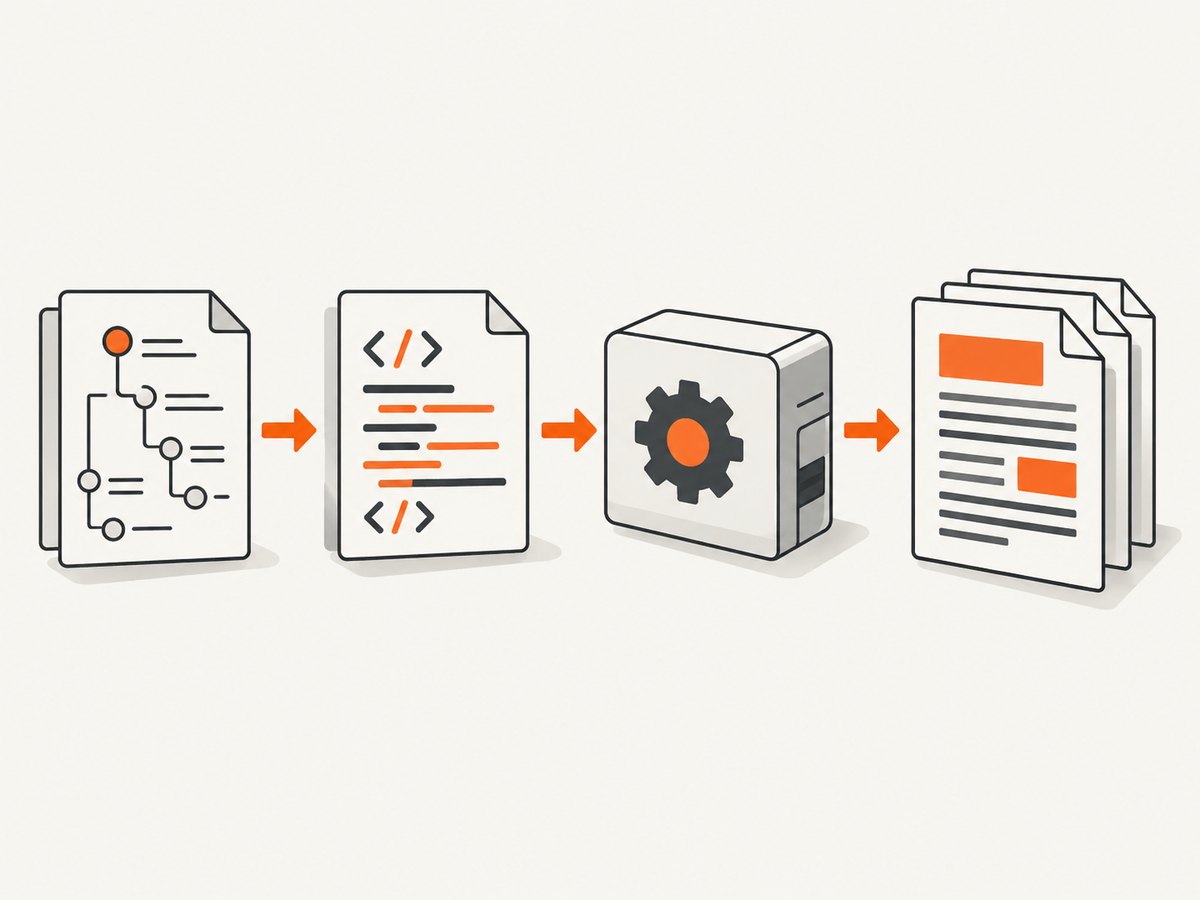
The PDF API consumes HTML text. A safe XML pipeline therefore has three explicit stages:
- Parse XML with an XML parser and validate its shape.
- Map values into an HTML template, HTML-encoding every value.
- Send the resulting HTML to
GeneratePdfand save or stream the PDF.
Do not assume that GeneratePdf(xml) is an XML renderer. The reviewed package quick-start and source signatures document HTML, not arbitrary XML.
2. Install the packages and create a project
The package listing identifies HtmlRenderer.PdfSharp version 1.6.1 in its quick-start. Package versions and supported runtimes can change, so verify the version and target framework you restore. The project metadata lists .NET Standard 2.0 and .NET 8.0 targets and references PDFsharp, System.Drawing.Common, and Microsoft.Win32.Registry. Check platform-specific behavior, especially when deploying to Linux containers.
dotnet new console -n HtmlToPdf
cd HtmlToPdf
dotnet add package HtmlRenderer.PdfSharp --version 1.6.1
For a library project, target a framework compatible with the package and your PDFsharp dependency. Keep package versions pinned in CI, then review release notes before upgrading.
3. Minimal HTML-to-PDF example in C#
This is the smallest useful program: create HTML, generate an A4 document, and save it.
using PdfSharp;
using TheArtOfDev.HtmlRenderer.PdfSharp;

var html = "<h1>Invoice 1001</h1><p>Rendered from HTML in C#.</p>";
var pdf = PdfGenerator.GeneratePdf(html, PageSize.A4);
pdf.Save("output.pdf");

Console.WriteLine("Wrote output.pdf");
The generator creates pages as the layout flows beyond one page. Links in the HTML can become PDF web links or in-document links according to the renderer’s implementation. Treat the Save call as the PDFsharp document operation and confirm the exact API against the package version restored in your project.
4. Control paper size, orientation, and margins
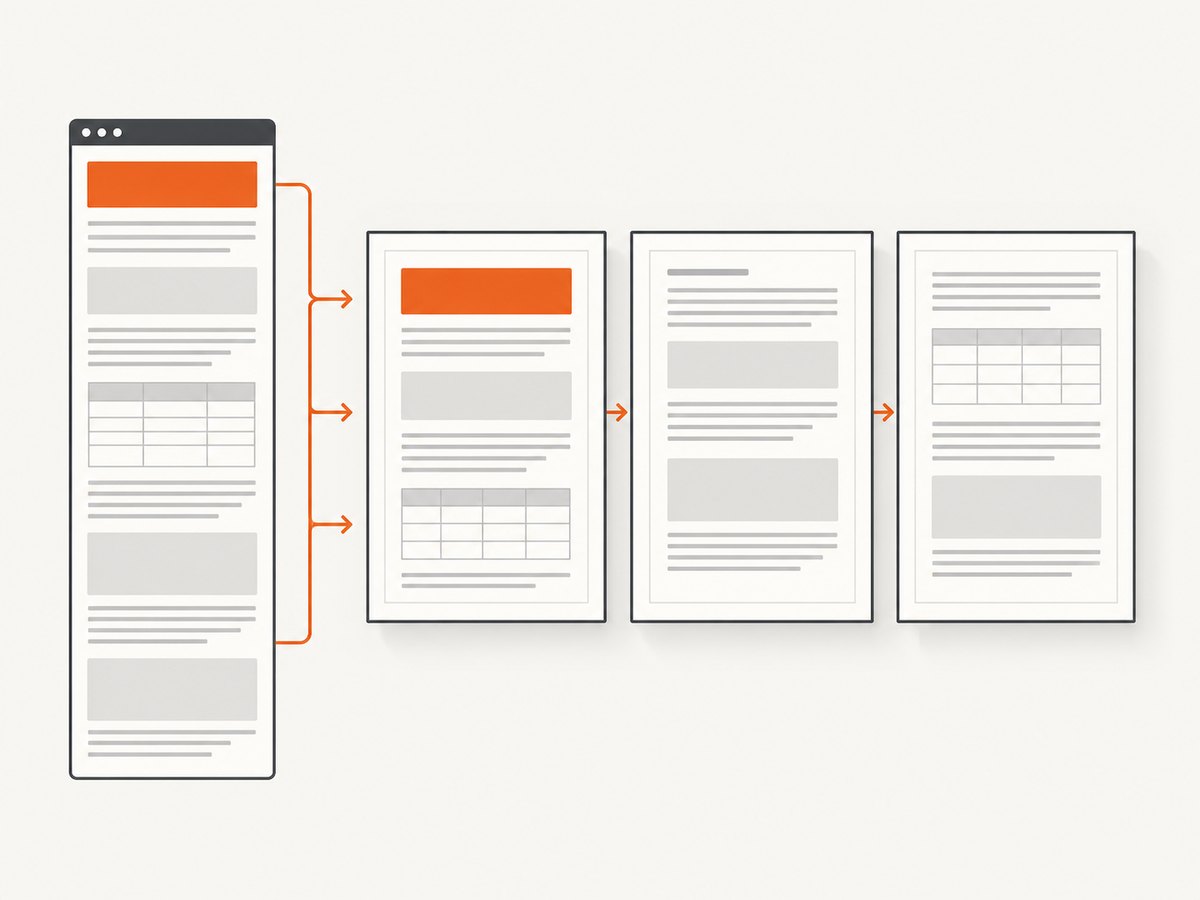
Use a PdfGenerateConfig when the default page size is insufficient. Configuration is the right place to make pagination reproducible: set page size, orientation, and each margin explicitly instead of relying on defaults.
using PdfSharp;
using TheArtOfDev.HtmlRenderer.PdfSharp;

var html = @"
<!doctype html>
<html>
<head>
  <meta charset='utf-8'>
  <style>
    body { font-family: Arial, sans-serif; font-size: 11pt; }
    h1 { color: #19324d; }
    .total { text-align: right; font-weight: bold; }
  </style>
</head>
<body>
  <h1>Quarterly report</h1>
  <p>A configured document with predictable page geometry.</p>
  <p class='total'>Total: $1,250.00</p>
</body>
</html>";

var config = new PdfGenerateConfig
{
    PageSize = PageSize.A4,
    MarginTop = 32,
    MarginBottom = 32,
    MarginLeft = 40,
    MarginRight = 40
};

var pdf = PdfGenerator.GeneratePdf(html, config);
pdf.Save("report.pdf");
For landscape output, use the orientation or page-size setting exposed by the package version you installed. If your version’s configuration API differs, inspect IntelliSense or the package source before shipping. Build a small regression document containing headings, tables, long paragraphs, images, and links; compare its page breaks after every dependency update.
5. Add CSS, images, and external resources
The source exposes overloads for HTML, a page size or PdfGenerateConfig, optional CSS data, and stylesheet/image-load event handlers. Inline CSS is easiest to make deterministic. External resources introduce network, path, and encoding failures, so provide a controlled resolver when your document needs them.
using PdfSharp;
using TheArtOfDev.HtmlRenderer.PdfSharp;

var html = "<h1 class='title'>Styled output</h1><p>Body text</p>";
var css = ".title { color: #0b5; font-size: 24pt; } p { line-height: 1.4; }";

var pdf = PdfGenerator.GeneratePdf(
    html,
    PageSize.A4,
    cssData: css);
pdf.Save("styled.pdf");
Use absolute, accessible image paths or embed images as data where practical. Confirm that the renderer’s image and stylesheet handlers can resolve your URI scheme. Avoid making PDF generation depend on an unrestricted internet request: network resources can hang, change between runs, or expose internal endpoints.
6. Convert XML data into safe HTML, then render it
XML is commonly the source of invoice, catalog, or report data. Parse it with System.Xml.Linq, select the fields your template needs, and encode values before inserting them into HTML. The example below demonstrates a simple invoice; adapt the element names and validation rules to your schema.
using System.Globalization;
using System.Net;
using System.Xml.Linq;
using PdfSharp;
using TheArtOfDev.HtmlRenderer.PdfSharp;
var xml = """
<invoice number='A-104'>
<customer>Ada & Co</customer>
<item description='Consulting' quantity='2' price='125.00' />
<item description='Support' quantity='1' price='50.00' />
</invoice>
""";
var document = XDocument.Parse(xml, LoadOptions.SetBaseUri);
var invoice = document.Root ?? throw new InvalidDataException("Missing invoice element");
var number = (string?)invoice.Attribute("number") ?? "unknown";
var customer = (string?)invoice.Element("customer") ?? "unknown";
var rows = new List<string>();
decimal total = 0;
foreach (var item in invoice.Elements("item"))
{
var description = (string?)item.Attribute("description") ?? "";
var quantity = decimal.Parse((string?)item.Attribute("quantity") ?? "0", CultureInfo.InvariantCulture);
var price = decimal.Parse((string?)item.Attribute("price") ?? "0", CultureInfo.InvariantCulture);
var lineTotal = quantity * price;
total += lineTotal;
rows.Add($"<tr><td>{WebUtility.HtmlEncode(description)}</td>" +
$"<td>{quantity.ToString(CultureInfo.InvariantCulture)}</td>" +
$"<td>{lineTotal.ToString("0.00", CultureInfo.InvariantCulture)}</td></tr>");
}
var html = $"""
<html>
<head>
<meta charset='utf-8'>
<style>
body {{ font-family: Arial, sans-serif; }}
table {{ width: 100%; border-collapse: collapse; }}
th, td {{ border-bottom: 1px solid #ccc; padding: 6px; text-align: left; }}
.total {{ text-align: right; font-weight: bold; }}
</style>
</head>
<body>
<h1>Invoice {WebUtility.HtmlEncode(number)}</h1>
<p>Customer: {WebUtility.HtmlEncode(customer)}</p>
<table><tr><th>Description</th><th>Qty</th><th>Amount</th></tr>
{string.Join("", rows)}
</table>
<p class='total'>Total: {total.ToString("0.00", CultureInfo.InvariantCulture)}</p>
</body>
</html>""";
var pdf = PdfGenerator.GeneratePdf(html, PageSize.A4);
pdf.Save("invoice.pdf");Security checklist for XML-derived HTML:
- Disable unsafe external entity processing when using an XML reader configured beyond the simple
XDocument.Parsecase. - Validate required elements, attributes, numeric ranges, and maximum document size.
- HTML-encode text and attribute values. Never concatenate untrusted XML into raw tags or style blocks.
- Use invariant formatting for values that must be stable across machines; apply locale-specific formatting in a deliberate presentation layer.
- Keep templates separate from data so a value cannot alter the document structure.
7. Multiple documents and appended pages
The renderer exposes AddPdfPages for appending rendered HTML pages to an existing PDFsharp document. This is useful when a report has independently generated sections or when you need one output file from several templates. Keep page configuration consistent across calls, and test headers, footers, and page breaks at section boundaries.
8. HTML and CSS limits to plan for
HTML Renderer is not a headless browser. Its documented scope centers on HTML 4.01 and CSS level 2. Plan for these differences:
- JavaScript-driven content will not behave like a browser page; render the final values into HTML before calling the library.
- Modern layout features may be incomplete or differ from Chromium. Prefer tables, block flow, floats, and simple CSS when pagination matters.
- Web fonts, cross-origin images, and remote stylesheets may fail unless you provide a supported resource path or handler.
- CSS selectors and print-specific behavior should be verified with representative documents.
- Very large tables can create long layout passes and high memory use; split reports or generate sections incrementally.
9. Troubleshooting common errors
| Symptom | Likely cause | Fix |
|---|---|---|
| NuGet restore or type-not-found errors | Package version, target framework, or namespace mismatch. | Confirm the installed HtmlRenderer.PdfSharp version, target a compatible framework, and use using TheArtOfDev.HtmlRenderer.PdfSharp;. |
| Blank or nearly empty PDF | Malformed markup, unsupported CSS, or content hidden by styles. | Start with a plain heading and paragraph, then add CSS and resources one at a time. Validate the generated HTML string. |
| Images missing | Relative paths, inaccessible URLs, unsupported formats, or resolver restrictions. | Use a resolvable absolute path or embedded data, and configure the image-load handler supported by your package version. |
| Text overlaps or clips | Browser-oriented CSS, fixed heights, or unsupported layout rules. | Remove fixed heights, simplify layout, set explicit margins, and test at the target paper size. |
| Unexpected page breaks | Content exceeds the printable width or a block cannot split as expected. | Reduce margins or font size, avoid oversized unbreakable elements, and insert deliberate section breaks in the HTML. |
| Non-ASCII characters render incorrectly | Missing charset declaration or unavailable font. | Add <meta charset='utf-8'>, use a font available on the deployment host, and verify the output on that host. |
| Linux deployment failure | Graphics or native dependencies differ from development. | Review System.Drawing.Common and PDFsharp requirements for the exact runtime and container image; run a smoke conversion in deployment. |
| Untrusted XML changes the document | Values inserted without HTML encoding. | Encode every value with an HTML encoder and keep data out of raw markup, CSS, and attributes. |
10. Performance, reliability, and cost
No independently measured benchmark was found in the reviewed sources. The repository uses qualitative language about performance and memory, but supplies no methodology or numbers. Measure your own templates with realistic XML sizes, image counts, and concurrent requests.
- Reuse templates: build stable HTML and CSS structures; avoid repeated string concatenation for large reports by using a builder or a view/template system.
- Bound work: enforce input-size, item-count, image-count, and execution-time limits before rendering.
- Control concurrency: PDF generation can consume substantial CPU and memory. Use a bounded queue for batch jobs and monitor process memory.
- Make retries safe: write to a temporary file or memory stream, validate that generation completed, then atomically publish the result.
- Record diagnostics: log template version, input size, page count, elapsed time, and resource failures without logging sensitive document contents.
- Cost: the library itself is a local dependency; your costs are compute, memory, storage, and any external resource requests. Compare those costs with a hosted renderer when you need elastic capacity or browser-level fidelity.
11. Or skip the browser setup
If your source is already a live webpage, a hosted capture API avoids installing and maintaining a browser. ScreenshotNeo accepts one GET request and returns a PNG, JPEG, WebP, or PDF. See the ScreenshotNeo API documentation for the current parameters.
cURL
curl -G "https://api.screenshotneo.com/v1/shot" -d access_key=YOUR_API_KEY --data-urlencode url=https://stripe.com -o shot.webpPython
import requests
r = requests.get("https://api.screenshotneo.com/v1/shot", params={"access_key": "YOUR_API_KEY", "url": "https://stripe.com"}, timeout=90)
open("shot.webp", "wb").write(r.content)
Node.js
const q = new URLSearchParams({ access_key: 'YOUR_API_KEY', url: 'https://stripe.com' });
const res = await fetch(`https://api.screenshotneo.com/v1/shot?${q}`);
ScreenshotNeo removes cookie and consent banners, newsletter popups, and chat widgets before capture. Bot checks, blank pages, timeouts, failed loads, and cache hits are not billed, and each response identifies the result with X-Page-Verdict and X-Billed headers. Its MCP server provides take_screenshot, get_page_info, and capture_pdf tools for Claude, Cursor, and other MCP clients. It supports full-page and element capture, device presets, custom viewports, retina scale, PDF paper and margin settings, custom CSS and JavaScript, waits, request blocking, headers, cookies, user agents, authorization, timezone, geolocation, transparency, resizing, caching, signed links, asynchronous jobs, bulk capture, usage reporting, and an OpenAPI specification.
The Free plan includes 1,000 screenshots per month with no card. Paid plans start at $5 for 3,000 shots; every feature is available on every plan. Create a free ScreenshotNeo account to try the capture workflow.
12. When PDFsharp or another approach is a better fit
PDFsharp is a .NET PDF library; its MigraDoc component builds documents from an object model and renders them to PDF or RTF. MigraDoc is useful when you control document structure directly, but it is not evidence of HTML conversion. HtmlRendererCore is a separately maintained PdfSharpCore-oriented port; verify its current maintenance, feature coverage, and runtime compatibility before selecting it.
Choose HTML Renderer when your input is controlled HTML and you want a compact in-process conversion. Choose a browser-based service when you require modern web rendering, JavaScript execution, or resilient capture of arbitrary public pages. Choose an object-model PDF library when your application owns every paragraph, table, and drawing primitive.
13. FAQ
Can I pass XML directly to GeneratePdf?
The documented overloads accept HTML text. Parse XML and transform it into escaped HTML first, or use a separately verified XML rendering component.
Does the renderer execute JavaScript?
Do not rely on browser JavaScript behavior. Generate the final values in C# and pass complete HTML to the renderer.
Can I use CSS files?
Yes, the API exposes optional CSS data and stylesheet/resource hooks. Inline CSS is simplest; test external paths and handlers on the deployment platform.
How do I create a multi-page PDF?
Long HTML flows across pages automatically. For separate sections, use the documented AddPdfPages API and keep configuration consistent.
Is output identical to Chrome?
No guarantee is established. The project describes HTML 4.01 and CSS level 2 support, so validate layouts that depend on modern browser features.


