How to Convert an iframe into a Canvas Screenshot
Learn how to render same-origin iframes into canvas, handle cross-origin limits, avoid tainted canvases, and use a screenshot API when browser access is blocked.

Short answer: You can convert an iframe into a canvas screenshot when the iframe is same-origin and its document is accessible to your page. Wait for the frame to load, pass its document or a root element to a DOM-rendering library such as html2canvas, then export the resulting canvas with toBlob(). A cross-origin iframe cannot be inspected through contentDocument or contentWindow.document because of the browser same-origin policy. CORS headers on images do not change that rule. If you control both origins, use a validated postMessage protocol; otherwise use a user-authorized screen capture or a server-side screenshot service.
This guide covers the complete decision process, runnable JavaScript, cross-origin designs, canvas security, sizing, resource loading, troubleshooting, performance, and production alternatives.
1. Decide which iframe case you have
An iframe is a nested browsing context. The browser assigns its document an origin made from scheme, host, and port. Parent JavaScript may inspect the frame only when the relevant origins match and the frame is not restricted by sandboxing or another policy.
| Situation | Can the parent read the iframe DOM? | Practical approach |
|---|---|---|
| Same scheme, host, and port | Usually yes, after load | Render the frame document with html2canvas or another DOM renderer |
| Different origin, no cooperation | No | Do not attempt DOM extraction; use user-mediated capture or a server-side service |
| Different origin, both pages controlled | No direct access | Design a postMessage protocol and validate origin and payload |
| Same origin but sandboxed | May be blocked or changed | Review the iframe sandbox flags and navigation behavior |
See the MDN same-origin policy documentation for the browser access rules. A frame can also navigate after your initial check, so treat access as a condition to verify at capture time.
2. Same-origin capture with html2canvas
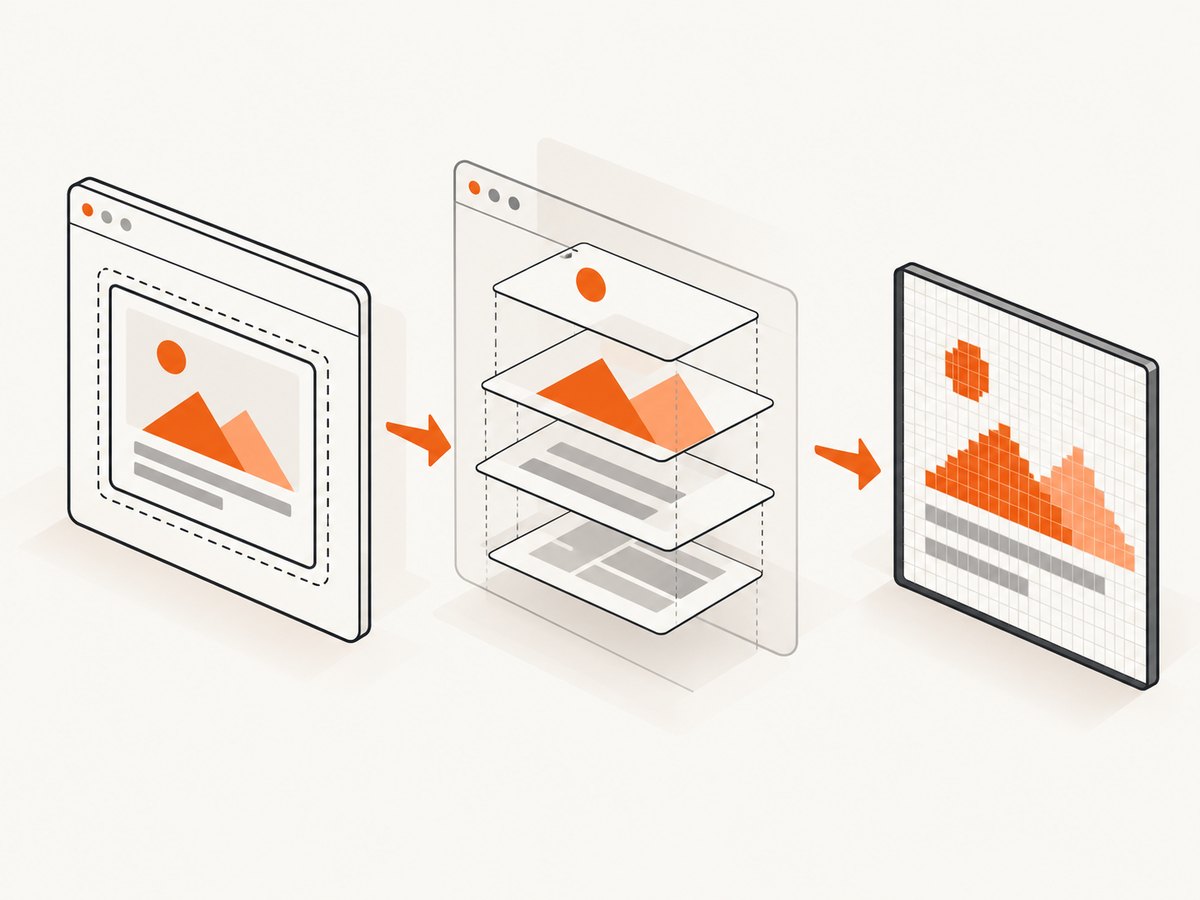
html2canvas reconstructs an image from DOM and CSS information. It does not ask the browser for a literal screenshot of the compositor output. Unsupported CSS, browser-only effects, video frames, fonts, and unusual layout features can therefore differ from what a user sees.
Install the library
npm install html2canvasFor a browser-only application, load the package through your normal bundler. The following example assumes html2canvas is imported into a module.
Complete same-origin example
import html2canvas from "html2canvas";

function waitForIframe(frame) {
  return new Promise((resolve, reject) => {
    if (!frame) return reject(new Error("iframe not found"));
    const done = () => {
      frame.removeEventListener("load", done);
      frame.removeEventListener("error", fail);
      resolve();
    };
    const fail = () => {
      frame.removeEventListener("load", done);
      frame.removeEventListener("error", fail);
      reject(new Error("iframe failed to load"));
    };
    frame.addEventListener("load", done, { once: true });
    frame.addEventListener("error", fail, { once: true });
    // The load event may have fired before this function ran.
    if (frame.contentDocument?.readyState === "complete") done();
  });
}

async function iframeToCanvas(selector, outputName = "iframe.png") {
  const frame = document.querySelector(selector);
  await waitForIframe(frame);

  let frameDocument;
  try {
    // This line throws or returns an unusable document for cross-origin frames.
    frameDocument = frame.contentDocument;
    if (!frameDocument?.body) throw new Error("iframe document is unavailable");
  } catch (error) {
    throw new Error("The iframe is not same-origin or is sandbox-restricted");
  }

  const canvas = await html2canvas(frameDocument.body, {
    backgroundColor: null,
    useCORS: true,
    logging: false,
    scale: window.devicePixelRatio || 1,
    windowWidth: frameDocument.documentElement.scrollWidth,
    windowHeight: frameDocument.documentElement.scrollHeight
  });

  const blob = await new Promise((resolve, reject) => {
    canvas.toBlob((value) => value ? resolve(value) : reject(new Error("canvas.toBlob returned null")), "image/png");
  });

  const link = document.createElement("a");
  link.download = outputName;
  link.href = URL.createObjectURL(blob);
  link.click();
  URL.revokeObjectURL(link.href);

  return canvas;
}

iframeToCanvas("#report-frame").catch(console.error);
Use an iframe whose src is on the same origin as the parent, or populate it with srcdoc or DOM you control. The code waits for loading, checks that a body exists, captures the full document dimensions, and exports through toBlob(). It is a starting point: production code should also handle frame navigation races, application-specific readiness, and a null blob.
Capture one element instead of the whole frame
const panel = frame.contentDocument.querySelector(".invoice");
if (!panel) throw new Error("invoice panel not found");
const canvas = await html2canvas(panel, {
  backgroundColor: "#ffffff",
  scale: 2,
  useCORS: true
});
Element capture avoids unrelated frame content and usually uses less memory. Make sure the element has settled layout, loaded fonts, and explicit dimensions before rendering.
Control dimensions and pixel density
Canvas dimensions are CSS dimensions multiplied by scale. A scale of 2 produces a sharper image but approximately quadruples the pixel count and memory for a two-dimensional capture. For predictable output, set the iframe viewport and pass explicit windowWidth and windowHeight. For very tall pages, capture sections and stitch them server-side or reduce scale.
3. Wait for real readiness, not only the load event
The iframe load event means the document and its subresources reached a browser load milestone; it does not guarantee that client-rendered data, web fonts, charts, or lazy images are ready. Add an application signal when you control the frame.
// Inside the iframe, after the report is rendered:
window.parent.postMessage(
  { type: "report-ready", version: 1 },
  "https://app.example.com"
);

// In the parent:
await new Promise((resolve, reject) => {
  const timer = setTimeout(() => {
    window.removeEventListener("message", onMessage);
    reject(new Error("Timed out waiting for report-ready"));
  }, 15000);
  function onMessage(event) {
    if (event.origin !== "https://reports.example.com") return;
    if (event.source !== frame.contentWindow) return;
    if (event.data?.type !== "report-ready" || event.data?.version !== 1) return;
    clearTimeout(timer);
    window.removeEventListener("message", onMessage);
    resolve();
  }
  window.addEventListener("message", onMessage);
});
Always compare event.origin with an exact allowlist and check event.source. The MDN postMessage guide explains the communication model and validation requirements.
4. Cross-origin iframes: what the browser blocks
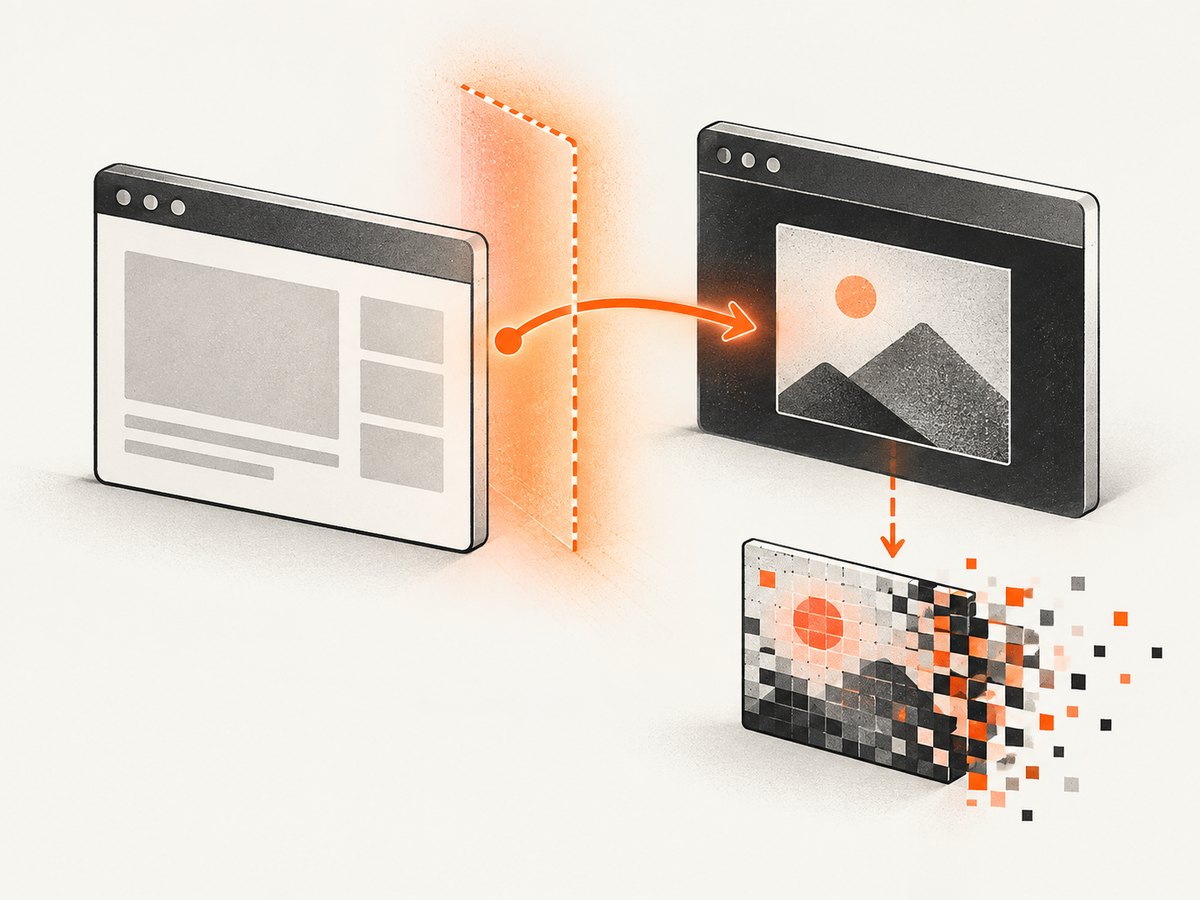
For an iframe hosted on another origin, these operations are blocked:
const frame = document.querySelector("iframe");
frame.contentDocument.body;          // SecurityError or inaccessible
frame.contentWindow.document.body;   // SecurityError
This is a security boundary, not an html2canvas option. Neither useCORS: true nor a proxy setting grants the parent permission to inspect a foreign document. Do not weaken validation by accepting arbitrary message origins or by trying to relay secrets through the frame.
Cooperative design with postMessage
If both applications are yours, the iframe can perform work internally and return structured data or a rendered image. A simple protocol is:
- The parent sends a request containing an ID and desired dimensions.
- The child verifies
event.origin, renders its own DOM, and creates a blob or data URL. - The child sends a response with the same ID and a bounded payload.
- The parent verifies origin, source, ID, status, and payload size before using the result.
// Parent: request capture from a cooperative child
frame.contentWindow.postMessage(
  { type: "capture-request", id: crypto.randomUUID(), width: 1200 },
  "https://reports.example.com"
);

// Child: validate the parent, then render locally
window.addEventListener("message", async (event) => {
  if (event.origin !== "https://app.example.com") return;
  if (event.source !== window.parent) return;
  if (event.data?.type !== "capture-request") return;

  const canvas = await html2canvas(document.body, { width: event.data.width });
  const dataUrl = canvas.toDataURL("image/png");
  event.source.postMessage(
    { type: "capture-response", id: event.data.id, dataUrl },
    event.origin
  );
});
For large images, return a short-lived upload token or a server-side object reference instead of a huge data URL. The child still needs to solve its own canvas resource and CORS issues.
5. Avoiding a tainted canvas
Canvas origin-clean rules are separate from iframe DOM access. If a page draws a foreign-origin image, SVG, or other resource without permission, the canvas becomes tainted. Calls such as getImageData(), toBlob(), and toDataURL() can then fail with a SecurityError. See MDN’s CORS-enabled image documentation.
Required conditions for cross-origin images
- The image server must send an appropriate
Access-Control-Allow-Originheader. - Set
crossOrigin = "anonymous"before assigningsrc. - Use
useCORS: truein html2canvas where applicable. - Credentials require a compatible, explicit CORS configuration and should not be added casually.
const image = new Image();
image.crossOrigin = "anonymous";
image.src = "https://cdn.example.com/chart.png";
await image.decode();
ctx.drawImage(image, 0, 0);
const blob = await new Promise((resolve, reject) =>
  canvas.toBlob((b) => b ? resolve(b) : reject(new Error("export failed")), "image/png")
);
CORS approval for an image does not make a cross-origin iframe document readable. A proxy can fetch eligible resources when you operate it safely and have permission, but it cannot bypass browser policy for arbitrary iframe HTML.
6. Browser screen capture is a different solution
When the requirement is “capture what a user can see,” rather than “extract the iframe DOM,” a user-authorized browser screen-capture flow may fit. It involves permission prompts, browser support, Permissions Policy, and visible display constraints. It does not provide general programmatic access to hidden or arbitrary cross-origin iframe content. Review the Screen Capture API documentation before choosing it.
7. Or skip the browser setup
ScreenshotNeo is a website screenshot API and MCP server. Give it a URL and receive PNG, JPEG, WebP, or PDF. It can capture a page containing an iframe through a hosted browser, which avoids shipping browser automation and cross-origin DOM code in your application.
See the ScreenshotNeo API documentation for authentication and options.
cURL
curl -G "https://api.screenshotneo.com/v1/shot" \
  -d access_key=YOUR_API_KEY \
  --data-urlencode url=https://example.com/page-with-iframe \
  -o shot.webp
Python
import requests

r = requests.get(
    "https://api.screenshotneo.com/v1/shot",
    params={
        "access_key": "YOUR_API_KEY",
        "url": "https://example.com/page-with-iframe",
    },
    timeout=90,
)
r.raise_for_status()
open("shot.webp", "wb").write(r.content)
Node.js
const q = new URLSearchParams({
  access_key: 'YOUR_API_KEY',
  url: 'https://example.com/page-with-iframe'
});
const res = await fetch(`https://api.screenshotneo.com/v1/shot?${q}`);
if (!res.ok) throw new Error(`Screenshot failed: ${res.status}`);
const fs = await import('node:fs/promises');
await fs.writeFile('shot.webp', Buffer.from(await res.arrayBuffer()));
For iframe-heavy pages, useful options include full-page capture with lazy images loaded, a CSS selector for one element, custom CSS or JavaScript, a wait-for-selector or delay, network-idle waiting, custom headers and cookies, user-agent, timezone, geolocation, blocking ads or selected resource types, image resizing, and a cache TTL. PDF output supports paper size, margins, landscape mode, and page ranges. Signed links work for public <img> tags; asynchronous jobs support signed webhooks; bulk capture accepts up to 100 URLs per call.
ScreenshotNeo removes cookie banners, newsletter popups, and chat widgets before capture. Bot checks, blank pages, timeouts, failed loads, and cache hits are not billed, and response headers identify the page verdict and billing result. An MCP server exposes take_screenshot, get_page_info, and capture_pdf to Claude, Cursor, and other MCP clients. The Free plan includes 1,000 shots per month with no card; paid plans start at $5 for 3,000 shots.
Create a free ScreenshotNeo account and get 1,000 screenshots each month with no card.
8. Troubleshooting
| Symptom | Likely cause | Fix |
|---|---|---|
contentDocument is null or throws |
Cross-origin navigation, sandboxing, or frame not loaded | Wait for load, verify origin, inspect sandbox flags, or use cooperation |
| Blank or partial canvas | Capture started before fonts, data, images, or lazy content settled | Add a readiness signal, wait for a selector, or use a short delay |
SecurityError during export |
Tainted canvas from a resource without CORS permission | Configure the resource server and crossOrigin; remove or proxy eligible assets |
| Styles differ from the browser | DOM reconstruction does not support every CSS feature | Check html2canvas support, simplify styles, or use browser-based capture |
| Huge memory use or tab crash | Very large dimensions or high scale | Capture an element, lower scale, constrain dimensions, or split the page |
| postMessage response accepted from the wrong page | Missing origin or source validation | Check exact event.origin, event.source, message type, ID, and size |
| Screenshot API returns a bot-check verdict | Target presents an anti-bot challenge | Treat it as a failed capture, inspect verdict headers, and do not assume page pixels were obtained |
9. Performance, reliability, and cost
- Browser work: Rendering cost grows with pixel area, scale, DOM complexity, and image count. Reuse a settled iframe, capture only the required element, and avoid repeated full-page renders.
- Reliability: Use explicit readiness conditions, bounded timeouts, and retries for transient loads. Record the target URL, dimensions, scale, and library version with each artifact.
- Security: Keep API keys on the server, validate every cross-window message, and avoid exporting sensitive frame content into URLs or logs.
- API cost: With ScreenshotNeo, only clean shots are billed. Bot checks, blank pages, timeouts, failed loads, and cache hits cost nothing; inspect
X-Page-VerdictandX-Billedin responses. Choose a cache TTL for repeated URLs and use bulk or asynchronous jobs for batches.
10. FAQ
Can html2canvas capture a cross-origin iframe?
No. It cannot bypass the same-origin policy. The iframe must cooperate, or you need a different capture category.
Does setting allow-same-origin solve every problem?
No. Sandbox configuration can affect origin behavior, but it does not grant access to an unrelated origin. Review the complete sandbox and navigation setup.
Will a canvas screenshot include video?
Not reliably through DOM reconstruction. Browser-compositor capture or a server-side browser may be more appropriate for animated or video content.
Should I use PNG or WebP?
PNG preserves lossless detail and transparency. WebP is often smaller for web delivery. Choose based on downstream compatibility and whether transparency matters.
Can I capture only the iframe element?
Yes, when the parent can access the frame and your goal is the visible rectangle. Capturing the frame document itself is needed for its internal page dimensions.
When is a screenshot API preferable?
Use one when you need repeatable server-side captures, cross-origin pages, PDFs, signed URLs, batch jobs, or an MCP workflow without maintaining browser infrastructure.
Conclusion
Start by checking origin. For a same-origin iframe, wait for application readiness, render the accessible document or element with html2canvas, and export only after confirming that resources are CORS-safe. For a cross-origin iframe, choose cooperation through a narrowly validated message protocol, a user-authorized display capture, or a hosted screenshot service. That decision prevents most security errors and produces a workflow you can operate reliably.


