How to Convert a Java Wicket Component to an Image
Learn which Wicket image approach fits your goal: generated pixels, existing resources, Base64 output, or a browser screenshot.

Direct answer: Apache Wicket does not provide a general API that rasterizes any Component into image pixels. Choose the output you actually need:
- For pixels generated by Java code, use
RenderedDynamicImageResourceand draw withGraphics2D. - For an image that already exists, display it with Wicket’s
Imagecomponent and a resource reference. - For inline Base64 data, use
ImageUtil.createBase64EncodedImagewith aPackageResourceReference. - For a screenshot of HTML produced by a Wicket component, render the page in a browser and capture it. Wicket’s component lifecycle is not itself a browser rasterizer.
Wicket components normally render markup into the active web response. The Component API documents that lifecycle and rendering behavior, while the RenderedDynamicImageResource API covers dynamically generated images.
1. Decide what “convert to an image” means
| Goal | Use | Result |
|---|---|---|
| Draw a chart, badge, avatar, or diagram in Java | RenderedDynamicImageResource |
PNG by default, served as a Wicket resource |
| Show a PNG, JPEG, or WebP shipped with your application | Image plus a package or URL resource |
An image element in the Wicket page |
| Embed a packaged image in HTML | ImageUtil.createBase64EncodedImage |
A Base64 data URL |
| Capture the visual result of Wicket HTML and CSS | A separate browser automation or screenshot service | Raster image of the rendered page |
These are different rendering boundaries. A Java resource draws pixels directly; a browser screenshot captures the final DOM, CSS, fonts, JavaScript state, and viewport.
2. Generate image pixels with RenderedDynamicImageResource
Use this route when you can express the graphic as Java drawing instructions. The resource is regenerated on demand, and its default output format is PNG. Check the API for the exact method signature in your Wicket version because examples and signatures vary between releases.
package com.example.web;

import java.awt.Color;
import java.awt.Font;
import java.awt.Graphics2D;
import java.awt.RenderingHints;
import org.apache.wicket.request.resource.RenderedDynamicImageResource;

public final class StatusCardResource extends RenderedDynamicImageResource {
    public StatusCardResource() {
        super(640, 360);
    }

    @Override
    protected void render(Graphics2D graphics, Attributes attributes) {
        graphics.setRenderingHint(
            RenderingHints.KEY_ANTIALIASING,
            RenderingHints.VALUE_ANTIALIAS_ON
        );

        graphics.setColor(new Color(24, 28, 36));
        graphics.fillRect(0, 0, 640, 360);

        graphics.setColor(new Color(70, 190, 120));
        graphics.fillRoundRect(32, 32, 576, 296, 24, 24);

        graphics.setColor(Color.WHITE);
        graphics.setFont(new Font("SansSerif", Font.BOLD, 38));
        graphics.drawString("Build passed", 72, 150);

        graphics.setFont(new Font("SansSerif", Font.PLAIN, 24));
        graphics.drawString("Wicket generated this image", 72, 205);
    }
}
Add the resource to a page with an Image component. Your markup must contain an element with the matching Wicket id.
import org.apache.wicket.markup.html.WebPage;
import org.apache.wicket.markup.html.image.Image;

public class DashboardPage extends WebPage {
    public DashboardPage() {
        add(new Image("statusImage", new StatusCardResource()));
    }
}
<html xmlns:wicket="http://wicket.apache.org">
<body>
<img wicket:id="statusImage" alt="Build passed" />
</body>
</html>The official Wicket examples use the same pattern: a dynamic image resource is passed to new Image(...). See the official examples and verify the API against the dependency version in your project.
Choose dimensions and format deliberately
- The constructor dimensions define the logical image size. Match them to the intended display size or provide a higher-resolution resource for retina displays.
- PNG is appropriate for text, diagrams, and transparency. Use a different format only if your Wicket version and resource configuration support it.
- Keep drawing deterministic. If the resource depends on request data, obtain that data from the model or request context and handle missing values.
- Do not treat this resource as a stored screenshot. Its image state is transient when serialized and is recreated when needed.
3. Display an existing image in a Wicket component
If the image already exists, do not redraw it. Use a package resource reference, model-backed resource, or another Wicket resource.
import org.apache.wicket.markup.html.WebPage;
import org.apache.wicket.markup.html.image.Image;
import org.apache.wicket.request.resource.PackageResourceReference;

public class LogoPage extends WebPage {
    public LogoPage() {
        add(new Image(
            "logo",
            new PackageResourceReference(LogoPage.class, "logo.png")
        ));
    }
}
<img wicket:id="logo" alt="Company logo" />The resource path is resolved from the package associated with the reference. A missing file produces a resource lookup failure, so keep the image in the expected package and preserve its case.
4. Encode a packaged image as Base64
ImageUtil.createBase64EncodedImage is for a PackageResourceReference. It is not a converter for arbitrary Wicket components.
import org.apache.wicket.request.resource.PackageResourceReference;
import org.apache.wicket.util.lang.Objects;
import org.apache.wicket.util.resource.ImageUtil;

PackageResourceReference reference =
    new PackageResourceReference(LogoPage.class, "logo.png");

String dataUrl = ImageUtil.createBase64EncodedImage(reference);
String html = "<img src=\\\"" + dataUrl + "\\\" alt=\\\"Logo\\\">";
Handle ResourceStreamNotFoundException and IOException when the packaged resource cannot be found or read. Base64 increases the size of the data and is usually best for small images that must be inlined.
See the ImageUtil API for the supported overloads and exceptions.
5. Capture the rendered Wicket component as a browser screenshot
Use this when the required image must include the component’s HTML layout, CSS, web fonts, JavaScript, responsive behavior, or browser-only effects. The process is:
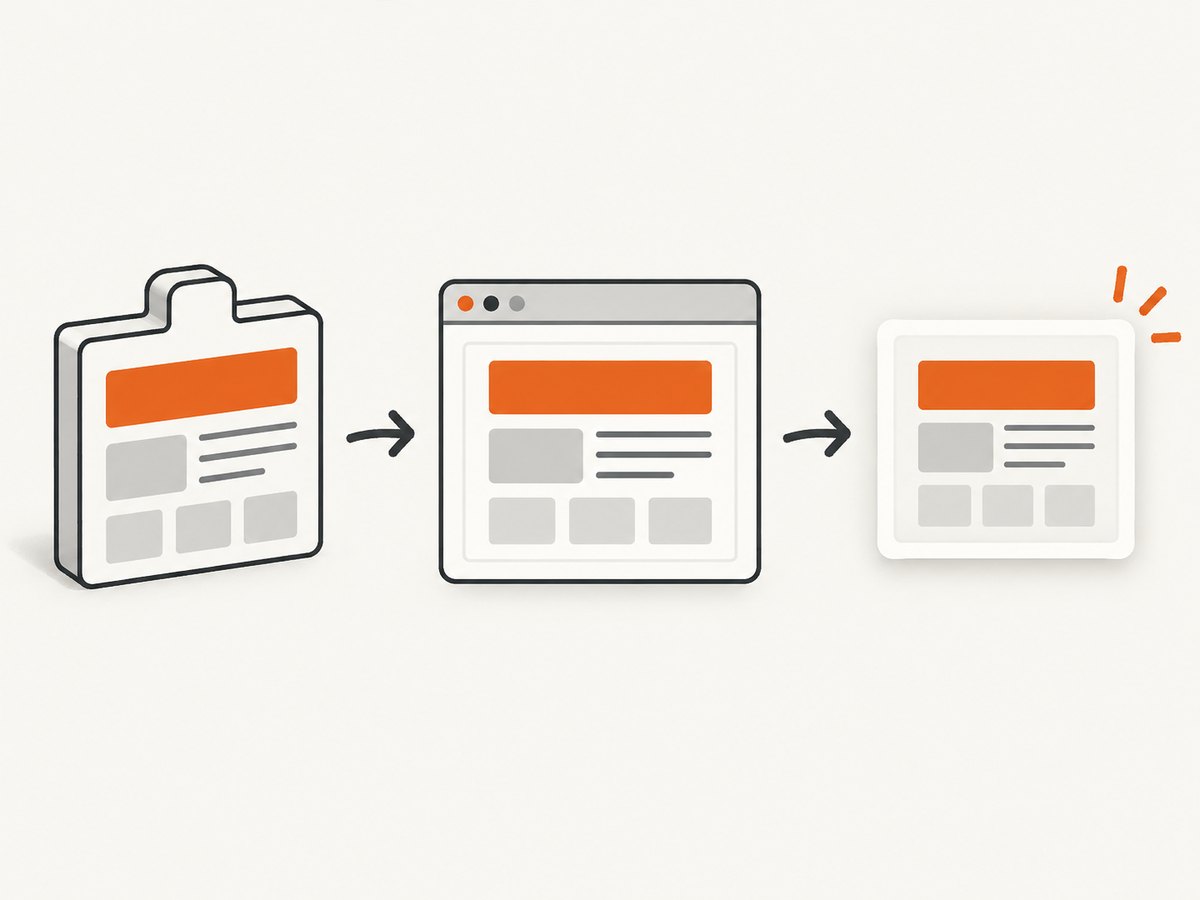
- Expose a page or test route that renders the component.
- Load that route in a real browser engine.
- Wait for the component, fonts, images, and asynchronous data to be ready.
- Capture the viewport, a selected element, or the full page.
- Store or return the resulting PNG, JPEG, WebP, or PDF.
The Wicket sources cited above document component rendering and dynamic image resources; they do not establish an end-to-end browser screenshot API. Treat browser capture as a separate integration and verify compatibility with your Wicket version, authentication, and deployment setup.
When a screenshot is the wrong solution
- Use a dynamic image resource when the output is fundamentally a chart or drawing and does not need browser CSS.
- Use a normal Wicket image resource when you already have the file.
- Use a screenshot when visual fidelity to the browser page matters more than a compact, deterministic image-generation path.
6. Or skip the browser setup
ScreenshotNeo provides a GET-based website screenshot API. It loads the URL, accepts the cookie or consent banner like a visitor, removes more than 60 known consent platforms plus newsletter popups and chat widgets, and returns a PNG, JPEG, WebP, or PDF. Each step can be disabled. Bot checks, blank pages, timeouts, failed loads, and cache hits are not billed; response headers identify the page verdict and billing result.
See the ScreenshotNeo API documentation for all options.
cURL
curl -G "https://api.screenshotneo.com/v1/shot" \
  -d access_key=YOUR_API_KEY \
  --data-urlencode url=https://your.example.com/wicket-page \
  -o wicket-page.webp
Python
import requests

r = requests.get(
    "https://api.screenshotneo.com/v1/shot",
    params={
        "access_key": "YOUR_API_KEY",
        "url": "https://your.example.com/wicket-page",
    },
    timeout=90,
)
r.raise_for_status()
open("wicket-page.webp", "wb").write(r.content)
Node.js
const q = new URLSearchParams({
  access_key: 'YOUR_API_KEY',
  url: 'https://your.example.com/wicket-page'
});
const res = await fetch(`https://api.screenshotneo.com/v1/shot?${q}`);
if (!res.ok) throw new Error(`Screenshot failed: ${res.status}`);
const data = Buffer.from(await res.arrayBuffer());
require('fs').writeFileSync('wicket-page.webp', data);
ScreenshotNeo also supports full-page capture with lazy images loaded, element selection by CSS selector, dark mode, 12 device presets and custom viewports, retina scale, custom CSS and JavaScript, clicks, selector or network-idle waits, request blocking, headers, cookies, user agents, Authorization, timezone, geolocation, transparent backgrounds, resizing, configurable caching, signed links, asynchronous jobs with signed webhooks, bulk capture of up to 100 URLs per call, a usage API, and an OpenAPI specification.
An MCP server exposes take_screenshot, get_page_info, and capture_pdf for Claude, Cursor, and other MCP clients. The Free plan includes 1,000 shots per month without a card; paid plans start at $5 for 3,000 shots. Create a free ScreenshotNeo account.
7. Troubleshooting
| Symptom | Likely cause | Fix |
|---|---|---|
Component will not become an image |
Wicket renders markup; it does not automatically rasterize components. | Choose a dynamic image resource or use a browser screenshot route. |
| Blank dynamic image | Drawing occurs outside the resource’s render hook or dimensions are invalid. | Draw inside render(Graphics2D, Attributes), use positive dimensions, and verify the Wicket version’s signature. |
| Image resource not found | Package path, filename, or capitalization is wrong. | Place the file beside the referenced class and use the exact relative name. |
| Base64 conversion throws an exception | The package resource is missing or unreadable. | Check the reference and handle ResourceStreamNotFoundException and IOException. |
| Screenshot contains a consent banner | The browser capture happened before consent handling or without a cleanup step. | Accept or remove the banner before capture, wait for the resulting DOM state, or use ScreenshotNeo’s consent cleanup. |
| Screenshot is cut off | Viewport capture was used for a page taller than the viewport. | Enable full-page capture or target the specific element. |
| Fonts or images are missing | Capture occurred before network or font loading completed. | Wait for a selector, delay, or network idle; confirm the capture environment can reach those assets. |
| Private Wicket page returns a login screen | The screenshot client lacks the session cookie or authentication headers. | Provide the required cookies, headers, or Authorization configuration, and protect any signed capture URL. |
8. Performance, reliability, and cost
Java-generated images
- Drawing with
Graphics2Davoids browser startup and is predictable for static graphics. - Cache immutable output when the same model values produce the same image.
- Keep expensive database or network work outside the render method; pass prepared values into the resource.
- Use bounded dimensions and avoid untrusted user input that can create extremely large images.
Browser screenshots
- Browser startup, JavaScript, fonts, lazy loading, and third-party requests make capture slower and less deterministic than direct drawing.
- Use selector waits or network-idle waits instead of arbitrary long delays when possible.
- Block unnecessary ads, trackers, and resource types to reduce page work.
- Cache captures when the page is stable. Set a TTL that matches how often the Wicket data changes.
ScreenshotNeo billing and reliability
Only clean shots are billed. Bot checks or CAPTCHAs, blank pages, timeouts, failed loads, and cache hits cost nothing, and X-Page-Verdict and X-Billed headers explain each response. Use asynchronous jobs and signed webhooks for long-running or bulk work, and the usage API to monitor consumption. Plans include Free 1,000 shots/month, Starter $5 for 3,000, Growth $15 for 15,000, Pro $39 for 60,000, Scale $99 for 250,000, and Business $249 for 1,000,000; yearly billing gives two months free.
9. FAQ
Can I pass a Wicket Component directly to ImageUtil?
No. ImageUtil.createBase64EncodedImage accepts a package resource reference. A component must be rendered as markup or replaced with a separately generated image.
Does RenderedDynamicImageResource capture CSS?
No. It draws pixels through Java’s Graphics2D. CSS and browser layout require a browser screenshot.
Which approach works for a chart?
Use a dynamic image resource when the chart can be drawn from data in Java. Use a screenshot when the chart is produced by browser JavaScript or depends on the page’s CSS.
Can I capture an authenticated Wicket page?
Yes, if the browser capture route receives the required session cookies or authentication headers. Do not expose those credentials in public URLs.
Should I use PNG or WebP?
PNG is a safe default for text and diagrams. WebP is useful when smaller files matter and the consuming clients support it.


