How to Convert React Divs and Tables into Multi-Page PDFs
Learn when to use html2pdf.js, jsPDF-AutoTable, or an API to export React divs and tables into readable multi-page PDFs.

Direct answer: use html2pdf.js when your PDF should broadly match a rendered React div. It combines html2canvas and jsPDF and can apply CSS or explicit page-break rules. Use jsPDF-AutoTable when the important part is a long or wide table with predictable row pagination, repeated headings, column widths, and horizontal page breaks. Use a hosted HTML-to-PDF API when generation must happen on a trusted server or outside the browser. A browser export is convenient, but it inherits DOM, CSS, font, image, iframe, and cross-origin limitations.
This guide shows a complete React implementation, a data-driven table implementation, configuration choices, failure fixes, and a hosted alternative.
1. Choose the PDF strategy
| Requirement | Best fit | Reason |
|---|---|---|
| Preserve the appearance of an existing report component | html2pdf.js | Captures a rendered element and converts it to a PDF in the browser. |
| Repeat table headings and control row breaks | jsPDF-AutoTable | Builds the PDF table from data or an HTML table with explicit pagination options. |
| Server-side generation, secrets, or scheduled jobs | Hosted HTML-to-PDF API | The browser does not need to perform the export; credentials can remain on a trusted server. |
html2pdf.js runs only in a browser; its README says it does not run in Node.js. html2canvas does not take a literal screenshot. It creates a representation from DOM properties and the CSS it supports, so the result can differ from normal browser printing. Cross-origin iframes cannot be rendered, and cross-origin canvas content can become unreadable because of browser security rules. Read the html2canvas documentation before promising pixel-perfect output.
2. Install the browser-side libraries
npm install html2pdf.js jspdf jspdf-autotable
For a div export, html2pdf.js supplies the capture pipeline. For a data-driven table, import jsPDF and the AutoTable plugin. Keep the export button disabled until the report has finished loading fonts, images, and data.
3. Convert a rendered React div with html2pdf.js
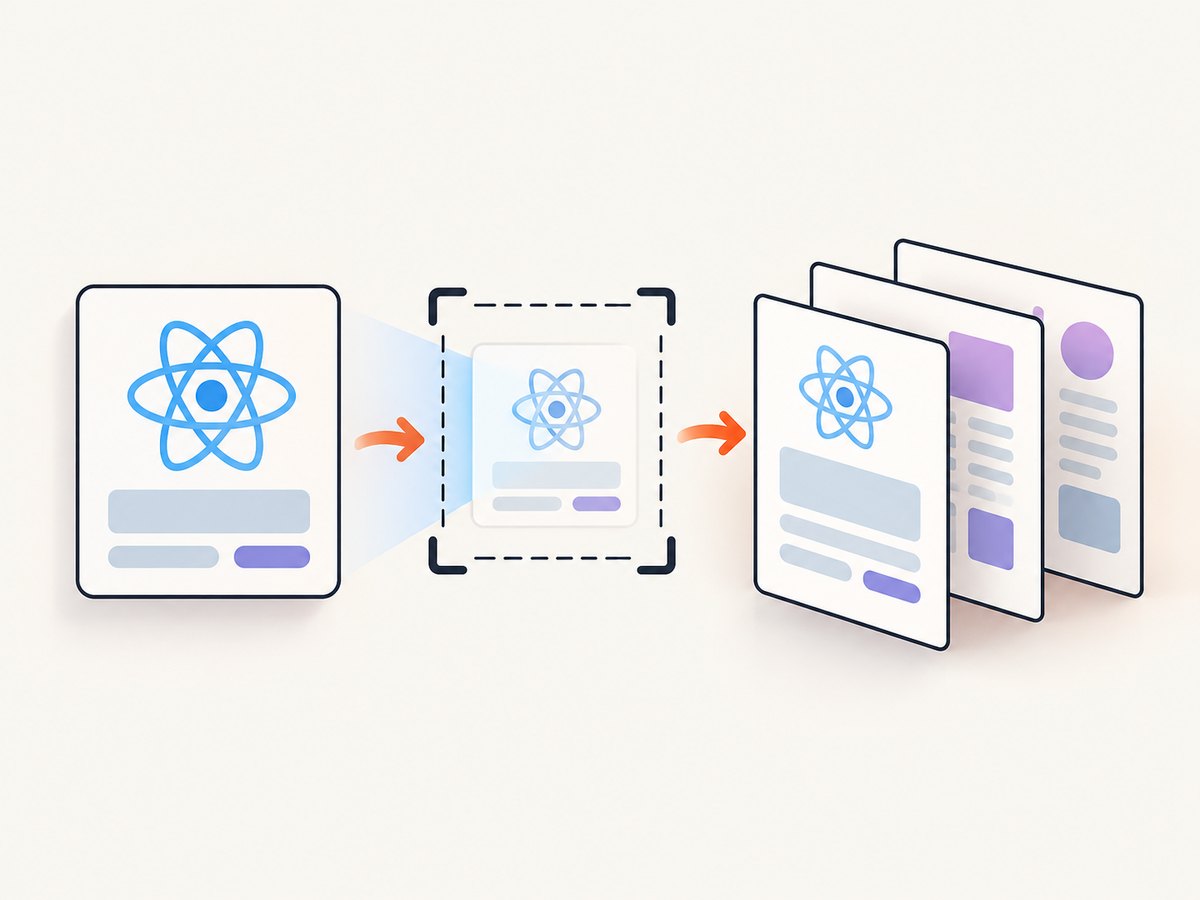
Give the report a stable ref, wait until its content is present, then pass the DOM node to html2pdf. The pagebreak option understands CSS break rules and the library’s html2pdf__page-break class.
import React, { useRef, useState } from 'react';
import html2pdf from 'html2pdf.js';
import './report.css';

export default function Report() {
  const reportRef = useRef(null);
  const [exporting, setExporting] = useState(false);

  async function downloadPdf() {
    if (!reportRef.current) return;
    setExporting(true);

    const options = {
      margin: [12, 12, 12, 12],
      filename: 'react-report.pdf',
      image: { type: 'jpeg', quality: 0.95 },
      html2canvas: {
        scale: 2,
        useCORS: true,
        backgroundColor: '#ffffff',
        logging: false
      },
      jsPDF: {
        unit: 'mm',
        format: 'a4',
        orientation: 'portrait'
      },
      pagebreak: {
        mode: ['css', 'legacy'],
        avoid: ['.keep-together', 'tr']
      }
    };

    try {
      await html2pdf().set(options).from(reportRef.current).save();
    } finally {
      setExporting(false);
    }
  }

  return (
    <>
      <button onClick={downloadPdf} disabled={exporting}>
        {exporting ? 'Building PDF…' : 'Download PDF'}
      </button>
      <main ref={reportRef} className="pdf-report">
        <h1>Quarterly operations report</h1>
        <section className="keep-together">
          <h2>Summary</h2>
          <p>This section should stay together where space allows.</p>
        </section>
        <div className="html2pdf__page-break" />
        <section>
          <h2>Details</h2>
          <p>The details begin on a new PDF page.</p>
        </section>
      </main>
    </>
  );
}
/* report.css */
.pdf-report {
  width: 794px; /* approximate A4 width at 96 CSS pixels per inch */
  margin: 0 auto;
  color: #172033;
  background: #fff;
}

.keep-together {
  break-inside: avoid;
  page-break-inside: avoid;
}

@media print {
  .screen-only { display: none; }
}
What each option controls
marginsets the PDF margins in the jsPDF unit.filenameis the downloaded file name.image.typeandqualityaffect the raster image embedded in the PDF.html2canvas.scaleincreases capture resolution. Higher values improve small text but increase memory and file size.useCORSallows images that explicitly support cross-origin requests; it cannot bypass server headers or iframe security.jsPDF.formataccepts formats such asa4,letter, or a custom size. Setorientationtolandscapefor wide reports.pagebreak.modecan use CSS rules, legacy break classes, or both. Add a deliberate break before a semantic section instead of relying on an accidental split.avoidasks the library to keep matching elements together when possible. A block taller than one page still has to split.
4. Make tables predictable with jsPDF-AutoTable
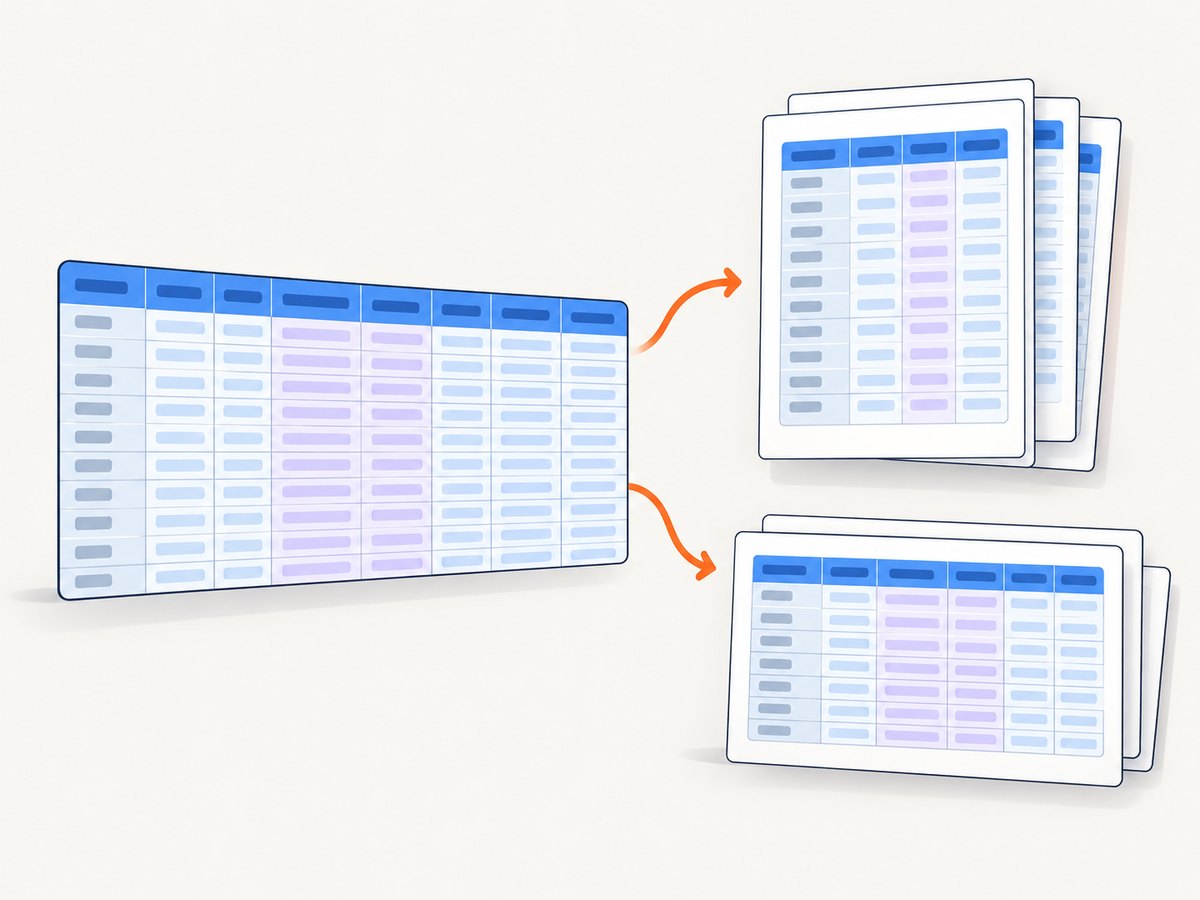
A responsive table that looks good in a browser can be unreadable when scaled onto an A4 page. Build the PDF table from the same data used by React when you need repeated headings, fixed widths, controlled row breaks, or a table wider than the page.
import { jsPDF } from 'jspdf';
import autoTable from 'jspdf-autotable';

export function downloadInvoiceTable(rows) {
  const doc = new jsPDF({ orientation: 'landscape', unit: 'mm', format: 'a4' });

  doc.setFontSize(16);
  doc.text('Invoice lines', 14, 16);

  autoTable(doc, {
    startY: 24,
    head: [['Invoice', 'Customer', 'Description', 'Quantity', 'Total']],
    body: rows.map((row) => [
      row.invoiceNumber,
      row.customerName,
      row.description,
      String(row.quantity),
      row.totalFormatted
    ]),
    theme: 'grid',
    styles: {
      fontSize: 8,
      cellPadding: 2,
      overflow: 'linebreak',
      valign: 'top'
    },
    headStyles: { fillColor: [35, 56, 95] },
    columnStyles: {
      0: { cellWidth: 25 },
      1: { cellWidth: 38 },
      2: { cellWidth: 110 },
      3: { cellWidth: 20, halign: 'right' },
      4: { cellWidth: 30, halign: 'right' }
    },
    rowPageBreak: 'avoid',
    pageBreak: 'auto',
    showHead: 'everyPage',
    horizontalPageBreak: true,
    horizontalPageBreakRepeat: 0,
    didDrawPage: (data) => {
      doc.setFontSize(8);
      doc.text(`Page ${data.pageNumber}`, 270, 200);
    }
  });

  doc.save('invoice-lines.pdf');
}
AutoTable accepts either arrays of data or an existing HTML table selector/element. Data-driven generation avoids surprises from responsive wrappers and lets you format numbers before they enter the PDF. The documented controls include rowPageBreak: 'avoid', table-level pageBreak, repeated headings, and horizontal page breaks. A row taller than a page cannot be kept intact.
Handling a wide table
- Use landscape orientation first.
- Give high-value columns explicit widths and allow descriptions to wrap.
- Reduce font size and cell padding only enough to preserve legibility.
- Enable horizontal page breaks for columns that cannot fit together.
- Repeat an identifier column on horizontal pages so readers know which row they are viewing.
5. Wait for complete content before capture
Export after asynchronous data, web fonts, and images are ready. If your report contains lazy images, scroll them into view or replace them with eager images for the export state. A simple readiness gate can prevent empty pages:
async function waitForImages(root) {
  const images = [...root.querySelectorAll('img')];
  await Promise.all(images.map((img) => {
    if (img.complete) return Promise.resolve();
    return new Promise((resolve) => {
      img.addEventListener('load', resolve, { once: true });
      img.addEventListener('error', resolve, { once: true });
    });
  }));
}

await document.fonts?.ready;
await waitForImages(reportRef.current);
This does not make a cross-origin image renderable. The image host must permit the request, and a canvas-tainted by cross-origin content may not be readable.
6. Server-side and hosted API choices
A hosted HTML-to-PDF service receives HTML or a URL and returns a PDF. Keep API credentials on a trusted server; do not place secrets in browser JavaScript or a public repository. A server endpoint can accept a report ID, render authenticated content, and stream the resulting PDF to the user. This approach also avoids tying generation to a user’s device memory and browser.
7. Or skip the browser setup
ScreenshotNeo is a website screenshot API with a PDF response, so a React app can send one GET request instead of bundling a capture library. See the ScreenshotNeo API documentation for request options.
curl -G "https://api.screenshotneo.com/v1/shot" -d access_key=YOUR_API_KEY --data-urlencode url=https://stripe.com -o shot.webp
import requests
r = requests.get("https://api.screenshotneo.com/v1/shot", params={"access_key": "YOUR_API_KEY", "url": "https://stripe.com"}, timeout=90)
open("shot.webp", "wb").write(r.content)
const q = new URLSearchParams({ access_key: 'YOUR_API_KEY', url: 'https://stripe.com' });
const res = await fetch(`https://api.screenshotneo.com/v1/shot?${q}`);
For PDF output, request the PDF format in the API parameters described in the documentation. ScreenshotNeo can capture a full page with lazy images loaded, a selected element, custom CSS and JavaScript, clicks, waits, cookies, headers, user agents, authorization, timezone, geolocation, paper size, margins, landscape mode, and page ranges. It also supports async jobs with signed webhooks, bulk capture for up to 100 URLs per call, caching with a chosen TTL, signed links, and a usage API.
Before the capture, ScreenshotNeo accepts cookie or consent banners like a visitor and removes more than 60 known consent platforms, newsletter popups, and chat widgets; each step can be turned off. Bot checks or CAPTCHAs, blank pages, timeouts, failed loads, and cache hits cost nothing, and the response identifies the result with X-Page-Verdict and X-Billed headers. An MCP server provides take_screenshot, get_page_info, and capture_pdf tools for Claude, Cursor, and other MCP clients.
There is a free plan with 1,000 shots per month and no card. Paid plans start at $5 for 3,000 shots; yearly billing gives two months free. Create a free ScreenshotNeo account and start with the 1,000 monthly shots.
8. Troubleshooting
| Symptom | Likely cause | Fix |
|---|---|---|
| Blank or partly blank PDF | Capture started before data, images, or fonts loaded. | Wait for the data promise, document.fonts.ready, and image completion before calling the exporter. |
| Text or icons differ from the page | Unsupported CSS, missing web fonts, or a DOM-derived canvas representation. | Use export-specific CSS, load fonts first, and test the exact browser and content. html2canvas is not the print pipeline. |
| External image missing | Cross-origin response lacks permission or the canvas became tainted. | Serve the asset with suitable CORS headers, proxy it through your origin, or omit it from the export. |
| Iframe content missing | The iframe is cross-origin. | Render the content in your own document or use a server/API that can access it legitimately; browser security prevents reading the foreign document. |
| Rows split awkwardly | Automatic pagination has no semantic knowledge of your sections. | Add break-inside: avoid, the html2pdf break class, or use AutoTable with rowPageBreak. |
| Wide table is unreadable | The screen layout was scaled to fit a portrait page. | Use landscape, explicit widths, wrapping, or AutoTable horizontal page breaks. |
| Browser freezes or tab crashes | Large DOM, high canvas scale, or many high-resolution images. | Lower scale, paginate the report, reduce image dimensions, and avoid rendering hidden duplicate content. |
| Node build fails on html2pdf.js | html2pdf.js requires browser globals. | Run it in a client event after mount, or choose AutoTable/server-side generation for Node. |
9. Performance, reliability, and cost
Browser performance
Canvas memory grows with element dimensions and scale. A long, high-resolution report can exceed mobile limits. Keep export-only layouts compact, split very large reports, and show progress while the promise is pending. AutoTable usually uses less DOM rasterization because it draws cells directly into the PDF, but very large datasets still produce large files.
Reliable output
- Use deterministic test fixtures containing short and long text, missing images, long URLs, charts, empty states, and enough rows to cross several page boundaries.
- Check every generated PDF visually and extract text in CI if your workflow supports it.
- Test portrait and landscape formats separately.
- Do not assume CSS that works on screen will paginate well.
- For hosted generation, keep credentials server-side and retry only idempotent requests. Record the returned status and PDF size.
Cost decisions
Client-side html2pdf.js and AutoTable have no per-request API charge, but they consume the user’s CPU, memory, and bandwidth. A hosted service adds usage pricing and network latency while reducing browser complexity. ScreenshotNeo bills only clean shots; bot checks, blank pages, timeouts, failed loads, and cache hits are not billed. Its free tier provides 1,000 shots monthly without a card, and paid plans start at $5 for 3,000.
10. Practical checklist
- Choose DOM capture for visual similarity and AutoTable for structured tables.
- Render the complete report before export.
- Load fonts and images explicitly.
- Set page size, margins, orientation, and image scale deliberately.
- Add semantic page breaks and avoid rules.
- Use repeated headings and horizontal breaks for wide tables.
- Test cross-origin images and iframes.
- Keep API credentials out of browser code.
- Inspect long rows, empty states, and multi-page output.
FAQ
Can I use the browser’s native print dialog instead?
Yes, especially when you need print CSS and selectable text. The approaches here are useful when you need a downloaded file, programmatic naming, or data-driven table control.
Should I convert an HTML table or pass data to AutoTable?
Pass data when pagination, formatting, and responsive-screen differences matter. Parse an HTML table when its structure is already simple and stable.
Can html2pdf.js preserve every CSS property?
No. html2canvas supports a defined subset of CSS and reconstructs the DOM visually. Verify the properties your report depends on.
How do I start a new page before a React section?
Add an element with class html2pdf__page-break, or apply CSS page-break rules and enable the css pagebreak mode.
When should I move generation to a server?
Move it when reports are large, exports must run without a user’s browser, credentials or authenticated pages are involved, or you need scheduled and repeatable jobs.


