How to Convert a Web Page to PDF in Java
Learn reliable Java HTML-to-PDF options, browser-rendered workflows, assets, JavaScript limits, troubleshooting, and a ScreenshotNeo API shortcut.

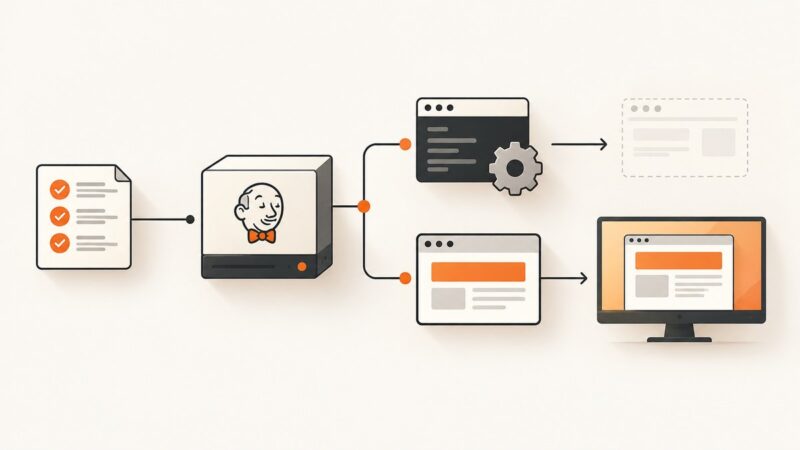
To convert a web page to PDF in Java, first decide whether you need to render controlled HTML or an arbitrary live website. For controlled HTML/XHTML, iText pdfHTML provides the shortest documented Java path with HtmlConverter.convertToPdf(...). OpenHTMLToPDF is a pure-Java option for a reasonable subset of XHTML and CSS. If the page depends on JavaScript, modern browser APIs, flexbox, grid, or client-side data loading, use a Chromium-backed workflow such as Flying Saucer’s flying-saucer-chrome-pdf artifact, or send the URL to a hosted browser capture service such as ScreenshotNeo.
1. Choose the right Java HTML-to-PDF approach
| Situation | Best fit | Why |
|---|---|---|
| Trusted HTML string, server-side template, invoices | iText pdfHTML | Direct conversion from a String, File, or stream; supports a configurable base URI for relative assets. |
| Open-source, pure-Java XHTML/CSS | OpenHTMLToPDF | Useful for controlled documents, PDF/A, accessibility modules, SVG, MathML, and font fallback. |
| XHTML/CSS with browser-oriented rendering | Flying Saucer Chrome PDF | The chrome artifact delegates PDF generation to chrome-headless-shell. |
| PDF merging, stamping, metadata, post-processing | Apache PDFBox | PDFBox works with PDF documents; it is not a complete browser-grade HTML/CSS/JavaScript renderer. |
| Arbitrary public web page, JavaScript app, cookie banners | ScreenshotNeo | Clean shots remove consent banners, popups, and chat widgets before capture, and only clean results are billed. |
Licensing, accessibility requirements, Java runtime, external asset loading, and JavaScript fidelity matter more than the generic label “HTML to PDF.” Check the license and version requirements of the library you select before shipping.
2. Convert HTML to PDF with iText pdfHTML
iText’s official tutorial shows a minimal conversion from an HTML string to a file:

import com.itextpdf.html2pdf.HtmlConverter;
import java.io.FileOutputStream;
import java.io.IOException;

public class HtmlToPdf {
    public static void createPdf(String html, String destination) throws IOException {
        HtmlConverter.convertToPdf(html, new FileOutputStream(destination));
    }

    public static void main(String[] args) throws IOException {
        String html = "<!doctype html><html><body>" +
                      "<h1>Invoice</h1><p>Generated in Java.</p>" +
                      "</body></html>";
        createPdf(html, "output.pdf");
    }
}
For a Maven project, add the pdfHTML module using the version and repository instructions in the iText pdfHTML documentation. iText’s terms vary by version and deployment model, so review the applicable commercial or open-source license before production use.
Resolve relative images, CSS, and fonts with a base URI
A frequent failure is a PDF with missing images or unstyled text. Relative URLs such as images/logo.png need a base URI that points to the directory containing those resources. iText documents ConverterProperties.setBaseUri for this purpose:
import com.itextpdf.html2pdf.ConverterProperties;
import com.itextpdf.html2pdf.HtmlConverter;
import java.io.FileOutputStream;
import java.io.IOException;

public class HtmlWithAssets {
    public static void createPdf(String baseUri, String html, String destination)
            throws IOException {
        ConverterProperties properties = new ConverterProperties();
        properties.setBaseUri(baseUri);
        HtmlConverter.convertToPdf(
                html,
                new FileOutputStream(destination),
                properties);
    }

    public static void main(String[] args) throws IOException {
        String html = "<html><head>" +
                "<link rel='stylesheet' href='css/invoice.css'>" +
                "</head><body>" +
                "<img src='images/logo.png'>" +
                "<h1>Invoice</h1></body></html>";
        createPdf("/opt/app/templates/", html, "invoice.pdf");
    }
}
The API also accepts a File or InputStream and can write to an output stream, file, PdfWriter, or PdfDocument. Use an explicit base URI when resources are not embedded as data URLs.
3. Convert controlled XHTML with OpenHTMLToPDF
OpenHTMLToPDF describes itself as a pure-Java library that renders a reasonable subset of well-formed XML/XHTML (and some HTML5) using CSS 2.1 and later standards. It outputs PDF or images and uses Apache PDFBox rather than iText. Its documented scope is intentionally narrower than a browser: it does not execute JavaScript and does not implement many modern standards such as flex and grid.
import com.openhtmltopdf.pdfboxout.PdfRendererBuilder;
import java.io.FileOutputStream;
import java.io.OutputStream;

public class OpenHtmlToPdfExample {
    public static void main(String[] args) throws Exception {
        String xhtml = "<html xmlns='http://www.w3.org/1999/xhtml'>" +
                "<head><style>body { font-family: sans-serif; }</style></head>" +
                "<body><h1>Report</h1><p>Static XHTML output.</p></body></html>";

        try (OutputStream out = new FileOutputStream("report.pdf")) {
            PdfRendererBuilder builder = new PdfRendererBuilder();
            builder.useFastMode();
            builder.withHtmlContent(xhtml, "file:/opt/app/templates/");
            builder.toStream(out);
            builder.run();
        }
    }
}
Make the input well-formed: close every element, escape ampersands, declare a character encoding, and provide absolute or resolvable asset URLs. Register fonts explicitly when the output must match a brand typeface. For a JavaScript-heavy page, this renderer will capture the source markup rather than the post-execution browser state.
4. JavaScript web pages and browser-backed PDF generation
A single HTTP request often returns only an application shell. Data may be inserted later by JavaScript, and CSS may rely on browser layout engines. OpenHTMLToPDF’s own documentation says it is not a web browser. When browser behavior is required, use a Chromium-backed path. Flying Saucer lists org.xhtmlrenderer:flying-saucer-chrome-pdf, which delegates generation to chrome-headless-shell. Verify the exact artifact and Java baseline for the version you select: the project documents Java 11 for 9.5.0, Java 17 for 9.6.0, and Java 21 for 10.0.0.
External browser processes add operational work: install the matching browser binary, isolate jobs, cap concurrency, enforce navigation and rendering timeouts, and clean up crashed processes. If you need a URL-to-PDF endpoint without maintaining Chromium, skip to the ScreenshotNeo option below.
5. Page size, margins, fonts, and accessibility
Use CSS print rules for predictable pagination:
@page { size: A4; margin: 18mm 14mm; }
@media print {
  .screen-only { display: none; }
  .avoid-break { break-inside: avoid; }
  a { color: #000; text-decoration: none; }
}
Define a font stack and supply the actual font files to the renderer. Missing glyphs produce boxes or fallback metrics that change line wrapping. For invoices and reports, set locale, timezone, and number formats before generating HTML so the PDF is deterministic.
iText pdfHTML is documented as producing standards-compliant, accessible, searchable PDFs. If tagged PDF, PDF/A, or WCAG-related output is a requirement, verify the specific conformance settings and inspect the generated file with an independent validator. OpenHTMLToPDF documents PDF/A and accessible PDF support through its modules; confirm which modules and configuration your chosen version requires.
6. Fetching a live URL yourself
If you still want an in-process Java workflow, separate fetching from rendering. Download the HTML with an HTTP client, retain the final response URL as the base URI, sanitize untrusted markup, and pass the result to your renderer. Do not allow arbitrary user-supplied URLs to reach internal network ranges, local files, or cloud metadata endpoints. Set connect, read, and total deadlines, limit response size, and restrict redirects.
import java.net.URI;
import java.net.http.HttpClient;
import java.net.http.HttpRequest;
import java.net.http.HttpResponse;
import java.time.Duration;

public class FetchHtml {
    public static void main(String[] args) throws Exception {
        URI uri = URI.create("https://example.com/");
        HttpClient client = HttpClient.newBuilder()
                .connectTimeout(Duration.ofSeconds(10))
                .followRedirects(HttpClient.Redirect.NORMAL)
                .build();
        HttpRequest request = HttpRequest.newBuilder(uri)
                .timeout(Duration.ofSeconds(30))
                .header("User-Agent", "pdf-service/1.0")
                .GET()
                .build();
        HttpResponse response = client.send(
                request, HttpResponse.BodyHandlers.ofString());
        if (response.statusCode() / 100 != 2) {
            throw new IllegalStateException("HTTP " + response.statusCode());
        }
        String html = response.body();
        String baseUri = response.uri().toString();
        // Pass html and baseUri to HtmlConverter or PdfRendererBuilder.
    }
}
This approach cannot reproduce a page that requires JavaScript execution, authenticated browser state, consent interaction, or client-side API calls unless you add a browser automation layer.
7. Or skip the browser setup
ScreenshotNeo provides a website screenshot and PDF API. One GET request accepts a URL and returns PNG, JPEG, WebP, or PDF. The API accepts the parameter names used by other screenshot services, which helps when switching.
cURL
curl -G "https://api.screenshotneo.com/v1/shot" \
  -d access_key=YOUR_API_KEY \
  --data-urlencode url=https://stripe.com \
  -o page.pdf
Python
import requests

r = requests.get(
    "https://api.screenshotneo.com/v1/shot",
    params={"access_key": "YOUR_API_KEY", "url": "https://stripe.com"},
    timeout=90,
)
r.raise_for_status()
open("page.pdf", "wb").write(r.content)
Node.js
const q = new URLSearchParams({
  access_key: 'YOUR_API_KEY',
  url: 'https://stripe.com'
});
const res = await fetch(`https://api.screenshotneo.com/v1/shot?${q}`);
if (!res.ok) throw new Error(`HTTP ${res.status}`);
const body = Buffer.from(await res.arrayBuffer());
require('fs').writeFileSync('page.pdf', body);
See the ScreenshotNeo API documentation for request options. You can capture a full page with lazy images loaded, select one element by CSS selector, set dark mode, choose one of 12 device presets or any viewport, use retina scale, and return PDF with paper size, margins, landscape mode, or page ranges. Other controls include custom CSS and JavaScript, clicking an element, waiting for a selector, delay, or network idle, hiding selectors, blocking ads, trackers, requests, or resource types, custom headers, cookies, user agent and Authorization, timezone, geolocation, transparent backgrounds, resizing, configurable caching TTL, signed links, asynchronous jobs with signed webhooks, bulk capture of up to 100 URLs per call, a usage API, and an OpenAPI specification.
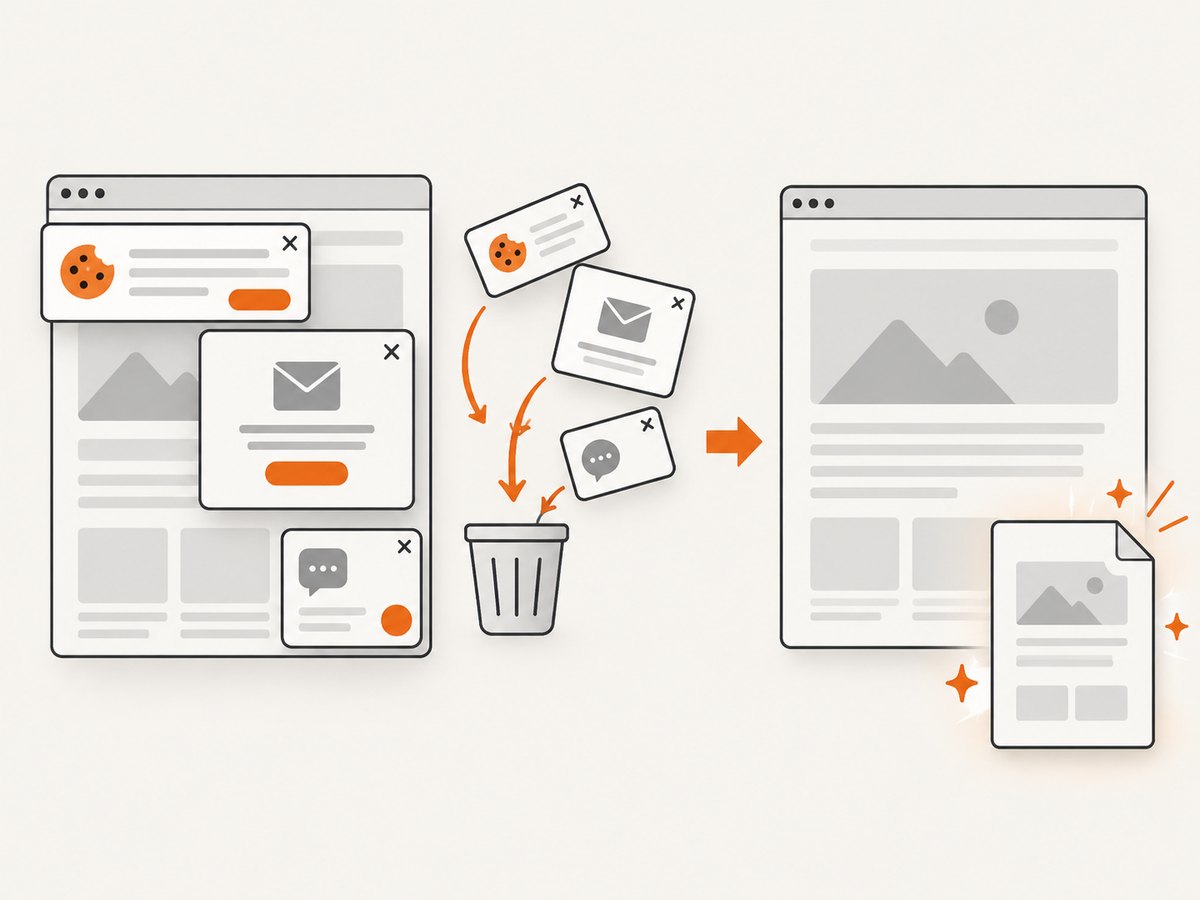
Before capture, ScreenshotNeo accepts cookie or consent banners and removes more than 60 known consent platforms, newsletter popups, and chat widgets. Each step can be disabled. Bot checks, CAPTCHAs, blank pages, timeouts, failed loads, and cache hits cost nothing; response headers identify the page verdict and whether the request was billed with X-Page-Verdict and X-Billed. An MCP server exposes take_screenshot, get_page_info, and capture_pdf for Claude, Cursor, and other MCP clients.
The Free plan includes 1,000 shots per month without a card. Paid plans start at $5 for 3,000 shots; Growth is $15 for 15,000, Pro $39 for 60,000, Scale $99 for 250,000, and Business $249 for 1,000,000. Yearly billing gives two months free, and every feature is available on every plan. Create a free ScreenshotNeo account.
8. Troubleshooting common failures
| Symptom | Likely cause | Fix |
|---|---|---|
| Images or CSS missing | No base URI or blocked remote asset | Set setBaseUri, use absolute URLs, embed critical assets, and check server permissions. |
| Blank PDF from a single-page app | HTML was captured before JavaScript finished | Use a browser-backed renderer and wait for a selector or network idle. |
| Flexbox/grid layout is wrong | Non-browser renderer does not implement the required standard | Simplify print CSS or use Chromium-backed rendering. |
| Fonts show as squares | Font files unavailable or glyphs unsupported | Install/register fonts and verify Unicode coverage. |
| Page breaks split cards or rows | Print break rules absent | Apply break-inside: avoid, print-specific markup, and explicit page rules. |
| HTTP request hangs | Slow origin, redirect loop, or blocked resource | Set connect/read/total timeouts, cap redirects, and log the final URL. |
| Generated PDF is unexpectedly large | Uncompressed images or very high-resolution assets | Resize images, choose appropriate JPEG/WebP quality, and avoid embedding unused fonts. |
| Untrusted URL exposes internal services | Server-side request forgery risk | Allow-list hosts, reject private IP ranges and file URLs, and isolate the renderer. |
9. Performance, reliability, and cost
Rendering cost is driven by page complexity, image bytes, fonts, JavaScript, and concurrency. Reuse initialized renderer configuration where the library permits it, but isolate document state per request. Cache immutable HTML and assets, and use ScreenshotNeo’s configurable cache TTL when repeated captures are acceptable. For browser workers, maintain a bounded pool instead of starting an unbounded process per request.
Reliability improves when you record the source URL, final URL, renderer version, Java version, options, elapsed phases, and output checksum. Retry only transient network or browser failures with exponential backoff; do not blindly retry invalid HTML or authentication failures. For asynchronous ScreenshotNeo jobs, verify signed webhook requests and make your handler idempotent.
For predictable costs, estimate pages and asset sizes before rendering, enforce maximum document size and page count, and avoid generating PDFs users will never download. ScreenshotNeo charges only clean shots; cache hits and failed or unusable captures are not billed, and the response headers make that result observable.
10. Short FAQ
Can I convert a URL directly with iText?
iText pdfHTML converts HTML input. Fetch the URL yourself, provide a correct base URI, and remember that this does not execute page JavaScript like a browser.
Is OpenHTMLToPDF suitable for React or Vue pages?
Usually not when the page needs client-side rendering. It does not execute JavaScript; render the final HTML first or use a browser-backed workflow.
When should I use PDFBox?
Use PDFBox to create, inspect, merge, stamp, or post-process PDFs. Pair it with an HTML renderer for HTML-to-PDF conversion.
How do I preserve authenticated content?
Pass cookies, Authorization headers, or a controlled authenticated browser context. Never hard-code credentials in HTML or logs.
What is the simplest hosted option?
Use ScreenshotNeo’s PDF endpoint when you want URL capture, consent cleanup, browser behavior, and usage-based billing without maintaining a browser fleet.
11. Practical selection checklist
- Classify the input as controlled HTML or an arbitrary live website.
- Confirm whether JavaScript, flexbox, grid, web fonts, or client-side data are required.
- Set a base URI and test images, CSS, fonts, redirects, and encoding.
- Define print page size, margins, page breaks, headers, and footers.
- Choose a renderer whose license and Java baseline fit deployment.
- Set network and rendering timeouts, output limits, and SSRF protections.
- Validate accessibility, PDF/A, searchable text, and visual fidelity.
- Measure cache behavior, retries, concurrency, and per-document cost.
For server-rendered reports, iText or OpenHTMLToPDF keeps everything in Java. For modern JavaScript sites, a Chromium-backed renderer or ScreenshotNeo avoids the mismatch between static HTML parsers and the browser users actually see.