How to Convert a Web Page to PDF in PHP
Generate a PDF from a URL or HTML in PHP with Browsershot and headless Chrome. Configure page layout, handle trusted inputs, and compare a PHP library with a hosted screenshot API.
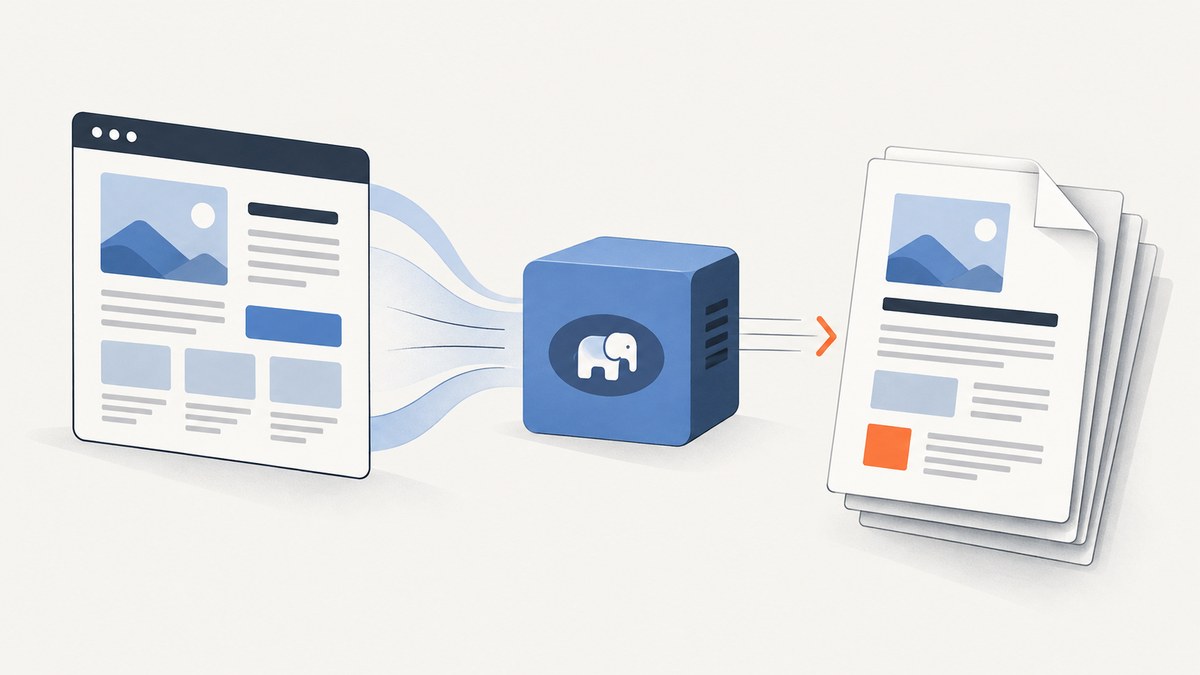
To convert a web page to PDF in PHP with browser-style rendering, use Spatie Browsershot, which controls Puppeteer and headless Chrome. Install its PHP package and runtime dependencies, then call Browsershot::url($url)->savePdf($path). For HTML already held by your application, use Browsershot::html($html)->savePdf($path). This approach can render a live page through a browser engine; choose a different route if your deployment cannot run the required browser stack.
1. Choose the rendering path
Start by deciding what the input is and what the deployment can support. Browsershot is a PHP-facing interface to Puppeteer and headless Chrome. It accepts a URL or HTML string and can produce a PDF. PHP also documents the wkhtmltox extension, which uses QtWebKit. These are distinct rendering paths; the available sources do not provide a complete compatibility matrix or benchmark proving one is best for every site.
| Need | Possible fit | Check before choosing |
|---|---|---|
| Render a reachable URL or app-provided HTML through a browser automation stack | Browsershot with Puppeteer and headless Chrome | Can you deploy and operate the runtime dependencies? |
| Use PHP’s wkhtmltox extension | wkhtmltox PDF object | Does its QtWebKit rendering meet your page requirements and environment constraints? |
| Parse or clean markup | DOMDocument as preprocessing | Parsing alone does not render a page or create a PDF. |
For CSS or JavaScript that depends on browser behavior, test representative pages in your target deployment. The cited sources describe the tools but do not establish support for every modern page feature. Account for browser binaries, process execution, fonts, and network access in the environment where conversion runs.
2. Install Browsershot and its runtime
Install the package with Composer:
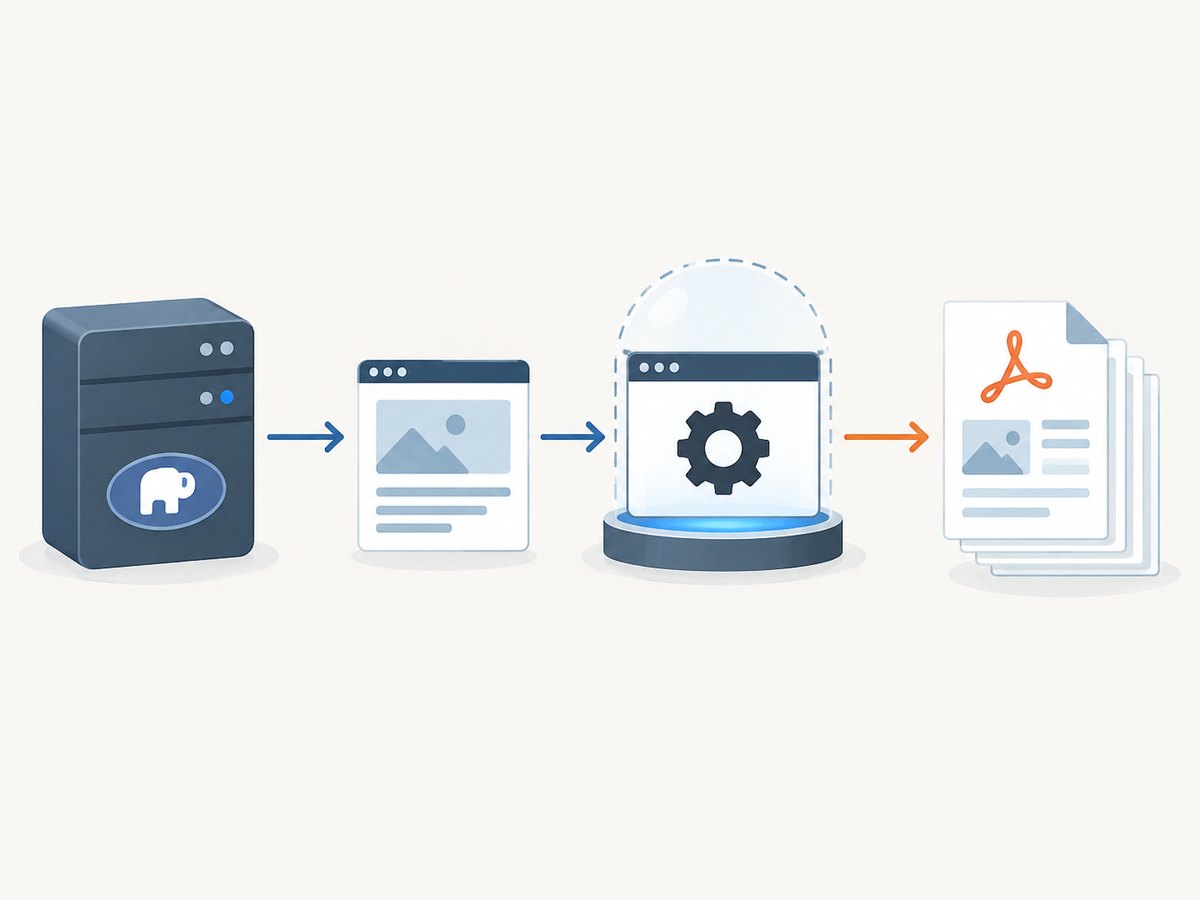
composer require spatie/browsershotBrowsershot relies on Puppeteer controlling headless Chrome, so the PHP package is only part of the setup. Follow the official installation instructions for the Puppeteer and browser requirements in your environment. Make sure the PHP process can invoke the configured runtime and write the destination file. These deployment details vary; do not assume that installing the Composer package alone installs a usable browser on every server.
In a framework application, put conversion behind a service or job so configuration, input checks, output naming, and error handling are consistent. Keep paths under application-controlled storage rather than letting request data choose arbitrary filesystem locations.
3. Convert a URL to PDF
This minimal example fetches and renders the supplied page, then writes a PDF to a local path:
<?php

require __DIR__ . '/vendor/autoload.php';

use Spatie\Browsershot\Browsershot;

$url = 'https://example.com';
$output = __DIR__ . '/example.pdf';

Browsershot::url($url)->savePdf($output);
The PDF creation guide also documents direct PDF output and layout controls. The precise methods and accepted values are version-specific, so use the Browsershot v4 PDF documentation as the reference when you add options.
Use trusted URLs and HTML
Browsershot explicitly says the caller is responsible for passing trusted URLs and HTML. Do not send arbitrary user-provided values straight to a browser process. An untrusted URL may point somewhere your application can reach, and untrusted markup can contain active content. Define an allowlist or other application-specific validation policy for destinations, constrain output paths, and apply your normal authorization and input-handling rules. The package warning is not a complete security design, so assess the trust boundary for your application.
4. Convert HTML already in PHP
If your application has assembled the markup, pass it directly rather than making a URL request:
<?php

require __DIR__ . '/vendor/autoload.php';

use Spatie\Browsershot\Browsershot;

$html = '<!doctype html>
<html>
  <head>
    <meta charset="utf-8">
    <style>
      body { font-family: sans-serif; margin: 2rem; }
      h1 { color: #243b53; }
    </style>
  </head>
  <body>
    <h1>Quarterly report</h1>
    <p>Generated by the application.</p>
  </body>
</html>';

Browsershot::html($html)->savePdf(__DIR__ . '/report.pdf');
HTML strings are useful for reports, invoices, and generated documents where the application owns the markup. If the document depends on external stylesheets, images, or fonts, ensure the browser can resolve them from the rendering environment. Validate or escape untrusted content before including it; rendering supplied HTML is not a substitute for safe HTML handling.
5. Set PDF page layout
PDF output has different constraints from an open-ended browser viewport. Decide the paper size, margins, orientation, scale, and whether backgrounds should print. Headers, footers, and page selection may also matter for long documents. Browsershot’s PDF guide documents controls for:

- Paper format or explicit page dimensions.
- Margins around the printed content.
- Headers and footers.
- Background printing.
- Portrait or landscape orientation.
- Scale and page ranges.
Apply the relevant options through the documented Browsershot v4 PDF methods. A layout checklist:
- Choose a standard paper size or explicit dimensions that match the intended reader or printer.
- Set margins before tuning CSS widths; printable content is smaller than the full sheet.
- Choose orientation based on the widest content, such as a wide table.
- Enable background printing when colored fills or background graphics carry meaning.
- Use headers and footers for document identity or page numbering when needed.
- For long documents, inspect page breaks and select page ranges only when partial output is intended.
Do not assume a page that looks right in an interactive browser will paginate as intended. Test long tables, large images, and sections near page boundaries in the produced PDF. The documentation lists the controls; it does not promise identical results for every site or stylesheet.
6. DOM parsing is not PDF rendering
PHP’s DOMDocument::loadHTML() parses HTML into a document tree; it does not run a browser layout engine or write a PDF. The PHP manual notes that loadHTML() follows HTML 4 parsing behavior, which can differ from HTML5 browser parsing. PHP 8.4 added Dom\HTMLDocument methods for HTML5-conforming parsing. Use DOM tools when you need to inspect or transform markup, then pass suitable HTML to a renderer if you need a visual PDF.
7. Alternative: PHP wkhtmltox
The PHP manual describes the wkhtmltox extension as an LGPLv3 library based on QtWebKit for HTML-to-PDF and image rendering. Its PDF object constructor accepts a URL or path as the page source. This can suit an environment where the extension is available and its rendering behavior meets your needs. Verify that it can be installed in your deployment and test your actual pages; the cited manual does not establish current compatibility with every CSS- or JavaScript-heavy site.
Use the PHP wkhtmltox manual and the PDF object constructor reference for extension details. The research does not support a performance ranking between wkhtmltox and Browsershot.
8. Or skip the browser setup
If your goal is a PDF of a public web page and you do not want to provision a browser stack in your PHP deployment, ScreenshotNeo offers a hosted screenshot API and MCP server. One GET request returns a PNG, JPEG, WebP, or PDF. See the ScreenshotNeo API documentation for request options.
curl -G "https://api.screenshotneo.com/v1/shot" -d access_key=YOUR_API_KEY --data-urlencode url=https://stripe.com -o shot.pdfimport requests
r = requests.get(
"https://api.screenshotneo.com/v1/shot",
params={"access_key": "YOUR_API_KEY", "url": "https://stripe.com", "format": "pdf"},
timeout=90,
)
r.raise_for_status()
open("shot.pdf", "wb").write(r.content)const q = new URLSearchParams({
access_key: 'YOUR_API_KEY',
url: 'https://stripe.com',
format: 'pdf',
});
const res = await fetch(`https://api.screenshotneo.com/v1/shot?${q}`);
if (!res.ok) throw new Error(`ScreenshotNeo returned ${res.status}`);
await Bun.write('shot.pdf', res);PHP can call the same GET endpoint with cURL:
<?php

$query = http_build_query([
    'access_key' => 'YOUR_API_KEY',
    'url' => 'https://stripe.com',
    'format' => 'pdf',
]);

$ch = curl_init('https://api.screenshotneo.com/v1/shot?' . $query);
curl_setopt_array($ch, [
    CURLOPT_RETURNTRANSFER => true,
    CURLOPT_TIMEOUT => 90,
]);
$body = curl_exec($ch);
$status = curl_getinfo($ch, CURLINFO_RESPONSE_CODE);
if ($body === false || $status < 200 || $status >= 300) {
    throw new RuntimeException('ScreenshotNeo request failed: ' . curl_error($ch));
}
file_put_contents(__DIR__ . '/shot.pdf', $body);
curl_close($ch);
ScreenshotNeo accepts cookie or consent banners like a visitor and removes 60+ known consent platforms, newsletter popups, and chat widgets before capture; each step can be turned off. Bot checks or CAPTCHAs, blank pages, timeouts, failed loads, and cache hits are not billed, and response headers report the page verdict and billing status. Its MCP server provides take_screenshot, get_page_info, and capture_pdf for Claude, Cursor, and other MCP clients. The free plan includes 1,000 shots per month without a card; paid plans start at $5 for 3,000 shots. Sign up for ScreenshotNeo’s free 1,000 screenshots a month, with no card required.
9. Troubleshooting
| Symptom | Likely cause | What to check |
|---|---|---|
| Browser process does not start | Puppeteer or headless Chrome is missing or unavailable to the PHP process | Follow the Browsershot v4 installation guide and verify the runtime can be invoked in the deployment environment. |
| PDF cannot be written | Destination directory is missing or not writable | Use an application-controlled directory and check permissions for the PHP worker user. |
| Styles, images, or fonts are absent | Resources are unreachable from the rendering environment, or markup uses paths that do not resolve there | Use reachable URLs or valid paths and check access from the actual runtime. |
| Output differs from browser view | Print pagination, browser rendering, or page resources differ from the interactive context | Inspect the generated PDF; adjust print CSS, dimensions, margins, and page breaks. |
| HTML parses differently than expected | DOMDocument parsing was mistaken for browser HTML5 parsing | Use the correct parser for preprocessing; use a rendering engine for visual output. |
| Conversion reaches an unexpected destination | Untrusted URL or markup was passed into the renderer | Restrict and validate inputs according to your application’s trust boundary. |
When diagnosing failures, record the input category (URL or HTML), the rendering environment, output path, and error details while avoiding secrets in logs. Reproduce with a known trusted page, then add the application’s styles and assets incrementally.
10. Performance, reliability, and cost
The reviewed technical sources provide no comparable speed, memory, or throughput measurements, so size capacity with your own representative documents. Browser-based rendering has runtime dependencies that your service must deploy and operate. For batch work, consider putting conversions into background jobs, limiting concurrent browser processes to what the host can sustain, and applying request timeouts and retry rules appropriate to the input. A failed render should not silently be treated as a valid PDF.
Check file existence and size after conversion, and handle exceptions so a partial or stale output is not returned as success. For URL rendering, external network availability and page behavior are dependencies; for HTML rendering, linked assets can add similar dependencies. Budget infrastructure and operational effort based on measured workload rather than assumed benchmarks. The PHP library route has no per-shot price stated in the sources; its costs depend on your own runtime and hosting choices.
ScreenshotNeo’s API provides a different cost model: Free includes 1,000 shots monthly; Starter is $5 for 3,000, Growth $15 for 15,000, Pro $39 for 60,000, Scale $99 for 250,000, and Business $249 for 1,000,000. Yearly billing gives two months free, and every feature is on every plan. Only clean shots are billed; the API identifies verdict and billing status in response headers. These are product plan details, not a claim that a hosted request is faster than local rendering. See ScreenshotNeo for the product and its options.
11. FAQ
Can I convert HTML without publishing it to a URL?
Yes. Browsershot’s html() entry point accepts markup held by your PHP application.
Does DOMDocument create a PDF?
No. It parses markup. Use a PDF renderer for visual layout and output.
Does Browsershot guarantee every website will render correctly?
The documentation explains its browser stack and PDF options, but does not guarantee compatibility with every website. Test your target pages and deployment.
Can I provide a URL from a user form directly?
Browsershot says to use trusted URLs and HTML. Define validation and destination restrictions before rendering untrusted input.
Which approach is fastest?
The cited sources do not provide an apples-to-apples performance comparison. Measure your workload and deployment.


