How to Convert Web Pages to Images in C# With wkhtmltoimage
Learn how to render URLs and HTML as PNG or JPG in C# with wkhtmltoimage, including timing, assets, authentication, errors, and deployment.
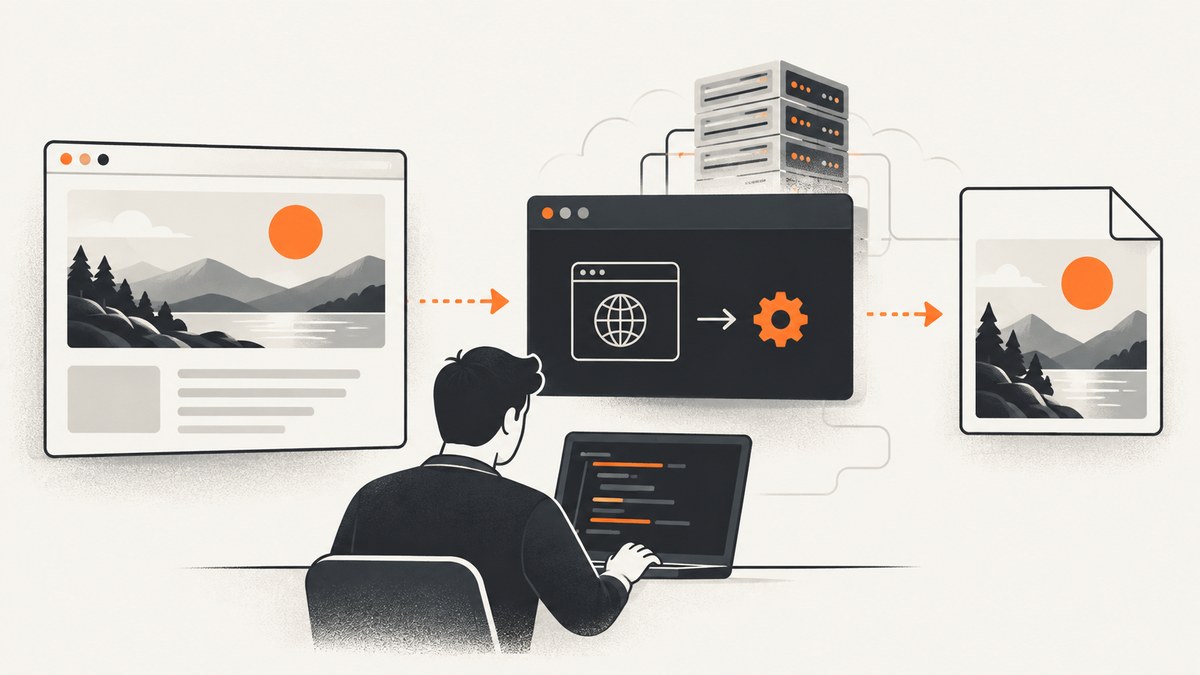
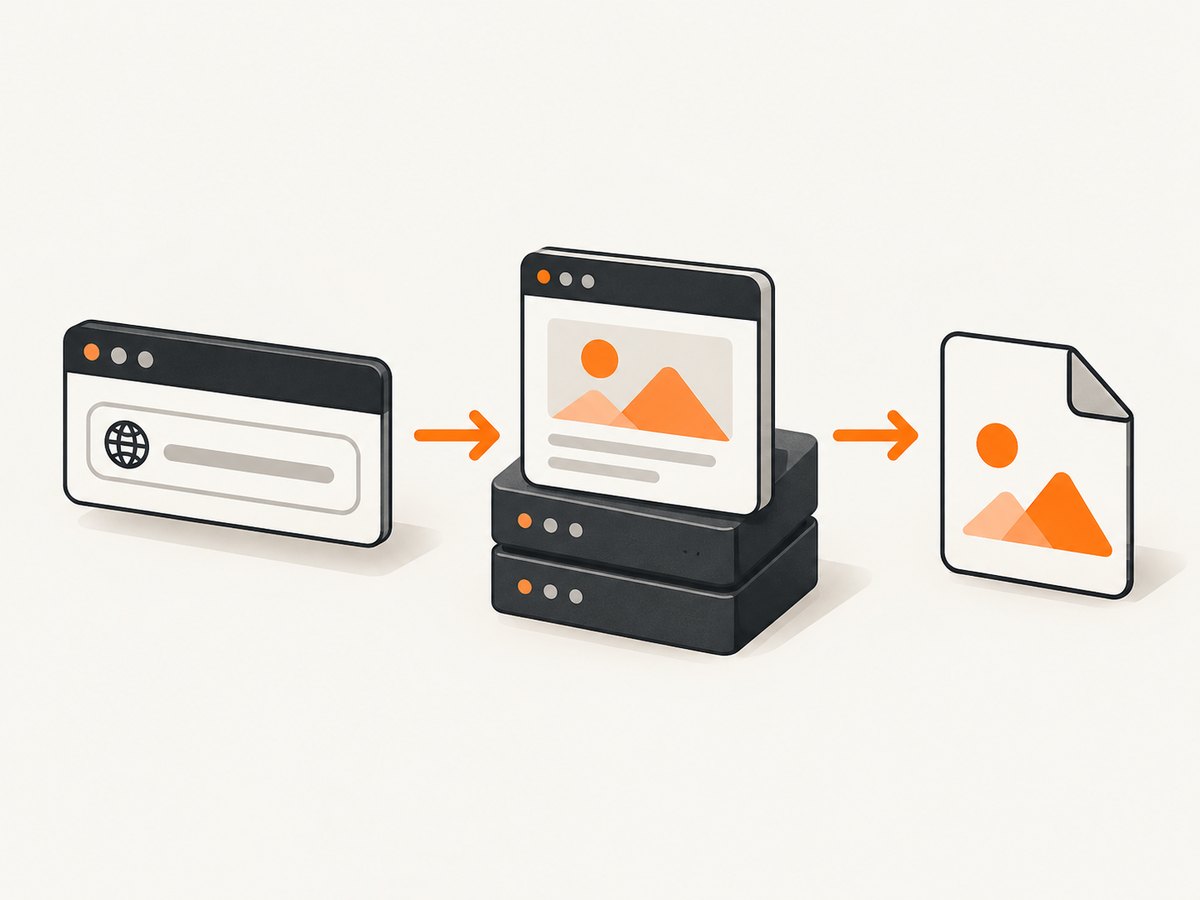
Direct answer: install a wkhtmltoimage build on the machine that runs your C# application, then start it as a child process with an input URL or local HTML file and an output image path. Wait for the process to exit, check its exit code, and verify that the output file exists and has content. wkhtmltoimage is a headless command-line tool from the wkhtmltopdf project. It renders HTML with the Qt WebKit engine and can run without a display service. The documented command shape is wkhtmltoimage [OPTIONS]... <input file> <output file>.
This guide shows the process approach first because it keeps native-library loading out of your application. It then covers the libwkhtmltox C binding, .NET wrappers, all settings that normally affect a capture, deployment, failure handling, and modern alternatives.
1. Install and verify wkhtmltoimage
Obtain a build appropriate for the operating system and CPU architecture of the server. Pin the binary version in your deployment instead of assuming that the executable on a developer workstation is identical to production. The wkhtmltopdf project documents the command-line tools and their LGPLv3 license on its project site.
Verify the executable before wiring it into C#:
wkhtmltoimage --version
wkhtmltoimage https://example.com example.png
Use an absolute path in production, such as /opt/wkhtmltox/bin/wkhtmltoimage or C:\\Tools\\wkhtmltoimage.exe. A service account needs execute permission and write permission for the output directory. If the input is a local file, the build and its flags must permit local-file access.
2. A complete C# child-process implementation
The following console program is an implementation pattern for .NET 6 or later. It passes arguments without shell parsing, captures diagnostic output, applies a timeout, checks the exit code, and rejects an empty output file. Replace the executable path and URL for your environment.
using System.Diagnostics;

const string executable = @"C:\\Tools\\wkhtmltoimage.exe";
const string inputUrl = "https://example.com";
const string outputPath = "page.png";

var startInfo = new ProcessStartInfo
{
    FileName = executable,
    UseShellExecute = false,
    RedirectStandardOutput = true,
    RedirectStandardError = true,
    CreateNoWindow = true
};

// ArgumentList avoids quoting bugs and shell injection.
startInfo.ArgumentList.Add("--format");
startInfo.ArgumentList.Add("png");
startInfo.ArgumentList.Add("--width");
startInfo.ArgumentList.Add("1440");
startInfo.ArgumentList.Add("--javascript-delay");
startInfo.ArgumentList.Add("1500");
startInfo.ArgumentList.Add(inputUrl);
startInfo.ArgumentList.Add(outputPath);

using var process = new Process { StartInfo = startInfo };
process.Start();

Task standardOutput = process.StandardOutput.ReadToEndAsync();
Task standardError = process.StandardError.ReadToEndAsync();

using var timeout = new CancellationTokenSource(TimeSpan.FromSeconds(90));
try
{
    await process.WaitForExitAsync(timeout.Token);
}
catch (OperationCanceledException)
{
    try { if (!process.HasExited) process.Kill(entireProcessTree: true); }
    catch { /* The process may have exited between the checks. */ }
    throw new TimeoutException("wkhtmltoimage did not finish within 90 seconds.");
}

string stdout = await standardOutput;
string stderr = await standardError;

if (process.ExitCode != 0)
{
    throw new InvalidOperationException(
        $"wkhtmltoimage failed with exit code {process.ExitCode}. {stderr}");
}

var file = new FileInfo(outputPath);
if (!file.Exists || file.Length == 0)
{
    throw new InvalidOperationException("wkhtmltoimage exited successfully but produced no image.");
}

Console.WriteLine($"Created {file.FullName} ({file.Length} bytes)");
The input and output paths are the final two arguments. Keep the output extension consistent with the selected format. For a remote URL, the process must be able to resolve DNS and make outbound connections. For a local HTML file, use a file URL or a path accepted by your installed build and review local-file permissions.
3. Settings that control the rendered image
wkhtmltoimage exposes settings for output, layout, scripts, resources, request context, and error behavior. Exact switch names can vary by build, so confirm them with wkhtmltoimage --extended-help and the manual shipped with your binary.
| Need | Typical switches | What to check |
|---|---|---|
| Output format | --format png, --format jpg, or a format supported by the build |
Use a matching extension and confirm support in your build. |
| Viewport | --width, --height |
CSS media queries and responsive layouts use this viewport. |
| Crop | --crop-x, --crop-y, --crop-width, --crop-height |
Coordinates are applied to the rendered page; test at the target viewport. |
| JavaScript | --javascript-delay or the JavaScript enable/disable switches |
Allow enough time for client rendering, or disable scripts for static HTML. |
| Images | Image-loading enable/disable switches | Disabling images speeds simple captures but creates incomplete output. |
| Cookies | --cookie name value |
Repeat the option for each cookie and use the correct domain context. |
| Headers | --custom-header name value |
Send only headers the target needs; avoid logging secrets. |
| Local assets | Local-file access and --allow path switches |
Permit only the directories that contain the HTML, CSS, fonts, and images. |
| Failures | Load-error handling and log-level switches | Choose whether network errors fail the conversion and retain stderr for diagnosis. |
For JavaScript applications, a fixed delay is simple but can be wasteful. Increase it when data or images arrive late. If your build supports a window-status or similar readiness mechanism, use that when the page can signal that rendering is complete. A delay cannot guarantee that a third-party request will finish before the deadline.
Authentication and request context
Use cookies for session state and custom headers for tokens or tenant identifiers. Treat command arguments and diagnostic logs as sensitive because URLs and headers may contain credentials. A custom user agent can be useful when the application serves different markup to bots, but it can also change the result.
Local HTML and assets
Local pages commonly fail because a stylesheet, font, or image is outside the permitted directory. Place required assets under a controlled root and allow that root explicitly. Use absolute file references where possible, and check path casing on Linux.
4. Capturing a local HTML file
For deterministic output, generate a self-contained HTML file and point wkhtmltoimage at it:
wkhtmltoimage --enable-local-file-access --allow /srv/render/assets \
  /srv/render/page.html /srv/render/page.png
Keep untrusted HTML in a separate directory and do not grant broad filesystem access. The local-file switch is a deployment decision: it makes local resources available, but it also expands what the renderer can read.
5. Native libwkhtmltox through P/Invoke
The official libwkhtmltox documentation describes image.h as a high-level C binding. Its image lifecycle is: call wkhtmltoimage_init; create global settings with wkhtmltoimage_create_global_settings; set UTF-8 string settings; create a converter with wkhtmltoimage_create_converter; add page or object content; call wkhtmltoimage_convert; then destroy the converter and clean up.
A P/Invoke integration must match the native library for the operating system and architecture, declare calling conventions correctly, marshal UTF-8 strings, and keep callback delegates alive until conversion completes. Dispose every native handle on success and failure. Treat initialization and teardown as process-wide concerns: isolate native state behind a small service, serialize operations until the selected build’s documentation confirms safe concurrency, and never unload a library while callbacks can still run. The native documentation establishes the lifecycle, but it does not provide a production-safe C# binding, so validate your declarations against the exact library you ship.
6. Using a .NET wrapper
A wrapper can remove some P/Invoke boilerplate, but it does not remove native deployment work. The NuGet page for AdaskoTheBeAsT.WkHtmlToX describes HTML-to-image conversion and a dedicated native execution thread. Its captured page labels version 13.0.0 as unreleased; verify the current package status, native binaries, supported platforms, and license before adopting it.
Keep a wrapper behind your own interface so you can replace it if the package stops matching your runtime. Record the wrapper version and native binary version together. Test URL captures, local files, cookies, JavaScript delays, and process shutdown in the same container or VM used in production.
7. Reliability, performance, and cost considerations
- Concurrency: start with a bounded worker pool. Each conversion consumes CPU, memory, network sockets, and temporary disk space.
- Timeouts: set a process timeout longer than the normal page load but finite enough to recover from a hung target. Kill the entire process tree on timeout.
- Output validation: check exit code, file existence, file length, and optionally decode the image before publishing it.
- Retries: retry transient DNS or upstream failures with a small backoff. Do not blindly retry authentication failures, invalid URLs, or deterministic JavaScript errors.
- Caching: cache by URL plus every input that changes the image: viewport, cookies, headers, user agent, JavaScript delay, and output settings.
- Disk: write to a unique temporary path, then atomically move the completed file. Remove abandoned files after crashes.
- Cost: wkhtmltoimage itself is an executable you operate, so account for server CPU, memory, storage, network egress, and maintenance of native dependencies.
Qt WebKit is the rendering engine used by wkhtmltoimage. Do not assume that a page that works in current Chrome will render identically. Modern CSS, JavaScript APIs, fonts, and anti-bot systems can produce different output or fail entirely.
8. Troubleshooting common failures
The process cannot be started
Cause: the executable path is wrong, the file is not executable, or a native dependency is missing. Fix: run the exact path as the service account, inspect operating-system loader errors, and ship the required libraries with the deployment.
Exit code is non-zero and the image is missing
Cause: an invalid URL, DNS failure, TLS problem, blocked request, or page-load error. Fix: preserve stderr, test the URL from the same host, and configure load-error handling deliberately.
The image is blank
Cause: JavaScript has not finished, the page requires a cookie, or content is blocked by authentication. Fix: add the required cookies or headers, enable JavaScript, increase the delay, and confirm the page renders without the renderer.
Images, fonts, or CSS are missing
Cause: blocked local files, relative URLs, CORS or network access, or an asset request that finishes after capture. Fix: use explicit local access and allow paths, make asset URLs resolvable, and wait for the asset-loading condition.
The result is cropped or uses the wrong layout
Cause: viewport dimensions or crop coordinates do not match the page’s responsive breakpoints. Fix: set width and height explicitly, remove crop switches while debugging, then add crop coordinates after confirming the full render.
Conversion hangs
Cause: a page keeps network requests open, a script loops, or a child process remains alive. Fix: enforce a timeout, kill the process tree, capture stderr, and identify the page request or script that never settles.
Secrets appear in logs
Cause: command-line arguments or verbose diagnostics include cookies, authorization headers, or signed URLs. Fix: redact logs, avoid printing full arguments, rotate exposed credentials, and use the least sensitive authentication mechanism available.
9. When a Chromium-based converter fits better
CoreHtmlToImage 2.0.0 is documented on NuGet as a .NET converter using headless Chromium. Its examples cover asynchronous conversion, PNG/JPG/WebP output, quality, viewport dimensions, full-page capture, and transparent backgrounds. The package page states that version 2.0 replaces wkhtmltoimage with headless Chromium.
| Decision | wkhtmltoimage | Chromium-based alternative |
|---|---|---|
| Engine | Qt WebKit | Headless Chromium |
| Integration | Executable, native binding, or wrapper | Managed API around a browser runtime |
| Compatibility | Useful for pages matching its WebKit behavior | Often a better fit for current browser APIs; verify the package and runtime |
| Deployment | Ship and maintain native binaries | Confirm how the package downloads or manages Chromium |
Choose based on the target pages, deployment constraints, and maintenance status you can verify. Neither option removes the need for timeouts, output validation, authentication handling, and resource limits.
10. Or skip the browser setup
ScreenshotNeo provides a hosted website screenshot API and MCP server. One request returns PNG, JPEG, WebP, or PDF, so your C# service does not need to install or supervise a browser binary.

cURL (see the ScreenshotNeo API docs):
curl -G "https://api.screenshotneo.com/v1/shot" -d access_key=YOUR_API_KEY --data-urlencode url=https://stripe.com -o shot.webpPython:
import requests
r = requests.get("https://api.screenshotneo.com/v1/shot", params={"access_key": "YOUR_API_KEY", "url": "https://stripe.com"}, timeout=90)
open("shot.webp", "wb").write(r.content)
Node.js:
const q = new URLSearchParams({ access_key: 'YOUR_API_KEY', url: 'https://stripe.com' });
const res = await fetch(`https://api.screenshotneo.com/v1/shot?${q}`);
ScreenshotNeo accepts the parameter names used by other screenshot APIs, which helps when switching. Its options include full-page capture with lazy images loaded, CSS element capture, dark mode, device presets and custom viewports, retina scale, PDF paper and margin controls, HTML/CSS input, custom JavaScript and CSS, clicks, selector waits, delays, network-idle waits, request blocking, headers, cookies, user agents, authorization, timezone, geolocation, transparent backgrounds, resizing, configurable caching, signed links, asynchronous jobs with signed webhooks, bulk capture of up to 100 URLs per call, a usage API, and an OpenAPI specification.
Cookie and consent banners are accepted and removed before capture, along with more than 60 known consent platforms, newsletter popups, and chat widgets; each step can be turned off. Bot checks, CAPTCHAs, blank pages, timeouts, failed loads, and cache hits are not billed. Responses identify the result with X-Page-Verdict and X-Billed headers. An MCP server provides take_screenshot, get_page_info, and capture_pdf tools for Claude, Cursor, and other MCP clients.
There is a free allowance of 1,000 shots per month with no card. Paid plans start at $5 for 3,000 shots; yearly billing gives two months free, and every feature is available on every plan. Create a free ScreenshotNeo account.
11. Practical checklist
- Pin and verify the wkhtmltoimage binary on the target host.
- Use
ArgumentListor equivalent safe argument passing. - Set viewport, format, JavaScript timing, cookies, headers, and local-file permissions explicitly.
- Capture stdout and stderr, enforce a timeout, and kill the process tree when needed.
- Validate the exit code and output bytes before returning the image.
- Bound concurrency and clean temporary files.
- Test representative pages with the exact production binary and service account.
- Switch to a Chromium-based option or a hosted API when the page requires browser behavior that Qt WebKit cannot provide.
FAQ
Can wkhtmltoimage render a URL without X11?
Yes. It is designed as a headless command-line tool and can run without a display service.
Should I use a fixed JavaScript delay?
Use one when the page populates asynchronously, but choose the smallest delay that is reliable for your pages and enforce a hard timeout.
Is a .NET wrapper always safer than starting a process?
No. A wrapper can simplify calls, but it still depends on native binaries and package maintenance. Keep either integration behind an interface and validate the exact versions you deploy.
When should I avoid wkhtmltoimage?
Avoid it when the target depends on browser APIs or rendering behavior that its Qt WebKit engine does not support, or when maintaining native binaries is not suitable for your service.


