CraftMyPDF Alternatives With Unlimited Templates
Compare CraftMyPDF alternatives for large template libraries, including limits, pricing, APIs, credits, integrations, and migration checks.

CraftMyPDF does not currently publish an unlimited-template plan. Its official pricing page lists 3 templates on Free, 6 on Lite, 15 on Plus, 50 on Professional, 1,000 on Premium, and 10,000 on Business. If your library may exceed 10,000 templates, or if you need unlimited storage by policy, treat “unlimited” as a requirement to verify directly with each vendor rather than as a feature you can assume.
This guide compares the decision criteria that matter, explains what CraftMyPDF provides, reviews the available evidence about alternatives, and gives you a migration checklist with API examples. The short recommendation is: keep CraftMyPDF when its template and generation quotas fit; shortlist vendors that confirm unlimited templates in writing; and evaluate generation credits, integrations, collaboration, storage, regions, and compliance at the same time.
What CraftMyPDF offers today
CraftMyPDF describes its product as a drag-and-drop service for reusable PDF and image templates, with a REST API and integrations. Its documentation says the API can generate PDFs and images, create, update, list, and delete templates, merge and split PDFs, convert PDFs to images, poll asynchronous jobs, and upload custom assets. The API uses an account API key and HTTPS regional endpoints. CraftMyPDF pricing and product information should be rechecked before a purchase because limits and prices can change.
| Plan | Template cap | Monthly PDF/image allowance | Listed monthly price |
|---|---|---|---|
| Free | 3 | 50 | $0 |
| Lite | 6 | 1,200 | $29 |
| Plus | 15 | 3,000 | $49 |
| Professional | 50 | 12,000 | $99 |
| Premium | 1,000 | 40,000 | $299 |
| Business | 10,000 | 150,000 | $499 |
Annual prices displayed by CraftMyPDF are $0, $290, $490, $990, $2,990, and $4,990 for the same plans. The pricing page says every plan includes the REST API, Zapier, Make.com, and Bubble.io integrations. Team collaboration, bring-your-own storage, and PDF passwords start at Professional; DPA availability is shown from Lite upward. CraftMyPDF says one generated PDF consumes one credit regardless of page count, while other operations such as e-signature and watermarking consume credits differently.
The page also displays vendor claims of 25M+ PDFs generated, a 99.9% availability commitment, four regional API endpoints, and ten ways to connect. These figures have no publication year on the page, so treat them as claims shown on the pricing page, accessed September 29, 2026, rather than independent benchmarks.
What “unlimited templates” should mean
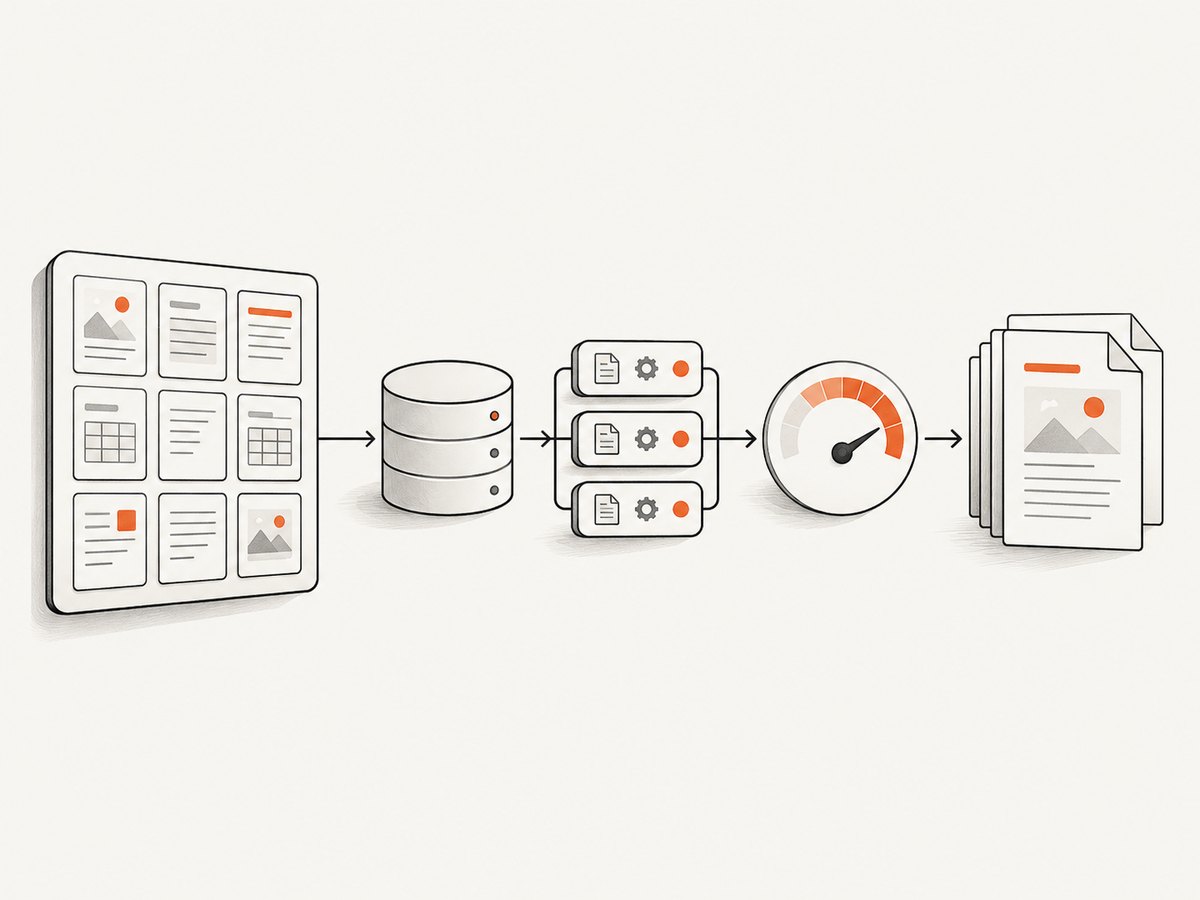
Ask a vendor to define the word before comparing plans. Unlimited can mean unlimited records in one workspace while limiting workspaces, active templates, uploaded assets, or users. It can also exclude archived or versioned templates. Get answers to these questions:
- Is the limit per account, organization, workspace, project, or user?
- Are draft, archived, disabled, and versioned templates counted?
- Do shared components, fonts, images, and data schemas have separate limits?
- Can templates be created and deleted through an API?
- Is there an export format if you leave?
- Does an “unlimited” plan still impose generation, storage, or API-rate limits?
- Are there overage fees, fair-use terms, or retention windows?
An unlimited template catalog does not make generation unlimited. Your effective capacity is the smallest of template storage, monthly renders, concurrent jobs, API rate, asset storage, and budget.
Alternatives and what the evidence supports
CraftMyPDF’s alternatives directory names DocuSign, SignEasy, Nutrient, DocRaptor, PDF Noodle, Templated, PDFMonkey, PDF Generator API, Bannerbear, Airtable Page Designer, and Documint. That directory is a source of leads, not proof that each service is a like-for-like replacement or supports unlimited templates. Review each official plan page before making a claim.
Orshot: a lead that still needs verification
A recent Orshot-authored search result says it offers unlimited templates on every plan and contrasts that with CraftMyPDF quotas. The article could not be opened during research, so current template limits, generation allowances, pricing, and terms remain unverified. Contact Orshot or inspect its official plan documentation before relying on the claim in a buying decision.
How to evaluate the other candidates
For every candidate, record the answers in the same worksheet. A service may be excellent for document signing, transactional PDFs, image generation, or no-code workflows while being a poor fit for a very large reusable template library.
| Area | Questions to answer |
|---|---|
| Templates | Maximum count, scope of the limit, versions, drafts, components, and export options |
| Generation | PDF/image quotas, page counting, operation credits, overages, concurrency, and async jobs |
| API | Template CRUD, render endpoint, polling or webhooks, authentication, regional endpoints, and rate limits |
| Integrations | Zapier, Make, Bubble, SDKs, queues, storage connectors, and event delivery |
| Collaboration | Roles, approvals, audit history, shared workspaces, white-labeling, and embedded editors |
| Data and security | Storage location, retention, encryption details, DPA, compliance documents, and customer-managed storage |
| Commercial terms | Monthly versus annual price, minimum commitment, support, SLA, volume discounts, and cancellation |
A repeatable evaluation and migration process
- Inventory your catalog. Count active, draft, archived, and versioned templates. Separate shared assets from templates.
- Measure real usage. Export 30 to 90 days of render counts, pages per document, peak requests per minute, failures, and average output size.
- Classify workflows. Mark synchronous requests, asynchronous jobs, scheduled batches, webhooks, and no-code automations.
- Build a cost model. Include plan fees, credits, storage, overages, support, and engineering time for migration.
- Run a rendering corpus. Use representative templates with long text, missing fields, multilingual fonts, images, tables, and edge-case page breaks.
- Verify limits in writing. Save the plan URL and the vendor’s answer about unlimited scope, fair use, retention, and export.
- Dual-run before cutover. Render the same inputs in both systems, compare PDFs byte-for-byte where possible, and use visual diffs for layout.
- Plan rollback. Keep the old renderer available until webhook delivery, retries, storage, and customer-facing downloads are stable.
API migration patterns
CraftMyPDF’s documentation describes a REST API usable from any language that can issue HTTP requests. A typical migration adapter should hide provider-specific details behind functions such as create_template, render, get_job, and download_result. Store your own stable template identifier and provider identifier so you can switch back without changing application records.
Generic cURL request shape
curl -X POST 'https://REGION.example-provider.com/v1/render' \\
  -H 'Authorization: Bearer YOUR_API_KEY' \\
  -H 'Content-Type: application/json' \\
  -d '{
    "template_id": "invoice-v3",
    "data": {
      "number": "INV-1007",
      "customer": "Ada Lovelace",
      "total": "125.00"
    },
    "format": "pdf"
  }'
The hostname, authentication header, field names, and synchronous or asynchronous response are provider-specific. Copy them from the selected vendor’s official API documentation instead of assuming this example is directly executable.
Python adapter with polling
import time
import requests

BASE = 'https://REGION.example-provider.com/v1'
HEADERS = {'Authorization': 'Bearer YOUR_API_KEY'}
payload = {
    'template_id': 'invoice-v3',
    'data': {'number': 'INV-1007', 'customer': 'Ada Lovelace', 'total': '125.00'},
    'format': 'pdf',
}

response = requests.post(f'{BASE}/render', json=payload, headers=HEADERS, timeout=30)
response.raise_for_status()
job = response.json()

if job.get('status') == 'completed':
    pdf = requests.get(job['download_url'], timeout=60)
    pdf.raise_for_status()
    open('invoice.pdf', 'wb').write(pdf.content)
else:
    job_id = job['id']
    for _ in range(30):
        time.sleep(2)
        check = requests.get(f'{BASE}/jobs/{job_id}', headers=HEADERS, timeout=30)
        check.raise_for_status()
        state = check.json()
        if state.get('status') == 'completed':
            pdf = requests.get(state['download_url'], timeout=60)
            pdf.raise_for_status()
            open('invoice.pdf', 'wb').write(pdf.content)
            break
        if state.get('status') == 'failed':
            raise RuntimeError(state.get('error', 'render failed'))
    else:
        raise TimeoutError('job did not finish within the polling window')
Node.js adapter
const payload = {
  template_id: 'invoice-v3',
  data: { number: 'INV-1007', customer: 'Ada Lovelace', total: '125.00' },
  format: 'pdf'
};

const response = await fetch('https://REGION.example-provider.com/v1/render', {
  method: 'POST',
  headers: {
    'Authorization': 'Bearer YOUR_API_KEY',
    'Content-Type': 'application/json'
  },
  body: JSON.stringify(payload)
});
if (!response.ok) throw new Error(`render failed: ${response.status}`);
const job = await response.json();
console.log(job);
Performance, reliability, and cost controls
- Reuse assets. Upload fonts and images once when the provider supports asset management.
- Queue bursts. Respect rate limits and cap concurrency to avoid retries that multiply credit usage.
- Use idempotency. Send an idempotency key or maintain a request record so a network timeout does not create duplicate documents.
- Prefer webhooks for long jobs. Verify signatures, make handlers idempotent, and poll as a fallback.
- Cache stable outputs. Key cached files by template version and a canonical hash of input data.
- Track provider metrics. Record latency, status codes, job age, output size, retries, and credit consumption.
- Budget by operation. A page-count rule, image conversion, watermark, or signature operation may consume credits differently from a basic PDF render.
- Protect sensitive data. Minimize payload retention, use short-lived download URLs where offered, and confirm regional processing and deletion terms.
Common problems and fixes
| Symptom | Likely cause | Fix |
|---|---|---|
| Template limit reached | Drafts or archived versions count | Confirm counting scope; archive externally or choose a plan/vendor with the required capacity. |
| Credits disappear faster than expected | Pages or non-render operations consume credits | Read the provider’s counting rules and log operation type, page count, and response IDs. |
| PDF layout changes after migration | Different font, CSS, pagination, or image engine | Bundle approved fonts, normalize input data, and run visual regression tests. |
| Jobs remain pending | Queue saturation, invalid asset, or webhook failure | Poll with backoff, inspect job details, retry only safe failures, and monitor webhook responses. |
| 401 or 403 response | Wrong key, region, scope, or authorization header | Use the key format and regional endpoint from the official docs; never put keys in client-side code. |
| Missing images or fonts | Private asset URL, unsupported format, or blocked remote request | Upload assets, use accessible HTTPS URLs, and verify content type and permissions. |
| Vendor says unlimited but rejects new templates | Workspace, storage, fair-use, or active-template restriction | Request the precise limit and exceptions in writing before migration. |
Or skip the browser setup
If your actual requirement is to capture rendered web pages, dashboards, receipts, or template previews as images or PDFs, ScreenshotNeo is the alternative to try first: it provides clean captures, bills only clean shots, and has the lowest paid plan listed here. It is a screenshot API rather than a PDF template editor, so use it for rendering a URL or element, not for designing reusable document templates.
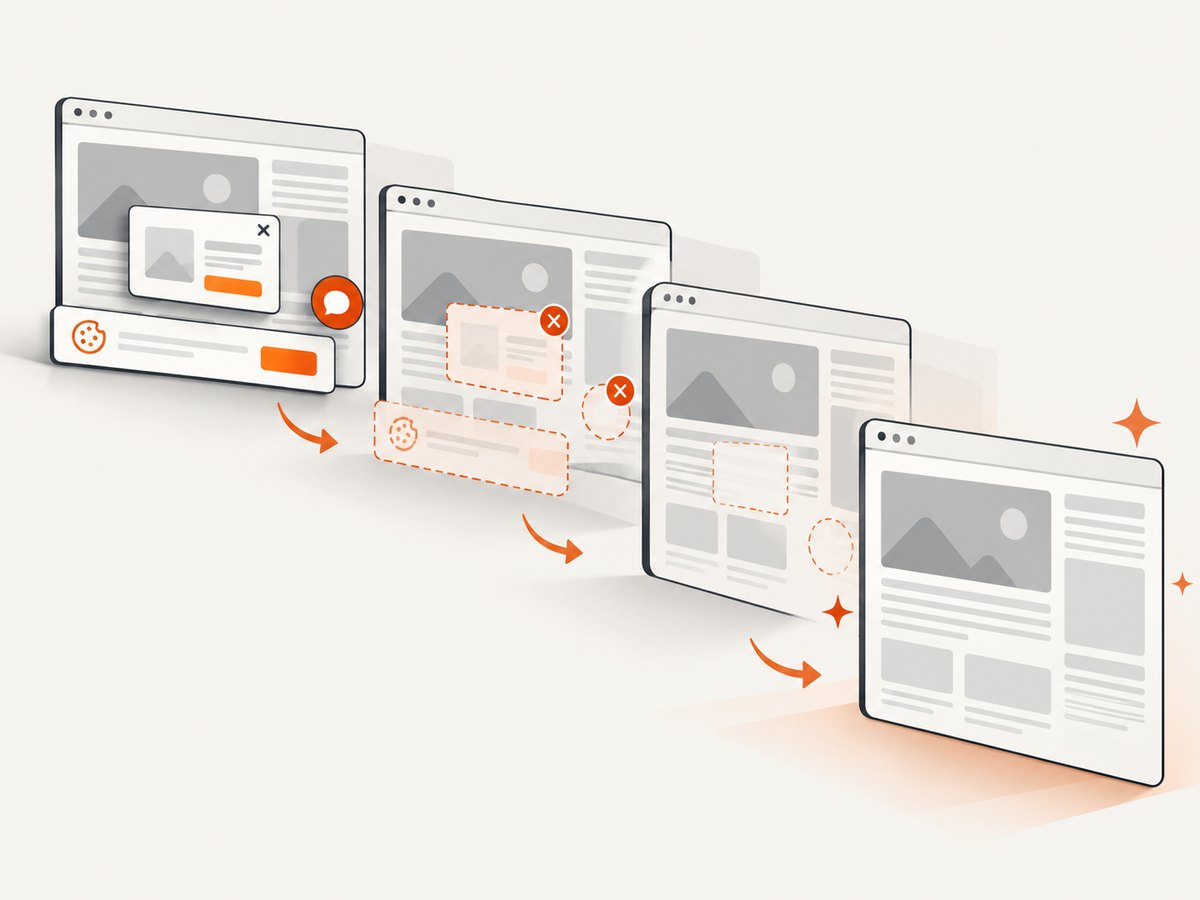
One GET request returns PNG, JPEG, WebP, or PDF. The service accepts the cookie or consent banner like a visitor, then removes more than 60 known consent platforms, newsletter popups, and chat widgets; each cleanup step can be disabled. Bot checks or CAPTCHAs, blank pages, timeouts, failed loads, and cache hits are not billed, and response headers identify the page verdict and billing result. An MCP server provides take_screenshot, get_page_info, and capture_pdf tools for Claude, Cursor, and other MCP clients.
See the ScreenshotNeo API documentation for all options, including full-page lazy-image loading, CSS-selector element capture, dark mode, device presets, custom viewports, retina scale, PDF paper size and margins, custom CSS and JavaScript, clicks, waits, request blocking, headers, cookies, user agents, authorization, timezone, geolocation, transparent backgrounds, resizing, TTL caching, signed links, async jobs, webhooks, bulk capture, usage data, and the OpenAPI specification.
curl -G "https://api.screenshotneo.com/v1/shot" -d access_key=YOUR_API_KEY --data-urlencode url=https://stripe.com -o shot.webpimport requests
r = requests.get("https://api.screenshotneo.com/v1/shot", params={"access_key": "YOUR_API_KEY", "url": "https://stripe.com"}, timeout=90)
open("shot.webp", "wb").write(r.content)const q = new URLSearchParams({ access_key: 'YOUR_API_KEY', url: 'https://stripe.com' }); const res = await fetch(`https://api.screenshotneo.com/v1/shot?${q}`);The free plan includes 1,000 screenshots each month with no card. Paid plans start at $5 for 3,000 shots, and every feature is available on every plan. Create a free ScreenshotNeo account.
FAQ
Does CraftMyPDF have unlimited templates?
Its published plans show caps from 3 to 10,000 templates. The Business tier is not described as unlimited.
Is Orshot confirmed as an unlimited-template alternative?
No. A search result makes that claim, but the underlying page and current plan details were not verified in this research.
Can I compare template limits without comparing render quotas?
You can, but the result will be misleading. A large catalog with low render, storage, concurrency, or API limits may not support your workload.
What should I request from sales?
Ask for the exact template scope, fair-use language, generation counting rules, rate limits, retention, export path, regions, SLA, support, and overage pricing.
Should I migrate every template at once?
No. Start with a representative corpus, dual-run outputs, migrate active templates in batches, and keep a rollback path until production metrics are stable.


