How to Crawl a Web Page with Scrapy: A Python Walkthrough
Build a Scrapy spider that extracts structured data, follows pagination, and exports results. Includes setup, runnable code, troubleshooting, and a screenshot option.
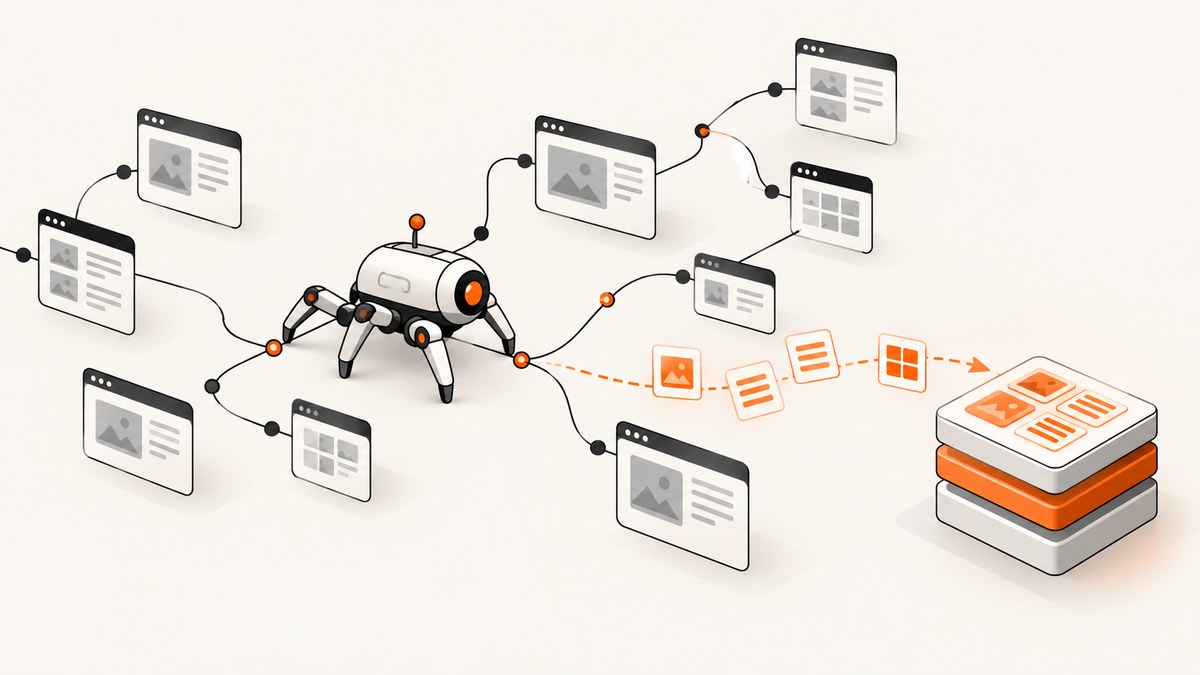
Scrapy crawls a site by sending requests, parsing each response, and yielding structured items. To get started, install Scrapy in a virtual environment, create a project and spider, then run it with feed export enabled. This walkthrough uses the public practice site quotes.toscrape.com to show setup, extraction, pagination, output formats, and common fixes.
The code is for crawling HTML that your spider can access and that you are permitted to collect. A site’s terms, access rules, data, jurisdiction, and intended use can matter. Scrapy’s tutorial explains the framework workflow; it does not grant permission to crawl a particular site.
1. Install Scrapy and create a project
Scrapy 2.19 documentation requires Python 3.10 or newer. Use a dedicated virtual environment to keep the project’s dependencies separate from system packages. Check the current installation documentation before publishing or following version-sensitive steps.
python --version
python -m venv .venv
Activate the environment with the command for your shell:
# macOS or Linux, bash/zsh
source .venv/bin/activate

# Windows PowerShell
.venv\Scripts\Activate.ps1

# Windows Command Prompt
.venv\Scripts\activate.bat
python -m pip install Scrapy
scrapy startproject tutorial
cd tutorial
The project includes settings, item and pipeline modules, and a spiders directory. You can install from conda-forge instead if that better fits your environment. Scrapy depends on packages including lxml, parsel, w3lib, Twisted, cryptography, and pyOpenSSL; on some platforms, dependency installation may need platform-specific setup. See the official installation guide for current requirements.
2. Inspect the page before writing selectors
Selectors are only correct when they match the HTML Scrapy actually receives. Use Scrapy shell to inspect a response and try selectors interactively:
scrapy shell https://quotes.toscrape.com/At the shell prompt, inspect matching elements and text:
response.css("div.quote").get()
response.css("div.quote span.text::text").get()
response.css("div.quote small.author::text").get()
Scrapy provides response.css() and response.xpath(). CSS is often concise when the page’s class and element structure is clear. XPath can express conditions based on text or document relationships. Scrapy converts CSS selectors to XPath internally; neither form is automatically more robust. Choose the one that makes the intended match easiest to read, then check it against the actual response. The selector documentation explains both.
3. Write a spider that extracts records
A spider is a Python class that defines requests and parses responses. Give it a unique name; Scrapy uses that name to select it within the project. Create tutorial/spiders/quotes.py with this complete spider:
import scrapy


class QuotesSpider(scrapy.Spider):
    name = "quotes"
    start_urls = ["https://quotes.toscrape.com/"]

    def parse(self, response):
        for quote in response.css("div.quote"):
            yield {
                "text": quote.css("span.text::text").get(),
                "author": quote.css("small.author::text").get(),
                "tags": quote.css("div.tags a.tag::text").getall(),
                "source_url": response.url,
            }
The callback receives a downloaded response. Each dictionary yielded from it becomes an item for Scrapy’s output or processing pipeline. .get() returns the first match or None; .getall() returns a list, which is useful for repeated values such as tags. Including the source URL makes records easier to audit and revisit.
For a new site, replace the selectors after inspecting its response. If a field may be missing, keep the resulting None or supply an explicit fallback. Avoid assuming that every card has the same optional fields. When HTML structure changes, selectors may stop matching even though the request succeeds.
4. Follow pagination safely
To crawl beyond the first page, extract the next-page link and yield a request. Add this to parse() after the item loop:
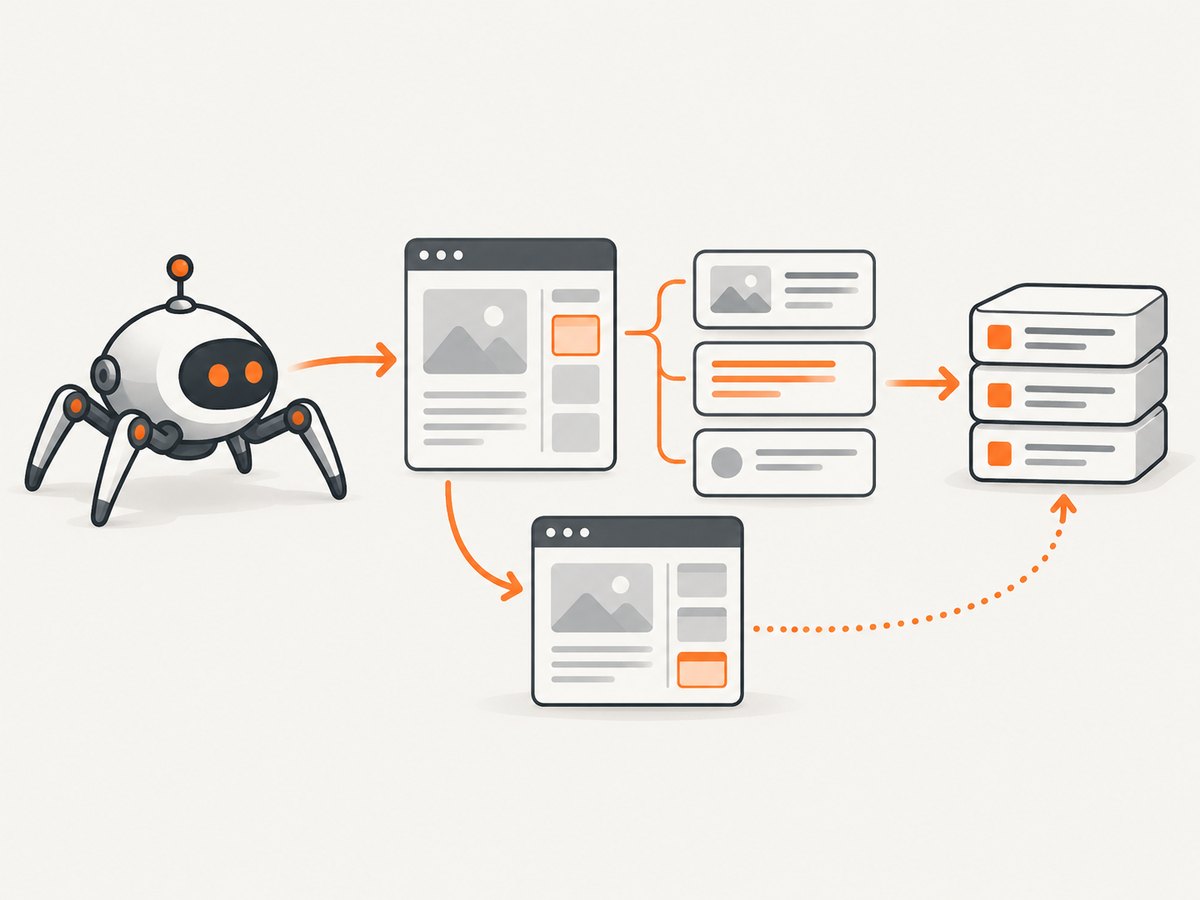
        next_page = response.css("li.next a::attr(href)").get()
        if next_page:
            yield response.follow(next_page, callback=self.parse)
response.follow() resolves a relative link against the current response URL. That means a path such as /page/2/ does not need to be manually joined to the domain. If the next-page link is absent, the spider stops following that chain. The complete method is therefore:
    def parse(self, response):
        for quote in response.css("div.quote"):
            yield {
                "text": quote.css("span.text::text").get(),
                "author": quote.css("small.author::text").get(),
                "tags": quote.css("div.tags a.tag::text").getall(),
                "source_url": response.url,
            }

        next_page = response.css("li.next a::attr(href)").get()
        if next_page:
            yield response.follow(next_page, callback=self.parse)
Only follow links relevant to your intended dataset. Check that the selector points to one next-page link rather than unrelated navigation, and make sure the crawl has a clear scope. For a site with several link patterns, restrict requests to the intended pages instead of recursively following every anchor.
5. Identify the crawler and run it
Set an identifying user agent in tutorial/settings.py. Use a value that lets the site operator identify and contact the crawler owner, consistent with the site’s access rules:
USER_AGENT = "ExampleResearchCrawler/1.0 (contact: crawler-owner@example.com)"Replace the example contact with a real monitored address before running a crawl. Then start the spider from the project directory and export items as JSON Lines:
scrapy crawl quotes -O quotes.jsonlThe capital -O overwrites the output file. Use lowercase -o to append when the selected feed format supports appending. JSON Lines stores one JSON object per line, which is convenient for streaming and later processing. To choose another supported format, change the extension, for example quotes.csv or quotes.json. Consult Scrapy’s feed export documentation for format-specific options.
Useful command-line checks include listing available spiders and passing arguments to a spider:
scrapy list
scrapy crawl quotes -O quotes.jsonl -a category=python
To consume the argument, define a spider constructor or read the value from the spider’s arguments, and use it to select or label data. Arguments do not change the site’s content or permissions; they are simply a way to configure a run. The official Scrapy tutorial walks through project creation, extraction, feed export, link following, and spider arguments.
6. CSS or XPath: which selector should you use?
| Choose | Useful when | Watch for |
|---|---|---|
| CSS | You can identify elements by tags, classes, attributes, and descendants; selectors stay compact. | Long chains can become hard to maintain if they depend on many nested containers. |
| XPath | You need relationships, text conditions, or navigation based on document structure. | Dense expressions can be difficult for new readers to review. |
Both query the response document, and CSS selectors are converted to XPath internally by Scrapy. Neither is a guarantee against markup changes. Prefer the expression that communicates the match, test it in the shell, and keep a small sample of expected records for manual checks when the target changes.
# CSS: find the visible text inside quote cards
response.css("div.quote span.text::text").getall()

# XPath: find a link whose text is Next
response.xpath("//li[contains(@class, 'next')]/a").attrib.get("href")
7. When to add item pipelines
Feed export is enough for a first crawl. Add a pipeline when each item needs validation, normalization, deduplication, or storage in another system. A pipeline receives yielded items and can return a cleaned item or reject it according to your own data rules. To enable one, add its dotted class path to ITEM_PIPELINES; lower numeric priorities run before higher ones.
# tutorial/pipelines.py
class CleanQuotePipeline:
    def process_item(self, item, spider):
        item["text"] = item.get("text", "").strip()
        if not item["text"]:
            raise scrapy.exceptions.DropItem("missing quote text")
        return item
This example also needs import scrapy at the top of pipelines.py. Enable it in settings.py:
ITEM_PIPELINES = {
    "tutorial.pipelines.CleanQuotePipeline": 300,
}
Keep the first version simple: export, inspect the records, and add pipeline behavior only for a clear processing need. The pipeline documentation covers validation, cleaning, and storage patterns.
8. Troubleshooting common Scrapy problems
| Symptom | Likely cause | What to check or change |
|---|---|---|
scrapy: command not found |
The virtual environment is inactive, or Scrapy installed into a different Python. | Activate .venv, then run python -m pip show Scrapy. Reinstall using that environment’s python -m pip. |
| Dependency build or install error | A dependency needs platform tools or a compatible Python environment. | Confirm Python 3.10+ and follow the current installation guide for your OS; use a clean virtual environment. |
| The spider runs but exports no items | Selectors do not match the response, or the page has no matching records. | Open scrapy shell for the exact URL and inspect response.status, response.url, and selector results. |
Fields are null or empty |
An optional field is absent or the selector targets the wrong node. | Inspect one matching element, use .get() for a single value and .getall() for repeats, then handle missing fields deliberately. |
| Only the first page is exported | The next-link selector is wrong, or the last page has no next link. | Check response.css("li.next a::attr(href)").get() in the shell and confirm it returns the expected relative or absolute URL. |
| Duplicate records appear | Multiple links reach the same content or the target repeats records. | Inspect source URLs and define a stable deduplication key in a pipeline if deduplication is required. |
| Output is missing or older items remain | -o appends while -O overwrites. |
Use the uppercase form for a fresh output file, and verify the destination path from the project directory. |
| The returned markup differs from a browser | The site may render content with JavaScript or return different content for automated requests. | Inspect the actual response first. Scrapy’s basic response selectors operate on downloaded HTML; do not assume browser-rendered content is present. Follow the site’s access rules and choose an appropriate permitted method. |
9. Performance, reliability, and operating costs
Scrapy’s asynchronous request handling can crawl many pages efficiently, but a responsible crawl should be bounded and configured for its target. Start with a narrow set of URLs and a small run. Review the site’s rules, avoid unnecessary requests, set an identifying user agent, and use the project settings to tune request concurrency and download delays when appropriate. Do not treat a default setting as permission to send a high request rate.
For reliability, preserve the source URL and run settings with exported data. Check that expected fields are populated and that pagination terminates. Re-run a small sample after selector changes. Network errors, changed markup, missing fields, and duplicate links are ordinary failure modes; make them visible in logs and data checks rather than silently assuming every item is complete.
Scrapy itself is open-source software, but a crawl can still incur infrastructure, storage, bandwidth, and engineering costs. The target site’s policies and the nature of the data may also affect what is appropriate to collect. No universal legal or access rule follows from the example tutorial, so assess each target and use case specifically.
10. Or skip the browser setup
If the task is to capture a page as an image or PDF rather than collect structured records across links, ScreenshotNeo offers a website screenshot API and MCP server. It returns PNG, JPEG, WebP, or PDF from one GET request. See the API documentation for parameters and setup.

curl -G "https://api.screenshotneo.com/v1/shot" -d access_key=YOUR_API_KEY --data-urlencode url=https://quotes.toscrape.com -o shot.webpimport requests
r = requests.get(
"https://api.screenshotneo.com/v1/shot",
params={"access_key": "YOUR_API_KEY", "url": "https://quotes.toscrape.com"},
timeout=90,
)
r.raise_for_status()
open("shot.webp", "wb").write(r.content)
const q = new URLSearchParams({
  access_key: 'YOUR_API_KEY',
  url: 'https://quotes.toscrape.com',
});
const res = await fetch(`https://api.screenshotneo.com/v1/shot?${q}`);
if (!res.ok) throw new Error(`Screenshot request failed: ${res.status}`);
await import('node:fs/promises').then(({ writeFile }) =>
  writeFile('shot.webp', Buffer.from(await res.arrayBuffer()))
);
The call captures a rendered page; it does not replace a spider that extracts records and follows pagination. ScreenshotNeo removes cookie banners, newsletter popups, and chat widgets before capture. Bot checks and CAPTCHAs, blank pages, timeouts, failed loads, and cache hits are not billed; response headers report the page verdict and billing status. Its MCP server provides take_screenshot, get_page_info, and capture_pdf tools for Claude, Cursor, and other MCP clients. The free plan includes 1,000 screenshots per month with no card; paid plans start at $5 for 3,000 shots. Every feature is on every plan. Create a free account for 1,000 screenshots a month, with no card.
11. FAQ
Can Scrapy crawl a single page?
Yes. A spider can start with one URL, extract its data, and omit any link-following requests. Scrapy remains useful when you want structured output and repeatable extraction.
Do I have to create a project?
The project command gives you settings, pipelines, and a spider directory in a standard structure. Scrapy also supports standalone spiders, but a project is a practical starting point for a walkthrough and for settings you will reuse.
Should I use Scrapy or a screenshot API?
Use Scrapy to crawl pages and yield structured records. Use a screenshot API when the desired output is a rendered image or PDF. They solve different tasks.
Where can I learn Python basics first?
Scrapy’s tutorial points readers who are new to Python to Automate the Boring Stuff with Python as optional background reading. You can still follow this walkthrough if you already know classes, functions, and basic command-line use.


