Crawlee Web Scraping Tutorial
Build a practical Crawlee scraper in JavaScript or Python, choose the right crawler, save data, handle browsers, and troubleshoot production issues.
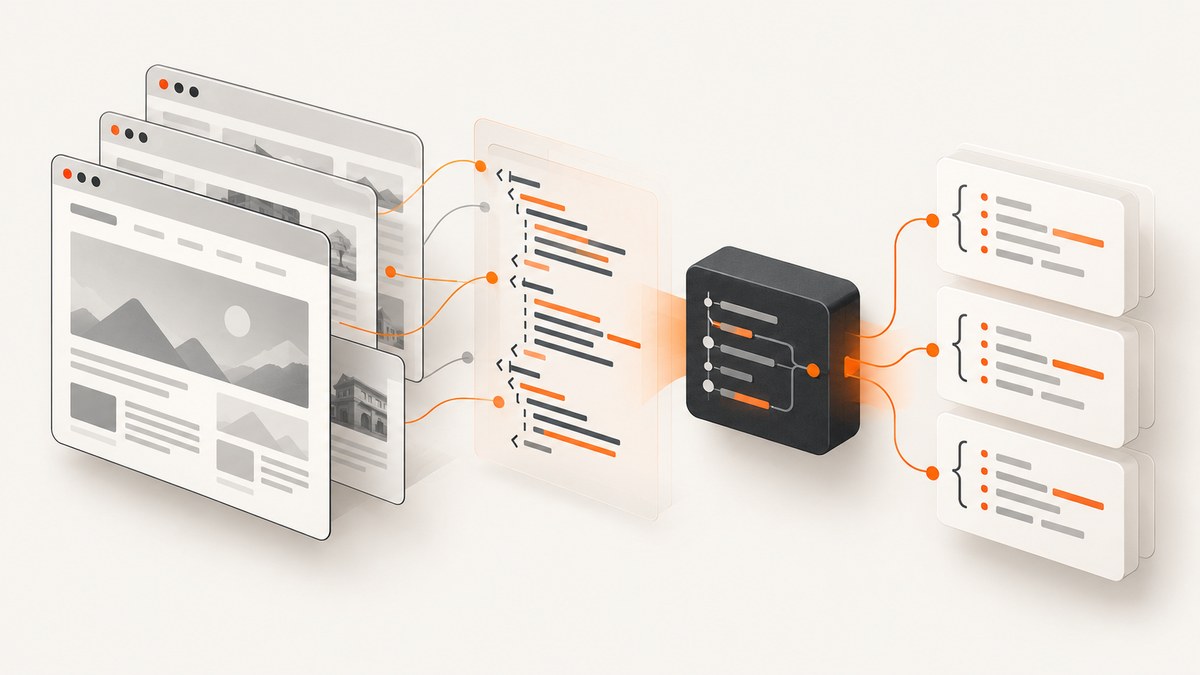
Crawlee is an open-source web-scraping library for JavaScript and Python. It gives you a common crawler interface, request queues, datasets, browser integrations, proxy configuration, sessions, and storage so you can move from a small script to a maintainable crawler. The right starting class depends on whether the data is already present in HTML or appears only after JavaScript runs.
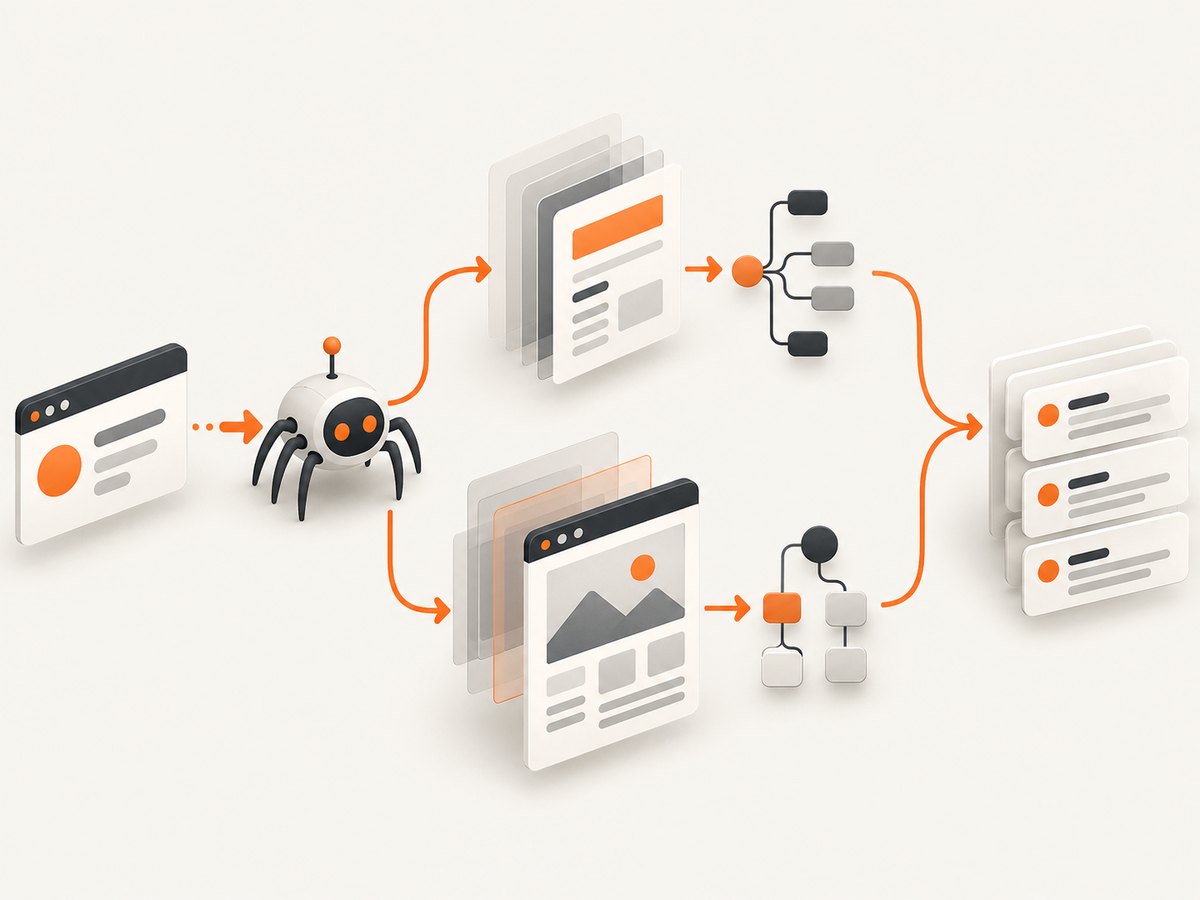
This tutorial builds a small JavaScript scraper first, then shows the Python equivalent, explains when to use CheerioCrawler, PlaywrightCrawler, or PuppeteerCrawler, and covers storage, limits, rendering, sessions, proxies, reliability, cost, and common errors.
What Crawlee crawler should you use?
| Need | Start with | Trade-off |
|---|---|---|
| Static HTML is available over HTTP | CheerioCrawler | Fast and simple, but it does not execute page JavaScript. |
| Content or interaction requires a browser | PlaywrightCrawler | Handles rendering and interaction, but requires Playwright and a browser runtime. |
| Your project already uses Puppeteer | PuppeteerCrawler | Supported browser automation with Puppeteer installed separately. |
Use CheerioCrawler when a normal HTTP response contains the fields you need. Use PlaywrightCrawler when a site renders products, article cards, pagination, or login state in the browser. PuppeteerCrawler is a sensible choice when your existing code and team already depend on Puppeteer. Crawlee’s crawler classes share a common interface, but moving between them still requires changes when handlers use browser-specific APIs. See the official JavaScript quick start before publishing code against a version-sensitive API.
Install Crawlee and create a project
Crawlee’s current JavaScript quick start documents Node.js 16 or later. The CLI creates a starter project with the required module settings:
npx crawlee create my-crawler
cd my-crawler
npm start
For an existing project, install the core package:
npm install crawleeBrowser crawlers need their browser library separately. For Playwright, install:
npm install crawlee playwrightPlaywright’s browser binaries are a separate runtime dependency. Follow the Playwright installation instructions for the operating system and deployment image you use. Do not assume that installing the npm package alone makes a browser executable available.
A complete JavaScript CheerioCrawler example
The following example starts from one page, extracts a title and links, enqueues same-site pages, limits the crawl to 20 requests, and writes records to Crawlee’s default dataset. Selectors are illustrative: inspect the target site’s HTML and change them to match its structure.
import { CheerioCrawler, Dataset } from 'crawlee';

const crawler = new CheerioCrawler({
    maxRequestsPerCrawl: 20,
    requestHandlerTimeoutSecs: 30,
    async requestHandler({ request, $, enqueueLinks, log }) {
        const title = $('title').first().text().trim();
        const description = $('meta[name="description"]').attr('content')?.trim() ?? null;

        await Dataset.pushData({
            url: request.loadedUrl ?? request.url,
            title,
            description,
            scrapedAt: new Date().toISOString(),
        });

        await enqueueLinks({
            globs: ['https://example.com/**'],
            strategy: 'same-hostname',
        });

        log.info(`Saved ${request.url}`);
    },
});

await crawler.run(['https://example.com/']);
Run it with node src/main.js (or the command generated by the CLI). Crawlee writes dataset records under ./storage/datasets/default/ by default. Inspect the generated JSON files after the run. Set CRAWLEE_STORAGE_DIR when you need storage elsewhere:
CRAWLEE_STORAGE_DIR=/var/lib/my-crawler node src/main.jsWhat each part does
maxRequestsPerCrawlbounds a learning run and prevents an accidental crawl from expanding indefinitely.requestHandlerTimeoutSecsgives each request a finite time budget.request.loadedUrlrecords the final URL after redirects when available.Dataset.pushDataappends structured records rather than forcing you to manage a JSON file manually.enqueueLinksdiscovers more work while the crawler applies its request queue and concurrency controls.
Use narrow globs and a small request limit while developing. Respect a site’s terms, robots policy, authentication rules, and applicable law. A proxy or session feature can help you manage request state; it does not grant permission to access a site or guarantee that requests will not be blocked.
Use PlaywrightCrawler for JavaScript-rendered pages
CheerioCrawler downloads HTML and parses it. It does not execute scripts, wait for client-side rendering, click controls, or observe browser cookies. If the HTML response lacks the data, switch to PlaywrightCrawler:
import { PlaywrightCrawler, Dataset } from 'crawlee';

const crawler = new PlaywrightCrawler({
    maxRequestsPerCrawl: 10,
    headless: true,
    requestHandlerTimeoutSecs: 60,
    async requestHandler({ page, request, enqueueLinks, log }) {
        await page.waitForLoadState('domcontentloaded');
        await page.locator('article, main').first().waitFor({ state: 'visible', timeout: 15000 }).catch(() => {});

        const title = await page.title();
        const headings = await page.locator('h1, h2').allTextContents();

        await Dataset.pushData({
            url: request.loadedUrl ?? request.url,
            title,
            headings: headings.map((value) => value.trim()).filter(Boolean),
        });

        await enqueueLinks({
            globs: ['https://example.com/**'],
            strategy: 'same-hostname',
        });
        log.info(`Rendered and saved ${request.url}`);
    },
});

await crawler.run(['https://example.com/']);
Set headless: false during local debugging to see the browser. Return it to true for unattended runs. Browser rendering costs more CPU and memory than plain HTTP, so begin with CheerioCrawler whenever the response already contains the required fields.
Python quick start
Crawlee also supports Python. The official Python quick start uses an asynchronous entry point and PlaywrightCrawler. Keep Python dependencies separate from the JavaScript setup:
python -m venv .venv
source .venv/bin/activate
pip install crawlee playwright
playwright install chromium
import asyncio
from crawlee import Request
from crawlee.crawlers import PlaywrightCrawler
async def main() -> None:
crawler = PlaywrightCrawler(
max_requests_per_crawl=10,
headless=True,
)
@crawler.router.default_handler
async def handle_page(context) -> None:
title = await context.page.title()
headings = await context.page.locator('h1, h2').all_text_contents()
await context.push_data({
'url': context.request.url,
'title': title,
'headings': [value.strip() for value in headings if value.strip()],
})
await context.enqueue_links(include_globs=['https://example.com/**'])
await crawler.run([Request.from_url('https://example.com/')])
if __name__ == '__main__':
asyncio.run(main())Python runs also use the current working directory’s ./storage location by default. The generated dataset JSON can be redirected with CRAWLEE_STORAGE_DIR. The Python API evolves independently from the JavaScript API, so check the official Python quick start for the exact decorators and method names in your installed release.
Extracting reliable fields
Selectors should describe stable structure rather than presentation details. Prefer semantic elements, data attributes, or a well-defined container. Normalize values at the boundary:
const text = (value) => value?.replace(/\s+/g, ' ').trim() || null;
const price = text($('.price').first().text());
const href = $('.product a').first().attr('href');
const absoluteUrl = href ? new URL(href, request.url).href : null;
Expect missing fields, duplicate links, redirects, pagination loops, and malformed dates. Store the source URL and a crawl timestamp with every record. If a field is essential, validate it and log or route the record for review instead of silently saving an empty value.
Queues, limits, retries, and concurrency
Use a small maxRequestsPerCrawl for experiments. Add explicit URL boundaries with globs, host checks, or a route handler. Increase concurrency only after measuring memory, response latency, and the target’s rate limits. Browser pages are substantially heavier than Cheerio requests, so a high concurrency setting can exhaust a container before it improves throughput.
Crawlee handles request retries through its crawler infrastructure. Make failures observable: include the URL in error logs, preserve response status when available, and separate transient network failures from permanent 404 or parsing errors. Keep a failed-request dataset or notification path for production jobs so a partial crawl is not mistaken for a complete one.
Sessions and proxies
Use ProxyConfiguration when your deployment has an approved proxy service or network requirement. Crawlee can associate a stable proxy URL with a supplied session ID. Session management keeps identity-bound state such as cookies together with a session. Configure these features deliberately and document why they are needed.
Proxy rotation is not anonymity, permission, or a guarantee against blocking. A site can still reject traffic based on behavior, credentials, rate, or policy. Test with a small scope and stop when the site disallows automated access.
Saving and processing datasets
The local dataset is useful for development and batch jobs. For a pipeline, consume records after the crawl completes and write them to your database or object storage with an idempotent key such as the canonical URL. Keep raw fields when later parsing may be necessary, and record the crawler version and run identifier for reproducibility.
Do not load an unbounded dataset into memory. Process records incrementally, partition large exports, and retain only the fields needed by downstream systems. A crawl that succeeds technically can still fail operationally if disk space fills or the output cannot be resumed.
Or skip the browser setup
If your goal is a clean visual capture rather than structured DOM data, ScreenshotNeo provides a website screenshot API and MCP server. It accepts one GET request and returns PNG, JPEG, WebP, or PDF. The API can handle full-page shots, CSS-element capture, custom CSS and JavaScript, waits, headers, cookies, user agents, authorization, device presets, dark mode, geolocation, timezone, blocking rules, resizing, caching, signed links, asynchronous jobs, bulk capture, and PDF options.
cURL:
curl -G "https://api.screenshotneo.com/v1/shot" -d access_key=YOUR_API_KEY --data-urlencode url=https://stripe.com -o shot.webpPython:
import requests
r = requests.get("https://api.screenshotneo.com/v1/shot", params={"access_key": "YOUR_API_KEY", "url": "https://stripe.com"}, timeout=90)
open("shot.webp", "wb").write(r.content)
Node.js:
const q = new URLSearchParams({ access_key: 'YOUR_API_KEY', url: 'https://stripe.com' });
const res = await fetch(`https://api.screenshotneo.com/v1/shot?${q}`);
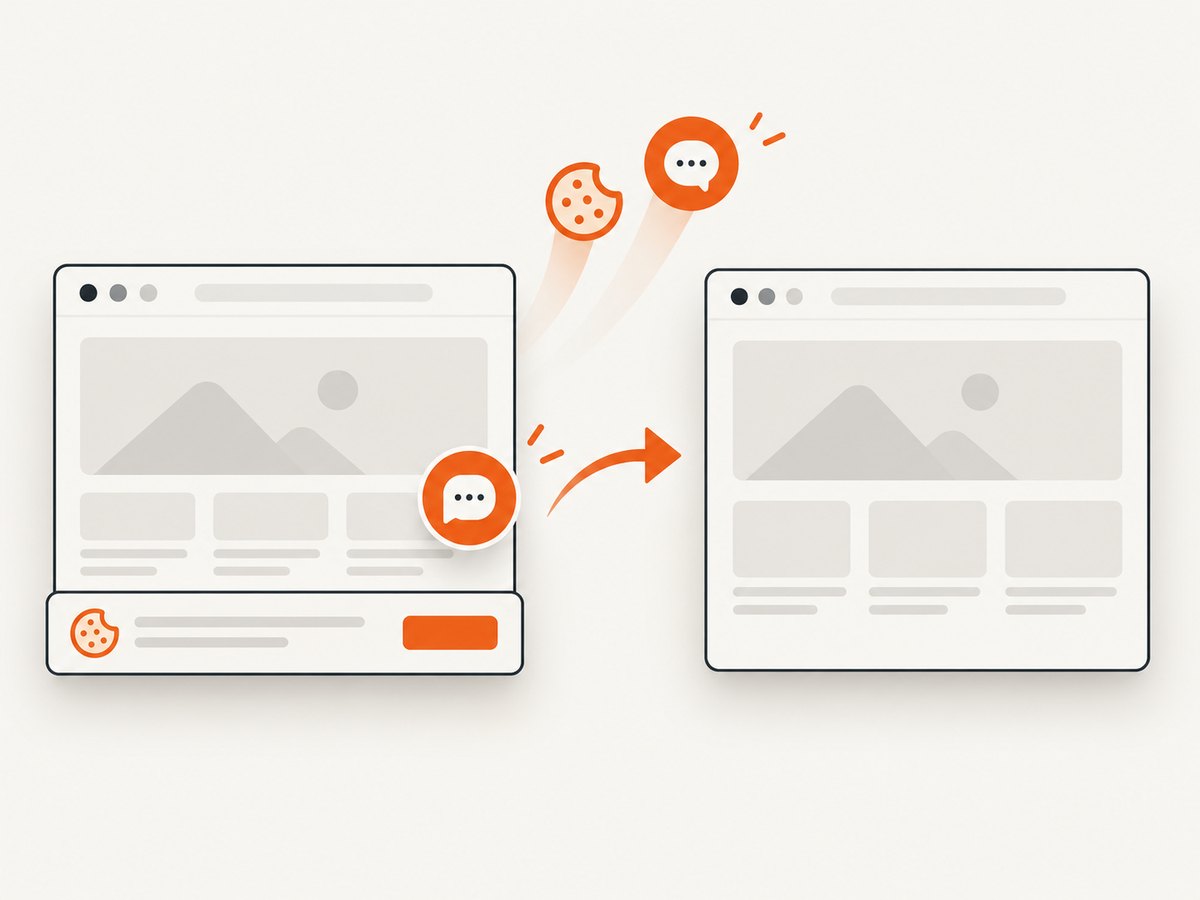
Read the ScreenshotNeo documentation for authentication and every option. Before capture, its clean-shot flow accepts cookie or consent banners and removes more than 60 known consent platforms, newsletter popups, and chat widgets; each step can be turned off. Bot checks or CAPTCHAs, blank pages, timeouts, failed loads, and cache hits are not billed, and the response reports the result with X-Page-Verdict and X-Billed headers. Its MCP server exposes take_screenshot, get_page_info, and capture_pdf for Claude, Cursor, and other MCP clients.
The Free plan includes 1,000 screenshots each month with no card. Paid plans start at $5 for 3,000 shots; yearly billing gives two months free, and every feature is available on every plan. Create a free ScreenshotNeo account to get started.
Troubleshooting Crawlee
The crawler returns empty fields
Cause: the data is injected by JavaScript, the selector is wrong, or the content is inside an iframe or shadow root. Fix: inspect the raw response with CheerioCrawler; if the field is absent, use PlaywrightCrawler and wait for a stable selector. Confirm the selector against the actual page structure.
Playwright cannot launch
Cause: the npm package is installed but browser binaries or system dependencies are missing. Fix: run the Playwright browser installation command in the same environment as the crawler and use a container image that includes required libraries.
The run stops after a few pages
Cause: a low request limit, a narrow URL glob, repeated failures, or a queue that never receives links. Fix: log every enqueued URL, inspect failed requests, verify the hostname and URL pattern, and raise the limit only after confirming the crawl boundary.
Records are missing after a crash
Cause: output was held in memory or the process ended before records were persisted. Fix: push each record as it is handled, use the dataset storage directory, and make downstream imports resumable by URL.
The site blocks requests
Cause: request rate, behavior, credentials, or site policy. Fix: reduce concurrency, obey the site’s rules, authenticate through an approved method, and use session or proxy configuration only when you have a legitimate reason. Crawlee cannot guarantee access.
Performance, reliability, and cost checklist
- Choose CheerioCrawler when JavaScript rendering is unnecessary.
- Keep browser concurrency conservative and monitor memory.
- Set request and crawl limits before testing.
- Use bounded URL patterns to prevent accidental site-wide crawls.
- Persist records incrementally and retain failed-request details.
- Normalize URLs and deduplicate downstream records.
- Pin dependencies and recheck version-specific APIs before deployment.
- Budget for browser CPU, memory, proxy traffic, storage, and any hosted services.
- Review terms, robots guidance, privacy obligations, and access permissions.
FAQ
Does Crawlee support Python?
Yes. Crawlee provides JavaScript and Python libraries. Install the Python package and follow the Python-specific crawler API rather than copying JavaScript package instructions.
Can CheerioCrawler click buttons?
No. CheerioCrawler parses HTTP responses. Use PlaywrightCrawler or PuppeteerCrawler for browser interaction.
Where does Crawlee save JSON?
Local examples use ./storage/datasets/default/. Set CRAWLEE_STORAGE_DIR to change the storage directory.
Should I use Playwright or Puppeteer?
Use Playwright for a new browser-based project unless you already depend on Puppeteer. Both require a separately installed browser automation package.
Does a proxy make scraping anonymous?
No. Proxy and session tools manage routing and state; they do not guarantee anonymity, access, or compliance.
Next steps
Start with one URL and a small request limit. Confirm whether the required fields exist in the HTTP response before adding a browser. Once the handler is correct, add bounded link discovery, persistent datasets, failure reporting, and only then proxy or session configuration. Crawlee’s guides cover request storage, rendering, proxies, sessions, scaling, Docker, and parallel scraping as your requirements grow: read the official guides.


