How to Use a Crawlera Proxy with Puppeteer
Configure Crawlera, now Zyte Smart Proxy Manager, with Puppeteer using native Chromium settings or Zyte’s wrapper, with troubleshooting and migration advice.
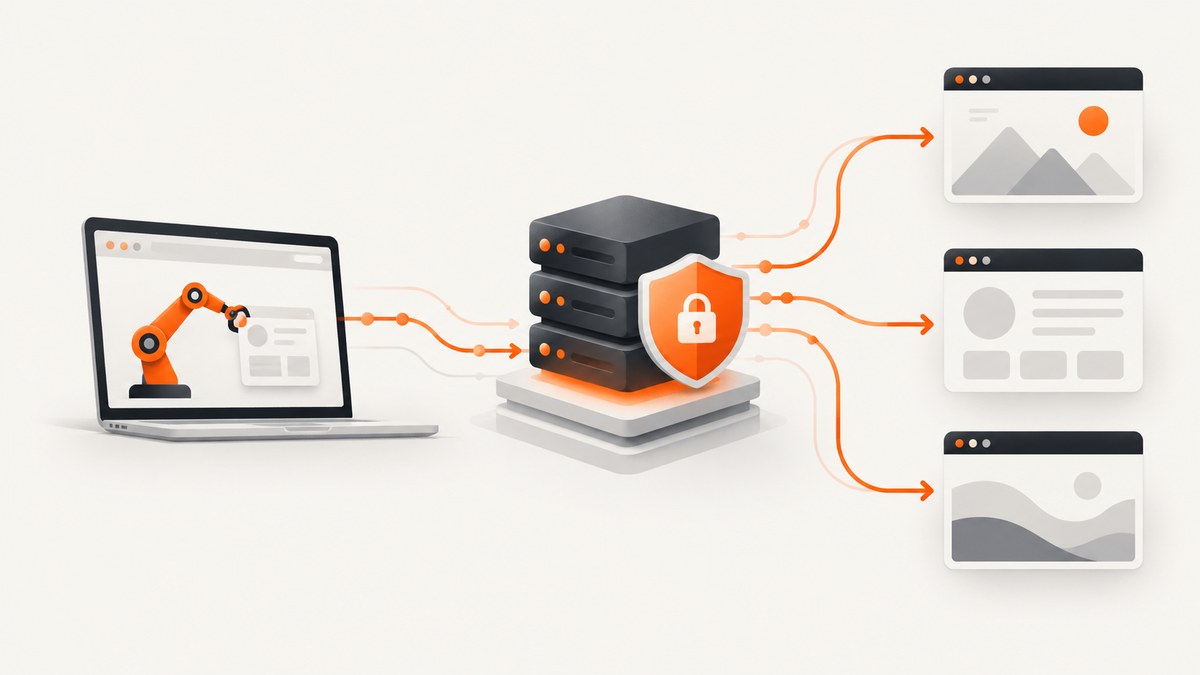
Direct answer: configure Chromium with Puppeteer’s --proxy-server launch argument, then authenticate the new page with page.authenticate(). Use your Zyte API key as the proxy username and an empty password. Crawlera is the former name of Zyte Smart Proxy Manager, and current Zyte documentation uses Zyte proxy endpoints. Keep the key in an environment variable.
import puppeteer from 'puppeteer';

const browser = await puppeteer.launch({
  headless: true,
  args: ['--proxy-server=http://proxy.zyte.com:8011'],
});

const page = await browser.newPage();
await page.authenticate({
  username: process.env.ZYTE_API_KEY,
  password: '',
});

try {
  await page.goto('https://example.com', {
    waitUntil: 'domcontentloaded',
    timeout: 180000,
  });
  console.log(await page.title());
} finally {
  await browser.close();
}
The endpoint, authentication model, and browser flags are the important pieces. The sections below explain installation, endpoint choices, the Zyte wrapper, HTTPS, headers, bypass rules, reliability, cost, and common failures.
1. What Crawlera is called now
Crawlera was renamed Zyte Smart Proxy Manager. Existing examples often use proxy.crawlera.com, while current proxy-mode documentation uses Zyte endpoints such as api.zyte.com:8011. Zyte’s migration guidance also says proxy mode is not optimized for browser automation tools, so evaluate Zyte API browser-automation features for new systems before committing to a proxy-only design.
Endpoint behavior and retirement dates can change. Check the endpoint shown in your Zyte dashboard before deploying. Zyte has announced automatic routing of traffic sent to older proxy.crawlera.com or proxy.zyte.com endpoints as part of its Smart Proxy Manager retirement, so treat old hostnames as migration-sensitive.
2. Install Puppeteer and store the key safely
- Install Node.js and Puppeteer:
npm install puppeteer - Set the API key in your shell or secret manager:
export ZYTE_API_KEY='your-key' - Do not put the key in source control, a screenshot, a page URL, a Docker image layer, or logs. Never construct a proxy URL containing the key when a client supports separate authentication fields.
Create crawlera.mjs with the native example above and run node crawlera.mjs. Puppeteer passes entries in launch({ args }) to Chromium. page.authenticate() supplies HTTP proxy credentials after the page is created.
3. Choose the correct Zyte proxy endpoint
| Endpoint | Use | Notes |
|---|---|---|
proxy.zyte.com:8011 |
Common HTTP proxy configuration in Puppeteer examples | Works for HTTP and HTTPS target URLs through the proxy connection. |
api.zyte.com:8011 |
Current Zyte API proxy-mode endpoint | Use the host shown in your current Zyte account documentation. |
api.zyte.com:8014 |
HTTPS proxy interface | Use only when your client supports it and the required CA certificate is installed. |
Changing the host is a one-line change:
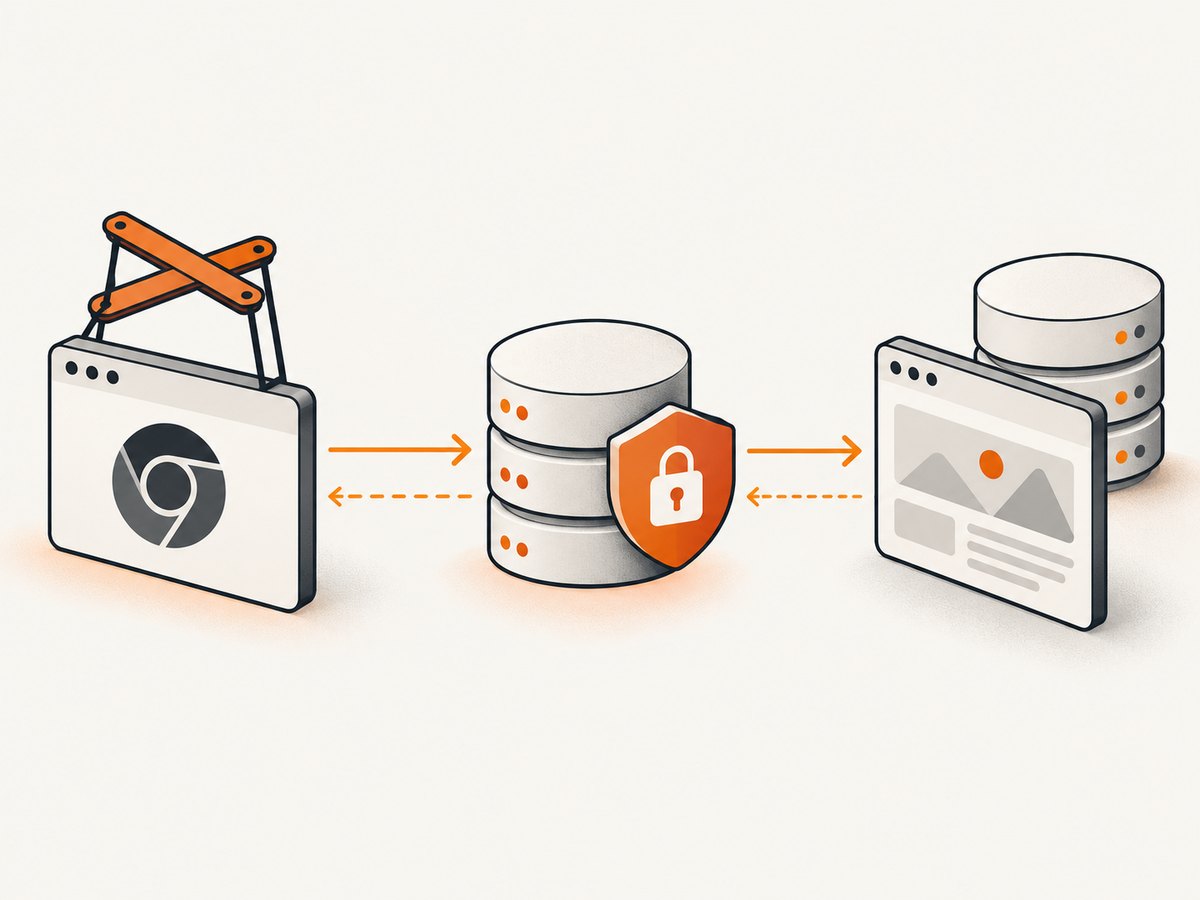
args: ['--proxy-server=http://api.zyte.com:8011']The API key remains the username and the password remains an empty string unless Zyte’s current account instructions specify otherwise.
4. A production-ready native Puppeteer pattern
Use a bounded navigation timeout, explicit cleanup, and a second signal such as the HTTP response status. domcontentloaded is usually faster than waiting for every image; choose networkidle2 only when the page’s background requests are known to settle.
import puppeteer from 'puppeteer';

const target = process.argv[2] || 'https://example.com';
const proxy = process.env.ZYTE_PROXY || 'http://api.zyte.com:8011';
const key = process.env.ZYTE_API_KEY;

if (!key) throw new Error('Set ZYTE_API_KEY');

const browser = await puppeteer.launch({
  headless: true,
  args: [
    `--proxy-server=${proxy}`,
    '--disable-dev-shm-usage',
  ],
});

try {
  const page = await browser.newPage();
  await page.authenticate({ username: key, password: '' });
  page.setDefaultNavigationTimeout(180000);
  page.on('requestfailed', request => {
    console.error('request failed', request.url(), request.failure()?.errorText);
  });

  const response = await page.goto(target, { waitUntil: 'domcontentloaded' });
  console.log(JSON.stringify({
    url: page.url(),
    status: response?.status() ?? null,
    title: await page.title(),
  }));
} finally {
  await browser.close();
}
For a page that renders content after JavaScript execution, wait for a stable selector instead of adding an arbitrary long delay:
await page.goto(target, { waitUntil: 'domcontentloaded' });
await page.waitForSelector('main article', { timeout: 60000 });
5. Use Zyte’s Puppeteer wrapper
Zyte publishes a Puppeteer wrapper that configures the proxy and exposes Smart Proxy Manager options. Install it with:
npm install zyte-smartproxy-puppeteerimport puppeteer from 'zyte-smartproxy-puppeteer';
const browser = await puppeteer.launch({
spm_apikey: process.env.ZYTE_API_KEY,
ignoreHTTPSErrors: true,
headless: true,
static_bypass: false,
block_ads: false,
headers: {
'X-Crawlera-Profile': 'desktop',
'X-Crawlera-Cookies': 'disable',
},
});
try {
const page = await browser.newPage();
await page.goto('https://example.com', { timeout: 180000 });
} finally {
await browser.close();
}Wrapper options that matter
spm_apikey: your Smart Proxy Manager or current proxy-mode key.headers: pass proxy-specific headers such as the desktop profile or cookie behavior.static_bypass: bypass proxy processing for static resources when appropriate. Disable it while diagnosing missing assets.block_ads: enable ad blocking only when you accept that some sites may depend on blocked resources.ignoreHTTPSErrors: useful for certificate problems in controlled environments, but investigate the certificate issue before relying on it broadly.
The wrapper can simplify setup, but native Puppeteer gives clearer control over Chromium arguments and authentication. Pick one path per process; do not launch a wrapper browser and then assume native proxy flags were applied.
6. Headers, cookies, and browser behavior
A proxy changes the network path, not the browser’s JavaScript environment. You can still set normal page headers and cookies with Puppeteer:
await page.setExtraHTTPHeaders({ 'Accept-Language': 'en-US,en;q=0.9' });
await page.setCookie({
  name: 'session',
  value: process.env.SESSION_VALUE,
  domain: 'example.com',
  path: '/',
  secure: true,
});
Proxy headers such as X-Crawlera-Profile belong in the wrapper’s headers option or in the current Zyte configuration. Avoid putting secrets in browser-visible headers unless the target site requires them. Headless browsers can receive different server responses; Zyte’s wrapper specifically documents a desktop profile for cases where headless browser headers are detected.
7. Test the proxy outside Puppeteer
A command-line test separates account or endpoint problems from browser problems. The password is deliberately empty:
curl --proxy http://api.zyte.com:8011 \
  --proxy-user "$ZYTE_API_KEY:" \
  --max-time 60 \
  https://example.com -I
Python’s requests library uses a proxy URL with credentials. Keep the key out of shell history when possible:
import os
import requests

key = os.environ['ZYTE_API_KEY']
proxy = f'http://{key}:@api.zyte.com:8011'
response = requests.get(
    'https://example.com',
    proxies={'http': proxy, 'https': proxy},
    timeout=60,
)
print(response.status_code, response.url)
Node’s built-in fetch does not configure an HTTP proxy by itself. Use Puppeteer for Chromium traffic, or a Node HTTP-agent package that supports proxies for ordinary requests. Do not assume setting HTTP_PROXY changes Chromium’s routing; pass --proxy-server explicitly.
8. Troubleshooting checklist
407 Proxy Authentication Required
Cause: the key is missing, expired, placed in the wrong field, or paired with a non-empty password. Fix: confirm process.env.ZYTE_API_KEY, use it as username, use password: '', and verify the active endpoint in the Zyte dashboard.
The request never uses the proxy
Cause: the Chromium argument was omitted, misspelled, or added after launch. Fix: put --proxy-server=... in launch({ args: [...] }) before creating any pages. Environment variables alone do not guarantee Chromium proxying.
HTTPS pages fail while HTTP works
Cause: an incorrect proxy interface, certificate configuration, or TLS interception issue. Fix: first test the standard HTTP proxy endpoint with an HTTPS target. Use the dedicated HTTPS interface only when your stack supports it and its CA certificate is installed.
Assets are missing or the page layout is broken
Cause: static bypass or ad blocking changed which requests went through the proxy or were allowed. Fix: set static_bypass: false and block_ads: false, reproduce the page, then enable one option at a time.
Headless content differs from a normal browser
Cause: server-side detection of headless headers or browser characteristics. Fix: try the wrapper’s desktop profile header, compare response headers, and make sure your page has realistic viewport and language settings. A proxy cannot make every browser fingerprint identical.
Navigation times out
Cause: slow origin servers, pages that never become idle, blocked resources, or an overloaded local browser. Fix: use a realistic timeout, prefer domcontentloaded when suitable, wait for a meaningful selector, log failed requests, and always close the browser in finally.
Login or session state disappears
Cause: cookies were set for the wrong domain, the proxy changed the apparent location, or each browser context starts clean. Fix: set cookies after opening the relevant domain, persist a user-data directory only when your security model allows it, and avoid assuming a proxy session is permanent.
9. Reliability, performance, and cost considerations
Every page has at least three latency components: proxy connection setup, origin response time, and browser rendering. Reuse one browser for multiple pages when isolation permits; launching Chromium for every URL is expensive. Reuse pages carefully, clear cookies between unrelated accounts, and cap concurrency so local CPU, memory, and proxy limits do not amplify failures.
Record the target URL, elapsed navigation time, final status, timeout reason, and proxy error category. Retry only transient failures, with a small exponential backoff and a limit. Do not blindly retry authentication failures, invalid URLs, or deterministic 4xx responses. Close pages and browsers after both success and error paths.
Proxy pricing depends on your Zyte account and traffic model. Measure bandwidth, request volume, and browser runtime separately; a page that loads hundreds of assets can cost more operationally than its HTML size suggests. Browser automation is also heavier than a direct HTTP client, so use a normal request when JavaScript rendering is unnecessary.
10. When proxy mode is the wrong tool
Zyte warns that proxy mode is not optimized for browser automation tools. If you need integrated browser automation, request scheduling, or managed rendering, compare Zyte’s browser-automation options with native Puppeteer. If you only need a rendered screenshot, a screenshot API can remove most browser orchestration.
11. Or skip the browser setup
ScreenshotNeo provides a one-request website screenshot API and MCP server. Cookie and consent banners are accepted and removed before capture, along with more than 60 known consent platforms, newsletter popups, and chat widgets; each step can be disabled. Bot checks, blank pages, timeouts, failed loads, and cache hits are not billed, and response headers identify the page verdict and billing result.

See the ScreenshotNeo documentation for all options. The basic call is:
curl -G "https://api.screenshotneo.com/v1/shot" -d access_key=YOUR_API_KEY --data-urlencode url=https://stripe.com -o shot.webpimport requests
r = requests.get("https://api.screenshotneo.com/v1/shot", params={"access_key": "YOUR_API_KEY", "url": "https://stripe.com"}, timeout=90)
open("shot.webp", "wb").write(r.content)const q = new URLSearchParams({ access_key: 'YOUR_API_KEY', url: 'https://stripe.com' });
const res = await fetch(`https://api.screenshotneo.com/v1/shot?${q}`);ScreenshotNeo also supports full-page and element captures, device presets, custom viewports, retina scale, dark mode, PDFs, custom CSS and JavaScript, clicks, waits, blocked resource types, headers, cookies, user agents, timezone and geolocation, transparent backgrounds, resizing, caching, signed links, asynchronous jobs, webhooks, bulk capture, usage reporting, and an MCP server with take_screenshot, get_page_info, and capture_pdf tools for AI agents. It includes 1,000 screenshots per month free with no card; paid plans start at $5 for 3,000. Create a free ScreenshotNeo account.
12. Frequently asked questions
Is Crawlera still a separate product?
No. Crawlera is the former name of Zyte Smart Proxy Manager. Confirm the current endpoint and key type in your Zyte account.
Can I put the API key in the proxy URL?
Some clients accept that syntax, but separate authentication fields are safer because URLs are commonly logged. Use Puppeteer’s page.authenticate() instead.
Do I need a proxy for every Puppeteer page?
The Chromium proxy is normally configured at browser launch, so it applies to the browser process. Use separate browser processes when different proxy settings must be isolated.
Why does setting HTTP_PROXY not work?
Chromium does not automatically adopt every shell proxy variable. Pass --proxy-server explicitly.
Should I use Zyte proxy mode for a new browser automation project?
Evaluate Zyte’s browser-automation features as well, because Zyte states that proxy mode is not optimized for browser automation tools.


