How to Create an Animated GIF With an API
Build a GIF API that accepts ordered frames or video, validates inputs, and returns a reliable animation. Includes runnable ImageMagick, FFmpeg, cURL, Python, and Node.js examples.

An animated GIF API takes either an ordered sequence of still images or a video, validates and normalizes the input, runs an encoder, and returns GIF bytes or a URL. Use ImageMagick when callers provide still frames; use FFmpeg when the source is video or a frame-rate-driven pipeline. This guide builds the contract, shows both encoder paths, and covers timing, disposal, output handling, and operational limits.
GIF is a useful interchange format for short, silent animations, but it has a limited palette and can produce large files. Treat encoding as a bounded media-processing job: validate before decoding, set resource limits, and return metadata callers can use to inspect the result.
1. Choose the API input and output contract
There are three practical input forms:
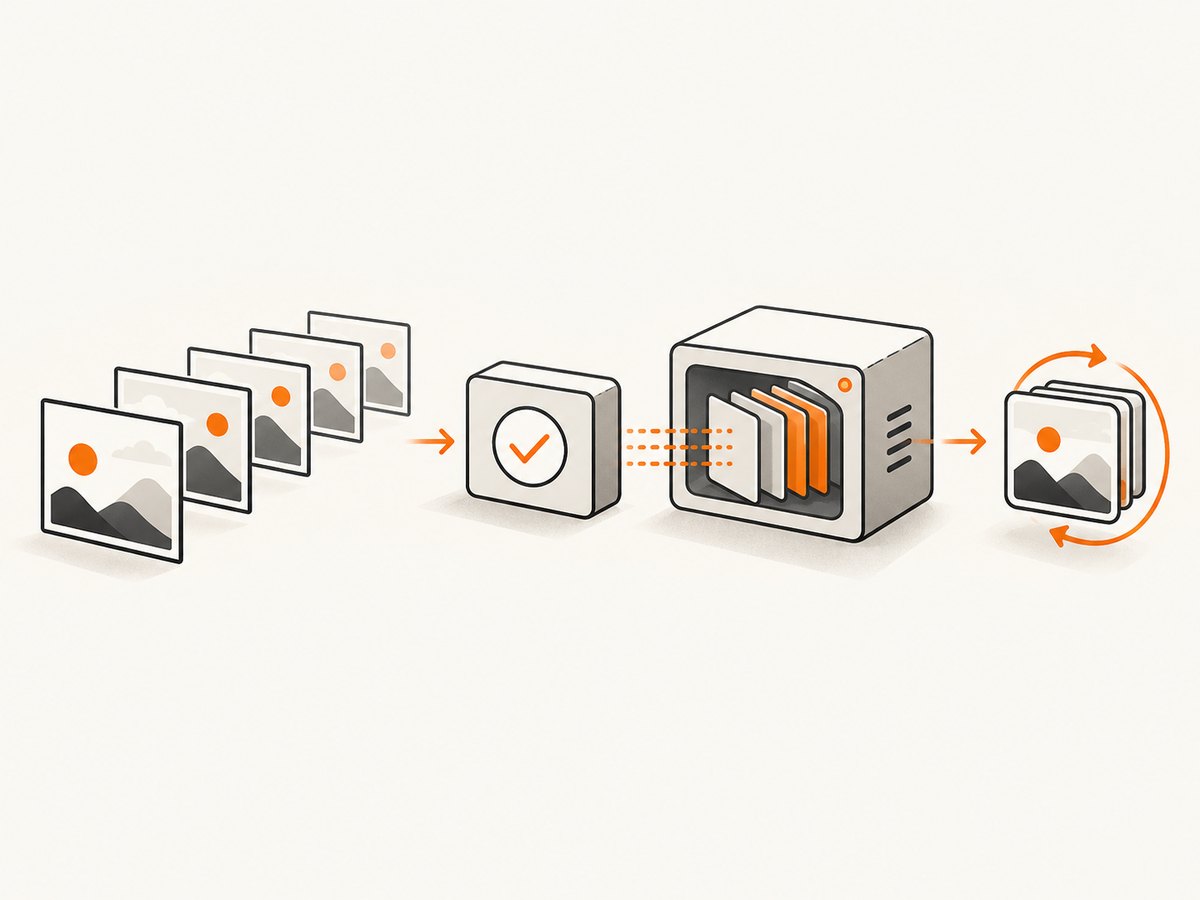
- Multipart image files: straightforward for clients uploading frames, and avoids your service fetching arbitrary URLs.
- Image URLs: convenient for integrations, but fetching them creates security and reliability concerns. Restrict allowed destinations, reject private-network addresses, cap redirects and downloads, and set timeouts.
- A video upload: best when the caller already has a clip. FFmpeg can decode the video into a frame pipeline and encode GIF output.
For frame inputs, define ordering explicitly. A JSON array preserves order; multipart fields should include an index or a documented naming convention. Do not rely on filesystem enumeration order. Require at least one frame, and decide whether a single frame is accepted as a static GIF.
A compact contract could look like this:
POST /v1/gifs
Content-Type: multipart/form-data

frames: ordered image files (or video: one video file)
width?: integer
height?: integer
fps?: number
frame_delay?: number
loop?: integer or "forever"
disposal?: "none" | "background" | "previous"
Choose one timing model or specify precedence when both are sent. For example, video inputs can use fps to sample frames, while still sequences can use a shared frame_delay or per-frame delays. Return either image/gif bytes directly or JSON containing a temporary URL and metadata. Useful metadata includes width, height, frame count, duration, loop policy, byte length, and an expiry time if output is stored.
2. Validate and normalize inputs
Check declared MIME types and inspect file signatures; neither a filename suffix nor a client-provided content type proves a file is safe to decode. Reject malformed or unsupported inputs before starting an expensive encoder. Normalize EXIF orientation and color space consistently, and make the chosen behavior clear to API clients.
Set deployment-specific limits for upload bytes, frame count, image dimensions, video duration, total decoded pixels, and processing time. There is no universal quota prescribed by the encoder documentation: choose limits based on your hardware and workload, then return a clear client error when a request exceeds them. A small compressed upload can expand into a very large decoded image, so compressed file size alone is not a sufficient resource limit.
Normalize frame geometry before animation. If width is supplied without height, preserve aspect ratio; if both are supplied, document whether the API fits, crops, or stretches. Prefer fitting or explicit cropping over silent distortion. Check that all normalized frames share dimensions and have a compatible color model before encoding.
3. Encode still frames with ImageMagick
ImageMagick’s animation documentation demonstrates animating image sequences and converting image lists to GIF. Its command-line tools can also read from standard input and write to standard output with an explicit format such as gif:-, which is useful for service pipelines. See the [ImageMagick animation guide](https://imagemagick.org/animate/) and [command-line processing reference](https://imagemagick.org/command-line-processing/).
For a local sequence named frame-001.png, frame-002.png, and so on, a basic command is:
magick -delay 8 -loop 0 frame-*.png output.gifImageMagick’s -delay is expressed in hundredths of a second; a delay of 8 corresponds to 80 milliseconds per frame. The loop setting controls playback repetition; 0 conventionally requests an infinite loop. Confirm the behavior of the ImageMagick version and any library wrapper you deploy, and make your API’s loop convention explicit.
A minimal service should build an argument array and invoke the executable without a shell, using server-generated temporary paths:
const { spawn } = require('node:child_process');

function encodeFrames(inputPaths, outputPath, { delay = 8, loop = 0 } = {}) {
  return new Promise((resolve, reject) => {
    const args = ['-delay', String(delay), '-loop', String(loop), ...inputPaths, outputPath];
    const child = spawn('magick', args, { shell: false, stdio: ['ignore', 'ignore', 'pipe'] });
    let stderr = '';
    child.stderr.setEncoding('utf8');
    child.stderr.on('data', chunk => { stderr += chunk; });
    child.on('error', reject);
    child.on('close', code => {
      if (code === 0) resolve();
      else reject(new Error(`ImageMagick exited ${code}: ${stderr}`));
    });
  });
}
Production code should also enforce a timeout, kill the child process on cancellation, cap captured diagnostic output, and clean up its temporary directory in a finally block. Do not interpolate user-controlled filenames or options into a shell command.
4. Encode video with FFmpeg
FFmpeg’s documentation lists animated GIF as an image format with both encoding and decoding support, and describes reading and writing images for video frame sequences. See [FFmpeg general documentation](https://www.ffmpeg.org/general.html).

To make a GIF from a video, set an output frame rate and width while preserving aspect ratio:
ffmpeg -i input.mp4 -vf "fps=12,scale=480:-1:flags=lanczos" -loop 0 output.gifThis samples at 12 frames per second and scales the width to 480 pixels; -1 computes the matching height. Video duration, frame rate, and dimensions determine how many frames the encoder processes. Validate the source duration before encoding and set a process timeout and resource limits.
For better color consistency, a two-pass palette workflow can generate and then apply a palette:
ffmpeg -i input.mp4 -vf "fps=12,scale=480:-1:flags=lanczos,palettegen" palette.png
ffmpeg -i input.mp4 -i palette.png -lavfi "fps=12,scale=480:-1:flags=lanczos[x];[x][1:v]paletteuse" -loop 0 output.gif
The palette is generated from the clip and then used during GIF output. For a production service, construct arguments programmatically and test the filter graph against the FFmpeg build you deploy. Keep video decoding in a worker process rather than the web request process when jobs can be long-running.
5. Timing, loop, disposal, and transparency
Still sequences and videos express timing differently. A still-frame API can accept one delay per frame, while a video API can sample at a requested frame rate. If your endpoint supports both, define whether frame rate overrides per-frame delays, reject conflicting fields, or keep separate request types. Report the resulting frame count and approximate duration so callers can verify the output.
Disposal determines how a frame affects the canvas before the next frame is displayed. Common policies are to leave the prior frame in place, restore the background, or restore the previous canvas state. This matters for partial-frame animations, overlays, and transparency. When editing or compositing an existing animation, coalesce frames first so each frame represents the complete visible image; otherwise disposal and partial updates can create trails or missing regions. Choose a disposal policy that matches the content rather than applying one blindly.
GIF transparency is not equivalent to full alpha transparency in PNG. Palette quantization and transparency choices can create halos around antialiased edges. Test on the actual background colors where the animation will appear. If a caller needs smooth gradients, photographic detail, or broad alpha support, explain that GIF has format constraints and consider offering another output format separately.
6. Optimize at the end
GIF encoding quantizes color into a limited palette. ImageMagick’s animation guidance recommends delaying final GIF encoding until processing is complete, because saving intermediate work directly to GIF can degrade the result. Resize, crop, composite, and prepare palette-related processing before the final GIF write. See the [ImageMagick animation modifications guide](https://usage.imagemagick.org/anim_mods/).
Dimensions and frame count are the main practical drivers of processing and output size. Reduce unnecessary frames, choose a suitable output width, and avoid encoding long clips at a high frame rate unless callers need that detail. Measure representative inputs in your own deployment before setting limits or promising response times; the cited documentation does not provide universal performance benchmarks.
7. Return bytes or a stored result
For short jobs, returning GIF bytes is simple. Set Content-Type: image/gif, a correct Content-Length when known, and a cache policy appropriate to whether the result is private or reusable. If returning JSON with a URL, use an unguessable identifier, define its expiry, and avoid exposing uploaded source filenames. Include output metadata and a stable error schema for rejected requests and encoder failures.
Longer jobs fit an asynchronous design: accept the upload, return a job identifier, process in a worker, and let the caller poll or receive a webhook. Make retries safe by supporting an idempotency key or request identifier. Store only as long as needed, apply access controls to retrieved results, and delete temporary source files on both success and failure.
8. Client examples for an API you build
The following examples assume your service accepts multipart fields named frames and returns GIF bytes. Replace the example host with your deployed API URL.
cURL
curl -X POST "https://api.example.com/v1/gifs" \
  -F "frames=@frame-001.png" \
  -F "frames=@frame-002.png" \
  -F "frames=@frame-003.png" \
  -F "width=480" \
  -F "frame_delay=8" \
  -F "loop=0" \
  -o animation.gif
Python
import requests

url = "https://api.example.com/v1/gifs"
paths = ["frame-001.png", "frame-002.png", "frame-003.png"]
files = [("frames", (path, open(path, "rb"), "image/png")) for path in paths]
try:
    response = requests.post(
        url,
        files=files,
        data={"width": 480, "frame_delay": 8, "loop": 0},
        timeout=120,
    )
    response.raise_for_status()
    with open("animation.gif", "wb") as output:
        output.write(response.content)
finally:
    for _, (_, file_obj, _) in files:
        file_obj.close()
Node.js
import { createReadStream } from 'node:fs';
import { FormData } from 'undici';

const form = new FormData();
for (const path of ['frame-001.png', 'frame-002.png', 'frame-003.png']) {
  // For production, use a FormData implementation that supports file streams,
  // or read bounded files into Blob objects in a supported Node.js version.
  const bytes = await import('node:fs/promises').then(fs => fs.readFile(path));
  form.append('frames', new Blob([bytes], { type: 'image/png' }), path);
}
form.append('width', '480');
form.append('frame_delay', '8');
form.append('loop', '0');
const response = await fetch('https://api.example.com/v1/gifs', {
  method: 'POST', body: form, signal: AbortSignal.timeout(120_000),
});
if (!response.ok) throw new Error(`GIF API returned ${response.status}`);
await import('node:fs/promises').then(fs => fs.writeFile('animation.gif', Buffer.from(await response.arrayBuffer())));
In Node.js, the final await inside the arrow passed to then may require rewriting for parsers that disallow that form; the clearest version is to import writeFile directly and call it with the awaited response bytes. In production, stream large uploads and responses instead of holding all file bytes in memory.
9. Error handling and troubleshooting
| Symptom | Likely cause | Fix |
|---|---|---|
| Encoder reports unknown or corrupt image | Wrong content, truncated upload, or unsupported format | Check signatures and decode each input during validation; return a client error identifying the frame index. |
| Frames play in the wrong order | Order inferred from filenames or directory listing | Use the request array order or explicit indices and preserve it through storage and encoding. |
| Animation is too fast or slow | Confused units or precedence between delay and FPS | Document delay units, validate ranges, and return effective duration and timing metadata. |
| Output shows trails or disappearing regions | Partial frames combined with unsuitable disposal behavior | Coalesce frames before edits and select disposal based on whether prior pixels should remain, clear, or be restored. |
| Colors look poor or edges have halos | Palette quantization or transparency mismatch | Do all transformations before final GIF encoding, inspect against target backgrounds, and adjust palette workflow or dimensions. |
| Request times out or worker runs out of memory | Too many large decoded frames, long video, or concurrent encoders | Enforce decoded-pixel and duration limits, cap worker concurrency, use job queues, and return a clear limit error. |
| API returns success but output cannot be retrieved | Temporary result expired or storage URL access failed | Return expiry metadata, make storage permissions explicit, and offer a job status endpoint for asynchronous work. |
| Video command fails on a deployment host | FFmpeg absent, build lacks needed support, or filter graph differs | Check the installed binary and build configuration at startup, capture bounded stderr, and run a known small fixture in deployment checks. |
10. Performance, reliability, and cost
Encoding consumes CPU and memory, especially when many large frames are decoded together. Limit concurrent workers, isolate child processes, and apply operating-system or container resource limits. A queue protects request-serving capacity when workloads are variable. For smaller jobs, synchronous processing reduces system complexity; for longer videos, asynchronous jobs give callers a durable status to poll.
Reliability depends on more than the encoder exit code. Validate output existence and nonzero length, parse or inspect the resulting GIF, and include a request identifier in logs. Keep a clear distinction between invalid input, resource-limit rejection, timeout, and internal encoder failure. Retry transient storage failures carefully; rerunning expensive encoding automatically can amplify load.
Cost is driven by compute time, memory, storage, and bandwidth. GIF size can rise quickly with dimensions, frame count, and duration. Set quotas that match your infrastructure, report output bytes, expire stored results, and let clients choose smaller dimensions or fewer frames. No universal price or benchmark follows from the encoder documentation; measure representative traffic and cost in your own environment.
11. Or skip the browser setup
If your goal is a clean screenshot of a web page rather than combining uploaded frames into an animation, ScreenshotNeo provides a one-request screenshot API. It returns PNG, JPEG, WebP, or PDF; it does not create animated GIFs from arbitrary frame sequences or video. See [ScreenshotNeo](https://screenshotneo.com) and the [API documentation](https://screenshotneo.com/docs/).
curl -G "https://api.screenshotneo.com/v1/shot" -d access_key=YOUR_API_KEY --data-urlencode url=https://stripe.com -o shot.webpScreenshotNeo removes cookie banners, newsletter popups, and chat widgets before the shot. Bot checks, blank pages, failed loads, timeouts, and cache hits are not billed, and response headers report the page verdict and billing status. Its MCP server lets AI agents use screenshot tools. The Free plan includes 1,000 shots a month with no card; paid plans start at $5 for 3,000 shots. Every feature is on every plan.
Create a free ScreenshotNeo account and get 1,000 screenshots a month with no card.
FAQ
Can an API make a GIF from uploaded video frames?
Yes. Treat the uploaded frames as an ordered still-image sequence, validate each frame, normalize geometry, and encode with an image-list workflow such as ImageMagick.
Should I use ImageMagick or FFmpeg?
ImageMagick is a natural fit for a sequence of stills. FFmpeg is a natural fit for video input or a pipeline where frame rate drives sampling.
Can the encoder stream without temporary files?
ImageMagick documents standard input and output formats such as gif:-. Streaming can reduce temporary-file use, though your validation and resource controls still need to account for decoded data.
What should I return to clients?
Return GIF bytes for short synchronous jobs, or a job identifier and expiring result URL for longer work. Include dimensions, duration, frame count, byte length, and loop behavior as metadata.
Why does a GIF differ visually from the source frames?
GIF uses color quantization and transparency constraints. Complete resizing and compositing before final encoding and inspect the result against the backgrounds where it will be displayed.


