How to Create a Guessing Game in Python
Build a complete Python number guessing game with validation, hints, attempt limits, replay, difficulty levels, testing, and troubleshooting.
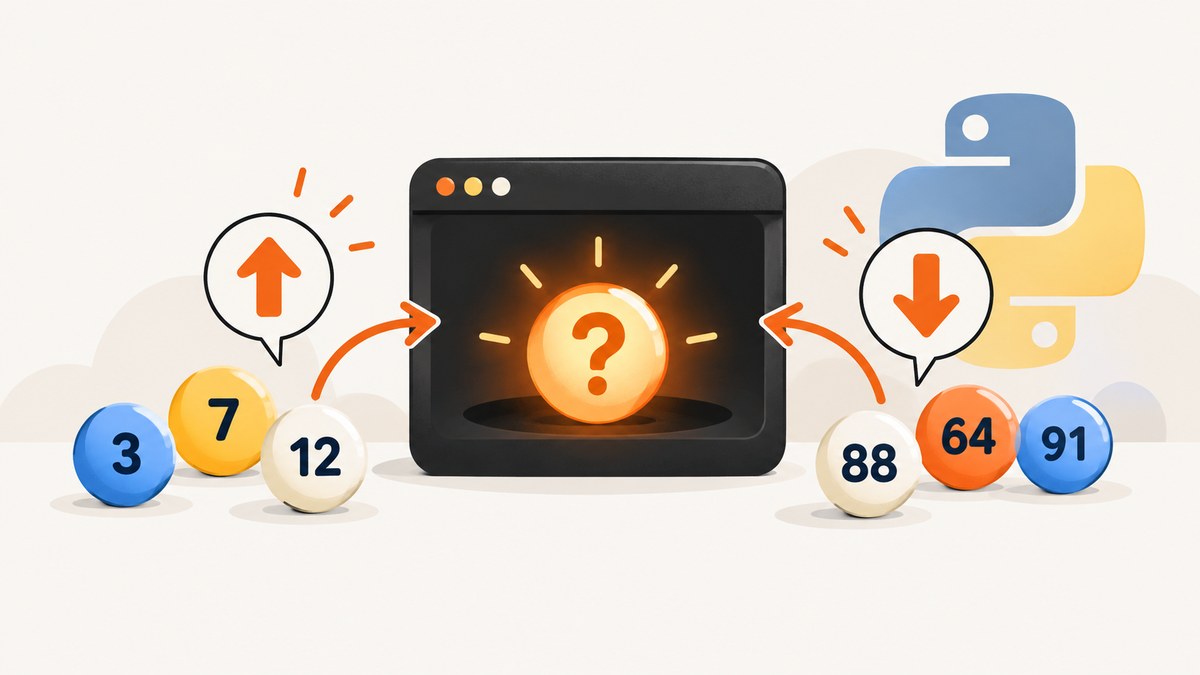
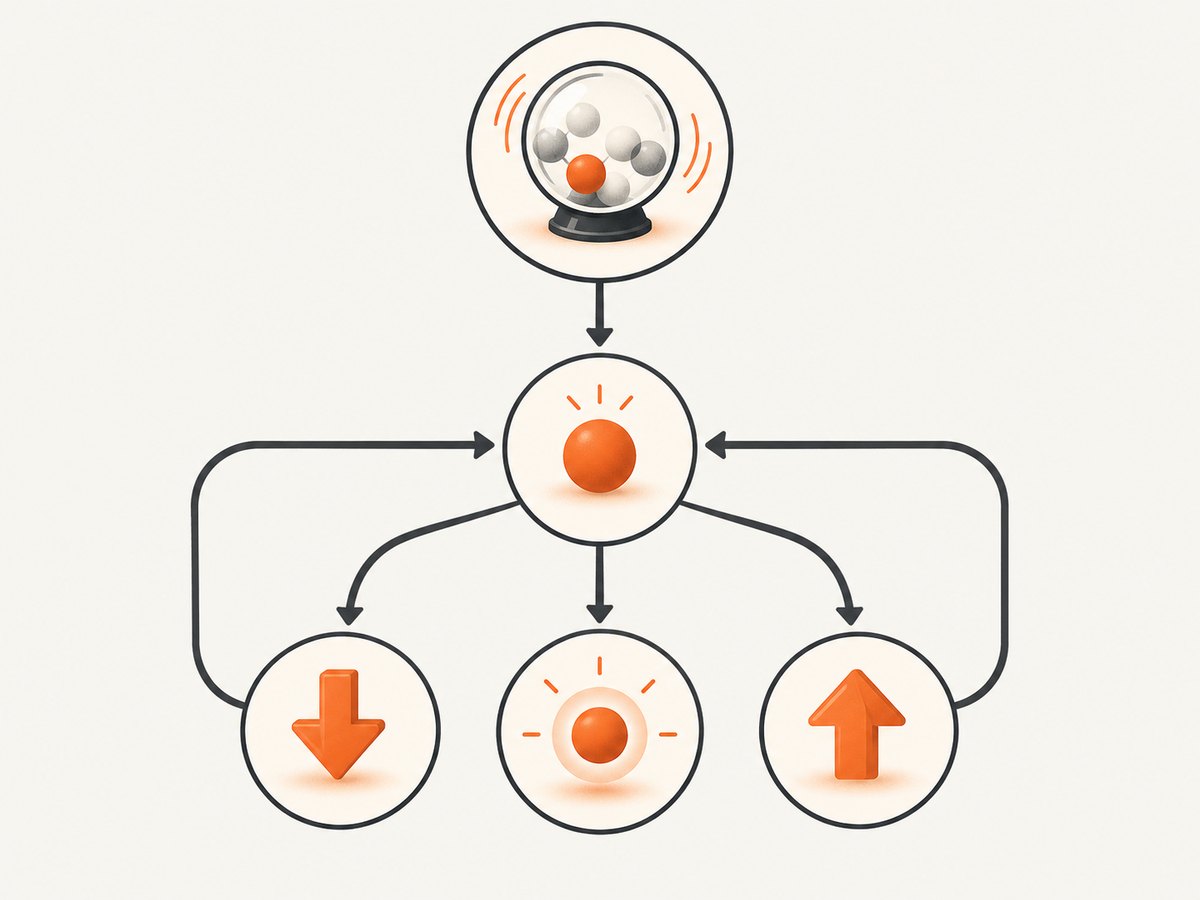
A Python guessing game chooses a secret number, asks the player for guesses, compares each guess with the secret, and repeats until the player wins or reaches a stopping condition. The complete version below adds safe input validation, useful hints, a guess limit, replay, difficulty levels, and a testable game function.
The key rules are simple:
random.randint(lower, upper)chooses an integer including both endpoint values.input()always returns text, so valid guesses must be converted withint().- A loop repeats the prompt until the player guesses correctly or another explicit stop condition occurs.
- Comparisons produce “too low,” “too high,” or “correct” feedback.
1. Create the basic game
Save this as guessing_game.py and run it with python guessing_game.py. It uses only Python’s standard library.
import random

secret_number = random.randint(1, 20)
max_guesses = 5
guess_count = 0

print("I'm thinking of a number between 1 and 20.")
print(f"You have {max_guesses} guesses. Good luck!")

while guess_count < max_guesses:
    guess_count += 1
    try:
        guess = int(input(f"Guess #{guess_count}: "))
    except ValueError:
        print("Please enter a whole number.")
        guess_count -= 1
        continue

    if not 1 <= guess <= 20:
        print("Choose a number from 1 to 20.")
        guess_count -= 1
        continue

    if guess == secret_number:
        print(f"Correct! You got it in {guess_count} guesses.")
        break
    elif guess < secret_number:
        print("Too low.")
    else:
        print("Too high.")
else:
    print(f"Out of guesses! The number was {secret_number}.")
The counter is incremented before reading a guess, then decreased when the entry is invalid. Consequently, only a valid number in the allowed range consumes an attempt. The while loop’s else block runs only when the loop ends normally; it does not run when break exits after a correct answer.
This bounded structure follows the beginner pattern documented by Microsoft Learn. Harvard’s CS50P guessing-game exercise uses the same core ideas while requiring a positive level and positive guesses.
2. Understand each part
Choose the secret number
import random
secret_number = random.randint(1, 20)
randint(1, 20) can return 1, 20, or any integer between them. Keep the lower and upper bounds in named variables when you plan to add difficulty levels:
lower_bound = 1
upper_bound = 20
secret_number = random.randint(lower_bound, upper_bound)
Read and convert input
input() returns a string. Calling int() converts strings such as "14" into integers, but raises ValueError for values such as "fourteen", an empty string, or decimal text such as "3.5". Catch that exception and reprompt.
Compare the guess
Use equality first, then order comparisons:
if guess == secret_number:
    print("Correct!")
elif guess < secret_number:
    print("Too low.")
else:
    print("Too high.")
3. A complete reusable game with difficulty and replay
Once the basic loop works, move it into functions. This version lets the player choose a level, limits attempts, tracks statistics, and offers replay without mixing setup code with game logic.
import random

DIFFICULTIES = {
    "1": {"name": "Easy", "upper": 20, "attempts": 7},
    "2": {"name": "Medium", "upper": 50, "attempts": 6},
    "3": {"name": "Hard", "upper": 100, "attempts": 5},
}


def choose_difficulty():
    while True:
        print("\\nChoose a difficulty:")
        for key, level in DIFFICULTIES.items():
            print(f"{key}. {level['name']} (1-{level['upper']}, {level['attempts']} guesses)")
        choice = input("Level: ").strip()
        if choice in DIFFICULTIES:
            return DIFFICULTIES[choice]
        print("Please choose 1, 2, or 3.")


def read_guess(lower, upper, attempt, maximum):
    while True:
        raw = input(f"Guess #{attempt} of {maximum}: ").strip()
        try:
            guess = int(raw)
        except ValueError:
            print("Enter a whole number.")
            continue
        if not lower <= guess <= upper:
            print(f"Choose a number from {lower} through {upper}.")
            continue
        return guess


def play_round(level):
    lower = 1
    upper = level["upper"]
    maximum = level["attempts"]
    secret = random.randint(lower, upper)

    print(f"\\nI am thinking of a number from {lower} through {upper}.")
    for attempt in range(1, maximum + 1):
        guess = read_guess(lower, upper, attempt, maximum)
        if guess == secret:
            print(f"Correct! You needed {attempt} valid guess(es).")
            return True, attempt
        if guess < secret:
            print("Too low.")
        else:
            print("Too high.")

    print(f"No guesses left. The number was {secret}.")
    return False, maximum


def main():
    wins = 0
    rounds = 0
    print("Number Guessing Game")
    while True:
        level = choose_difficulty()
        won, attempts = play_round(level)
        rounds += 1
        if won:
            wins += 1
        print(f"Session score: {wins}/{rounds} wins; last round used {attempts} guesses.")
        again = input("Play again? [y/n]: ").strip().lower()
        if again not in {"y", "yes"}:
            print("Thanks for playing!")
            break


if __name__ == "__main__":
    main()
There are two nested loops here. The outer loop handles replay. choose_difficulty() keeps asking until it gets a known menu choice. read_guess() keeps asking until the input is an integer inside the current range. The round loop therefore counts only valid guesses, and every difficulty uses the same game rules.
4. Decide your game rules deliberately
| Decision | Finite-attempt game | Unlimited-attempt game |
|---|---|---|
| Stopping condition | Counter reaches a maximum or player wins | Player wins, quits, or interrupts |
| Difficulty | Change range and attempt limit | Mostly controlled by range |
| Invalid input | Usually does not consume an attempt | Reprompt indefinitely |
| Loss message | Reveal the secret after the final valid guess | No loss state unless you add one |
For a quit option, check it before conversion:
raw = input("Guess (or q to quit): ").strip().lower()
if raw == "q":
    print("Goodbye!")
    return
try:
    guess = int(raw)
except ValueError:
    print("Enter a whole number or q.")
For a warmer hint, calculate the distance without revealing the answer:
distance = abs(secret - guess)
if distance <= 2:
    print("Very close!")
elif distance <= 10:
    print("Close.")
Be consistent about whether hints reveal information. “Too high” and “too low” make the game easier; removing them creates a blind guessing challenge.
5. Test the game without guessing randomly
Randomness makes manual testing slow. Inject a secret number into a pure function so tests can use a known value:
def evaluate_guess(guess, secret):
    if guess == secret:
        return "correct"
    if guess < secret:
        return "low"
    return "high"

assert evaluate_guess(10, 10) == "correct"
assert evaluate_guess(7, 10) == "low"
assert evaluate_guess(15, 10) == "high"
Check these cases manually or with automated tests:
- The lower bound and upper bound are accepted.
- A number just outside the range is rejected.
- Letters, whitespace, an empty line, a signed number, and decimal text behave as intended.
- A correct guess exits before the loss message.
- Exactly the maximum number of valid guesses is permitted.
- Invalid entries do not unexpectedly consume attempts.
- Replay accepts both
yandyes, while another value exits.
6. Troubleshooting common errors
ValueError: invalid literal for int()
Cause: the program called int() on non-numeric text. Fix: put the conversion inside try/except ValueError and reprompt.

The game accepts 20 when the range says 1–19
Cause: the displayed range and validation range differ, or you assumed randint excludes its upper endpoint. Fix: remember that both endpoints are included and use the same upper variable for generation, display, and validation.
Invalid guesses use up attempts
Cause: the counter is incremented before validation and never restored. Fix: validate in a helper function before incrementing, or decrement the counter when an entry is rejected.
The “out of guesses” message appears after a win
Cause: the loss message is outside the loop without checking whether the player won. Fix: use break with a loop else, or maintain a won Boolean and print the loss message only when it remains false.
The loop never ends
Cause: a while True loop has no reachable break, or the quit branch is checking the wrong value. Fix: list every exit path—correct guess, quit command, and attempt limit—and test each one.
Input with spaces is rejected
Cause: the raw string contains leading or trailing whitespace. Fix: call .strip() before conversion.
Players can enter decimals
Cause: the game expects whole numbers and correctly rejects text such as 2.5. If decimal guesses are a deliberate rule, parse with float() and change the random generation and comparisons consistently; otherwise explain that guesses must be integers.
7. Performance, reliability, and cost
This game is computationally tiny. Each guess performs constant-time integer conversion and comparisons, so runtime grows mainly with the number of guesses. Memory use stays constant apart from the small score values. Do not add a database or web framework for a terminal exercise.
For reliable behavior, keep the random range, displayed range, and validation range in one configuration object. Keep input handling separate from comparison logic. Return results from functions instead of relying only on printed text; this makes future interfaces, such as a web page, easier to add.
The program has no service cost because it uses Python’s standard library and runs locally. If you later publish a browser version, you will need to decide how to generate secrets safely on the server, prevent players from changing client-side code, and rate-limit repeated requests.
8. Or skip the browser setup
If you turn this terminal project into a web page and need screenshots for documentation, previews, tests, or a portfolio, ScreenshotNeo can capture the URL with one request. Its consent handling accepts cookie banners and removes more than 60 known consent platforms, newsletter popups, and chat widgets before capture; each step can be disabled. Bot checks, blank pages, timeouts, failed loads, and cache hits are not billed, and the response identifies the result with X-Page-Verdict and X-Billed headers. The MCP server also gives Claude, Cursor, and other MCP clients take_screenshot, get_page_info, and capture_pdf tools.
See the ScreenshotNeo documentation for all options.
cURL
curl -G "https://api.screenshotneo.com/v1/shot" \
  -d access_key=YOUR_API_KEY \
  --data-urlencode url=https://screenshotneo.com \
  -o shot.webp
Python
import requests

r = requests.get(
    "https://api.screenshotneo.com/v1/shot",
    params={"access_key": "YOUR_API_KEY", "url": "https://screenshotneo.com"},
    timeout=90,
)
r.raise_for_status()
open("shot.webp", "wb").write(r.content)
Node.js
const q = new URLSearchParams({
  access_key: 'YOUR_API_KEY',
  url: 'https://screenshotneo.com'
});
const res = await fetch(`https://api.screenshotneo.com/v1/shot?${q}`);
if (!res.ok) throw new Error(`Screenshot failed: ${res.status}`);
const fs = await import('node:fs/promises');
await fs.writeFile('shot.webp', Buffer.from(await res.arrayBuffer()));
ScreenshotNeo includes full-page capture with lazy images loaded, CSS-selector element capture, dark mode, device presets, custom viewports, retina scale, PDF output, custom CSS and JavaScript, clicks, waits, request blocking, headers, cookies, user agents, authorization, timezone, geolocation, transparent backgrounds, resizing, configurable caching, signed links, asynchronous jobs, webhooks, bulk capture, usage reporting, and an OpenAPI specification. It supports the parameter names used by other screenshot APIs, which helps when switching.
The Free plan includes 1,000 screenshots each month with no card. Paid plans start at $5 for 3,000 screenshots; yearly billing gives two months free. Create a free ScreenshotNeo account and start with the included monthly screenshots.
9. Short FAQ
Should invalid input count as a guess?
Usually no. Reprompting without consuming an attempt is friendlier for beginners and makes the limit represent actual numeric guesses.
Why use randint instead of random()?
randint directly returns an integer in the required inclusive range. random() returns a floating-point value from 0 up to, but not including, 1 and requires extra conversion logic.
How do I make the answer repeatable while debugging?
Pass a seeded random generator, such as rng = random.Random(42), into your game function. Remove the seed for normal play.
Can I build this without functions?
Yes. A single loop is enough for the first version. Functions become useful when adding replay, levels, tests, a graphical interface, or a web endpoint.
What should I add next?
Try a hint counter, a quit command, a high-score table, or a graphical interface. Keep the secret generation and validation rules in one place as the project grows.


