How to Create a Subpage in HTML
Create a separate HTML file, link it correctly, organize folders, fix path errors, and verify your new subpage step by step.

Direct answer: A subpage is a separate HTML document. Create the file, give it its own <title> and content, then link to it with an anchor whose href matches its path. If index.html and about.html are in the same folder, use <a href="about.html">About</a>.
HTML does not create navigation when you create a folder. The destination file and link path must match. Relative URLs are resolved from the document containing the link. See MDN’s links guide.
1. Choose a file layout
| Layout | Files | Link from root | Best for |
|---|---|---|---|
| Sibling file | index.html, about.html |
about.html |
Small sites |
| Folder page | about/index.html |
about/ or about/index.html |
Grouped content |
| Pages folder | pages/about.html |
pages/about.html |
Keeping documents together |
A URL such as /about/ commonly serves about/index.html, but that depends on your host’s default-document configuration.
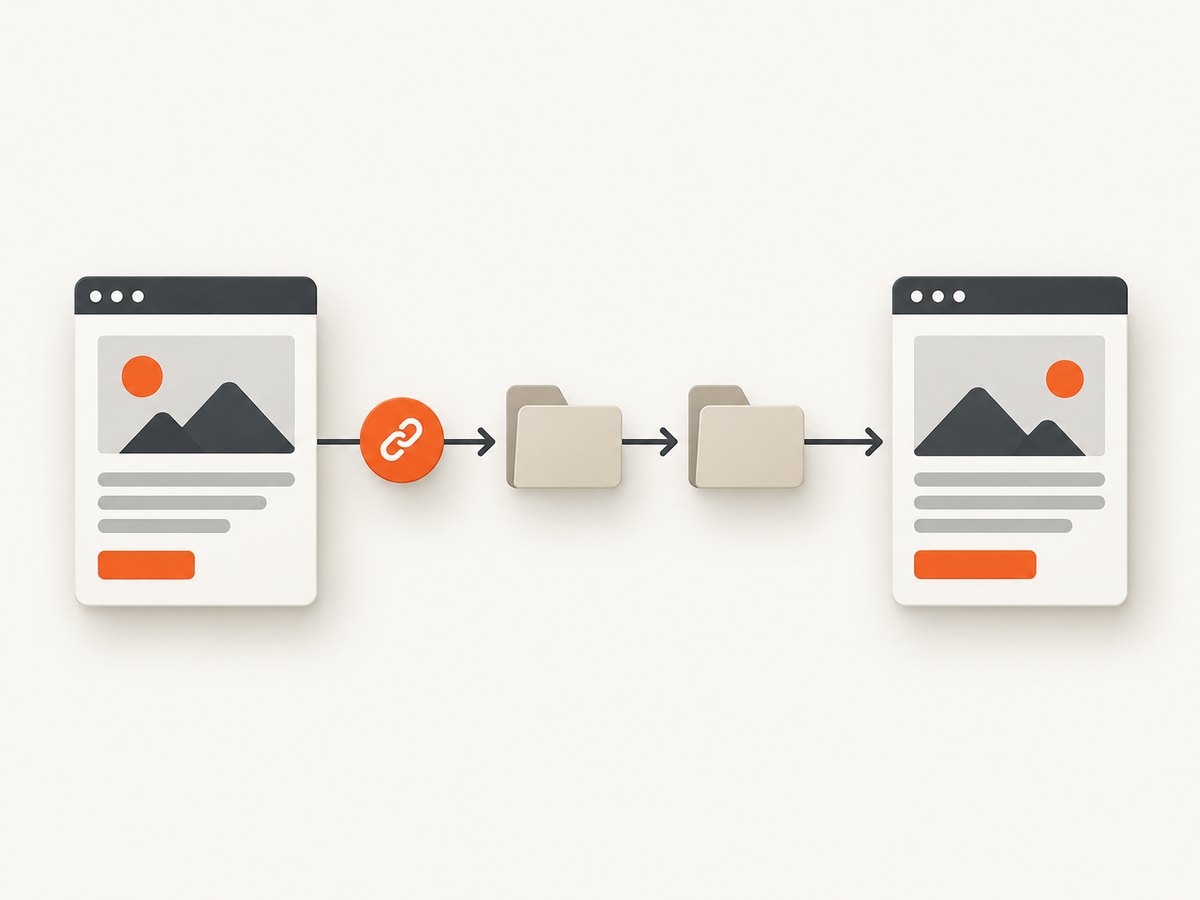
2. Create a sibling subpage
<!-- index.html -->
<!doctype html>
<html lang="en">
<head>
  <meta charset="utf-8">
  <meta name="viewport" content="width=device-width, initial-scale=1">
  <title>Acme Studio</title>
</head>
<body>
  <nav aria-label="Main navigation">
    <ul>
      <li><a href="index.html">Home</a></li>
      <li><a href="about.html">About Acme Studio</a></li>
    </ul>
  </nav>
  <main><h1>Acme Studio</h1></main>
</body>
</html>
<!-- about.html -->
<!doctype html>
<html lang="en">
<head>
<meta charset="utf-8">
<meta name="viewport" content="width=device-width, initial-scale=1">
<title>About Acme Studio</title>
</head>
<body>
<nav aria-label="Main navigation">
<ul>
<li><a href="index.html">Home</a></li>
<li><a href="about.html" aria-current="page">About</a></li>
</ul>
</nav>
<main>
<h1>About Acme Studio</h1>
<p>Content for this subpage goes here.</p>
<a href="index.html">Return to home</a>
</main>
</body>
</html>3. Link pages in folders
site/
├── index.html
└── pages/
    └── contact.html
<!-- in index.html -->
<a href="pages/contact.html">Contact</a>
<!-- in pages/contact.html -->
<a href="../index.html">Home</a>From docs/setup/install.html, the root index is ../../index.html. A leading slash such as /about.html is root-relative to the deployed origin and may fail when a site is hosted under a subdirectory.
4. Make navigation accessible
Use a <nav> landmark with a list for primary navigation, following the W3C curriculum. Use descriptive link text, mark the current page with aria-current="page", and provide a skip link for keyboard users. MDN documents this pattern in its anchor reference.
<a href="#main-content">Skip to main content</a>
<nav aria-label="Primary">...</nav>
<main id="main-content">...</main>
Give each document a meaningful, unique <title>. WAI’s G127 technique explains identifying a page’s relationship to a larger collection.
5. Test before deployment
- Check spelling, capitalization, extension, and folder depth. Case-sensitive hosts distinguish
About.htmlfromabout.html. - Open pages through a local server, then test deployed URLs directly.
- Follow every link and refresh each destination.
- After moving a page, update inbound links and configure a redirect when supported.
Relative paths are based on the current document, as explained by web.dev.
6. Troubleshooting
| Problem | Cause | Fix |
|---|---|---|
| 404 | Typo, wrong extension, or wrong depth | Match href to the actual path exactly. |
| Works locally, fails online | Case-sensitive host or missing upload | Use lowercase names and upload the complete tree. |
| Wrong destination | Path calculated from the root instead of the current file | Recalculate relative to the linking document. |
/about/ fails |
No default-document mapping | Configure the host or link to /about/index.html. |
| CSS or scripts missing | Asset URL is now relative to a deeper page | Adjust to ../css/site.css or configure a root path. |
| Old content appears | Browser or service-worker cache | Hard-refresh and inspect the response. |
7. Performance and organization
- Static subpages are simple file responses; share CSS and navigation where practical.
- Use stable lowercase URLs. Treat renames as migrations by updating links and redirects.
- For many pages, generate repeated navigation from a template or static-site build, then inspect the generated HTML.
- Include directory-index behavior in deployment checks because hosts differ.
8. Verify the deployed subpage
Visual capture can reveal a missing link, overflow, or stylesheet failure. ScreenshotNeo captures PNG, JPEG, WebP, or PDF and supports full-page and CSS-element shots, waits, custom CSS, and device presets.

Or skip the browser setup
After deployment, call the API directly. See the ScreenshotNeo docs for options.
curl -G "https://api.screenshotneo.com/v1/shot" -d access_key=YOUR_API_KEY --data-urlencode url=https://example.com/about.html -o shot.webpimport requests
r = requests.get("https://api.screenshotneo.com/v1/shot", params={"access_key": "YOUR_API_KEY", "url": "https://example.com/about.html"}, timeout=90)
r.raise_for_status()
open("shot.webp", "wb").write(r.content)const q = new URLSearchParams({ access_key: 'YOUR_API_KEY', url: 'https://example.com/about.html' });
const res = await fetch(`https://api.screenshotneo.com/v1/shot?${q}`);
if (!res.ok) throw new Error(`HTTP ${res.status}`);
const data = Buffer.from(await res.arrayBuffer());
require('node:fs').writeFileSync('shot.webp', data);ScreenshotNeo accepts consent banners before capture and removes 60+ known consent platforms, newsletter popups, and chat widgets; each step can be turned off. Only clean shots are billed: bot checks, CAPTCHAs, blank pages, timeouts, failed loads, and cache hits cost nothing, with X-Page-Verdict and X-Billed headers stating the result. Its MCP server exposes take_screenshot, get_page_info, and capture_pdf for Claude, Cursor, and other MCP clients. Free includes 1,000 shots per month with no card; paid plans start at $5 for 3,000.
Sign up free for ScreenshotNeo to check your deployed subpages.
9. FAQ
Can a subpage be made without JavaScript?
Yes. Separate files and <a href> links are standard HTML.
Should every page be in a folder?
No. Sibling files are easiest for a small site; folders help group related content.
Why does a copied link fail on a nested page?
The browser resolves it from the nested page’s directory, so it may need one or more ../ segments.


