How to Create a Zillow Scraper in Python
Learn the authorized way to collect real-estate data with Python, Playwright, and Beautiful Soup while avoiding blocked requests and policy violations.

Short answer: do not build a scraper that sends unauthorized automated queries to Zillow. Zillow’s consumer Terms of Use prohibit screen and database scraping, spiders, robots, crawlers, CAPTCHA bypass, and other automated activity intended to obtain information from its Services. Zillow’s Public Records Data Terms also prohibit robots, spiders, scrapers, and similar tools. For recurring or commercial work, start with an approved Zillow API or a licensed real-estate data feed, confirm the current terms, and then build a pipeline that can be audited and maintained.
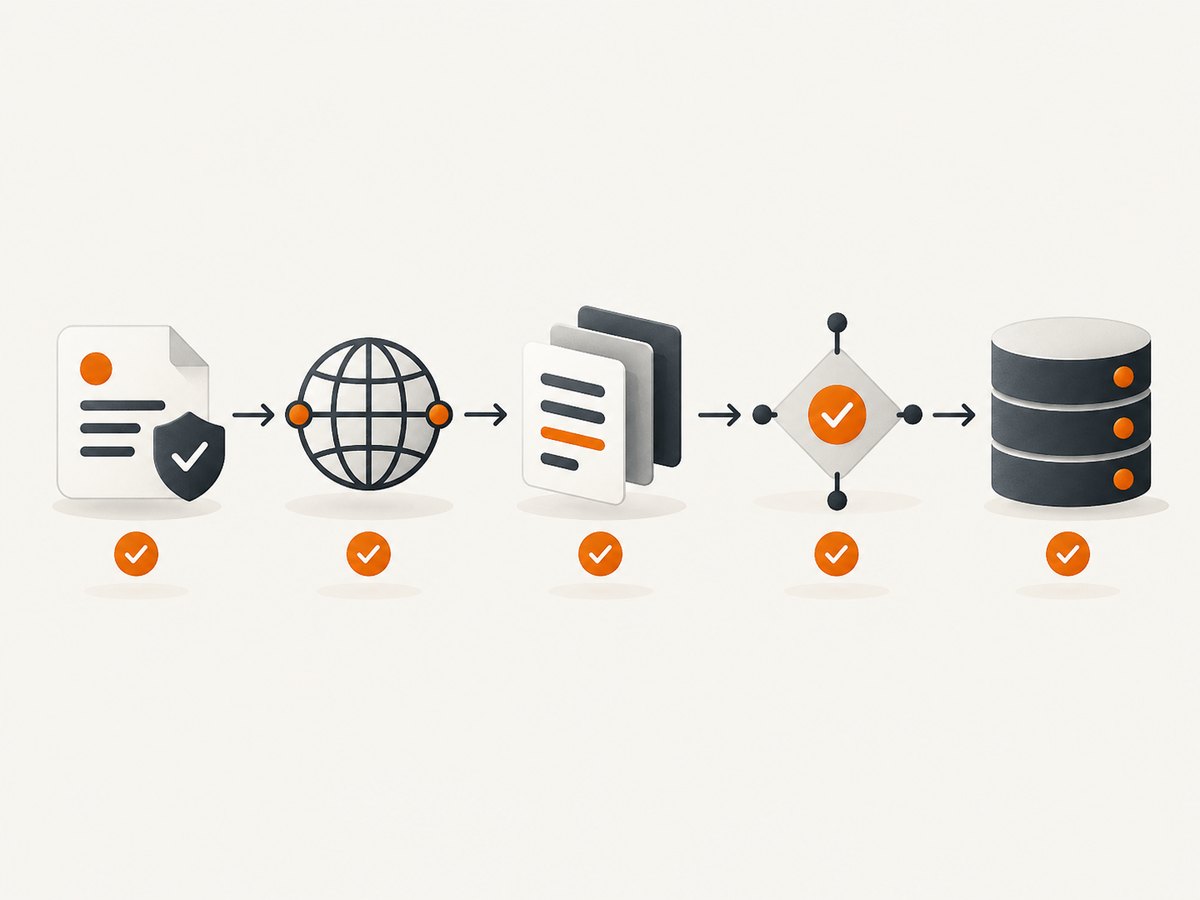
This guide shows the Python architecture for an authorized source. The same design works with a licensed Zillow endpoint, your own property site, a partner feed, or a test page that you control. It covers HTTP requests, Playwright browser automation, Beautiful Soup parsing, normalization, validation, retries, observability, storage, and failure handling. A 403 or CAPTCHA is a stop condition that requires an authorization review; it is never a reason to rotate identities or evade controls.
1. Confirm authorization before writing code
Record these details before collecting a single record:
- The exact endpoint, feed, or page you are permitted to access.
- The terms or license version, retrieval date, geography, intended purpose, and rate limits.
- Whether storage, internal sharing, display, or redistribution is allowed.
- Which credential was issued, who owns it, and how it will be rotated.
Zillow’s consumer Terms of Use prohibit automated queries, including scraping and CAPTCHA bypass. Zillow’s Data & APIs terms describe access for preapproved licensees and limit API users to the components for which they have approval. API terms can also restrict bulk access and retention, so read the agreement for your product rather than assuming that a public page is an API.
2. Choose the right collection method
| Option | Best use | Strengths | Constraints |
|---|---|---|---|
| Approved Zillow API or licensed feed | Recurring, commercial, production data | Documented fields, clearer authorization, more stable integration | Approval, credential, display, retention, and product restrictions |
| Playwright in an authorized workflow | JavaScript-rendered pages where automation is permitted | Real Chromium, Firefox, or WebKit; request lifecycle events; sync and async APIs | Heavier operations, browser version drift, markup changes |
| HTTP client plus Beautiful Soup | Authorized static HTML or XML | Lightweight, fast, easy to test | Does not execute client-side JavaScript; markup can change |
Playwright’s Python documentation covers installation, browser launch, and synchronous or asynchronous APIs. Beautiful Soup’s documentation describes APIs for navigating, searching, and modifying HTML and XML parse trees.
3. Install a reproducible Python environment
python -m venv .venv
source .venv/bin/activate
pip install requests beautifulsoup4 lxml playwright pydantic
playwright install chromium
Pin versions in a lock file for production. Keep API keys in environment variables or a secret manager, never in source control or logs.
4. Build a layered, policy-aware pipeline
Separate transport, parsing, normalization, validation, and storage. This lets you replace a feed without rewriting business logic and makes a schema or selector change visible in one place.
from __future__ import annotations

import json
import logging
import os
import re
import time
from dataclasses import asdict, dataclass
from decimal import Decimal, InvalidOperation
from typing import Any

import requests
from bs4 import BeautifulSoup

logging.basicConfig(level=logging.INFO, format="%(message)s")
log = logging.getLogger("authorized_collector")

@dataclass
class PropertyRecord:
    listing_id: str
    address: str | None
    price: Decimal | None
    beds: Decimal | None
    baths: Decimal | None
    square_feet: int | None
    source_url: str
    retrieved_at: str
    parser_version: str = "1"

def fetch(url: str, *, headers: dict[str, str] | None = None) -> requests.Response:
    """Fetch an endpoint that your agreement explicitly permits."""
    response = requests.get(
        url,
        headers=headers or {},
        timeout=(10, 60),
    )
    log.info(json.dumps({
        "event": "response",
        "url": response.url,
        "status": response.status_code,
        "content_type": response.headers.get("content-type"),
    }))
    if response.status_code in (401, 403, 429):
        raise RuntimeError(
            f"access signal {response.status_code}; stop and review authorization and limits"
        )
    response.raise_for_status()
    return response

def money(value: str | None) -> Decimal | None:
    if not value:
        return None
    cleaned = re.sub(r"[^0-9.]", "", value)
    try:
        return Decimal(cleaned) if cleaned else None
    except InvalidOperation:
        return None

def number(value: str | None) -> Decimal | None:
    if not value:
        return None
    match = re.search(r"[0-9]+(?:\.[0-9]+)?", value.replace(",", ""))
    return Decimal(match.group()) if match else None

def parse_html(html: str, source_url: str, retrieved_at: str) -> list[PropertyRecord]:
    soup = BeautifulSoup(html, "lxml")
    records: list[PropertyRecord] = []
    for card in soup.select("[data-listing-id]"):
        listing_id = card.get("data-listing-id", "").strip()
        if not listing_id:
            continue
        records.append(PropertyRecord(
            listing_id=listing_id,
            address=(card.select_one("[data-address]") or {}).get_text(" ", strip=True) or None,
            price=money((card.select_one("[data-price]") or {}).get_text(" ", strip=True)),
            beds=number((card.select_one("[data-beds]") or {}).get_text(" ", strip=True)),
            baths=number((card.select_one("[data-baths]") or {}).get_text(" ", strip=True)),
            square_feet=int(number((card.select_one("[data-sqft]") or {}).get_text(" ", strip=True)) or 0) or None,
            source_url=source_url,
            retrieved_at=retrieved_at,
        ))
    return records

def validate(records: list[PropertyRecord]) -> list[PropertyRecord]:
    valid: list[PropertyRecord] = []
    seen: set[str] = set()
    for item in records:
        if item.listing_id in seen:
            log.warning("duplicate listing_id=%s", item.listing_id)
            continue
        if item.price is not None and item.price < 0:
            log.warning("negative price listing_id=%s", item.listing_id)
            continue
        if item.square_feet is not None and item.square_feet <= 0:
            log.warning("invalid square footage listing_id=%s", item.listing_id)
            continue
        seen.add(item.listing_id)
        valid.append(item)
    return valid

if __name__ == "__main__":
    permitted_url = os.environ["AUTHORIZED_URL"]
    response = fetch(permitted_url)
    now = time.strftime("%Y-%m-%dT%H:%M:%SZ", time.gmtime())
    records = validate(parse_html(response.text, response.url, now))
    print(json.dumps([asdict(r) for r in records], default=str, indent=2))
The selectors in this example are intentionally generic. Replace them with documented fields from your authorized source. Prefer stable semantic attributes, JSON, or a licensed schema over positional selectors such as div:nth-child(4). Preserve raw values when the license allows it, because they help diagnose parser changes.
5. Parse a documented JSON response first
If your approved API returns JSON, skip HTML parsing. Validate the response shape and map fields explicitly:
def parse_json(payload: dict[str, Any], source_url: str, retrieved_at: str) -> list[PropertyRecord]:
    output = []
    for raw in payload.get("listings", []):
        output.append(PropertyRecord(
            listing_id=str(raw["id"]),
            address=raw.get("address"),
            price=money(str(raw["price"])) if raw.get("price") is not None else None,
            beds=Decimal(str(raw["beds"])) if raw.get("beds") is not None else None,
            baths=Decimal(str(raw["baths"])) if raw.get("baths") is not None else None,
            square_feet=int(raw["square_feet"]) if raw.get("square_feet") else None,
            source_url=source_url,
            retrieved_at=retrieved_at,
        ))
    return output
Keep a versioned schema. Typical fields include listing ID, price, beds, baths, square footage, address, coordinates, and timestamps. Store both the source timestamp and retrieval timestamp when permitted.
6. Use Playwright only when an authorized page needs a browser
import asyncio
from playwright.async_api import async_playwright

async def render_authorized(url: str) -> str:
    async with async_playwright() as p:
        browser = await p.chromium.launch(headless=True)
        page = await browser.new_page()
        events = []
        page.on("response", lambda r: events.append({"url": r.url, "status": r.status}))
        await page.goto(url, wait_until="domcontentloaded", timeout=60_000)
        await page.wait_for_load_state("networkidle", timeout=60_000)
        html = await page.content()
        await browser.close()
        return html

# html = asyncio.run(render_authorized(os.environ["AUTHORIZED_URL"]))
Playwright documents request, response, requestfinished, and requestfailed events. Capture status, final URL, redirects, and failed requests for diagnostics. Do not intercept traffic to discover undocumented endpoints or to defeat access controls.
7. Retries, rate limits, and stop conditions
- Follow the documented request rate and concurrency limits.
- Use a small, bounded retry count with exponential backoff only for transient network failures or explicitly retryable server responses.
- Do not retry 401, 403, CAPTCHA, robots denial, or a policy warning. Escalate for authorization review.
- Respect
Retry-Afterfor 429 responses when your agreement permits another attempt. - Use idempotent job IDs so a timeout does not create duplicate records.
import random

def get_with_backoff(url: str, attempts: int = 3) -> requests.Response:
    for attempt in range(attempts):
        try:
            return fetch(url)
        except (requests.Timeout, requests.ConnectionError):
            if attempt == attempts - 1:
                raise
            delay = (2 ** attempt) + random.random()
            time.sleep(delay)
    raise AssertionError("unreachable")
8. Storage, freshness, and redistribution
Store source URL, retrieval time, parser version, authorization context, and failure reason beside each batch. Deduplicate on the source listing ID and keep a change history if your license allows retention. Validate timestamp freshness before publishing. Follow the feed’s display, attribution, retention, and redistribution rules; Zillow API terms can require transactional presentation and prohibit bulk access or retained copies.
9. Performance and cost
- Prefer JSON or static HTTP responses: they use less CPU and memory than a browser.
- Reuse a
requests.Sessionfor approved calls and set connection and read timeouts. - Run a limited number of authorized browser contexts; each Chromium process consumes substantially more memory than an HTTP request.
- Cache only when the license permits it, and assign an explicit TTL so stale listings are not mistaken for current data.
- Measure response latency, parse time, records per batch, error rate, duplicate rate, and freshness lag.
API or feed pricing, quotas, and permitted retention are contract-specific. Do not estimate Zillow access cost from page traffic. Budget for browser CPU, storage, monitoring, and schema maintenance when a browser workflow is approved.
10. Troubleshooting
| Symptom | Likely cause | Fix |
|---|---|---|
| 401 | Missing or invalid credential | Check the environment variable and credential scope; ask the provider to reissue access. |
| 403 or CAPTCHA | Unauthorized automation or policy control | Stop. Review the agreement and use an approved API or feed. |
| 429 | Rate limit exceeded | Reduce concurrency, honor Retry-After, and request a documented quota. |
| Empty HTML | Content is client-rendered or response is an interstitial | Inspect status and content type; use Playwright only if authorized. |
| Parser returns zero records | Markup or schema changed | Save a permitted fixture, compare selectors, update the parser version, and add validation alerts. |
| Browser timeout | Slow dependency, blocked resource, or too-short timeout | Capture request failures, wait for a documented readiness signal, and keep a bounded timeout. |
| Duplicate records | Pagination overlap or retries without idempotency | Deduplicate on listing ID and persist job state. |
| Wrong price or area | Locale formatting or unit conversion | Normalize decimal separators and units explicitly; retain the raw value where allowed. |

Or skip the browser setup
If your goal is a clean image of an authorized page for QA, documentation, or an internal workflow, ScreenshotNeo provides a single screenshot request. Its consent step accepts cookie banners like a visitor and removes more than 60 known consent platforms, newsletter popups, and chat widgets before capture. Bot checks, blank pages, timeouts, failed loads, and cache hits are not billed, and response headers identify the page verdict and billing status.
Read the ScreenshotNeo API documentation for all options. This call targets a page you are authorized to capture:
curl -G "https://api.screenshotneo.com/v1/shot" -d access_key=YOUR_API_KEY --data-urlencode url=https://example.com/authorized-page -o shot.webpimport requests
r = requests.get("https://api.screenshotneo.com/v1/shot", params={"access_key": "YOUR_API_KEY", "url": "https://example.com/authorized-page"}, timeout=90)
open("shot.webp", "wb").write(r.content)const q = new URLSearchParams({ access_key: 'YOUR_API_KEY', url: 'https://example.com/authorized-page' });
const res = await fetch(`https://api.screenshotneo.com/v1/shot?${q}`);You can also choose full-page capture with lazy images loaded, an element selector, dark mode, device presets or a custom viewport, retina scale, custom CSS and JavaScript, clicks, waits, blocked resource types, headers, cookies, user agent, authorization, timezone, geolocation, transparency, resizing, caching TTL, signed image links, asynchronous jobs with signed webhooks, bulk capture of up to 100 URLs per call, PDF output, usage reporting, and an OpenAPI specification. ScreenshotNeo also has an MCP server with take_screenshot, get_page_info, and capture_pdf tools for Claude, Cursor, and other MCP clients.
There are 1,000 free screenshots each month with no card. Paid plans start at $5 for 3,000 shots, and every feature is available on every plan. Create a free ScreenshotNeo account.
FAQ
Can I use Beautiful Soup directly on Zillow?
Only when the source and use are authorized. Beautiful Soup parses HTML and XML; it does not grant permission or execute JavaScript.
When should I choose Playwright?
Use it for an authorized page whose records appear only after browser JavaScript runs. Prefer a documented API or feed when one is available.
Should I rotate proxies if Zillow blocks my script?
No. A block, CAPTCHA, or 403 is a signal to stop and review authorization, limits, and the approved access path.
How do I keep a scraper from silently breaking?
Version the parser, retain permitted fixtures, validate required fields and ranges, log provenance, alert on zero records or schema changes, and monitor freshness.
Is an API key safe in a Python file?
No. Load it from an environment variable or secret manager, restrict its scope, and prevent it from appearing in logs or client-side code.


