Creating PDFs with Django and Wkhtmltopdf
Generate reliable Django PDFs with wkhtmltopdf: installation, templates, CSS, security, troubleshooting, deployment, and a hosted alternative.

Direct answer: Django renders your HTML template; wkhtmltopdf converts that HTML into a PDF. Install the wkhtmltopdf binary separately, install a Django wrapper such as django-pdfkit or django-wkhtmltopdf, render a controlled template, and return the generated bytes with either download or inline display headers.
This guide builds a working implementation, explains configuration and page layout, and covers the failure modes that appear in production. Treat HTML, CSS, JavaScript, remote URLs, and template context as untrusted until you have constrained and sanitized them. The wkhtmltopdf project warns that unsanitized HTML or JavaScript can lead to complete server takeover; use OS-level isolation for the renderer.
How the Django-to-PDF pipeline works
The request usually follows four stages:
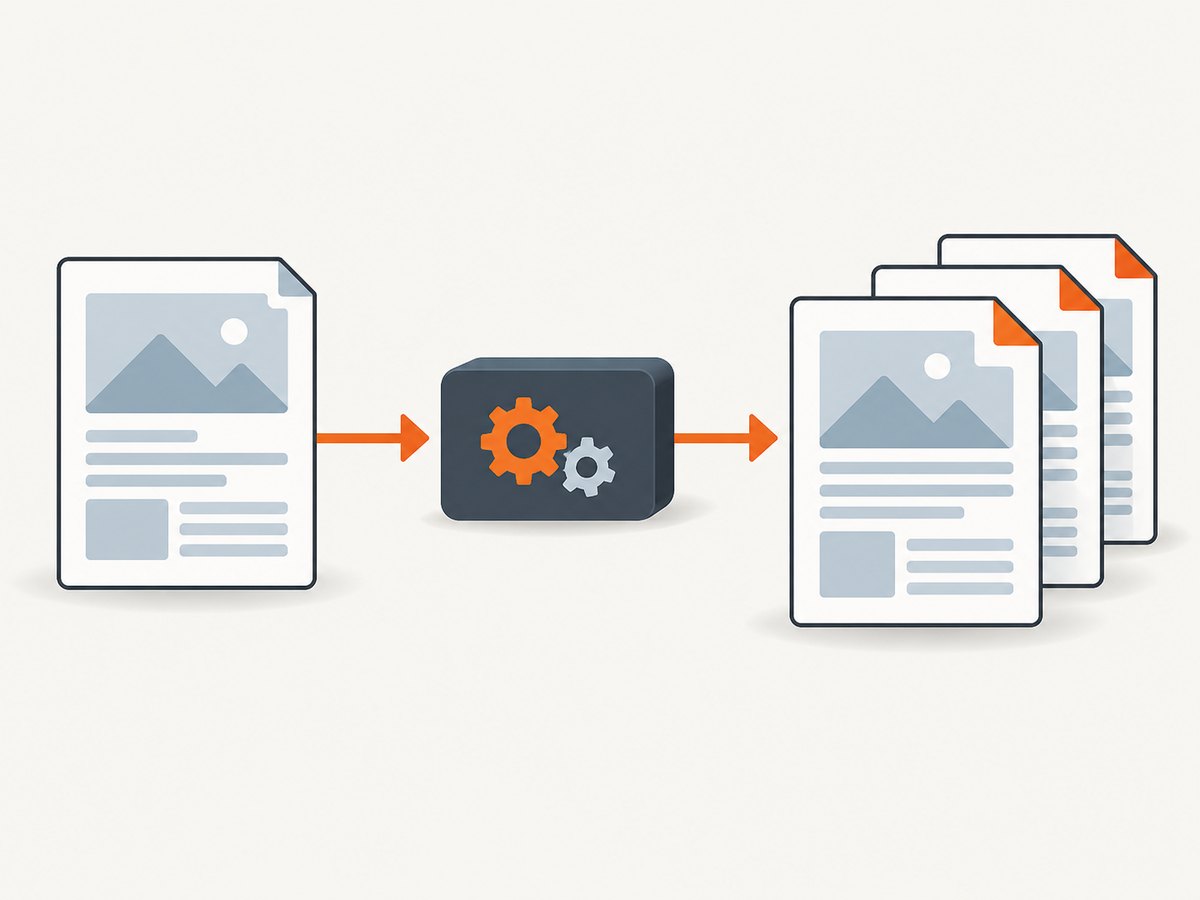
- Django authenticates the request and gathers data.
- Django renders a print-oriented HTML template.
- A wrapper starts the wkhtmltopdf executable with options such as page size, margins, and print media.
- Django streams the resulting PDF with
Content-Type: application/pdfand a chosenContent-Disposition.
The Python package is only a bridge. The executable is a separate prerequisite and must be available on PATH, or configured with an absolute path.
Install wkhtmltopdf and the Django wrapper
1. Install the binary
The official downloads page lists the 0.12.6 stable series (released June 11, 2020) for Windows, macOS, and Debian-based systems: wkhtmltopdf downloads. Prefer the project build that includes the patched Qt features required by your layouts. Distribution packages can have reduced functionality.
# Debian or Ubuntu: install the downloaded .deb package
sudo apt install ./wkhtmltox_0.12.6-1.focal_amd64.deb

# Confirm the executable and version
wkhtmltopdf --version
On macOS, install the official package and verify the same command. On Windows, add the installation directory to PATH or keep its full path in Django settings. Pin the binary version in your deployment image so a rebuild does not silently change pagination.
2. Install a wrapper
python -m pip install django-pdfkitdjango-pdfkit exposes a PDFView drop-in replacement for TemplateView. The alternative django-wkhtmltopdf provides Django views around the binary. Choose one wrapper per project and pin it in your requirements file.
# requirements.txt
Django==5.1.4
django-pdfkit==0.3.0
Use versions compatible with your Django release, and review Django security releases before each deployment. The Django security notice from December 4, 2024 lists fixes for 5.1.4, 5.0.10, and 4.2.17; keep your supported branch current.
Configure the executable path
If wkhtmltopdf is on PATH, many wrappers work without extra settings. Explicit configuration is safer in containers and Windows deployments.
# settings.py
WKHTMLTOPDF_BIN = '/usr/local/bin/wkhtmltopdf'
That setting is used by django-pdfkit. For django-wkhtmltopdf, use:
# settings.py
WKHTMLTOPDF_CMD = '/usr/local/bin/wkhtmltopdf'
WKHTMLTOPDF_CMD_OPTIONS = {
    'quiet': True,
    'margin-top': '18mm',
    'margin-right': '16mm',
    'margin-bottom': '18mm',
    'margin-left': '16mm',
}
Check the path inside the same container or virtual machine that runs Django. A path that works in an interactive shell may fail under Gunicorn, systemd, or a worker image with a different PATH.
Build a PDF view with django-pdfkit
Template
{% extends 'base.html' %}
{% load static %}
{% block content %}
{{ invoice.number }}
{{ invoice.customer_name }}
Description Amount {{ line.description }} {{ line.amount }}
Total: {{ invoice.total }}
{% endblock %}Print CSS
/* static/css/pdf.css */
@page { size: A4; margin: 18mm 16mm; }
html, body { font-family: Arial, sans-serif; color: #222; }
body { font-size: 11pt; }
.invoice-header { border-bottom: 1px solid #bbb; margin-bottom: 14mm; }
table { width: 100%; border-collapse: collapse; }
th, td { padding: 5mm 2mm; border-bottom: 1px solid #ddd; }
thead { display: table-header-group; }
tr { break-inside: avoid; }
.total { text-align: right; font-weight: 700; }
@media screen { .invoice { max-width: 800px; margin: 0 auto; } }
Keep a dedicated PDF template when the browser page has navigation, animation, or interactive controls. Use absolute or static asset URLs that the renderer can reach. For local static files, configure a proper static root and test from the deployment environment.
URL configuration and view
# urls.py
from django.urls import path
from .views import InvoicePDFView

urlpatterns = [
    path('invoices/<int:pk>.pdf', InvoicePDFView.as_view(), name='invoice-pdf'),
]
# views.py
from django.shortcuts import get_object_or_404
from django.views.generic import DetailView
from .models import Invoice
from pdfkit import from_string
from django.conf import settings
from django.http import HttpResponse
from django.template.loader import render_to_string
class InvoicePDFView(DetailView):
model = Invoice
template_name = 'invoices/invoice_pdf.html'
def get(self, request, *args, **kwargs):
invoice = get_object_or_404(Invoice, pk=kwargs['pk'])
html = render_to_string(self.template_name, {'invoice': invoice}, request=request)
options = {
'page-size': 'A4',
'encoding': 'UTF-8',
'print-media-type': None,
'enable-local-file-access': None,
'margin-top': '18mm',
'margin-right': '16mm',
'margin-bottom': '18mm',
'margin-left': '16mm',
}
configuration = None
if getattr(settings, 'WKHTMLTOPDF_BIN', None):
import pdfkit
configuration = pdfkit.configuration(wkhtmltopdf=settings.WKHTMLTOPDF_BIN)
import pdfkit
pdf_bytes = pdfkit.from_string(html, False, options=options, configuration=configuration)
response = HttpResponse(pdf_bytes, content_type='application/pdf')
response['Content-Disposition'] = f'attachment; filename="invoice-{invoice.pk}.pdf"'
return responseFor browser display, change the disposition to inline. A client can also request a wrapper-provided mode: django-pdfkit documents inline, download, html, and debug query parameters. Download is the default; inline depends on browser support.
Common wkhtmltopdf options
| Need | Option | Notes |
|---|---|---|
| Paper | --page-size A4, --orientation Landscape |
Use a named size or explicit width and height. |
| Margins | --margin-top 18mm |
Keep CSS @page and command options consistent. |
| CSS mode | --print-media-type |
Uses print media rules instead of screen rules. |
| Timing | --javascript-delay 500 |
Waits for late JavaScript; increase only when necessary. |
| Links | --enable-internal-links |
Preserves links within the generated document. |
| Headers | --header-html header.html |
Useful for page numbers and report metadata. |
| Footer | --footer-center '[page] / [toPage]' |
Verify tokens with your pinned binary. |
| Images | --enable-local-file-access |
Required for local assets in some builds; restrict paths carefully. |
Do not turn on broad local-file access for untrusted content. If your template needs local assets, serve only an allowlisted directory or use reachable HTTPS assets.
CSS, fonts, images, and page breaks
- Install every font used by the template in the renderer image. A missing font changes line wrapping and can move page breaks.
- Use absolute asset URLs or a deterministic static directory. Relative URLs often resolve differently when rendering from a string.
- Prefer
break-before,break-after, andbreak-inside; keep legacypage-break-*rules when supporting older builds. - Repeat table headings with
thead { display: table-header-group; }and prevent rows splitting withtr { break-inside: avoid; }. - Keep JavaScript minimal. wkhtmltopdf uses an old browser engine; modern CSS and browser APIs may be unsupported.
Compare a representative document on the exact operating system, fonts, and binary version used in production. The project’s stable series is dated, so visual regression fixtures and a reproducible container or VM are prudent.
Security and isolation
Never pass arbitrary user HTML directly to wkhtmltopdf. Sanitize rich text, constrain template variables, validate remote URLs, and reject unneeded scripts. Django’s security guidance explains why unsanitized input creates XSS risk: Django security.
The wkhtmltopdf project’s status guidance explicitly says not to use it with untrusted HTML and recommends mandatory access control. Its AppArmor guidance notes that --disable-local-file-access limits file access but cannot replace OS-level confinement when a binary vulnerability exists. Run rendering in a separate worker or container with:
- a non-root user;
- read-only application files;
- no cloud metadata or internal-network access;
- CPU, memory, process, and timeout limits;
- AppArmor or SELinux policy;
- an allowlist for outbound hosts, if remote assets are required.
Production reliability and performance
Rendering is CPU and memory intensive. Queue large jobs instead of blocking a web request, cap document size, and set a subprocess timeout. Cache immutable PDFs by a content hash, and include the template version and binary version in that hash. Reuse a warm worker process only if your isolation model permits it.
Measure conversion time, PDF byte size, timeout count, and exit status. A successful process can still produce a visually incomplete PDF when a remote image or font failed, so keep sample PDFs and compare page counts or checksums in CI. Retry transient network failures with a bounded policy; do not retry malformed HTML indefinitely.
For predictable invoices and reports, precompute data and inline critical CSS. Avoid loading analytics, ads, chat widgets, or third-party scripts. Every external request adds latency and another failure point.
Troubleshooting
“No wkhtmltopdf executable found”
Cause: the binary is not installed or is outside the service user’s PATH.
Fix: run wkhtmltopdf --version as the service user, then set WKHTMLTOPDF_BIN or WKHTMLTOPDF_CMD to an absolute path.
“Unknown long argument” or missing layout features
Cause: a distribution build may omit patched Qt features, or options differ by version.
Fix: install the official 0.12.6 build, pin it, and remove unsupported flags after checking the command output.
CSS or images are missing
Cause: relative URLs, inaccessible static files, HTTPS certificate errors, or local-file restrictions.
Fix: use absolute URLs, verify access from the renderer container, install the required CA certificates, and allow only a specific local asset directory.
JavaScript content is blank
Cause: the old rendering engine does not support the code, or conversion finishes before the script runs.
Fix: render a server-side version, simplify the script, or add a small javascript-delay. For heavily dynamic pages, evaluate a browser-based engine such as Puppeteer.
Pages overlap or split badly
Cause: conflicting margins, unsupported flexbox rules, oversized images, or rows that cannot fit on a page.
Fix: set one source of truth for margins, use print CSS, constrain image dimensions, and add break-inside: avoid to logical blocks.
Fonts differ between development and production
Cause: the production image lacks the font or uses a different fontconfig setup.
Fix: install and pin fonts in the image, then regenerate visual fixtures there.
Security scanner reports local file access
Cause: broad --enable-local-file-access permits unintended reads.
Fix: disable it when possible, serve assets over controlled HTTPS, or enforce an OS policy and a narrow allowlist.
When to choose another engine
The wkhtmltopdf project suggests considering WeasyPrint or commercial Prince for controlled report generation, and Puppeteer for sites that depend on dynamic JavaScript. Compare engines on CSS and pagination fidelity, JavaScript timing, licensing, binary maintenance, isolation, fonts, and deployment footprint. Render the templates you actually ship before committing.
Or skip the browser setup
If you need a screenshot or PDF of a URL rather than server-side Django HTML, ScreenshotNeo provides a single GET request. Its cleanup step accepts cookie or consent banners and removes more than 60 known consent platforms, newsletter popups, and chat widgets before capture. Bot checks, blank pages, timeouts, failed loads, and cache hits are not billed, and response headers identify the page verdict and billing status. It also includes an MCP server for AI agents, with take_screenshot, get_page_info, and capture_pdf tools.

See the ScreenshotNeo API documentation for all options, including PDF paper size, margins, landscape mode, page ranges, custom CSS and JavaScript, waits, headers, cookies, blocking rules, caching, signed links, async jobs, bulk capture, and usage reporting.
# cURL
curl -G 'https://api.screenshotneo.com/v1/shot' \
  -d access_key=YOUR_API_KEY \
  --data-urlencode url=https://stripe.com \
  -o shot.webp

# Python
import requests
r = requests.get('https://api.screenshotneo.com/v1/shot', params={'access_key': 'YOUR_API_KEY', 'url': 'https://stripe.com'}, timeout=90)
r.raise_for_status()
open('shot.webp', 'wb').write(r.content)

# Node.js
const q = new URLSearchParams({ access_key: 'YOUR_API_KEY', url: 'https://stripe.com' });
const res = await fetch(`https://api.screenshotneo.com/v1/shot?${q}`);
if (!res.ok) throw new Error(`HTTP ${res.status}`);
const data = Buffer.from(await res.arrayBuffer());
require('fs').writeFileSync('shot.webp', data);
ScreenshotNeo includes 1,000 screenshots per month free with no card; paid plans start at $5 for 3,000. Create a free ScreenshotNeo account.
FAQ
Can I return a PDF directly from a Django class-based view?
Yes. Render the template, call the wrapper with output_path=False or its equivalent to receive bytes, and return an HttpResponse with PDF content type.
Should I use inline or download disposition?
Use inline for browser viewing when supported and attachment for a predictable download filename.
Is wkhtmltopdf suitable for arbitrary customer HTML?
No. Sanitize and constrain input, then isolate the renderer with OS-level controls. Untrusted HTML and JavaScript can compromise the server.
Why does a modern frontend render incorrectly?
wkhtmltopdf relies on an old browser engine. Server-render the content, simplify the CSS, or choose a current browser engine for JavaScript-heavy pages.
How do I make output reproducible?
Pin Django, the wrapper, wkhtmltopdf, fonts, and your container image; test representative PDFs on every image rebuild.


