Defining a Time Limit in C# with HttpClient
Set an overall HttpClient timeout or a deadline for one request, distinguish timeout from caller cancellation, and account for DNS and connection limits.

To set a time limit in C#, use HttpClient.Timeout for a default shared by requests sent through one client, or pass a CancellationToken created with a timeout to limit one request. Configure the client timeout before sending requests. If both limits apply, the shorter one ends the request first.
Microsoft documents the default HttpClient.Timeout as 100,000 milliseconds (100 seconds). The timeout is an overall request limit, not a guarantee that every network phase will stop at precisely that wall-clock instant: DNS resolution can take 15 seconds or more in some cases. For a new TCP connection specifically, SocketsHttpHandler.ConnectTimeout is a separate control.
1. Choose the timeout scope
| Control | Scope | Use it when |
|---|---|---|
HttpClient.Timeout |
Requests made through a client instance | You want one default policy for that client |
CancellationTokenSource(TimeSpan) |
One request or operation | Different calls need different deadlines, or the caller can cancel |
SocketsHttpHandler.ConnectTimeout |
Establishing a new TCP connection | You need to bound connection establishment separately |
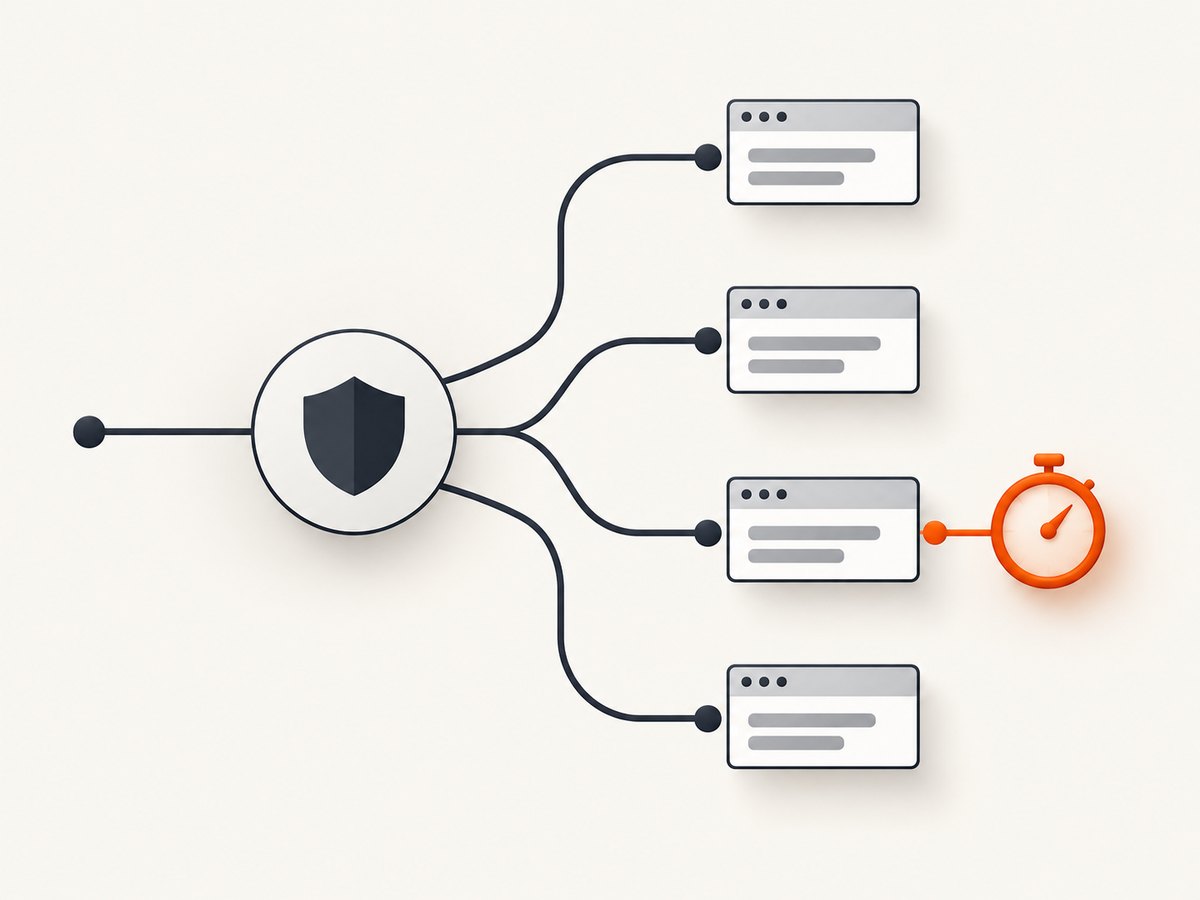
These controls answer different questions. The client timeout and request token can each end an in-flight request; the shorter applicable limit wins. A connection timeout does not replace an overall deadline: a request may connect successfully and then take time to receive its response.
2. Set a default timeout for a client
Set the property as part of client setup, before starting requests. This complete console example uses top-level statements and disposes the response:
using System;
using System.Net.Http;

using var httpClient = new HttpClient
{
    Timeout = TimeSpan.FromSeconds(10)
};

using var response = await httpClient.GetAsync("https://example.com");
response.EnsureSuccessStatusCode();

string body = await response.Content.ReadAsStringAsync();
Console.WriteLine(body);
The value applies to requests made using this client. A shared client policy can simplify consistent behavior across calls. Choose the value based on the operation and its expected latency, not just because a very small number seems safer. In particular, Microsoft notes that DNS lookup may take 15 seconds or more when resolution is required, so a configured timeout below 15 seconds may not be reported at that exact interval.
Accepted values
Timeout accepts a positive TimeSpan or Timeout.InfiniteTimeSpan. Zero and negative durations are invalid, except for the infinite sentinel. Infinite means this client setting does not impose a deadline; it does not prevent a caller-provided cancellation token, a handler limit, or another layer of the application from ending the operation.
httpClient.Timeout = TimeSpan.FromMinutes(2);
// Or, only when an unlimited client-level timeout is intended:
httpClient.Timeout = Timeout.InfiniteTimeSpan;
Do not try to update the shared policy after requests have begun. Treat timeout configuration as part of client construction. If different operations need distinct limits, retain a common client and apply request-scoped cancellation tokens rather than racing to mutate a shared timeout property.
3. Set a timeout for one request
Create a cancellation token source with the desired duration and pass its token to the request method. Dispose the source when the operation is finished:
using System;
using System.Net.Http;
using System.Threading;

using var httpClient = new HttpClient();
using var cts = new CancellationTokenSource(TimeSpan.FromSeconds(10));

using var response = await httpClient.GetAsync(
    "https://example.com",
    cts.Token);

response.EnsureSuccessStatusCode();
This code gives this operation a ten-second cancellation deadline. The client may still have its own timeout. If its timeout is shorter, that can end the request first; if the token expires first, it ends the request first. The request overload and cancellation support available can vary by operation and target framework, so use the overload appropriate for the method you call.
Combine a caller token with a timeout
Application code often needs both a caller cancellation signal and an operation deadline. Link the caller token to a timeout source so either event cancels the request. The following method works with the token-aware GetAsync overload:
using System;
using System.Net.Http;
using System.Threading;
using System.Threading.Tasks;

static async Task<string> GetWithDeadlineAsync(
    HttpClient client,
    string url,
    CancellationToken callerToken)
{
    using var deadline = new CancellationTokenSource(TimeSpan.FromSeconds(8));
    using var linked = CancellationTokenSource.CreateLinkedTokenSource(
        callerToken,
        deadline.Token);

    using var response = await client.GetAsync(url, linked.Token);
    response.EnsureSuccessStatusCode();
    return await response.Content.ReadAsStringAsync();
}
Keep the original caller token available for classifying cancellation. A linked token communicates that cancellation occurred, but by itself it does not tell you which source caused it. If your target framework provides newer overloads that accept separate cancellation tokens for sending and reading content, decide whether the deadline should include response-body consumption and pass tokens accordingly. The examples above bound the request operation through the overload shown; verify the exact overload semantics for your target runtime.
4. Separate connection timeout from request timeout
SocketsHttpHandler.ConnectTimeout limits the time allowed to establish a new TCP connection. It does not set an end-to-end deadline for receiving a response. It can be configured when constructing the handler:

using System;
using System.Net.Http;

var handler = new SocketsHttpHandler
{
    ConnectTimeout = TimeSpan.FromSeconds(5)
};

using var httpClient = new HttpClient(handler)
{
    Timeout = TimeSpan.FromSeconds(30)
};

using var response = await httpClient.GetAsync("https://example.com");
response.EnsureSuccessStatusCode();
Here, connection establishment has a five-second limit when a new TCP connection is needed, and the client also has a thirty-second request timeout. These are distinct phases and constraints. Reusing an available connection may mean no new TCP connection needs to be established for a particular request.
5. Handle timeout and cancellation exceptions
Timeouts and caller-requested cancellation can both appear as cancellation-related exceptions, especially on modern .NET. Do not assume one catch filter identifies timeouts correctly on every runtime. Microsoft documents these timeout exception shapes:
| Runtime | Documented timeout exception | Handling implication |
|---|---|---|
| .NET Framework | HttpRequestException |
Do not rely only on catching OperationCanceledException |
| .NET Core | OperationCanceledException without an inner exception |
Inspect your own cancellation-token state to distinguish caller cancellation where possible |
| .NET 5 and later | OperationCanceledException with a nested TimeoutException |
The inner exception can identify a timeout on these runtimes |
For .NET 5 and later, a pattern based on the caller token and nested timeout exception can look like this:
using System;
using System.Net.Http;
using System.Threading;
using System.Threading.Tasks;

try
{
    using var response = await httpClient.GetAsync(url, callerToken);
    response.EnsureSuccessStatusCode();
}
catch (OperationCanceledException ex) when (callerToken.IsCancellationRequested)
{
    // The caller requested cancellation.
    throw;
}
catch (OperationCanceledException ex) when (ex.InnerException is TimeoutException)
{
    // HttpClient timed out on .NET 5 and later.
    Console.Error.WriteLine("The HTTP request timed out.");
    throw;
}
Remove the unused exception variable in the caller-cancellation catch if your compiler reports it as a warning, or use it for logging. This illustration is not a universal classifier: on .NET Core, the documented timeout shape has no inner exception, and .NET Framework uses a different exception. Adapt handling to the target framework and to the token sources your application owns. A caller token being canceled is useful evidence of caller cancellation; if multiple sources are linked, track their state separately when the distinction matters.
6. cURL, Python, and Node.js alternatives
The title focuses on C#, but the same general need to bound waiting time appears in other clients. Timeout option names and whether a value covers connection setup, response headers, or the full body differ between libraries. Check the relevant library documentation when translating a deadline between runtimes.
cURL
curl --max-time 10 https://example.com--max-time sets a maximum time for the whole transfer. cURL also has connection-time options, but a connection limit is not interchangeable with the overall maximum transfer time.
Python requests
import requests

response = requests.get("https://example.com", timeout=(3.05, 10))
response.raise_for_status()
print(response.text)
In Requests, a tuple supplies connect and read timeout values. The read timeout is the time waiting between bytes, not necessarily one total wall-clock deadline for the complete download. A server that keeps sending data can therefore make the overall operation last longer than the read timeout value.
Node.js fetch
const controller = new AbortController();
const timer = setTimeout(() => controller.abort(), 10_000);

try {
  const response = await fetch("https://example.com", {
    signal: controller.signal,
  });
  if (!response.ok) throw new Error(`HTTP ${response.status}`);
  console.log(await response.text());
} finally {
  clearTimeout(timer);
}
This uses AbortController to cancel the fetch after ten seconds. Runtime and fetch implementation details can affect error types and cancellation behavior; treat abort as a cancellation event and classify it according to the application’s own signals.
7. Practical configuration checklist
- Decide whether the policy belongs to one client or one operation.
- Set
HttpClient.Timeoutbefore the client sends requests. - Use a per-request cancellation token when callers need independent deadlines.
- Use
Timeout.InfiniteTimeSpanonly intentionally; add a separate cancellation path if work must remain stoppable. - Configure
ConnectTimeoutonly for connection establishment needs; keep an overall request deadline where appropriate. - Account for DNS delays when choosing an aggressive short timeout.
- Handle exceptions for the actual target framework instead of assuming one runtime’s shape.
- Dispose responses and cancellation sources. Avoid creating and disposing an
HttpClientper request in production designs without understanding the connection-management consequences; follow the lifetime guidance for your hosting framework. - Log the operation, configured deadline, elapsed time, and whether the caller token was canceled. Avoid logging credentials or sensitive request data.
8. Troubleshooting common problems
| Symptom | Likely cause | What to do |
|---|---|---|
ArgumentOutOfRangeException when setting timeout |
The duration is zero or negative and is not Timeout.InfiniteTimeSpan |
Use a positive TimeSpan or the infinite sentinel. |
| Timeout does not seem to apply to just one request | HttpClient.Timeout is shared across requests through that client |
Pass a request-scoped token source to the specific call. |
| Changing timeout after startup throws or has no intended effect | The client has already started sending requests | Configure the timeout during setup, before first use. |
Catch for TimeoutException never runs |
The timeout may be wrapped in OperationCanceledException, or the target runtime uses another shape |
Inspect the documented exception behavior for the runtime; on .NET 5+, check the nested exception. |
| Short deadline takes longer than expected | DNS resolution can take 15 seconds or more | Do not promise sub-15-second reporting where name resolution is required; investigate DNS separately. |
| Request connects but hangs while receiving data | A connection timeout only limits TCP connection setup | Use an overall client or request deadline as well. |
| Operation cancels, but logs label it as a timeout | Caller cancellation and timeout share cancellation-related exception types | Check the caller token and track distinct cancellation sources. |
| Request returns an error status without timing out | An HTTP error response is still a completed HTTP exchange | Call EnsureSuccessStatusCode() or inspect status explicitly; status errors are not timeouts. |
9. Performance, reliability, and cost
A timeout is a limit on how long the caller waits; it does not make a slow dependency faster. Very short limits can turn temporary latency variation into failed operations, while very long limits can keep work and resources occupied. Set deadlines according to the operation’s needs and the larger request budget of the application. When a timeout occurs, consider whether retrying is safe: repeating a non-idempotent operation can duplicate effects unless the server supports an idempotency mechanism. Use bounded retries and an overall deadline if you add retry behavior.
Connection reuse and the lifetime of the client matter to throughput and reliability. Reuse clients appropriately for the application model, and configure handler policies when creating the handler. A connection timeout helps bound new connection establishment but does not control response-body duration. No timeout setting guarantees the remote server stopped processing when the local caller gave up; it only limits the local operation’s wait/cancellation behavior.
Timeout configuration itself has no separate per-request charge in HttpClient. The practical costs are failed work, retries, occupied resources, and any remote service billing associated with requests that may have reached the server. Measure the application’s own latency and failure rates before choosing production values; the documented default is a reference point, not a recommendation for every workload.
10. Or skip the browser setup
If the HTTP task is taking a screenshot of a page, you can call ScreenshotNeo instead of managing browser startup, page readiness, and image output yourself. Its one-call API returns an image or PDF, and its docs list the request options.
curl -G "https://api.screenshotneo.com/v1/shot" -d access_key=YOUR_API_KEY --data-urlencode url=https://stripe.com -o shot.webpimport requests
r = requests.get("https://api.screenshotneo.com/v1/shot", params={"access_key": "YOUR_API_KEY", "url": "https://stripe.com"}, timeout=90)
open("shot.webp", "wb").write(r.content)const q = new URLSearchParams({ access_key: 'YOUR_API_KEY', url: 'https://stripe.com' });
const res = await fetch(`https://api.screenshotneo.com/v1/shot?${q}`);ScreenshotNeo removes cookie banners, newsletter popups, and chat widgets before the shot. Bot checks, blank pages, and failed loads are never billed. Its MCP server lets AI agents take screenshots, and 1,000 screenshots a month are free with no card; paid plans start at $5 for 3,000. See the ScreenshotNeo API documentation for request details. ScreenshotNeo also supports response headers that identify the page verdict and billing status. Create a free ScreenshotNeo account to get 1,000 screenshots a month with no card.
11. FAQ
Is HttpClient.Timeout a per-request setting?
No. It is a policy for requests sent through that client instance. Use a cancellation token source for a request-specific deadline.
Can I use an infinite client timeout and still cancel requests?
Yes. An infinite client timeout disables that client-level limit; a cancellation token can still cancel an operation.
Does ConnectTimeout stop a slow response body?
No. It applies to establishing a new TCP connection. Use an overall request deadline for the complete operation you need to bound.
Why did my request last longer than a very short timeout?
DNS resolution may take 15 seconds or more, according to Microsoft’s timeout reference. A short configured value should not be treated as a precise wall-clock guarantee in that case.


