How to Use curl_cffi for Web Scraping in Python
Learn curl_cffi for Python scraping: browser impersonation, proxies, sessions, async requests, retries, HTTP/2, troubleshooting, and limits.
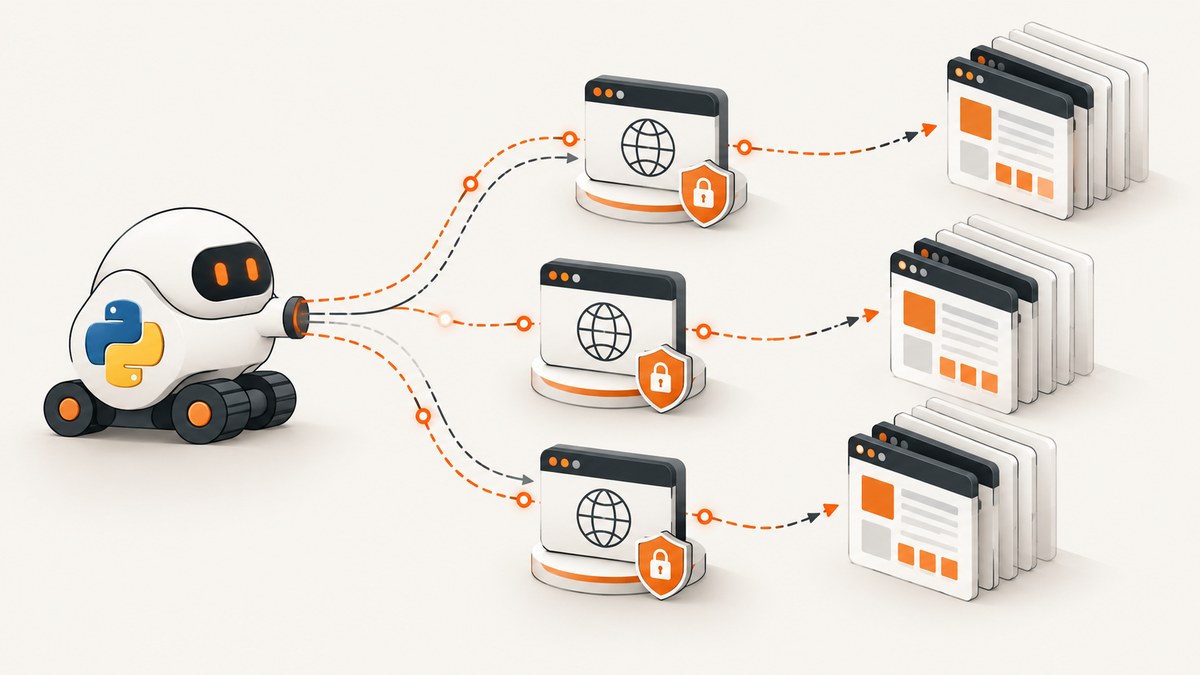
Direct answer: install curl_cffi with pip install curl_cffi --upgrade, import its requests-compatible client, and pass impersonate='chrome' (or another supported browser profile) when a site reacts to Python’s default TLS and HTTP fingerprint. The smallest useful scraper is:
from curl_cffi import requests

response = requests.get(
    'https://example.com',
    impersonate='chrome',
)
response.raise_for_status()
print(response.status_code)
print(response.text[:200])
curl_cffi changes the transport fingerprint used by your HTTP client. It does not run JavaScript, render a browser page, or guarantee that an anti-bot system will allow a request. Use it for sites and data you are permitted to access, follow terms and robots guidance, and keep concurrency reasonable.
What curl_cffi is and when to use it
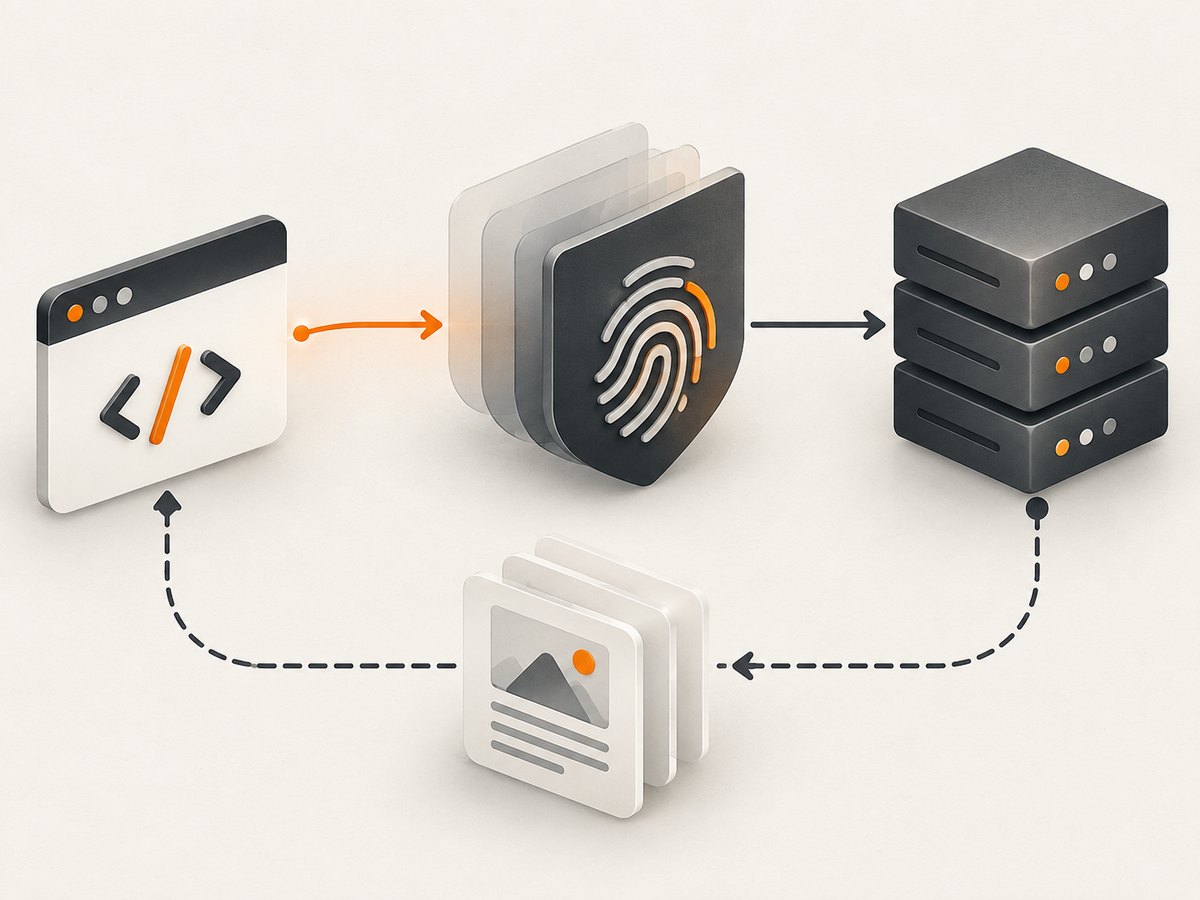
curl_cffi is a Python HTTP client with a requests-like API and browser TLS-signature or JA3 impersonation. Unlike ordinary Python clients such as requests or httpx, it can make the TLS and HTTP handshake resemble a supported browser profile. That can help when a server treats the default Python fingerprint differently from Chrome or Safari.
Use it when:
- A normal HTTP client receives a challenge, denial, or different content because of its TLS fingerprint.
- You need HTTP or SOCKS proxies, persistent cookies, retries, HTTP/2, HTTP/3, or WebSockets in one client.
- You want synchronous requests for a small crawler or asyncio for a larger, carefully limited queue.
Use a real browser automation tool when the page requires JavaScript execution, interaction, client-side rendering, or browser APIs. Impersonation is a transport-layer technique, not a complete browser runtime.
Install curl_cffi and make your first request
The current project guidance requires Python 3.10 or newer. Create an isolated environment, install or upgrade the package, and make a request:
python3 -m venv .venv
. .venv/bin/activate
python -m pip install --upgrade pip
pip install curl_cffi --upgrade
from curl_cffi import requests
url = 'https://example.com'
response = requests.get(url, impersonate='chrome')
response.raise_for_status()
print('status:', response.status_code)
print('content type:', response.headers.get('content-type'))
print(response.text[:200])The unversioned names chrome, safari, and safari_ios follow the latest profile available as the package is updated. Versioned browser targets are also available; choose one from the project’s target guide and update it as browser profiles change. See the official curl_cffi documentation for the current profile list and API details.
Browser impersonation explained
Choose a built-in profile
from curl_cffi import requests

for profile in ('chrome', 'safari', 'safari_ios'):
    response = requests.get('https://example.com', impersonate=profile)
    print(profile, response.status_code)
Start with the profile that matches the browser family your target expects. If a site changes behavior, try a current versioned profile documented by the project rather than repeatedly changing unrelated headers.
Custom fingerprints
When your target is not one of the built-in browsers, curl_cffi supports custom ja3, akamai, and extra_fp values. These parameters should come from a documented, legitimate target fingerprint. Random values can make traffic less consistent and harder to troubleshoot.
from curl_cffi import requests

response = requests.get(
    'https://example.com',
    ja3='DOCUMENTED_JA3_VALUE',
    akamai='DOCUMENTED_AKAMAI_VALUE',
    extra_fp={'some_option': 'documented-value'},
)
response.raise_for_status()
Keep profiles current. A profile that once matched a browser can become stale as that browser changes its TLS and HTTP behavior.
Build a dependable scraper
Check status, content, and encoding
from curl_cffi import requests

response = requests.get(
    'https://example.com/data',
    impersonate='chrome',
    timeout=30,
)
response.raise_for_status()

content_type = response.headers.get('content-type', '')
if 'application/json' in content_type:
    data = response.json()
else:
    data = response.text
print(data)
Always set a timeout, check the status code, and validate that the response is the kind of content you expected. A successful TCP request can still return an access-denied page, a login form, or an HTML challenge.
Sessions, cookies, and connection reuse
A session retains cookies and connection state across requests. This is useful for a permitted workflow that visits a landing page before requesting an endpoint that needs the resulting cookie.
from curl_cffi import requests

with requests.Session() as session:
    session.headers.update({'Accept': 'text/html,application/xhtml+xml'})
    first = session.get('https://example.com/', impersonate='chrome', timeout=30)
    first.raise_for_status()

    second = session.get(
        'https://example.com/account',
        impersonate='chrome',
        timeout=30,
    )
    second.raise_for_status()
    print(session.cookies)
    print(second.url)
Do not share one session between unrelated identities or jobs. Keep cookies scoped to the account and target they belong to.
HTTP and SOCKS proxies
Pass a proxy mapping with the proxies argument. The project supports HTTP and SOCKS proxy URLs.
from curl_cffi import requests

proxies = {
    'https': 'http://localhost:3128',
}
response = requests.get(
    'https://example.com',
    impersonate='chrome',
    proxies=proxies,
    timeout=30,
)
response.raise_for_status()
print(response.status_code)
Use a proxy only when you are authorized to do so, and monitor its failure rate. A proxy can introduce DNS, TLS, authentication, or geographic differences that look like application errors.
Retries with backoff
Retries should be limited to transient failures such as connection resets and selected server errors. Do not blindly retry authentication failures, validation errors, or an anti-bot denial.
import time
from curl_cffi import requests

retryable = {408, 425, 429, 500, 502, 503, 504}

for attempt in range(4):
    try:
        response = requests.get(
            'https://example.com/data',
            impersonate='chrome',
            timeout=30,
        )
        if response.status_code not in retryable:
            response.raise_for_status()
            break
    except requests.errors.RequestsError:
        if attempt == 3:
            raise
    if attempt == 3:
        response.raise_for_status()
    time.sleep(2 ** attempt)
Keep retry counts and backoff visible in logs. Respect Retry-After when a server supplies it, and cap concurrency per host.
Async scraping and concurrency
curl_cffi advertises asyncio support, asynchronous proxy rotation, native retry support, HTTP/2, HTTP/3, and WebSockets. Async I/O helps when many requests spend time waiting on the network, but it does not remove server limits or make an anti-bot decision disappear.
import asyncio
from curl_cffi.requests import AsyncSession

async def fetch(session, url):
    response = await session.get(
        url,
        impersonate='chrome',
        timeout=30,
    )
    response.raise_for_status()
    return url, response.text

async def main():
    urls = [
        'https://example.com/',
        'https://example.com/about',
    ]
    semaphore = asyncio.Semaphore(4)

    async with AsyncSession() as session:
        async def limited(url):
            async with semaphore:
                return await fetch(session, url)
        results = await asyncio.gather(*(limited(url) for url in urls))

    for url, html in results:
        print(url, len(html))

asyncio.run(main())
Begin with a small semaphore, measure response and error rates, and increase concurrency only when the target permits it. A queue with cancellation and per-host limits is safer than creating an unbounded task for every URL.
Headers, authentication, and request details
Use headers for application-level negotiation and authentication required by a permitted API. Impersonation does not automatically provide a user's login or session.
from curl_cffi import requests

headers = {
    'Accept': 'application/json',
    'Authorization': 'Bearer YOUR_TOKEN',
}
response = requests.get(
    'https://example.com/api/items',
    headers=headers,
    impersonate='chrome',
    timeout=30,
)
response.raise_for_status()
items = response.json()
Keep secrets outside source control, preferably in environment variables or a secret manager. Avoid adding a large collection of copied browser headers without a reason: inconsistent headers can create a fingerprint that matches no real client.
Common errors and fixes
| Symptom | Likely cause | Fix |
|---|---|---|
ModuleNotFoundError: curl_cffi |
Package installed into a different interpreter or environment. | Activate the environment and run python -m pip install curl_cffi --upgrade; verify python -c "import curl_cffi". |
| Unsupported Python version | The project guidance requires Python 3.10+. | Upgrade Python or use an environment based on Python 3.10 or newer. |
| 403, 429, or an HTML challenge | Rate limits, authorization, site policy, or a fingerprint mismatch. | Confirm permission, slow down, honor Retry-After, use a current supported profile, and inspect the returned body. Impersonation is not a bypass guarantee. |
| Timeout or connection reset | Slow origin, overloaded proxy, network path, or a server closing idle connections. | Set an explicit timeout, retry only transient failures with backoff, test without the proxy when allowed, and reduce concurrency. |
| Empty or unexpected HTML | The page is JavaScript-rendered, redirected to login, or returned a bot-check page. | Inspect the final URL, status, content type, and first bytes. Use an authorized API or a browser automation tool when JavaScript is required. |
| Proxy authentication failure | Malformed URL or missing credentials. | Validate the proxy scheme, host, port, and credentials; test the proxy independently and keep secrets out of logs. |
| Custom fingerprint still fails | JA3, Akamai, or extra fingerprint values do not match the target. | Use documented values, keep the browser profile current, and remove custom overrides one at a time while debugging. |
Performance, reliability, and cost considerations
- Connection reuse: sessions reduce setup work for repeated requests to the same service.
- Protocol choice: HTTP/2 and HTTP/3 can change multiplexing and connection behavior, but the target and network path still determine the result.
- Concurrency: more tasks can improve throughput until the origin, proxy, CPU, or rate limit becomes the bottleneck. Measure rather than assuming.
- Retries: backoff improves recovery from transient faults; excessive retries amplify load and can turn a temporary problem into a block.
- Parsing: parse only the fields you need and stream or write large responses carefully to control memory.
- Cost: curl_cffi itself is installed as Python software. Your operational cost comes from compute, bandwidth, proxy services, storage, and any authorized data provider; the reviewed project material does not provide a universal benchmark or price.
When a browser is the better tool
curl_cffi cannot execute page JavaScript, click consent controls, wait for visual layout, or expose browser APIs. If the data appears only after client-side code runs, use a browser automation workflow or an official endpoint where permitted. You can still use curl_cffi for the HTTP portions of a pipeline, such as fetching static assets or API responses after you have an authorized session.
Or skip the browser setup
If your goal is a clean image or PDF of a page rather than raw HTML, ScreenshotNeo provides a single GET request. Its capture process accepts cookie and consent banners, then removes more than 60 known consent platforms, newsletter popups, and chat widgets before the shot; each step can be disabled. Bot checks, blank pages, timeouts, failed loads, and cache hits are not billed, and the response identifies the result with X-Page-Verdict and X-Billed headers. An MCP server provides take_screenshot, get_page_info, and capture_pdf tools for Claude, Cursor, and other MCP clients.
See the ScreenshotNeo API documentation for all options, including full-page and element capture, device presets, custom CSS and JavaScript, waits, request blocking, headers, cookies, geolocation, PDF settings, caching, signed links, async jobs, bulk capture, and usage reporting.
curl -G 'https://api.screenshotneo.com/v1/shot' \
  -d access_key=YOUR_API_KEY \
  --data-urlencode url=https://stripe.com \
  -o shot.webp
import requests
r = requests.get(
'https://api.screenshotneo.com/v1/shot',
params={'access_key': 'YOUR_API_KEY', 'url': 'https://stripe.com'},
timeout=90,
)
r.raise_for_status()
open('shot.webp', 'wb').write(r.content)const q = new URLSearchParams({ access_key: 'YOUR_API_KEY', url: 'https://stripe.com' });
const res = await fetch(`https://api.screenshotneo.com/v1/shot?${q}`);
if (!res.ok) throw new Error(`HTTP ${res.status}`);
const image = Buffer.from(await res.arrayBuffer());
await import('node:fs/promises').then(fs => fs.writeFile('shot.webp', image));There is a free plan with 1,000 screenshots per month and no card. Paid plans start at $5 for 3,000 shots, and every feature is available on every plan. Create a free ScreenshotNeo account.
FAQ
Does curl_cffi bypass every anti-bot provider?
No. It changes transport fingerprints, while anti-bot systems can also evaluate JavaScript, cookies, behavior, IP reputation, account state, and site-specific rules.

Which impersonation name should I start with?
Start with the current unversioned chrome profile for a Chrome-like request, then consult the target guide for versioned Chrome, Safari, or iOS profiles when you need a specific target.
Can I use SOCKS proxies?
Yes. Pass the proxy in the proxies mapping using the SOCKS URL supported by your environment, and test authentication and connectivity separately.
Should I use synchronous or asynchronous requests?
Use synchronous calls for small scripts and straightforward jobs. Use asyncio when you have many independent requests and can enforce conservative concurrency, cancellation, retries, and per-host limits.
Why does a request return 200 but still fail?
A challenge, login page, or error document can use status 200. Check the final URL, content type, body markers, and the fields your parser expects instead of treating status alone as success.


