Curl Cookie Jar: How to Send, Store, and Reuse Cookies
Learn how curl sends cookies, saves a cookie jar, and reuses it safely across requests, with runnable examples and fixes for common problems.
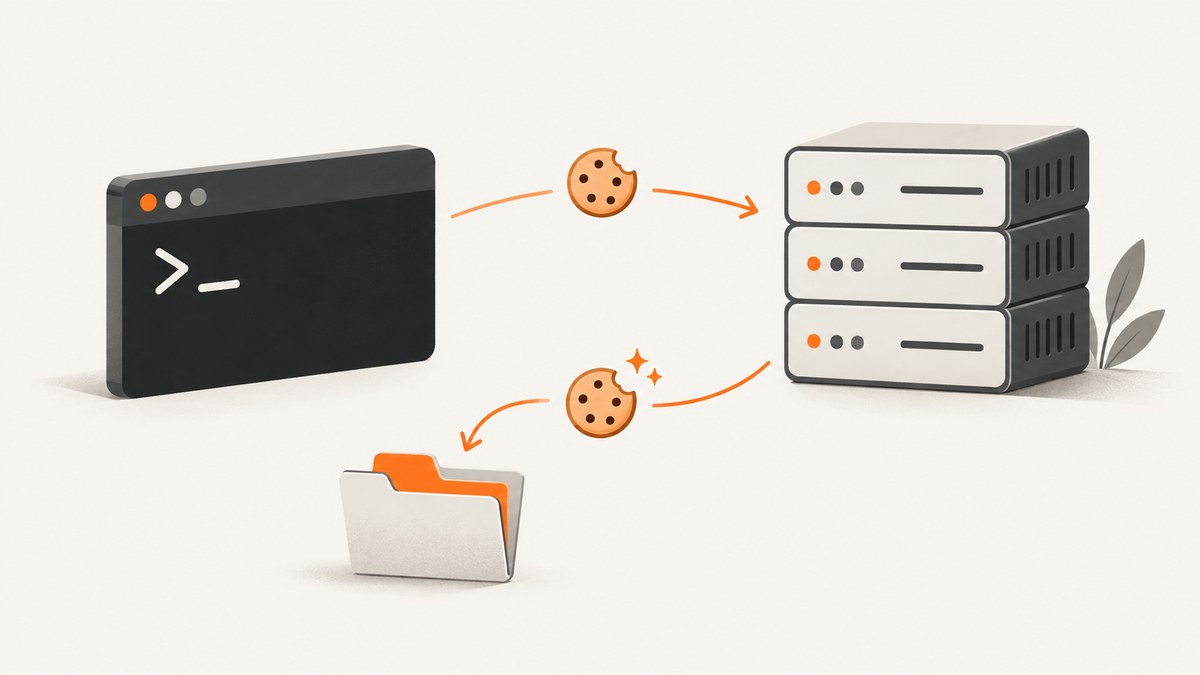
Use -b (--cookie) to send cookies or load a cookie file, and use -c (--cookie-jar) to save the cookies curl knows after a request. To reuse and update cookies across commands, pass the same file to both options:
curl -b cookies.txt -c cookies.txt https://example.com/account-b is the input side; -c is the output side. The cookie jar is plain text in Netscape/Mozilla cookie-file format, not an encrypted credential vault. Treat it as authentication data. See the curl man page and Everything curl’s cookie guide for the documented option behavior and file format.
1. Choose how to provide cookies
There are two common ways to get cookies into a curl request: supply a literal name/value pair, or load a cookie file. Choose the first for a simple, one-off request where you already know the cookie value. Choose a file when cookies come from a response and need to persist across requests.
Send a literal cookie
curl -b 'theme=dark' https://example.com/

# Multiple pairs are separated by semicolons
curl -b 'theme=dark; language=en' https://example.com/
With a literal value, curl constructs a Cookie request header. Replace these sample values with non-sensitive test data. Avoid placing real session secrets directly in shell history, process listings, logs, or shared scripts.
Load cookies from a file
curl -b cookies.txt https://example.com/If the -b argument contains no equals sign, curl treats it as a filename. It reads the cookies from that file and activates its cookie engine. The engine can also process cookies received from the server and apply cookie matching rules during the command’s requests. If the input file does not exist, curl ignores it; that behavior can make a typo look like a successful unauthenticated request.
Read and update the same jar
curl -b cookies.txt -c cookies.txt https://example.com/login
curl -b cookies.txt -c cookies.txt https://example.com/account
The first command imports existing state, makes the request, then writes the cookie state known to curl. The next command loads that saved state. This pattern only works when the server actually sends cookies curl can receive and those cookies match the next request’s host, path, security requirements, and expiry.
2. Save cookies from a response
Use -c when the response may set cookies that you want to keep. It writes the cookie engine’s state to a file when the command-line operation completes.
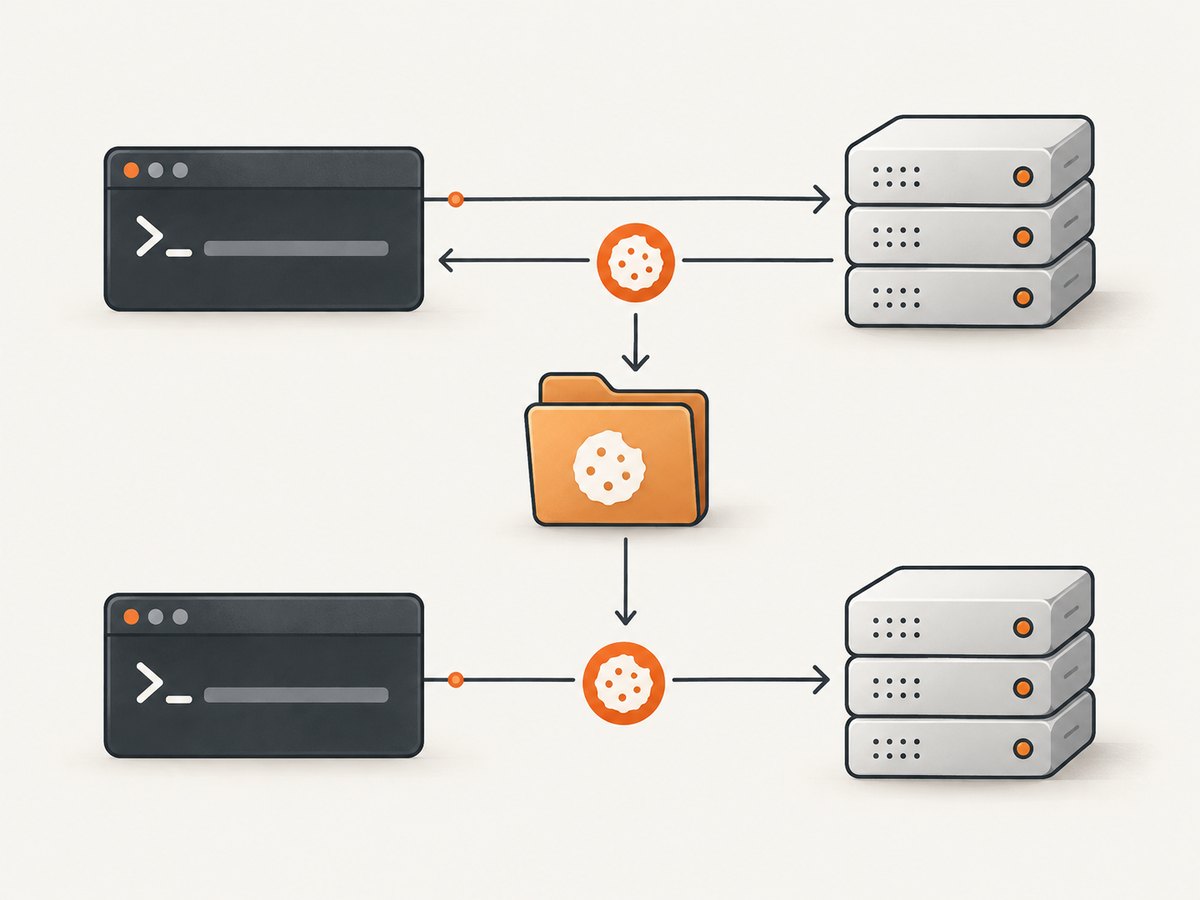
curl -c cookies.txt https://example.com/start
curl -b cookies.txt https://example.com/next-step
The first call writes the cookies it learned; the second loads them. If you expect a multi-request flow to change cookie state along the way, use both flags on each request:
curl -b cookies.txt -c cookies.txt https://example.com/step-one
curl -b cookies.txt -c cookies.txt https://example.com/step-two
-c is output-only. It does not import the contents of the named file. Using only -c cookies.txt on a later request will not reuse cookies from that file. Use -b cookies.txt to load them.
3. Use the cookie engine without a starting jar
If you have no initial cookie but want curl’s cookie engine active so it can handle cookies received from the server, give -b an empty string:
curl -b '' -c cookies.txt https://example.com/This allows curl to begin with an empty cookie store and write what it learns to the jar. You can then load that jar on a later invocation. Without another cookie input, -b '' activates the engine without loading an initial cookie.
4. Understand cookie jar files
curl writes a Netscape/Mozilla cookie file. Each cookie uses one physical line with seven tab-separated fields:
- Domain
- Whether subdomains are included
- Path
- Whether the cookie is secure-only
- Expiry time as Unix seconds, or zero
- Cookie name
- Cookie value
Lines beginning with # are comments, with a documented #HttpOnly_ prefix exception for HttpOnly cookies. A valid cookie line ends with a newline. Prefer this format when preparing a cookie file. curl can also read plain HTTP headers in Set-Cookie style, but that input form is discouraged; if using it, each line should include a Domain attribute or host matching may be unreliable.
Do not edit a jar casually to make a cookie “fit” another site. Domain, path, secure-only status, and expiry affect whether curl sends it. A cookie’s presence in the file does not guarantee it is eligible for a particular request.
5. Handle session cookies and expiration
Session cookies have no expiry time and are intended to last for a session. curl normally retains session cookies it loads from a cookie file. To discard session cookies when loading a jar and behave more like a new session, use -j (--junk-session-cookies):
curl -j -b cookies.txt -c fresh-cookies.txt https://example.com/This is optional and is not needed for ordinary cookie reuse. Expired cookies and cookies whose domain or path does not match the request will not work as a valid credential for that request. If an application rotates a session identifier, save the updated state with -c so the next request uses the new value.
6. Follow login flows carefully
A cookie jar handles cookie storage and matching; it does not complete a site-specific login process automatically. A website may require a form POST, a CSRF token, a redirect, or other request data before it issues an authenticated session. Follow the application’s documented or observed HTTP flow, and keep the cookie jar enabled across the steps that need it.
# Illustrative pattern only: actual login fields are site-specific.
curl -b cookies.txt -c cookies.txt https://example.com/login
curl -b cookies.txt -c cookies.txt \
  --data 'username=YOUR_TEST_USER&password=YOUR_TEST_PASSWORD' \
  https://example.com/session
curl -b cookies.txt -c cookies.txt https://example.com/account
Do not copy this as a universal login recipe. The endpoint, fields, CSRF handling, and required headers depend on the site. Use test credentials, follow the service’s access rules, and do not put secrets into scripts that may be committed.
7. Redirects and cookie safety
A literal cookie supplied with -b 'name=value' is explicit outgoing cookie data. The curl man page describes it as being sent on outgoing requests, including requests after redirects. That differs from cookies loaded through a jar, where curl applies its cookie matching rules. Avoid combining sensitive literal cookies with redirects to destinations you do not trust.
Do not enable --location-trusted casually. It permits credentials to be sent to hosts other than the initial host, which can expose authentication state. When redirects are necessary, prefer cookie-engine-managed jar state and verify the destination host. A cookie jar does not make an unsafe redirect safe, and it should be protected like a password file.
8. Protect and manage the jar
- Use a restrictive umask before creating the jar, for example
umask 077, so newly created files are private to your user where the operating system honors that setting. - Keep jars out of source control. Add the filename to an appropriate ignore file if the project uses version control.
- Do not attach jars to tickets or paste their contents into chat. A session cookie may grant account access.
- Store the jar in a private temporary or application-data directory and remove it when it is no longer needed.
- On shared machines, check file permissions and avoid reusing another user’s jar.
The jar is unencrypted plain text. curl’s documentation warns that file permissions matter; libcurl’s default permissions may allow other local users to read a jar. A restrictive umask helps at creation time, but it does not replace checking permissions or controlling access to the directory.
9. Troubleshoot common cookie problems
| Symptom | Likely cause | Fix |
|---|---|---|
| Request is unauthenticated after saving a jar | The next command uses -c only, or the cookie never matched the request. |
Load with -b cookies.txt; use both -b and -c for read/update. Check domain, path, secure flag, and expiry. |
| The jar file is empty | The server did not set cookies curl could use, or the request did not reach the expected flow. | Inspect the response and redirects with -v. Confirm the endpoint issues a cookie and that the command reaches it. |
| An old jar unexpectedly disappears or becomes empty | -c writes the current in-memory cookie store at the end; an operation with no known cookies can create or replace the file with an empty jar. |
Use the right input and output flags, back up important state, and avoid pointing output at a valuable jar unless you intend to update it. |
| curl succeeds but did not save the jar | The output file could not be created or written. This may not fail the overall curl operation clearly. | Run with -v and inspect its warning. Check parent-directory permissions, path spelling, and available storage. |
| Cookies appear in the jar but are not sent | Domain, path, HTTPS requirement, or expiry prevents a match. | Use a URL that matches the cookie’s scope and security settings; do not assume a cookie for one host applies to another. |
| Browser works but curl does not | The browser may execute JavaScript that creates cookies; curl does not run page JavaScript. | Inspect the browser’s HTTP traffic and reproduce the relevant HTTP requests and cookie operations, if permitted by the site. |
| Authentication breaks after a redirect | A redirect may change host or scheme, or an explicitly supplied cookie may be sent more broadly than expected. | Check redirect destinations and use jar-managed cookies. Avoid --location-trusted unless sending credentials across hosts is explicitly intended. |
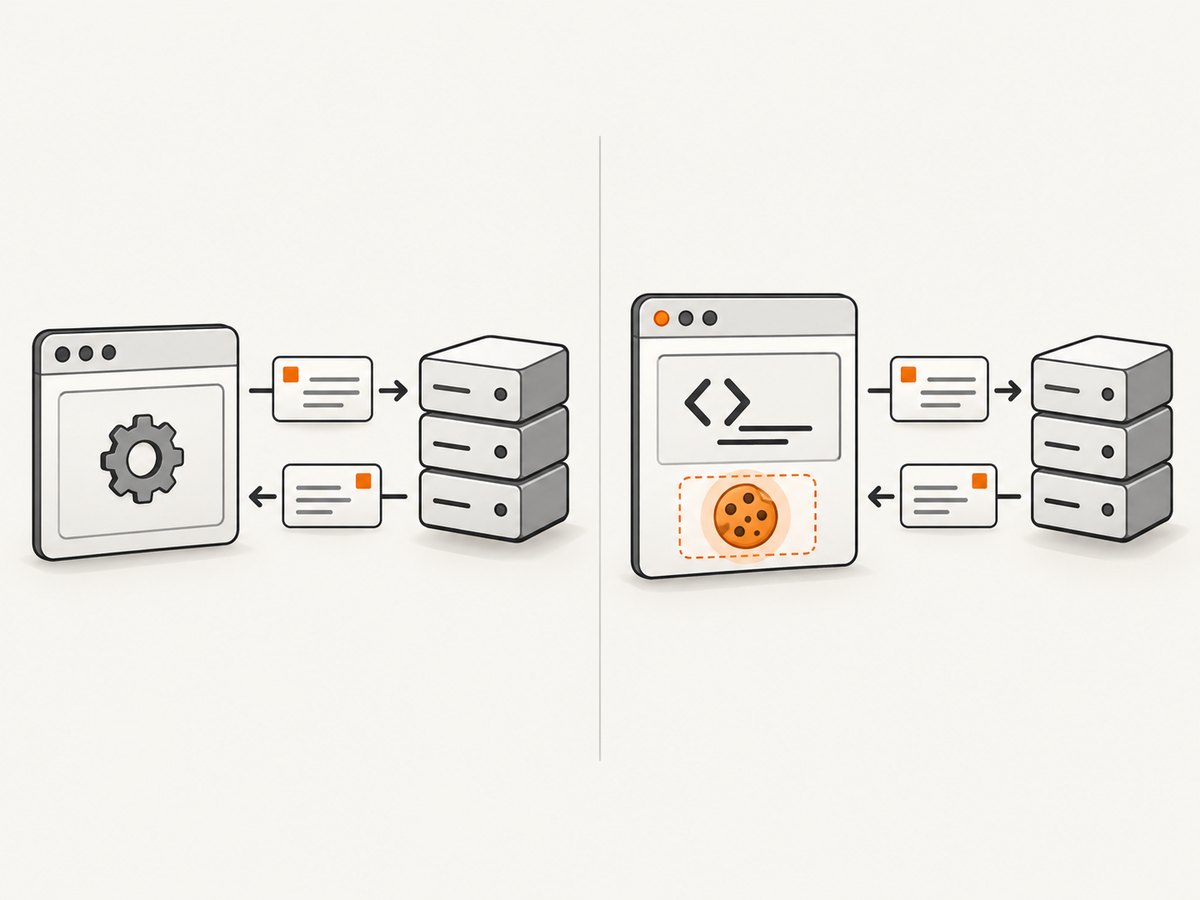
For a concise diagnostic run, use verbose mode and save the response body separately:
curl -v -b cookies.txt -c cookies.txt \
  -o response.html https://example.com/account
Verbose output is useful for seeing request and response details, but it can contain sensitive headers. Review it before sharing or storing logs.
10. Performance, reliability, and cost
Cookie handling itself is local bookkeeping around HTTP requests. For a small jar, the main practical costs are the requests you make and any time spent waiting for the remote server; persistence adds a local file read and write. A jar does not reduce request latency or guarantee a stable session. Servers can expire, rotate, or revoke cookies independently.
For reliable automation, use a separate jar per account or job, avoid concurrent writers to the same jar, and persist the updated jar after each step that may rotate state. Concurrent commands can overwrite each other’s state. If a request can be retried, consider whether replaying it is safe for that endpoint. A retry may receive a different session state or repeat a site action; cookie persistence does not make a non-idempotent operation safe to replay.
curl and a local file are sufficient for sending and reusing cookies; no paid product is required. Keep logs and jars out of shared artifacts, and do not confuse a successful HTTP transfer with a successful authenticated application flow.
11. Capture a page after handling cookies
curl is an HTTP client, not a browser renderer. It does not execute JavaScript or produce a rendered screenshot. If your end goal is a visual capture, a browser-based screenshot service can render the page after navigation. ScreenshotNeo is a website screenshot API and MCP server; its API accepts one GET request with a URL and can return an image or PDF.
Or skip the browser setup
For a rendered screenshot, call the API with your key and target URL. See the ScreenshotNeo API documentation for request options.
curl -G "https://api.screenshotneo.com/v1/shot" \
  -d access_key=YOUR_API_KEY \
  --data-urlencode url=https://example.com \
  -o shot.webp
import requests
r = requests.get(
"https://api.screenshotneo.com/v1/shot",
params={"access_key": "YOUR_API_KEY", "url": "https://example.com"},
timeout=90,
)
open("shot.webp", "wb").write(r.content)const q = new URLSearchParams({
access_key: 'YOUR_API_KEY',
url: 'https://example.com'
});
const res = await fetch(`https://api.screenshotneo.com/v1/shot?${q}`);
if (!res.ok) throw new Error(`Screenshot request failed: ${res.status}`);
await Bun.write('shot.webp', res);- Cookie banners, popups, and chat widgets are removed before the shot; each cleanup step can be turned off.
- Bot checks, blank pages, timeouts, failed loads, and cache hits are never billed. Responses say which outcome occurred.
- An MCP server lets AI agents, including Claude, Cursor, and other MCP clients, take screenshots with
take_screenshot, inspect pages withget_page_info, and capture PDFs withcapture_pdf. - The free plan includes 1,000 screenshots a month with no card. Paid plans start at $5 for 3,000; every feature is on every plan.
Sign up free for 1,000 screenshots a month, no card required.
12. FAQ
Can I use the same cookie jar for different websites?
A jar can contain cookies for multiple domains, but curl only sends cookies that match the request’s cookie rules. Keep separate jars when isolating accounts or jobs makes the workflow easier to protect.
Does -c load cookies?
No. It writes the cookie engine’s state. Use -b to read a file.
Can curl reuse a cookie created by JavaScript?
Not by executing the page script. curl does not run JavaScript, so you must reproduce the relevant HTTP behavior or use a browser runtime when the cookie depends on client-side execution.
Should I commit a cookie jar for a reproducible example?
No. A jar can contain live authentication credentials. Use placeholder values in examples and keep real jars private.
Quick reference
| Goal | Command pattern |
|---|---|
| Send a known cookie | curl -b 'name=value' URL |
| Load a jar | curl -b cookies.txt URL |
| Save received cookies | curl -c cookies.txt URL |
| Load and update a jar | curl -b cookies.txt -c cookies.txt URL |
| Discard loaded session cookies | curl -j -b cookies.txt URL |
| Start cookie engine empty | curl -b '' -c cookies.txt URL |
The reliable default for persistent reuse is -b cookies.txt -c cookies.txt. Use it with a URL and request flow that actually sets the cookies you need, protect the plain-text jar, and inspect verbose warnings if a write appears to have failed.


