cURL for Web Scraping: Headers, Cookies, Proxies, and Pipes
Use cURL for authorized HTTP requests with explicit headers, cookie files, proxies, and shell pipes. Includes runnable examples, troubleshooting, and a browser-rendered screenshot option.
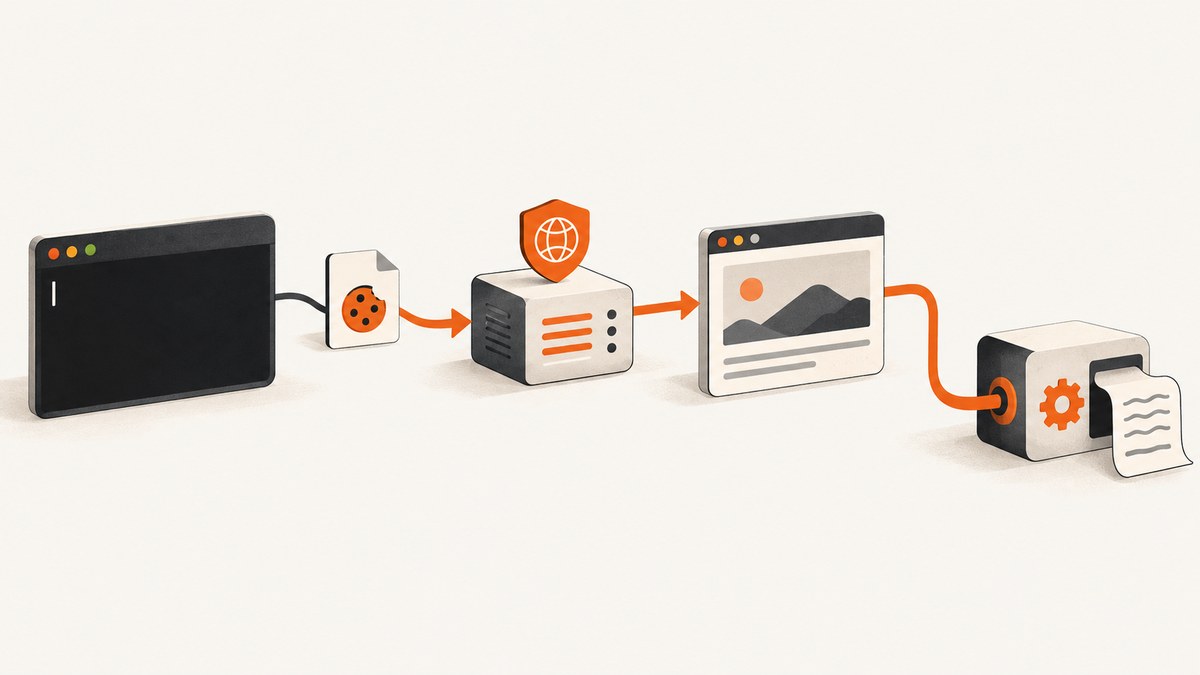
cURL can fetch pages over HTTP from the command line, set request headers, retain cookies in a file, route requests through supported proxies, and pass response output to another program. These features make it useful for authorized collection and inspection of pages that can be retrieved as HTTP responses. They do not make cURL a browser: it does not reproduce browser rendering or automatically execute a page’s JavaScript application.
This guide builds a practical workflow from a single request through stateful requests, proxy routing, and shell processing. Check the destination’s rules and your use case before automating requests. A custom User-Agent or proxy does not grant permission to access a site.
1. Start with a simple request
Install cURL using the method for your operating system, then check that it is available:
curl --versionThe version output also lists supported protocols and features. Proxy types and other capabilities depend on how that cURL build was compiled; consult the official feature list if an option is unavailable.
Fetch a page and save its response body to a file:
curl --fail --show-error --silent \
  'https://example.com/path' \
  --output page.html
Replace the example URL with a destination where the request is permitted. --output saves the response body rather than printing it to the terminal. The combination --fail --show-error --silent suppresses the progress meter, prints errors, and treats HTTP responses with error status codes as failures. For initial inspection, omit --silent or use --verbose to see request and connection details. Avoid sharing verbose output without checking for secrets.
To inspect response headers as well, use --include:
curl --include 'https://example.com/path'For a headers-only request, use --head. Servers may handle HEAD differently from GET, so it does not always tell you exactly what a GET response will contain. See the cURL command-line manual for the full option reference.
2. Send custom request headers
Use --header (or -H) to add a header intended for the destination server. For example, set an Accept header to describe the response type your client can handle:
curl --fail --show-error --silent \
  --header 'Accept: text/html' \
  'https://example.com/path' \
  --output page.html
You can add more than one header by repeating the option:
curl --header 'Accept: text/html' \
  --header 'X-Request-Source: my-authorized-job' \
  'https://example.com/path'
Only send headers that are appropriate for the destination and your authorized use. A header that imitates a browser does not make cURL equivalent to one. It still transfers the HTTP response; it does not provide a general browser rendering and JavaScript environment.
Redirects and sensitive headers
cURL does not follow redirects unless instructed to do so. Add --location (or -L) when following redirects is appropriate:
curl --location --header 'Accept: text/html' \
  'https://example.com/path'
Take care when combining redirects with custom headers. The manual warns: “headers set with this option are set in all HTTP requests – even after redirects are followed, like when told with –location.” cURL has special handling for authorization and cookie headers on cross-origin redirects, but other custom headers need care. Do not put secrets in a header that could be forwarded to another host.
Headers for the proxy are different
A header for the origin server and a header for the proxy have different destinations. Use --header for an origin request header. Use cURL’s separate --proxy-header option for a header intended for the proxy. Sending a proxy credential or control header as if it were an origin header can expose it to the wrong recipient. Check the manual for the exact behavior of the option and the proxy type you use.
3. Keep cookie state between requests
Cookies can carry server-issued state such as a session identifier. cURL’s cookie input and output options do different jobs:
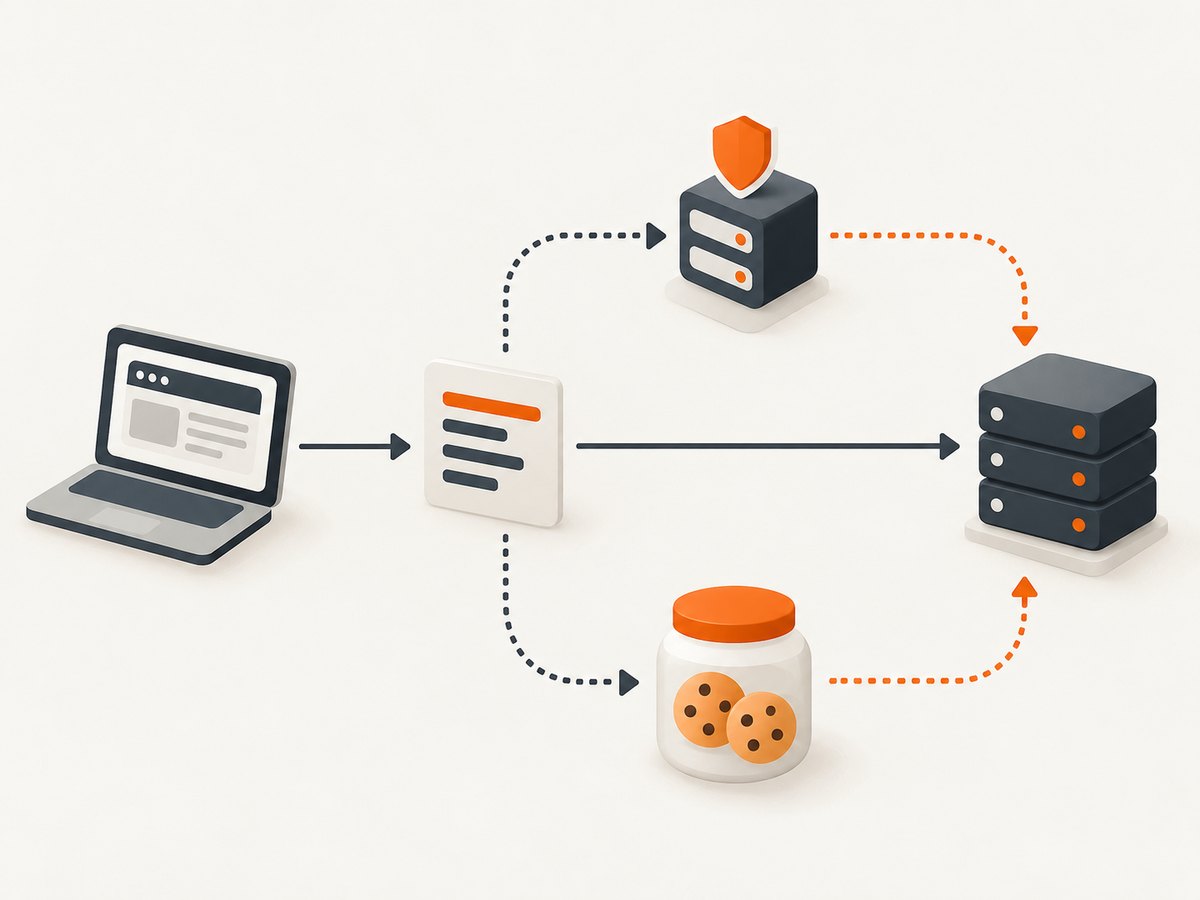
--cookie(or-b) reads cookies from a file or accepts a literal cookie string.--cookie-jar(or-c) writes cookies cURL knows about to a file at the end of the operation.
Use the same file for both roles when you want a request to load saved cookies and write back updates:
curl --fail --show-error --silent \
  --cookie cookies.txt \
  --cookie-jar cookies.txt \
  'https://example.com/path' \
  --output page.html
Run the command again with the same options to reuse cookies that remain valid for the requested host and path. The server determines the cookies it issues, and cookie scope and expiry affect whether they apply. cURL’s HTTP scripting guide explains cookie handling and file workflows.
You can also supply a literal cookie value with --cookie, but avoid putting session secrets in command history, shared scripts, logs, or process listings. Cookie files are sensitive session data: restrict who can read them, do not commit them to source control, and remove them when they are no longer needed.
When cookies do not work
A cookie file is not a way to bypass authentication or access controls. It must contain valid cookie data for a session you are authorized to use. Check that the request is reaching the expected host, that the cookie’s path and expiry cover the URL, and that the server has not invalidated the session. Some flows also depend on additional request state; cURL does not automatically reproduce a browser’s complete interaction.
4. Route a request through a proxy
To use an HTTP proxy for a request, pass its address with --proxy (or -x):
curl --proxy 'http://proxy.example:8080' \
  --fail --show-error \
  'https://example.com/path' \
  --output page.html
cURL documents HTTP, HTTPS, and SOCKS proxy configurations. The proxy option can override proxy environment settings. An empty proxy value can disable an environment setting for one command:
curl --proxy '' 'https://example.com/path'Proxy environment variables can be useful when a whole shell environment should use a proxy. cURL documents lowercase-only handling of the http_proxy variable, as well as no_proxy exclusions; see the project’s guidance on proxy environment variables. The HTTP proxy guide describes HTTP proxy behavior.
Proxy authentication options are available, but credentials should not be embedded in examples or exposed in shared shell history. Use the authentication method and secret-handling approach approved for your environment. A proxy changes routing; it does not make a request permitted, guarantee anonymity, or make cURL behave like a browser.
Choose the right proxy setup
- Use a direct connection when the destination permits it and no network proxy is required.
- Use an HTTP, HTTPS, or SOCKS proxy when your authorized network workflow requires that protocol and your cURL build supports it.
- Use
--proxy-headerfor a proxy-facing header; keep origin headers on--header. - Use a no-proxy exclusion only for hosts that should be reached directly under your network policy.
5. Pipe response output into another command
By default, cURL writes the response body to standard output when no output file is selected. A pipe passes that output to a downstream program that reads standard input:
curl --fail --show-error --silent \
  'https://example.com/path' | command-that-reads-stdin
command-that-reads-stdin is a placeholder, not a parser recommendation. Select a downstream tool that understands the actual response format. HTML, JSON, plain text, and binary image data need different handling. Do not pipe binary output into a text-processing command that may corrupt it.
For example, save a JSON response while also keeping cURL’s error output visible:
curl --fail --show-error --silent \
  'https://example.com/data.json' \
  --output response.json
cURL’s --write-out option can print transfer metadata after the body. When piping a body to a parser, direct that metadata to a separate file or otherwise separate it from the body so the parser does not receive mixed content.
Multiple URLs and parallel transfers
When multiple URLs are supplied in one invocation, cURL fetches them sequentially by default. The project manual documents parallel transfers as an option when that behavior is wanted. Sequential requests are easier to reason about when order or shared state matters. Parallel transfers can change ordering and add load to the destination, so use them only where the site’s rules and your workflow allow them. These are behavioral choices, not performance claims; no benchmark is implied here.
6. Put the pieces together
This example reads and updates cookie state, follows redirects, and saves the response. It is intended for an authorized request:
curl --location \
  --fail --show-error --silent \
  --header 'Accept: text/html' \
  --cookie cookies.txt \
  --cookie-jar cookies.txt \
  'https://example.com/path' \
  --output page.html
Add proxy routing only if your network workflow requires it and you are authorized to use that proxy:
curl --location \
  --fail --show-error --silent \
  --proxy 'http://proxy.example:8080' \
  --header 'Accept: text/html' \
  --cookie cookies.txt \
  --cookie-jar cookies.txt \
  'https://example.com/path' \
  --output page.html
Before scheduling a collection job, confirm the target URLs, request rate, response format, cookie handling, redirect behavior, and any site-specific rules. cURL documentation describes how to make transfers; it does not establish whether a particular site permits automated collection.
7. cURL’s limits and when to capture a browser view
cURL retrieves HTTP responses. A page that relies on JavaScript to render content may not have its final content in the initial HTML response. Likewise, CSS layout, responsive breakpoints, fonts, lazy-loaded images, and browser-only interactions are not represented by simply saving an HTTP response body. If your task needs the rendered page as a visual artifact, a browser screenshot workflow is a better fit.

[ScreenshotNeo](https://screenshotneo.com) is a website screenshot API and MCP server. Its API returns a PNG, JPEG, WebP, or PDF from a URL. See the ScreenshotNeo API documentation for request options and formats.
Or skip the browser setup
For a rendered screenshot, make one GET request with your access key and target URL. This cURL example saves a WebP image:
curl -G "https://api.screenshotneo.com/v1/shot" \
  -d access_key=YOUR_API_KEY \
  --data-urlencode url=https://stripe.com \
  -o shot.webp
Python:
import requests

r = requests.get(
    "https://api.screenshotneo.com/v1/shot",
    params={"access_key": "YOUR_API_KEY", "url": "https://stripe.com"},
    timeout=90,
)
open("shot.webp", "wb").write(r.content)
Node.js:
const q = new URLSearchParams({ access_key: 'YOUR_API_KEY', url: 'https://stripe.com' });
const res = await fetch(`https://api.screenshotneo.com/v1/shot?${q}`);
ScreenshotNeo accepts cookie and consent banners like a visitor and removes more than 60 known consent platforms, newsletter popups, and chat widgets before capture; each step can be turned off. Bot checks and CAPTCHAs, blank pages, timeouts, failed loads, and cache hits are not billed, and response headers report the page verdict and billing status. Its MCP server gives AI agents tools for screenshots, page information, and PDF capture. The free plan includes 1,000 screenshots a month with no card; paid plans start at $5 for 3,000 screenshots. Every feature is on every plan. Create a free ScreenshotNeo account to get started.
8. Troubleshooting common cURL problems
| Symptom | Likely cause | What to check |
|---|---|---|
| Could not resolve host | DNS or URL parsing problem, including an unquoted URL with shell-special characters. | Check the hostname and quote the complete URL. Confirm DNS and network access from the machine running cURL. |
| Connection refused or timed out | The destination or proxy is unreachable, a firewall blocks the route, or the server is not responding. | Check the host, port, proxy address, and network policy. A timeout is not evidence that changing headers will fix access. |
| Proxy connection failure | Incorrect proxy scheme, host, port, authentication, or unsupported proxy feature. | Verify the proxy settings and cURL build support. Check whether an environment proxy or no-proxy rule is affecting the command. |
| HTTP 3xx response or unexpected page | The server redirected the request and cURL did not follow it, or the redirect led to a different endpoint. | Inspect response headers. Add --location only when following the redirect is appropriate, and review sensitive headers before doing so. |
| HTTP 401 or 403 | The resource requires authorization or the server declined the request. | Confirm you have permission and the correct authorized credentials. A proxy or User-Agent change does not grant access. |
| Cookie-dependent request loses its session | Cookies were not saved or loaded, expired, or do not match the request’s host or path. | Use both --cookie and --cookie-jar with the intended file; inspect its handling and session validity securely. |
| Saved output is empty or looks like a challenge | The server returned an empty response, an access check, or content that requires browser execution. | Inspect status and headers, then determine whether the destination permits your request. cURL does not render a JavaScript-driven page as a browser does. |
| Parser receives unexpected characters | Progress or metadata was mixed with the response body, or the response format differs from expectations. | Save the body with --output, keep diagnostics on standard error, and separate any --write-out metadata. |
9. Performance, reliability, and cost considerations
cURL itself is a command-line transfer tool, so your workflow’s time and resource use depend on the destination, network, response size, proxy, and how many requests you make. No benchmark or success rate is implied by these examples. Avoid unnecessary parallel requests, especially where they can increase load or conflict with a site’s policies.
For reliability, save important output to files, keep diagnostics available, and distinguish transfer failures from HTTP error responses. Use bounded timeouts for jobs that must not hang indefinitely, and decide how your own script should retry transient failures. Repeated retries can also increase load; do not retry access denials as if they were network glitches. Keep cookie and proxy credentials out of logs and repositories.
There is no cURL service fee described here; your costs may come from network access, infrastructure, or an authorized proxy provider you choose. Compare any proxy provider on protocol support, authentication, privacy terms, geographic coverage, and usage rules. For ScreenshotNeo, the published options are a free plan with 1,000 shots per month and paid plans at $5 for 3,000, $15 for 15,000, $39 for 60,000, $99 for 250,000, and $249 for 1,000,000; yearly billing gives two months free. Its clean-shot billing rules are described above.
10. FAQ
Can cURL scrape a website that renders content with JavaScript?
cURL can retrieve the HTTP response, but it does not act as a full browser that runs a site’s JavaScript and renders its final layout. Use a browser automation or screenshot workflow when the rendered result is what you need.
Does changing the User-Agent make scraping allowed?
No. A User-Agent is a request header; it does not establish permission. Check the destination’s rules and your use case.
Can I use a cookie file for an authenticated session?
Yes, if you are authorized to use that session and the cookie remains valid and in scope for the request. Treat the file as a secret.
Does cURL use proxy environment variables?
cURL documents proxy environment variables, with special handling for lowercase http_proxy. Command-line proxy settings can override environment settings. See the project’s proxy environment guide for details.
Can cURL save an image or PDF?
It can save response bytes to a file, but that does not convert a webpage into a screenshot or PDF. For browser-rendered output, use a capture service or browser workflow.


