How to Create a Custom AI Chatbot with Python
Build a Python chatbot with the OpenAI Responses API, then add conversation memory, document search, streaming, and production safeguards.
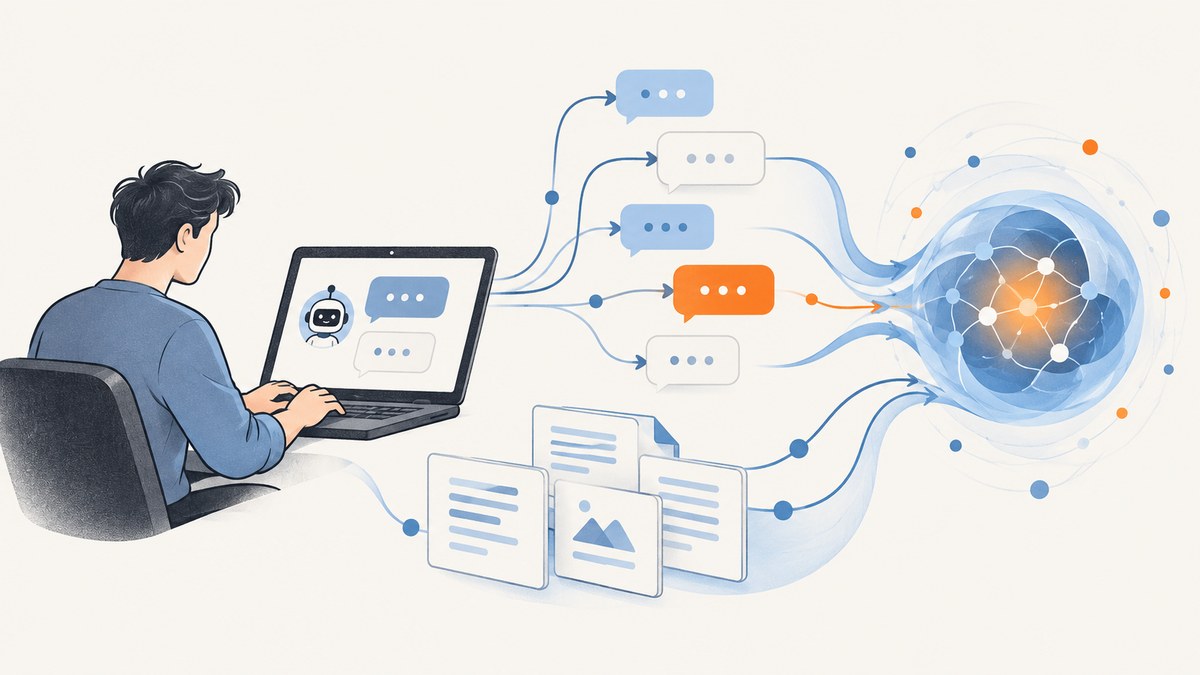
A working Python AI chatbot can start with one API call: send a message to the OpenAI Responses API and print the model’s reply. The useful work comes next: choose how the bot remembers earlier turns, decide whether it needs your documents, keep the API key on your server, and plan for errors, usage, and privacy.
This guide builds a command-line chatbot first, then shows how to add bounded conversation history, persistent conversation state, document retrieval, streaming, and production safeguards. The code uses the official OpenAI Python SDK, which supports Python 3.10 and later. Check the current API documentation for model availability before choosing a model. OpenAI Python SDK · API quickstart.
1. Create the project and install the SDK
Use a virtual environment so the project’s dependencies stay isolated. Keep your API key in an environment variable, and do not commit it to source control.
mkdir python-chatbot
cd python-chatbot
python3 -m venv .venv
source .venv/bin/activate
python -m pip install --upgrade pip
pip install openai
On Windows PowerShell, activate the environment with .venv\Scripts\Activate.ps1. Set the key in the shell where you will run the program:
# macOS or Linux
export OPENAI_API_KEY="your-api-key"

# Windows PowerShell
$env:OPENAI_API_KEY="your-api-key"
The SDK reads OPENAI_API_KEY by default. The example checks that it exists so a missing configuration fails with a clear message. For shared machines or production deployments, use your platform’s secret manager rather than putting credentials in a checked-in file.
2. Build a minimal command-line chatbot
Create chatbot.py. Replace the model placeholder with a currently supported model that fits your task, and check the model documentation for its capabilities and limits.
import os
from openai import OpenAI

if not os.environ.get("OPENAI_API_KEY"):
    raise RuntimeError("Set OPENAI_API_KEY before starting the chatbot.")

client = OpenAI()
MODEL = ""  # Choose and verify a model in the API docs.

while True:
    try:
        user_text = input("You: ").strip()
    except (EOFError, KeyboardInterrupt):
        print("\nGoodbye.")
        break

    if user_text.lower() in {"quit", "exit"}:
        break
    if not user_text:
        continue

    try:
        response = client.responses.create(
            model=MODEL,
            input=user_text,
        )
        print("Bot:", response.output_text)
    except Exception as exc:
        print(f"The request failed: {exc}")
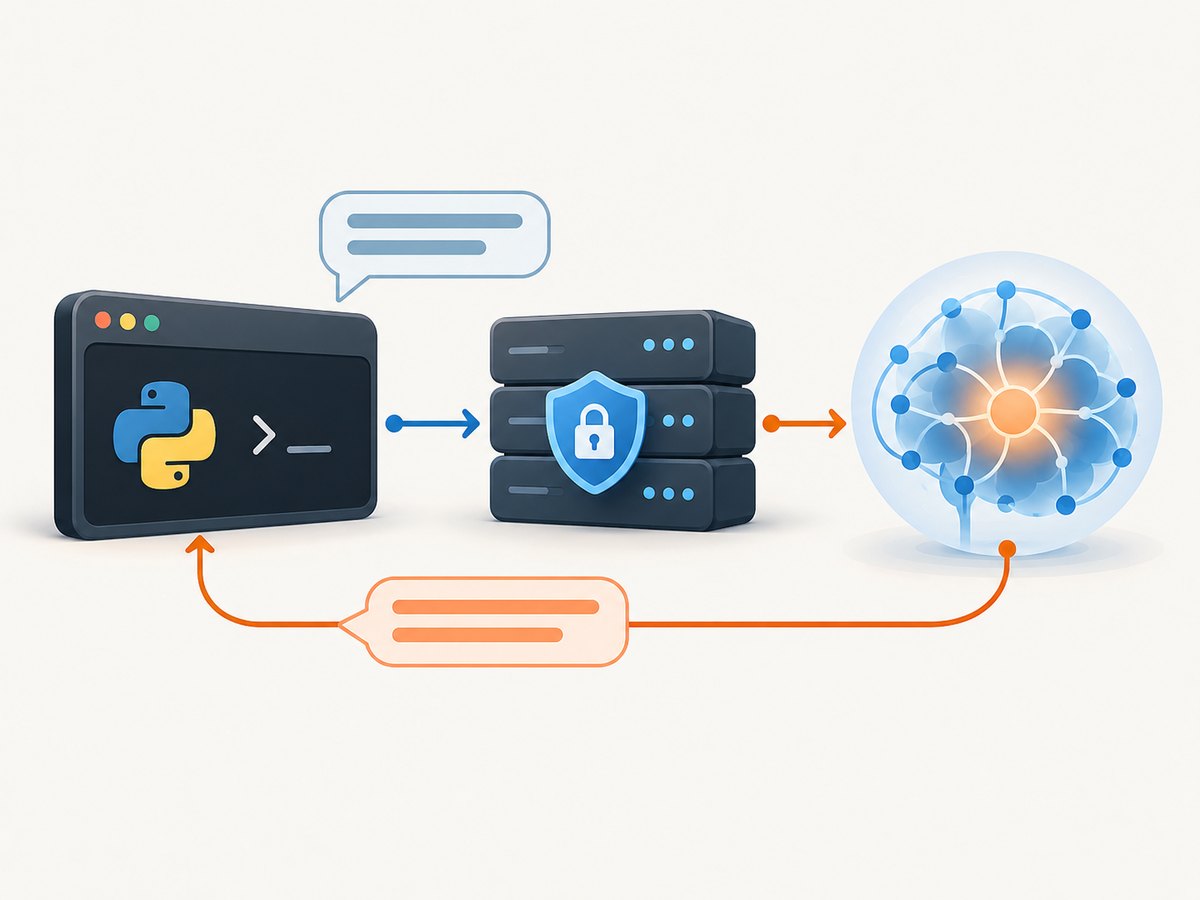
Run it with python chatbot.py. This is intentionally a small first milestone: each request contains only the current message, so the bot does not automatically remember earlier turns. The SDK’s primary interface for model calls is the Responses API. SDK documentation.
Use the same call behind a web endpoint
A web application can call this server-side function from a framework route. The browser should send user text to your backend; it should never receive the OpenAI API key. Add authentication, input limits, and rate limits appropriate to your app before exposing an endpoint publicly.
from openai import OpenAI

client = OpenAI()


def answer(user_text: str) -> str:
    response = client.responses.create(
        model="",
        input=user_text,
    )
    return response.output_text
3. Add instructions and conversation memory
Give the model a stable role or response policy with instructions, then choose an explicit state strategy. A chatbot has no implicit memory between independent requests. Three common options are:
| Approach | Persistence | Control and tradeoff |
|---|---|---|
| Replay a bounded message history | Only as long as your application stores it | Simple and easy to inspect; you control what is sent, but must manage trimming and storage. |
Chain with previous_response_id |
Links a response to a prior response | Convenient for a response chain; your application still needs to map users and sessions to the right identifier. |
| Conversations API | Conversation identifier can represent durable conversation state | Useful when you need a persistent conversation object; consider retention and data controls before launch. |
For a small prototype, bounded history is transparent. Here is a simple version that keeps recent turns in process memory. It loses state when the program exits, and multiple users would need separate histories.
import os
from openai import OpenAI

client = OpenAI()
MODEL = ""
INSTRUCTIONS = "You are a helpful assistant. Be clear, and say when you are uncertain."
MAX_MESSAGES = 12
history = []

while True:
    user_text = input("You: ").strip()
    if user_text.lower() in {"quit", "exit"}:
        break
    if not user_text:
        continue

    history.append({"role": "user", "content": user_text})
    # Keep a bounded number of messages; retain complete user/assistant turns in a real app.
    history = history[-MAX_MESSAGES:]

    response = client.responses.create(
        model=MODEL,
        instructions=INSTRUCTIONS,
        input=history,
    )
    answer_text = response.output_text
    print("Bot:", answer_text)
    history.append({"role": "assistant", "content": answer_text})
For a chain-based approach, send the prior response identifier on the next call and persist the returned identifier with the session:
first = client.responses.create(
    model=MODEL,
    input="Help me plan a two-day visit to Kyoto.",
)

follow_up = client.responses.create(
    model=MODEL,
    previous_response_id=first.id,
    input="Make day two suitable for a rainy forecast.",
)
print(follow_up.output_text)
For longer-lived conversations, use the conversation state guide to choose between response chaining and a Conversations API object. The documentation states that response objects are retained for 30 days by default; store=false changes response storage behavior. Conversation objects have separate persistence behavior. Review the current state guide and data-controls documentation before deciding what personal or sensitive information to retain.
4. Make the chatbot answer from your documents
For private documentation or a knowledge base, use retrieval rather than pasting the entire corpus into every request. Retrieval-augmented generation (RAG) has six stages:
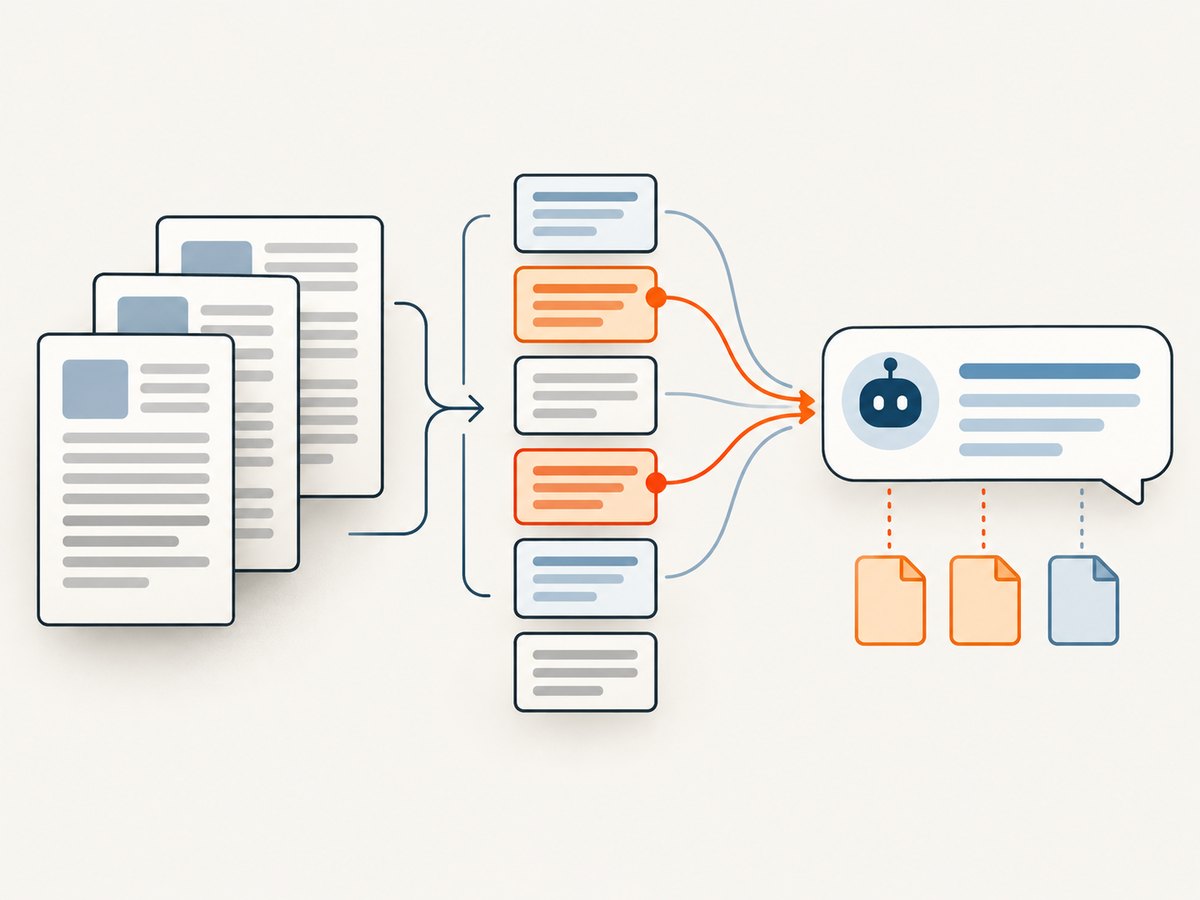
- Ingest: collect files and record their source, permissions, and update time.
- Normalize: extract text, remove repeated boilerplate, and preserve useful headings and metadata.
- Chunk: split text into sections small enough to retrieve and send as context. There is no universally correct chunk size; evaluate it against your documents and questions.
- Index: create an embedding for each section and store vectors with their source metadata.
- Retrieve: embed each question, search for relevant sections, and optionally rerank candidates.
- Answer: include only the best matching excerpts and source labels in the model request.
Embeddings represent text as vectors so semantically related questions and passages can be matched. The retrieval system can be a vector database or another index suited to your scale. The schema, chunking, thresholds, and ranking method are implementation choices: evaluate retrieval recall and citation quality with representative queries rather than assuming one configuration works for every corpus.
A generation step can pass retrieved material as labeled context and tell the model not to fill gaps with guesses:
def answer_from_retrieved_context(question: str, passages: list[dict]) -> str:
    labeled_context = "\n\n".join(
        f"Source: {item['source']}\nExcerpt: {item['text']}"
        for item in passages
    )
    if not labeled_context:
        labeled_context = "No relevant passages were retrieved."

    response = client.responses.create(
        model=MODEL,
        instructions=(
            "Answer using the supplied excerpts. Cite source labels when useful. "
            "If the excerpts do not contain the answer, say that the available "
            "documents do not establish it. Do not invent a citation."
        ),
        input=(
            f"Retrieved excerpts:\n{labeled_context}\n\n"
            f"Question: {question}"
        ),
    )
    return response.output_text
The function assumes another part of your application has already retrieved passages. Add document-level authorization filters before retrieval: a user must not receive excerpts from files they are not permitted to see. Log source IDs and retrieval outcomes so an incorrect answer can be traced to missing, irrelevant, or outdated evidence. OpenAI’s Q&A and chatbot guidance describes the embeddings, query retrieval, and context-injection pattern.
5. Stream replies and handle concurrent users
For a command-line interface that should show text as it arrives, use streaming. Streaming improves perceived responsiveness for long replies, but it does not guarantee a faster completed response. Consult the SDK documentation for the current event types and streaming interface.
with client.responses.stream(
    model=MODEL,
    input="Explain how a Python virtual environment works.",
) as stream:
    for event in stream:
        if event.type == "response.output_text.delta":
            print(event.delta, end="", flush=True)
    print()
For an asynchronous web server or many concurrent calls, the SDK provides an async client. Use await in an async route and avoid blocking the event loop with synchronous network calls. Set sensible request timeouts and handle cancellation when a user disconnects. If the product needs real-time audio or multimodal interaction, evaluate the Realtime API and its WebSocket interface; a text chatbot usually does not need that extra complexity.
6. Add website screenshots as a chatbot capability
If your chatbot needs to discuss a web page’s visual layout, it can call a screenshot service as one of its tools. For example, a page-review assistant might capture a supplied URL and let a separate vision-capable model inspect the returned image. Keep URL fetching behind your server, validate allowed hosts, and do not treat page content as trusted instructions.
Or skip the browser setup
For website captures, ScreenshotNeo is a website screenshot API and MCP server from Yorker Media. One GET request returns a PNG, JPEG, WebP, or PDF; its API documentation lists request options and output formats.
import requests

r = requests.get(
    "https://api.screenshotneo.com/v1/shot",
    params={"access_key": "YOUR_API_KEY", "url": "https://stripe.com"},
    timeout=90,
)
r.raise_for_status()
open("shot.webp", "wb").write(r.content)
ScreenshotNeo accepts cookie and consent banners as a visitor and removes more than 60 known consent platforms, newsletter popups, and chat widgets before capture; each step can be turned off. Bot checks and CAPTCHAs, blank pages, timeouts, failed loads, and cache hits are not billed, and response headers report the page verdict and billing status. Its MCP server provides take_screenshot, get_page_info, and capture_pdf for Claude, Cursor, and other MCP clients. The Free plan includes 1,000 screenshots a month with no card; paid plans start at $5 for 3,000 screenshots. All features are on every plan. Sign up for 1,000 free screenshots a month, with no card.
7. Production checklist: safety, reliability, and cost
- Select a model with evaluations. Compare candidate models on representative prompts, expected answer quality, latency, and cost. Pin a deliberate model choice and recheck availability when updating it.
- Protect credentials and user data. Keep keys server-side, scope access where possible, rotate exposed keys, and decide what conversation state to retain. Avoid logging secrets or unnecessary sensitive content.
- Constrain input and output. Set application-level length limits, validate structured inputs, and make clear what the bot can and cannot do. Treat retrieved web pages and documents as untrusted data.
- Handle failures deliberately. Catch authentication, rate-limit, timeout, and server errors separately in production. Retry transient failures with bounded exponential backoff and jitter; do not retry invalid requests indefinitely.
- Plan for overload. Queue work or return a useful retry message when demand exceeds your capacity. For suitable long-running tasks, evaluate background processing; use WebSockets only when the interaction actually requires them.
- Monitor quality and safety. Track errors, latency, token usage, retrieval misses, user feedback, and unsafe or misaligned outputs. Send a safety identifier as recommended by the deployment checklist.
- Budget measured usage. API cost depends on the selected model, input and output volume, history size, and retrieval context. A long replayed history or oversized document excerpts increase per-turn input. Measure representative usage and set application budgets.
OpenAI’s deployment checklist recommends evaluating models, sending a safety identifier, monitoring misalignment, and planning for traffic increases and overload. Use its current guidance as a launch checklist rather than assuming a working local script is production-ready.
8. Troubleshooting common problems
| Symptom | Likely cause | Fix |
|---|---|---|
| Authentication error | The key is unset, misspelled, revoked, or loaded in a different shell. | Check OPENAI_API_KEY in the process environment; create or rotate the key in the account’s API settings. Never paste it into client-side code. |
| Model not found or unavailable | The example’s placeholder was not replaced, or the chosen model name/access has changed. | Choose a currently supported model from the live model documentation and verify account access. |
| The bot forgets the conversation | Only the latest user message is sent. | Replay bounded history, pass previous_response_id, or use a Conversations API object; persist the session-to-state mapping yourself. |
| Answers omit facts from documents | Retrieval returned no useful chunks, relevant text was lost during extraction, or context was truncated. | Inspect retrieved passages and source metadata, improve parsing/chunking/ranking, and test with known-answer queries. Have the bot say when evidence is missing. |
| Duplicate replies after a retry | The client retried after an ambiguous timeout and the application processed the turn twice. | Use request or job identifiers in your application, record turn status, and make retry behavior bounded and observable. |
| Slow or expensive turns | Large histories, too many retrieved passages, or long generated answers increase work. | Trim state, retrieve fewer and more relevant excerpts, cap output appropriately, and compare models using your own evaluation set. |
| Streaming produces no visible text | The code is not handling text delta events, or an intermediary buffers output. | Use the SDK’s documented streaming event interface and configure the web server/proxy to flush streamed chunks. |
9. Frequently asked questions
Does this chatbot run locally?
The Python program runs on your machine or server, but each model response is an API request. Do not put the API key in a distributed desktop or browser application.
Can I use a different model provider?
This tutorial uses the official OpenAI Python SDK and Responses API. A different provider may have a different SDK, request format, state model, and data policy; adapt the integration and verify that provider’s current documentation.
How do I keep answers grounded?
Retrieve relevant, permission-checked passages for each question, attach source labels, and instruct the bot to acknowledge when the retrieved evidence is insufficient. Evaluate retrieval and answer quality together.
What should I build first?
Start with the command-line loop, then add only the state, retrieval, and interface features your use case requires. Test with real representative questions before putting it in front of users.


