How to Send Custom Headers with Google Chrome Headless
Send Authorization and other custom headers in Chrome Headless with Puppeteer, Playwright, CDP, or a screenshot API. Includes code, edge cases, and fixes.

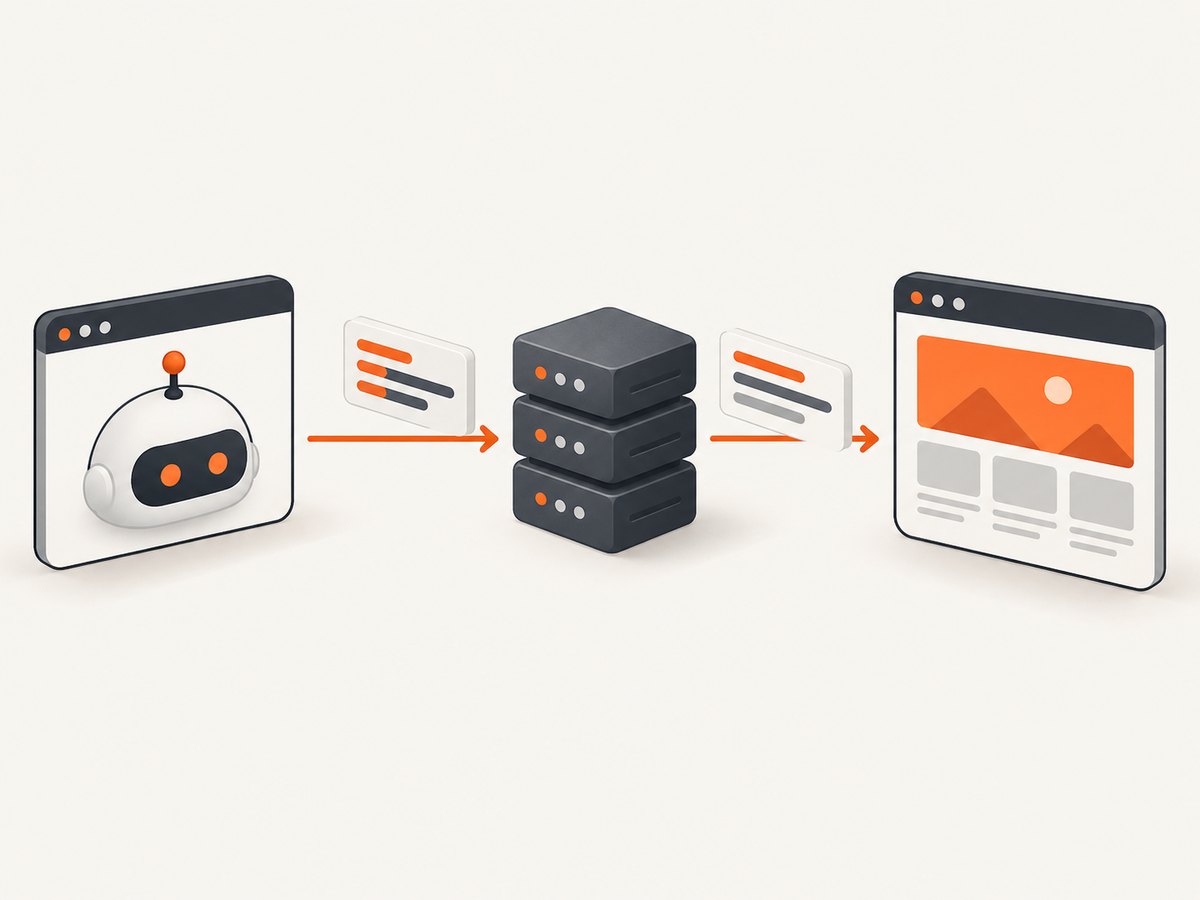
To send custom headers with Google Chrome Headless, use an automation library or the Chrome DevTools Protocol (CDP). A bare google-chrome --headless command selects an invisible browser runtime, but Chrome’s documented command-line options do not provide a general arbitrary-header switch.
For most projects, set headers before navigation:
- Puppeteer: call
page.setExtraHTTPHeaders(). - Playwright: set
extraHTTPHeaderson the browser context. - CDP: send the
Page.setExtraHTTPHeaderscommand to the page session.
This distinction matters because headers attached to a CDP connection authenticate the protocol connection; they do not automatically become HTTP headers sent by pages.
What headless mode does (and does not do)
Chrome Headless runs Chrome without a visible user interface. Google describes it as running the browser “without chrome,” meaning the browser UI is absent while normal page loading and rendering still occur. The --headless flag chooses that runtime mode; it is not a documented mechanism for adding an arbitrary Authorization, X-API-Key, or tenant header to every request.
Since Chrome 132.0.6793.0, the old headless implementation is distributed separately as chrome-headless-shell; current Headless is unified with the regular Chrome implementation. Check the installed Chrome version when a command behaves differently from an older deployment. See Google’s Headless mode documentation.
Choose the right header scope
| Need | Use | Scope |
|---|---|---|
| Headers on one page and its requests | Puppeteer page.setExtraHTTPHeaders |
Page |
| Consistent headers for several pages | Playwright browser.newContext({ extraHTTPHeaders }) |
Context |
| Low-level protocol control | CDP Page.setExtraHTTPHeaders |
CDP page session |
| Authenticate the connection to an existing browser | Playwright connectOverCDP(..., { headers }) |
CDP connection only |
Set the page or context headers before goto(). Otherwise, the first document request can leave before your configuration is applied. Header names are case-insensitive. Puppeteer lowercases header names, and it does not guarantee their order. Header values must be strings.
Send headers with Puppeteer
Install Puppeteer and launch Chrome in headless mode:
npm install puppeteerimport puppeteer from 'puppeteer';
const token = process.env.API_TOKEN;
if (!token) throw new Error('Set API_TOKEN before running this script');
const browser = await puppeteer.launch({ headless: true });
try {
const page = await browser.newPage();
await page.setExtraHTTPHeaders({
authorization: `Bearer ${token}`,
'x-tenant-id': 'acme'
});
const response = await page.goto('https://example.com', {
waitUntil: 'networkidle2',
timeout: 60_000
});
console.log('status:', response?.status());
console.log('title:', await page.title());
} finally {
await browser.close();
}Puppeteer documents that extra headers are sent with every request the page initiates. In practice, verify how your target server treats redirects and requests to other origins. Your application may need to restrict credentials to a trusted origin rather than send a bearer token to every destination.
Per-page versus per-request headers
setExtraHTTPHeaders is convenient for a page-wide policy. If one request needs a different token, use request interception and continue that request with modified headers, or use a server-side proxy that owns the credential. Do not log the resulting request headers in production; access tokens can appear in debugging output.
Send headers with Playwright
Playwright applies extraHTTPHeaders to a browser context. Every page created in that context inherits the configuration:
npm install playwrightimport { chromium } from 'playwright';
const token = process.env.API_TOKEN;
if (!token) throw new Error('Set API_TOKEN before running this script');
const browser = await chromium.launch({ headless: true });
try {
const context = await browser.newContext({
extraHTTPHeaders: {
authorization: `Bearer ${token}`,
'x-tenant-id': 'acme'
}
});
const page = await context.newPage();
const response = await page.goto('https://example.com', {
waitUntil: 'networkidle',
timeout: 60_000
});
console.log('status:', response?.status());
console.log('title:', await page.title());
await context.close();
} finally {
await browser.close();
}Playwright can launch branded Chrome channels such as chrome, chrome-beta, and chrome-canary. Its documentation cautions that an arbitrary executable path is used at your own risk, so prefer a supported channel or the browser version managed by your deployment.
const browser = await chromium.launch({
  channel: 'chrome',
  headless: true
});
Use separate contexts when tenants need different credentials. Closing a context also closes its pages and helps prevent one tenant’s headers from leaking into another tenant’s work.
Use Chrome DevTools Protocol directly
CDP is useful when you already control a Chrome debugging endpoint or need protocol-level integration. The relevant command is Page.setExtraHTTPHeaders. A minimal Node.js example with the chrome-remote-interface package looks like this:
npm install chrome-remote-interfaceimport CDP from 'chrome-remote-interface';
const client = await CDP({ port: 9222 });
const { Page } = client;
try {
await Page.enable();
await Page.setExtraHTTPHeaders({
headers: {
authorization: `Bearer ${process.env.API_TOKEN}`,
'x-tenant-id': 'acme'
}
});
await Page.navigate({ url: 'https://example.com' });
await Page.loadEventFired();
} finally {
await client.close();
}Start a debugging-capable Chrome process separately, for example with --remote-debugging-port=9222, according to your environment’s security policy. Never expose an unauthenticated debugging port to the public internet.
CDP connection headers are different
When Playwright attaches to an existing browser, connectOverCDP(endpointURL, options) accepts headers. Those headers belong to the WebSocket or HTTP connection used to speak CDP. They do not automatically appear on requests made by a page. Set page traffic separately:
const browser = await chromium.connectOverCDP('http://127.0.0.1:9222', {
  headers: { 'x-control-plane-token': process.env.CDP_TOKEN }
});

const context = browser.contexts()[0] ?? await browser.newContext({
  extraHTTPHeaders: {
    authorization: `Bearer ${process.env.API_TOKEN}`
  }
});
const page = await context.newPage();
await page.goto('https://example.com');
Use Playwright’s extraHTTPHeaders or CDP’s Page.setExtraHTTPHeaders for page requests. The distinction is also described in the Playwright CDP connection documentation and the CDP Page domain reference.
What happens on redirects and subresources?
Automation APIs describe these settings as extra headers for requests initiated by the page, but the receiving server still controls authentication. Test the complete flow:
- Navigate to the final URL and record each redirect.
- Check whether the token is accepted on the redirected origin.
- Inspect a protected image, stylesheet, iframe, or API call in a controlled test environment.
- Confirm that a cross-origin request does not disclose a credential that belongs only to the original site.
Browser security rules still apply. A custom header does not bypass CORS, CSRF defenses, origin checks, or server-side authorization. If a page’s JavaScript makes a cross-origin fetch, the target may require CORS permission even though the browser itself was launched successfully.
Native command-line Chrome: what you can use
Command-line Chrome is appropriate for simple headless tasks such as printing a PDF or taking a screenshot:
google-chrome --headless --disable-gpu \
  --screenshot=shot.png \
  https://example.com
That command does not provide a general documented option equivalent to Puppeteer’s or Playwright’s header APIs. If you need authentication, use an automation library, a CDP client, or authenticate through cookies and a controlled proxy where that is appropriate. Avoid trying to put secrets in the URL; URLs are commonly retained in logs and browser history.
Common errors and fixes
| Symptom | Likely cause | Fix |
|---|---|---|
| 401 or 403 on the first page request | Headers were set after navigation | Configure the page or context before goto(). |
| Header appears on the CDP connection but not in the page request | Connection metadata was confused with page headers | Use extraHTTPHeaders or Page.setExtraHTTPHeaders. |
| Server says the header is missing | Wrong spelling, non-string value, redirect policy, or request went to another origin | Use lowercase names, string values, and inspect the final request in a test endpoint. |
| Browser launches but page never authenticates | Server expects cookies, a CSRF token, mTLS, or a browser-specific flow | Reproduce the complete login contract; a bearer header alone may not be sufficient. |
| Playwright cannot find the requested Chrome binary | Channel or executable path is unavailable | Install the channel, use Playwright’s managed browser, or verify the path and version. |
| Requests hang | Navigation timeout, blocked resource, or network policy | Set an explicit timeout, capture console and request failures, and test DNS, proxy, and firewall access. |
| Secret appears in logs | Debug logging printed request headers or environment data | Redact authorization values and keep tokens in environment or secret storage. |
Debugging checklist
- Print the browser, Puppeteer or Playwright, and Chrome versions.
- Confirm the environment variable is present without printing its value.
- Set headers before creating or navigating the page.
- Use a test endpoint you control to inspect method, URL, and headers.
- Capture response status, redirect location, console messages, and request failures.
- Test a fresh context to rule out stale cookies or service workers.
- Try the final origin directly to distinguish redirect behavior from authentication failure.
Performance, reliability, and cost
Launching Chrome is usually more expensive than setting a header. Reuse a browser process when safe, create isolated contexts for different identities, and close pages and contexts promptly. Set a navigation timeout and decide whether your workload needs domcontentloaded, load, or a network-idle condition. Waiting for network idle can be unreliable on pages with analytics, live updates, or long polling.
For production jobs, bound concurrency. Too many simultaneous pages can exhaust CPU, memory, file descriptors, or outbound connections. Retry only failures that are plausibly transient, and use a fresh context when a page may have retained broken state. Do not retry an authentication failure indefinitely.
Cache immutable results where policy permits, but treat authenticated pages as sensitive. Measure browser startup, navigation, and rendering separately so a slow origin is not mistaken for a header problem. Keep credentials out of source control and rotate them according to your service’s policy.
Or skip the browser setup
If your goal is a reliable screenshot of an authenticated or customized page, ScreenshotNeo accepts custom headers, cookies, user agents, and Authorization directly in its screenshot API. It also supports custom CSS and JavaScript, waits, blocking rules, device presets, full-page capture, element capture, PDFs, caching, signed links, async jobs, and bulk capture. See the ScreenshotNeo API documentation.
curl -G "https://api.screenshotneo.com/v1/shot" -d access_key=YOUR_API_KEY --data-urlencode url=https://stripe.com -o shot.webpimport requests
r = requests.get(
"https://api.screenshotneo.com/v1/shot",
params={"access_key": "YOUR_API_KEY", "url": "https://stripe.com"},
timeout=90,
)
r.raise_for_status()
open("shot.webp", "wb").write(r.content)const q = new URLSearchParams({ access_key: 'YOUR_API_KEY', url: 'https://stripe.com' });
const res = await fetch(`https://api.screenshotneo.com/v1/shot?${q}`);
if (!res.ok) throw new Error(`HTTP ${res.status}`);
require('node:fs').writeFileSync('shot.webp', Buffer.from(await res.arrayBuffer()));For a custom header, add the documented header option to your request parameters, then verify the target site’s authentication requirements. ScreenshotNeo removes cookie and consent banners, newsletter popups, and chat widgets before capture; each step can be disabled. Bot checks, blank pages, timeouts, failed loads, and cache hits are not billed, and the response identifies the result with X-Page-Verdict and X-Billed headers. Its MCP server includes take_screenshot, get_page_info, and capture_pdf tools for Claude, Cursor, and other MCP clients.
There are 1,000 screenshots per month free with no card. Paid plans start at $5 for 3,000 screenshots, and every feature is available on every plan. Create a free ScreenshotNeo account.
FAQ
Can I pass an Authorization header with the Chrome binary alone?
Chrome’s documented headless command-line interface does not offer a general arbitrary-header flag. Use Puppeteer, Playwright, CDP, or a proxy you control.

Should header names use uppercase spelling?
No. HTTP header names are case-insensitive. Puppeteer lowercases the names it sends, so write conventional lowercase names in code.
Why does my CDP WebSocket header not reach the website?
The WebSocket header authenticates or identifies the CDP connection. Configure page headers separately with Playwright’s context option or CDP’s Page.setExtraHTTPHeaders.
Can a custom header bypass CORS?
No. CORS, CSRF, origin checks, and server authorization remain in force. The receiving application must permit the request and validate the credential.
When should I use a new browser context?
Use a new context when changing tenants, users, cookies, or header sets. It provides a cleaner isolation boundary than reusing one authenticated page.


