How to Handle API Calls and Promises in Cypress Without async/await
Use Cypress’s command queue, .then(), cy.intercept(), and bounded recursion to handle API calls without treating commands as Promises.
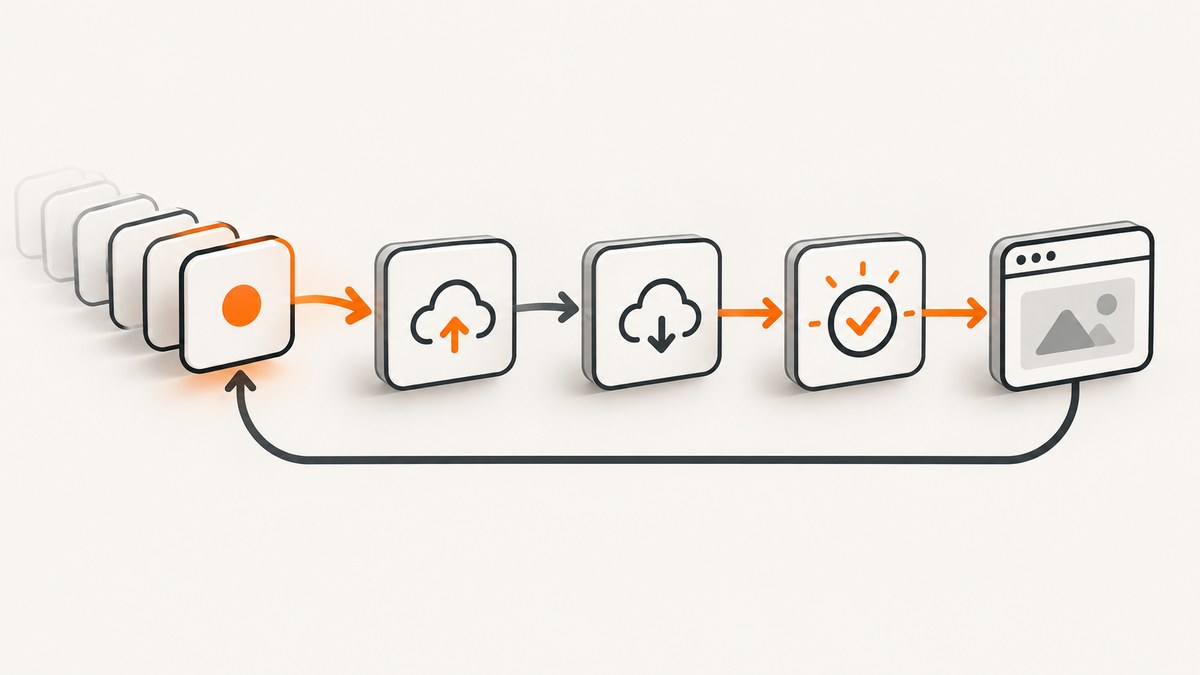
Use Cypress commands as a queued chain, not as native Promises. Call cy.request(), consume its yielded response with .then(), .its(), or .should(), and return transformed values from callbacks when later commands need them. Cypress commands are queued serially and cannot be awaited with await.
This model gives Cypress deterministic ordering and built-in retry behavior. The command does not return its subject synchronously, so assigning it to a normal variable produces a queued command rather than the response value. See the Cypress command queue documentation.
1. Make a direct API call with cy.request()
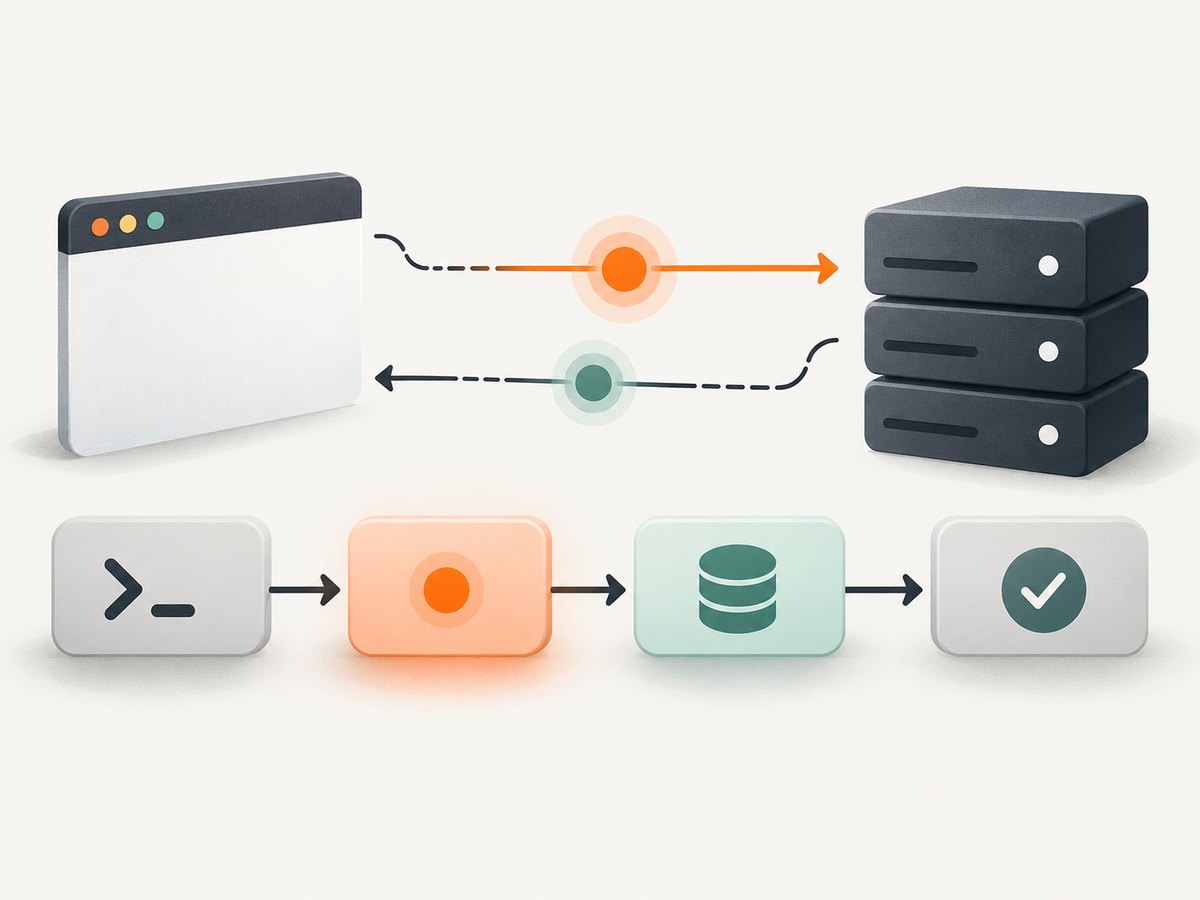
Use cy.request() when the test itself should call the HTTP endpoint. Cypress sends the request from its Node process and yields an object containing status, body, headers, and duration. JSON responses whose Content-Type ends in json are parsed into JavaScript objects.
describe('users API', () => {
  it('gets a user without async/await', () => {
    cy.request('https://api.example.test/users/1')
      .then((response) => {
        expect(response.status).to.eq(200)
        expect(response.body).to.have.property('id', 1)
        expect(response.headers).to.have.property('content-type')
        expect(response.duration).to.be.lessThan(2000)
      })
  })
})
For a single value, keep the chain declarative:
cy.request('/users/1')
  .its('body.username')
  .should('eq', 'jdoe')
For multiple assertions, use one .then() callback. Cypress runs the callback after the request has completed.
2. Pass data to later commands
Return a value from .then() to make it the subject of the next command. Cypress adopts returned chainables and waits for returned Promises, but the Cypress command itself is still not awaitable.
cy.request('/users/1')
  .then((response) => response.body.id)
  .then((id) => {
    expect(id).to.be.a('number')
    cy.request(`/users/${id}/orders`).its('status').should('eq', 200)
  })
Use aliases when data is needed in a separate part of the test:
cy.request('/users/1').as('userResponse')

cy.get('@userResponse').then((response) => {
  expect(response.body.email).to.contain('@')
})
Do not do this:
const response = cy.request('/users/1')
// response is a Cypress chainable, not the HTTP response object.
3. Configure status, headers, authentication, and retries
cy.request() accepts a URL or an options object. Common options include method, url, body, headers, qs, auth, form, encoding, failOnStatusCode, retryOnStatusCodeFailure, and retryOnNetworkFailure. With the default failOnStatusCode: true, 2xx and 3xx responses are treated as successful. The request reference documents up to four retries when the retry options are enabled.
cy.request({
  method: 'POST',
  url: '/api/login',
  body: { email: 'qa@example.test', password: 'secret' },
  headers: { 'X-Test-Run': 'cypress' },
  failOnStatusCode: false,
  retryOnNetworkFailure: true,
  retryOnStatusCodeFailure: true,
}).then((response) => {
  expect(response.status).to.be.oneOf([200, 401])
})
Use query parameters with qs:
cy.request({
  method: 'GET',
  url: '/api/users',
  qs: { page: 2, limit: 25, role: 'admin' },
}).its('body').then((body) => {
  expect(body.items).to.have.length.of.at.most(25)
})
For form-encoded requests, set form: true. For a known non-2xx response that you want to assert yourself, set failOnStatusCode: false; otherwise Cypress fails before your callback runs.
4. Wait for requests made by the application
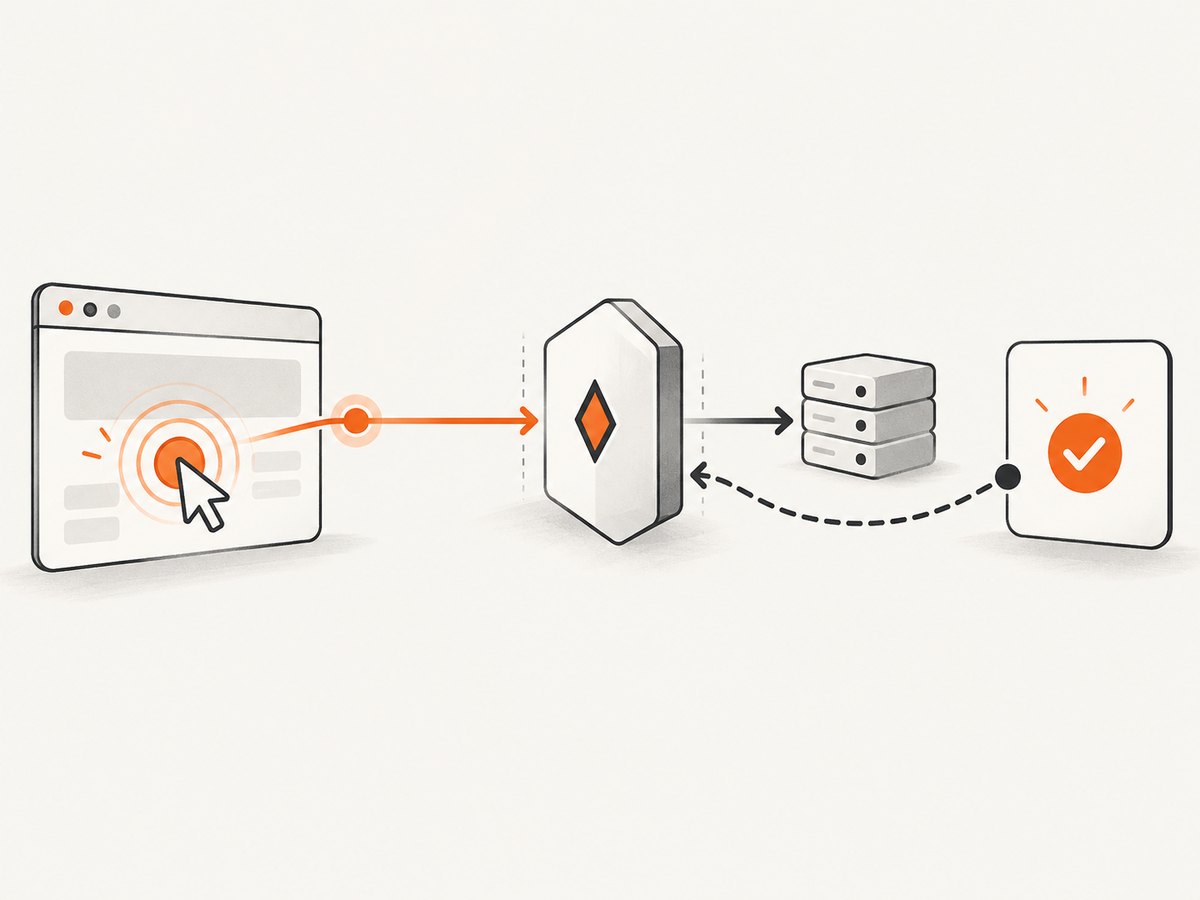
Use cy.intercept() when a browser action causes the application to make the request. Register the intercept before the action so the request cannot race past the listener.
cy.intercept('GET', '**/users/*').as('getUser')
cy.get('[data-test="load-user"]').click()

cy.wait('@getUser').then((interception) => {
  expect(interception.response.statusCode).to.eq(200)
  expect(interception.response.body).to.have.property('id')
})
You can inspect the request as well as the response:
cy.intercept('POST', '**/orders').as('createOrder')
cy.get('[data-test="submit-order"]').click()

cy.wait('@createOrder').then(({ request, response }) => {
  expect(request.body.items).to.have.length.greaterThan(0)
  expect(response.statusCode).to.eq(201)
})
To stub a response, provide a static response or a route handler:
cy.intercept('GET', '/api/profile', {
  statusCode: 200,
  body: { id: 7, name: 'Test User' },
}).as('profile')

cy.visit('/profile')
cy.wait('@profile')
cy.contains('Test User').should('be.visible')
See cy.intercept() and cy.wait() for matching and alias behavior.
5. Poll an endpoint without await
Keep polling inside the Cypress chain. A recursive function queues the next request only after the previous response has been examined. Always bound the number of attempts or a deadline.
function pollUntilReady(jobId, attempt = 0) {
  const maxAttempts = 20

  if (attempt >= maxAttempts) {
    throw new Error(`Job ${jobId} was not ready after ${maxAttempts} attempts`)
  }

  cy.request({
    url: `/api/jobs/${jobId}`,
    retryOnNetworkFailure: true,
  }).then((response) => {
    if (response.status === 200 && response.body.ready === true) {
      expect(response.body.result).to.exist
      return
    }

    cy.wait(500)
    pollUntilReady(jobId, attempt + 1)
  })
}

pollUntilReady('123')
If the service returns a temporary status such as 202, set failOnStatusCode: false and decide which statuses are retryable:
function pollJob(jobId, attempt = 0) {
  if (attempt === 30) throw new Error('Polling limit reached')

  cy.request({
    url: `/api/jobs/${jobId}`,
    failOnStatusCode: false,
  }).then((response) => {
    if (response.status === 200 && response.body.state === 'complete') return
    if (![200, 202, 429, 503].includes(response.status)) {
      throw new Error(`Unexpected status: ${response.status}`)
    }
    cy.wait(1000)
    pollJob(jobId, attempt + 1)
  })
}
Assertions chained directly to cy.request() run once; they do not retry the whole HTTP request. Put retry logic around the request when the API is eventually consistent.
6. Combine API setup, UI behavior, and API verification
A fast end-to-end spec commonly uses HTTP to seed state, the UI to exercise the user behavior, and HTTP again to verify persistence.
it('updates a profile through the UI', () => {
  cy.request('POST', '/api/test-users', {
    name: 'Ada',
    email: 'ada@example.test',
  }).then((create) => {
    const userId = create.body.id

    cy.visit(`/profile/${userId}`)
    cy.get('[data-test="display-name"]').clear().type('Ada Lovelace')
    cy.get('[data-test="save"]').click()

    cy.request('GET', `/api/users/${userId}`)
      .its('body.name')
      .should('eq', 'Ada Lovelace')
  })
})
This pattern is covered in the Cypress API testing guidance, which also covers REST, GraphQL, CRUD, validation errors, pagination, uploads, fixtures, and polling.
7. Native Promises: where the boundary is
Native Promises from non-Cypress libraries can be used, but deliberately integrate them into the command chain. Return the Promise from .then() or wrap it with cy.wrap() so Cypress waits for it.
cy.then(() => {
  return fetch('/config.json').then((response) => response.json())
}).then((config) => {
  expect(config.environment).to.eq('test')
})
cy.wrap(Promise.resolve('ready')).should('eq', 'ready')Do not mark a Cypress test async just to await Cypress commands. Mixing immediate synchronous reads with queued commands creates timing bugs. Cypress’s best-practices documentation explains that waiting for cy.request() is unnecessary because the command does not resolve until the server responds.
8. Equivalent calls outside Cypress
These examples are useful when reproducing an endpoint failure or comparing a service response. They are ordinary HTTP clients and may use native async APIs; they do not change how Cypress commands work.
cURL
curl --fail-with-body \
  -H 'Accept: application/json' \
  'https://api.example.test/users/1'
Python
import requests

response = requests.get(
    'https://api.example.test/users/1',
    headers={'Accept': 'application/json'},
    timeout=30,
)
response.raise_for_status()
print(response.json())
Node.js
const response = await fetch('https://api.example.test/users/1', {
  headers: { Accept: 'application/json' },
})

if (!response.ok) throw new Error(`HTTP ${response.status}`)
console.log(await response.json())
9. Troubleshooting
| Symptom | Cause | Fix |
|---|---|---|
await cy.request(...) fails or behaves strangely |
Cypress commands are not native Promises. | Use .then(), .its(), or .should() on the command chain. |
| A variable is undefined | The command was queued, but the variable was read synchronously. | Move dependent code into a later callback or return the value from .then(). |
cy.wait('@alias') times out |
The intercept was registered after the request, or its matcher does not match. | Register before the click or visit; check method, hostname, path, and query matching. |
cy.request() fails before assertions |
The response is non-2xx/3xx and failOnStatusCode is true. |
Set failOnStatusCode: false when the status is part of the test, then assert it explicitly. |
| Polling never ends | No attempt or deadline bound exists, or the ready condition is wrong. | Add a maximum attempt count, log the last response, and verify the condition against the API contract. |
| Response body is a string | The server did not send a JSON Content-Type ending in json. |
Inspect response.headers['content-type']; parse deliberately only when the payload is JSON. |
| Interception sees no response | The request is pending, blocked, or the application made a different request than expected. | Inspect the browser network log, widen the matcher temporarily, and verify CORS, authentication, and service availability. |
| Tests are slow or flaky under load | Unbounded waits, unnecessary UI setup, or retries masking a failing service. | Seed through HTTP, use targeted intercepts, bound polling, and reserve retries for transient network or status failures. |
10. Performance, reliability, and cost considerations
- Speed: API setup is usually faster than creating the same state through multiple UI screens. Keep one UI interaction when the behavior under test is user-facing.
- Reliability: Register intercepts before actions, use stable data-test selectors, and make polling conditions explicit. Retries cannot repair a wrong URL or an invalid assertion.
- Timeouts: Set command and request timeouts to match the service’s real response budget. A long timeout hides outages; a short timeout creates false failures.
- Isolation: Use unique test data or clean up through an API. Avoid tests that depend on the order of earlier specs.
- Cost: Cypress command queuing has no per-request product charge. External API cost depends on the service you call; stub expensive third-party calls when their behavior is not under test.
11. Or skip the browser setup
If your goal is to create a clean visual record of an API-driven page, ScreenshotNeo provides a single screenshot request instead of maintaining browser capture code. Cookie and consent banners, newsletter popups, and chat widgets are removed before the shot. Bot checks, blank pages, failed loads, timeouts, and cache hits are not billed, and the response identifies the page verdict and billing result in headers. Its MCP server lets Claude, Cursor, and other MCP clients call take_screenshot, get_page_info, and capture_pdf.
See the ScreenshotNeo API documentation for all options.
curl -G "https://api.screenshotneo.com/v1/shot" -d access_key=YOUR_API_KEY --data-urlencode url=https://stripe.com -o shot.webpimport requests
r = requests.get(
"https://api.screenshotneo.com/v1/shot",
params={"access_key": "YOUR_API_KEY", "url": "https://stripe.com"},
timeout=90,
)
open("shot.webp", "wb").write(r.content)const q = new URLSearchParams({ access_key: 'YOUR_API_KEY', url: 'https://stripe.com' });
const res = await fetch(`https://api.screenshotneo.com/v1/shot?${q}`);There are 1,000 free screenshots each month with no card. Paid plans start at $5 for 3,000 shots. Create a free ScreenshotNeo account.
12. FAQ
Can I await a Cypress command?
No. Cypress commands are queued commands, not native Promises. Consume their yielded subjects in the chain.
When should I use cy.request() instead of cy.intercept()?
Use cy.request() when the test initiates the HTTP call for setup, verification, or direct API testing. Use cy.intercept() when the application initiates the call and you need to observe or stub it.
Does .should() retry an API request?
No. Assertions chained to cy.request() run after the response. Implement bounded polling when the server is eventually consistent.
Can a .then() callback return a Promise?
Yes. Cypress waits for a returned native Promise, but you must return it from the callback and avoid synchronous reads of commands queued around it.
How do I prevent an infinite poll?
Track attempts or a deadline, stop on terminal error statuses, and include the last response in the failure message.


