How to Fix Cypress Elements Covered by Another Element After an Angular Upgrade
A Cypress covered-element error reflects the page at click time. Find the overlay or layout state behind it, then wait for an application signal before acting.
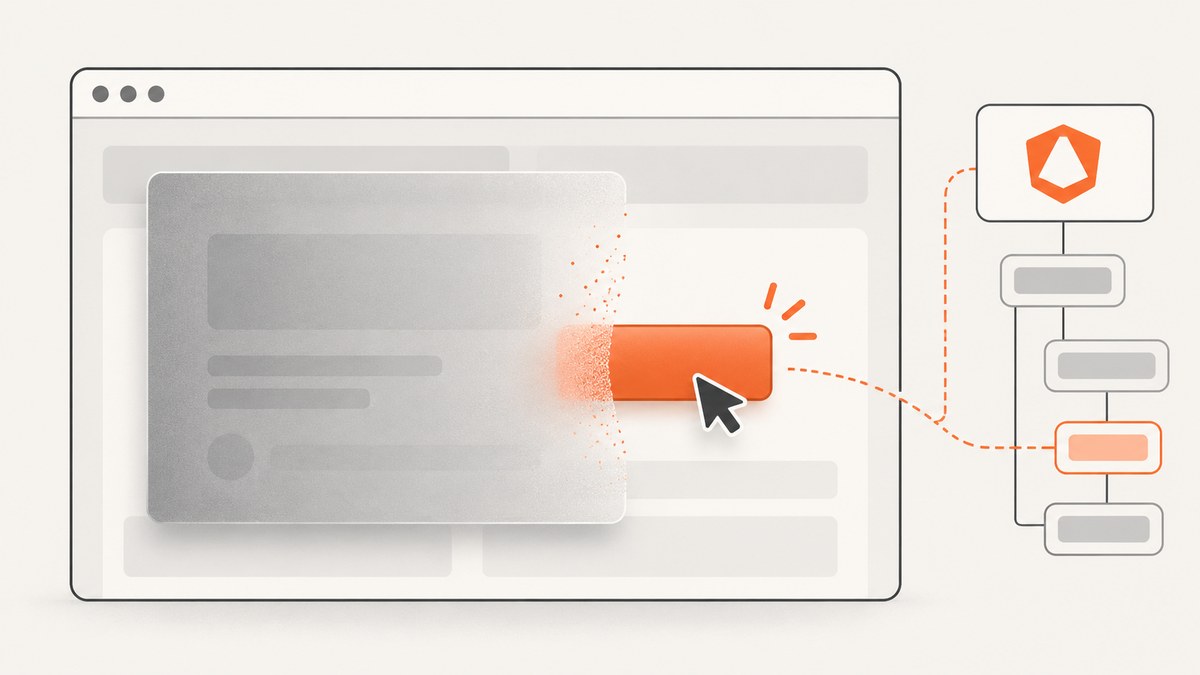
A Cypress “covered by another element” error means that, when Cypress tried to act, another element occupied the target’s center point. Fix the state that blocks a real user: identify the covering element, correct an unintended overlay or layout problem, and make the test wait for an application signal that shows the interface is ready. Increasing a timeout or forcing the click does not establish that the control is usable.
An Angular upgrade may coincide with changed DOM structure, styles, overlay timing, or rendering behavior, but it does not by itself prove the cause. Diagnose the rendered page at the failure point. Cypress checks coverage for action commands regardless of its visibility strategy. Cypress’s interaction documentation describes the actionability and coverage checks.
1. What Cypress means by “covered”
Before commands such as .click(), Cypress waits for the element to pass actionability checks. It scrolls the target into view, checks that it is actionable, and hit-tests its center coordinates to see whether another element blocks it. A child inside the target, such as an icon within a button, is allowed. A backdrop, dialog, toast, sticky header, or other unrelated element at the center can prevent the action.
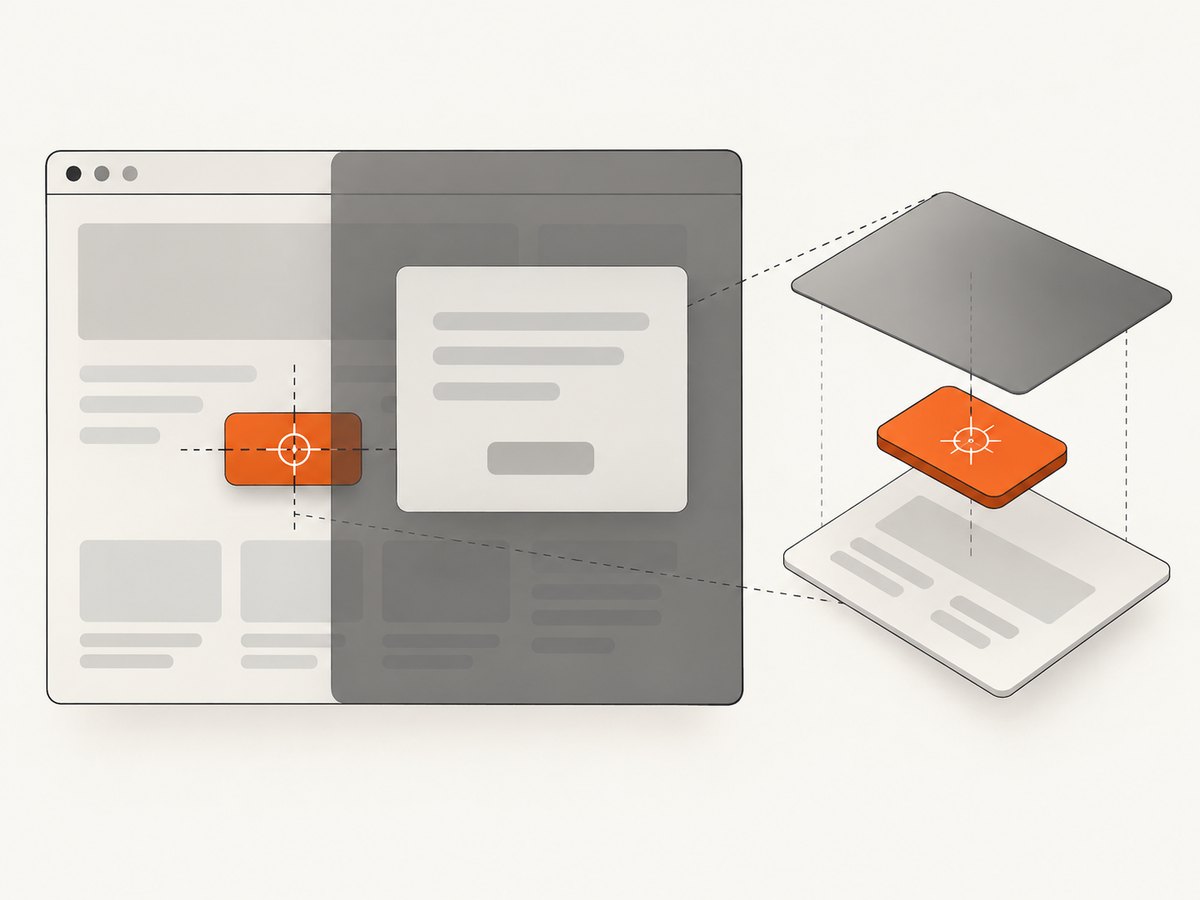
Cypress can retry the query and actionability checks until the command timeout. It also nudges the page when it detects coverage from fixed-position content. If coverage remains, the error is a snapshot of the rendered state at action time; it does not name a universal Angular defect.
2. Inspect the failure before changing the test
- Re-run the failing test and pause at the failed command in Cypress’s Command Log. Review the error details and the application DOM at that moment.
- Find the target’s center point and identify the element occupying it. Check dialog/backdrop and Angular CDK overlay containers, loading indicators, menus, snackbars, sticky or fixed navigation, and elements whose position changes during rendering.
- Check whether the target moved, was replaced, or became covered after an asynchronous request or animation. Compare the failing state with the intended stable state.
- Reproduce at the same viewport and data state. If it fails only intermittently, record which request, transition, or overlay state differs between passing and failing runs.
- Decide whether the overlay is an application defect or an expected temporary state. Fix the UI if a user should be able to click the target at that moment; otherwise wait for the expected state in the test.
Do not guess from the framework version alone. A historical Cypress issue about an Angular CDK overlay documents an intermittent case in Cypress 3.1.0 and Chrome 68. It is context for checking overlay timing, not evidence that current Angular upgrades generally cause this error.
3. Wait for the application to be ready
Prefer an observable signal that corresponds to the transition the user needs to finish: the relevant request completed, a loading indicator disappeared, or the application set a stable class or attribute. Cypress assertions retry, so a state assertion is both more reliable and usually faster than a fixed delay.
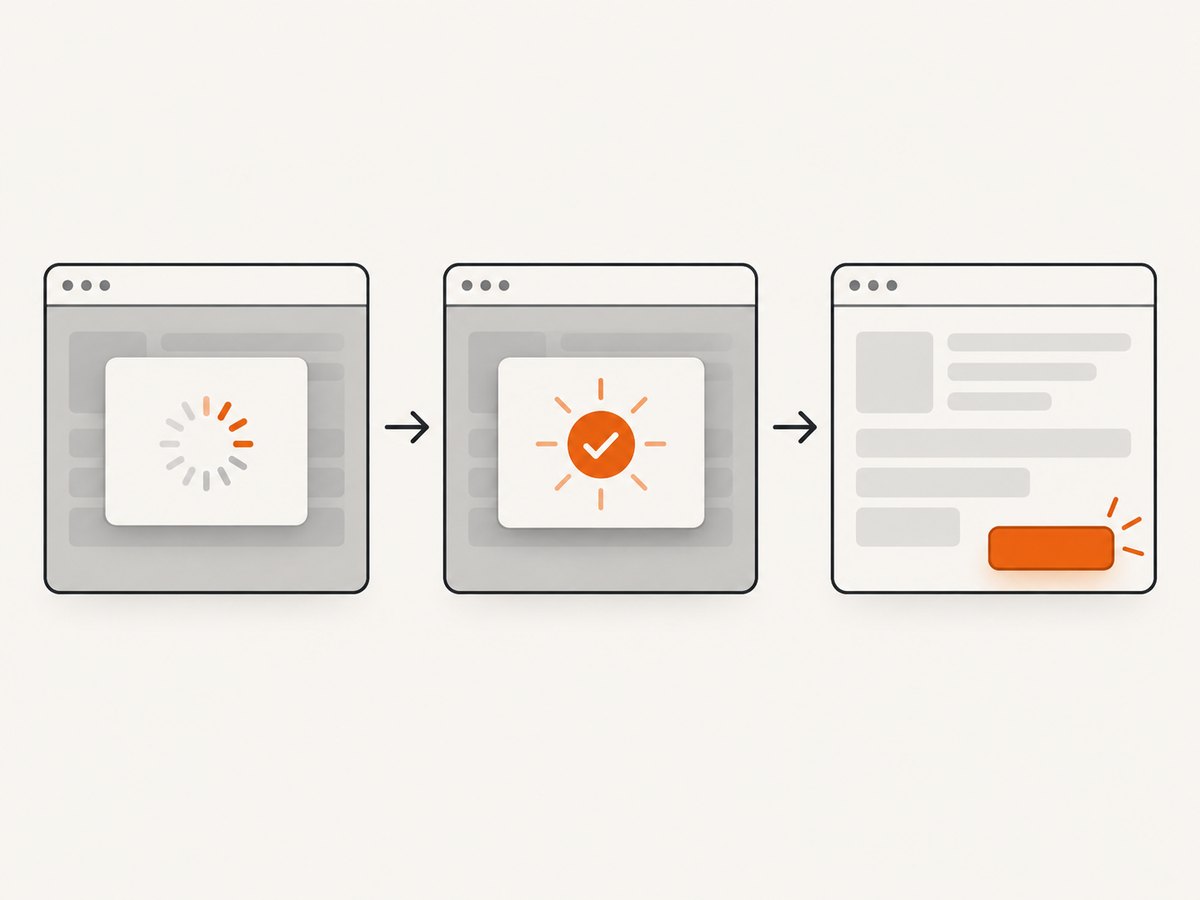
Wait for the request that reveals the control
describe('submit the updated form', () => {
  it('waits for the form data before clicking', () => {
    cy.intercept('GET', '/api/form-data').as('formData')
    cy.visit('/edit')

    cy.wait('@formData')
    cy.get('[data-cy="save"]').click()

    cy.get('[data-cy="saved-message"]').should('be.visible')
  })
})
Register the intercept before the action that triggers the request. Match the real method and URL used by the application. Waiting for an unrelated request can make the test appear synchronized while the overlay is still present.
Wait for the loading state to disappear
cy.visit('/edit')
cy.get('[data-cy="loading"]', { timeout: 10000 }).should('not.exist')
cy.get('[data-cy="save"]').click()
Use not.exist if the application removes the indicator from the DOM. If it keeps the element and changes its visibility, assert the state the application actually uses, such as should('not.be.visible') or an explicit attribute.
Wait for an application state attribute
For an Angular overlay, expose a stable state in the DOM or use the overlay’s existing accessible state. For example, if the application marks the dialog as open and removes it when closed:
cy.get('[role="dialog"]').should('not.exist')
cy.get('[data-cy="continue"]').click()
If the dialog remains mounted, wait for its real closed-state marker instead:
cy.get('[data-cy="confirm-dialog"]')
  .should('have.attr', 'aria-hidden', 'true')

cy.get('[data-cy="continue"]').click()
Choose selectors and attributes that reflect product behavior, not incidental CSS generated by the framework. If no suitable state is exposed, adding a stable test attribute or accessible state to the component can make both tests and diagnosis clearer.
Do not use visibility as a generic readiness signal
cy.get(selector).should('be.visible').click() can still fail if visibility becomes true before an overlay is gone. In Cypress 16, default visibility assertions use the browser’s Element.checkVisibility() strategy. The action still checks coverage under either strategy. Wait for the loading, request, or overlay state that actually matters rather than treating visibility as proof of clickability.
4. Choose the repair that matches the cause
| Observed cause | Preferred repair | Why |
|---|---|---|
| Expected modal or CDK overlay is still open | Wait for the dialog to close or for the overlay’s closing state to complete. | The target is not usable until the overlay stops intercepting input. |
| Loading mask remains after data is ready | Fix the application state transition, or wait for the mask to disappear if its duration is expected. | Separates a UI defect from a test timing issue. |
| Sticky header covers the target after scrolling | Check the layout and use an appropriate scroll alignment; ensure the target is reachable. | Cypress normally nudges past fixed-position coverage, but layout and scroll containers can affect the outcome. |
| Target is replaced during Angular rendering | Wait for the render-complete signal, then query the element again before acting. | Fresh queries can find the current DOM node; a previously yielded node may be detached. |
| Overlay should not exist in this scenario | Fix application logic or test setup that unexpectedly opens it. | Clicking through it would conceal the defect. |
| Test intentionally dispatches an event without user-like reachability | Use a forced action only when that is the behavior under test. | It bypasses the browser-like coverage check. |
Adjust scrolling only when the layout calls for it
Cypress’s scrollBehavior controls where an action aligns the element in its scroll container. The default is top alignment; a centered alignment can help when a sticky header covers a target placed at the top. This changes scrolling, not the underlying application state.
// cypress.config.js
const { defineConfig } = require('cypress')

module.exports = defineConfig({
  e2e: {
    scrollBehavior: 'center',
  },
})
You can also set it for one command:
cy.get('[data-cy="save"]').click({ scrollBehavior: 'center' })Cypress accepts 'top', 'bottom', 'center', 'nearest', axis-specific alignment objects, and false to skip scrolling. Prefer the smallest scope that addresses the diagnosed obstruction. For a persistent application layout bug, fix the layout instead of changing every test’s scroll behavior.
Use forced clicks sparingly
cy.get('[data-cy="save"]').click({ force: true })force: true bypasses visibility and coverage checks and fires the event at the element. It is appropriate only when bypassing normal reachability is the intended behavior being tested. If a user should click the control, a forced click can make a broken interaction pass unnoticed.
Check Cypress visibility settings by version
Cypress 16 uses the modern visibility strategy by default for visibility assertions. Its visibilityStrategy: 'legacy' option is documented as deprecated and intended as a temporary migration path. Switching strategies is not a durable fix for a covered click: Cypress action commands continue to check coverage under both strategies. Confirm the installed Cypress version before applying version-specific migration advice.
5. Common errors and fixes
| Symptom | Likely cause | Fix |
|---|---|---|
| Error names an overlay, backdrop, or dialog | The user-facing layer is still open or its backdrop intercepts the target. | Assert on the overlay’s closed state, wait for its triggering request or transition, or correct unexpected application behavior. |
| Only fails occasionally | The test races an asynchronous response, animation, or Angular rerender. | Wait on the relevant request or app-owned state signal; avoid guessing a delay. |
be.visible passes and click reports covered |
Rendered visibility does not guarantee that the target’s center is unobstructed. | Wait for the blocker to disappear or fix the layer order/layout. |
Fails after adding visibilityStrategy: 'legacy' |
The setting concerns visibility assertions and is deprecated; it does not disable action coverage checks. | Remove the workaround when practical and synchronize against the real UI state. |
Fails after changing the selector or adding force |
The locator may match a hidden duplicate, or the forced event may conceal an unusable control. | Use a unique, user-meaningful selector and inspect all matches and the center-point blocker. |
| Detached-element error appears instead | Angular replaced the node while Cypress was waiting or between chained actions. | Wait for the render state and start a fresh cy.get() before the next action. |
| Test times out despite increasing its timeout | The covering state never clears, the wrong signal is awaited, or the UI is broken. | Inspect the failure state and verify that the awaited condition can become true in this scenario. |
6. Reliability, speed, and cost of the fix
- Reliability: synchronize to the specific request or UI state that permits interaction. A generic delay only works while the guessed duration happens to exceed the real delay.
- Runtime: state-based waits proceed as soon as the condition passes. A fixed sleep always spends its full duration and can still be too short.
- Timeouts: increase a command timeout only when the correct condition legitimately takes longer in the test environment. A longer timeout cannot clear a permanent overlay or correct a wrong selector.
- Application quality: if the overlay is unexpectedly blocking real users, fix the app. A test-only workaround can hide a production interaction defect.
- Maintenance: prefer stable test IDs and app-owned state attributes over generated Angular classes, framework internals, or brittle timing assumptions.
- Diagnostics: keep the failure screenshot or DOM state available in the Cypress run so the blocker can be distinguished from a timing race. Cypress documents screenshot and video support in its run workflow.
7. A short diagnostic checklist
- What exact element occupies the target’s center at failure time?
- Is it an expected overlay, a loading layer, a sticky element, or an unintended duplicate?
- What request, attribute, or visible state proves that the target is ready?
- Does the same control work for a real user at the same viewport and application state?
- Is scroll alignment relevant, or is the blocker independent of scrolling?
- Does the test need a user-like click, or is forced event dispatch explicitly what it intends to verify?
- Is version-specific visibility advice based on the Cypress version installed?
Or skip the browser setup
If you need a screenshot of the Angular page to document or inspect its state, ScreenshotNeo is a website screenshot API and MCP server for developers. It can capture a page as PNG, JPEG, WebP, or PDF with one GET request. The API is separate from Cypress: use Cypress to assert interaction behavior, and use a screenshot when you need a page image.
For API options and response details, see the ScreenshotNeo documentation.
curl -G "https://api.screenshotneo.com/v1/shot" -d access_key=YOUR_API_KEY --data-urlencode url=https://stripe.com -o shot.webpimport requests
r = requests.get(
"https://api.screenshotneo.com/v1/shot",
params={"access_key": "YOUR_API_KEY", "url": "https://stripe.com"},
timeout=90,
)
open("shot.webp", "wb").write(r.content)const q = new URLSearchParams({ access_key: 'YOUR_API_KEY', url: 'https://stripe.com' });
const res = await fetch(`https://api.screenshotneo.com/v1/shot?${q}`);ScreenshotNeo accepts cookie or consent banners as a visitor and removes more than 60 known consent platforms, newsletter popups, and chat widgets before capture; each step can be turned off. Bot checks, blank pages, timeouts, failed loads, and cache hits are not billed, and response headers report the page verdict and billing status. Its MCP server provides take_screenshot, get_page_info, and capture_pdf for Claude, Cursor, and other MCP clients. The free plan includes 1,000 screenshots a month with no card; paid plans start at $5 for 3,000. Every feature is on every plan.
Create a free ScreenshotNeo account for 1,000 screenshots a month, no card required.
FAQ
Does an Angular upgrade automatically cause covered-element errors?
No. The error means the target was covered at action time. An upgrade may coincide with DOM, CSS, overlay, or rendering changes, so compare the actual rendered state before and after.
Will a longer Cypress timeout fix the error?
Only if the expected state eventually clears and the test is waiting for the correct condition. A timeout cannot repair a permanent blocker or incorrect selector.
Should I remove should('be.visible') before every click?
No. Remove it only when it is redundant as a readiness wait. If visibility itself is the requirement, keep an appropriate assertion, then synchronize separately with the state that ensures the target is unobstructed.
Can Cypress click through an overlay?
A forced click bypasses normal coverage checks. Use it only when that bypass is deliberately part of the test, not as a general repair for a control that should be reachable.


