How to Hover Over Parent and Child Elements in Cypress
Cypress has no built-in cy.hover(). Learn when to use trigger('mouseover'), how to target parent and child elements, and how to debug nested hover tests.
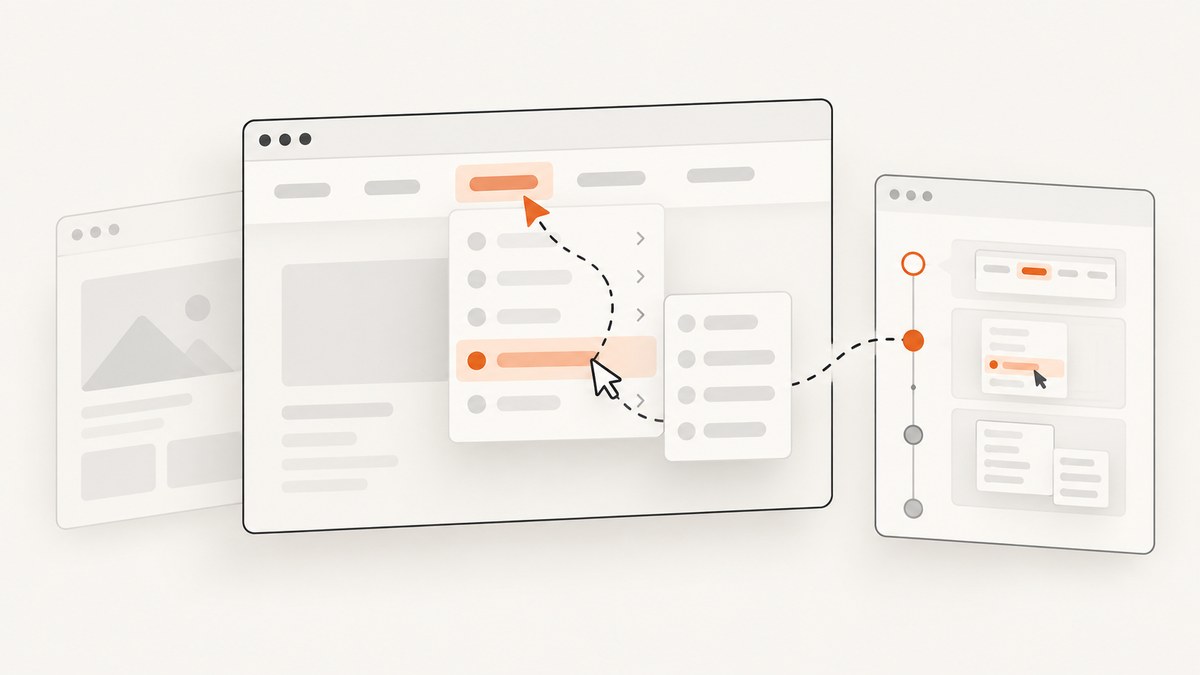
Direct answer: Cypress does not include a built-in cy.hover() command. If your application reveals a menu, tooltip, or state in response to JavaScript mouse events, select the target and dispatch the event it handles, usually mouseover. To hover the immediate parent of a child, select the child, call .parent(), and then call .trigger('mouseover').
// Hover behavior attached to the child
cy.get('[data-cy="child"]').trigger('mouseover')
cy.get('[data-cy="child-menu"]').should('be.visible')

// Hover behavior attached to the child's immediate parent
cy.get('[data-cy="child"]')
  .parent()
  .trigger('mouseover')
cy.get('[data-cy="parent-menu"]').should('be.visible')
This approach dispatches an event. It does not move a physical pointer through the page or reproduce every browser default action. Cypress describes .trigger() as low-level event dispatch: it fires the corresponding event and leaves the rest to your application and the browser. Choose the interaction that matches the implementation you are testing.
What “hover” means in a Cypress test
Before writing a command, identify what the application actually does when a user moves a pointer over an element. Most hover behavior falls into one of these categories:
- A JavaScript listener handles
mouseover,mouseenter,mousemove, orpointerover. - CSS alone changes the appearance with a
:hoverselector. - A component library uses a sequence of pointer movements through nested elements.
- The application attaches the handler to a parent while the user points at a child.
For JavaScript behavior, .trigger() is usually the clearest Cypress command. Cypress documents that it invokes the event listeners but does not automatically perform all browser actions associated with a real pointer. See the official .trigger() documentation.
For CSS-only :hover rules, dispatching mouseover may not reproduce the visual state you see in a real browser. You need an interaction method that creates real pointer movement, or you should test the behavior through a supported browser automation approach. The important assertion is the user-visible result, such as a menu becoming visible or a tooltip gaining content, rather than the fact that an event was dispatched.
Hover over a child element
Start by giving the element a stable selector. A data-cy attribute is preferable to a class that exists only for styling.

// cypress/e2e/navigation.cy.js
describe('nested navigation', () => {
  it('opens the child menu on mouseover', () => {
    cy.visit('/navigation')

    cy.get('[data-cy="products-link"]')
      .should('be.visible')
      .trigger('mouseover')

    cy.get('[data-cy="products-menu"]')
      .should('be.visible')
  })
})
Cypress applies actionability checks before the command. The element must generally be present, visible, and enabled. If your page intentionally hides the target until another state is reached, establish that state first instead of immediately forcing the event.
Use the event your component listens for. If the source uses mouseenter, triggering mouseover may not activate it. If it uses Pointer Events, try the corresponding event and provide any properties the handler reads.
cy.get('[data-cy="child"]')
  .trigger('mouseenter')

cy.get('[data-cy="child"]')
  .trigger('pointerover', {
    pointerId: 1,
    pointerType: 'mouse',
    bubbles: true
  })
Hover over the immediate parent
.parent() moves exactly one level up the DOM tree. It is useful when a child is easy to identify but the event handler belongs to its direct parent.
cy.get('[data-cy="child"]')
  .parent()
  .should('have.attr', 'data-cy', 'parent')
  .trigger('mouseover')

cy.get('[data-cy="parent-menu"]')
  .should('be.visible')
The command does not find every ancestor. For a parent several levels above the child, use a selector that describes the intended ancestor:
cy.get('[data-cy="child"]')
  .closest('[data-cy="navigation-item"]')
  .trigger('mouseover')

cy.get('[data-cy="navigation-item-menu"]')
  .should('be.visible')
Use .children() when you need immediate children of a known parent, and .find() when descendants at any depth are acceptable. Cypress’s .parent() documentation covers the one-level relationship.
Hover a parent and then a child in sequence
Nested menus often require two states: the parent opens a submenu, then a child item opens another panel. Keep each action and assertion separate so a failure identifies the missing transition.
it('opens both levels of a nested menu', () => {
  cy.visit('/navigation')

  cy.get('[data-cy="account"]')
    .trigger('mouseover')
  cy.get('[data-cy="account-menu"]')
    .should('be.visible')

  cy.get('[data-cy="billing"]')
    .should('be.visible')
    .trigger('mouseover')
  cy.get('[data-cy="billing-menu"]')
    .should('be.visible')
})
If the child is rendered only after the parent opens, query it after the parent assertion. Do not cache a subject before the DOM changes and assume it still represents the active element.
When event dispatch is not enough
Cypress states that .trigger() “will only fire the corresponding event and do nothing else.” That distinction matters in several cases:
- CSS
:hover: the style may depend on the browser’s real hover state rather than a listener. - Movement path: a menu may close when the pointer leaves the parent, so entering the child through a particular route matters.
- Event properties: code may read coordinates, buttons, pointer type, or related target.
- Delegation: the listener may be on a container and inspect
event.targetorevent.relatedTarget.
Cypress’s interaction guidance recommends matching the test interaction to what a user must do. If the behavior depends on a path through nested navigation, use a real pointer interaction tool compatible with your Cypress setup, or refactor the component so its state transition can be tested through an explicit, accessible interaction. Either way, assert the resulting menu, tooltip, or panel.
Event options and custom properties
The second argument to .trigger() lets you pass event properties. Supply only values your handler needs.
cy.get('[data-cy="map-region"]').trigger('mousemove', {
  clientX: 240,
  clientY: 120,
  pageX: 240,
  pageY: 120,
  buttons: 0
})

cy.get('[data-cy="menu-item"]').trigger('mouseover', {
  relatedTarget: '[data-cy="parent"]'
})
Use the command options when actionability is the problem, not as a first response to a failing assertion. For example, { force: true } bypasses actionability checks, but it does not make an invisible menu visible or create a real pointer path. Prefer fixing the setup, selector, or application state.
Reliable selectors and assertions
Stable selectors reduce false failures. Prefer:
data-cyor another test-specific attribute.- An accessible role and name when the element has a meaningful role.
- A narrowly scoped selector inside the component under test.
Avoid selectors based on generated class names, layout position, or text that changes with localization. Assert the state the user needs:
cy.get('[data-cy="help-link"]').trigger('mouseover')
cy.get('[role="tooltip"]')
  .should('be.visible')
  .and('contain.text', 'More information')

cy.get('[data-cy="products-menu"]')
  .should('have.attr', 'aria-expanded', 'true')
When visibility is animated, assert a durable state such as aria-expanded, a class that represents the open state, or the presence of the menu after the transition. If you must wait for animation, use a focused assertion rather than a large arbitrary delay.
Common errors and fixes
| Symptom | Likely cause | Fix |
|---|---|---|
cy.hover is not a function |
Cypress has no built-in cy.hover() command. |
Use .trigger() for event-driven behavior or a real pointer interaction for physical hover behavior. |
| The command runs but nothing opens | The component listens for a different event. | Inspect the implementation and try mouseenter, pointerover, or the event actually used. |
| “Element is not visible” | The target is hidden, covered, detached, or not yet rendered. | Open the preceding state, wait on a meaningful selector, and verify the element. Use force only when the hidden state is intentional and understood. |
| Parent test opens the wrong menu | .parent() selected only one level, while the handler is higher up. |
Use .closest() with a specific selector or query the ancestor directly. |
| Child disappears after parent hover | The parent closes when the pointer leaves, and the test did not preserve the required path. | Model the real movement sequence or test the component’s state transition separately. |
| Tooltip appears intermittently | Assertion races an animation or delayed render. | Assert eventual visibility and stable content; avoid fixed sleeps unless the delay itself is the behavior under test. |
Handler throws during trigger |
The handler expects coordinates, pointer metadata, or another property. | Pass the required event properties in the options object. |
A complete parent-and-child example
describe('account navigation hover', () => {
  beforeEach(() => {
    cy.visit('/account')
  })

  it('opens the parent menu and then the child menu', () => {
    cy.get('[data-cy="settings-link"]')
      .should('be.visible')
      .trigger('mouseover')

    cy.get('[data-cy="settings-menu"]')
      .should('be.visible')

    cy.get('[data-cy="notifications-link"]')
      .should('be.visible')
      .trigger('mouseover')

    cy.get('[data-cy="notifications-menu"]')
      .should('be.visible')
      .and('contain.text', 'Email alerts')
  })

  it('uses the direct parent when the handler is attached there', () => {
    cy.get('[data-cy="settings-label"]')
      .parent()
      .trigger('mouseover')

    cy.get('[data-cy="settings-menu"]')
      .should('be.visible')
  })
})
Performance, reliability, and maintenance
- Keep tests local: Visit the smallest page or fixture that reproduces the hover behavior. Smaller DOMs make selectors and failures easier to understand.
- Wait on state: Cypress retries queries and assertions. Prefer
should('be.visible')or an attribute assertion over fixed waits. - Control animation: Disable transitions in test CSS when animation timing is unrelated to the behavior being tested.
- Test both levels: Include a focused child test and a parent-to-child sequence when the component supports both interactions.
- Use accessibility state: Menus should expose useful roles and expanded state. Those attributes make tests more stable and improve the component for keyboard users.
- Separate browser limitations: A passing synthetic event test proves the listener responds. It does not prove that a real user can move through the interface without the menu closing.

Or skip the browser setup
If your goal is to capture the resulting page or menu state rather than exercise Cypress event handlers, ScreenshotNeo provides a single screenshot API request. It can wait for a selector, click an element, run custom JavaScript, hide selectors, choose a device or viewport, and capture a full page or one element. Cookie and consent banners, newsletter popups, and chat widgets are removed before the shot.
Bot checks, blank pages, timeouts, failed loads, and cache hits are not billed, and the response identifies the page verdict and billing result in X-Page-Verdict and X-Billed headers. An MCP server provides take_screenshot, get_page_info, and capture_pdf tools for Claude, Cursor, and other MCP clients.
See the ScreenshotNeo API documentation for all options. A basic capture looks like this:
curl -G "https://api.screenshotneo.com/v1/shot" \
  -d access_key=YOUR_API_KEY \
  --data-urlencode url=https://stripe.com \
  -o shot.webp
import requests
r = requests.get(
"https://api.screenshotneo.com/v1/shot",
params={"access_key": "YOUR_API_KEY", "url": "https://stripe.com"},
timeout=90,
)
r.raise_for_status()
open("shot.webp", "wb").write(r.content)const q = new URLSearchParams({
access_key: 'YOUR_API_KEY',
url: 'https://stripe.com'
});
const res = await fetch(`https://api.screenshotneo.com/v1/shot?${q}`);
if (!res.ok) throw new Error(`Screenshot failed: ${res.status}`);
const image = Buffer.from(await res.arrayBuffer());
await import('node:fs/promises').then(fs => fs.writeFile('shot.webp', image));The Free plan includes 1,000 screenshots each month with no card. Paid plans start at $5 for 3,000 shots. Create a free ScreenshotNeo account.
FAQ
Can I use .trigger('hover')?
Use the event your application handles, commonly mouseover or mouseenter. “Hover” is not a standard DOM event.
Does .parent() find every ancestor?
No. It returns the immediate parent. Use .closest() for a matching ancestor at any depth.
Should I trigger the parent before the child?
Only when the UI requires the parent state first. Assert that the parent menu is open before querying or triggering the child.
Why does a test pass with trigger while a user still cannot hover?
The test may prove only that a listener responds to a synthetic event. Real pointer movement, CSS :hover, focus behavior, or a movement path may still need a browser-level interaction test.
Is force: true a hover fix?
It bypasses Cypress actionability checks. It does not recreate pointer movement or correct a wrong selector or event.
Can I capture a hover state for visual review?
Yes. Use your Cypress test for interaction behavior, then use ScreenshotNeo’s wait, click, JavaScript, custom CSS, and element-capture options when you need a rendered image or PDF of the resulting page.


