How to Fix Cypress Load Event Timeouts on GitHub Actions
Fix Cypress load-event timeouts in GitHub Actions by checking server readiness, URLs, blocked resources, Cypress settings, and CI diagnostics.
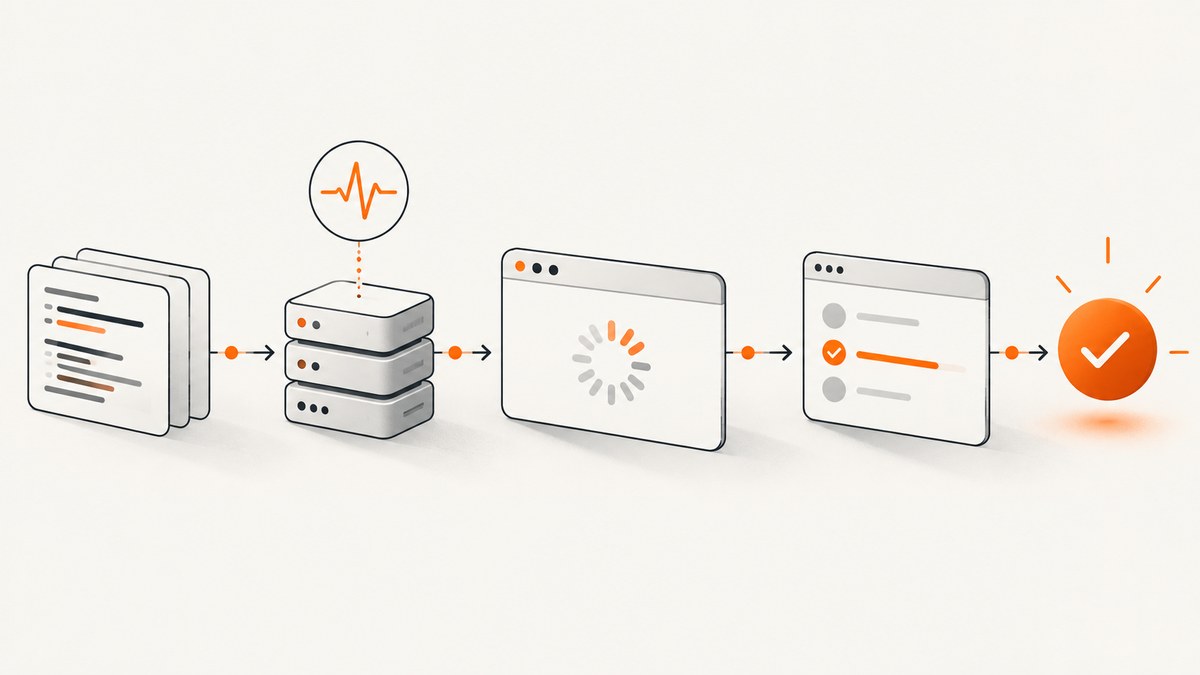
Short answer: Cypress times out because cy.visit() waits for the browser load event, not just the first HTML response. In GitHub Actions, the usual causes are an app that has not started, a URL or port that the runner cannot reach, a redirect or cross-origin mistake, or a stylesheet, script, image, or API request that never finishes. Make the server readiness check explicit, verify the exact URL from the runner, inspect failed resources, and only then increase pageLoadTimeout.
Cypress documents a default pageLoadTimeout of 60,000 milliseconds. That setting is separate from defaultCommandTimeout, which defaults to 4,000 milliseconds and controls most DOM commands. Raising the wrong setting will not fix a page-load failure.
1. What the timeout means
When a test runs cy.visit('/dashboard'), Cypress resolves the relative path against e2e.baseUrl. It sends the browser to that URL and waits for the document’s load event. The event is held until the browser finishes loading the document and its load-blocking resources. A successful HTML response alone is therefore insufficient.
A timeout gives you a useful failure boundary:
- No server: the process failed to start, crashed, or is listening on another interface or port.
- Wrong address:
baseUrl, protocol, hostname, path, or redirect points somewhere unavailable inside the runner. - Unfinished resource: a script, stylesheet, image, font, analytics request, or service call never completes.
- Slow but healthy page: the application reliably needs more than 60 seconds to finish loading.
- Post-load synchronization: the page loaded, but the test starts asserting before a required API response has updated the UI.
Identify the layer before changing a timeout. A larger value only helps the last case and can make the other cases consume more CI minutes.
2. Start the application and wait for the exact URL
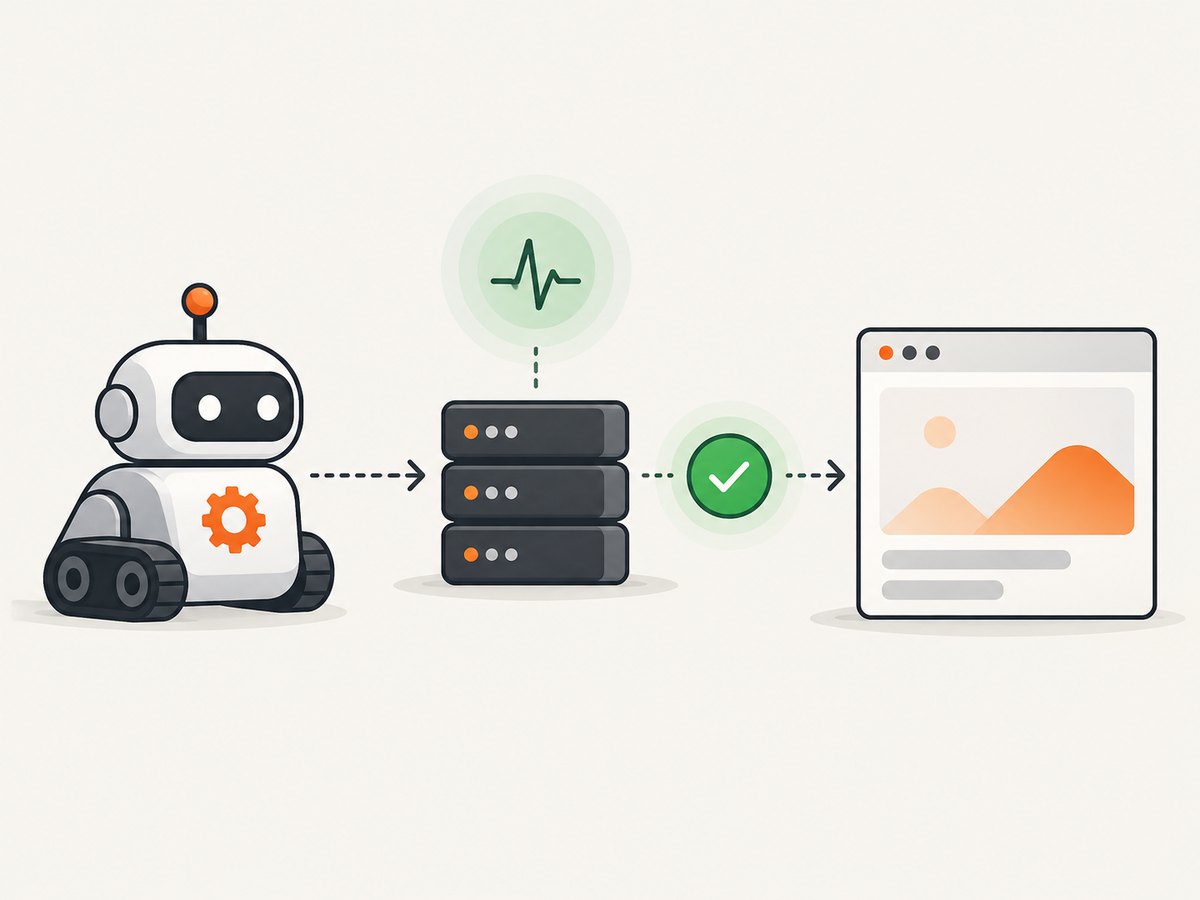
The Cypress GitHub Action can start your application and poll a URL before it launches the browser. Its default wait-on period is 60 seconds; set wait-on-timeout in seconds when your build predictably takes longer.
name: Cypress

on:
  push:
  pull_request:

jobs:
  cypress:
    runs-on: ubuntu-latest
    timeout-minutes: 10
    steps:
      - uses: actions/checkout@v4
      - uses: actions/setup-node@v4
        with:
          node-version: 20
          cache: npm
      - run: npm ci
      - uses: cypress-io/github-action@v7
        with:
          start: npm start
          wait-on: 'http://localhost:3000/health'
          wait-on-timeout: 120
          config: baseUrl=http://localhost:3000,pageLoadTimeout=100000
        env:
          DEBUG: '@cypress/github-action'
Use a health endpoint that returns promptly and represents the dependencies your page needs. If your test visits /app, you can wait on http://localhost:3000/app instead. Waiting on a different port or a development server’s landing page can produce a false sense of readiness.
Check reachability inside the job
Add a diagnostic step before Cypress when the failure is unclear. It makes DNS, port, protocol, and path errors visible in the job log.
- name: Check application
  run: |
    curl --fail --show-error --silent --location \
      --max-time 20 \
      http://localhost:3000/health
    curl --fail --show-error --silent --location \
      --max-time 20 \
      http://localhost:3000/
For a service running in Docker, confirm that the port is published to the runner and that the process binds to 0.0.0.0 when required. localhost inside a container is the container itself, not the host runner. For a remote preview URL, check that the URL is accessible without a VPN, private DNS entry, or an authentication loop.
3. Make Cypress URL configuration explicit
Put the runner-reachable origin in your Cypress configuration. Include the protocol and port. A relative visit then becomes deterministic.
import { defineConfig } from 'cypress'

export default defineConfig({
  e2e: {
    baseUrl: 'http://localhost:3000',
    pageLoadTimeout: 100000,
    setupNodeEvents(on, config) {
      return config
    }
  }
})
With this setting, cy.visit('/settings') requests http://localhost:3000/settings. If you override the value in a workflow, use Cypress’s comma-separated action input:
- uses: cypress-io/github-action@v7
  with:
    start: npm start
    wait-on: 'http://localhost:3000/health'
    config: baseUrl=http://localhost:3000,pageLoadTimeout=100000
Check these details when a local run passes but Actions fails:
- The URL uses
httpversushttpsconsistently. - The port is the one exposed by the CI process, not your local proxy.
- The path exists in the deployed build and does not redirect to a login page.
- Environment variables used to build the frontend point to services reachable from the runner.
- Certificates are valid for the browser used in CI, or your test setup intentionally handles the certificate.
4. Inspect the page and its resources
If the server responds but the load event never arrives, inspect the browser artifacts and Cypress logs. Look for requests that remain pending, repeated redirects, certificate errors, authentication failures, and calls to services that are unavailable in the workflow.
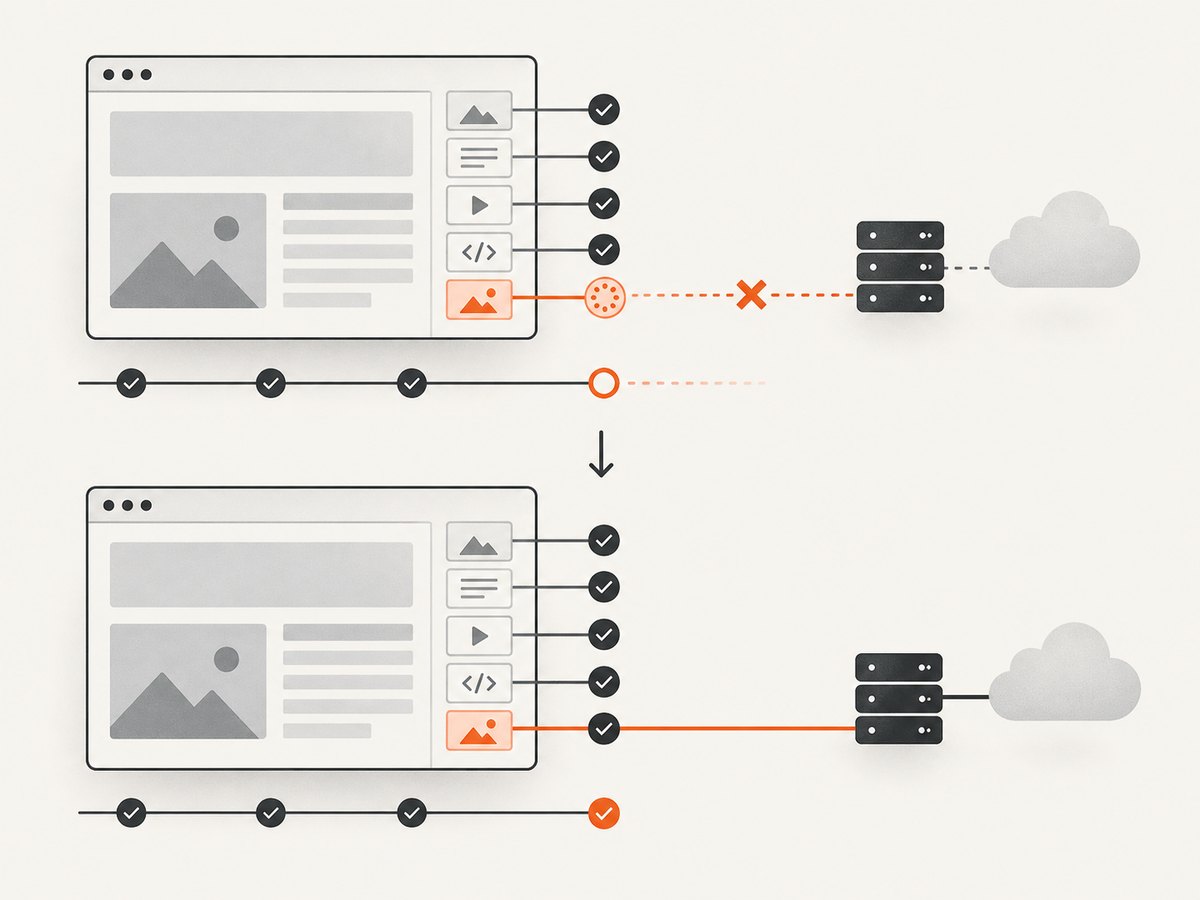
Common examples include an analytics script waiting on a blocked domain, a font loaded from a private host, an image URL generated with the wrong environment variable, or a frontend bundle that requests an API hostname that only resolves on a developer laptop. Fix the resource or make it non-blocking in the test environment. Do not hide a broken application by blindly extending the timeout.
When a third-party resource is optional, disable it for CI or provide a deterministic local stub. When it is required, start the dependency as another workflow service and wait for its health endpoint. A page that intentionally waits for data should expose a clear readiness condition that the test can assert after the document loads.
5. Tune the narrow timeout after measuring
Use pageLoadTimeout for the browser load event. You can set it globally, in the action input, or for one visit:
it('opens the reports page', () => {
  cy.visit('/reports', { timeout: 100000 })
  cy.contains('Reports').should('be.visible')
})
Prefer the smallest measured value that accommodates a healthy CI run. Keep defaultCommandTimeout separate:
export default defineConfig({
  e2e: {
    baseUrl: 'http://localhost:3000',
    pageLoadTimeout: 100000,
    defaultCommandTimeout: 4000
  }
})
Increasing pageLoadTimeout does not bypass operating-system network limits, DNS failures, or a process that has crashed. It only gives a load that is still progressing more time to finish.
6. Synchronize API calls with route aliases
There is no magical Cypress wait for every XHR or Ajax request. Register interceptions before visiting the page, wait on the specific route, and assert on the resulting UI.
it('shows the account after loading', () => {
  cy.intercept('GET', '**/api/account').as('account')
  cy.visit('/account')
  cy.wait('@account').its('response.statusCode').should('eq', 200)
  cy.get('[data-cy=account-name]').should('be.visible')
})
Retryable assertions are more reliable than fixed sleeps. A statement such as cy.get('[data-cy=ready]').should('be.visible') retries until the UI reaches the expected state. A fixed cy.wait(3000) adds delay when the runner is fast and still fails when the runner is slow.
7. Turn on diagnostics and preserve evidence
Enable action-level and Cypress-level debug logs when reproducing the failure:
- uses: cypress-io/github-action@v7
  with:
    start: npm start
    wait-on: 'http://localhost:3000/health'
  env:
    DEBUG: '@cypress/github-action,cypress:*'
GitHub Actions step debugging can be enabled with the ACTIONS_STEP_DEBUG secret or variable set to true. Preserve screenshots, videos, browser console output, and application logs as workflow artifacts when possible. The timeline matters: compare the server start time, the readiness check, the first request, and the resource that remained pending.
8. A complete workflow pattern
This workflow gives the job a hard upper bound, waits for a health endpoint, sets both important URLs explicitly, and enables useful logs.
name: e2e

on:
  pull_request:

jobs:
  cypress:
    runs-on: ubuntu-latest
    timeout-minutes: 10
    steps:
      - uses: actions/checkout@v4
      - uses: actions/setup-node@v4
        with:
          node-version: 20
          cache: npm
      - run: npm ci
      - name: Start and test
        uses: cypress-io/github-action@v7
        with:
          start: npm start
          wait-on: 'http://localhost:3000/health'
          wait-on-timeout: 120
          config: baseUrl=http://localhost:3000,pageLoadTimeout=100000
        env:
          DEBUG: '@cypress/github-action'
      - name: Upload Cypress artifacts
        if: always()
        uses: actions/upload-artifact@v4
        with:
          name: cypress-artifacts
          path: |
            cypress/screenshots
            cypress/videos
            server.log
9. Troubleshooting checklist
| Symptom | Likely cause | Fix |
|---|---|---|
| Connection refused | The app is not running, crashed, or uses another port. | Inspect the start command, expose the port, and wait on the exact health URL. |
| Wait-on expires | The endpoint is wrong or startup exceeds the default 60 seconds. | Check it with curl; correct the URL or set a measured wait-on-timeout. |
| Works locally, fails in CI | Environment variables, DNS, certificates, or a private dependency differ. | Print safe configuration values, curl dependencies from the runner, and provide CI services or stubs. |
| HTML arrives but load times out | A script, stylesheet, image, font, or redirect remains pending. | Inspect browser logs and network failures; fix or disable the blocking resource. |
| Wrong page or redirect loop | Incorrect baseUrl, auth configuration, or cross-origin flow. |
Use the final runner URL, verify redirects with curl --location, and configure test authentication. |
| Assertions fail after visit | An API request has not populated the UI. | Intercept the request before cy.visit(), wait on its alias, and assert on the UI. |
| Longer timeout changes nothing | The problem is reachability or a permanently stalled request. | Restore the original timeout while fixing the underlying resource or server. |
| Job consumes excessive minutes | Several retries or a very large page-load timeout hide a hang. | Add workflow timeout-minutes, narrow waits, and preserve diagnostics. |
10. Performance, reliability, and cost considerations
- Fail early on startup: a health endpoint prevents Cypress from spending a full page-load timeout on a server that never became ready.
- Keep CI deterministic: pin Node and dependency versions, use local fixtures for optional third-party services, and avoid arbitrary sleeps.
- Budget workflow minutes: a longer wait can be correct for a measured cold start, but every retry and timeout increases billed CI time.
- Separate layers: server readiness, document loading, API synchronization, and DOM assertions need different checks and different timeout settings.
- Use artifacts as evidence: screenshots, videos, console output, and server logs turn intermittent failures into a resource or URL you can fix.
11. Or skip the browser setup
If your goal is a clean image or PDF of a page rather than an interactive end-to-end test, ScreenshotNeo provides a website screenshot API and MCP server. One GET request captures a URL as PNG, JPEG, WebP, or PDF. It accepts cookie and consent banners as a visitor and removes more than 60 known consent platforms, newsletter popups, and chat widgets before capture; each step can be turned off. Bot checks and CAPTCHAs, blank pages, timeouts, failed loads, and cache hits are not billed, and the response identifies the result with X-Page-Verdict and X-Billed headers.
See the ScreenshotNeo documentation for the full API. The following calls are runnable with an API key:
cURL
curl -G 'https://api.screenshotneo.com/v1/shot' \
  -d access_key=YOUR_API_KEY \
  --data-urlencode url=https://stripe.com \
  -o shot.webp
Python
import requests

r = requests.get(
    'https://api.screenshotneo.com/v1/shot',
    params={'access_key': 'YOUR_API_KEY', 'url': 'https://stripe.com'},
    timeout=90,
)
r.raise_for_status()
open('shot.webp', 'wb').write(r.content)
Node.js
const q = new URLSearchParams({
  access_key: 'YOUR_API_KEY',
  url: 'https://stripe.com'
});
const res = await fetch(`https://api.screenshotneo.com/v1/shot?${q}`);
if (!res.ok) throw new Error(`HTTP ${res.status}`);
const buffer = Buffer.from(await res.arrayBuffer());
await import('node:fs/promises').then(fs => fs.writeFile('shot.webp', buffer));
ScreenshotNeo also supports full-page capture with lazy images loaded, CSS-selector element capture, dark mode, device presets and custom viewports, retina scale, PDF paper sizes and page ranges, custom CSS and JavaScript, clicks, selector waits, delays, network-idle waits, request blocking, headers, cookies, user agents, authorization, timezone, geolocation, transparent backgrounds, resizing, selectable cache TTLs, signed links, asynchronous jobs with signed webhooks, bulk capture of up to 100 URLs per call, a usage API, and an OpenAPI specification. Its MCP server exposes take_screenshot, get_page_info, and capture_pdf for Claude, Cursor, and other MCP clients.
The Free plan includes 1,000 shots each month with no card. Paid plans start at $5 for 3,000 shots; yearly billing gives two months free, and every feature is available on every plan. Create a free ScreenshotNeo account.
12. FAQ
Should I always set pageLoadTimeout higher in CI?
No. First prove that the server and URL are reachable and that resources complete. Raise it when a healthy page is consistently slower in the runner.
Does wait-on guarantee that Cypress can load the page?
No. It verifies that the selected URL responds. The page Cypress visits may use a different path or still contain a resource that never finishes.
Why does a fixed cy.wait(3000) make tests flaky?
It assumes one startup speed. Use an intercept alias and a retryable assertion so the test proceeds when the required response and UI state are actually ready.
What is the difference between a workflow timeout and a page-load timeout?
The workflow timeout bounds the entire GitHub Actions job. pageLoadTimeout bounds one browser navigation. Keep both so a hung process cannot consume unlimited CI minutes.
Can Cypress load a page on another origin?
Cross-origin navigation needs to follow Cypress’s origin rules and correct test configuration. A redirect to an unexpected origin or an unavailable authentication host commonly appears as a load failure, so inspect the final URL and browser logs.
When should I use a screenshot API instead of Cypress?
Use Cypress for interactive behavior and assertions. Use a screenshot API when you need rendered images or PDFs in a pipeline and do not need to manage a browser session, application startup, and page synchronization yourself.


