How to Make Cypress Recognize List Elements
Use Cypress CSS selectors, scoped queries, text filters, stable data attributes, and retry-safe patterns to test every kind of list item.

Direct answer: Cypress recognizes list elements through normal CSS selectors. Use cy.get('ul li') for every descendant list item, cy.get('ul > li') for direct children, cy.get('#list').find('li') for one list, and cy.contains('li', 'Banana') for one item by visible text. For selectors that survive copy and styling changes, add a dedicated attribute such as data-cy.
1. Select list items with CSS
cy.get() starts at the application document and yields every element matching its selector. Cypress documents list selection with selectors such as .list > li. Queries retry until the elements and chained assertions exist. See the cy.get() documentation.
describe('lists', () => {
  it('selects list items', () => {
    cy.visit('/shopping')
    cy.get('ul li').should('have.length', 3)
    cy.get('ul > li').should('be.visible')
  })
})
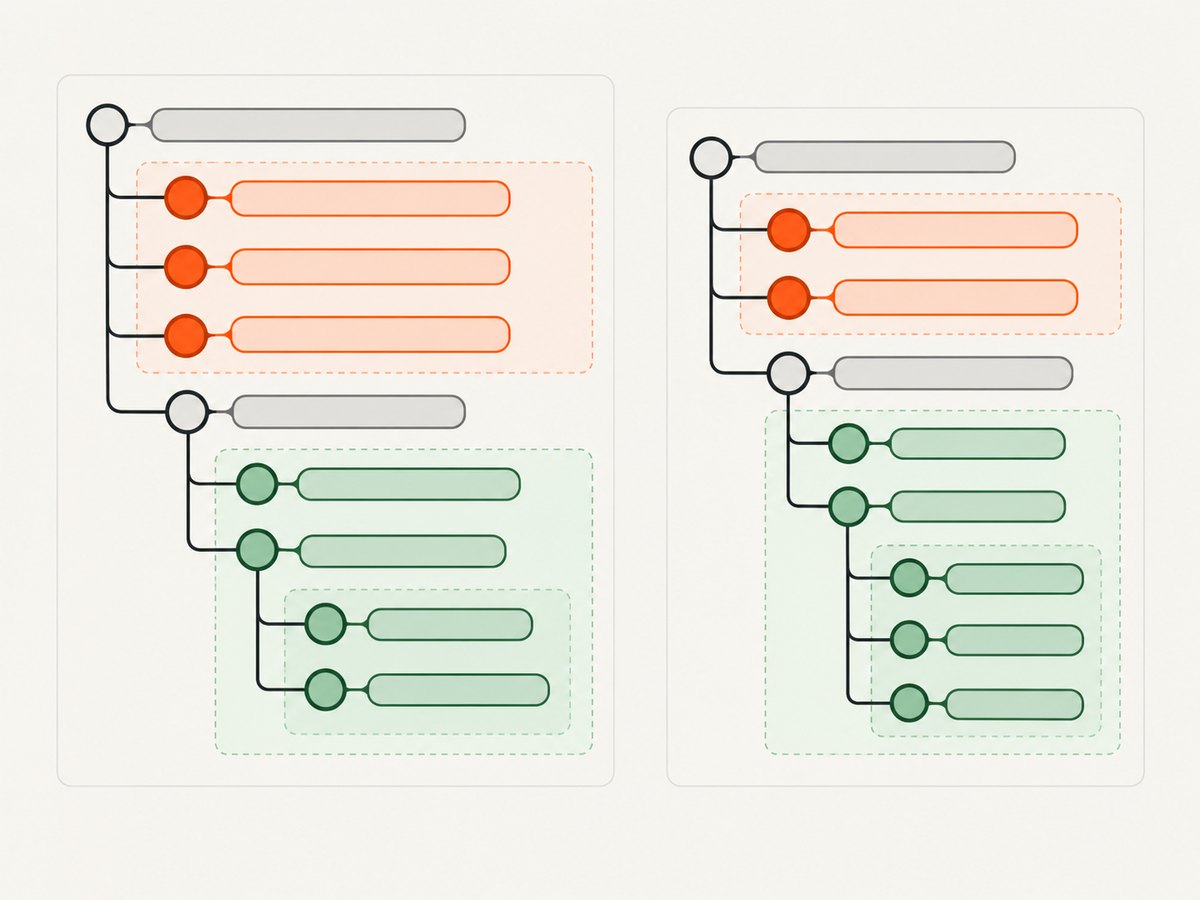
Descendants versus direct children
| Need | Selector | Matches |
|---|---|---|
| Every item under a list | ul li |
Nested items too |
| Only top-level items | ul > li |
Immediate children |
| Items with a class | li.todo |
Matching list items |
2. Scope the query to one list
Chain .find() from a command that yields a DOM subject. It searches descendants of that subject. Cypress describes this behavior in the cy.find() documentation.
cy.get('#shopping-list').find('li').should('have.length', 4)

cy.get('[data-cy=primary-list]').within(() => {
  cy.get('li').should('have.length.at.least', 1)
})
.find() cannot be called directly from cy; it needs a parent subject.
3. Prefer stable test attributes
Cypress recommends dedicated data-* selectors because text and classes often change during redesigns or translation.
<ul data-cy="todo-list">
  <li data-cy="todo-item" data-id="42">Buy fruit</li>
  <li data-cy="todo-item" data-id="43">Ship order</li>
</ul>
cy.get('[data-cy=todo-item]').should('have.length', 2)
cy.get('[data-cy=todo-item][data-id="42"]').should('contain.text', 'Buy fruit')4. Find an item by text
cy.contains() accepts a selector and text, preventing an unrelated ancestor from becoming the match:
cy.contains('li', 'Banana').should('be.visible').click()
cy.contains('li', /^Banana$/).should('exist')
cy.contains() yields at most one element. Matching is substring-based and case-sensitive; Cypress collapses runs of whitespace except in <pre>. Use an anchored regular expression for an exact match. See the cy.contains() documentation.
Find every item containing text
cy.get('li').filter(':contains("Banana")').should('have.length', 2)The jQuery :contains() filter is case-sensitive. See cy.filter().
5. Select the first item correctly
To select the first child from each list, use :first-child:
cy.get('ul li:first-child').should('have.length', 2)
cy.get('#shopping-list li').first().should('be.visible')
cy.get('#shopping-list li').eq(2).should('contain.text', 'Milk')
jQuery’s :first returns only the first result overall, so it is different from :first-child.
6. Iterate over a collection
Use .each() when every current item needs an assertion or action:
cy.get('ul > li').each(($li) => {
  cy.wrap($li).should('be.visible').and('not.have.text', '')
})
.each() is not a query and does not retry its callback. If rendering replaces nodes, re-query by a stable key:
cy.get('[data-cy=todo-item]').each(($li) => {
  const id = $li.attr('data-id')
  cy.get(`[data-cy=todo-item][data-id="${id}"]`).click()
})
See cy.each().
7. Shadow DOM and iframes
For list items inside a shadow root, enable traversal:
cy.get('todo-list', { includeShadowDom: true }).find('li', { includeShadowDom: true })cy.get() does not descend into iframe documents. Switch to the iframe document with an iframe helper or explicit DOM access, then query its body.
8. Common failures and fixes
| Symptom | Cause | Fix |
|---|---|---|
find is not a function |
.find() was called from cy. |
Start with cy.get('ul').find('li'). |
| Only one text match | cy.contains() yields one element. |
Use cy.get('li').filter(':contains("text")'). |
| Wrong ancestor matched | Text exists in a parent too. | Use cy.contains('li', 'text'). |
| Only one first item found | :first selects one overall. |
Use ul li:first-child. |
| Selector breaks after copy changes | It depends on text or styling classes. | Add a data-cy attribute. |
| Text assertion fails | Whitespace, case, or locale differs. | Inspect rendered text; use a scoped regex or attribute. |
Detached element in .each() |
The app replaced nodes. | Re-query before acting. |
| No items in iframe | Queries do not cross iframe boundaries. | Query the iframe document. |
| Shadow items missing | Shadow traversal is disabled. | Pass includeShadowDom: true. |
9. Reliability and performance
- Use the narrowest selector, such as
#shopping-list > li. - Assert counts when the count is part of the behavior.
- Let Cypress retry queries instead of adding arbitrary waits.
- After mutations, re-query current DOM elements.
- Use text for user-facing behavior and data attributes for stable identity.
- Scope or filter collections before expensive assertions.
See Cypress’s core concepts for retrying, querying, and internationalization guidance.
10. Complete example
describe('todo list', () => {
  beforeEach(() => cy.visit('/todos'))

  it('recognizes list elements', () => {
    cy.get('[data-cy=todo-list] > li')
      .should('have.length', 3)
      .each(($item) => cy.wrap($item).should('be.visible'))

    cy.contains('[data-cy=todo-item]', 'Buy fruit')
      .should('exist').click()

    cy.get('[data-cy=todo-item]')
      .filter(':contains("Buy")').should('have.length', 1)
  })
})
11. Or skip the browser setup
If you need a rendered list image or PDF rather than an interactive end-to-end test, ScreenshotNeo captures a page with one GET request. Before capture it accepts consent banners and removes more than 60 known consent platforms, newsletter popups, and chat widgets; each step can be turned off.
Only clean shots are billed. Bot checks, blank pages, timeouts, failed loads, and cache hits cost nothing, and X-Page-Verdict and X-Billed headers identify the result. Its MCP server provides take_screenshot, get_page_info, and capture_pdf for Claude, Cursor, and other MCP clients.
See the ScreenshotNeo API docs:
curl -G "https://api.screenshotneo.com/v1/shot" -d access_key=YOUR_API_KEY --data-urlencode url=https://example.com/todos -o todos.webpimport requests
r = requests.get("https://api.screenshotneo.com/v1/shot", params={"access_key": "YOUR_API_KEY", "url": "https://example.com/todos"}, timeout=90)
open("todos.webp", "wb").write(r.content)const q = new URLSearchParams({ access_key: 'YOUR_API_KEY', url: 'https://example.com/todos' });
const res = await fetch(`https://api.screenshotneo.com/v1/shot?${q}`);1,000 screenshots each month are free with no card. Paid plans start at $5 for 3,000 shots. Create a free ScreenshotNeo account.
FAQ
Should I use ul li or ul > li?
Use ul li when nested items belong in the result. Use ul > li for top-level entries only.
Can Cypress select by index?
Yes. Select the collection, then call .eq(index) or .first().
How do I assert every item has text?
Use .each() with cy.wrap($item), or assert the collection’s combined text.
Why does a translated test fail?
Visible text changes by locale. Use a stable data-cy attribute for identity and text assertions only for localized behavior.


