Why a Cypress Snapshot Is Missing and How to Fix It
Find the missing Cypress snapshot by identifying its type, checking test discovery and paths, stabilizing captures, and updating baselines safely.

Short answer: first identify what “snapshot” means in your project. A Cypress screenshot, a visual-regression baseline, and a saved-value snapshot are different artifacts with different commands, folders, and update procedures. Then verify Cypress discovered and ran the spec, confirm the command that should create the artifact, inspect the configured output path, and only regenerate a baseline after reviewing the difference.
This guide covers the common questions: “Why is my Cypress snapshot missing?”, “Cypress cannot find snapshot file,” “How do I update a Cypress snapshot?”, and “Why is my Cypress screenshot not saved?”
1. Identify which snapshot is missing
Do not install a plugin or change a path until you know which artifact your test expects.

| Artifact | What creates it | Where its rules come from |
|---|---|---|
| Saved-value snapshot | A plugin or custom command that stores an object, string, array, HTML fragment, or state value | The installed package and its support-file registration |
| Visual baseline | A local visual plugin or hosted visual-testing integration | The selected tool’s baseline and approval workflow |
| Cypress screenshot | cy.screenshot(), or an automatic failure screenshot during cypress run |
Cypress screenshot configuration and naming rules |
Cypress core does not provide one universal snapshot file format. Its older end-to-end snapshot article describes the third-party @cypress/snapshot add-on; treat that article as historical guidance and check the version actually installed in your project.
2. Confirm that Cypress discovered and ran the spec
A snapshot cannot be created by a test that Cypress never loaded. For E2E tests, the documented default pattern is cypress/e2e/**/*.cy.{js,jsx,ts,tsx}. Component tests use a separate configuration. A custom specPattern, excludeSpecPattern, or support-file setting can change the result.
- Open
cypress.config.jsorcypress.config.ts. - Check the relevant
e2eorcomponentblock, includingspecPattern, exclusions, andsupportFile. - Confirm the file name ends in a pattern Cypress matches, such as
.cy.jsor.cy.ts. - Run the spec explicitly in the Cypress UI or with
cypress run --spec path/to/file.cy.js.
If the spec still does not appear, use Cypress’s file-discovery debug setting:
DEBUG=cypress:cli,cypress:data-context:sources:FileDataSource,cypress:data-context:sources:ProjectDataSource npx cypress runRead the output for the project root, configuration file, discovered specs, and excluded paths. A typo in the working directory can make a correct spec look missing.
3. For a Cypress screenshot, inspect the output rules
cy.screenshot() writes a PNG under the configured screenshotsFolder, which defaults to cypress/screenshots. Cypress builds a path from the spec and test title, so the file may be nested more deeply than expected. During cypress run, Cypress also captures a screenshot when a test fails unless screenshotOnRunFailure is disabled.
const { defineConfig } = require('cypress')

module.exports = defineConfig({
  screenshotsFolder: 'cypress/screenshots',
  screenshotOnRunFailure: true,
  e2e: {
    specPattern: 'cypress/e2e/**/*.cy.{js,jsx,ts,tsx}'
  }
})
Use an explicit name while diagnosing the path:
it('saves a named screenshot', () => {
  cy.visit('/dashboard')
  cy.get('[data-cy=dashboard]').should('be.visible')
  cy.screenshot('debug/dashboard-ready', { overwrite: true })
})
Check all of these details:
- You ran the command that creates the image. Opening a page does not save a screenshot automatically.
- You looked in the configured folder, not only the default folder.
- The test reached
cy.screenshot(); an earlier failure or uncaught exception can prevent it. - You are checking the correct spec and test-title path.
- A repeated name did not create a numeric suffix or get replaced by an overwrite option.
- Your CI job preserved the screenshots directory as an artifact before cleanup.
For a failure screenshot, verify the run mode. Interactive runs do not follow every headless-run artifact convention, and a project can turn automatic captures off with screenshotOnRunFailure: false. See the cy.screenshot() API and Cypress configuration reference.
4. For saved-value snapshots, inspect the actual plugin
Search the repository for .snapshot(, custom snapshot commands, and package names containing “snapshot”. Then inspect:
package.jsonand the lockfile for the installed package and version.cypress/support/commands.jsor its TypeScript equivalent for command registration.cypress/support/e2e.jsorcomponent.jsfor imports.- The package documentation for its expected-data directory and update command.
A plugin command is not interchangeable with cy.screenshot(). If the command is undefined, the support import is missing or incompatible. If the command runs but cannot find a file, its own baseline directory or naming convention is the source of truth. Verify compatibility with your Cypress version before changing configuration.
5. For visual baselines, wait for a stable page
Cypress documentation states: “Snapshot commands capture whatever is on screen at that moment.” A capture taken during a loading transition can be empty, incomplete, or different on every run.
cy.intercept('GET', '/api/orders*', { fixture: 'orders.json' }).as('orders')
cy.visit('/orders')
cy.wait('@orders')
cy.get('[data-cy=orders-table]').should('be.visible')
cy.get('[data-cy=loading]').should('not.exist')
cy.screenshot('orders-stable')
Prefer a meaningful assertion over an arbitrary delay. Stub variable API responses with cy.intercept() fixtures, freeze data that changes by time or account, and hide or mask unavoidable dynamic regions when your visual tool supports it. Raising a broad pixel-difference threshold can conceal a real defect; narrow masking and controlled data usually produce a more trustworthy baseline. Cypress’s visual-testing documentation describes local baseline files and hosted integrations.
6. Review before updating or regenerating a baseline
A mismatch can mean an intended UI change, a rendering difference, or uncontrolled test data. Review the actual output beside the expected baseline first.
- Open the generated image or saved value from the failing run.
- Compare the changed region with the product change that was intended.
- Check fonts, viewport, timezone, locale, network data, animations, and timestamps.
- If the change is intentional, follow your selected plugin’s current update procedure and commit the new baseline.
- Run the test again from a clean checkout to confirm the baseline is reproducible.
Do not copy an update flag from a different visual tool. Cypress lists local and hosted options including Chromatic, Happo, LambdaTest SmartUI, Percy (BrowserStack), Sauce Labs Visual, SmartBear VisualTest, Wopee.io, and community plugins such as @simonsmith/cypress-image-snapshot. Choose based on local versus hosted storage, browser coverage, image versus DOM capture, review workflow, maintenance, compatibility, and current vendor terms.
7. Troubleshooting: common errors and fixes
| Symptom | Likely cause | Fix |
|---|---|---|
| No snapshot file exists | The spec was not discovered, or the command was never reached | Check specPattern, run the spec explicitly, and place a log immediately before the snapshot command. |
| “Cannot find snapshot file” | Wrong artifact type, baseline directory, or test name | Identify the plugin, inspect its configured path, and compare the generated name with the expected name. |
cy.screenshot is undefined |
The test is not running in Cypress or the command is shadowed by custom setup | Use the Cypress command in a Cypress test and check support-file errors. |
| Screenshot folder is empty in CI | CI deleted the workspace or did not upload artifacts | Configure artifact collection after the Cypress process and verify the configured screenshotsFolder. |
| Image is blank | Capture happened before navigation or rendering completed | Wait for the relevant request and a visible application assertion. |
| Output changes every run | Animations, live data, dates, ads, fonts, or viewport differences | Stub data, disable motion, fix timezone and viewport, and mask only known dynamic areas. |
| Automatic failure image is absent | screenshotOnRunFailure is false or the test ran interactively |
Enable the option and reproduce with cypress run. |
| Plugin command fails after an upgrade | Package registration or Cypress compatibility changed | Read the installed package’s migration notes, update imports, and pin compatible versions. |
8. Make snapshot capture faster and more reliable
Control the environment
- Use a fixed viewport, browser, locale, timezone, and color scheme.
- Serve stable fixture data instead of live records.
- Disable CSS transitions and blinking cursors during visual capture.
- Wait for the application’s ready condition, not a large global timeout.
- Keep snapshot names deterministic and include the state they represent.
Keep baselines maintainable
Store baselines close to the tool that owns them and review them in pull requests. Remove obsolete files when test names change. Avoid one enormous full-page baseline when smaller component captures can identify a regression more precisely; use full-page images when layout relationships or lazy-loaded content are what you need to verify.
Plan CI artifacts and retries
Upload screenshots, diffs, and logs as CI artifacts even when the test fails. A retry can prove that a failure is nondeterministic, but it should not silently approve a changed baseline. Record the Cypress version, browser, viewport, and commit with the artifact so reviewers can reproduce it.
9. Or skip the browser setup
If your goal is a clean website image for documentation, reports, or an external visual check, ScreenshotNeo provides a single HTTP request. It accepts the cookie or consent banner like a visitor and removes more than 60 known consent platforms, newsletter popups, and chat widgets before capture; each step can be turned off. Bot checks or CAPTCHAs, blank pages, timeouts, failed loads, and cache hits are not billed, and the response identifies the result with X-Page-Verdict and X-Billed headers. It also has an MCP server for Claude, Cursor, and other MCP clients, with take_screenshot, get_page_info, and capture_pdf.
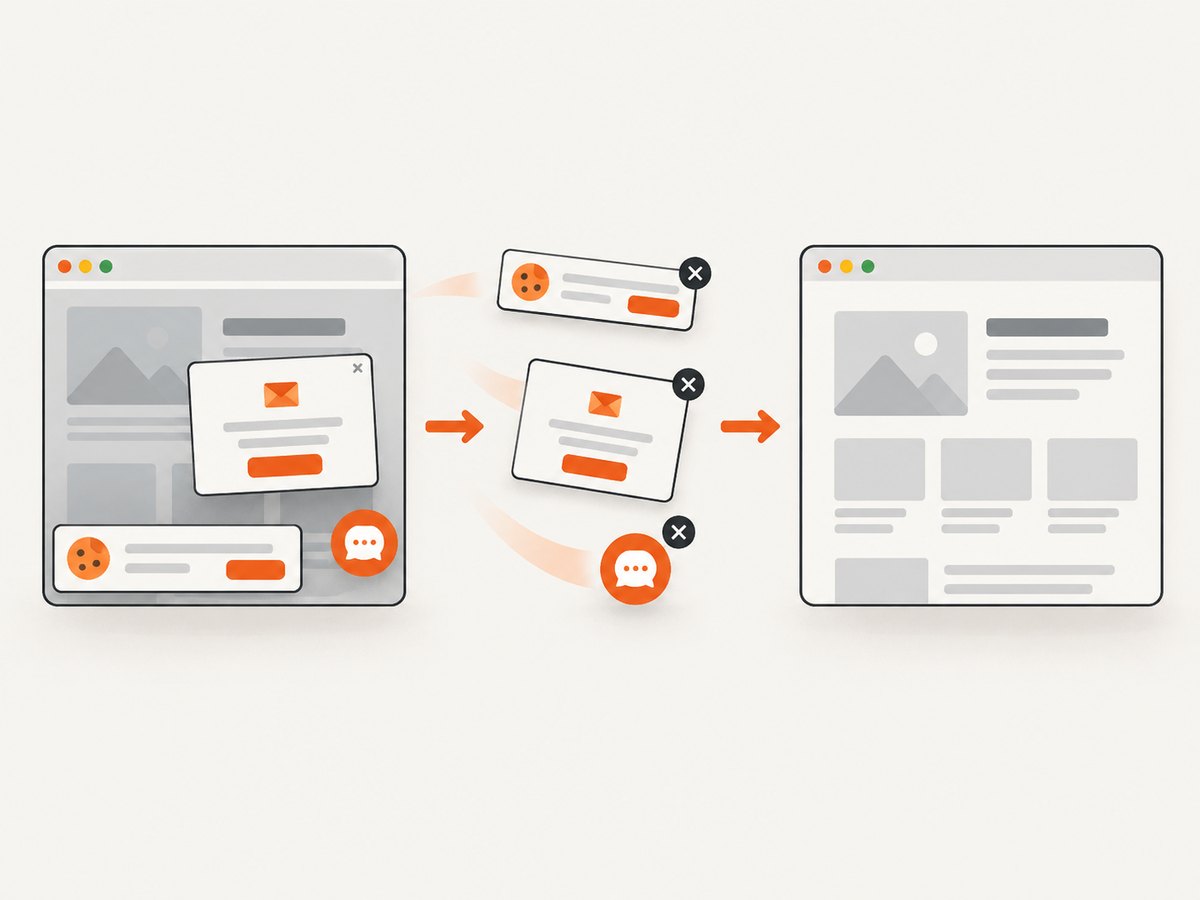
See the ScreenshotNeo API documentation for all options. The basic calls are:
cURL
curl -G "https://api.screenshotneo.com/v1/shot" -d access_key=YOUR_API_KEY --data-urlencode url=https://stripe.com -o shot.webpPython
import requests
r = requests.get("https://api.screenshotneo.com/v1/shot", params={"access_key": "YOUR_API_KEY", "url": "https://stripe.com"}, timeout=90)
open("shot.webp", "wb").write(r.content)
Node.js
const q = new URLSearchParams({ access_key: 'YOUR_API_KEY', url: 'https://stripe.com' }); const res = await fetch(`https://api.screenshotneo.com/v1/shot?${q}`);Free usage includes 1,000 screenshots per month with no card. Paid plans start at $5 for 3,000 shots; yearly billing gives two months free. Create a free ScreenshotNeo account.
10. Cost, performance, and reliability notes
For local Cypress snapshots, the main costs are browser startup time, CI minutes, storage, and the maintenance burden of stabilizing test data. Parallelize independent specs where your CI capacity allows, reuse setup, and capture only the states that provide regression coverage.
For a screenshot API, reduce latency and spend by using caching with a TTL when a page can be reused, selecting the smallest required viewport and output format, and using bulk capture for up to 100 URLs per call. ScreenshotNeo supports full-page captures with lazy images loaded, element capture by CSS selector, dark mode, device presets or custom viewports, retina scale, custom CSS and JavaScript, click-before-capture, selector hiding, waits for a selector, delay or network idle, request and resource blocking, headers, cookies, user agents, Authorization, timezone, geolocation, transparent backgrounds, resizing, signed links, asynchronous jobs with signed webhooks, a usage API, and an OpenAPI specification. Only clean shots are billed, which makes failed navigation easier to account for.
FAQ
Is a Cypress snapshot built into Cypress?
Cypress includes screenshot commands, but saved-value snapshots and visual baselines generally come from a plugin or hosted integration. Inspect your project dependencies and commands.
Where does Cypress save screenshots by default?
The default screenshotsFolder is cypress/screenshots. A project can override it, and Cypress adds spec and test-title path components.
Should I update the snapshot whenever CI reports a diff?
No. Review the actual and expected output first. Update only when the new rendering is intentional and reproducible.
Why does a screenshot pass locally but fail in CI?
Compare browser version, viewport, fonts, timezone, locale, network data, animations, and environment variables. These differences often change pixels without changing application code.
Can I use an image API as a Cypress visual baseline?
You can use an external capture as an input to a separate comparison workflow, but it does not replace the Cypress plugin or hosted service that owns baseline storage and approvals. Define the artifact, comparison, and review steps explicitly.
Checklist
- Identify saved value, visual baseline, or Cypress screenshot.
- Confirm the spec path matches
specPatternand the test actually ran. - Find the command, support registration, package version, and output path.
- For screenshots, inspect
screenshotsFolder, naming, and failure-capture settings. - Wait for stable UI state and control variable data.
- Review the diff before updating a baseline.
- Preserve CI screenshots and metadata for diagnosis.
Following this sequence usually locates the missing artifact without hiding a real regression behind a regenerated file.


