Cypress Test Automation Examples
Runnable Cypress examples for end-to-end, component, API, and edge-case tests, with fixtures, interception, troubleshooting, and CI guidance.

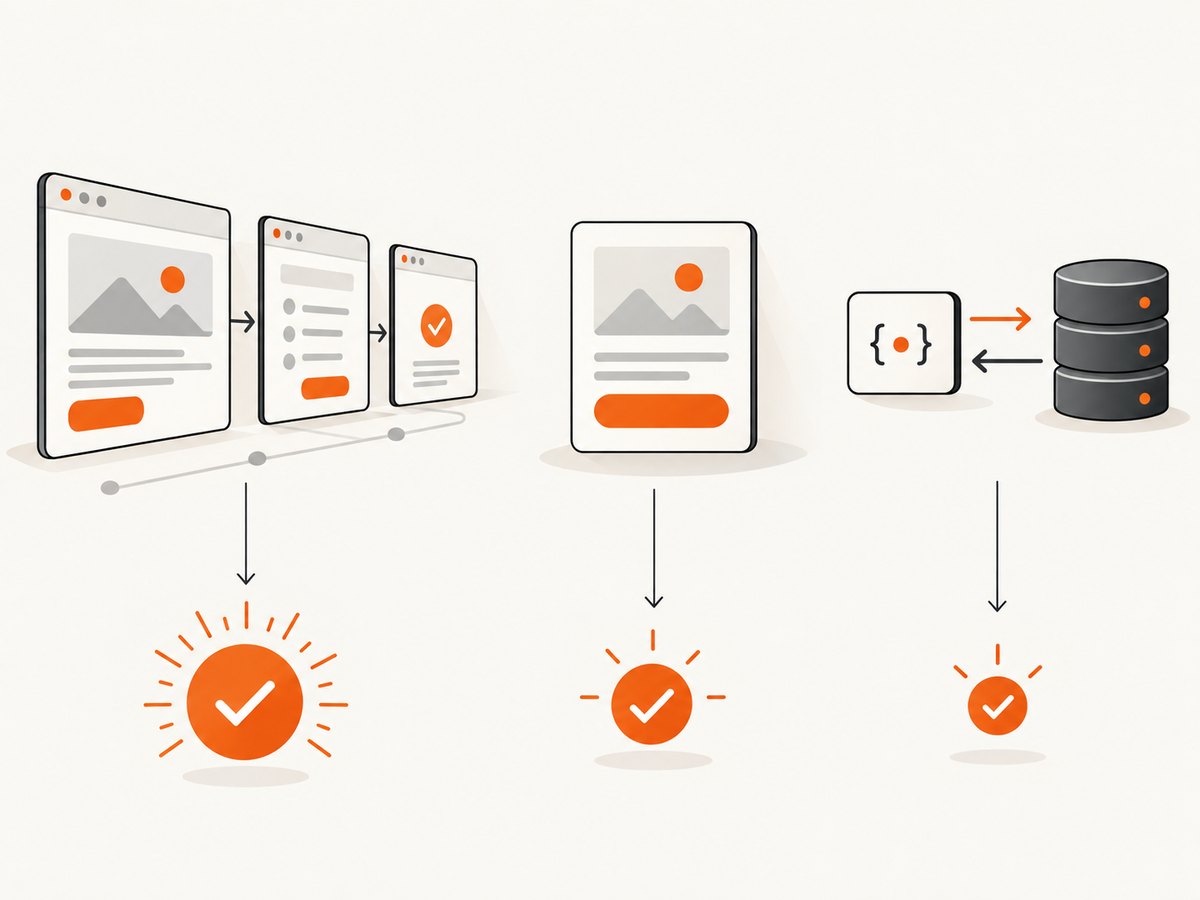
Cypress test automation examples are easiest to choose when you start with the confidence question: do you need to prove a complete user journey, an isolated component behavior, an API contract, or a difficult network state? Each Cypress testing type answers a different question.
This guide gives runnable examples for all four scopes, explains when to use real traffic or stubs, and covers fixtures, project organization, reliability, performance, debugging, and CI. Cypress documents end-to-end, component, API, and accessibility testing, along with recipes and the Real World App, in its official documentation.
Choose the Cypress example that matches your question
| Question | Use | What it proves | Main setup |
|---|---|---|---|
| Does a critical user journey work? | End-to-end (E2E) | Browser UI, routing, client code, and server contract work together | Running app, backend state, seeded data |
| Does this component render and respond correctly? | Component testing | Isolated rendering and interaction in a real browser | Component framework and mount support |
| Does the endpoint return the expected contract? | API testing | Status, body, headers, authentication, and validation behavior | Reachable API and credentials or test data |
| What happens when data is empty, slow, or fails? | cy.intercept() |
Deterministic UI behavior for controlled responses | Route matcher and stub or fixture |
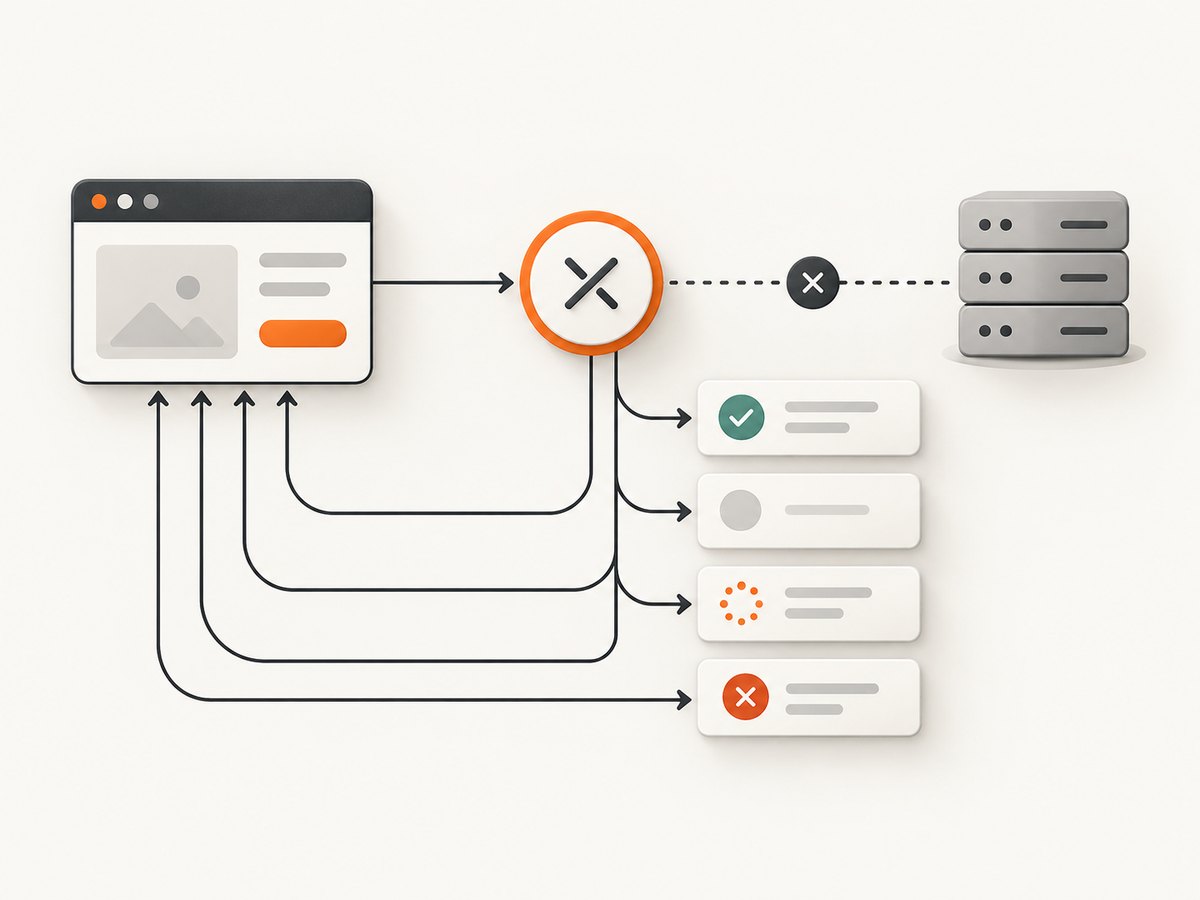
Use real server traffic selectively. A true E2E test gives stronger confidence in the client-server contract, but it requires reliable backend state and can be harder to reproduce for rare failures. A stub makes an edge case repeatable and fast; it does not prove that the live server returns the same payload. Cypress describes these trade-offs in its network request guide and E2E guidance.
Install and configure Cypress
In an existing JavaScript or TypeScript project:
npm install --save-dev cypress
npx cypress open
Choose E2E or component testing in the launch wizard. A typical E2E configuration sets the application base URL:
import { defineConfig } from 'cypress'

export default defineConfig({
  e2e: {
    baseUrl: 'http://localhost:3000',
    specPattern: 'cypress/e2e/**/*.cy.{js,jsx,ts,tsx}',
    supportFile: 'cypress/support/e2e.js'
  }
})
Run headed or headless tests with:
npx cypress open
npx cypress run --browser chrome
npx cypress run --spec cypress/e2e/checkout.cy.js
Keep secrets in environment variables or Cypress configuration, not in committed specs.
End-to-end example: test a complete user journey
Use E2E when the behavior depends on the browser, application routes, and a real backend. This example tests a login journey and verifies the resulting account page.
describe('login journey', () => {
  it('signs in and shows the account page', () => {
    cy.visit('/login')

    cy.get('[data-cy=email]').type(Cypress.env('TEST_EMAIL'))
    cy.get('[data-cy=password]').type(Cypress.env('TEST_PASSWORD'), { log: false })
    cy.get('[data-cy=submit]').click()

    cy.url().should('include', '/account')
    cy.get('[data-cy=account-heading]').should('be.visible')
  })
})
The data-cy attributes provide selectors that are independent of styling and layout changes. Before the run, create or seed the test account. If the application issues a session cookie, Cypress will retain it during the spec; use cy.session() for reusable login setup when appropriate.
Critical-path E2E checklist
- Seed known records before the test or use a dedicated test environment.
- Assert the user-visible outcome, not implementation details.
- Cover the smallest number of steps needed to prove the contract.
- Keep at least one un-stubbed test for each critical client-server path.
- Capture useful logs and screenshots on CI failure.
Component example: test isolated rendering and interaction
Component tests mount a component in a real browser without navigating through the entire application. Cypress’s component testing guide and React examples show this pattern.
import Stepper from './Stepper'

describe('<Stepper />', () => {
  it('starts at the supplied value and increments', () => {
    cy.mount(<Stepper initial={2} />)

    cy.get('[data-cy=count]').should('have.text', '2')
    cy.get('[data-cy=increment]').click()
    cy.get('[data-cy=count]').should('have.text', '3')
  })
})
For Vue, Angular, or other supported frameworks, the mount command and component registration differ, but the confidence question is the same. If the component fetches data, intercept that request so loading, success, empty, and error states are independently testable.
describe('UserList', () => {
  it('renders an empty state', () => {
    cy.intercept('GET', '/api/users', {
      statusCode: 200,
      body: []
    }).as('getUsers')

    cy.mount(<UserList />)
    cy.wait('@getUsers')
    cy.get('[data-cy=empty-state]').should('be.visible')
  })
})
API example: assert an endpoint directly
cy.request() is useful for authentication, CRUD operations, validation errors, pagination, and seeding state before a UI test. Cypress documents this approach in its API testing guide.
describe('users API', () => {
  it('creates a user and returns the contract', () => {
    cy.request({
      method: 'POST',
      url: '/api/users',
      body: { name: 'Ada Lovelace', email: 'ada@example.test' }
    }).then((response) => {
      expect(response.status).to.eq(201)
      expect(response.headers).to.have.property('content-type').and.include('application/json')
      expect(response.body).to.include.keys('id', 'name', 'email')
      expect(response.body.name).to.eq('Ada Lovelace')
    })
  })
})
This checks the endpoint itself. It does not demonstrate that a user can complete the same operation through the UI. Keep an E2E test for that user-facing flow when it matters.
The same API check with cURL, Python, and Node.js
curl -i -X POST http://localhost:3000/api/users \
  -H 'Content-Type: application/json' \
  -d '{"name":"Ada Lovelace","email":"ada@example.test"}'
import requests
response = requests.post(
'http://localhost:3000/api/users',
json={'name': 'Ada Lovelace', 'email': 'ada@example.test'},
timeout=30,
)
response.raise_for_status()
body = response.json()
assert body['name'] == 'Ada Lovelace'const response = await fetch('http://localhost:3000/api/users', {
method: 'POST',
headers: { 'Content-Type': 'application/json' },
body: JSON.stringify({ name: 'Ada Lovelace', email: 'ada@example.test' })
});
if (!response.ok) throw new Error(`HTTP ${response.status}`);
const body = await response.json();
if (body.name !== 'Ada Lovelace') throw new Error('Unexpected response');Network interception: make edge cases repeatable
Register an intercept before the page makes the request, assign an alias, wait for that alias, and then assert on the UI. The route can return a body, status, headers, delay, or fixture.
describe('orders states', () => {
  it('shows a server error', () => {
    cy.intercept('GET', '**/api/orders', {
      statusCode: 500,
      body: { message: 'Temporary failure' },
      headers: { 'content-type': 'application/json' }
    }).as('getOrders')

    cy.visit('/orders')
    cy.wait('@getOrders')
    cy.get('[data-cy=error]').should('contain', 'Try again')
  })

  it('shows a delayed loading state', () => {
    cy.intercept('GET', '**/api/orders', (request) => {
      request.reply({ delay: 1500, statusCode: 200, body: { orders: [] } })
    }).as('getOrders')

    cy.visit('/orders')
    cy.get('[data-cy=loading]').should('be.visible')
    cy.wait('@getOrders')
    cy.get('[data-cy=empty-state]').should('be.visible')
  })
})
Fixture-backed responses
Put stable input in cypress/fixtures/orders.json:
{
  "orders": [
    { "id": "order-100", "total": 42.50, "status": "paid" }
  ]
}
Serve it from an intercept:
cy.intercept('GET', '**/api/orders', { fixture: 'orders.json' }).as('getOrders')
cy.visit('/orders')
cy.wait('@getOrders')
cy.get('[data-cy=order-row]').should('have.length', 1)
cy.fixture() loads fixed data from files. Use a static import when data generates tests, cy.readFile() when a file changes during a run, and cy.task() for large files or work that must run in Node.js. See Cypress’s fixture reference and test organization guidance.
Multiple requests and GraphQL-style matching
Give each request its own alias when the page loads several resources:
cy.intercept('GET', '**/api/profile').as('profile')
cy.intercept('GET', '**/api/notifications').as('notifications')
cy.visit('/dashboard')
cy.wait(['@profile', '@notifications'])
cy.get('[data-cy=dashboard]').should('be.visible')
For GraphQL, match the POST route and inspect the operation name:
cy.intercept('POST', '/graphql', (request) => {
  if (request.body.operationName === 'GetOrders') {
    request.alias = 'getOrders'
  }
})
cy.visit('/orders')
cy.wait('@getOrders')
Accessibility and visual checks
Cypress supports accessibility testing through plugins and browser assertions, but an ordinary functional assertion does not prove accessibility. Add checks for keyboard behavior, labels, focus order, and semantic state where those are part of the requirement. For visual regression, use the official Cypress recipes as a starting point and keep viewport, fonts, and test data stable.
Organize specs, hooks, and test data
- Group specs by product behavior, such as
login.cy.js,checkout.cy.js, andorders.cy.js. - Keep global hooks in support files only when they apply to every spec.
- Keep setup specific to one behavior inside that spec.
- Use custom commands for repeated user-level actions, such as logging in, while keeping assertions in the test.
- Use fixtures for stable records and tasks for database or filesystem operations that require Node.js.
Recipes cover database seeding, HTTP requests, offline behavior, visual testing, and other common scenarios. The Cypress Real World App is a larger full-stack reference with E2E, visual regression, API, and unit tests in CI.
Reliability, performance, and cost considerations
Reliability
- Wait on route aliases instead of arbitrary sleeps.
- Use deterministic test data and isolate tests so order does not matter.
- Retry only operations that are genuinely eventually consistent.
- Keep one or more real-server tests for important contracts, even when most edge cases use stubs.
- Record the request and response that caused a failure; avoid hiding failures with broad retries.
Performance
- Component tests are usually a better fit than fully stubbed E2E tests that only check one component.
- API tests avoid browser navigation when UI behavior is not under test.
- Reuse authenticated sessions where safe, and avoid reseeding more data than each test needs.
- Exact runtime improvements depend on the application and CI environment; do not assume a fixed percentage.
Cost
Cypress test execution consumes developer or CI compute. Real backend environments may also incur database, network, and third-party service costs. Stubs reduce external traffic but shift responsibility to your fixtures; review them when the API contract changes.
Troubleshooting Cypress tests
| Symptom | Likely cause | Fix |
|---|---|---|
cy.visit() fails to connect |
App is not running or baseUrl is wrong |
Start the app, verify the URL, and check the Cypress config. |
cy.wait('@alias') times out |
Intercept was registered after the request, or the matcher does not match | Register before cy.visit(); use a suitable wildcard and inspect the request URL. |
| Element is covered or not actionable | Loading overlay, animation, cookie dialog, or modal is present | Assert the UI state, close the overlay through the user flow, or disable nonessential animation in tests. |
| Fixture data is stale | Fixture no longer matches the API contract | Update the fixture and add an API contract assertion for required fields. |
| E2E test passes locally but fails in CI | Missing seed data, race condition, viewport difference, or environment variable | Seed explicitly, wait on network aliases, set the viewport, and verify CI secrets. |
| Unexpected real request reaches the server | Route matcher is too narrow or method differs | Match the HTTP method and URL pattern explicitly; inspect the Command Log. |
| Component cannot mount | Framework adapter, provider, or stylesheet is missing | Install the component framework support and mount required providers in the component support file. |
Or skip the browser setup
If your goal is a clean screenshot of a test result, staging page, or regression fixture, ScreenshotNeo provides a single HTTP request instead of maintaining browser capture code. Before capture it accepts cookie or consent banners and removes more than 60 known consent platforms, newsletter popups, and chat widgets. Bot checks, blank pages, timeouts, failed loads, and cache hits are not billed, and the response identifies the result with X-Page-Verdict and X-Billed headers. Its MCP server lets Claude, Cursor, and other MCP clients use take_screenshot, get_page_info, and capture_pdf.
curl -G "https://api.screenshotneo.com/v1/shot" -d access_key=YOUR_API_KEY --data-urlencode url=https://stripe.com -o shot.webpimport requests
r = requests.get("https://api.screenshotneo.com/v1/shot", params={"access_key": "YOUR_API_KEY", "url": "https://stripe.com"}, timeout=90)
open("shot.webp", "wb").write(r.content)const q = new URLSearchParams({ access_key: 'YOUR_API_KEY', url: 'https://stripe.com' });
const res = await fetch(`https://api.screenshotneo.com/v1/shot?${q}`);See the ScreenshotNeo API documentation for all options. One thousand screenshots each month are free with no card; paid plans start at $5 for 3,000. Create a free ScreenshotNeo account.
FAQ
Should every Cypress test be end-to-end?
No. Use E2E for critical integrated journeys, component tests for isolated UI behavior, and API tests for endpoint contracts.
Do stubs replace backend tests?
No. Stubs make UI states deterministic; un-stubbed requests are still needed to verify the live client-server contract.
Where should generated test data go?
Use cy.task() for Node-side generation or database work, and keep stable response data in fixtures.
How do I test a request that never resolves?
Intercept it with a controlled delay or forced network error, assert the loading or retry state, and keep the route alias so the test has an explicit synchronization point.
Can API tests prepare data for E2E tests?
Yes. A direct request can create records or authenticate before visiting the UI, as long as the setup remains reliable and the E2E test still covers the user-visible behavior.


