Data Extraction: A 5-Step Guide for the Modern Web
A practical five-step workflow for collecting website data: choose a suitable source, retrieve it responsibly, and validate the result.
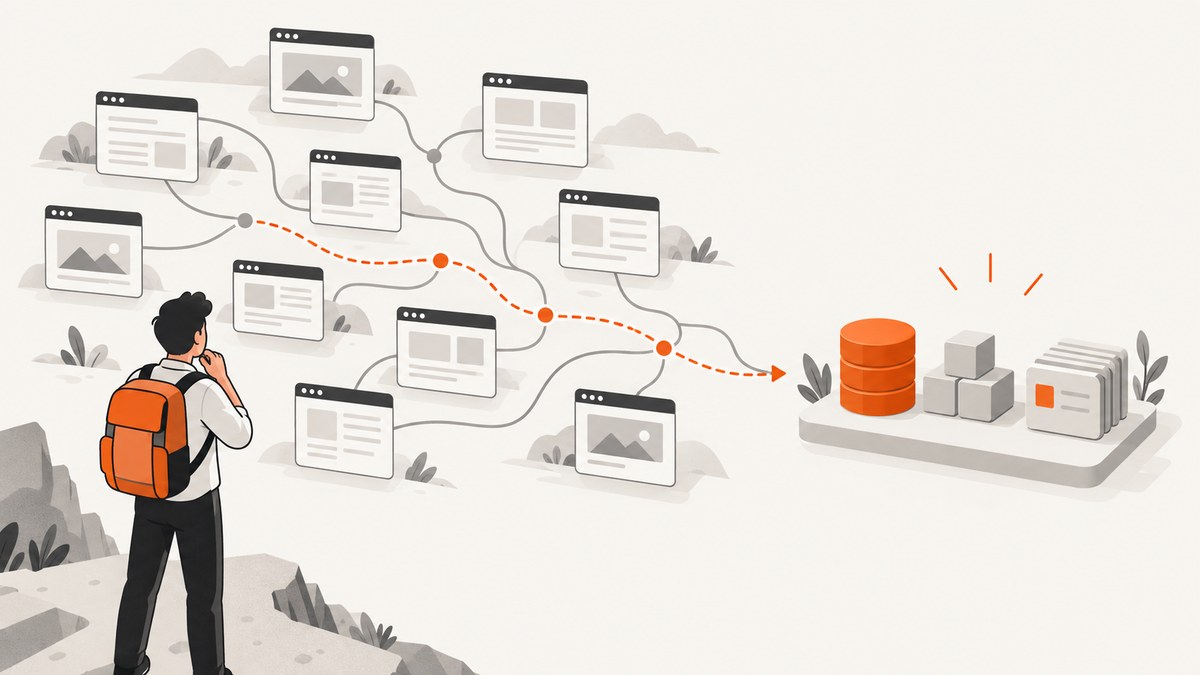
Website data extraction means collecting selected information from web pages or other web-accessible sources and turning it into a usable dataset. The practical workflow is: define the fields you need, choose an appropriate source, review access and use constraints, retrieve only what you need at a measured rate, then validate, document, and protect the output. This five-step structure is an editorial synthesis, not a universal standard. The best retrieval method depends on the fields, the source, permission, and the cost of maintaining the collection.
Extraction can mean several things: requesting an API, reading machine-readable structured data embedded in a page, parsing page markup, or using a hosted scraping service. They solve related problems, but they are not interchangeable. Start with the question your data must answer and work backward from there.
1. Define the purpose and fields
Write down the decision or analysis the dataset will support before writing a crawler. Then list only the fields needed for that purpose. A request for product availability might need a product identifier, availability status, source URL, and observation time; it probably does not need every paragraph, image, or review on the page.
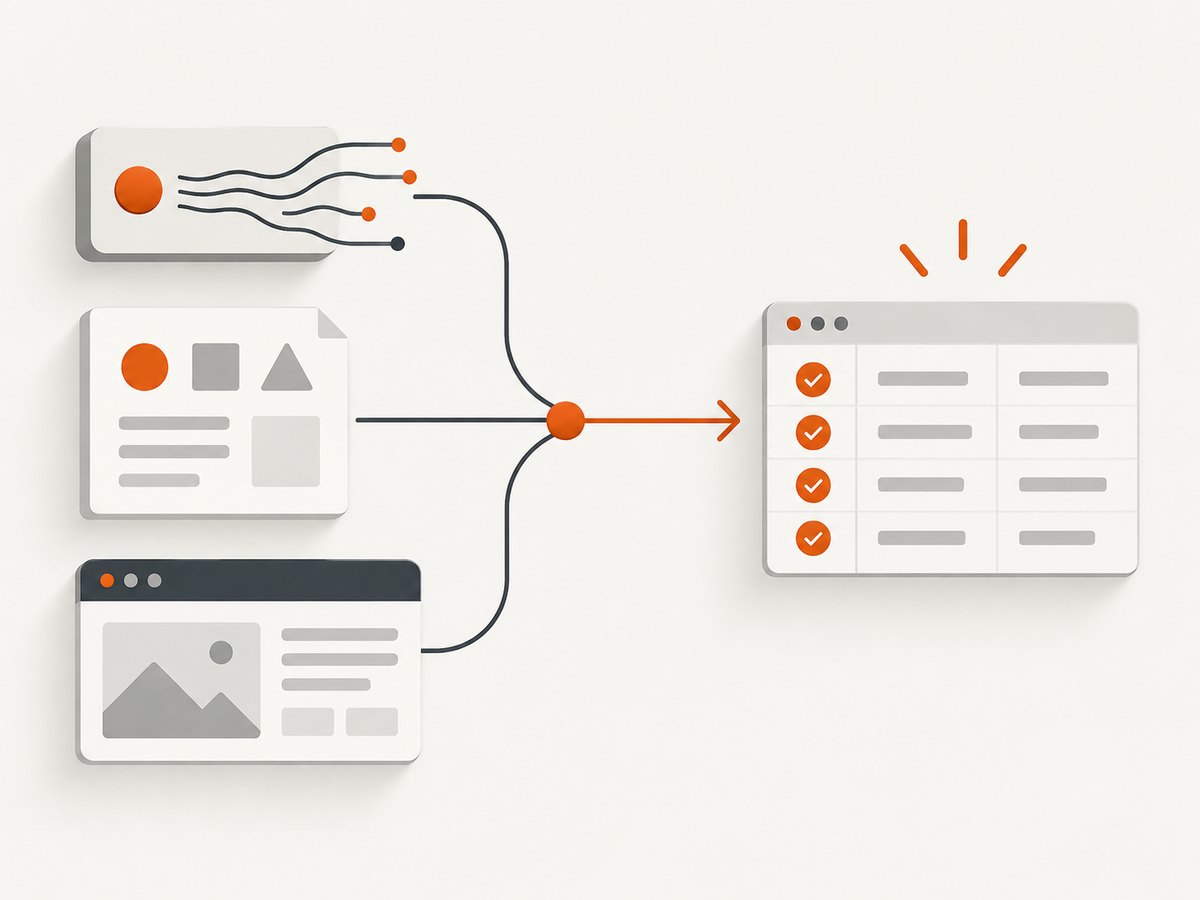
For each field, specify its expected meaning, type, and format. Decide whether a price is stored as a decimal plus currency code, whether dates use ISO 8601, and how missing values are represented. Keep a small data dictionary so that later users do not have to infer what a column means.
| Planning question | Example decision |
|---|---|
| What question will the data answer? | Which listed items are currently marked available? |
| Which fields are essential? | Item ID, status, URL, collected-at time |
| What types and formats are expected? | Status is an enumerated string; time is UTC ISO 8601 |
| How much history is needed? | One current snapshot, or dated observations over time |
| Who can access the output? | Only the project team, or an approved broader audience |
Also define scope: which domains and pages are in bounds, how often data needs refreshing, how long it will be retained, and what counts as a successful collection. A clear scope helps avoid collecting unrelated personal or copyrighted material and makes the later workload easier to estimate.
2. Choose the least burdensome suitable source
Use the source that provides the required fields in a suitable format with appropriate permission and a maintenance burden you can support. Check in this order:
- Publisher API or feed: Look for an official API, downloadable dataset, or feed. An API may expose stable, named fields and avoid parsing presentation markup. Availability and terms vary by publisher.
- Agreed transfer: For recurring or substantial needs, ask the site owner whether an export, file transfer, or other agreed channel is available. Eurostat’s guidance for European Statistical System partners recommends considering agreements and alternatives such as APIs and file transfer.
- Structured data in the page: Inspect the page for machine-readable markup such as JSON-LD. Schema.org provides vocabulary definitions, and Google describes structured data as a way to help its systems understand page content. Markup can be useful, but it may omit fields your project needs or be absent on some pages. [Schema.org for Developers; Google: Intro to structured data]
- Page parsing: If the page itself is the necessary source, parse the smallest stable structure that contains the fields. Presentation markup may change, so plan to detect and repair selector or schema changes.
- Hosted extraction service: A managed service can run scraper tools and provide structured exports; evaluate its documented scope, output, access rules, maintenance requirements, and cost for your project. For example, Scrapy.io documents HTTP endpoints, scraper runs, and structured exports. That vendor documentation describes its own service, not independent evidence that it suits a particular target.
Compare options on whether the channel is available and permitted, whether it includes your fields, output stability, request impact, implementation and maintenance effort, and whether management by a vendor fits your operational needs. There is no source type that always wins.
Some fields require visual rendering: for example, content inserted by client-side JavaScript, a layout state, or a screenshot record. A screenshot is an image or PDF representation, not a substitute for structured values when you need to query, sort, or validate those values. For visual records, ScreenshotNeo is a website screenshot API and MCP server: one GET request can return PNG, JPEG, WebP, or PDF, and it can capture full pages or a selected element. Use it when a visual capture is part of the dataset or review workflow, alongside an appropriate data source for extracted fields.
3. Review access and use constraints
Before retrieval, review the target’s robots.txt, terms, access requirements, and the rules relevant to the data, intended use, and jurisdiction. Check whether the pages require login, whether automated access is addressed, and whether the collection involves personal, sensitive, or copyrighted material. This is a practical review, not a universal legal determination; seek qualified advice when the project has significant legal or privacy implications.
Google Search Central puts the purpose of robots.txt plainly: “A robots.txt file tells search engine crawlers which URLs the crawler can access on your site.” The file is a crawler-access convention, not a security boundary. It does not reliably remove a URL from search results and should not be used to protect private information. Use authentication controls for private resources and the appropriate indexing controls for search visibility. [Google Search Central: Introduction to robots.txt]
Robots.txt is scoped to the protocol, host, and port serving it, and Google says it belongs at that host’s root. A file on one hostname does not automatically establish rules for another. Treat directives as instructions for crawler behavior, and do not infer that a disallowed URL is safe to access or that an unlisted URL is automatically permitted for every purpose. [Google: Create and submit a robots.txt file]
Terms, robots.txt, privacy obligations, copyright, and technical access controls address different concerns. Record what you reviewed and the decision made. The U.S. General Services Administration Emerging Technology Office’s 2021 blog suggests checking robots.txt and terms and considering sensitive information and copyright, but explicitly says its views are not official federal guidance. Eurostat’s retrieval guidance is scoped to European Statistical System partners; it discusses transparency, reduced server impact, secure handling, applicable legislation, and alternative channels. Neither source is a complete legal answer for every collector.
4. Retrieve narrowly and with low impact
Build a small, observable retrieval process. Identify the crawler and its purpose where appropriate, request only the pages and fields needed, and avoid a request rate that creates unnecessary load. Eurostat’s ESS guidance says web content should be retrieved and used appropriately and ethically while limiting burden on site owners and respondents as much as possible. Its recommendations are specifically for ESS partners, but low-impact collection is a useful engineering objective.
- Start with a short list of in-scope URLs and a low request rate.
- Set explicit connect and response timeouts; a request that can hang indefinitely makes a batch unpredictable.
- Handle transient errors with bounded retries and increasing delays. Do not retry every error forever.
- Cache responses where reuse is allowed and appropriate, with a refresh policy matched to how quickly the source changes.
- Log the URL, request time, response status, parser version, and outcome needed to diagnose failures, while avoiding unnecessary personal data in logs.
- Stop or slow the job when the site returns rate-limit or access-denied responses; investigate before resuming.
If a browser is required to render page content, treat browser automation as a more involved retrieval method: control concurrency, wait for a specific page condition rather than an arbitrary long delay when possible, and capture only the required page or element. For a visual capture workflow, ScreenshotNeo offers selector waits, delays, network-idle waits, request and resource blocking, custom headers and cookies, and caching with a chosen TTL. Its API parameters also accept names used by other screenshot APIs. Check the ScreenshotNeo API documentation for request options and response details.
5. Validate, document, and protect the output
A successful HTTP response does not prove that the dataset is correct. Validate values against the field definitions from step one and keep enough provenance to explain how each record was obtained. The checks below are practical project recommendations, not a single official standard.
- Presence: Count missing values in required fields and distinguish a genuinely absent source value from a parser failure.
- Types and ranges: Check dates, numbers, currencies, enumerated values, and sensible bounds.
- Duplicates: Identify repeated records using an appropriate key, while preserving legitimate repeated observations over time.
- Schema changes: Alert on unexpected missing fields, new shapes, or sudden changes in record counts.
- Sample comparisons: Compare a sample of extracted records with the source page or API response. Include edge cases, not only the easiest pages.
- Provenance: Store source URL, collection timestamp, retrieval method, and parser or job version where appropriate.
- Protection: Limit access, secure credentials, set a retention period, and remove fields that the project no longer needs.
For repeat jobs, track useful operational measures such as attempted URLs, successful records, failures by cause, retry counts, and age of the latest successful collection. These are project observability choices, not universal benchmarks. Keep raw responses only when justified by the purpose, permissions, retention plan, and storage controls; otherwise, retaining selected fields and provenance may reduce risk and cost.
DIY example: inspect JSON-LD with Python
This runnable example fetches one public page, locates JSON-LD script blocks, parses valid JSON, and prints them. It is a starting point for inspection, not a production crawler: confirm that automated access is appropriate for the target, add project-specific timeouts and validation, and do not assume every page has JSON-LD or that all JSON-LD has the same shape.
import json
import requests
from bs4 import BeautifulSoup

url = "https://example.com/"
response = requests.get(
    url,
    headers={"User-Agent": "ExampleResearchBot/1.0 (contact: data-team@example.org)"},
    timeout=(5, 20),
)
response.raise_for_status()

soup = BeautifulSoup(response.text, "html.parser")
found = 0
for script in soup.select('script[type="application/ld+json"]'):
    raw = script.string or script.get_text()
    try:
        data = json.loads(raw)
    except json.JSONDecodeError as exc:
        print(f"Skipping invalid JSON-LD: {exc}")
        continue
    found += 1
    print(json.dumps(data, ensure_ascii=False, indent=2))

if found == 0:
    print("No valid JSON-LD blocks found; choose another permitted source or parser.")
Install the dependencies with python -m pip install requests beautifulsoup4. Replace the example URL and user-agent contact with values appropriate to your project. The script deliberately prints the structured data rather than assuming a specific schema. Once you know the actual shape, map only the fields you need and validate their types and presence.
Equivalent retrieval examples
For a documented API, use its published endpoint, authentication method, parameters, and response schema. The example host below is a placeholder; replace it only with an API whose access and terms you have reviewed.
curl --fail --show-error --silent \
  --connect-timeout 5 --max-time 20 \
  -H 'Accept: application/json' \
  'https://api.example.org/v1/items?limit=20' \
  -o response.json
import requests
api_url = "https://api.example.org/v1/items"
response = requests.get(
api_url,
params={"limit": 20},
headers={"Accept": "application/json"},
timeout=(5, 20),
)
response.raise_for_status()
data = response.json()
print(data)const url = new URL('https://api.example.org/v1/items');
url.searchParams.set('limit', '20');
const controller = new AbortController();
const timer = setTimeout(() => controller.abort(), 20000);
try {
const response = await fetch(url, {
headers: { Accept: 'application/json' },
signal: controller.signal,
});
if (!response.ok) throw new Error(`HTTP ${response.status}`);
const data = await response.json();
console.log(data);
} finally {
clearTimeout(timer);
}These examples show basic HTTP retrieval; they do not supply a real third-party API or imply permission to collect from any particular site. For a site page, the Python JSON-LD example demonstrates structured-data inspection. For page parsing or browser rendering, use the same five-step decisions and add target-specific checks.
Or skip the browser setup
If your workflow needs a visual record of a web page, ScreenshotNeo can return an image or PDF from one API request. The DIY approach remains useful when you need direct control over a browser and parser. ScreenshotNeo can remove cookie banners, popups, and chat widgets before the shot; bot checks, blank pages, and failed loads are never billed; an MCP server lets AI agents take screenshots; and 1,000 screenshots a month are free with no card, with paid plans starting at $5 for 3,000.
curl -G "https://api.screenshotneo.com/v1/shot" \
  -d access_key=YOUR_API_KEY \
  --data-urlencode url=https://stripe.com \
  -o shot.webp
import requests
r = requests.get(
"https://api.screenshotneo.com/v1/shot",
params={"access_key": "YOUR_API_KEY", "url": "https://stripe.com"},
timeout=90,
)
r.raise_for_status()
open("shot.webp", "wb").write(r.content)const q = new URLSearchParams({
access_key: 'YOUR_API_KEY',
url: 'https://stripe.com',
});
const res = await fetch(`https://api.screenshotneo.com/v1/shot?${q}`);
if (!res.ok) throw new Error(`HTTP ${res.status}`);
const bytes = new Uint8Array(await res.arrayBuffer());
await import('node:fs/promises').then(({ writeFile }) => writeFile('shot.webp', bytes));See the ScreenshotNeo docs for capture parameters and response headers. Start with 1,000 free screenshots a month with no card.
Options to plan for
| Need | Practical choice | Trade-off to check |
|---|---|---|
| Stable named values | Publisher API or feed | Availability, authentication, limits, and terms |
| Embedded machine-readable values | JSON-LD or other structured markup | Coverage, consistency, and whether required fields exist |
| Values only shown in page structure | Targeted page parser | Markup changes can break selectors |
| Rendered visual record | Browser capture or screenshot API | Rendering time, output format, and visual versus structured needs |
| Recurring managed extraction | Hosted service, after review | Vendor scope, access, data handling, export, and total cost |
For browser screenshots, choose only settings relevant to the required evidence. Common dimensions include full-page versus element capture, viewport or device preset, wait condition, output image or PDF, and whether dynamic content needs a delay. ScreenshotNeo also documents dark mode, retina scale, custom CSS and JavaScript, selector hiding, click-before-capture, custom headers and cookies, user agent, timezone and geolocation, transparent backgrounds, image resizing, blocking controls, caching, signed public image links, asynchronous jobs with signed webhooks, bulk capture of up to 100 URLs per call, a usage API, and an OpenAPI spec. PDF options include paper size, margins, landscape, and page ranges. Each step in its banner handling can be turned off. Select options from the actual requirement; extra rendering work or output size can add time or storage even where the API plan includes the feature.
Troubleshooting
| Symptom | Likely cause | Fix |
|---|---|---|
| No JSON-LD blocks | The page has no JSON-LD, or data arrives through another route. | Inspect an approved API/feed or determine whether targeted parsing is necessary. |
| JSON parse error | Malformed markup, multiple values in an unexpected shape, or non-JSON content in the script. | Log the page and block safely, skip invalid entries, and validate a representative sample. |
| HTTP 403 or 429 | Access restrictions or rate limiting. | Stop aggressive retries, review access rules, reduce rate, and seek an approved channel or site-owner agreement. |
| Timeouts or intermittent failures | Slow source, network issue, or work exceeding the timeout. | Set bounded timeouts, retry transient failures with backoff, and record failure categories. |
| Required values suddenly disappear | Source schema or page layout changed, or extraction path stopped returning data. | Alert on missing-field rates and record counts; inspect a small sample before publishing a new dataset. |
| Browser capture shows a blank or incomplete page | Capture occurred before content rendered, a selector was absent, or the page challenged automated access. | Use an appropriate selector or wait condition, inspect the response verdict where available, and do not repeatedly hammer a challenged target. |
| Image looks right but data cannot be queried | A screenshot stores pixels rather than semantic field values. | Use an API, structured markup, or a parser for values; keep the screenshot as visual evidence only. |
Performance, reliability, and cost
Request volume, page rendering, output size, refresh frequency, and retention drive most practical costs. An API or feed may avoid repeated browser rendering when it supplies the fields. A parser can be lightweight but creates maintenance work when the source changes. A hosted service shifts some operational work to a vendor and adds service cost and data-handling review. The research sources establish no comparative performance benchmarks, so measure against the actual target and workload rather than assuming one method is faster.
For reliability, favor bounded jobs, timeouts, categorized errors, limited retries, and validation gates before data is consumed downstream. Cache only when freshness requirements and permissions allow. Keep credentials out of source control and logs. For browser captures, use only the required page scope and output resolution, and distinguish a successful image response from a semantically valid page. ScreenshotNeo’s response includes page-verdict and billing headers; its stated billing rule is that only clean shots are billed, while bot checks/CAPTCHAs, blank pages, timeouts, failed loads, and cache hits cost nothing.
ScreenshotNeo’s listed monthly plans are Free: 1,000 shots with no card; Starter: $5 for 3,000; Growth: $15 for 15,000; Pro: $39 for 60,000; Scale: $99 for 250,000; and Business: $249 for 1,000,000. Yearly billing gives two months free, and every feature is on every plan. Compare the volume and output your project needs; these prices describe ScreenshotNeo, not the total cost of a data-extraction project.
Frequently asked questions
Is data extraction the same as web scraping?
Web scraping is one way to extract data from pages. The broader task can also use APIs, feeds, agreed file transfers, and structured markup.
Does JSON-LD guarantee a complete dataset?
No. It is a possible machine-readable source. Check whether it contains the fields and coverage your project requires, and validate it against representative pages.
Does robots.txt grant permission to collect a page?
No. It communicates crawler access preferences; it is not an access-control system or a complete statement of legal rights. Review the other applicable constraints as well.
When should I keep a screenshot?
Keep one when visual appearance or a point-in-time rendering is itself useful evidence. Use structured output when downstream users need to query or analyze field values.
What should I do if the source changes?
Detect changes through field-presence and record-count checks, inspect a sample, update the parser or mapping, and document the new version before relying on the refreshed dataset.
Responsible collection checklist
- Purpose and required fields are written down.
- A suitable source and permitted access path have been chosen.
- robots.txt, terms, account requirements, privacy, copyright, and relevant jurisdictional rules have been reviewed.
- Requests are scoped, paced, observable, and bounded by timeouts and retry limits.
- Output has type, missing-value, duplicate, schema-change, and sample checks.
- Provenance, credentials, access, retention, and deletion are handled deliberately.
That workflow turns extraction from “get everything” into a repeatable collection process: ask a focused question, choose the least burdensome suitable channel, retrieve carefully, and verify what you have before using it.


