Data Extraction in Go
A complete Go guide to extracting JSON, CSV, XML, and HTML safely with typed mappings, streaming parsers, tests, and troubleshooting.

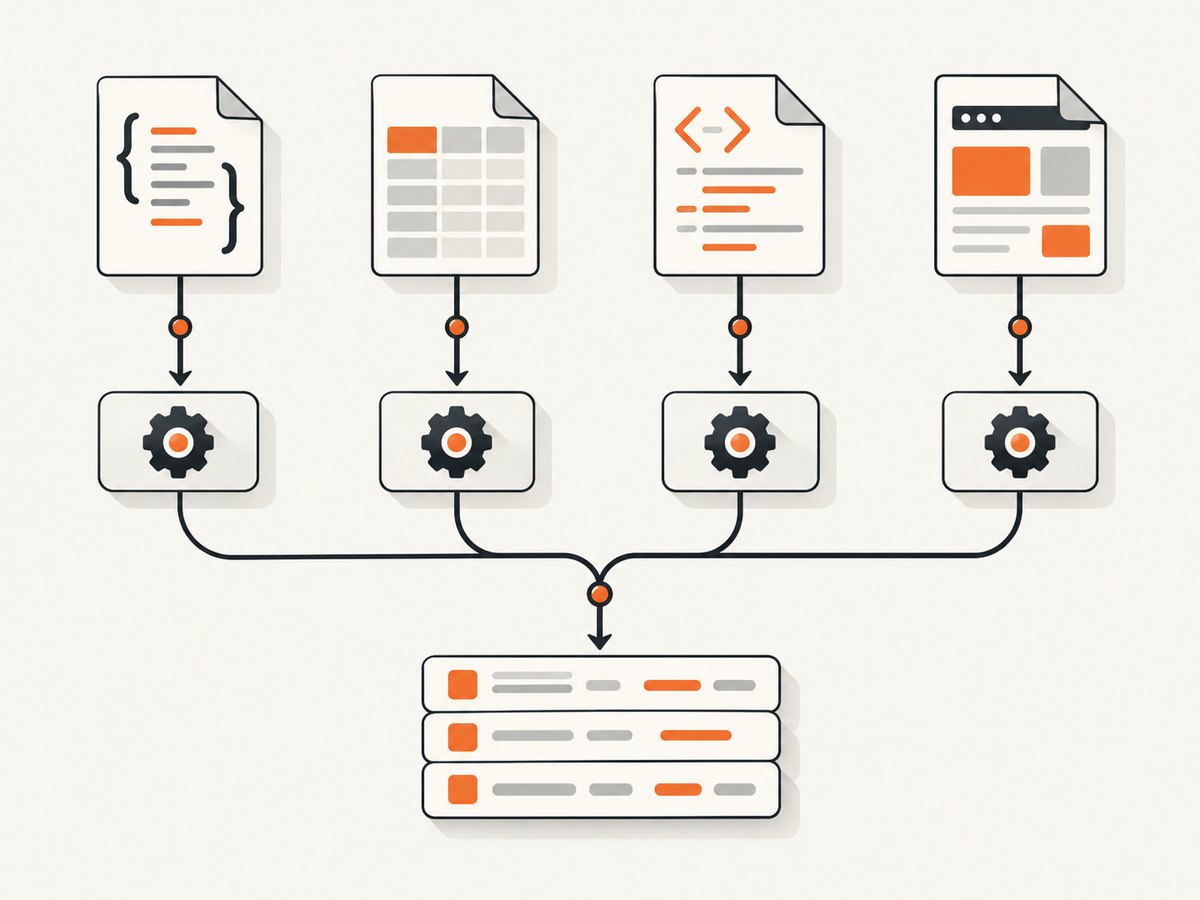
Direct answer: Data extraction in Go starts by identifying the input format, then choosing the parser whose data model matches it. Use encoding/json for JSON, encoding/csv for CSV, encoding/xml for XML, and golang.org/x/net/html for HTML. Map stable schemas into exported Go structs with tags; use generic values or token/streaming APIs when fields are unknown or the input is large. Always handle parser errors and test the odd cases in your real source.
This guide shows a maintainable approach for scrapers, import jobs, and APIs. It covers typed and generic JSON, quoted CSV, namespaced XML, standards-aware HTML traversal, streaming, malformed input, testing, and production concerns.
1. Choose the parser from the source format
| Input | Go package | Best first API | Use when |
|---|---|---|---|
| JSON | encoding/json (v1) or encoding/json/v2 |
json.Unmarshal/json.Decoder |
Objects, arrays, APIs, event payloads |
| CSV | encoding/csv | csv.Reader.Read |
Delimited records, including quoted commas and newlines |
| XML | encoding/xml | xml.Unmarshal/xml.Decoder |
XML 1.0 documents and namespaced feeds |
| HTML | golang.org/x/net/html | html.Parse plus tree traversal |
Web pages and malformed, browser-like markup |
Do not use regular expressions as a general HTML parser, and do not split CSV on commas or lines. Those shortcuts fail on nested markup and quoted fields. Decide whether you need the whole input in memory or incremental processing before selecting Unmarshal, ReadAll, or a decoder/reader.
2. JSON extraction with structs (known schema)
For a stable response, exported fields and JSON tags make the mapping explicit. Fields absent from the input keep their zero value, and fields not represented by the destination struct are ignored by the documented tutorial behavior.
package main

import (
    "encoding/json"
    "fmt"
    "log"
)

type Product struct {
    ID       string   `json:"id"`
    Name     string   `json:"name"`
    Price    float64  `json:"price"`
    Tags     []string `json:"tags"`
    InStock  bool     `json:"in_stock"`
}

func main() {
    input := []byte(`{"id":"p-42","name":"Notebook","price":12.5,"tags":["paper"],"in_stock":true}`)
    var p Product
    if err := json.Unmarshal(input, &p); err != nil {
        log.Fatal(err)
    }
    fmt.Printf("%s: %.2f (%v)\n", p.Name, p.Price, p.InStock)
}
Use pointer fields such as *string or *int when you must distinguish a missing value from an explicit JSON null or a legitimate zero. Use json.Number when preserving decimal text matters. Validate required fields after decoding; syntactically valid JSON can still violate your application schema.
Unknown or partially known JSON
var payload map[string]any
if err := json.Unmarshal(data, &payload); err != nil { return err }
if v, ok := payload["status"].(string); ok {
    fmt.Println(v)
}

// Preserve arbitrary values while reading a known envelope.
type Envelope struct {
    Type string          `json:"type"`
    Data json.RawMessage `json:"data"`
}
For very large JSON, use json.Decoder on an io.Reader and process array elements one at a time. Decode into a temporary struct, validate it, then persist or emit it before reading the next element.
v1 versus v2
Go documentation now distinguishes encoding/json v1 and encoding/json/v2. They differ in compatibility-sensitive areas including case matching, duplicate member names, invalid UTF-8, nil slice/map output, and omitempty. Pin the package and Go version in your project, read the current v1 and v2 documentation, and add migration tests before switching. Do not assume identical defaults.
3. CSV extraction that survives real files
The CSV package follows RFC 4180 with documented differences. A quoted field may contain commas and newlines, so line splitting and strings.Split are incorrect.
package main

import (
    "encoding/csv"
    "fmt"
    "io"
    "log"
    "strings"
)

func main() {
    src := "id,name,notes\n1,\"Ada Lovelace\",\"likes commas, and\nnewlines\"\n"
    r := csv.NewReader(strings.NewReader(src))
    r.FieldsPerRecord = 3 // use -1 when rows legitimately vary
    header, err := r.Read()
    if err != nil { log.Fatal(err) }
    fmt.Println("columns:", header)
    for {
        row, err := r.Read()
        if err == io.EOF { break }
        if err != nil { log.Fatalf("record %d: %v", r.InputOffset(), err) }
        fmt.Printf("id=%s name=%s notes=%q\n", row[0], row[1], row[2])
    }
}
Configure Comma for another delimiter, Comment for comment lines, LazyQuotes only when you knowingly accept relaxed quoting, and TrimLeadingSpace when the source requires it. ReadAll is convenient for small files but retains every record; repeated Read keeps memory bounded. The writer emits LF by default, so set UseCRLF when a downstream system requires CRLF.
4. XML extraction: structs, namespaces, and tokens
For a known XML shape, tags map directly into a struct. Namespaces are represented with xml.Name or a tag containing the namespace URI.
type Feed struct {
    XMLName xml.Name `xml:"feed"`
    Entries []Entry  `xml:"entry"`
}
type Entry struct {
    ID    string `xml:"id"`
    Title string `xml:"title"`
    Link  string `xml:"link>href,attr"`
}

var f Feed
if err := xml.NewDecoder(r).Decode(&f); err != nil {
    return fmt.Errorf("decode feed: %w", err)
}
Use xml.Decoder.Token when the document is large or you need only selected elements. Token processing lets you skip subtrees and emit records incrementally. Check both syntax and semantic requirements: XML can decode successfully while a required attribute is absent.
5. HTML extraction with the HTML5 tree
golang.org/x/net/html implements the HTML5 parsing algorithm. It may insert implicit nodes, repair nesting, and omit explicit malformed tags; traverse the resulting tree instead of assuming a one-to-one copy of source markup. Its input is assumed to be UTF-8 and nesting deeper than 512 elements is rejected.
package main

import (
    "fmt"
    "net/http"
    "strings"
    "golang.org/x/net/html"
)

func text(n *html.Node) string {
    var b strings.Builder
    var walk func(*html.Node)
    walk = func(x *html.Node) {
        if x.Type == html.TextNode { b.WriteString(x.Data); b.WriteByte(' ') }
        for c := x.FirstChild; c != nil; c = c.NextSibling { walk(c) }
    }
    walk(n)
    return strings.Join(strings.Fields(b.String()), " ")
}

func main() {
    resp, err := http.Get("https://example.com")
    if err != nil { panic(err) }
    defer resp.Body.Close()
    root, err := html.Parse(resp.Body)
    if err != nil { panic(err) }
    var walk func(*html.Node)
    walk = func(n *html.Node) {
        if n.Type == html.ElementNode && n.Data == "h1" {
            fmt.Println(text(n))
        }
        for c := n.FirstChild; c != nil; c = c.NextSibling { walk(c) }
    }
    walk(root)
}
In production, match attributes deliberately (for example, class tokens rather than substring guesses), stop after the fields you need, and treat missing selectors as a data-quality error. For pages rendered by JavaScript, an HTTP client receives the initial HTML only; use a browser renderer or a screenshot service when the target data appears after scripts run.
6. A repeatable extraction workflow
- Inspect the source. Record format, encoding, schema stability, pagination, and whether JavaScript is required.
- Choose a representation. Structs for known fields; maps,
RawMessage, or tokens for unknown/large data. - Read with limits. Use request deadlines, maximum body sizes, and streaming readers for untrusted inputs.
- Decode and validate. Return parser errors with context; validate required IDs, ranges, and relationships.
- Test source quirks. Include missing fields, nulls, unknown members, duplicate JSON keys if relevant, quoted CSV newlines, XML namespaces, malformed HTML, and encoding issues.
- Observe outcomes. Count parse failures separately from empty-but-valid records so retries do not hide bad data.
7. Troubleshooting common failures
| Symptom | Likely cause | Fix |
|---|---|---|
invalid character in JSON |
HTML error page, truncated body, or wrong encoding | Log status and content type, cap and inspect a safe prefix, then decode only the expected media type. |
| JSON field is empty | Unexported Go field or wrong tag/case | Export the field and set an explicit json tag; verify v1/v2 behavior. |
| CSV has shifted columns | Manual splitting or unexpected delimiter | Use csv.Reader; configure Comma, FieldsPerRecord, and quoting options. |
| XML element missing | Namespace or wrong nesting tag | Inspect xml.Name and add the namespace-aware tag/path. |
| HTML selector finds nothing | Malformed markup, changed class, or content rendered by JavaScript | Traverse the parsed tree, match attributes robustly, and render the page when data is client-generated. |
| Memory spikes | Whole-file ReadAll/Unmarshal on a large input |
Use Reader or decoder APIs and process records incrementally. |
| Intermittent network errors | No timeout, transient upstream failure, or rate limiting | Set context deadlines, retry only idempotent requests with backoff, and honor status-specific limits. |
8. Performance, reliability, and cost
The reviewed Go references do not provide comparative benchmarks, so choose streaming versus buffering from input size and latency requirements rather than an assumed package ranking. Buffer small payloads when it simplifies validation; stream large arrays, CSV files, and XML feeds to cap memory.
Reuse HTTP transports, set connection and total request timeouts, and close response bodies. Bound decompression and body size before parsing untrusted data. Cache immutable source responses when permitted, but keep parser version and source schema in your logs so a later change is diagnosable. On retries, avoid duplicating writes by attaching a source ID or idempotency key to each extracted record.
Parsing itself has no service fee when you run it locally. Your costs come from compute, storage, network egress, and any browser rendering or third-party API calls. Measure your own workload after correctness tests; documentation cited here contains no universal throughput numbers.
9. Or skip the browser setup
If extraction starts with a JavaScript-heavy page, ScreenshotNeo can provide a clean rendered capture before you inspect or archive it. One GET request returns PNG, JPEG, WebP, or PDF; see the ScreenshotNeo API documentation for all 63 options.

curl -G "https://api.screenshotneo.com/v1/shot" -d access_key=YOUR_API_KEY --data-urlencode url=https://stripe.com -o shot.webpimport requests
r = requests.get("https://api.screenshotneo.com/v1/shot", params={"access_key": "YOUR_API_KEY", "url": "https://stripe.com"}, timeout=90)
open("shot.webp", "wb").write(r.content)const q = new URLSearchParams({ access_key: 'YOUR_API_KEY', url: 'https://stripe.com' });
const res = await fetch(`https://api.screenshotneo.com/v1/shot?${q}`);Cookie banners, newsletter popups, and chat widgets are removed before the shot. Bot checks, blank pages, failed loads, timeouts, and cache hits are not billed; response headers report the page verdict and billing result. You can set full-page or element capture, custom CSS and JavaScript, waits, headers, cookies, user agent, blocking rules, viewport/device, dark mode, PDF settings, caching TTL, signed links, async webhooks, bulk capture, and more. Its MCP server exposes take_screenshot, get_page_info, and capture_pdf to Claude, Cursor, and other MCP clients. The free plan includes 1,000 screenshots per month with no card; paid plans start at $5 for 3,000.
Create a free ScreenshotNeo account and start with the 1,000 monthly screenshots.
10. Short FAQ
Should I decode JSON into map[string]any by default?
No. Use structs when the shape is known; generic maps are useful for genuinely dynamic fields or exploratory tooling.
Can encoding/csv parse tab-separated files?
Yes. Set Reader.Comma to a tab rune and configure field-count behavior for the source.
How do I preserve unknown JSON fields?
Keep the original bytes or add a json.RawMessage field for the portion whose schema is not fixed.
Why does parsed HTML differ from my source?
The package applies the HTML5 parsing algorithm, which repairs malformed nesting and inserts implied elements.
When should I use ScreenshotNeo?
Use it when the page needs browser rendering or when you want clean, repeatable captures without maintaining browser automation.


