Data Extraction in Ruby: HTML, XML, JSON, YAML, and Text
Learn how to extract reliable data in Ruby by matching your parser to HTML, XML, JSON, YAML, or plain text input.

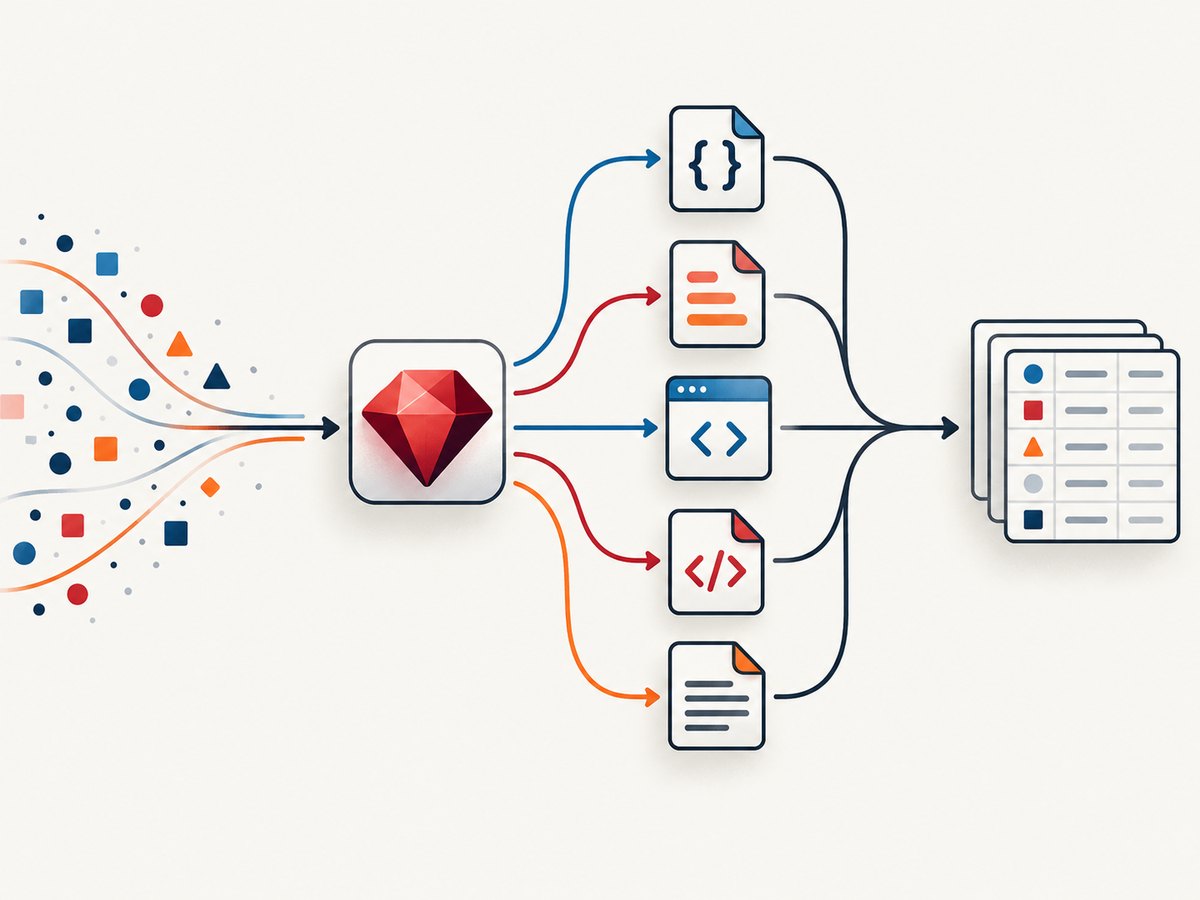
Data extraction in Ruby starts with one decision: identify the input format before choosing a parser. Use Ruby’s JSON library for JSON, YAML/Psych for YAML, Nokogiri for HTML and XML, and ordinary strings or regular expressions for genuinely line-oriented text. A parser that understands the format gives you validation, correct nesting, escaping, and clearer failure modes.
This guide uses Ruby 3.x or 4.x syntax and standard-library APIs. Check the Ruby documentation landing page and select the page for the exact Ruby release running in production; the official index lists documentation by release, including Ruby 4.0.
1. Choose the parser from the input format
| Input | Ruby path | Best starting strategy |
|---|---|---|
| JSON | json standard library |
Decode into hashes and arrays, then validate required fields. |
| YAML | yaml (Psych) |
Use safe loading for untrusted documents. |
| HTML | Nokogiri HTML or HTML5 parser | Query with CSS selectors or XPath. |
| XML | Nokogiri XML parser | Use namespaces, XPath, and optional schema validation. |
| Plain text | Ruby strings, each_line, regular expressions |
Parse only when the format is bounded and documented. |
Ruby’s official FAQ says Ruby is good at text processing and demonstrates line-by-line regular-expression parsing. That does not make a regular expression an HTML or XML parser: nested markup, entities, comments, namespaces, and malformed input require a format-aware parser.
2. Set up a small extraction project
Use a real project so the Ruby version and dependencies are reproducible.
# Gemfile
source "https://rubygems.org"

gem "nokogiri", "~> 1.16"
bundle install
ruby --version
json and yaml are documented in Ruby’s standard-library index. Nokogiri is an external gem with native parser bindings. Pin a compatible version in your application and read its release notes before upgrading.
3. Extract data from JSON
JSON is already a data format, so decode it directly. Objects become Ruby hashes and arrays become Ruby arrays.
#!/usr/bin/env ruby
require "json"

json_text = <<~JSON
  {
    "id": 42,
    "name": "Ada Lovelace",
    "roles": ["engineer", "author"],
    "active": true,
    "profile": {"country": "GB"}
  }
JSON

record = JSON.parse(json_text)

puts record.fetch("id")
puts record.fetch("name")
puts record.fetch("roles").join(", ")
puts record.dig("profile", "country")

begin
  JSON.parse('{"id":')
rescue JSON::ParserError => e
  warn "Invalid JSON: #{e.message}"
end
Use fetch when a missing key should be an error and dig when nested data is optional. JSON keys are strings by default. If your application expects symbols, transform the result deliberately rather than silently changing all keys.
Streaming and large JSON files
JSON.parse builds the complete object in memory. For very large files, use a streaming JSON parser gem or process newline-delimited JSON one line at a time. Do not split arbitrary JSON on lines: a valid JSON value may span many lines.
File.foreach("events.jsonl", chomp: true) do |line|
  next if line.empty?
  event = JSON.parse(line)
  puts event.fetch("type")
end
4. Extract data from YAML safely
Ruby’s YAML support is provided by Psych. YAML can represent richer types than JSON, including aliases and application-specific objects. Treat incoming YAML as untrusted.
require "yaml"

yaml_text = <<~YAML
  name: Ada Lovelace
  tags:
    - math
    - computing
  settings:
    enabled: true
YAML

profile = YAML.safe_load(yaml_text, aliases: false)
puts profile.fetch("name")
puts profile.fetch("tags").join(", ")
puts profile.dig("settings", "enabled")
YAML.safe_load is the appropriate default for configuration supplied by users, a repository, an upload, or a remote service. Only permit additional classes or aliases when you understand the input and need them. For trusted application-owned files, YAML.load_file may be convenient, but it should not be used as a shortcut for untrusted data.
5. Extract data from HTML with Nokogiri
Nokogiri documents DOM parsing, XPath, CSS selectors, SAX, and push parsing. DOM parsing is the easiest choice when the document fits comfortably in memory and you need to query several parts.
require "nokogiri"

html = <<~HTML
  <html>
    <body>
      <article class="product" data-sku="A-17">
        <h1>Ruby Mug</h1>
        <span class="price">$19.00</span>
        <a class="buy" href="/buy/ruby-mug">Buy</a>
      </article>
    </body>
  </html>
HTML

doc = Nokogiri::HTML5.parse(html)
product = doc.at_css("article.product")

record = {
  sku: product["data-sku"],
  name: product.at_css("h1")&.text&.strip,
  price: product.at_css(".price")&.text&.strip,
  href: product.at_css("a.buy")&.[]("href")
}

p record
The safe-navigation operator keeps optional elements from raising NoMethodError. Normalize whitespace with strip and, when needed, collapse internal whitespace:
clean = node.text.gsub(/\s+/, " ").strip
CSS selectors versus XPath
CSS is usually easiest for classes, attributes, and descendant relationships:
doc.css("table.orders tr[data-id]").map do |row|
  {
    id: row["data-id"],
    total: row.at_css(".total")&.text&.strip
  }
end
XPath is useful for text conditions, positions, and precise structural rules:
doc.xpath("//article[@data-type='report']//h2").map { |node| node.text.strip }
Prefer stable attributes such as data-testid or semantic elements. Avoid selectors based on generated CSS class names that change on every deployment.
HTML, XML, and namespaces
Use the XML parser for XML; it applies XML rules rather than browser-style HTML recovery.
xml = Nokogiri::XML('<feed xmlns="urn:example"><item><title>One</title></item></feed>')
doc = Nokogiri::XML(xml.to_xml)
ns = { "e" => "urn:example" }
titles = doc.xpath("//e:item/e:title", ns).map { |n| n.text }
p titles
When an XML document has a default namespace, unprefixed XPath expressions often return no nodes. Bind the namespace to a prefix and use that prefix in the query.
6. Parse large or incremental markup
A DOM keeps the entire tree in memory. For very large XML or HTML4 inputs, Nokogiri documents SAX and push parsers that let you react as elements arrive. A SAX handler should keep only the fields needed for the current record.
class ItemHandler < Nokogiri::XML::SAX::Document
  def initialize
    @inside_title = false
    @buffer = +""
  end

  def start_element(name, _attrs = [])
    @inside_title = true if name == "title"
  end

  def characters(text)
    @buffer << text if @inside_title
  end

  def end_element(name)
    if name == "title"
      puts @buffer.strip
      @buffer.clear
      @inside_title = false
    end
  end
end

parser = Nokogiri::XML::SAX::Parser.new(ItemHandler.new)
parser.parse(File.open("feed.xml", "rb"))
SAX is harder to reason about because state is spread across callbacks. Choose it when memory usage or streaming input justifies that complexity. Nokogiri notes that behavior can differ between parser implementations and Ruby runtimes such as CRuby and JRuby; verify the mode you deploy.
7. Handle encoding, malformed input, and trust boundaries
- Encoding: data is a stream of bytes, and automatic detection is not perfectly accurate. If the source encoding is known, set it explicitly as Nokogiri recommends.
- Malformed markup: HTML parsers may repair broken markup. If exact structure matters, reject invalid XML or validate it before extraction.
- External entities: keep secure parser defaults and do not enable network access or entity expansion unless the input and consequences are understood.
- Untrusted values: escape extracted text when inserting it into HTML, SQL, shell commands, or logs. Parsing safely does not make later interpolation safe.
- Missing fields: distinguish absent, empty, and invalid values. Return a structured error with the source identifier and field name.
bytes = File.binread("page.html")
doc = Nokogiri::HTML5.parse(bytes, nil, "UTF-8")
Nokogiri’s guiding principles describe documents as untrusted by default. Keep that boundary explicit in code review.
8. Build a reusable extractor
require "json"
require "nokogiri"

class Extractor
  def self.from_json(text)
    value = JSON.parse(text)
    raise ArgumentError, "expected an object" unless value.is_a?(Hash)
    {
      id: value.fetch("id"),
      title: value.fetch("title").to_s.strip
    }
  end

  def self.from_html(text)
    doc = Nokogiri::HTML5.parse(text)
    title = doc.at_css("h1")&.text&.gsub(/\s+/, " ")&.strip
    raise ArgumentError, "h1 is missing" if title.nil? || title.empty?
    { title: title, links: doc.css("a[href]").map { |a| a["href"] } }
  end
end

p Extractor.from_json('{"id": 7, "title": " Example "}')
p Extractor.from_html('<h1>Report</h1><a href="/next">Next</a>')
Keep fetching separate from parsing. A fetcher can enforce timeouts, status checks, maximum response size, and retry policy; an extractor can then be deterministic and easy to test with fixtures.
9. Fetch web pages and extract reliably
For a small internal script, Ruby’s Net::HTTP is enough. Set both open and read timeouts, follow redirects deliberately, and reject unexpected content types or oversized responses.
require "net/http"
require "uri"

uri = URI("https://example.com/page")
request = Net::HTTP::Get.new(uri)
request["User-Agent"] = "ruby-extractor/1.0"

response = Net::HTTP.start(uri.hostname, uri.port, use_ssl: uri.scheme == "https", open_timeout: 5, read_timeout: 20) do |http|
  http.request(request)
end

raise "HTTP #{response.code}" unless response.is_a?(Net::HTTPSuccess)
raise "too large" if response.body.bytesize > 10 * 1024 * 1024

doc = Nokogiri::HTML5.parse(response.body)
puts doc.at_css("title")&.text&.strip
Respect robots.txt, terms of service, authentication requirements, and rate limits. Cache source responses when permitted so a rerun does not repeatedly download the same page.
10. Or skip the browser setup
If the data you need is visual output from a web page, a browser capture service avoids maintaining Chromium, wait conditions, cookie dialogs, and rendering differences. ScreenshotNeo accepts one GET request and returns PNG, JPEG, WebP, or PDF. Its capture options include full-page lazy-image loading, CSS element selection, custom JavaScript, waits, headers, cookies, user agents, blocking rules, device presets, caching, async jobs, bulk capture, and an MCP server.

See the ScreenshotNeo API documentation for the complete option list.
curl -G "https://api.screenshotneo.com/v1/shot" -d access_key=YOUR_API_KEY --data-urlencode url=https://stripe.com -o shot.webpimport requests
r = requests.get("https://api.screenshotneo.com/v1/shot", params={"access_key": "YOUR_API_KEY", "url": "https://stripe.com"}, timeout=90)
open("shot.webp", "wb").write(r.content)
const q = new URLSearchParams({ access_key: 'YOUR_API_KEY', url: 'https://stripe.com' });
const res = await fetch(`https://api.screenshotneo.com/v1/shot?${q}`);
const bytes = new Uint8Array(await res.arrayBuffer());
await Bun.write('shot.webp', bytes); // or write bytes with fs in Node.js
Cookie banners, newsletter popups, and chat widgets are removed before the shot, with each cleanup step configurable. Bot checks, blank pages, timeouts, failed loads, and cache hits are not billed; response headers identify the page verdict and billing result with X-Page-Verdict and X-Billed. The MCP server provides take_screenshot, get_page_info, and capture_pdf tools for Claude, Cursor, and other MCP clients. The Free plan includes 1,000 screenshots per month with no card; paid plans start at $5 for 3,000 shots. Create a free ScreenshotNeo account.
11. Performance, reliability, and cost checklist
- Parse once and reuse the DOM when extracting multiple fields.
- Use CSS selectors or narrowly scoped XPath instead of repeatedly searching the full tree.
- Switch to SAX or push parsing for streams that do not fit safely in memory.
- Set network, response-size, and job deadlines. Retry transient transport errors with exponential backoff, but do not retry malformed input forever.
- Record source URL, parser type, Ruby and gem versions, encoding, and extraction schema with each batch.
- Make extraction idempotent by storing a source hash or version and writing records transactionally.
- For ScreenshotNeo, choose caching TTLs for repeat captures, use bulk capture for up to 100 URLs per call, and inspect verdict and billing headers before counting usage.
- Estimate cost from successful clean captures. ScreenshotNeo’s plans are Free (1,000/month), Starter ($5/3,000), Growth ($15/15,000), Pro ($39/60,000), Scale ($99/250,000), and Business ($249/1,000,000); yearly billing gives two months free.
12. Troubleshooting common extraction errors
| Symptom | Likely cause | Fix |
|---|---|---|
JSON::ParserError |
Truncated or non-JSON response, often an HTML error page. | Log status and content type, then parse only the expected body. |
Psych::DisallowedClass |
Safe YAML loading encountered a class tag. | Remove the tag or explicitly allow a reviewed class for trusted input. |
| CSS selector returns no nodes | Wrong selector, different response markup, or JavaScript-rendered content. | Save the fetched HTML, inspect it, and capture the rendered page when client-side rendering is required. |
| XPath returns nothing in XML | Default namespace was omitted. | Bind the namespace and use its prefix in XPath. |
| Garbled accented characters | Unknown or incorrectly detected source encoding. | Identify the declared encoding and pass it explicitly. |
| Works locally, fails in production | Ruby, Nokogiri, native library, or parser-mode differences. | Pin versions and run fixtures in the same runtime and architecture. |
| Screenshot is blank or obstructed | Bot check, consent layer, popup, or page timeout. | Inspect ScreenshotNeo verdict headers, add a selector or delay wait, and retry only transient failures. |
13. Short FAQ
Should I use Nokogiri for JSON?
No. JSON is not markup; use Ruby’s JSON library and validate the resulting hash or array.
Is regular expression extraction ever appropriate?
Yes, for a documented line-oriented format or a small, controlled token pattern. Use a parser for nested HTML, XML, JSON, or YAML.
When should I choose SAX over DOM?
Choose SAX when input size or streaming requirements make a complete in-memory tree unsuitable. DOM is simpler for interactive queries.
How do I extract content rendered by JavaScript?
A plain HTTP fetch receives the server response, not the final browser DOM. Use a rendering service such as ScreenshotNeo or a maintained browser automation stack, then extract from the resulting output.
How do I keep an extractor maintainable?
Separate fetching, parsing, normalization, validation, and persistence. Keep representative HTML, XML, JSON, and YAML fixtures and pin the runtime versions.


