How to Debug JavaScript Errors During CasperJS Screenshot Capture
Trace page, CasperJS, and rendering failures with event handlers, console forwarding, evaluate() checks, waits, and capture verification.
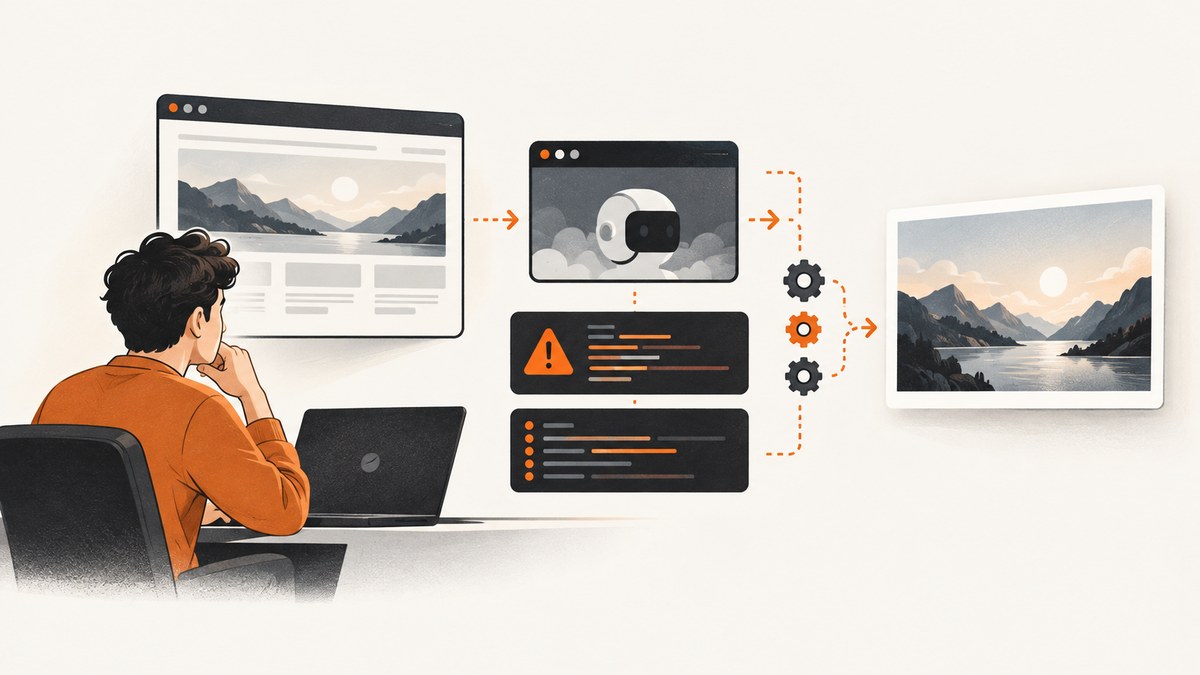
Start by identifying which layer failed. A JavaScript exception from the site appears through page.error; an exception in your CasperJS or PhantomJS script appears through error; and a missing or invalid screenshot can fail later in the wait or render step. Enable debug logging, attach handlers before opening the page, forward browser console messages, validate the evaluate() boundary, wait for the required page state, and verify that the capture was saved.
1. Use a diagnostic CasperJS script
This complete example separates runner errors from page errors, prints browser console output, records network failures, waits for the target element, and confirms the render event.
var casper = require('casper').create({
    verbose: true,
    logLevel: 'debug'
});

casper.on('remote.message', function (msg) {
    this.echo('[browser] ' + msg, 'INFO');
});

casper.on('page.error', function (msg, trace) {
    this.echo('[page.error] ' + msg, 'ERROR');
    (trace || []).forEach(function (item) {
        this.echo('  ' + item.file + ':' + item.line, 'ERROR');
    }, this);
});

casper.on('error', function (msg, backtrace) {
    this.echo('[casper.error] ' + msg, 'ERROR');
    if (backtrace) {
        this.echo(backtrace, 'ERROR');
    }
});

casper.on('resource.error', function (resourceError) {
    this.echo('[resource.error] ' + JSON.stringify(resourceError), 'WARNING');
});

casper.on('capture.saved', function (target) {
    this.echo('[capture.saved] ' + target, 'INFO');
});

casper.start('https://example.com', function () {
    this.echo('HTTP status: ' + this.status().currentHTTPStatus);
});

casper.waitForSelector('#chart', function () {
    var state = this.evaluate(function () {
        var node = document.querySelector('#chart');
        if (!node) {
            console.log('chart selector did not match');
            return { ok: false, reason: 'missing #chart' };
        }
        var rect = node.getBoundingClientRect();
        return {
            ok: true,
            width: rect.width,
            height: rect.height
        };
    });

    if (!state.ok) {
        this.die(state.reason);
    }

    this.captureSelector('chart.png', '#chart');
}, function () {
    this.die('Timed out waiting for #chart');
}, 10000);

casper.run(function () {
    this.echo('Finished with exit code ' + this.result.exitCode);
    this.exit(this.result.exitCode);
});
Run it with your CasperJS command, for example casperjs --engine=phantomjs debug.js. Keep handler registration before start() so errors raised during navigation are not missed.
2. Tell page errors, runner errors, and render errors apart
| Layer | Signal | What it means | Next check |
|---|---|---|---|
| Retrieved page | page.error |
An uncaught exception in JavaScript delivered by the site | Read the message and each trace item’s file and line |
| Browser console | remote.message |
console.log, warnings, or diagnostics from page code |
Inspect selector, data, and callback assumptions |
| CasperJS/PhantomJS | error |
Your automation script or the runner failed | Check the backtrace, arguments, and current step |
| Network | resource.error |
A stylesheet, script, image, or API request failed | Check the resource URL, status, certificate, and timing |
| Render | capture.saved |
The render operation produced a file | If absent, inspect path, permissions, selector, and clip settings |
A page exception can occur even when navigation succeeds. Conversely, a healthy page can still produce no file if the output path is unwritable or the selector never resolves.

3. Forward console output from page code
PhantomJS does not display page console messages by default, including messages emitted inside evaluate(). CasperJS exposes them through remote.message:
casper.on('remote.message', function (msg) {
    this.echo('[remote] ' + msg, 'WARNING');
});

casper.thenEvaluate(function () {
    console.log('readyState=' + document.readyState);
    console.log('chart count=' + document.querySelectorAll('#chart').length);
});
Use explicit markers before and after risky operations. If the first marker appears but the second does not, the failure is inside that page-context function or its serialization boundary.
4. Respect the evaluate() sandbox
evaluate() is a gate between the CasperJS environment and the page environment. The function runs with the page’s DOM, not with your outer CasperJS variables. Arguments and return values must be JSON-serializable.
Common boundary mistakes
- Referencing an outer variable that was never passed as an argument.
- Returning a DOM node, function, window object, or circular object.
- Assuming a selector exists before the page has rendered it.
- Calling browser APIs unavailable in the PhantomJS engine used by the project.
var selector = '#chart';
var state = casper.evaluate(function (cssSelector) {
    var node = document.querySelector(cssSelector);
    if (!node) {
        console.log('missing selector: ' + cssSelector);
        return { ok: false, reason: 'missing selector' };
    }
    var rect = node.getBoundingClientRect();
    return {
        ok: true,
        width: rect.width,
        height: rect.height,
        text: node.textContent || ''
    };
}, selector);

if (!state.ok) {
    casper.die(state.reason);
}
Return small diagnostic objects rather than attempting to pass complex page objects across the boundary.
5. Wait for the state you actually need
start() finishing means navigation completed; it does not prove that an SPA route, chart, image, or API response is ready. Choose a wait condition that matches the screenshot.
casper.waitForSelector('.report.ready', function () {
    this.capture('report.png');
}, function () {
    this.die('Report never became ready');
}, 15000);
For a JavaScript flag, poll a page expression:
casper.waitFor(function () {
    return this.evaluate(function () {
        return window.appState && window.appState.rendered === true;
    });
}, function () {
    this.capture('app.png');
}, function () {
    this.die('window.appState.rendered stayed false');
}, 15000);
Use a fixed delay only when no observable condition exists. Delays make captures slower and can still be too short on a busy run.
6. Verify the capture operation
capture() proxies PhantomJS rendering for the page; captureSelector() renders the region containing a selector. Confirm the capture.saved event and inspect the output file.
casper.on('capture.saved', function (target) {
    this.echo('Saved screenshot to ' + target);
});

casper.then(function () {
    this.capture('full.png');
});
If no event appears, check these in order:
- The callback containing
capture()actually ran. - The destination directory exists and is writable.
- The selector matches a visible element when using
captureSelector(). - Clip or viewport values are valid and non-zero.
- The process did not exit early through
die()or an uncaught runner error.
7. PhantomJS WebPage-level diagnostics
When CasperJS events do not provide enough detail, attach handlers to the underlying WebPage object. The error trace includes the file and line where the page exception occurred.
var page = require('webpage').create();

page.onConsoleMessage = function (msg, lineNum, sourceId) {
    console.log('[console] ' + msg + ' (' + sourceId + ':' + lineNum + ')');
};

page.onError = function (msg, trace) {
    console.error('[page] ' + msg);
    (trace || []).forEach(function (item) {
        console.error('  ' + item.file + ':' + item.line);
    });
};

page.open('https://example.com', function (status) {
    if (status !== 'success') {
        console.error('open failed: ' + status);
        phantom.exit(1);
    }
    page.render('page.png');
    phantom.exit(0);
});
This lower-level route is useful for confirming whether the failure belongs to WebPage itself or to CasperJS step orchestration.
8. Troubleshooting checklist
| Symptom | Likely cause | Fix |
|---|---|---|
| No JavaScript details | Console and error handlers were not installed | Enable verbose: true, logLevel: 'debug', remote.message, and page.error before navigation |
ReferenceError inside evaluate() |
Code references an outer CasperJS variable | Pass it as a JSON argument and keep the page function self-contained |
| Selector is null | Capture runs before the element exists, or the selector is wrong | Log the selector count and use waitForSelector with a timeout handler |
| Page loads but data is missing | XHR/API work has not completed or a resource failed | Wait for an application-ready condition and inspect resource.error |
| Capture callback never runs | A previous step failed or a wait timed out | Read the last debug step and add explicit success/failure callbacks |
No capture.saved |
Bad path, permissions, selector, or clip | Render to a known writable path and test full-page capture() |
| Blank or partially painted image | Capture occurs before layout, fonts, images, or charts finish | Wait for a visible ready marker; use a short delay only as a fallback |
| Different result on repeat runs | Race condition, animation, time-dependent data, or third-party request | Freeze the data where possible, wait on a deterministic condition, and block irrelevant resources |
| Syntax error in modern site code | Legacy PhantomJS engine cannot parse or execute newer JavaScript | Confirm engine compatibility, transpile the page bundle if you control it, or use a current browser-based capture service |
9. Make failures reproducible
- Log the URL, viewport, user agent, start time, and the last completed CasperJS step.
- Save the HTML or a reduced test page when the failure depends on application state.
- Use named callbacks instead of anonymous nested functions so traces identify the operation.
- Capture a full page first, then narrow to
captureSelector()after the page path is proven. - Separate navigation, page-state checks, and rendering into distinct steps.
- Record whether the failure is deterministic, timing-dependent, or limited to one resource.
10. Performance, reliability, and cost considerations
Verbose logging and trace collection add output but usually save time during diagnosis. Remove or reduce debug logging after the failing path is understood. Prefer event-driven waits over large fixed delays; they reduce idle time and make timeouts meaningful. Selector captures can reduce render work compared with full-page captures, while full-page captures are useful for proving that the page itself is healthy.
CasperJS and PhantomJS are legacy tools. The research documentation does not publish a current compatibility matrix or performance, error-rate, or success-rate statistics, so verify your exact site and engine combination before relying on it in production. Treat third-party scripts, bot checks, API timing, animations, and changing content as reliability risks.
For an internal pipeline, budget for retries only around transient navigation or resource failures, and keep the original trace with each retry. A retry cannot repair a deterministic syntax error or an invalid selector.
11. Or skip the browser setup
ScreenshotNeo provides a website screenshot API and MCP server when maintaining a CasperJS/PhantomJS runtime is not the useful part of the job. One GET request returns a PNG, JPEG, WebP, or PDF. Cookie and consent banners, newsletter popups, and chat widgets are removed before the shot; bot checks, blank pages, failed loads, timeouts, and cache hits are not billed, and response headers report the page verdict and billing status. Its MCP server exposes take_screenshot, get_page_info, and capture_pdf for Claude, Cursor, and other MCP clients.

See the ScreenshotNeo API documentation for the complete option list.
cURL
curl -G "https://api.screenshotneo.com/v1/shot" -d access_key=YOUR_API_KEY --data-urlencode url=https://stripe.com -o shot.webpPython
import requests
r = requests.get("https://api.screenshotneo.com/v1/shot", params={"access_key": "YOUR_API_KEY", "url": "https://stripe.com"}, timeout=90)
open("shot.webp", "wb").write(r.content)
Node.js
const q = new URLSearchParams({ access_key: 'YOUR_API_KEY', url: 'https://stripe.com' });
const res = await fetch(`https://api.screenshotneo.com/v1/shot?${q}`);
Options cover full-page captures with lazy images loaded, CSS-selector elements, dark mode, device presets and custom viewports, retina scale, PDF paper and page settings, custom CSS and JavaScript, click and wait actions, request blocking, headers, cookies, user agents, authorization, timezone, geolocation, transparent backgrounds, resizing, TTL caching, signed image links, async webhooks, bulk capture, usage reporting, and an OpenAPI specification. Every feature is on every plan. The free plan includes 1,000 shots each month with no card; paid plans start at $5 for 3,000 shots.
Create a free ScreenshotNeo account and start with 1,000 screenshots a month at no charge.
12. FAQ
Why does CasperJS show no browser console output?
Page console messages are hidden by default. Add a CasperJS remote.message listener or PhantomJS page.onConsoleMessage.
How do I get the exact source line for a page exception?
Handle page.error or WebPage onError and print every trace item’s file and line.
Can I return a DOM element from evaluate()?
No. Return JSON-serializable primitives or objects such as booleans, strings, numbers, and arrays.
Should I use capture() or captureSelector()?
Use capture() to validate the whole page; use captureSelector() after the target element is present and you only need that region.
What proves that the screenshot was written?
The capture.saved event, followed by checking the expected file path and dimensions.


