How to Deploy a Go Web Application
Deploy a Go web app with a portable binary, Docker, Cloud Run, Nginx, or Kubernetes. Includes security, HTTPS, scaling, troubleshooting, and rollback.
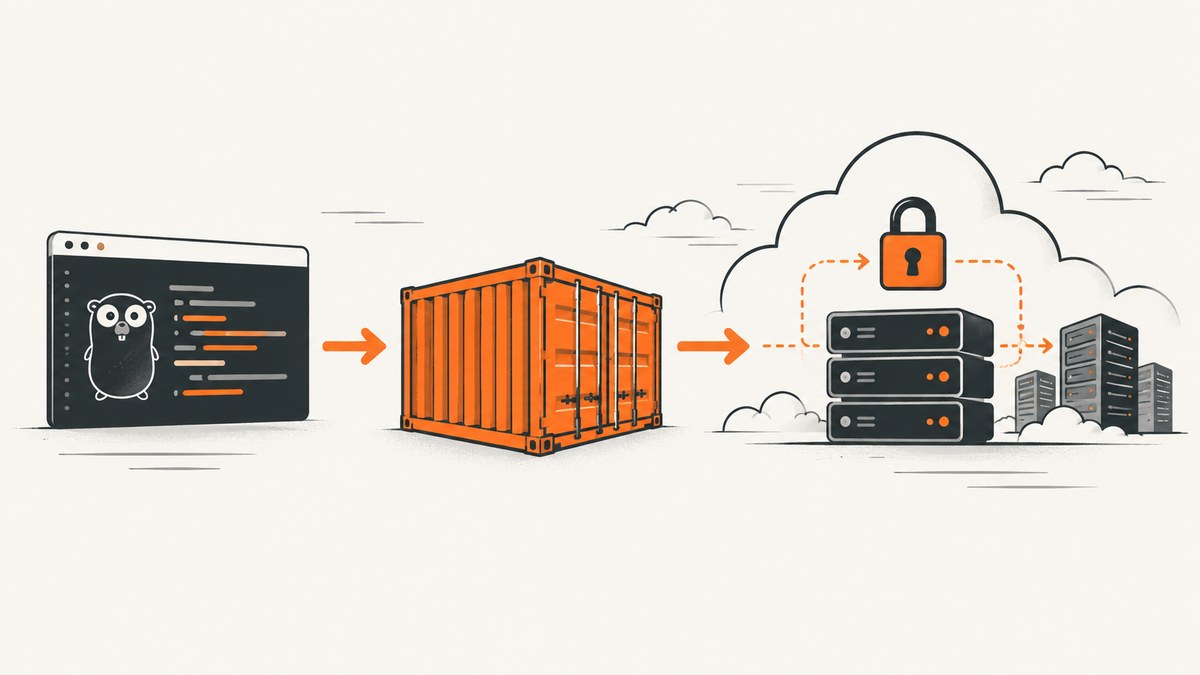
Direct answer: Build a statically linked Go binary, package it in a small container that runs as a non-root user, push the image to a registry, and deploy it to a managed container service such as Google Cloud Run. Cloud Run creates an immutable revision, gives you an HTTPS service URL, and lets you configure authentication, ingress, scaling, concurrency, timeouts, secrets, and database connections. Use Nginx or Envoy when you need a proxy layer. Choose Kubernetes when you need cluster-level scheduling, networking, or platform control and can operate the additional infrastructure.
Go is portable across operating systems and clouds. The Go project identifies Google App Engine and Google Cloud Run as native deployment environments, while the same binary can run on a VM, container host, or Kubernetes cluster.
1. Choose a deployment target
| Target | Use it when | Operational trade-off |
|---|---|---|
| Cloud Run | You want managed containers, HTTPS, autoscaling, revisions, and a service URL. | Less cluster work; fewer low-level networking and scheduling controls. |
| App Engine | You prefer a Google-managed application platform and its deployment model. | More platform conventions and less container-level control than a generic container service. |
| VM | You need direct process, filesystem, or network control. | You own patching, TLS, process supervision, scaling, and rollback. |
| Kubernetes | The app belongs in a larger platform, needs custom scheduling or networking, or shares a cluster with other workloads. | You operate nodes, runtime configuration, pod security, scheduling, upgrades, and ingress. |
For most first deployments, use Cloud Run. Select the region close to users and dependent databases, then make authentication and ingress decisions deliberately. A public website can allow unauthenticated invocation; an internal service should require authentication and restrict ingress.
2. Prepare the Go application
Your server should listen on the port supplied by the PORT environment variable, expose a health endpoint, log structured events, and shut down gracefully.
package main

import (
    "context"
    "encoding/json"
    "log/slog"
    "net/http"
    "os"
    "os/signal"
    "strconv"
    "syscall"
    "time"
)

type response struct {
    Status string `json:"status"`
}

func main() {
    port := os.Getenv("PORT")
    if port == "" {
        port = "8080"
    }
    if _, err := strconv.Atoi(port); err != nil {
        panic("PORT must be numeric")
    }

    mux := http.NewServeMux()
    mux.HandleFunc("/healthz", func(w http.ResponseWriter, r *http.Request) {
        w.Header().Set("Content-Type", "application/json")
        _ = json.NewEncoder(w).Encode(response{Status: "ok"})
    })
    mux.HandleFunc("/", func(w http.ResponseWriter, r *http.Request) {
        w.Header().Set("Content-Type", "text/plain; charset=utf-8")
        _, _ = w.Write([]byte("hello from Go\n"))
    })

    srv := &http.Server{
        Addr:              ":" + port,
        Handler:           mux,
        ReadHeaderTimeout: 10 * time.Second,
        ReadTimeout:       30 * time.Second,
        WriteTimeout:      60 * time.Second,
        IdleTimeout:       120 * time.Second,
    }

    ctx, stop := signal.NotifyContext(context.Background(), syscall.SIGINT, syscall.SIGTERM)
    defer stop()
    go func() {
        slog.Info("server listening", "port", port)
        if err := srv.ListenAndServe(); err != nil && err != http.ErrServerClosed {
            slog.Error("server stopped", "error", err)
            os.Exit(1)
        }
    }()

    <-ctx.Done()
    shutdownCtx, cancel := context.WithTimeout(context.Background(), 30*time.Second)
    defer cancel()
    if err := srv.Shutdown(shutdownCtx); err != nil {
        slog.Error("graceful shutdown failed", "error", err)
    }
}
Initialize reproducible dependencies and verify locally:
go mod init example.com/myapp
go mod tidy
go test ./...
go run .
curl -i http://localhost:8080/healthz
Keep configuration in environment variables or platform secret stores. Do not commit credentials or copy them into the image.
3. Build a production container
A multi-stage build keeps the compiler and source out of the runtime image. The example below compiles a static Linux binary and runs it as an unprivileged user.
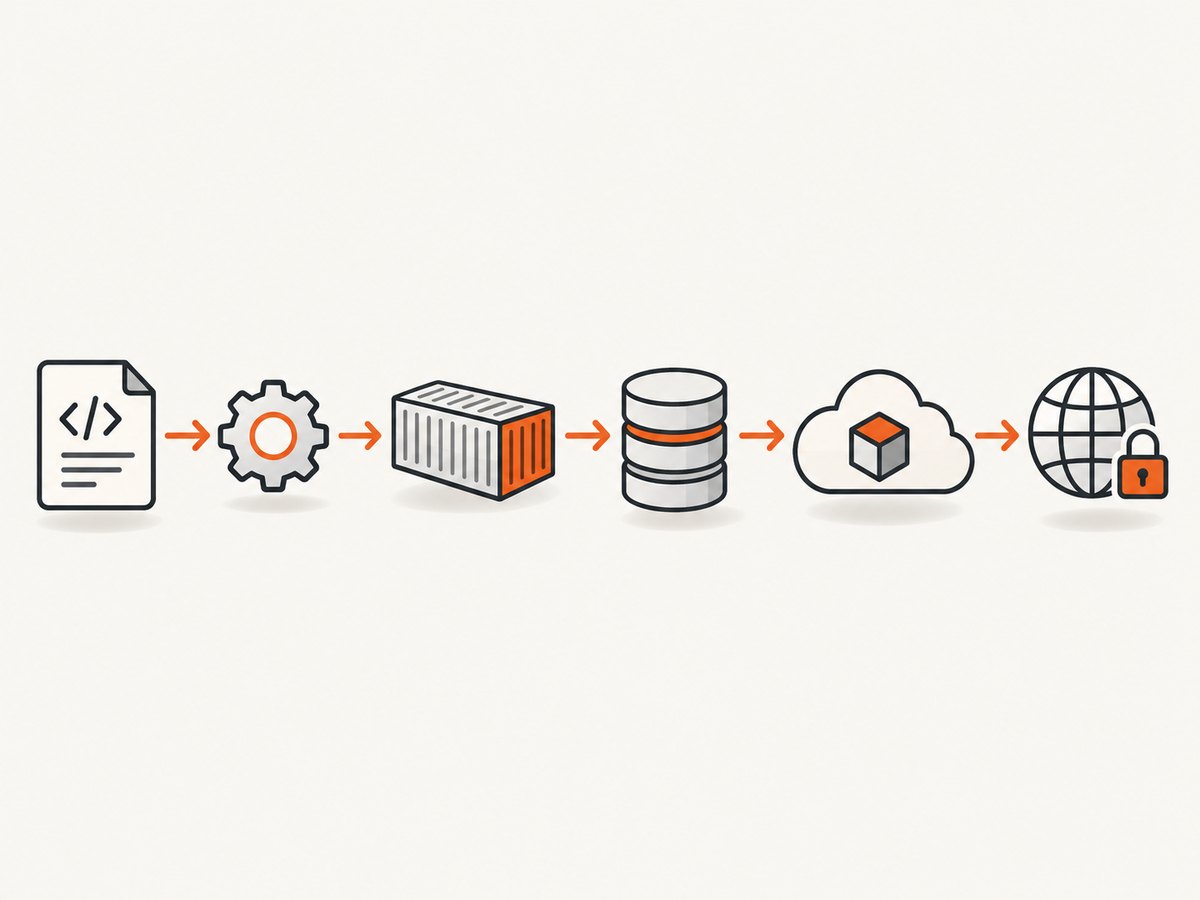
# syntax=docker/dockerfile:1
FROM golang:1.24 AS build
WORKDIR /src
COPY go.mod go.sum ./
RUN go mod download
COPY . .
RUN CGO_ENABLED=0 GOOS=linux GOARCH=amd64 go build -trimpath -ldflags="-s -w" -o /out/server .

FROM gcr.io/distroless/static-debian12:nonroot
COPY --from=build /out/server /server
USER nonroot:nonroot
EXPOSE 8080
ENTRYPOINT ["/server"]
Build and run it:
docker build -t go-web:local .
docker run --rm -p 8080:8080 -e PORT=8080 go-web:local
curl -i http://localhost:8080/healthz
Pin base images where your supply-chain policy requires it, scan dependencies and images, and rebuild regularly for security updates. Keep the container filesystem assumptions simple because many managed runtimes provide an ephemeral filesystem.
4. Deploy to Google Cloud Run
Cloud Run deploys an image from a supported registry, resolves the tag to an immutable digest for a revision, and returns a service URL.
- Create or select a Google Cloud project and enable Cloud Run and the container registry APIs.
- Choose a region near users and your database.
- Build and push the image to Artifact Registry or another supported registry.
- Deploy the image and set invocation, scaling, resources, secrets, and connectivity.
gcloud auth configure-docker REGION-docker.pkg.dev
docker tag go-web:local REGION-docker.pkg.dev/PROJECT_ID/apps/go-web:1
docker push REGION-docker.pkg.dev/PROJECT_ID/apps/go-web:1

gcloud run deploy go-web \
  --image REGION-docker.pkg.dev/PROJECT_ID/apps/go-web:1 \
  --region REGION \
  --port 8080 \
  --timeout 60s \
  --concurrency 80 \
  --min 0 \
  --max 20 \
  --set-env-vars APP_ENV=production \
  --service-account go-web-runtime@PROJECT_ID.iam.gserviceaccount.com
For a public website, add --allow-unauthenticated only when that is intended. For an internal service, omit it and grant the invoker role to the calling identity. Configure ingress to allow only the network paths your application needs. Cloud Run can connect to databases and other services through configured service identity and network controls.
Store secrets in the platform configuration rather than source code or Docker layers:
gcloud run deploy go-web \
  --image REGION-docker.pkg.dev/PROJECT_ID/apps/go-web:1 \
  --region REGION \
  --set-secrets DATABASE_URL=database-url:latest,API_TOKEN=api-token:latest
After deployment, the command prints the HTTPS service URL. Cloud Run terminates TLS for its run.app URL and forwards traffic over an encrypted channel to the regional service. Attach a custom domain only after the generated URL and health endpoint work.
5. Put Nginx or Envoy in front when needed
A proxy is useful for edge routing, authentication filters, static assets, header policy, or a stable frontend configuration. Nginx, Envoy, or Apache can run as a frontend or sidecar with the Go process.
server {
    listen 8080;
    server_name _;

    location / {
        proxy_set_header Host $host;
        proxy_set_header X-Forwarded-For $proxy_add_x_forwarded_for;
        proxy_set_header X-Forwarded-Proto $scheme;
        proxy_pass http://127.0.0.1:8081;
        proxy_read_timeout 60s;
    }

    location /static/ {
        root /srv/www;
        try_files $uri =404;
    }
}
Make the Go server listen on the internal port and the proxy listen on the externally exposed port. Forward X-Forwarded-Proto and configure the application to trust forwarded headers only from your proxy. Cloud Run documents an Nginx ingress container pattern and supports gradual traffic movement between revisions.
6. Deploy on Kubernetes
Kubernetes is appropriate when you need custom scheduling, networking, pod policies, or a shared service platform. It adds node-runtime, pod-security, and scheduling responsibilities.
apiVersion: apps/v1
kind: Deployment
metadata:
  name: go-web
spec:
  replicas: 2
  selector:
    matchLabels:
      app: go-web
  template:
    metadata:
      labels:
        app: go-web
    spec:
      securityContext:
        runAsNonRoot: true
      containers:
        - name: app
          image: REGION-docker.pkg.dev/PROJECT_ID/apps/go-web:1
          ports:
            - containerPort: 8080
          env:
            - name: PORT
              value: "8080"
          readinessProbe:
            httpGet:
              path: /healthz
              port: 8080
          livenessProbe:
            httpGet:
              path: /healthz
              port: 8080
          resources:
            requests:
              cpu: 100m
              memory: 128Mi
            limits:
              cpu: 1
              memory: 512Mi
---
apiVersion: v1
kind: Service
metadata:
  name: go-web
spec:
  selector:
    app: go-web
  ports:
    - port: 80
      targetPort: 8080
kubectl apply -f deployment.yaml
kubectl rollout status deployment/go-web
kubectl get pods,service go-webUse a supported container runtime on every node, configure compatible cgroup drivers, and apply at least the Baseline Pod Security Standard. Use an Ingress controller or gateway for external HTTPS, authentication, and routing. Keep credentials in Kubernetes Secrets or an external secret manager, with least-privilege service accounts.
7. HTTPS, authentication, and secrets
- Decide whether the service is public, authenticated, or private before deployment.
- Use platform-managed TLS where available; do not terminate HTTPS in the Go process unless you have a specific reason.
- Require authentication at the edge for internal endpoints, then enforce authorization inside the application for user data.
- Use a dedicated runtime service account with only the permissions the app needs.
- Keep database URLs, signing keys, and API tokens in runtime secret configuration.
- Apply rate limits at the edge and validate request sizes and timeouts in the application.
- Use a private registry when image access must be restricted and scan dependencies and images.
8. Verify the deployment and operate it
- Open the generated HTTPS URL and call
/healthz. - Confirm redirects, TLS, authentication, authorization, static assets, and CORS behavior.
- Verify database, queue, and external API connections using a low-risk request.
- Inspect startup logs, request logs, latency, status codes, and shutdown messages.
- Send a small amount of test traffic and confirm the intended immutable revision receives it.
- Keep the previous revision available for rollback or gradual traffic migration.
SERVICE_URL="https://YOUR_SERVICE_URL"
curl -i "$SERVICE_URL/healthz"
curl -i "$SERVICE_URL/"

gcloud run services describe go-web --region REGION
gcloud run revisions list --service go-web --region REGION
For authenticated Cloud Run services, obtain an identity token with the caller's credentials and send it in the request. A health endpoint should check only dependencies required to serve traffic; deep database checks can make every instance look unhealthy during a partial outage.
9. Performance, reliability, and cost
- Startup: keep initialization bounded and lazy-load optional clients. Set a startup probe or health check that reflects readiness.
- Concurrency: begin with a conservative Cloud Run concurrency value, observe latency and memory, then adjust. CPU-heavy handlers often need lower concurrency; I/O-heavy handlers may tolerate more.
- Scaling: minimum instances reduce cold-start exposure but add baseline cost. Maximum instances protect downstream databases and external APIs.
- Timeouts: align proxy, platform, and application timeouts. A shorter upstream timeout can cancel work while the Go handler continues unless request context cancellation is handled.
- Regions: place the service near users and stateful dependencies. Cross-region calls add latency and may increase network charges.
- Reliability: use immutable image digests, readiness checks, graceful shutdown, bounded retries, and rollback-ready revisions.
- Cost: managed containers generally charge according to allocated resources and request execution; exact cost depends on provider settings, traffic, region, and dependencies. Kubernetes also carries cluster and node costs plus operational overhead.
10. Troubleshooting
| Symptom | Likely cause | Fix |
|---|---|---|
| Container exits immediately | The process did not start, crashed, or listened on the wrong port. | Run the image locally, inspect logs, bind to 0.0.0.0:$PORT, and verify the entrypoint. |
| Cloud Run reports failed startup | The app ignores PORT, binds only to localhost, or takes too long to initialize. |
Use the environment port, bind to all interfaces, and move slow work out of startup. |
| 403 from the service URL | Invocation requires authentication or the caller lacks permission. | Grant the invoker role to the caller, send an identity token, or explicitly allow unauthenticated access for a public service. |
| 502 or 504 through Nginx | Wrong upstream address, timeout mismatch, or the Go process is unavailable. | Check proxy logs, upstream port, health checks, and aligned read/write/proxy timeouts. |
| Health probe fails in Kubernetes | Probe path or port is wrong, startup is slow, or the endpoint checks an unavailable dependency. | Use the correct port, add a startup probe, and keep liveness checks shallow. |
| Database connection exhaustion | Autoscaling creates more instances than the database can support. | Set a maximum instance count, tune the Go connection pool, and use a pooler where appropriate. |
| Secrets are empty | Variable name, secret version, or runtime identity is incorrect. | Check platform secret bindings and service-account permissions; never bake the value into the image. |
| Static files return 404 | Files were omitted from the image or the proxy root is wrong. | Copy assets in the build stage, verify the runtime path, and test the container locally. |
| Requests hang during deploy | Long-running handlers do not observe cancellation or graceful shutdown. | Use request contexts, bounded downstream calls, and a shutdown deadline. |
11. Or skip the browser setup
If your deployed Go application needs screenshots for documentation, previews, visual tests, or customer reports, ScreenshotNeo provides a single GET request for PNG, JPEG, WebP, or PDF output. It accepts cookie and consent banners as a visitor and removes more than 60 known consent platforms, newsletter popups, and chat widgets before capture. Bot checks, blank pages, timeouts, failed loads, and cache hits are not billed, and each response reports the result with X-Page-Verdict and X-Billed headers.

See the ScreenshotNeo API documentation for all options, including full-page and element capture, device presets, dark mode, custom CSS and JavaScript, waits, request blocking, headers, cookies, geolocation, PDF settings, caching, signed links, asynchronous jobs, bulk capture, and usage reporting.
curl -G "https://api.screenshotneo.com/v1/shot" -d access_key=YOUR_API_KEY --data-urlencode url=https://your-go-app.example -o shot.webpimport requests
r = requests.get("https://api.screenshotneo.com/v1/shot", params={"access_key": "YOUR_API_KEY", "url": "https://your-go-app.example"}, timeout=90)
open("shot.webp", "wb").write(r.content)const q = new URLSearchParams({ access_key: 'YOUR_API_KEY', url: 'https://your-go-app.example' });
const res = await fetch(`https://api.screenshotneo.com/v1/shot?${q}`);ScreenshotNeo also has an MCP server with take_screenshot, get_page_info, and capture_pdf tools for Claude, Cursor, and other MCP clients. The free plan includes 1,000 screenshots each month with no card; paid plans start at $5 for 3,000 shots. Create a free ScreenshotNeo account.
12. FAQ
Should I deploy a Go binary directly or use Docker?
Use a direct binary on a VM when you need process-level control and already operate the host. Use Docker for repeatable builds, registry-based deployment, and managed container platforms.
Does Cloud Run require Kubernetes?
No. Cloud Run is a managed container service. Kubernetes is a separate choice for teams that need cluster-level control.
How do I roll back a Go deployment?
Deploy a new revision and move traffic back to the previous known-good immutable revision. Keep old revisions available until the new one is verified.
Where should TLS terminate?
Prefer the managed platform or edge proxy. Let the Go server receive trusted forwarded scheme information from that proxy and enforce HTTPS redirects at the edge.
When is Kubernetes worth the effort?
Choose it when custom scheduling, networking, pod policy, or shared-cluster integration is worth owning node and workload operations.
13. Further reading
Go web application documentation explains the standard library approach. The Cloud Run documentation covers deployment, revisions, authentication, ingress, scaling, secrets, and networking. For a book-length treatment of Dockerfiles, Nginx, and cloud-native Go services, look for Cloud Native Go and verify the current edition before purchasing.


