How to Detect Screenshots on Android with an API
Detect supported screenshots of a visible Android activity with the API 34 callback. Learn what it reports, how to implement it, and when to use FLAG_SECURE or MediaProjection instead.

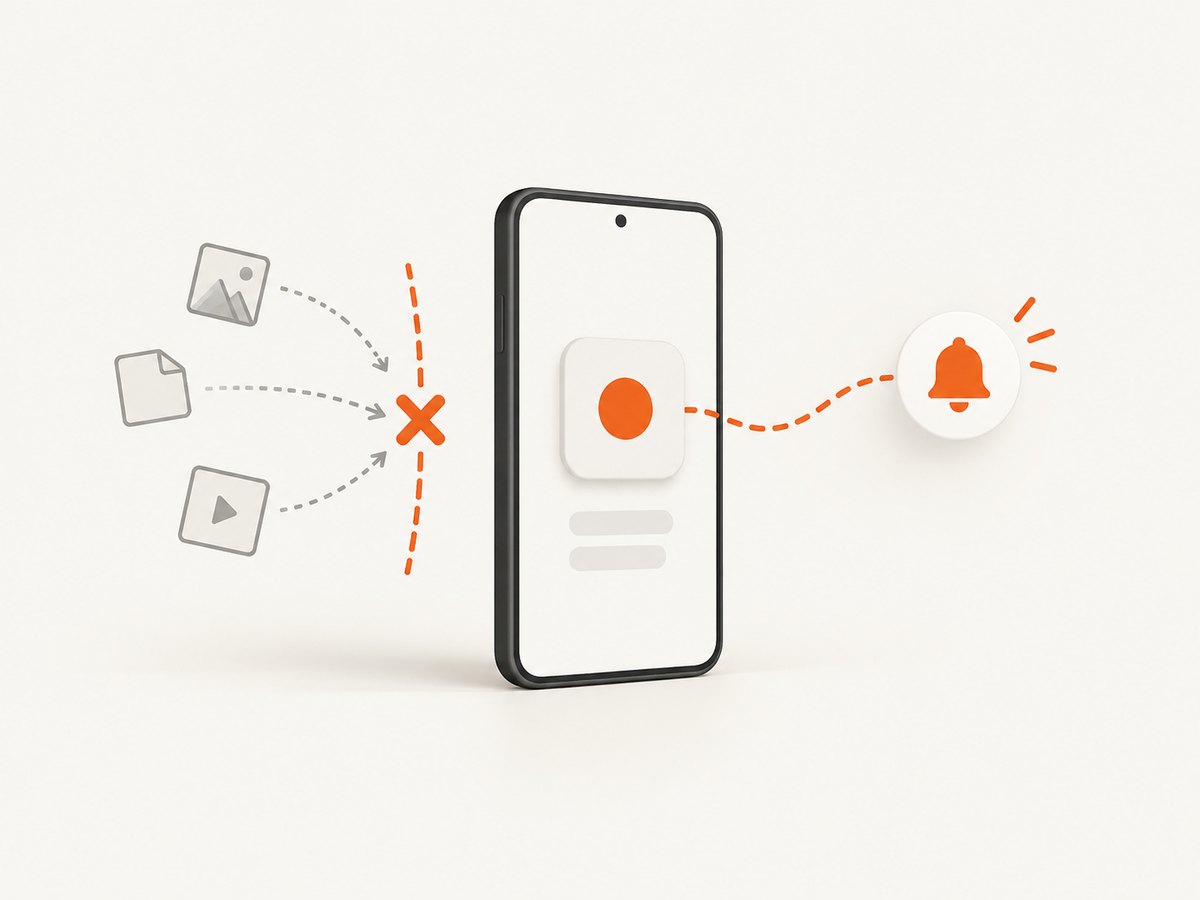
To detect supported screenshots of your Android app, use Activity.ScreenCaptureCallback on Android 14 (API level 34) and newer. Declare android.permission.DETECT_SCREEN_CAPTURE, register the callback while the activity is started, and unregister it when the activity stops. The callback reports an event; it does not give your app the screenshot image or identify the person who took it. Android also displays a notice when a screenshot detection signal occurs. See the official Android screenshot detection guide and the API reference.
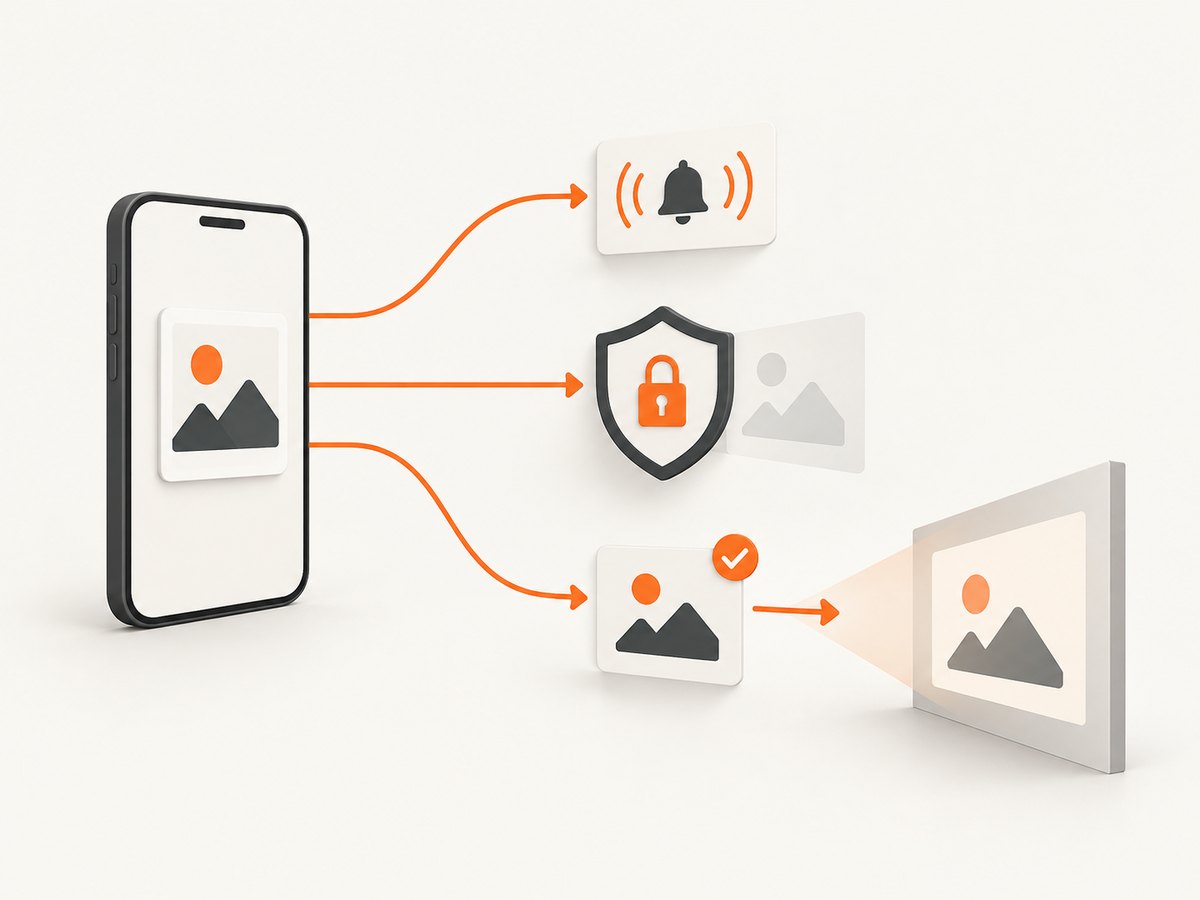
Use this API when your app needs to respond to a supported user screenshot—for example, by recording an event or notifying participants in a conversation. Use FLAG_SECURE to prevent sensitive app content from appearing in screenshots. Use MediaProjection, with user consent, when your app needs to capture screen pixels.
1. Add the permission and implement the callback
The detection permission is an install-time manifest permission. It is not a runtime dialog permission. Add it to the app manifest:
<manifest xmlns:android="http://schemas.android.com/apk/res/android">
    <uses-permission android:name="android.permission.DETECT_SCREEN_CAPTURE" />

    <application ...>
        ...
    </application>
</manifest>
Implement the callback in each activity whose visible content you want to monitor. Keep one callback instance for the activity’s lifetime, register it in onStart(), and unregister the same instance in onStop().
Complete Kotlin example
import android.app.Activity
import android.os.Build
import android.os.Bundle
import android.util.Log

class ConversationActivity : Activity() {
    private val screenCaptureCallback =
        Activity.ScreenCaptureCallback {
            // This runs on mainExecutor in this example.
            // Record an event or update app state; no image is provided.
            Log.i("ConversationActivity", "Supported screenshot detected")
            onSupportedScreenshotDetected()
        }

    override fun onStart() {
        super.onStart()
        if (Build.VERSION.SDK_INT >= 34) {
            registerScreenCaptureCallback(mainExecutor, screenCaptureCallback)
        }
    }

    override fun onStop() {
        if (Build.VERSION.SDK_INT >= 34) {
            unregisterScreenCaptureCallback(screenCaptureCallback)
        }
        super.onStop()
    }

    private fun onSupportedScreenshotDetected() {
        // For example: enqueue a lightweight event for your app's UI or service.
        // Avoid assuming this callback contains screenshot pixels or user identity.
    }
}
The API is available starting at level 34, so the version check makes behavior explicit on earlier Android releases. This example chooses mainExecutor, which is appropriate for small UI updates. If event handling involves disk or network work, hand it off to a background executor or queue rather than blocking the callback thread.
Java implementation
For Java, define a stable callback field and follow the same lifecycle:
import android.app.Activity;
import android.os.Build;
import android.os.Bundle;
import android.util.Log;

public class ConversationActivity extends Activity {
    private final Activity.ScreenCaptureCallback screenCaptureCallback =
            new Activity.ScreenCaptureCallback() {
                @Override
                public void onScreenCaptured() {
                    Log.i("ConversationActivity", "Supported screenshot detected");
                    onSupportedScreenshotDetected();
                }
            };

    @Override
    protected void onStart() {
        super.onStart();
        if (Build.VERSION.SDK_INT >= 34) {
            registerScreenCaptureCallback(getMainExecutor(), screenCaptureCallback);
        }
    }

    @Override
    protected void onStop() {
        if (Build.VERSION.SDK_INT >= 34) {
            unregisterScreenCaptureCallback(screenCaptureCallback);
        }
        super.onStop();
    }

    private void onSupportedScreenshotDetected() {
        // Record or handle the event using app state already available here.
    }
}
2. Choose what your app does with the event
The callback tells you that a monitored activity was captured while visible. Treat it as an event signal, not an image-processing hook. Your app can respond using information it already has, such as which conversation or document is open, but Android does not pass screenshot pixels or the capturer’s identity.
Keep the response small and reliable. If you need to send a server event, persist or enqueue it off the main thread and handle network failure independently. A callback should not make your screen freeze while it waits for a request. For privacy-sensitive events, collect only the data your product needs and explain the behavior to users.
Android shows a system notice for each detection signal. Explain in context that screenshot detection is active, so the system notice is not a surprise. The notice is part of the user-facing behavior; there is no supported way for an app to silently use this callback without the system notification.
3. Understand coverage and compatibility
Android 14’s standardized API covers a specific screenshot path: the supported combination of hardware button presses while the monitored activity is visible. It does not detect screenshots produced by ADB screenshot commands or instrumentation tests that capture device contents. Do not treat the callback as a complete audit trail of every way screen pixels can be copied.
| Question | Answer |
|---|---|
| Minimum Android version | Android 14, API level 34. |
| What scope is monitored? | A registered activity while it is visible and started. |
| Does it return the screenshot? | No. It signals an event only. |
| Does it say who captured it? | No. The callback does not provide a person’s identity. |
| Does it cover ADB and instrumentation capture? | No, those capture paths are explicitly outside the documented Android 14 detection use case. |
| What if the window uses FLAG_SECURE? | The callback is not invoked for an activity window with this flag. |
On Android versions below API 34, this standardized callback is unavailable. Make the older-version behavior clear in the app; do not imply that a legacy workaround can reliably detect all screenshots. Device- or vendor-specific behaviors are not a substitute for the documented API contract.
4. Detect, prevent, or capture: choose the right API
| Approach | Purpose | Minimum version / consent | Pixels available? | Scope and limits |
|---|---|---|---|---|
ScreenCaptureCallback |
React after a supported screenshot event. | API 34; install-time permission, no runtime consent prompt. | No. | Per activity; limited to documented detection paths; system notice appears. |
FLAG_SECURE |
Protect content from screenshots and non-secure displays. | Available from the early Android API levels. | No. | Applies to the activity window; detection callback will not fire for that window. |
| MediaProjection | Capture or share screen content. | Available from API 21; user consent is required for each session. | Yes, through a virtual display and surface. | Runs as a projection session with its own lifecycle and resource cleanup. |
Prevent screenshots of sensitive content
When policy requires that a screen not appear in screenshots or on non-secure displays, set FLAG_SECURE on the window. Android documents a user-facing setting as one possible way to give users transparency and control when appropriate.
import android.view.WindowManager

window.setFlags(
    WindowManager.LayoutParams.FLAG_SECURE,
    WindowManager.LayoutParams.FLAG_SECURE
)
Set the flag for the relevant sensitive window and clear it when the protected state ends if that matches your product’s policy. Account for every activity that can display the protected material. Because the callback does not run when FLAG_SECURE is set, prevention and detection are different policies; decide which behavior the screen needs.
Capture or share screen content
For an app feature that records, streams, or shares screen pixels, use android.media.projection. Start by asking the user through MediaProjectionManager.createScreenCaptureIntent(); after consent, create a projection and a virtual display backed by a Surface. This is active capture, not screenshot-event detection. On Android 14 and later, obtain consent for each session and use a projection token only once to create a virtual display. Register MediaProjection.Callback.onStop() and release the virtual display and surface when the session ends. See the Android MediaProjection documentation for the complete capture lifecycle and foreground-service requirements.
5. Reliability, performance, and cost
- Lifecycle reliability: Register and unregister at the activity lifecycle boundary. This limits callbacks to the activity’s visible period and avoids retaining an activity through a longer-lived component.
- Multiple activities: Registration is per activity. Add the callback to each screen that should be monitored; one activity’s registration does not establish app-wide coverage.
- Callback work: Keep callback work short. Queue analytics or network writes rather than doing synchronous work on the UI thread. Design your event handling to tolerate app process death or network failure if the event must be durable.
- Coverage expectations: A successful registration does not mean every capture mechanism will signal. Document the supported paths in product requirements and tests.
- System behavior: Users see a system notice with each signal. Include user education in the relevant screen flow.
- Cost: Android’s callback has no per-screenshot API charge. Your own event storage, backend traffic, or notification delivery can have costs; control these with appropriate retention and batching.
6. Common errors and fixes
| Symptom | Likely cause | Fix |
|---|---|---|
Cannot resolve ScreenCaptureCallback or registration methods. |
The compile SDK is below API 34. | Compile against API 34 or newer, and retain the runtime API-level guard for devices below 34. |
| Callback never runs on Android 13 or earlier. | The API was added in API 34. | Expected behavior. Clearly indicate that screenshot event detection is unavailable on that OS version. |
| Callback never runs on Android 14 during automated screenshot tests. | The documented API does not detect ADB or instrumentation screenshot capture. | Test UI rendering through your test framework separately; do not use those test captures to validate the system callback’s supported hardware-button path. |
| Callback does not run for a protected screen. | FLAG_SECURE is set on the activity window. |
This is documented behavior. Decide whether this screen should prevent capture or detect it, then configure the window accordingly. |
| Callback seems to fire for the wrong screen or not at all after navigation. | Registration is attached to an activity, not globally to the app; lifecycle registration may be missing on another activity. | Register the callback in every relevant activity’s onStart() and unregister it in its onStop(). |
| Duplicate event handling after returning to a screen. | Callback instances or registrations are being managed inconsistently. | Keep one stable callback instance per activity, pair every registration with unregistration of that same instance, and avoid registering from repeated UI recompositions. |
| Users are surprised by a system message. | The app did not explain screenshot detection. | Provide a concise in-context explanation before or when entering the monitored activity. |
| Expected to upload, inspect, or identify the screenshot from the callback. | The callback is notification-only and privacy-preserving. | Use app state to respond to the event. For user-consented image capture, implement MediaProjection instead. |
7. Or skip the browser setup
Android’s callback above is for detecting screenshots of your Android activity. If your development task also needs screenshots of web pages—for documentation, visual review, or an AI agent workflow—ScreenshotNeo is a website screenshot API and MCP server. One GET request returns a PNG, JPEG, WebP, or PDF. See the ScreenshotNeo API documentation.
curl -G "https://api.screenshotneo.com/v1/shot" -d access_key=YOUR_API_KEY --data-urlencode url=https://stripe.com -o shot.webpimport requests
r = requests.get(
"https://api.screenshotneo.com/v1/shot",
params={"access_key": "YOUR_API_KEY", "url": "https://stripe.com"},
timeout=90,
)
open("shot.webp", "wb").write(r.content)const q = new URLSearchParams({ access_key: 'YOUR_API_KEY', url: 'https://stripe.com' });
const res = await fetch(`https://api.screenshotneo.com/v1/shot?${q}`);
if (!res.ok) throw new Error(`Screenshot request failed: ${res.status}`);
const image = Buffer.from(await res.arrayBuffer());
await import('node:fs/promises').then(fs => fs.writeFile('shot.webp', image));ScreenshotNeo accepts cookie and consent banners like a visitor and removes 60+ known consent platforms, newsletter popups, and chat widgets before capture; each step can be turned off. Bot checks, blank pages, failed loads, timeouts, and cache hits are not billed, and responses indicate the page verdict and billing status. Its MCP server gives Claude, Cursor, and other MCP clients screenshot tools. The free plan includes 1,000 screenshots each month with no card; paid plans start at $5 for 3,000 screenshots. Sign up for 1,000 free screenshots a month, with no card required.
FAQ
Can Android tell me who took a screenshot?
No. The callback indicates a supported capture event; it does not identify the person who initiated it.
Can I get the screenshot image in the callback?
No. Use MediaProjection, with the user’s consent, if your app needs to capture screen pixels.
Does this API detect every screenshot method?
No. Android 14 documents a supported hardware-button screenshot path and excludes ADB commands and instrumentation captures.
Should I use FLAG_SECURE or screenshot detection?
Use detection to respond to a supported screenshot event. Use FLAG_SECURE to protect a window from appearing in screenshots. They serve different purposes.
Is DETECT_SCREEN_CAPTURE a runtime permission?
No. Declare it in the manifest as an install-time permission. The user-facing system notice still appears when a detection signal occurs.
Sources: Android screenshot detection guide, Activity.ScreenCaptureCallback API reference, FLAG_SECURE reference, and MediaProjection guide.