How to Fix DinkToPdf 502 Errors on Azure After the First PDF
Diagnose DinkToPdf 502 errors on Azure with an evidence-first workflow covering gateways, native libraries, architecture, resources, and hosting.
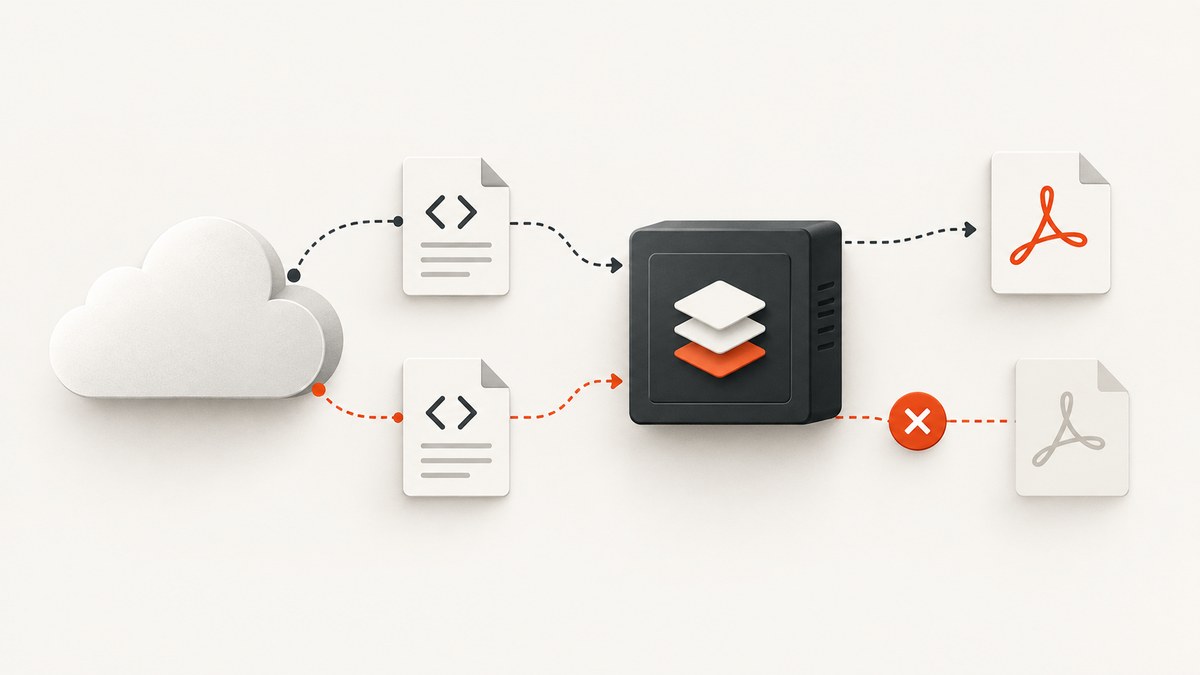
Short answer: a DinkToPdf request that succeeds once and then returns HTTP 502 is not proof of a single Azure plan limitation. First identify where the 502 is generated, then correlate the failed conversion with request duration, CPU, memory, exceptions, and app restarts. After that, verify that the deployed wkhtmltopdf native library and its dependencies match the Azure operating system and process architecture. Only then investigate sandbox constraints, an upstream Application Gateway, or a hosting-plan change.
Microsoft’s App Service guidance lists long-running requests, high CPU or memory use, and exceptions that stop the application responding as common application-level causes of 502 and 503 responses. Its recommended sequence is to observe and monitor behavior, collect diagnostic data, and mitigate the cause. See Microsoft’s App Service 502/503 troubleshooting guide.
1. Locate the 502 before changing code
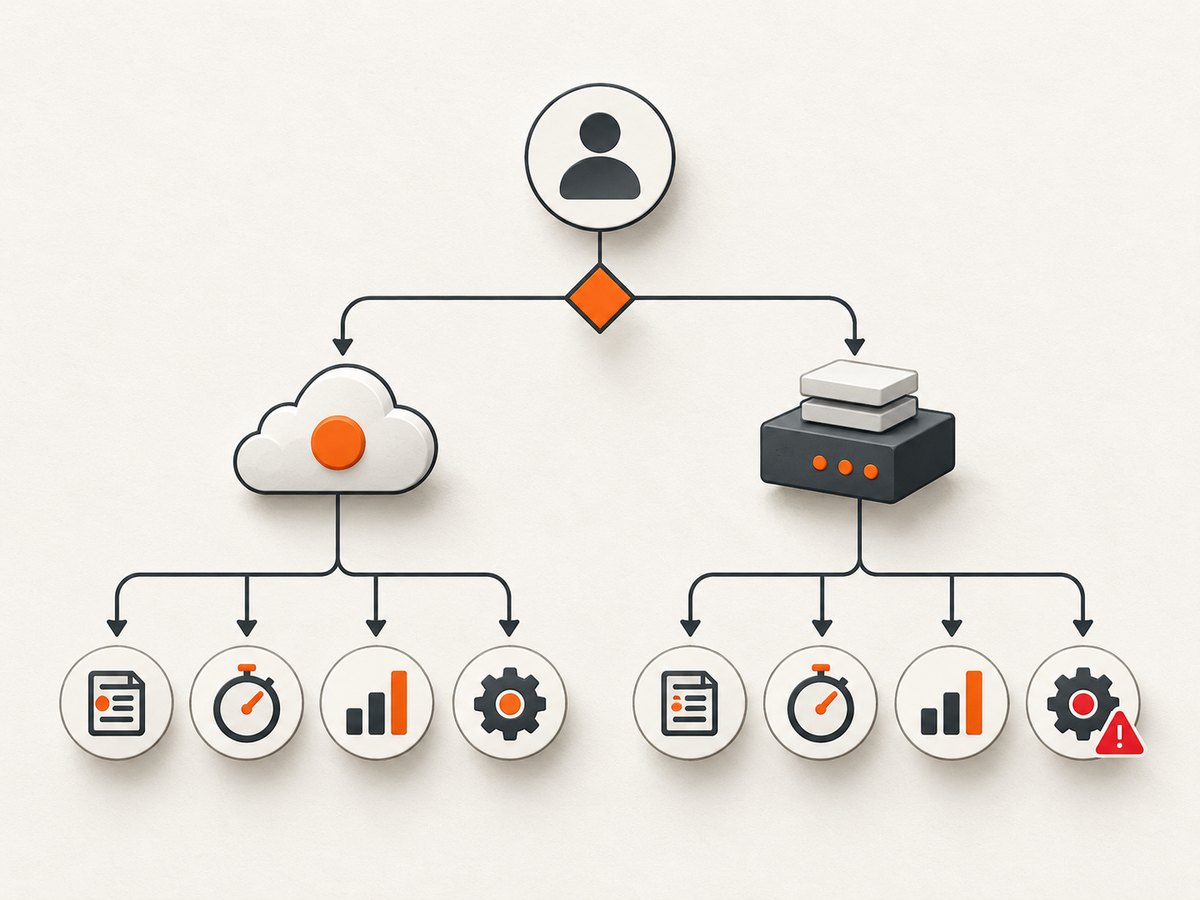
A 502 can come from several boundaries. The response may be generated by App Service, by an Application Gateway in front of App Service, or by another reverse proxy. The response headers, body, and request ID usually provide the first clue.
| What to check | What it tells you |
|---|---|
| Response server and headers | Whether the response resembles App Service, a gateway, or your own application. |
| App Service HTTP logs | Whether the request reached your process and how long it ran. |
| Application Gateway access and backend-health logs | Whether the gateway generated the error or received an error from its backend. |
| Application Insights or stdout logs | Exceptions, process termination, native-load errors, and conversion timing. |
| Kudu diagnostics | Deployed files, process architecture, memory pressure, and environment details. |
If there is no Application Gateway in the request path, skip gateway-specific checks. If one is present, correlate its timestamp and backend probe state with App Service logs. Microsoft documents a separate gateway-side 502 path, including backend health, host headers, SNI, and access restrictions, in its Application Gateway 502 troubleshooting guide.
2. Capture evidence from the failing conversion
Do not start by moving plans or repeatedly retrying the endpoint. Add a correlation ID and record the complete conversion lifecycle.
var correlationId = Guid.NewGuid().ToString("N");
var started = Stopwatch.GetTimestamp();
_logger.LogInformation("PDF start {CorrelationId} {Url}", correlationId, url);
try
{
    var bytes = _converter.Convert(document);
    var elapsedMs = Stopwatch.GetElapsedTime(started).TotalMilliseconds;
    _logger.LogInformation("PDF success {CorrelationId} {Bytes} {ElapsedMs}",
        correlationId, bytes.Length, elapsedMs);
    return File(bytes, "application/pdf", "document.pdf");
}
catch (Exception ex)
{
    var elapsedMs = Stopwatch.GetElapsedTime(started).TotalMilliseconds;
    _logger.LogError(ex, "PDF failure {CorrelationId} {ElapsedMs}",
        correlationId, elapsedMs);
    throw;
}
For every request, retain the URL, conversion start and end times, HTTP status, exception details, process restart evidence, and correlation ID. Compare the failed request with CPU percentage, memory working set, request duration, and instance health. A failure immediately after a process restart points toward startup or native loading. A failure after a long conversion points toward resource pressure, a gateway timeout, or a renderer that stopped responding.
3. Verify DinkToPdf native deployment and architecture
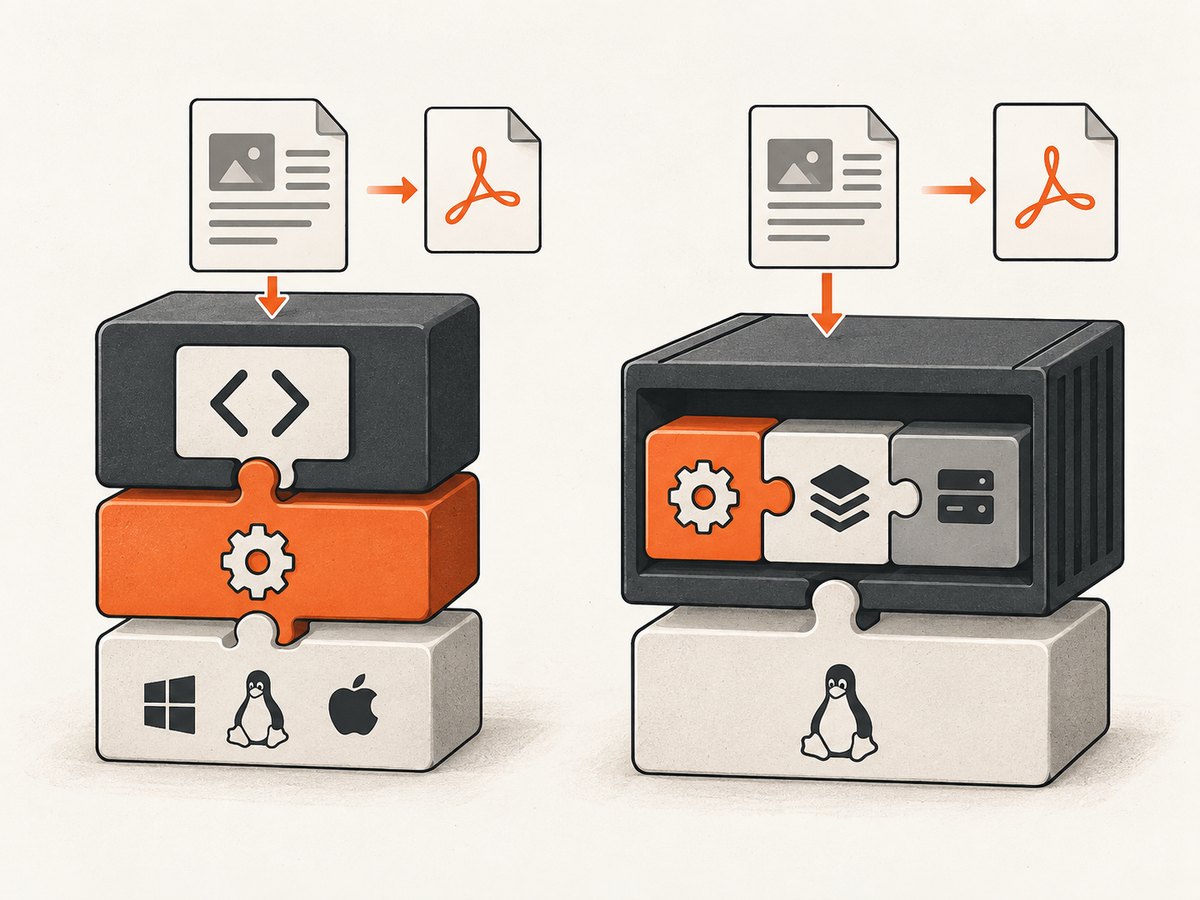
DinkToPdf is a .NET wrapper around native wkhtmltopdf components. A project can compile successfully while the deployed App Service site is missing libwkhtmltox, a dependent system library, or the correct x86/x64 build.
- Inspect the deployed output in Kudu or the deployment artifact. Confirm that the expected native library is present beside the application or in the path used by your loader.
- Record the Azure worker OS and process architecture. Confirm that the native binary matches both; a 64-bit process cannot load an incompatible 32-bit library, and the reverse is also true.
- Check native dependencies on the deployed OS, not only on your development machine. A library copied from Windows is not interchangeable with a Linux build.
- Capture the exact native-load exception. Errors such as “bad image format,” “unable to load shared library,” or a missing dependency are evidence of deployment or compatibility problems.
- Ensure publish settings copy the native file. Clean builds and trimming can omit files that were available during local development.
Historical DinkToPdf issue reports show both incorrect-format failures in 64-bit Azure setups and projects that copy architecture-specific x86/x64 binaries to the output directory. Those reports are useful failure patterns, not a current compatibility guarantee for every App Service configuration. Review the project’s source and issue history alongside your deployed files.
Use one converter instance per process
The usual DinkToPdf pattern is to register a single SynchronizedConverter and serialize access through it. Creating a new native converter for every request can increase memory use and make concurrent failures harder to diagnose.
using DinkToPdf;
using DinkToPdf.Contracts;

builder.Services.AddSingleton<IConverter>(new SynchronizedConverter(new PdfTools()));

var app = builder.Build();
app.MapPost("/pdf", (IConverter converter, PdfRequest request) =>
{
    var document = new HtmlToPdfDocument
    {
        GlobalSettings =
        {
            ColorMode = ColorMode.Color,
            Orientation = Orientation.Portrait,
            PaperSize = PaperKind.A4,
            Margins = new MarginSettings { Top = 10, Bottom = 10, Left = 10, Right = 10 }
        },
        Objects =
        {
            new ObjectSettings
            {
                HtmlContent = request.Html,
                WebSettings = { DefaultEncoding = "utf-8", LoadImages = true }
            }
        }
    };

    var pdf = converter.Convert(document);
    return Results.File(pdf, "application/pdf", "document.pdf");
});
app.Run();
Keep the HTML bounded and avoid untrusted input. If you load remote images, stylesheets, or fonts, record their URLs and loading behavior because a slow or unreachable dependency can extend conversion time.
4. Test resource and timeout pressure
“Works once” often means the first conversion leaves the worker under pressure or the second request exposes a renderer that is still busy. Measure instead of guessing.
- Compare conversion duration for the first and subsequent requests.
- Watch memory before, during, and after conversion. Large full-page documents, high-resolution images, and many pages can increase native memory usage.
- Check CPU time and instance restarts around the 502.
- Test one request at a time, then controlled concurrency. A single converter may need a queue rather than parallel native calls.
- Check whether a reverse proxy or gateway has a shorter timeout than the conversion requires.
- Use a small HTML document and a local image as a control. Then add external assets one at a time.
Do not add arbitrary retries around a native renderer. A retry can multiply memory use and hide the first failure. If you retry, use a small bounded count, exponential backoff, and a new correlation ID linked to the original request.
5. Check Azure environment constraints
wkhtmltopdf may require operating-system libraries and graphics-related support. Confirm that the selected App Service operating system includes the dependencies your build expects. If the failure is specific to Linux dependencies, a container can make those dependencies explicit.
A public Docker example demonstrates running wkhtmltopdf inside a Linux container for App Service and describes sandbox considerations. It is an older .NET Core 2.1 demo and says it may need adaptation, so validate the image, runtime, and dependency versions before using it in a current deployment. Treat a container as a packaging option, not as proof that every Linux App Service plan supports your renderer unchanged.
6. Investigate Application Gateway only when it is in the path
When Application Gateway fronts App Service, inspect both sides:
- Check the gateway access log for the request timestamp and status.
- Check backend health and probe responses.
- Verify the host header and SNI sent to App Service.
- Review access restrictions and whether the gateway’s source addresses are allowed.
- Compare the gateway’s timeout with the measured conversion duration.
A gateway-generated 502 requires gateway configuration work. A backend-returned 502 requires App Service and application investigation. Do not change gateway settings when callers connect directly to App Service.
7. Change the App Service plan only with supporting evidence
One historical Stack Overflow report matching the symptom says its author resolved the problem by moving to a Basic plan. That is an anecdotal lead, not evidence that DinkToPdf requires Basic or that every first-success-then-502 incident is caused by the plan. Microsoft’s guidance treats scaling as one possible mitigation after observation and data collection.
Consider a plan change when metrics show sustained CPU or memory pressure, the workload needs more predictable resources, or the current environment cannot support the renderer’s dependencies. Record the before-and-after metrics and keep the smallest reproducible HTML case so you can tell whether the change fixed capacity, startup, or an unrelated deployment problem.
8. A repeatable diagnostic checklist
| Stage | Evidence | Next action |
|---|---|---|
| Boundary | Response headers, gateway logs, backend health | Follow the App Service or gateway branch. |
| Timing | Conversion duration and request timeout | Reduce input, adjust the correct timeout, or queue work. |
| Health | CPU, memory, restarts, exceptions | Fix leaks, reduce concurrency, or scale with evidence. |
| Native files | Library presence, load error, OS and architecture | Publish the matching binary and dependencies. |
| Environment | Missing system libraries or sandbox incompatibility | Install supported dependencies or evaluate a container. |
| Regression | Small HTML control versus production HTML | Isolate external assets, scripts, fonts, and page size. |
9. Troubleshooting common errors
502 with no application log entry
The request may be failing at Application Gateway or before reaching the worker. Check gateway logs and backend health first.
502 after a conversion that runs for a long time
Compare duration with gateway and platform timeouts, then inspect CPU and memory. Reduce document complexity and queue conversions before increasing capacity.
“Bad image format” or architecture error
The native library does not match the process architecture. Publish the correct x86 or x64 binary and confirm the worker process setting.
“Unable to load shared library”
The file or one of its dependencies is absent on Azure. Inspect the deployed output and OS packages rather than relying on local development behavior.
First request succeeds after deployment, later requests fail
Check native state, memory growth, process restarts, and concurrent access. Use one singleton converter and serialize calls while measuring resource use.
Only pages with remote images fail
Test with local assets. Then inspect DNS, TLS, authentication, response size, and load time for each external resource.
Changing plans appears to fix it
Keep the metric evidence. The change may have added memory or CPU, but it does not identify the original cause by itself.
10. Or skip the browser setup
If your actual requirement is dependable website capture or PDF output rather than maintaining wkhtmltopdf on Azure, ScreenshotNeo provides a website screenshot API and MCP server. One GET request returns a PNG, JPEG, WebP, or PDF. See the ScreenshotNeo API documentation for the complete parameter list.
curl -G "https://api.screenshotneo.com/v1/shot" -d access_key=YOUR_API_KEY --data-urlencode url=https://stripe.com -o shot.webpimport requests
r = requests.get("https://api.screenshotneo.com/v1/shot", params={"access_key": "YOUR_API_KEY", "url": "https://stripe.com"}, timeout=90)
open("shot.webp", "wb").write(r.content)const q = new URLSearchParams({ access_key: 'YOUR_API_KEY', url: 'https://stripe.com' });
const res = await fetch(`https://api.screenshotneo.com/v1/shot?${q}`);ScreenshotNeo removes cookie and consent banners, newsletter popups, and chat widgets before capture. Bot checks, blank pages, failed loads, timeouts, and cache hits are not billed, and response headers identify the page verdict and billing status. Its MCP server exposes take_screenshot, get_page_info, and capture_pdf for Claude, Cursor, and other MCP clients. The free plan includes 1,000 screenshots per month with no card; paid plans start at $5 for 3,000 shots. Create a free ScreenshotNeo account.
11. Performance, reliability, and cost notes
- Performance: measure real conversion duration, document size, page count, image count, and concurrency. Full-page rendering and remote assets are common cost drivers in CPU and memory.
- Reliability: use correlation IDs, bounded retries, health checks, and a queue for native conversions. Preserve the failing HTML and deployed binary manifest for diagnosis.
- Cost: scaling may reduce failures while increasing Azure spend; prove the resource constraint first. A hosted capture API can remove native dependency maintenance, but compare its request pricing and required options with your workload.
- Reproducibility: pin the .NET runtime, DinkToPdf package, native library build, container image, and deployment architecture.
FAQ
Does DinkToPdf require an Azure Basic plan?
No universal minimum tier is established by the available evidence. One historical report mentions Basic as a successful change; treat it as an anecdote and inspect metrics first.
Is every Azure 502 caused by wkhtmltopdf?
No. App Service, Application Gateway, request timeouts, resource pressure, and application exceptions can all produce 502 responses.
Should I switch from Windows to Linux?
Only when your native dependencies and deployment process support Linux. Compare architecture, OS libraries, sandbox behavior, and operational maintenance before switching.
Can I solve this with retries?
Retries help transient upstream failures only. They cannot repair a missing native library, an architecture mismatch, or sustained memory pressure.
What should I collect before opening an Azure support case?
Provide timestamps, correlation IDs, response headers, App Service and gateway logs, conversion duration, CPU and memory metrics, worker architecture, runtime versions, native files, and a minimal HTML reproduction.


