How to Disable Font Anti-Aliasing in PhantomJS WebDriver
Configure Fontconfig to disable font antialiasing in PhantomJS screenshots on Linux, pass the setting to the WebDriver process, and troubleshoot common issues.

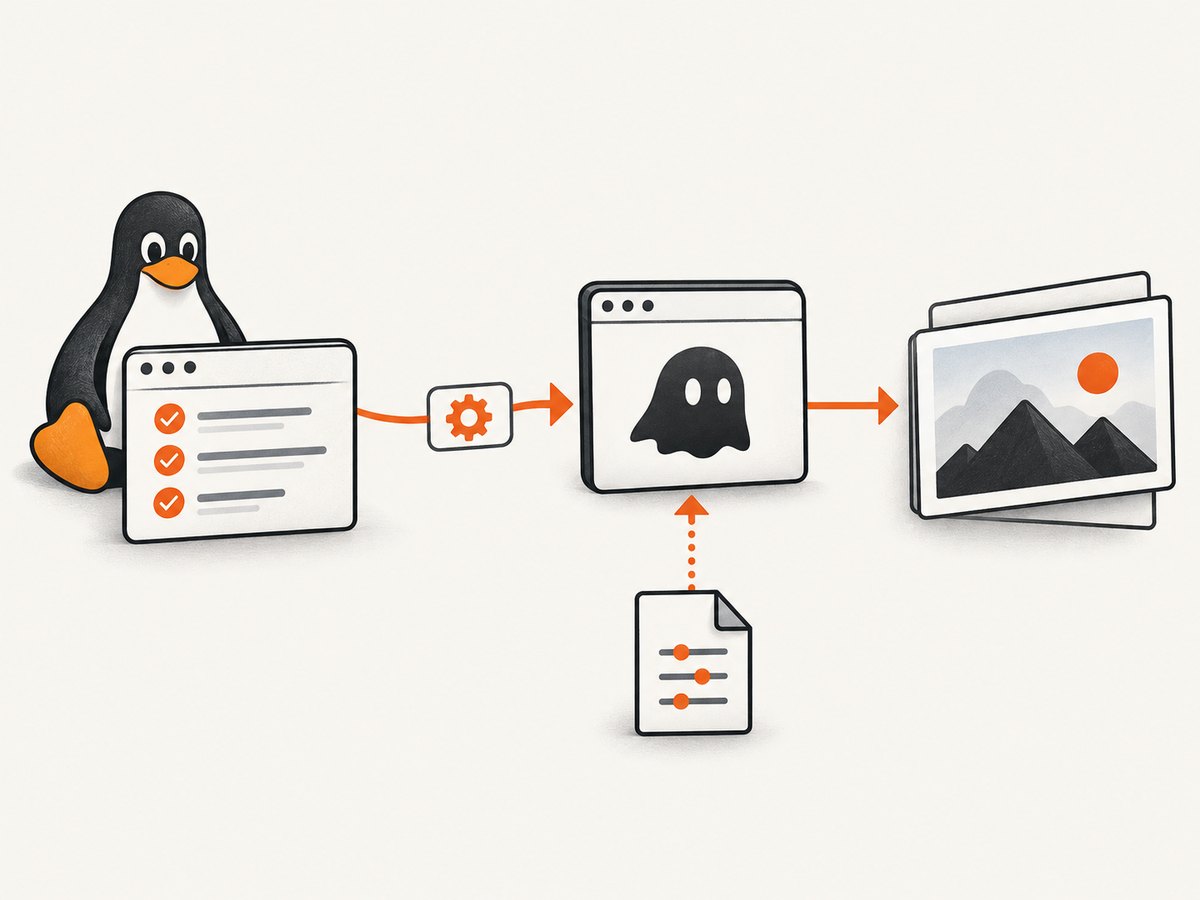
On Linux, PhantomJS screenshots can use Fontconfig to disable font antialiasing. Create a Fontconfig rule that sets the font property antialias to false, place it at $XDG_CONFIG_HOME/fontconfig/fonts.conf, and ensure the PhantomJS service process receives that XDG_CONFIG_HOME value. This is an operating-system font configuration workaround, not a PhantomJS WebDriver capability. [community answer] [Fontconfig user manual]
This guide focuses on an existing PhantomJS and Java Selenium setup. It explains the configuration, shows how to pass the environment to the spawned service, and covers checks for cases where the screenshot still looks smoothed. The cited example is historical; verify the service-builder API against the Selenium version your project actually uses.
1. What changes when antialiasing is disabled?
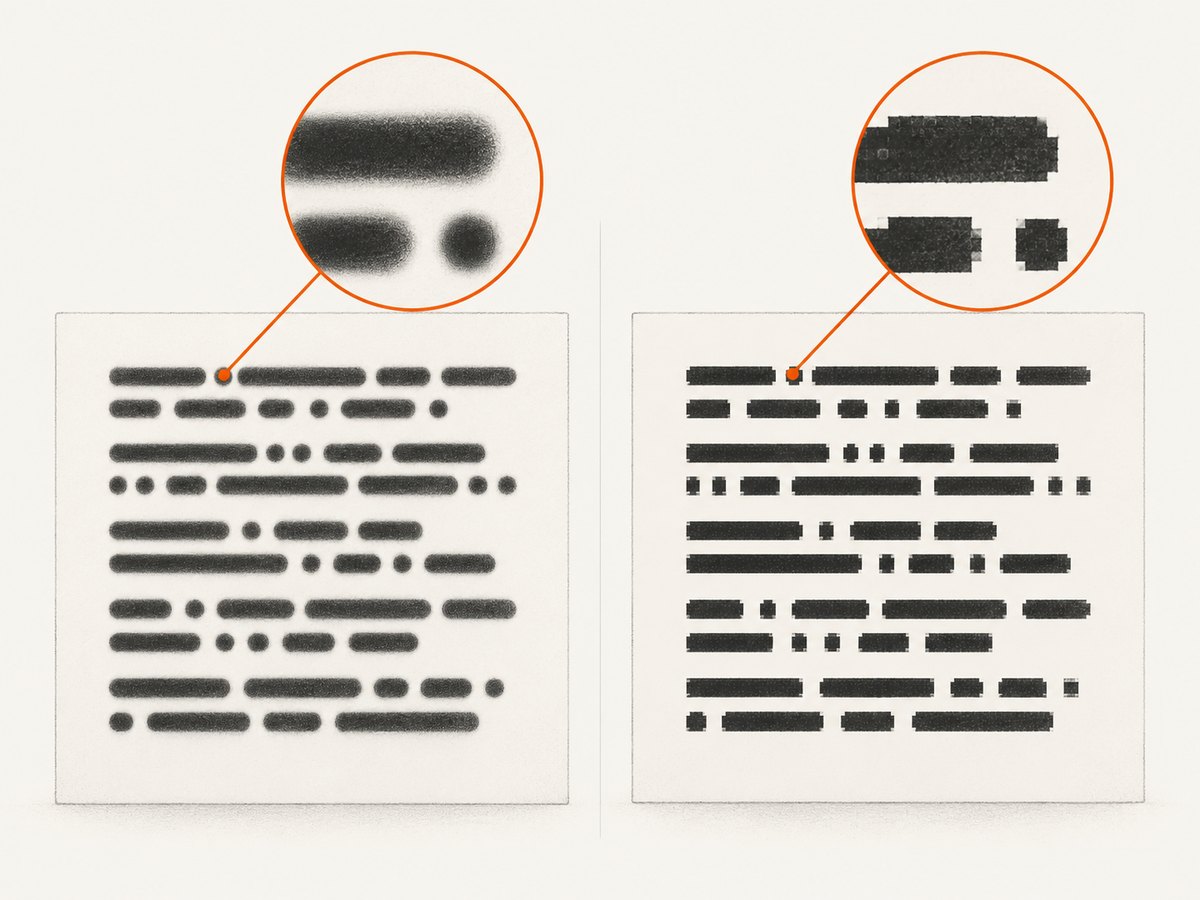
Font antialiasing smooths the apparent edges of glyphs by blending pixels. Disabling it changes how text is rasterized; it does not change the page’s CSS, font selection, font size, line height, or layout rules. Depending on the fonts and rendering environment, text may look more jagged or pixelated.
If you are checking layout, this can affect screenshot comparisons around text edges even when the underlying element geometry is unchanged. For OCR, disabling smoothing may help one recognition workflow and hurt another. Compare representative pages using the same browser binary, fonts, operating system, viewport, and scale as the target environment.
The documented approach applies to Linux systems using Fontconfig. The available evidence does not establish that this method works on macOS or Windows. Fontconfig documents antialias as a Boolean font property and lists $XDG_CONFIG_HOME/fontconfig/fonts.conf as a user configuration location. [Fontconfig user manual]
2. Configure Fontconfig on Linux
Step 1: Create the configuration file
Choose a directory for the configuration root. The following example uses /tmp/phantom-fontconfig; use a stable, writable path appropriate for your test runner if the configuration must persist.
mkdir -p /tmp/phantom-fontconfig/fontconfig
cat > /tmp/phantom-fontconfig/fontconfig/fonts.conf <<'EOF'
<?xml version="1.0"?>
<!DOCTYPE fontconfig SYSTEM "fonts.dtd">
<fontconfig>
  <match target="font">
    <edit mode="assign" name="antialias">
      <bool>false</bool>
    </edit>
  </match>
</fontconfig>
EOF
The essential rule is the <match target="font"> block that assigns false to antialias. The surrounding XML declares a Fontconfig document. Keep the file in the expected directory structure: the environment variable points to the configuration root, and Fontconfig looks below it for fontconfig/fonts.conf.
Step 2: Make the setting visible to PhantomJS
Setting XDG_CONFIG_HOME only in your interactive shell is not enough if your Java process or its WebDriver service runs in another environment, such as a CI worker, container, service manager, or test launcher. The variable must be present in the environment of the spawned PhantomJS process.
For a quick shell-level check, start the Java test process with the variable set:
XDG_CONFIG_HOME=/tmp/phantom-fontconfig mvn testThis passes the variable to Maven and its child processes. It does not help if your test framework launches the driver with a deliberately restricted environment. In the cited Java example, the PhantomJS service builder accepts an environment map, which is then used when starting the driver service. Treat the exact class and method names as version-specific and check the Selenium artifacts pinned by your project. [community answer]
3. Java Selenium example
The historical pattern is to construct the PhantomJS service with the desired environment and pass that service into PhantomJSDriver. The snippet below shows the relevant wiring. The PhantomJS driver and service APIs have changed across Selenium releases, so use the signatures supported by your installed version rather than copying this as a version-independent recipe.
import java.io.File;
import java.util.HashMap;
import java.util.Map;

import org.openqa.selenium.phantomjs.PhantomJSDriver;
import org.openqa.selenium.phantomjs.PhantomJSDriverService;
import org.openqa.selenium.remote.DesiredCapabilities;

public class PhantomScreenshot {
    public static void main(String[] args) {
        String configRoot = "/tmp/phantom-fontconfig";
        String driverPath = "/usr/local/bin/phantomjs";

        Map<String, String> environment = new HashMap<>();
        environment.put("XDG_CONFIG_HOME", configRoot);

        PhantomJSDriverService service = new PhantomJSDriverService.Builder()
            .usingPhantomJSExecutable(new File(driverPath))
            .usingAnyFreePort()
            .withEnvironment(environment)
            .build();

        PhantomJSDriver driver = new PhantomJSDriver(
            service,
            DesiredCapabilities.phantomjs()
        );

        try {
            driver.get("https://example.com");
            File screenshot = driver.getScreenshotAs(
                org.openqa.selenium.OutputType.FILE
            );
            System.out.println("Screenshot saved at: " + screenshot);
        } finally {
            driver.quit();
        }
    }
}
This is a wiring example, not a guarantee that those imports and constructors compile against every Selenium version. Confirm whether your version still provides PhantomJSDriverService.Builder, withEnvironment, and the shown driver constructor. If the builder API differs, preserve the key requirement: configure the child process environment before starting PhantomJS.
The example navigates to a placeholder page and captures a screenshot file. In a real test, use a deterministic target URL, wait for the page state you need, and save or compare the image using the same viewport and font environment across runs. Font rasterization differences can otherwise create noisy image diffs unrelated to your application change.
4. Verify the effective configuration
A successful test launch does not prove Fontconfig read the intended file. When the screenshot still appears smoothed, confirm each link in the configuration chain:
- Confirm the file exists at
/tmp/phantom-fontconfig/fontconfig/fonts.confand is readable by the account running PhantomJS. - Log or inspect the environment supplied to the service builder. Check the spelling and exact value of
XDG_CONFIG_HOME. - Confirm the PhantomJS process is launched by the service you configured, rather than by a separate wrapper or an old driver instance.
- Check for other Fontconfig files or settings that may influence the effective font configuration. The community workaround specifically cautions that other configuration can interfere. [Fontconfig user manual]
- Repeat the capture with one known page and one known font. Keep the browser binary, installed fonts, viewport, and device scale consistent.
Fontconfig installations can include system-level and user-level configuration. The documented user path tells you where to place this file, but does not guarantee that every distribution, container image, or PhantomJS build will resolve configuration identically. Inspect the environment on the actual host where the test runs.
5. Common problems and fixes
| Symptom | Likely cause | What to check |
|---|---|---|
| No visible change in text edges | The PhantomJS child process did not receive XDG_CONFIG_HOME, or Fontconfig read a different configuration. |
Pass the variable through the service environment map, verify the path and permissions, then inspect other Fontconfig configuration on the host. |
| Configuration file appears to be ignored | The directory layout is wrong or the file is unreadable. | Ensure the path is $XDG_CONFIG_HOME/fontconfig/fonts.conf, not directly under $XDG_CONFIG_HOME. |
| Java does not compile | The sample uses a historical Selenium API shape that may not match the project’s pinned version. | Check the service builder and driver constructor in the versioned Selenium documentation or source used by the project. Keep environment injection on the service process. |
| Works locally but not in CI | The CI runner may use a different user, container, PhantomJS binary, Fontconfig installation, or process launcher. | Log the effective variable and executable path in the CI job; confirm the configuration file is present and readable inside the runner. |
| Text looks worse or OCR degrades | Unsmoothing changes glyph edge pixels; it is not guaranteed to improve OCR or visual comparisons. | Compare both renderings against your actual OCR or screenshot-diff task and choose the one that produces stable results. |
| Results vary between runs or machines | Fonts, font versions, rendering libraries, device scale, or operating system differ. | Pin or standardize the environment and capture settings; treat font configuration as one input among several. |
| Non-Linux host | The evidence here only covers Linux and Fontconfig. | Do not assume this XML rule controls macOS or Windows rendering. Consult the font system and browser behavior for that platform. |
6. Reliability, performance, and maintenance
This setting is useful when maintaining an existing PhantomJS test suite, but it adds an environment dependency: the test must use a Linux setup whose PhantomJS process reads the intended Fontconfig configuration. Keep the configuration alongside the test-runner setup, document the required environment variable, and verify it after changing containers or CI images.
The research does not establish a speed improvement or performance penalty from disabling antialiasing. It changes glyph rendering behavior; do not use it as a performance optimization without measurements from your own workload. Likewise, there is no supported accuracy figure for OCR or screenshot comparisons in the available sources.
PhantomJS is a legacy choice for new work. Its official site says development is suspended, and its GitHub repository is archived and read-only. A 2018 Selenium issue records that Selenium 3.8.1 deprecated PhantomJS and recommended headless Chrome or Firefox; that is historical context, not a current compatibility guide. [PhantomJS official site] [PhantomJS GitHub repository] [Selenium issue]
If you are starting a new browser automation project, compare current browser support, maintenance, and compatibility with your test suite before choosing a rendering stack. The dossier does not provide a current feature-by-feature comparison, so validate the browser and driver versions you intend to deploy.
Or skip the browser setup
If your goal is to capture a page rather than maintain a PhantomJS test harness, ScreenshotNeo returns a screenshot or PDF from one API request. See the API documentation for the request options and response details.
curl -G "https://api.screenshotneo.com/v1/shot" \
  -d access_key=YOUR_API_KEY \
  --data-urlencode url=https://stripe.com \
  -o shot.webp
import requests
r = requests.get(
"https://api.screenshotneo.com/v1/shot",
params={"access_key": "YOUR_API_KEY", "url": "https://stripe.com"},
timeout=90,
)
open("shot.webp", "wb").write(r.content)const q = new URLSearchParams({
access_key: 'YOUR_API_KEY',
url: 'https://stripe.com'
});
const res = await fetch(`https://api.screenshotneo.com/v1/shot?${q}`);ScreenshotNeo removes cookie banners, newsletter popups, and chat widgets before the shot. Bot checks, blank pages, failed loads, timeouts, and cache hits are never billed, and the response includes page-verdict and billing headers. Its MCP server lets AI agents use take_screenshot, get_page_info, and capture_pdf. The free plan includes 1,000 screenshots a month with no card; paid plans start at $5 for 3,000 shots. Those are product-specific options rather than a way to set PhantomJS’s Fontconfig rendering.
Sign up for 1,000 free screenshots a month, no card required.
FAQ
Is antialiasing disabled by a PhantomJS capability?
The documented workaround uses Fontconfig’s font rule. The cited answer does not identify a PhantomJS capability for this setting.
Does this change the webpage’s layout?
It changes glyph rasterization. It does not directly change CSS layout properties, though altered text appearance can affect screenshot comparisons.
Will the same configuration work on macOS or Windows?
The evidence supports Linux with Fontconfig only. It does not establish an equivalent method for other operating systems.
Should I use PhantomJS for a new project?
PhantomJS development is suspended and its repository is archived. Evaluate a maintained browser automation option against your project’s needs before starting new work.
Sources
- Community answer describing the Linux Fontconfig workaround and Java service environment pattern.
- Fontconfig user manual: configuration locations and font properties.
- PhantomJS official site and project status.
- Archived PhantomJS GitHub repository.
- Historical Selenium issue concerning PhantomJS deprecation.


