How to Disable Hyperlinks in Puppeteer-Generated PDFs
Remove real PDF link annotations in Puppeteer by changing the print DOM, then diagnose viewer-added linkification and verify the output.

Direct answer: Puppeteer 25.12.0 does not document a Page.pdf() option that disables hyperlink annotations. For ordinary HTML links, remove or replace each anchor’s href in the DOM used for printing, while leaving the visible anchor text. Generate the PDF from that print-only state, then inspect the PDF in more than one viewer.
Page.pdf() renders with the CSS print media type. The documented PDFOptions include settings such as paper format, margins, backgrounds, page ranges, tagging, and font waiting, but no hyperlink-off switch. See the PDFOptions reference and the Page.pdf() reference.
1. Remove link destinations before printing
This minimal script keeps the text displayed by each link but removes its destination from the print DOM:

import puppeteer from 'puppeteer';
import { writeFile } from 'node:fs/promises';

const browser = await puppeteer.launch({ headless: true });
const page = await browser.newPage();

await page.goto('https://example.com/article', {
  waitUntil: 'networkidle2'
});

await page.evaluate(() => {
  document.querySelectorAll('a[href]').forEach((anchor) => {
    anchor.removeAttribute('href');
  });
});

const pdf = await page.pdf({
  format: 'A4',
  printBackground: true,
  preferCSSPageSize: true
});

await writeFile('article-without-links.pdf', pdf);
await browser.close();
The anchor’s text, child images, and CSS remain. Only the destination attribute is removed. This is an implementation workaround inferred from DOM mutation and Chromium printing behavior; Puppeteer does not promise it as a PDF feature, so verify the generated file with the viewers and annotation tools used by your application.
Use a print-only clone when the page must remain interactive
Mutating the live page can affect scripts that run after the transformation. If you need the original page unchanged, create a separate print document. One practical pattern is to copy the document into a new page, remove destinations there, and print the copy:
const source = await page.content();
const printPage = await browser.newPage();
await printPage.setContent(source, { waitUntil: 'networkidle0' });

await printPage.evaluate(() => {
  document.querySelectorAll('a[href]').forEach((anchor) => {
    anchor.removeAttribute('href');
  });
});

await printPage.pdf({ format: 'A4', printBackground: true });
await printPage.close();
A clone can differ from the original when content depends on session state, cross-origin resources, or JavaScript that runs only after navigation. For those pages, navigate the print page to the same URL and repeat the page’s required setup before stripping links.
2. A production-ready helper
Centralize the transformation so it handles ordinary anchors, explicit empty destinations, and links inserted by client-side code. Run it only after the content that you intend to print is present.
async function disablePdfLinks(page, {
  mode = 'remove',
  replacement = '#'
} = {}) {
  return page.evaluate(({ mode, replacement }) => {
    const changed = [];

    for (const anchor of document.querySelectorAll('a[href]')) {
      const href = anchor.getAttribute('href');
      changed.push({ anchor, href });

      if (mode === 'replace') {
        anchor.setAttribute('href', replacement);
      } else {
        anchor.removeAttribute('href');
      }
    }

    return changed.length;
  }, { mode, replacement });
}

await disablePdfLinks(page);
await page.pdf({
  format: 'Letter',
  margin: { top: '18mm', right: '16mm', bottom: '18mm', left: '16mm' },
  printBackground: true,
  tagged: true,
  waitForFonts: true
});
Removing href is usually clearer than replacing it. A replacement destination is still a destination and can produce an annotation, so use replacement only when your PDF workflow explicitly needs a known internal target. Do not use javascript: or malformed URLs as a suppression technique.
Restore attributes when reusing the page
const removed = await page.evaluate(() => {
  return [...document.querySelectorAll('a[href]')].map((anchor) => {
    const href = anchor.getAttribute('href');
    anchor.removeAttribute('href');
    return { anchor, href };
  });
});

await page.pdf({ format: 'A4' });

await page.evaluate((items) => {
  // The array cannot contain DOM nodes after serialization, so restore by order.
  [...document.querySelectorAll('a:not([href])')]
    .slice(0, items.length)
    .forEach((anchor, index) => anchor.setAttribute('href', items[index].href));
}, removed.map(({ href }) => ({ href })));
For robust restoration on complex pages, add a temporary data attribute containing an identifier, restore by that identifier, and remove the marker afterward. A separate print page is safer when page scripts, navigation, or concurrent jobs could observe the temporary state.
3. Links in frames and asynchronously rendered content
document.querySelectorAll only sees the current document. If your page uses iframes, inspect each same-origin frame and apply the transformation after the frame’s content is ready:
for (const frame of page.frames()) {
  try {
    await frame.evaluate(() => {
      document.querySelectorAll('a[href]').forEach((a) => a.removeAttribute('href'));
    });
  } catch {
    // Cross-origin frames cannot be inspected from the parent context.
  }
}
Cross-origin frames are isolated by browser security. You cannot remove their DOM attributes from the parent page. Options include printing a server-rendered version without those frames, controlling the framed origin, or replacing the frame in a print-only document. If a framework adds links after hydration, wait for a stable selector, a known application signal, or a short delay before transforming the DOM.
4. CSS is not a hyperlink switch
You may see suggestions such as:
@media print {
  a { color: inherit; text-decoration: none; pointer-events: none; }
}
This can change appearance and browser interaction, but the researched Puppeteer documentation does not establish that it removes PDF link annotations. Page.addStyleTag() can inject CSS, yet it is not documented as a way to suppress destinations. Use DOM transformation for actual anchors and treat CSS as presentation only. See the Page.addStyleTag() reference.
5. Distinguish HTML links from viewer-added linkification
Not every clickable URL you see in a PDF came from an HTML <a>. Some viewers recognize URL-like text and make it interactive in their own interface. A community report suggests this possibility, but it is not a universal or authoritative rule. Diagnose the artifact instead of assuming Puppeteer created it.
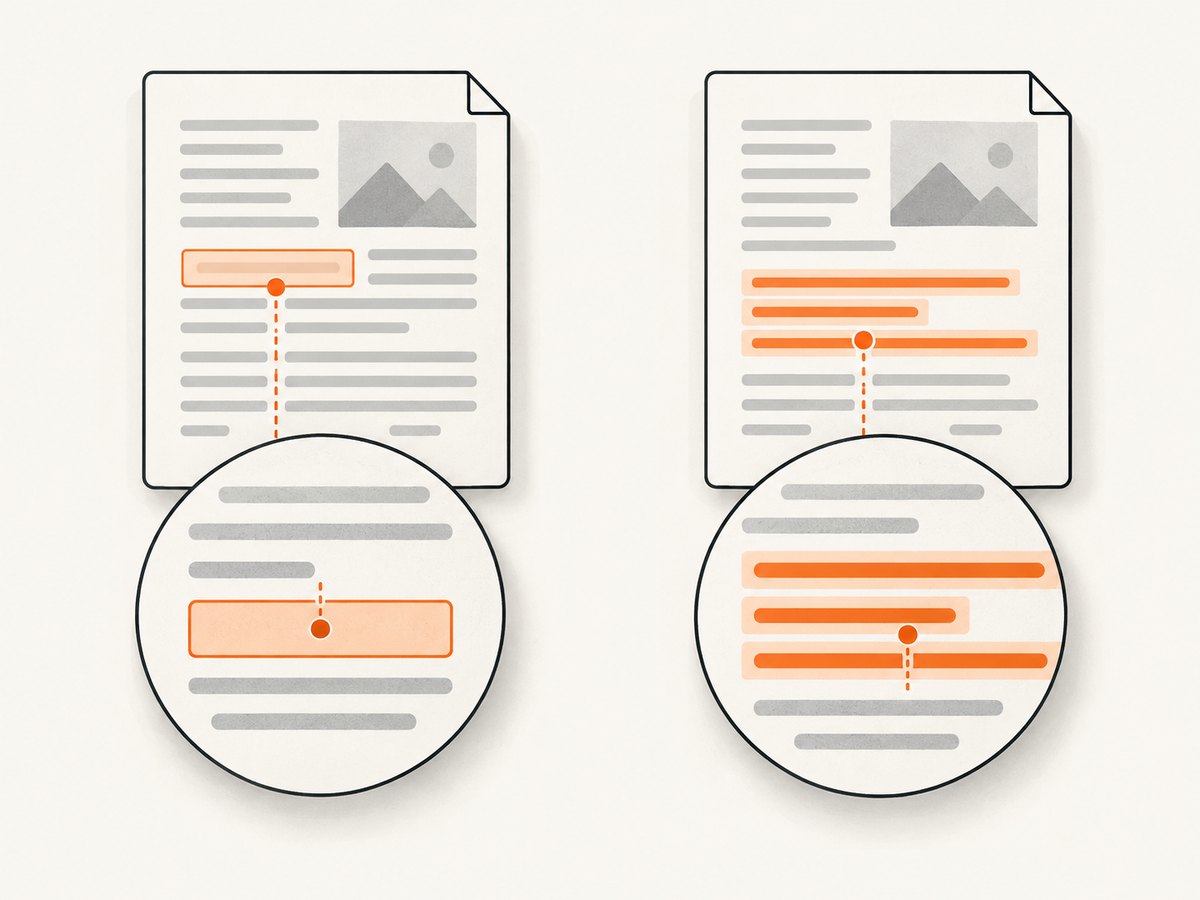
- Open the PDF in a second viewer.
- Use a PDF inspection tool to list link annotations and their rectangles or destinations.
- If an annotation exists, find the corresponding source anchor or generated element and remove its destination before printing.
- If no annotation exists but one viewer still highlights the text, the viewer is likely adding the interaction.
Keep a small fixture document containing an ordinary anchor, a visible plain URL, and an internal fragment link. This makes regressions and viewer differences easy to identify.
6. Printing options that affect the result
Disabling destinations is independent of most PDF layout options, but these settings commonly matter in the same job:
| Option | Use | Relevant detail |
|---|---|---|
printBackground |
Include background colors and images | Does not affect annotations |
format, width, height |
Choose paper or custom dimensions | Changing dimensions can move annotation rectangles |
margin |
Reserve printable space | Verify links after final layout |
pageRanges |
Print selected pages | Do not infer that omitted pages have been sanitized |
preferCSSPageSize |
Honor @page dimensions |
Useful for controlled print templates |
tagged |
Request a tagged PDF | Accessibility structure does not provide a hyperlink-off mode |
waitForFonts |
Wait for fonts before capture | Prevents layout shifts that can complicate inspection |
Puppeteer documents that PDF generation uses print media and waits for fonts by default in its PDF generation guide. If your site has print-specific markup, call page.emulateMediaType('screen') before printing only when you deliberately want screen media; it does not itself remove links.
7. Troubleshooting
The PDF still contains clickable links
Cause: The transformation ran before links were inserted, only touched the parent document, or a different print page was used. Fix: wait for the final content, process each accessible frame, and log the number of anchors changed. Confirm that the same page instance is passed to page.pdf().
Visible link text disappeared
Cause: Code removed the entire anchor node instead of its attribute. Fix: call removeAttribute('href'); preserve the element and its children.
Only some links are disabled
Cause: Some destinations are created with JavaScript, represented by buttons, or located in cross-origin frames. Fix: inspect the final DOM, handle the application’s click model in the print template, and replace inaccessible frames with printable content.
A viewer still highlights URL text
Cause: Viewer-side auto-linkification. Fix: inspect annotations and compare viewers. If the PDF has no annotation, changing Puppeteer options will not control that viewer behavior.
Restoration changes the wrong anchors
Cause: The page changed between removal and restoration, so positional matching is unsafe. Fix: use a unique temporary data attribute or print a separate page.
PDF output differs between Chromium versions
Cause: The workaround is not a documented Puppeteer PDF option, and annotation behavior can change with the browser engine. Fix: pin a tested Puppeteer/Chromium version, keep a fixture PDF, and inspect annotations in CI or a release check.
8. Performance, reliability, and cost
Removing attributes is linear in the number of anchors and normally negligible compared with navigation, font loading, image decoding, and PDF generation. The expensive operations are page startup and rendering, so reuse a browser process while creating isolated pages for concurrent jobs. Bound navigation and application waits, and close pages after each job to avoid memory growth.
For reliable output:
- Wait for the content that can add links.
- Use a deterministic print template where possible.
- Pin browser versions and test representative pages.
- Inspect actual PDF annotations, not only visual appearance.
- Record the URL, browser version, and transformation count with each artifact.
Self-hosted Puppeteer costs you compute, browser maintenance, storage, and operational time. A managed capture service can move those concerns outside your application when you only need a rendered document or image.
9. Or skip the browser setup
ScreenshotNeo provides a website screenshot API and MCP server. It is useful when your workflow needs a clean rendered capture without maintaining Chromium. Cookie and consent banners are accepted before capture, and more than 60 known consent platforms, newsletter popups, and chat widgets can be removed; each step can be turned off. Bot checks, CAPTCHAs, blank pages, timeouts, failed loads, and cache hits are not billed, and responses identify the result with X-Page-Verdict and X-Billed headers. Its MCP server exposes take_screenshot, get_page_info, and capture_pdf for Claude, Cursor, and other MCP clients.
For PDF capture, see the ScreenshotNeo documentation. The basic request is:
curl -G "https://api.screenshotneo.com/v1/shot" \
  -d access_key=YOUR_API_KEY \
  --data-urlencode url=https://stripe.com \
  -o shot.webp
import requests
r = requests.get(
"https://api.screenshotneo.com/v1/shot",
params={"access_key": "YOUR_API_KEY", "url": "https://stripe.com"},
timeout=90,
)
r.raise_for_status()
open("shot.webp", "wb").write(r.content)const q = new URLSearchParams({ access_key: 'YOUR_API_KEY', url: 'https://stripe.com' });
const res = await fetch(`https://api.screenshotneo.com/v1/shot?${q}`);
if (!res.ok) throw new Error(`HTTP ${res.status}`);
const bytes = new Uint8Array(await res.arrayBuffer());
await Bun.write('shot.webp', bytes);ScreenshotNeo also supports full-page capture, element selectors, custom CSS and JavaScript, waits, blocked resources, headers, cookies, user agents, authorization, timezone, geolocation, caching, signed links, asynchronous jobs, webhooks, bulk capture, and PDF paper size, margins, landscape, and page ranges. Plans include 1,000 free shots each month with no card; paid plans start at $5 for 3,000 shots. Create a free ScreenshotNeo account.
10. FAQ
Is there a Chromium flag for disabling PDF hyperlinks?
No documented Puppeteer or Page.pdf() flag provides that behavior. Change the print DOM and verify the resulting annotations.
Will removing href remove the visible URL?
No. Text and child content remain unless your CSS or script separately hides them.
Should I use pointer-events: none?
It can prevent pointer interaction in a page, but it is not established as a PDF annotation-removal method.
Can I disable links after the PDF is generated?
Yes, with a PDF post-processing library that edits annotations. That is a separate document-processing step; removing destinations before printing is simpler when you control the HTML.
Why test multiple viewers?
Because a viewer can make URL-like text appear clickable even when the PDF contains no link annotation.


