Can You Disable WebSockets With Puppeteer?
Puppeteer has no guaranteed WebSocket switch. Learn what request interception, Chrome blocklists, offline mode and network emulation actually do.
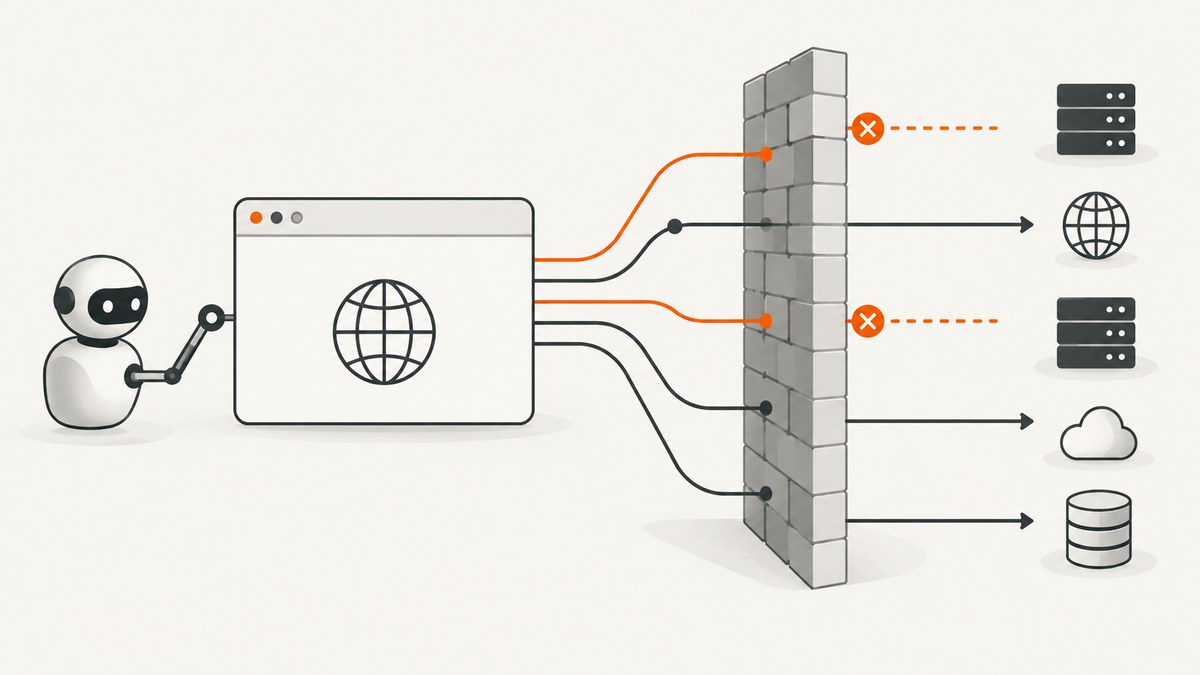
Short answer: Puppeteer does not document a dedicated disableWebSockets option. Its request-interception API lets you abort, continue or fulfill requests, but the API documentation describes HTTP request handling and does not guarantee that a normal page.on('request') handler catches every WebSocket handshake. For Chrome, Puppeteer documents an experimental ConnectOptions.blocklist that can make matching network requests fail while Puppeteer is attached to CDP targets. It is Chrome-only and explicitly is not a complete network sandbox.
That distinction matters. If you need to stop one known WebSocket origin during a browser test, evaluate the Chrome blocklist and verify it with the exact Puppeteer and Chrome versions you deploy. If you need a hard network boundary, enforce it outside Puppeteer with a container, proxy, firewall or operating-system policy.
What Puppeteer officially provides
| Control | What it does | WebSocket limitation |
|---|---|---|
page.setRequestInterception(true) |
Exposes requests to handlers that must call abort(), continue() or respond(). |
The reviewed API describes HTTPRequest operations and does not promise WebSocket-handshake coverage. |
ConnectOptions.blocklist |
Experimental Chrome URL-pattern blocking while Puppeteer is attached to CDP targets. | Chrome-only, attachment-dependent and not a complete network isolation boundary. |
page.emulateNetworkConditions() |
Applies latency, throughput and offline-style network emulation. | The API explicitly says it does not affect WebSockets or WebRTC PeerConnections. |
page.setOfflineMode() |
Sets the page offline. | The cited API reference does not specify its WebSocket behavior, so do not treat it as a documented switch. |
See Puppeteer’s request interception API, ConnectOptions reference, and network emulation reference. The network emulation documentation states that it “does not affect WebSockets and WebRTC PeerConnections.”
Option 1: use the experimental Chrome blocklist
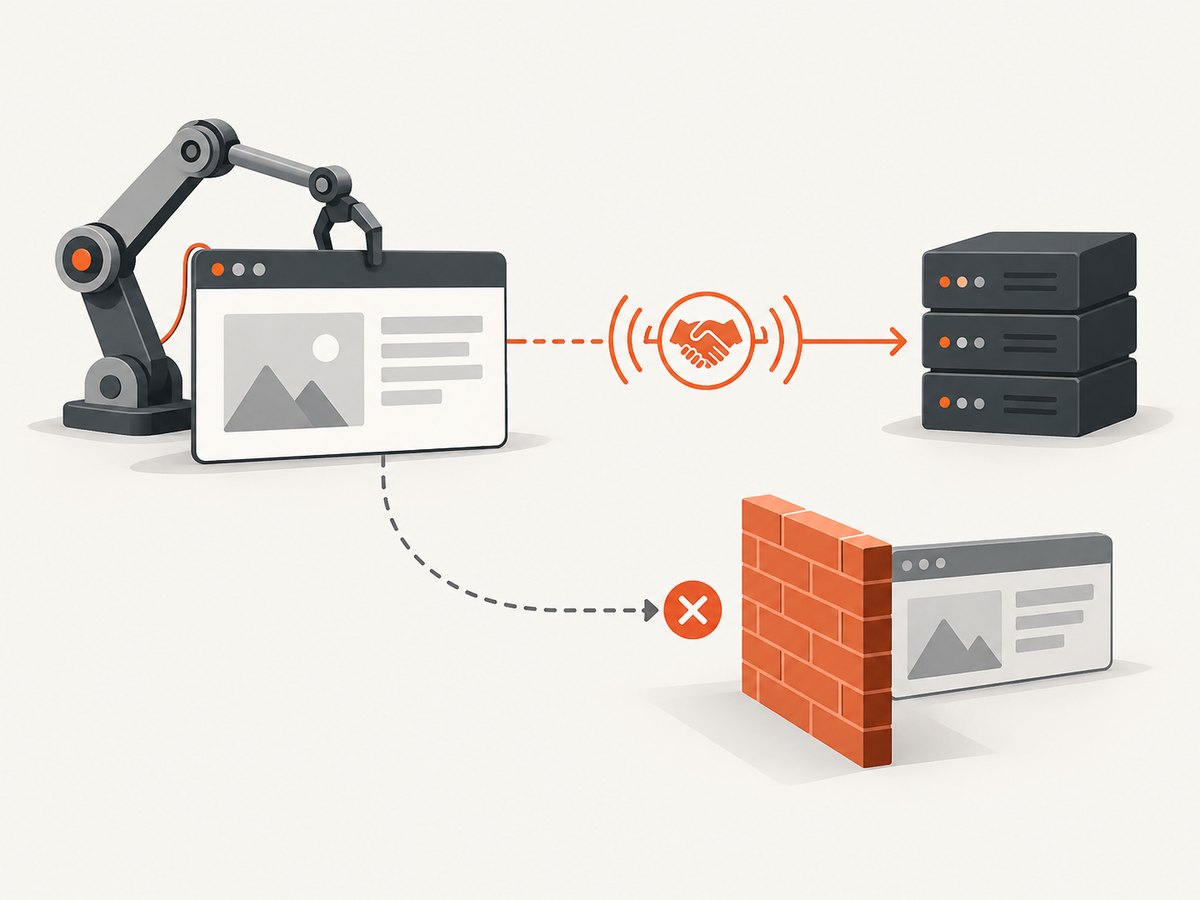
The blocklist is the closest documented control to denying selected WebSocket origins. It takes URL patterns and causes matching network requests to fail while Puppeteer remains attached to Chrome’s CDP targets. Because it is experimental, test both the handshake and the page’s fallback behavior in your own version matrix.
import puppeteer from 'puppeteer';

const browser = await puppeteer.connect({
  browserWSEndpoint: process.env.BROWSER_WS_ENDPOINT,
  // URL patterns are evaluated by Chrome while Puppeteer is attached.
  blocklist: [
    '*://realtime.example.com/*',
    '*://*.events.example.net/*'
  ]
});

const page = await browser.newPage();
page.on('console', message => console.log('[page]', message.text()));

await page.goto('https://app.example.com', {
  waitUntil: 'domcontentloaded',
  timeout: 30_000
});

// Give the application time to attempt its connection and fallback.
await new Promise(resolve => setTimeout(resolve, 3_000));
await page.screenshot({ path: 'blocked-websocket-test.png', fullPage: true });

await browser.close();
How to validate the blocklist
- Use a page that opens a known WebSocket endpoint.
- Record the endpoint and any fallback HTTP requests in DevTools or application logs.
- Connect with the blocklist pattern for that origin.
- Assert the application reaches its expected offline or reconnecting state.
- Repeat with a permitted endpoint to ensure the pattern is not broader than intended.
- Run the test against every Chrome and Puppeteer version you support.
A blocklist pattern is an origin filter, not a policy engine. It should not be your only control when untrusted page code must be prevented from reaching the network. Puppeteer’s own documentation recommends a container or operating-system-level sandbox for a complete access boundary.
Option 2: request interception, with an important caveat
Request interception is useful for HTTP resources such as images, analytics calls and API requests. Once enabled, intercepted requests remain stalled until your handler resolves each one. Forgetting to resolve even one request can make a page appear frozen.
import puppeteer from 'puppeteer';

const browser = await puppeteer.launch({ headless: true });
const page = await browser.newPage();

await page.setRequestInterception(true);
page.on('request', request => {
  const url = request.url();

  if (url.startsWith('https://api.example.com/')) {
    return request.abort('blockedbyclient');
  }

  // Every other intercepted request must be resolved.
  return request.continue();
});

await page.goto('https://app.example.com', {
  waitUntil: 'domcontentloaded',
  timeout: 30_000
});

await browser.close();
The documented API does not establish that this handler reliably intercepts WebSocket handshakes in every Puppeteer protocol and browser combination. Do not describe the snippet as a universal WebSocket blocker. If your test depends on it, instrument the target page and verify the exact handshake behavior rather than assuming the request event is sufficient.
Preventing interception races
Use one interception listener, keep its decision synchronous where possible, and make sure asynchronous logic cannot leave a request unresolved. In code shared by multiple libraries, guard against duplicate handling:
page.on('request', request => {
  if (request.isInterceptResolutionHandled()) return;

  const shouldBlock = request.url().includes('telemetry.example');
  if (shouldBlock) return request.abort();
  return request.continue();
});
If another listener may resolve the request first, check the interception state immediately before calling an action. This avoids “Request is already handled” errors.
Network emulation is not a WebSocket switch
Do not use throttling to disable sockets. Puppeteer’s page.emulateNetworkConditions() controls latency, download and upload throughput, and related network behavior, but its reference explicitly excludes WebSockets and WebRTC PeerConnections.
await page.emulateNetworkConditions({
  offline: false,
  downloadThroughput: 750 * 1024,
  uploadThroughput: 250 * 1024,
  latency: 150
});
This is appropriate for testing slow-page rendering, not for proving that a WebSocket cannot connect. page.setOfflineMode(true) is a separate control that takes the page offline, but the reviewed reference does not define its WebSocket-specific guarantees. Treat its effect as version- and browser-dependent unless you verify it yourself.
When you connect to an existing browser
Remote-browser setups commonly connect with a browser WebSocket endpoint:
import puppeteer from 'puppeteer';

const browser = await puppeteer.connect({
  browserWSEndpoint: process.env.BROWSER_WS_ENDPOINT,
  blocklist: ['*://socket.example.org/*']
});

const pages = await browser.pages();
const page = pages[0] ?? await browser.newPage();
await page.goto('https://app.example.com', { waitUntil: 'networkidle2' });
The blocklist’s effect depends on Puppeteer staying attached to CDP targets. If another process takes over the browser, creates a separate target or changes the network path outside Chrome, your assumptions may no longer hold. Keep the browser endpoint secret and place the browser in a restricted network environment when the page is untrusted.
A dependable architecture for “no WebSockets” tests
- Define the boundary. List exact origins that must be unreachable, and distinguish WebSocket endpoints from ordinary HTTPS APIs.
- Block at the strongest practical layer. Use container or OS firewall rules for a hard boundary; use the experimental Chrome blocklist for targeted browser-level experiments.
- Use interception for HTTP details. Abort known API, image or tracker requests, and resolve every intercepted request.
- Make the application observable. Expose connection state, retry count and fallback mode in test-only hooks or logs.
- Assert outcomes, not just errors. Verify that no live connection exists, that the UI reaches the expected state and that retries do not continue indefinitely.
- Pin and retest versions. Browser networking behavior can change with Chromium and Puppeteer releases.
Complete diagnostic example
import puppeteer from 'puppeteer';

const browser = await puppeteer.launch({
  headless: true,
  args: ['--disable-dev-shm-usage']
});
const page = await browser.newPage();

page.on('console', msg => console.log('console:', msg.text()));
page.on('pageerror', error => console.error('page error:', error.message));
page.on('requestfailed', request => {
  console.log('failed:', request.url(), request.failure()?.errorText);
});

await page.setRequestInterception(true);
page.on('request', request => {
  const url = request.url();
  if (url.includes('telemetry.example')) return request.abort();
  return request.continue();
});

await page.goto('https://app.example.com', {
  waitUntil: 'domcontentloaded',
  timeout: 30_000
});
await page.waitForTimeout(5_000);

const state = await page.evaluate(() => ({
  ready: document.readyState,
  bodyText: document.body.innerText.slice(0, 500)
}));
console.log(state);
await page.screenshot({ path: 'network-policy-result.png', fullPage: true });
await browser.close();
Troubleshooting
The page still opens a WebSocket
Cause: request interception is not documented as a universal handshake blocker, or the pattern does not match the actual endpoint. Fix: capture the exact URL, include the correct host and path in the Chrome blocklist, and test with the same browser and Puppeteer versions used in production. For a hard guarantee, enforce the rule outside the browser.
The page hangs after interception is enabled
Cause: at least one intercepted request was never resolved. Fix: call abort(), continue() or respond() on every path. Add logging around asynchronous handlers and use isInterceptResolutionHandled() when multiple listeners exist.
“Request is already handled” appears
Cause: two listeners attempted to resolve the same request. Fix: consolidate listeners or check interception state immediately before acting.
Network emulation did not stop the socket
Cause: this is expected; the API explicitly excludes WebSockets. Fix: use a tested blocklist or an external network policy.
The blocklist has no effect
Cause: the browser is not Chrome, Puppeteer is no longer attached to the relevant CDP target, or the URL pattern is wrong. Fix: confirm the browser type, keep the connection attached, simplify the pattern, and log the actual endpoint.
Offline mode gives inconsistent results
Cause: the reviewed reference does not promise specific WebSocket behavior for setOfflineMode(). Fix: use it only for tests whose expected result you have verified, and avoid presenting it as a portable WebSocket-disable mechanism.
Performance, reliability and cost considerations
- Performance: interception adds a decision point to every intercepted request. Keep matching rules cheap and avoid network calls from inside the handler.
- Reliability: page retries can create repeated connection attempts even when the first handshake fails. Cap retries or wait for a stable fallback state before asserting.
- Isolation: browser-level controls are weaker than container or OS network policy. Use both when the page is untrusted.
- Debugging: save the browser version, Puppeteer version, endpoint pattern and request-failure logs with each failed run.
- Cost: running a local browser consumes CPU and memory; remote browsers add provider charges and network latency. A screenshot API can remove browser orchestration when you only need an image or PDF.
Or skip the browser setup
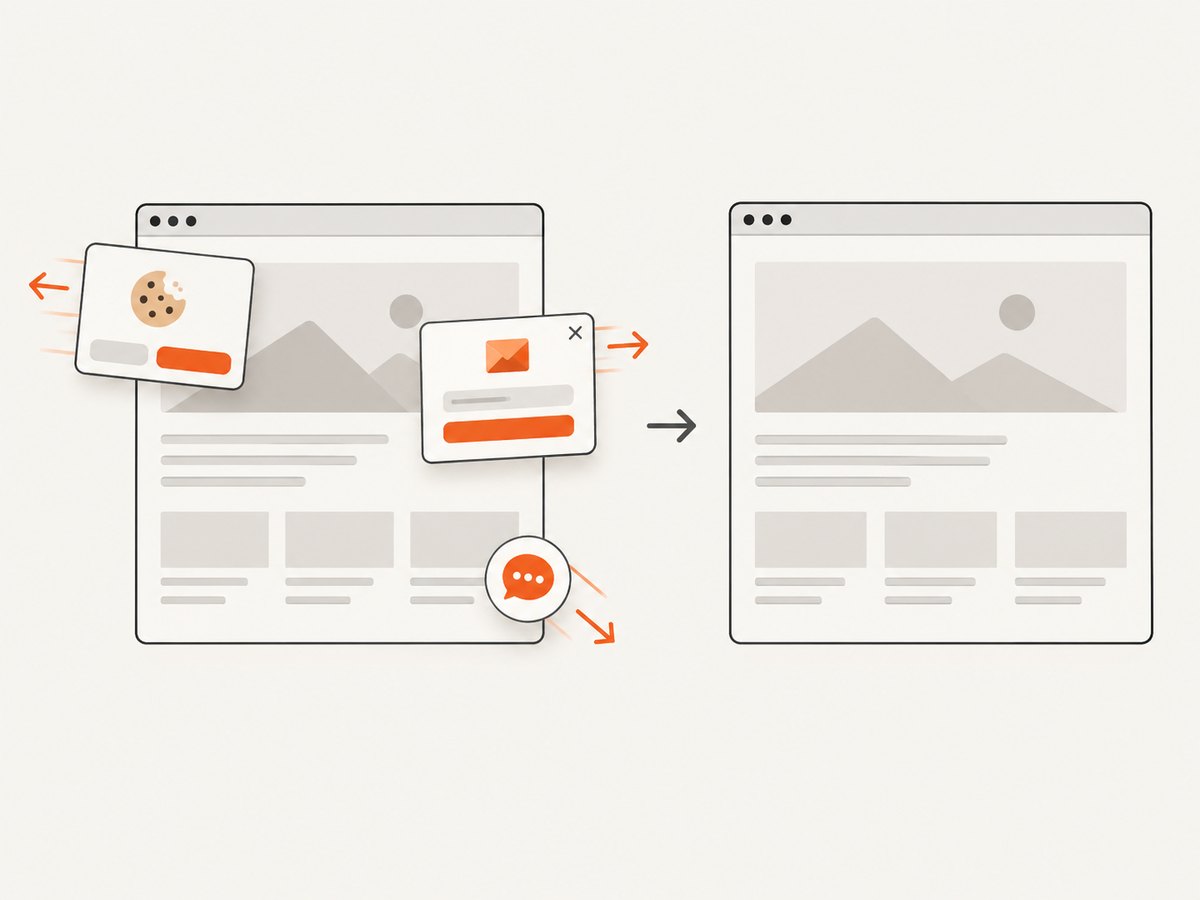
If your actual goal is a reliable page image rather than testing socket behavior, ScreenshotNeo provides a single screenshot request. Cookie and consent banners, newsletter popups and chat widgets are removed before the shot. Bot checks, blank pages and failed loads are never billed, and the response reports the result with X-Page-Verdict and X-Billed headers. Its MCP server lets Claude, Cursor and other MCP clients call take_screenshot, get_page_info and capture_pdf.
See the ScreenshotNeo API documentation for all options. This is a complete runnable cURL example:
curl -G "https://api.screenshotneo.com/v1/shot" \
  -d access_key=YOUR_API_KEY \
  --data-urlencode url=https://stripe.com \
  -o shot.webp
Python:
import requests

r = requests.get(
    "https://api.screenshotneo.com/v1/shot",
    params={"access_key": "YOUR_API_KEY", "url": "https://stripe.com"},
    timeout=90,
)
r.raise_for_status()
open("shot.webp", "wb").write(r.content)
Node.js:
const q = new URLSearchParams({
  access_key: 'YOUR_API_KEY',
  url: 'https://stripe.com'
});
const res = await fetch(`https://api.screenshotneo.com/v1/shot?${q}`);
if (!res.ok) throw new Error(`Screenshot failed: ${res.status}`);
const data = Buffer.from(await res.arrayBuffer());
require('fs').writeFileSync('shot.webp', data);
ScreenshotNeo includes full-page capture with lazy images loaded, CSS-selector element capture, dark mode, device presets or custom viewports, retina scale, custom CSS and JavaScript, click and wait actions, blocked resources, headers, cookies, user agents, authorization, timezone, geolocation, transparent backgrounds, resizing, TTL caching, signed links, asynchronous jobs with signed webhooks, bulk capture for up to 100 URLs per call, usage reporting and an OpenAPI specification. Plans include 1,000 free shots a month with no card; paid plans start at $5 for 3,000 shots, and yearly billing gives two months free.
Create a free ScreenshotNeo account and use the 1,000 monthly shots without a card.
FAQ
Can I pass a WebSocket URL to page.goto()?
No. page.goto() navigates to web pages. A page script or application code normally creates the WebSocket connection.
Does blocking HTTPS also block WSS?
Not automatically. Match the actual WebSocket endpoint and protocol in your policy, and verify the resulting behavior.
Is Puppeteer’s blocklist suitable as a security boundary?
No. The documentation describes it as experimental and not a complete network sandbox. Use container or operating-system controls for isolation.
Should I disable WebSockets globally?
Usually no. Blocking specific origins preserves unrelated page functionality and makes failures easier to diagnose.
How do I prove that no socket was created?
Combine browser or network logs with application state assertions, then repeat the test across the exact Chrome and Puppeteer versions you ship.


