How to Display PhantomJS Generated Images in a PHP Webpage
Save PhantomJS renders correctly, expose them through a URL, and display or protect them in PHP with complete code and troubleshooting.
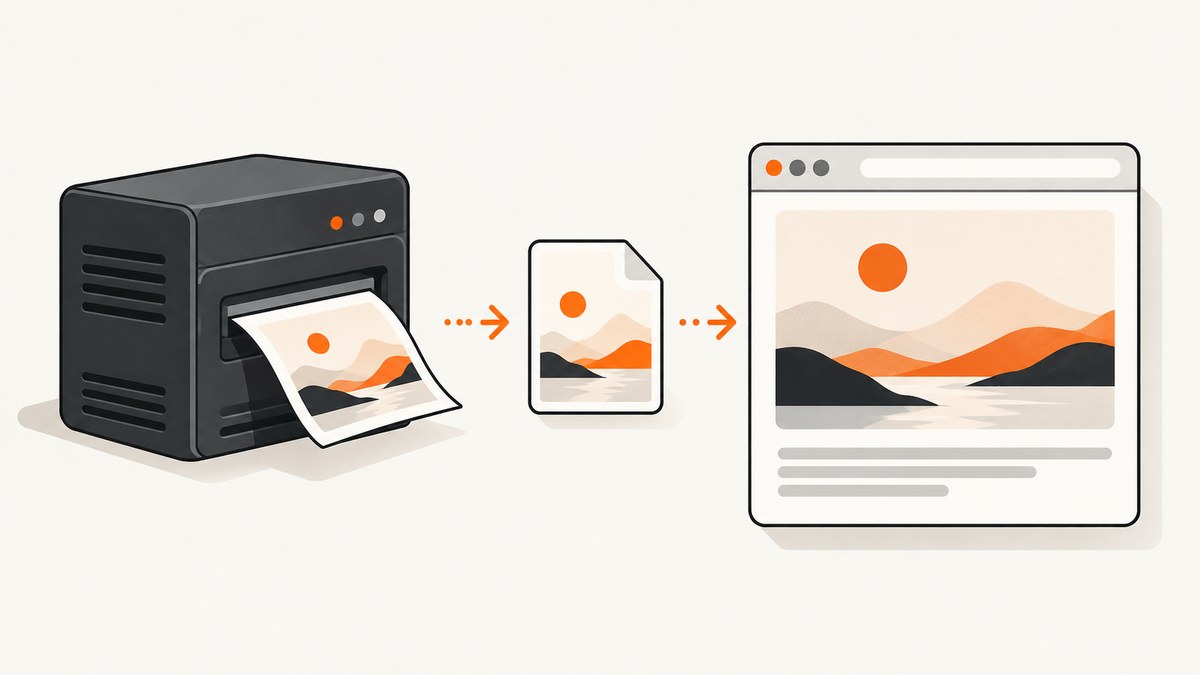
Direct answer: PhantomJS writes a screenshot to a server filesystem path. A browser cannot use that path directly; it needs an HTTP URL. Save the render in a directory your web server exposes, then reference the matching URL in an HTML <img> element. If the file must remain private, serve it through a PHP endpoint that validates the requested image, sends the correct Content-Type header, and streams the bytes with readfile().
The key mapping is:
| Layer | Example | What it means |
|---|---|---|
| PhantomJS filesystem path | /var/www/site/public/images/capture.png |
Where the renderer writes bytes on the server |
| Browser URL | /images/capture.png |
What the browser requests in src |
| PHP endpoint URL | /image.php?id=abc123 |
A route that checks access and streams a private file |
1. Render an image with PhantomJS
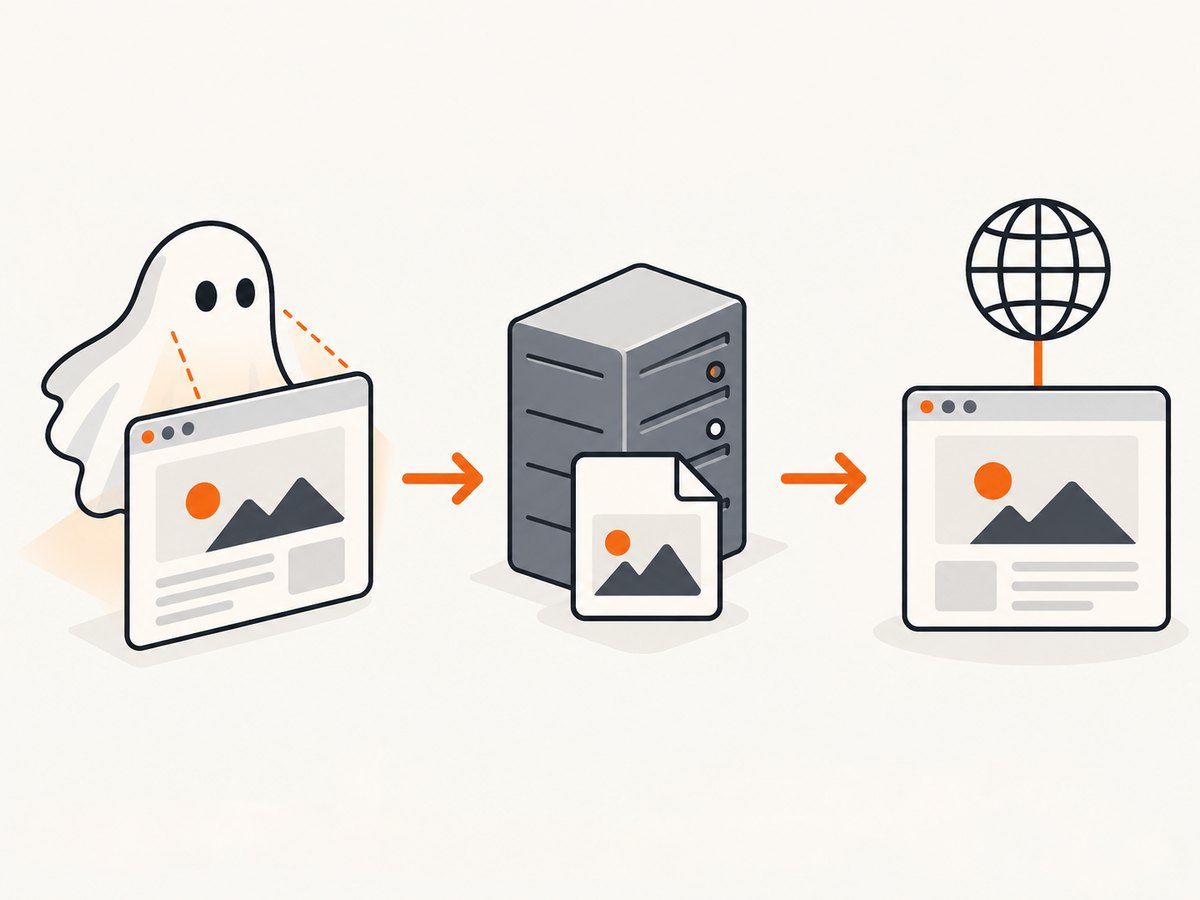
Use page.open() and call page.render() only after a successful load. The filename extension normally selects the output format; PNG and JPEG are the practical choices for web pages. PhantomJS documents that render saves the page to the specified filename. See the render API and the screen-capture guide.
var page = require('webpage').create();
page.viewportSize = { width: 1440, height: 900 };
page.open('https://example.com/', function (status) {
    if (status === 'success') {
        page.render('/var/www/site/public/images/example.png');
    } else {
        console.error('Page failed to load: ' + status);
    }
    phantom.exit();
});
Run the script with the PhantomJS executable available on your server:
phantomjs capture.jsBefore moving on, verify that the output exists and is readable by the web-server user:
ls -l /var/www/site/public/images/example.png
file /var/www/site/public/images/example.png
Choose the render dimensions and format
page.viewportSizecontrols the browser viewport used for the capture.- Use a
.pngextension for lossless images and transparency, or.jpgfor smaller photographic output. - PhantomJS documentation lists PDF, PNG, JPEG, BMP and PPM support; GIF support depends on the Qt build.
- The render path must be writable by the process running PhantomJS. The browser URL must point to a web-server document root or a route that serves the file.
2. Display a public render with a static URL
For non-sensitive screenshots, place the file below the site’s public document root. If the document root is /var/www/site/public, the file /var/www/site/public/images/example.png is normally available at /images/example.png.
<!doctype html>
<html lang='en'>
<head>
    <meta charset='utf-8'>
    <title>Rendered page</title>
</head>
<body>
    <h1>Latest capture</h1>
    <img src='/images/example.png'
         alt='Screenshot of the rendered example page'
         width='1440'>
</body>
</html>
Use the URL in src, never the server’s absolute path. Add a useful alt value, especially when the screenshot conveys information. If filenames are generated, store the generated name with the application record rather than guessing it from user input.
Generate and display a file from PHP
If PHP receives image bytes from a renderer or service, write them with file_put_contents(). It is binary-safe, creates a missing file, and overwrites an existing file by default. Check its return value because it returns the number of bytes written or false; see the PHP manual.
<?php
$bytes = file_get_contents('/tmp/renderer-output.png');
if ($bytes === false) {
    http_response_code(502);
    exit('Renderer output could not be read');
}

$target = __DIR__ . '/public/images/latest.png';
$written = file_put_contents($target, $bytes);
if ($written === false || $written !== strlen($bytes)) {
    http_response_code(500);
    exit('Image could not be saved');
}

header('Location: /images/latest.png', true, 303);
exit;
3. Serve a private image through a PHP endpoint
Keep captures outside the public document root when they contain private data, require authorization, or have an unpredictable storage layout. The endpoint should map a validated identifier to a known file. Do not concatenate an unchecked query-string value into a filesystem path.

<?php
// image.php?id=customer-42
session_start();
if (empty($_SESSION['user_id'])) {
    http_response_code(401);
    exit;
}

$id = $_GET['id'] ?? '';
$allowed = [
    'customer-42' => __DIR__ . '/private-images/customer-42.png',
    'customer-43' => __DIR__ . '/private-images/customer-43.png',
];

if (!array_key_exists($id, $allowed)) {
    http_response_code(404);
    exit;
}

$file = $allowed[$id];
if (!is_file($file) || !is_readable($file)) {
    http_response_code(404);
    exit;
}

header('Content-Type: image/png');
header('Content-Length: ' . filesize($file));
header('Cache-Control: private, max-age=300');
readfile($file);
exit;
PHP’s header() documentation requires headers to be sent before any output. readfile() reads the file and writes it to the response. Your HTML then uses the endpoint URL:
<img src='/image.php?id=customer-42'
     alt='Private screenshot for customer 42'>
Support more than PNG
Store the format as application metadata and choose the MIME type from a fixed allow-list. Never trust a user-supplied MIME type.
<?php
$files = [
    'png' => [__DIR__ . '/private-images/capture.png', 'image/png'],
    'jpg' => [__DIR__ . '/private-images/capture.jpg', 'image/jpeg'],
    'webp' => [__DIR__ . '/private-images/capture.webp', 'image/webp'],
];
$format = $_GET['format'] ?? 'png';
if (!isset($files[$format])) {
    http_response_code(404);
    exit;
}
[$file, $mime] = $files[$format];
if (!is_file($file) || !is_readable($file)) {
    http_response_code(404);
    exit;
}
header('Content-Type: ' . $mime);
header('Content-Length: ' . filesize($file));
readfile($file);
exit;
4. A complete PhantomJS-to-PHP workflow
- Create a dedicated output directory, for example
public/images/capturesfor public files orprivate-imagesfor protected files. - Run PhantomJS only after
page.open()reportssuccess. - Use a unique filename, such as an application record ID plus a safe extension.
- Confirm the file exists, has a non-zero size, and is readable.
- Return either a static URL or a PHP endpoint URL from your application.
- Render the URL in an
<img>element. - Open the image URL directly in a browser or with
curl -Iand inspect the status and MIME type.
curl -I https://www.example.com/images/example.pngA healthy response has a successful status and an image content type such as image/png. An HTML error document, PHP warning, redirect to a login page, or missing Content-Type usually means the route or output handling is wrong.
5. Timing, dynamic pages and edge cases
A successful network load does not guarantee that application data, fonts, charts, or lazy images have finished rendering. In PhantomJS, add a controlled delay or wait for a page-specific condition before calling render(). Keep the delay bounded so a stalled page cannot hold a worker forever.
var page = require('webpage').create();
page.viewportSize = { width: 1366, height: 768 };
page.open('https://example.com/dashboard', function (status) {
    if (status !== 'success') {
        console.error('Open status: ' + status);
        phantom.exit(1);
        return;
    }
    window.setTimeout(function () {
        page.render('/var/www/site/public/images/dashboard.png');
        phantom.exit();
    }, 1500);
});
For pages that depend on authentication, configure the required cookies or headers before opening the page. For very tall pages, confirm how your PhantomJS build handles the document height and consider capturing sections if memory use becomes excessive. If an image is transparent, preserve a format that supports alpha; JPEG will replace transparency with a background.
6. Troubleshooting checklist
| Symptom | Likely cause | Fix |
|---|---|---|
| Broken image icon | The URL does not map to the output file. | Open the src URL directly, compare it with the document root, and inspect the HTTP status. |
| Works from the shell but not in HTML | A filesystem path was used as a browser URL. | Expose the directory through the web server or use a PHP endpoint. |
| 404 after a successful render | The output directory is outside the document root, or the filename differs. | Log the absolute render path, verify the file, and return the correct URL. |
| 403 or permission denied | The web-server user cannot traverse the directory or read the file. | Fix ownership and permissions for the deployment model; avoid making every directory world-writable. |
| PHP downloads a file or shows garbled bytes | Wrong Content-Type, or text was emitted before the headers. |
Send headers first, remove debug output and closing-template markup, then call readfile(). |
| PHP response contains warnings or an HTML page | A notice, warning, login redirect, or framework middleware wrote into the binary response. | Log errors separately, disable display errors for the endpoint, and return only image bytes. |
| Image missing after generation | page.open() failed, the write failed, or the process exited early. |
Check the open status, output path, file size, and file_put_contents() result. |
| Wrong format | Extension and MIME type do not agree. | Use .png with image/png, .jpg with image/jpeg, and so on. |
| Private files are exposed | The storage directory is under the public root. | Move files outside the document root and enforce authorization in the endpoint. |
| Stale screenshot appears | Browser or proxy caching is serving an earlier URL. | Use versioned filenames, an explicit cache policy, or a cache-busting query parameter where appropriate. |
7. Security considerations
- Never accept an arbitrary path such as
?file=../../etc/passwd. Map opaque IDs to known paths. - Authenticate before reading private captures and authorize the specific record.
- Use generated filenames rather than user-provided names.
- Keep renderer processes isolated from sensitive host files where possible.
- Set response headers deliberately; do not allow a user-controlled value to become a response header.
- Consider whether screenshots contain personal data before storing them in a public directory or a long-lived cache.
8. Performance, reliability and cost
Static delivery is usually the simplest and fastest path after generation because the web server can cache the file directly. A PHP endpoint adds an authorization check and a process invocation for every request, so use cache headers when policy allows and avoid regenerating the same screenshot on every page view. Generate asynchronously for expensive pages, record the render status, and show a useful placeholder while the image is pending.
Use bounded page waits, clean up old files, and retain enough logs to connect a database record with a renderer exit status and output filename. PhantomJS documentation is legacy documentation, and the supplied research did not verify compatibility with current systems; perform a separate runtime check before committing it to a new production deployment.
The direct workflow has infrastructure costs for the browser process, storage, bandwidth, and maintenance. A hosted screenshot API can move those concerns behind an HTTP request.
9. Or skip the browser setup
ScreenshotNeo provides a website screenshot API and MCP server. One GET request returns a PNG, JPEG, WebP, or PDF. It accepts consent banners like a visitor and removes more than 60 known consent platforms, newsletter popups, and chat widgets before capture; each step can be turned off. Bot checks and CAPTCHAs, blank pages, timeouts, failed loads, and cache hits cost nothing, and the response identifies the result with X-Page-Verdict and X-Billed headers.
See the ScreenshotNeo API documentation for the full parameter list and OpenAPI specification.
cURL
curl -G 'https://api.screenshotneo.com/v1/shot' \
  -d access_key=YOUR_API_KEY \
  --data-urlencode url=https://example.com \
  -o shot.webp
PHP
<?php
$url = 'https://api.screenshotneo.com/v1/shot?' . http_build_query([
    'access_key' => 'YOUR_API_KEY',
    'url' => 'https://example.com',
]);
$context = stream_context_create(['http' => ['timeout' => 90]]);
$bytes = file_get_contents($url, false, $context);
if ($bytes === false) {
    throw new RuntimeException('Screenshot request failed');
}
file_put_contents(__DIR__ . '/public/images/shot.webp', $bytes);
Python
import requests

r = requests.get('https://api.screenshotneo.com/v1/shot', params={'access_key': 'YOUR_API_KEY', 'url': 'https://example.com'}, timeout=90)
r.raise_for_status()
open('shot.webp', 'wb').write(r.content)
Node.js
const q = new URLSearchParams({ access_key: 'YOUR_API_KEY', url: 'https://example.com' });
const res = await fetch(`https://api.screenshotneo.com/v1/shot?${q}`);
if (!res.ok) throw new Error(`HTTP ${res.status}`);
const bytes = Buffer.from(await res.arrayBuffer());
require('fs').writeFileSync('shot.webp', bytes);
ScreenshotNeo also supports full-page captures with lazy images loaded, CSS-element capture, dark mode, 12 device presets or custom viewports, retina scale, PDF paper sizes and page ranges, HTML/CSS input, custom CSS and JavaScript, clicks, selector waits, delays, network-idle waits, request blocking, custom headers and cookies, user agents, authorization, timezone and geolocation, transparent backgrounds, resizing, chosen-TTL caching, signed links, asynchronous jobs with signed webhooks, bulk capture for up to 100 URLs per call, and a usage API. Its MCP server exposes take_screenshot, get_page_info, and capture_pdf to Claude, Cursor, and other MCP clients.
There is a free plan with 1,000 screenshots each month and no card. Paid plans start at $5 for 3,000 shots; yearly billing gives two months free, and every feature is available on every plan. Create a free ScreenshotNeo account.
10. FAQ
Can I put the PhantomJS absolute path in img src?
No. The browser can request an HTTP(S) URL. Map the filesystem path to a public URL or stream it through PHP.
Should screenshots be public or private?
Use a public static URL for intentionally public images. Use storage outside the document root and an authenticated endpoint for customer data, internal dashboards, or other sensitive captures.
Why does the endpoint need a MIME type?
The browser uses Content-Type to interpret the response. Match it to the actual file format and send it before any bytes or PHP warnings.
How do I know whether PhantomJS generated a valid image?
Check the page.open() status, confirm the file exists and has non-zero size, inspect it with the file command, and request its URL directly.
What is the safest way to select a private capture?
Use an opaque application ID mapped to a server-side allow-list or database record. Never treat a query-string filename as a trusted path.


